
Note: This article contains affiliate links. If you click on these links and make a purchase, we may earn a small commission at no extra cost to you. This helps support our research and content. Read our full affiliate disclosure here.
If you use ductless heating and cooling, the right Mini Split Thermostat makes a big difference in comfort and energy use. You want a controller that reads room temperature accurately, integrates with the outdoor unit, and fits your daily schedule without complicated setup. This guide shortlists the top Mini Split Thermostats for typical home zone setups and explains the practical tradeoffs between control accuracy, connectivity, and ease of use. Below are the top picks followed by clear buying guidance and the evaluation criteria used to select them.
Top Picks at a Glance
| Best Overall The best all-around choice for most situations | Mysa Smart Thermostat for Mini-Splits |  |
| Best Quality Built to a higher standard if you want something more solid | MrCool Smart Programmable Thermostat MST05 |  |
| Best Value The sweet spot between price and what you get | WOOX Smart AC Controller R7246 |  |
| Best Budget The cheapest option that still gets the job done reliably | WenzhiIoT WiFi Smart AC Controller |  |
| Top Rated A top-rated pick with lots of positive feedback | Cielo Breez Max Smart Thermostat |  |
| Most Popular A crowd favorite that many people choose with confidence | Cielo Breez Eco Smart AC Controller |  |
| Best Seller A high-volume bestseller chosen again and again | Sensibo Sky Smart AC Controller |  |
Mysa Smart Thermostat for Mini-Splits
| Controller Type | Amazon Alexa, Android, Apple HomeKit, Google Assistant, iOS |
|---|---|
| Specific Uses For Product | For ductless mini-split heat pumps, portable and window AC units |
| Connectivity Technology | Wi-Fi |
| Power Source | Battery Powered |
| Display Type | led touch screen |
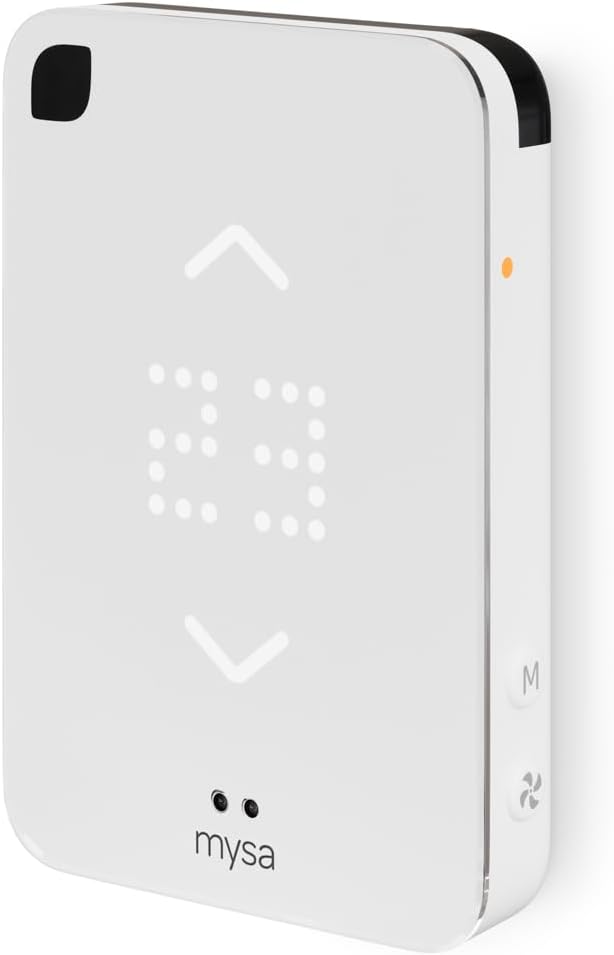
The Mysa Smart Thermostat connects to ductless mini-split heat pumps and portable or window AC units to provide app-based scheduling, on-device touch control, and voice integration with HomeKit, Alexa, and Google Assistant. It is typically mounted on the wall or used on the included tabletop stand and runs on battery power with a glossy modern display that shows room temperature and lets you change mode, fan speed, and setpoints. Notable features include 2.4 GHz Wi-Fi support for remote access, Climate+ automated room-matching to keep the sensed room temperature aligned with your set temperature, energy insights and geofencing for schedule automation, and filter and home environment alerts. Setup is intended to be user-friendly with step-by-step guidance and a dedicated support team. Limitations include reliance on the mini-split accepting external controller commands and the need for a compatible 2.4 GHz Wi-Fi environment, and some advanced integrations or behaviors will depend on the specific mini-split model rather than the thermostat alone.
Best for: Buyers who want a polished, connected upgrade for a ductless mini-split or window/portable AC and value remote scheduling, voice control, and energy features without complex installation.
Less Ideal for: People who need a thermostat that guarantees full compatibility with every mini-split model or those who cannot supply a reliable 2.4 GHz Wi-Fi network.
- Works with ductless mini-split, portable, and window AC units to replace the factory remote
- App control with scheduling, geofencing, and energy insights for remote management
- Voice assistant support for HomeKit, Alexa, and Google Assistant
- Climate+ feature that actively matches room temperature to your setpoint
- Flexible installation as a secure wall mount or tabletop controller
- Requires the mini-split to support external controller commands for full functionality
- Designed for 2.4 GHz Wi-Fi which may need network adjustment on some routers
- Battery powered operation may need periodic recharging or replacement
Verdict: A user-friendly smart controller that brings app, schedule, and voice control plus Climate+ automation to ductless mini-splits and portable/window ACs.
MrCool Smart Programmable Thermostat MST05
| Controller Type | Smart |
|---|---|
| Connectivity Technology | Wi-Fi |
| Additional Features | Alexa, Google Assistant, Touchscreen, WiFi Capable |
| Power Source | Corded Electric (24 volts) |
| Control Type | App Control |
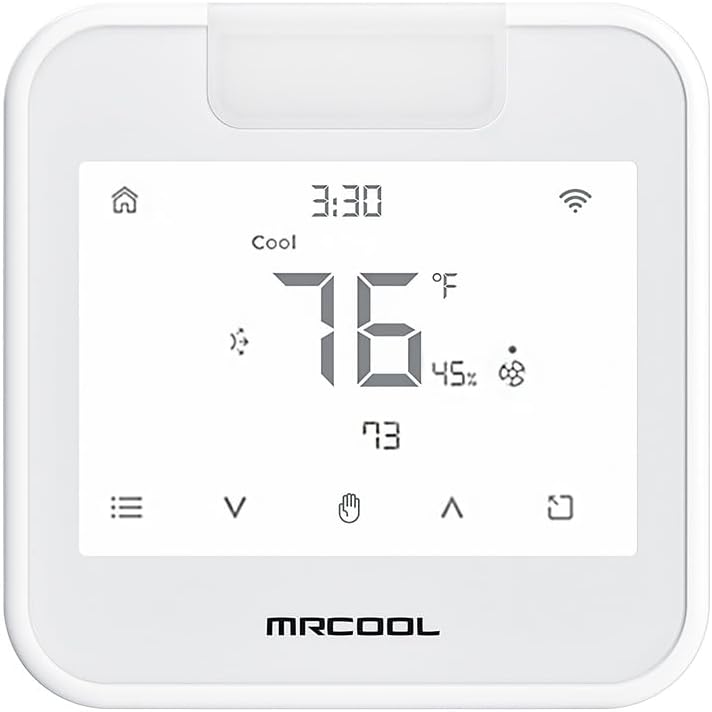
The MRCOOL MST05 is a compact smart thermostat built for ductless mini‑split heating and cooling that pairs Wi‑Fi control, a touchscreen, and voice assistant integration for everyday comfort management. It mounts on the wall like a conventional 24V thermostat or can sit on a tabletop dock, and users control temperature and schedules through the app or directly on the LED touchscreen. Notable features include Alexa and Google Assistant compatibility, programmable temperature control, and app-based scheduling that let you automate comfort and reduce manual adjustments. The unit runs on 24V power but also supports a 5V tabletop dock for flexible placement, and the plastic glossy housing keeps the look minimal. Limitations to consider are the basic feature set compared with high-end smart thermostats—advanced zoning diagnostics and extensive energy reports are not offered—and the product is tailored specifically for mini‑split installations, so it may not replace full-featured HVAC thermostats in larger multi‑zone setups. For buyers focused on straightforward smart control of a single mini‑split, it offers practical convenience and reliable connectivity.
Best for: Buyers who want straightforward smart control and voice integration for a single ductless mini‑split and value simple installation and daily scheduling over advanced HVAC diagnostics.
Less Ideal for: Homes that need multi‑zone management, deep energy analytics, or full-featured HVAC integration should consider more advanced thermostats.
- Wi‑Fi enabled with app control and voice assistant support for Alexa and Google Assistant
- Touchscreen LED display and programmable schedules for easy daily use
- Can be wall mounted or used with a tabletop dock for flexible placement
- Designed specifically for ductless mini‑split heating and cooling systems
- Does not provide advanced energy reporting or multi‑zone diagnostics
- Limited to the feature set expected for a compact mini‑split thermostat
Verdict: A compact smart thermostat that brings reliable Wi‑Fi, voice control, and easy scheduling to a single ductless mini‑split system.
WOOX Smart AC Controller R7246
| Connectivity Technology | Bluetooth, IR, Wi‑Fi |
|---|---|
| Power Source | Corded Electric |
| Voltage | 240 volts |
| Display Type | LED |
| Control Method | App, Touch, Voice |
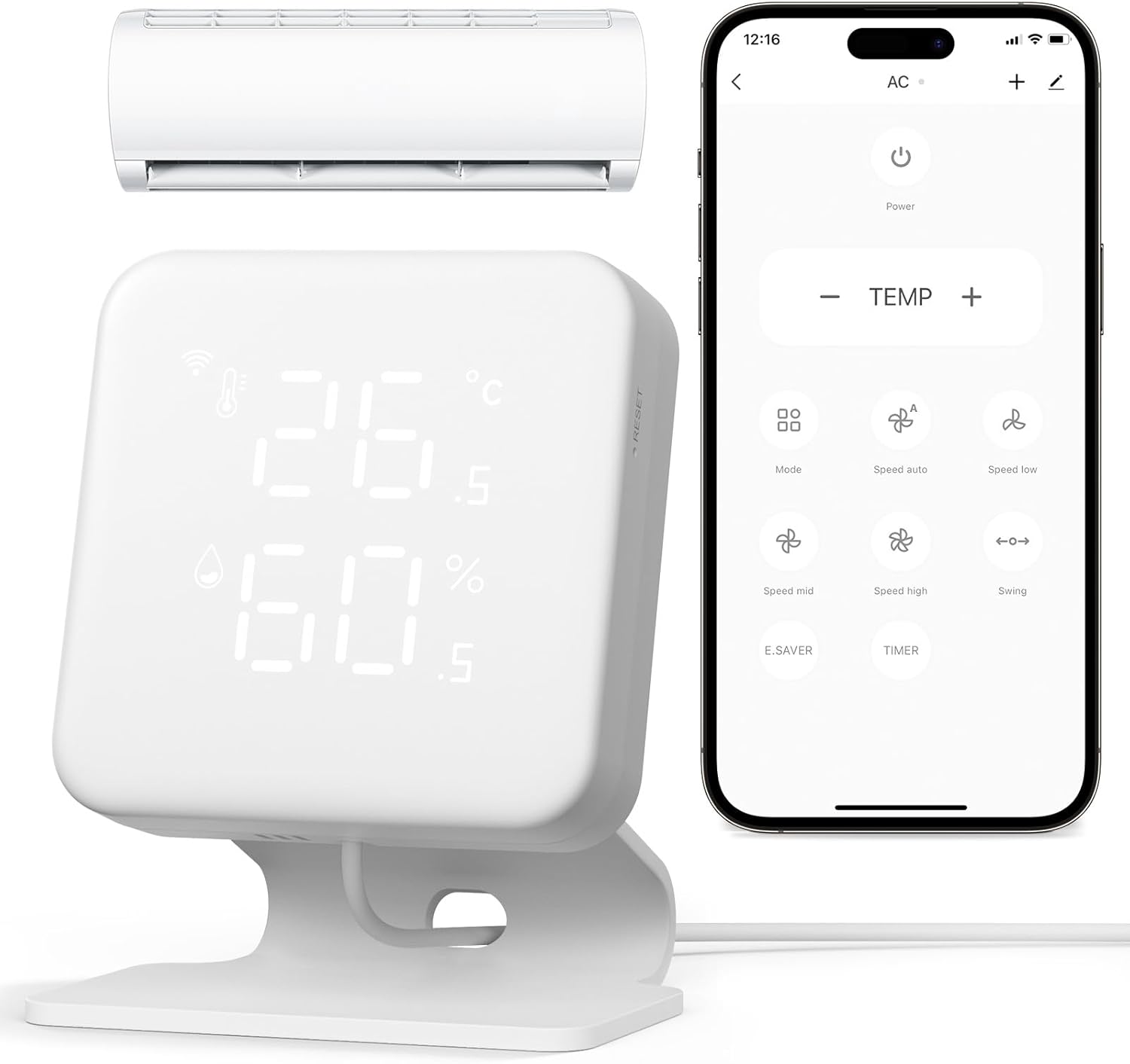
The WOOX Smart AC Controller R7246 converts IR‑remote mini‑splits, window, and portable ACs into a programmable smart climate device. It mounts on the wall and connects via 2.4 GHz Wi‑Fi and Bluetooth so you can use the Woox Home app, Alexa, or Google Assistant to change mode, fan speed, and temperature from anywhere. Notable features include a built‑in thermohygrometer with live readout, IR learning that can copy most remotes, weekly scheduling, and geofencing to start or stop the unit when you arrive or leave. In real use the temperature/humidity sensor lets automations run based on measured conditions rather than just clock schedules, and IR learning means setup works for many brands without manual code hunting. Trade offs are the IR‑based control (so it only works with IR‑compatible indoor units, not central HVAC) and reliance on 2.4 GHz Wi‑Fi for remote access, which may require placement testing to ensure reliable connectivity and IR line of sight. The controller is practical for homeowners who want smarter, scheduled cooling and energy savings without replacing the existing mini‑split or portable AC.
Best for: Buyers who want to make an existing mini‑split, window, or portable AC smarter and reduce runtime with schedules and geofencing without replacing the unit.
Less Ideal for: If you need a wired thermostat or have a central HVAC system, this IR controller is not a suitable replacement and you should look at dedicated thermostats or hardwired controls.
- Adds app, voice and remote control to IR mini‑split, window, and portable AC units
- Built‑in temperature and humidity sensor for condition‑based automations
- IR learning copies most remote commands so it works with many brands
- Weekly schedules and geofencing automate comfort and can reduce runtime
- Works by IR only so it cannot control hardwired or non‑IR systems
- Requires reliable 2.4 GHz Wi‑Fi and clear IR line of sight for dependable operation
Verdict: A practical, sensor‑equipped IR controller that turns a mini‑split or portable AC into a programmable, voice‑ready smart thermostat without replacing the unit.
WenzhiIoT WiFi Smart AC Controller

| Controller Type | mobile app, voice control |
|---|---|
| Connectivity Technology | Wi-Fi |
| Power Source | USB Powered |
| Control Method | App, Voice |
| Additional Features | Programmable, Remote Access, Humidity Monitoring |
This compact Wi‑Fi controller makes an IR‑based mini‑split or window AC controllable from your phone and with voice assistants without replacing the outdoor or indoor unit. Setup uses the app over 2.4 GHz Wi‑Fi and the controller can learn an existing AC remote via IR, after which you can change temperature, fan speed, and mode remotely or with Alexa and Google Home. Built‑in temperature and humidity sensors report conditions to the app and you can create 7‑day schedules and smart scenes to automate comfort and save energy. The unit is USB powered and mounts on a wall or sits on the included stand, and the package includes a separate temperature sensor for better placement. Practical limits are that it only works with ACs that accept IR commands and requires a stable 2.4 GHz network, and advanced HVAC features available on factory thermostats are not present. For buyers who want an inexpensive way to add remote control, scheduling, and basic automation to an existing mini‑split or window unit, this is a straightforward option.
Best for: Buyers looking to add smart control and basic automation to an existing mini‑split, portable, or window AC on a limited budget and who prioritize remote access and scheduling over factory HVAC features.
Less Ideal for: Homes with hardwired thermostat requirements, proprietary non‑IR mini‑split controls, or buyers who need advanced HVAC integrations and professional HVAC features.
- Adds app and voice control to IR‑controlled ACs without replacing the unit
- Built‑in temperature and humidity sensors plus a separate sensor for flexible placement
- Supports weekly scheduling and smart scenes for automated comfort and energy savings
- USB powered with surface mount or tabletop stand for flexible installation
- Only compatible with air conditioners that use IR remotes
- Requires a 2.4 GHz Wi‑Fi network and stable connection for remote features
Verdict: A budget-friendly way to give an IR-controlled mini‑split or window AC smart scheduling, remote control, and voice commands without replacing the unit.
Cielo Breez Max Smart Thermostat
| Compatible AC Types | MiniSplit, Window, Portable AC |
|---|---|
| Connectivity Technology | Wi‑Fi (2.4 GHz) |
| Power Source | USB Powered (5V DC) / 24V AC option listed |
| Display Type | LCD |
| Controller Type | Touch Screen, App Control, Voice Assistants |
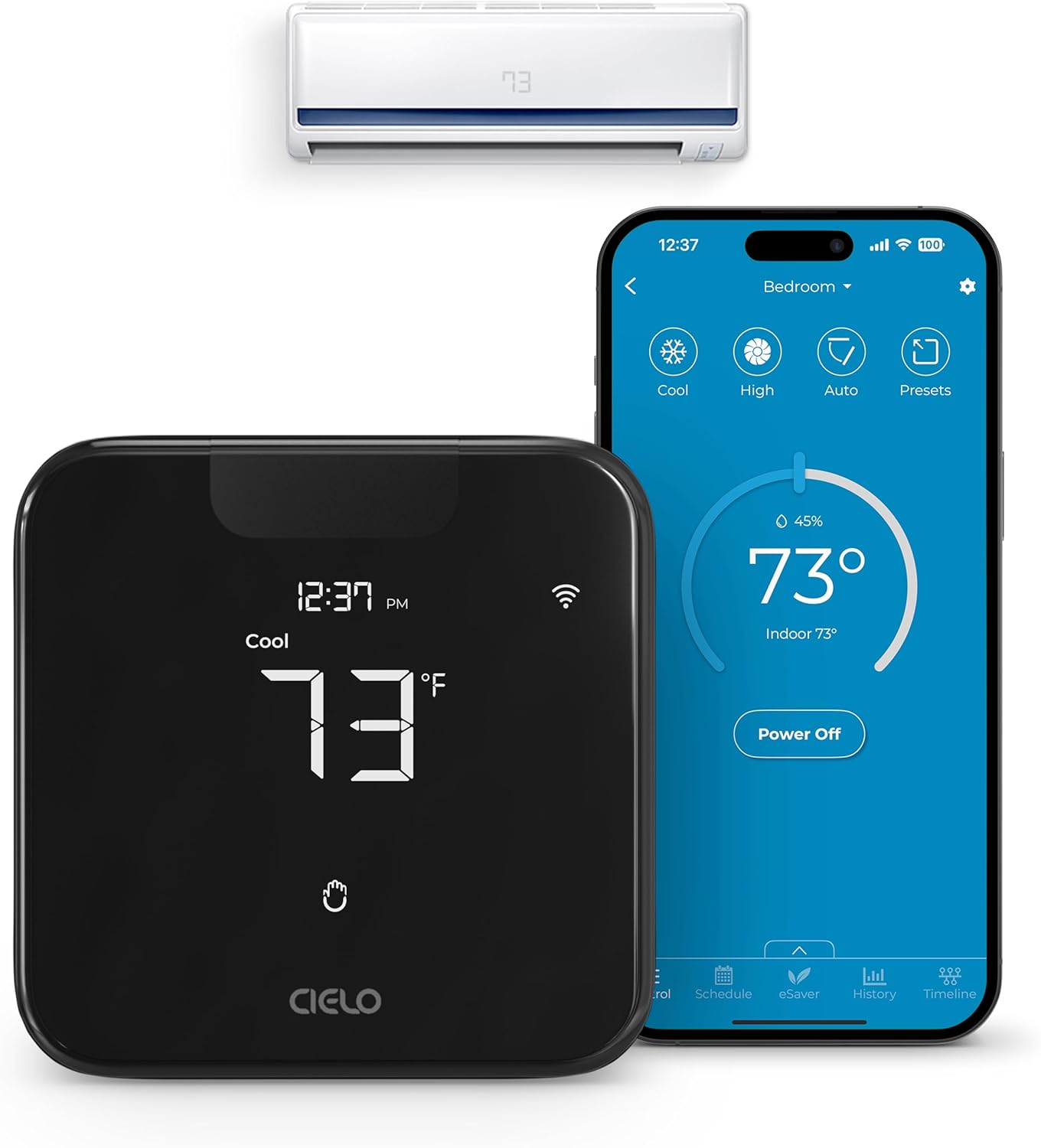
The Cielo Breez Max converts a room air conditioner or mini‑split into a connected thermostat you can control from the device, the free Cielo Home app, or with voice assistants. It installs as a wall‑mounted or table‑top controller and communicates over 2.4 GHz Wi‑Fi to manage mode, fan speed, and temperature using its LCD touchscreen and built‑in temperature and humidity sensors. Notable features include AI‑based Comfy Max to reduce overcooling and overheating, weekly scheduling and geofencing, multi‑zone conflict management for mini‑splits, and usage history for tracking energy. It also supports wide smart‑home integration via Alexa, Google Assistant, Siri Shortcuts, SmartThings, IFTTT and Home Assistant. Practical benefits are easier remote control, automated schedules that run even offline, and insights that can lower running costs. Limitations to expect are the need for line‑of‑sight placement near the AC for IR command reliability and a 2.4 GHz network requirement; calibration of the built‑in sensors through the app may be necessary for accurate readings in some rooms.
Best for: Buyers who prioritize dependable, automated comfort control and energy tracking for a single‑room AC or mini‑split and want a product that keeps schedules and automations working even without continuous internet.
Less Ideal for: People who need a hardwired HVAC thermostat or who plan to control non‑IR systems not listed as compatible should look at other factory‑replacement or wired thermostat options.
- Adds app and voice control to mini‑split, window, and portable ACs for remote operation
- AI Comfy Max mode prevents sustained overcooling or overheating to improve comfort and efficiency
- Weekly scheduling, geofencing, and offline schedule execution keep climate routines consistent
- Multi‑zone mode conflict management helps coordinate multiple indoor units in the same system
- Usage history and air filter notifications provide actionable energy and maintenance insight
- Requires clear line of sight to the AC for reliable IR control
- Only works on 2.4 GHz Wi‑Fi networks which may require router adjustments
Verdict: Choose the Cielo Breez Max when you want a reliable, feature‑rich smart thermostat that automates mini‑split and room AC comfort while preserving schedules and energy tracking even during brief internet outages.
Cielo Breez Eco Smart AC Controller

| Compatible AC Types | MiniSplit, Window, Portable AC |
|---|---|
| Display Type | LED |
| Included Components | Thermostat |
| Power Option | 5V Adapter |
The Cielo Breez Eco is a compact smart AC controller that connects to your home Wi‑Fi and replaces basic IR control for mini‑splits, window, and portable air conditioners. It is typically placed within 6–12 feet and in line of sight of the AC and can be wall‑mounted or sit on a table using the included stand. The device reports on‑unit temperature and humidity and feeds that data to the Cielo Home app so you can set 7‑day schedules, geofencing, usage history, and temperature/humidity triggers such as Comfy mode. It also supports voice assistants and web control for remote on/off and automation. Setup is simple because the unit auto‑detects IR remotes, and a local power button provides basic control if Wi‑Fi is down. Limitations are the reliance on line‑of‑sight IR (so placement matters) and the need to use the vendor app for advanced features rather than a native HVAC thermostat interface, which may not suit every installer or integrator.
Best for: Buyers who want an affordable, app‑driven upgrade to make a room AC smart and who value proven features and community feedback when choosing a reliable controller.
Less Ideal for: Users who need hardwired, professional HVAC integration or who cannot place a device in line of sight of the AC should look at other solutions.
- Makes mini‑split, window, and portable AC units controllable over Wi‑Fi and voice assistants
- Built‑in temperature and humidity sensors feed local automation and accurate room readings
- 7‑day scheduling, geofencing, usage history, and trigger‑based Comfy mode for energy savings
- Easy DIY setup with auto remote detection plus table stand and wall mount included
- Local on‑device power button provides basic control when Wi‑Fi is unavailable
- Requires clear line of sight to the AC unit for reliable IR control
- Advanced control is managed through the vendor app rather than a universal HVAC interface
Verdict: A compact, easy‑to‑install smart controller that gives IR‑remote AC units modern scheduling, geofencing, and sensor‑based automation for reliable everyday comfort.
Sensibo Sky Smart AC Controller

| Control Method | App, Remote, Voice |
|---|---|
| Controller Type | App Control |
| Operating Mode | Cooling |
| SEER | 15 |
| Included Components | 1 x Sensibo Sky Device, 1 x Power Supply |
The Sensibo Sky is a small, easy‑to‑install controller that gives modern app and voice control to window ACs, mini‑splits, ductless units, and portable air conditioners. Install involves plugging the unit in, adding it in the Sensibo app on a 2.4GHz Wi‑Fi network, and pairing or selecting your AC remote; once set up you can schedule weekly programs, use geofencing to run the AC when someone is coming home, and rely on Climate React to manage temperature and humidity with dual setpoints. It integrates with Google Assistant, Alexa, and Siri for voice control and has a web app for remote access. The device is lightweight and unobtrusive, and it supports conditional automations and a seven‑day scheduler for hands‑off comfort and potential energy savings. Limitations include the need for line of sight to the AC unit and 2.4GHz Wi‑Fi only, so placement and home networks can affect reliability, and advanced HVAC systems without an IR remote are not supported.
Best for: Buyers who want a low‑risk, proven way to add smart control and scheduling to an existing remote‑controlled mini split or window AC without replacing the thermostat or HVAC equipment.
Less Ideal for: Homes that use non‑IR professional HVAC controls or where the AC unit cannot be placed within line of sight of the controller should consider a different solution.
- Adds app and voice control to existing remote‑controlled ACs and mini‑splits
- Supports geofencing, scheduling, and conditional automations for energy savings
- Climate React uses temperature and humidity for a more accurate comfort setpoint
- Compact, unobtrusive design that is quick to install
- Works with web app and iOS/Android mobile apps for remote access
- Requires direct line of sight to the AC unit for reliable IR control
- Only supports 2.4GHz Wi‑Fi networks, not 5GHz
Verdict: A simple, reliable way to turn a remote‑controlled mini split or window AC into a smart, schedulable system for comfort and energy savings.
Choosing the Right Mini Split Thermostat: Key Factors to Consider
Temperature Sensing and Placement
Accurate room temperature readings depend on both the thermostat's sensor quality and where you place the device. A thermostat with a high-quality internal sensor or support for an external remote sensor will better represent occupied-room conditions rather than drafts or heat from direct sunlight.
Placement affects comfort: mount the thermostat on an interior wall away from windows, vents, and direct sunlight. If your mini split conditions a long, narrow space, consider a thermostat that supports remote sensors so the setpoint reflects the zone where people spend time rather than the unit location.
Compatibility With Mini Split Controls
Not all thermostats speak the same control language as every mini split outdoor or indoor unit. Confirm that the thermostat supports the control signals and wiring used by your system, whether that is simple contact closures, infrared control, or dedicated communication lines.
Thermostats that offer multiple interface options reduce the chance of incompatibility. If your installer will hardwire the controller, check for wiring diagrams and supported fan, mode, and temperature setpoint functions to ensure full operational control of your mini split.
Connectivity and Remote Control
Remote access via Wi-Fi or a hub allows you to change setpoints, adjust schedules, and monitor performance from a phone. Connectivity is valuable for managing multiple zones or for vacation and away modes that keep energy use low when no one is home.
Consider the reliability of the connection method and whether the thermostat depends on a cloud service or supports local control. Features such as two-way feedback, push status updates, and OTA firmware updates can improve long-term reliability and add capabilities after installation.
Scheduling, Scenes, and Automation
Good scheduling features let you create daily and weekly temperature patterns that match occupancy and reduce energy use. Some thermostats offer scene-based modes, geofencing, or integration with timers and other smart devices to automate temperature changes based on activity.
Look for straightforward schedule editors and the ability to set temporary hold or vacation profiles. If you want linked automation, ensure the thermostat supports the required triggers and actions or works with a preferred home automation platform.
Installation and Wiring Requirements
Installation complexity ranges from simple battery-powered wall controllers to devices requiring a dedicated communication bus or power supply from the indoor unit. Understand whether the thermostat needs a common power wire, specific adapters, or an IR line-of-sight path to the indoor head.
Choose a model that matches your installer skill level. Clear wiring diagrams and accessible terminal labels reduce installation time and miswiring risk. If you plan to DIY, pick a thermostat with minimal wiring needs or wireless pairing.
Display, Usability, and Local Controls
A clean, legible display and intuitive controls make daily use more pleasant and reduce accidental setpoint changes. Look for thermostats with readable temperature readouts, clear mode indicators, and easy access to fan and mode settings.
Touchscreens can offer powerful features but may be harder to operate with gloves or in low light. Physical buttons provide tactile feedback and can be simpler for family members who prefer straightforward controls.
Wired Vs Wireless Mini Split Thermostats
Wired thermostats connect directly to the indoor unit using terminal connections or a communication bus. They tend to provide the most reliable control and immediate feedback because commands travel over a dedicated line rather than a local network.
Wireless controllers use Wi-Fi or proprietary RF to communicate with a hub or the indoor unit. Wireless options reduce installation hassle and are useful when running new wires is impractical, but they rely on network stability and may introduce pairing complexity.
- Wired: Lower latency, stable connection, may require professional wiring.
- Wireless: Easier retrofit, remote access common, depends on network reliability.
Using Remote Sensors for Better Comfort
Remote sensors let you measure temperature where occupants actually spend time. They are especially helpful in rooms with uneven airflow or strong solar gain. Install remote sensors at typical seating or sleeping heights away from vents and drafts.
Many thermostats allow averaging multiple sensors or prioritizing one sensor when occupied. This capability can significantly improve perceived comfort and avoid overcooling or overheating based on a sensor located too close to the mini split head.
- Average multiple sensors for balanced control.
- Prioritize occupied-sensor input when available.
Integration With Home Automation
If you use a smart home platform, choose a thermostat that provides native integration or supports common protocols through a bridge. Integration enables synchronized routines, such as lowering temperature when doors are locked or changing modes when motion sensors report no activity.
Also check whether automations operate locally or rely on cloud services. Local automations continue to run during internet outages, which improves reliability for critical comfort and safety routines.
- Look for local control options to avoid cloud dependency.
- Confirm available triggers and actions before committing to a platform.
Energy Monitoring and Usage Insights
Some thermostats include energy reporting or usage summaries that help you understand how setpoint changes affect consumption. These insights can guide small behavior shifts that add up over a heating or cooling season.
Energy data may be aggregated or broken down by day and mode. Use reports to fine-tune schedules and identify periods when the system runs inefficiently, such as long run times caused by incorrect fan settings or oversized setpoint differentials.
- Prefer thermostats that show runtime or usage history.
- Use insights to refine schedules and reduce unnecessary runtimes.
Common Installation Pitfalls
A frequent issue is misreading the indoor unit wiring and connecting incompatible terminals. Always verify the intended control signals and label wires before disconnecting anything. If documentation is unclear, consult the installer or manufacturer resources for wiring diagrams.
Another common pitfall is placing the thermostat where it senses heat from appliances, sunlight, or vents. Poor placement leads to frequent short cycles and user frustration. Test a temporary placement before final mounting whenever possible.
- Label wires before disconnecting and confirm terminal functions.
- Test thermostat placement for representative temperature readings.
How We Chose the Best Mini Split Thermostat
We evaluated Mini Split Thermostats with a focus on the features and behaviors that matter most to ductless system owners. Key criteria included temperature sensing accuracy, control compatibility with common mini split communication protocols, and thermostat-to-unit connectivity options. We also weighted scheduling and automation features that let you create reliable daily or weekly temperature patterns, as well as the ease of installation and user interface for homeowners and installers. Excluded from consideration were controllers that only mimic basic on/off functions without proper setpoint control or those that required extensive third-party hardware to function. We prioritized thermostats that provide stable setpoint control, clear feedback on current and target temperatures, and straightforward wiring or wireless pairing paths. Energy reporting and remote access capability were assessed where present because they influence real-world efficiency and convenience. Final selections reflect a balance of accuracy, integration, programmability, installation complexity, and remote management.
Our full evaluation process is outlined in our review methodology.
FAQ
Can a mini split thermostat control multiple indoor heads?
Often a single wall thermostat controls one indoor head. Some controllers support group or zone control through a hub or a compatible indoor unit communication protocol, but this varies by system configuration and should be verified before purchase.
Do I need a professional to install a mini split thermostat?
It depends on the thermostat and your comfort with wiring. Simple wireless controllers may be DIY-friendly, while wired or bus-based thermostats often require professional installation to ensure proper communication and safety.
Will a smart thermostat save energy with a mini split?
Smart features like schedules, setbacks, and remote access can reduce runtime when spaces are unoccupied, which typically lowers energy use. Actual savings depend on system sizing, user habits, and how aggressively schedules are applied.
How do remote temperature sensors change thermostat behavior?
Remote sensors provide temperature readings from other locations in the zone. When a thermostat uses a remote sensor, it can average or prioritize that input to avoid basing control on a sensor near heat sources or drafts, improving comfort and reducing unnecessary cycling.
Is local control better than cloud-only control?
Local control is generally more reliable because it does not depend on internet connectivity. Cloud services add convenience and remote access but may be unavailable during outages, so thermostats that offer both local and cloud operation combine reliability with flexibility.
Final Verdict
Focus on the control accuracy and compatibility that match your mini split setup first. Prioritize a thermostat that reads the occupied space accurately, integrates cleanly with your indoor unit, and offers scheduling features you will actually use. Balance installation complexity against long-term convenience: a slightly more involved install can pay off with better comfort and energy control. Choose the controller that aligns with your technical comfort and the level of automation you want for reliable, consistent zone comfort.