
Note: This article contains affiliate links. If you click on these links and make a purchase, we may earn a small commission at no extra cost to you. This helps support our research and content. Read our full affiliate disclosure here.
Picking the right modern thermostat affects comfort, energy bills, and how your heating and cooling systems respond to daily life. Whether you want simpler scheduling, smarter remote control, or better temperature accuracy, the thermostat you choose changes how your home feels and how efficiently your HVAC equipment runs. This guide covers a shortlist of the best modern thermostats available, each chosen for reliability and real-world usability. We evaluate accuracy, installation complexity, connectivity options, and the features that make daily use easier. Read on to find the right fit for your priorities and system.
Top Picks at a Glance
| Best Overall The best all-around choice for most situations | Google Nest Learning Thermostat (4th Gen) |  |
| Best Quality Built to a higher standard if you want something more solid | ecobee Smart Thermostat Premium |  |
| Best Value The sweet spot between price and what you get | meross Matter Smart Thermostat MTS300 |  |
| Best Budget The cheapest option that still gets the job done reliably | Sensi Lite ST25 | 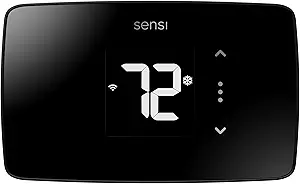 |
| Top Rated A top-rated pick with lots of positive feedback | Sensi Touch ST75 |  |
| Most Popular A crowd favorite that many people choose with confidence | Google Nest Thermostat |  |
| Best Seller A high-volume bestseller chosen again and again | Amazon Smart Thermostat |  |
Google Nest Learning Thermostat (4th Gen)

| Power Source | Battery Powered |
|---|---|
| Connectivity Technology | Wi-Fi |
| Voltage | 24 volts |
| Display Type | Touchscreen |
| Included Components | Nest Temperature Sensor (2nd gen) |
The Nest Learning Thermostat (4th gen) is a premium smart thermostat that learns temperature preferences and suggests schedule tweaks to reduce heating and cooling use. It pairs with the included Nest Temperature Sensor to manage hot and cold spots, shows useful info across the room with Dynamic Farsight, and connects to the Google Home app for remote control and voice operation with Alexa, Siri, or Google Assistant. New features such as Adaptive Eco and smart ventilation use outdoor conditions to pause HVAC or shift to more efficient times, while System Health Monitor alerts you to potential issues. Installation is designed for DIY in about 40 minutes for most 24V systems and the unit works without a C wire in many homes. The unit is stylish with a larger touchscreen and aluminum finish, but its premium feature set is tied to the Google Home ecosystem and some advanced savings claims depend on setup and usage patterns rather than guaranteed results.
Best for: Buyers who want a stylish, smart thermostat that actively learns habits and integrates with a modern smart-home setup to reduce energy use and improve comfort.
Less Ideal for: People who prefer a simple manual thermostat or who avoid platform-tied smart ecosystems should consider a basic programmable or alternative-brand smart thermostat instead.
- Learns and suggests schedule changes to reduce energy use
- Includes a Nest Temperature Sensor to manage room-specific hot and cold spots
- Large, readable display with Dynamic Farsight for quick info at a distance
- Works with major voice assistants and Google Home app for remote control
- System Health Monitor and smart ventilation provide proactive system insights
- Full feature set works best when used within the Google Home ecosystem
- Energy savings depend on home, HVAC system, and user acceptance of suggested schedule changes
Verdict: Choose the Nest Learning Thermostat if you want a polished, learning smart thermostat that actively optimizes comfort and energy use within a modern smart-home ecosystem.
ecobee Smart Thermostat Premium

| Connectivity Protocol | Wi-Fi |
|---|---|
| Controller Type | Amazon Alexa, Android, Apple HomeKit, Google Assistant, iOS |
| Power Source | Battery Powered |
| Voltage | 24 volts |
| Display Type | LCD |
The ecobee Smart Thermostat Premium is a high-end wall-mounted smart thermostat that focuses on comfort, energy savings and whole-home awareness. It connects to dual-band Wi‑Fi and integrates Siri or Alexa voice assistants built into the unit while also working with Google Assistant and Apple HomeKit, letting you control temperature and media hands-free. The included SmartSensor helps reduce hot and cold spots by detecting room temperature and occupancy, and the thermostat's radar occupancy sensing plus geofencing improve automatic setbacks and presence detection. Built-in air quality monitoring provides alerts and filter-change reminders, and the Power Extender Kit is included for systems lacking a C-wire to simplify DIY installs. The metal finish and large LCD give it a premium look, and ecobee's app and eco+ features aim to reduce heating and cooling bills. Important limits: compatibility excludes high-voltage and millivolt systems and some uncommon control protocols, so check the compatibility tool before buying, and advanced smart-security features may require a subscription for full functionality.
Best for: Buyers who prioritize precise comfort control, energy savings and modern smart-home integration and want a premium, feature-rich thermostat that reduces hot and cold spots.
Less Ideal for: Homeowners with legacy high-voltage or millivolt HVAC systems or those who want the simplest basic programmable thermostat without smart features.
- Built-in Alexa and Siri voice assistants for hands-free control and media playback.
- Includes SmartSensor and radar occupancy sensing to manage hot/cold spots and occupancy-based adjustments.
- Air quality monitor with alerts and filter reminders for home health awareness.
- Power Extender Kit and trim kit included to simplify installation on homes without a C-wire.
- Works with major smart home platforms (Apple HomeKit, Google Assistant, SmartThings) for broad integration.
- Not compatible with line-voltage, millivolt, or 0-10V systems so some older HVAC setups are excluded.
- Advanced security and some alert features require ecobee services for full functionality.
Verdict: If you want a performance-focused smart thermostat that combines built-in voice, sensor-driven comfort and air quality monitoring, the ecobee Smart Thermostat Premium is the top-tier choice.
meross Matter Smart Thermostat MTS300

| Connectivity Technology | Wi-Fi |
|---|---|
| Connectivity Protocol | Matter, Wi-Fi |
| Power Source | Corded Electric |
| Voltage | 24 volts |
| Control Type | App Control |
The meross MTS300 is a compact smart thermostat that replaces standard 24V wall thermostats and brings Matter, Wi‑Fi, and voice control to heating and cooling systems. It is installed like a traditional low‑voltage thermostat and is intended for use with furnaces, heat pumps, air conditioners, boilers, dehumidifiers, and similar HVAC equipment; some wiring setups require a C wire or a meross C‑wire adapter. Once connected, the thermostat offers 24/7 scheduling from the meross app, on‑the‑go temperature control, smart alerts for filter life and system faults, and adjustable screen brightness for a cleaner display. Matter support means local integration with Apple Home, Google Home, Alexa, and SmartThings, reducing reliance on multiple cloud apps. Practical benefits include energy‑saving scheduling and remote monitoring, plus a slim modern look that fits most decors. Limitations are the need for a compatible 2.4GHz Wi‑Fi network and potential extra wiring if a C wire is not present, and it is not suitable for high‑voltage baseboard or millivolt systems.
Best for: Buyers who want a modern, energy‑minded upgrade that integrates with Matter and major voice ecosystems and prefer scheduling and remote control to reduce HVAC energy use.
Less Ideal for: Homes that lack a C wire and the buyer does not want to add one, or residences using 110V/120V/240V baseboard or millivolt heating systems.
- Matter and Wi‑Fi connectivity for local integration with major smart home platforms
- 24/7 programmable schedules and remote app control for energy optimization
- Smart alerts for filter life and system malfunctions to simplify maintenance
- Sleek, compact design with adjustable screen brightness that fits modern interiors
- Requires a C wire or separate adapter for some common wiring configurations
- Works only on 2.4GHz Wi‑Fi networks and not compatible with high‑voltage baseboard or millivolt systems
Verdict: Choose the meross MTS300 if you want a compact, Matter‑ready smart thermostat that centralizes scheduling and voice control to cut HVAC energy use.
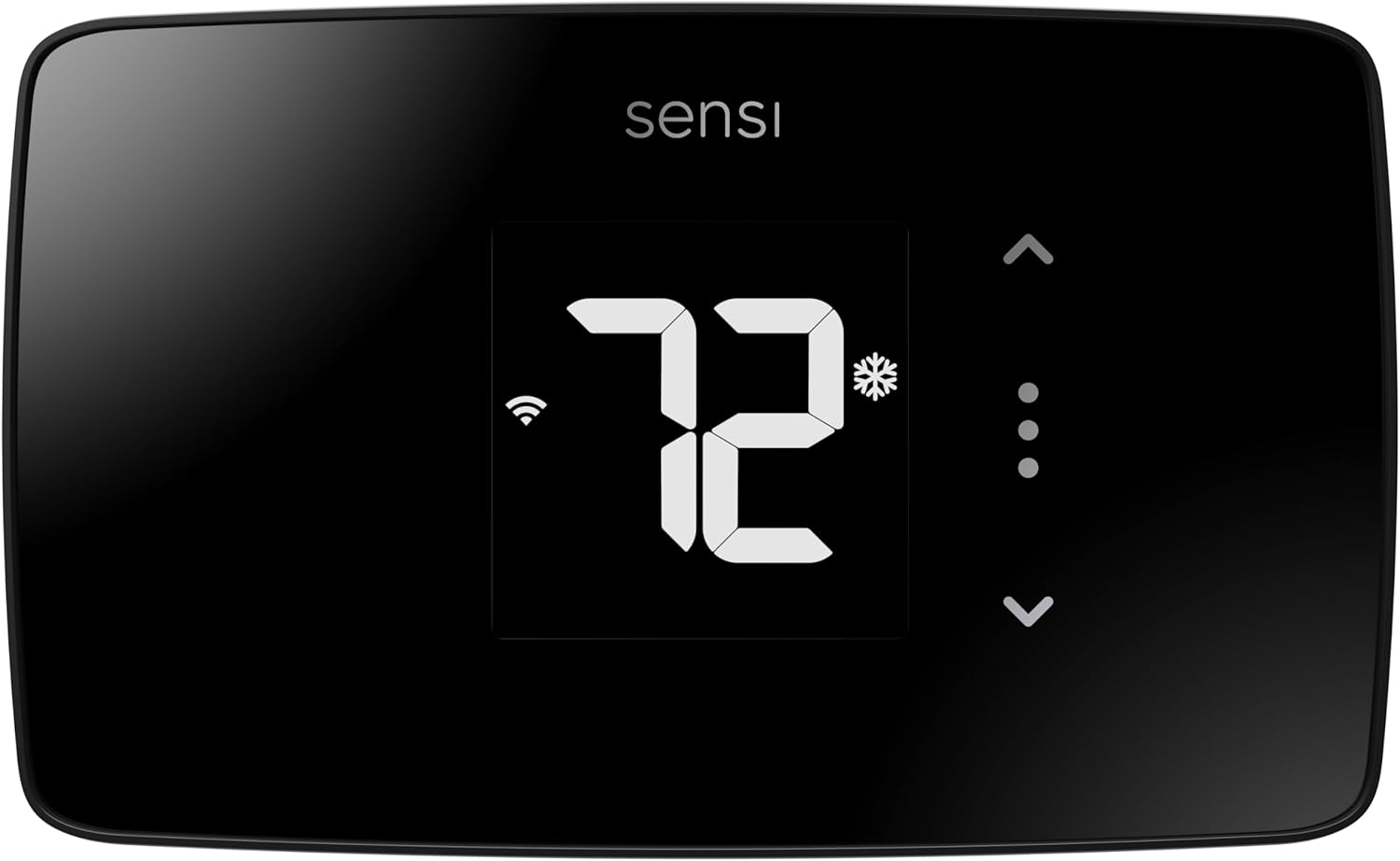
Sensi Lite ST25
| Connectivity Technology | Wi-Fi (2.4 GHz) |
|---|---|
| Control Method | App, Touch, Voice |
| Power Source | Battery or C-wire |
| Display Type | LCD |
| Number of Batteries | 2 AAA (included) |
The Sensi Lite ST25 is a straightforward smart thermostat that brings remote temperature control and basic automation without extras that complicate setup. It connects over 2.4 GHz Wi‑Fi and pairs with the Sensi mobile app to set schedules, use geofencing, and view usage reports, while voice control works with Alexa and Google Assistant. Installation is designed for DIY with a built-in level and step-by-step guide and does not require a common wire for most systems, though heat pump and heat/cool only systems need a C‑wire. The display is a simple LCD and the unit runs on two AAA batteries with the option to use a C‑wire for power. The product emphasizes privacy by not selling user data and is ENERGY STAR certified to help reduce HVAC energy use. Limitations: it is a no-frills model so advanced features like learning algorithms, large color touchscreen, or multi-zone support are absent, and it requires 2.4 GHz Wi‑Fi so dual-band setups must ensure compatibility.
Best for: Buyers who want a budget-friendly smart thermostat that is simple to install and use, with reliable app and voice control but without advanced automation complexity.
Less Ideal for: Users seeking a premium, feature-rich smart thermostat with learning routines, color touchscreen, or multi-zone advanced controls should consider higher-end models.
- Easy DIY installation with built-in level and step-by-step instructions
- Remote control and scheduling via a top-rated mobile app
- Works with Alexa and Google Assistant for voice control
- Energy Star certified with features aimed at reducing HVAC energy use
- Privacy-forward data policy that does not sell user activity
- Basic feature set with no learning mode or advanced automation
- Requires 2.4 GHz Wi‑Fi and may not work with some dual-band configurations
- C‑wire required for certain HVAC systems like heat pumps
Verdict: Choose the Sensi Lite ST25 if you want an affordable, privacy-conscious smart thermostat that delivers reliable app and voice control with easy DIY installation.
Sensi Touch ST75

| Connectivity Technology | Wi-Fi |
|---|---|
| Controller Type | Amazon Alexa, Apple HomeKit, Google Assistant, SmartThings, Vera |
| Temperature Control Type | programmable |
| Display Type | LCD |
The Sensi Touch ST75 is a smart, install-yourself thermostat that replaces a standard wall unit and gives remote control of heating and cooling through a dedicated mobile app. It pairs with most HVAC systems that provide a common wire and connects over 2.4 GHz Wi‑Fi to offer scheduling, geofencing, usage reports, and maintenance alerts. The large color touchscreen and touch controls make local adjustments straightforward while app and voice integrations with major platforms let you change settings from anywhere. Practical benefits include Energy Star certified operation that can reduce HVAC energy use and clear service reminders to help protect long-term system performance. The unit is backed by a brand with HVAC manufacturing experience and includes illuminated, easy-click terminals and a built-in level to simplify DIY installation. Limitations to note are the requirement for a C-wire and the 2.4 GHz Wi‑Fi restriction, which can complicate installs in some older homes or with certain routers.
Best for: Buyers who prioritize a dependable, factory-quality smart thermostat with clear reporting and easy DIY installation to keep HVAC systems running efficiently.
Less Ideal for: Homes without an available C-wire or users who need 5 GHz Wi‑Fi support or a battery-only installation should consider alternative models.
- Full smartphone and voice control with major platform integrations
- Energy Star certified with usage reports and maintenance alerts to help save energy
- Large color touchscreen for easy local control and clear readouts
- Designed for DIY install with illuminated easy-click terminals and built-in level
- Requires a common wire (C-wire) for installation
- Only supports 2.4 GHz Wi‑Fi networks
Verdict: Choose the Sensi Touch ST75 if you want a reliable, Energy Star certified smart thermostat with strong app and voice control plus DIY-friendly installation.
Google Nest Thermostat

| Connectivity Technology | Bluetooth, Wi-Fi |
|---|---|
| Power Source | Battery Powered |
| Control Type | Remote Control, Voice Control |
| Screen Size | 2 inches |
| Number of Batteries | 2 A batteries required (included) |
The Google Nest Thermostat is a compact smart thermostat designed to replace a standard wall thermostat and give remote control from the Google Home app and compatible voice assistants. It installs on most heating and cooling systems and can usually run without a common wire, and setup walks you through wiring and mounting. In daily use you can swipe the physical touch bar, change temperature from a phone, or ask a voice assistant to adjust settings, while features like Eco Temperatures and Savings Finder suggest schedule tweaks to reduce energy use. The thermostat also monitors HVAC behavior and can send alerts if something looks off, and it supports both 2.4 GHz and 5 GHz Wi‑Fi plus Bluetooth for connectivity. Trade-offs are its basic LCD screen and pared-down display compared with Nest models that have larger color screens, and some advanced features such as full Nest Renew integration or certain energy services require additional accounts or regional availability.
Best for: Buyers who want a straightforward, app-driven smart thermostat that reduces energy use without a steep learning curve and prefer proven brand-backed features with lots of user feedback.
Less Ideal for: Homeowners who need a full-color display, advanced programmability beyond app schedules, or guaranteed compatibility with rare HVAC setups should look at higher-end or pro-installed options.
- Remote control from Google Home app lets you change temperature from anywhere
- Works with voice assistants and supports both 2.4 GHz and 5 GHz Wi‑Fi
- Saves energy with Eco Temperatures and Savings Finder schedule suggestions
- Designed for easy DIY installation and typically works without a C wire
- Basic 2-inch LCD and touch bar offer less visual detail than higher-end Nest models
- Some features such as advanced energy services and alerts depend on regional support or additional accounts
Verdict: A simple, trustworthy smart thermostat that delivers remote and voice control plus built-in energy-saving features for buyers who prioritize proven performance and ease of use.
Amazon Smart Thermostat

| Requires C‑wire | Yes |
|---|---|
| Works with | Alexa and Ring |
| Price | $79.99 |
The Amazon Smart Thermostat brings basic smart heating and cooling control to a typical home with a straightforward setup and Alexa integration. It installs on a C‑wire and pairs with the Alexa app so you can create schedules, switch between home/away/sleep modes, and control temperature remotely. The unit also supports presence‑based adjustments when linked to select Alexa devices and can be included in Alexa routines for multi‑device automation. Since it is built with Honeywell Home thermostat technology, it feels familiar in operation and reliable in everyday use. Important limitations are that it requires a C‑wire for installation and its advanced energy features depend on the Alexa ecosystem, so it is not as flexible if you prefer third‑party smart platforms. For buyers who want a low‑friction, voice‑first upgrade from a mechanical thermostat, it delivers solid basic smart thermostat functionality without unnecessary complexity.
Best for: Buyers who want a simple, reliable smart thermostat that prioritizes easy voice control and straightforward app-based scheduling within the Alexa ecosystem.
Less Ideal for: People who need a thermostat that works primarily with non‑Alexa smart home platforms or who cannot provide a C‑wire without rewiring.
- Easy Alexa integration for voice control and routines
- Remote scheduling and temperature control via the Alexa app
- Built with Honeywell Home thermostat technology for familiar, reliable operation
- Support for presence-based adjustments when paired with compatible Alexa devices
- Requires a C‑wire for installation, limiting DIY fit in some older homes
- Advanced features are tied to the Alexa ecosystem rather than third‑party platforms
Verdict: Choose this thermostat if you want a no‑frills, Alexa‑centric smart upgrade that makes voice and app control easy and dependable.
Choosing the Right Modern Thermostat: Key Factors to Consider
Compatibility With Your HVAC System
Not all modern thermostats work with every heating and cooling setup. Different systems use different control voltages, terminal configurations, and control strategies. Confirm whether the thermostat supports single-stage or multi-stage heating and cooling, heat pumps, and auxiliary or emergency heat if your system uses those features.
Wiring and terminal compatibility affect installation complexity and whether you will need an adapter or professional help. Some modern thermostats require a dedicated common wire for power. If your home lacks that wire, plan for either a thermostat that does not require a common connection or the cost and effort of running one. Ensuring compatibility up front prevents returns and installation delays.
Installation Difficulty and Wiring Needs
Installation complexity ranges from simple swap-ins to multi-wire setups that require turning off power and verifying voltages. Evaluate whether the thermostat provides clear wiring diagrams, in-app guidance, or compatible mounting plates to simplify the process. If wiring labels in your system are inconsistent, a thermostat with helpful diagnostics or auto-detection can save time.
Consider whether you are comfortable handling low-voltage wiring and temporarily disabling HVAC power. If not, factor professional installation into your decision. A unit that supports common DIY wiring options reduces labor and lowers the chance of miswiring that can affect system function.
Temperature Sensing and Accuracy
A thermostat's sensed temperature determines actual comfort and how often your HVAC cycles. Look for units with proven temperature accuracy and options for remote or multi-room sensors if your home has uneven heating or cooling. Some thermostats average readings from remote sensors or allow sensor placement in problem areas to avoid overcooling or overheating.
Faster response and precise sensing reduce cycling and can improve energy efficiency. Poor sensing may cause rooms to stay too warm or too cold or make the system run longer than necessary. Choose thermostats with clear specifications or documented performance on sensing if tight control matters to you.
Connectivity, App Quality, and Integrations
Modern thermostats vary widely in how they connect to your home network and smart ecosystem. Reliable Wi-Fi, Bluetooth, or hub-based communication affects remote control, firmware updates, and integration with voice assistants or home automation systems. Examine whether the thermostat's app offers stable connectivity, intuitive scheduling, and clear diagnostics.
Check what third-party integrations are supported and whether those integrations require additional hubs or subscriptions. A responsive app and straightforward integration streamline daily adjustments and let you automate temperature control with occupancy sensors, geofencing, or routine-based scenes.
Scheduling Options and Automation
Scheduling capabilities shape how much you can automate comfort and save energy. Some thermostats provide simple weekday/weekend schedules while others offer adaptive learning, geofencing, or event-based triggers that change setpoints automatically. Decide whether you prefer manual schedule control or an adaptive system that learns from your habits.
Automation features should be flexible and editable. Overly rigid learning systems can create unwanted setpoint changes, while well-designed schedules and override options deliver convenience without surprise changes to comfort. Good scheduling also helps reduce runtime during unoccupied periods.
Energy Reporting and Savings Tools
Built-in energy reporting helps you understand HVAC runtime and possible savings from different setpoint strategies. Look for thermostats that provide clear, actionable insights rather than raw usage logs. Reports that tie temperature settings or schedule changes to estimated energy impact are most useful for behavior changes.
Some units include setback suggestions, seasonal recommendations, or comparisons to historical use. If lowering utility usage is a goal, prioritize devices that show runtime, estimate energy savings, and enable simple changes to implement recommended strategies.
Choosing Between Learning and Manual Schedules
Some modern thermostats include adaptive learning that builds schedules from your adjustments. This can reduce setup time, but it also requires a short period of active use before the behavior is useful. Manual scheduling gives you immediate, predictable control and is often easier to audit and adjust for unusual routines.
If you have a regular schedule and prefer predictable changes, a thermostat with robust manual scheduling and easy overrides will likely feel more reliable. If your household routines shift frequently and you want the thermostat to adapt automatically, prioritize learning features and make sure the device offers easy ways to correct mistakes.
- Learning mode is convenient but may need correction during the training phase.
- Manual schedules offer precise control and simpler troubleshooting.
- Look for clear override controls to bypass automated schedules when needed.
Remote Sensors and Multi-Zone Considerations
Homes often have temperature differences between rooms. Remote or wireless sensors let you place sensing points in problem areas and average temperatures or prioritize a particular room. This helps prevent overconditioning of some rooms while trying to meet setpoints in others.
If you have multiple zones controlled by separate equipment, remember that a single thermostat can control only the zone it is wired to. For multi-zone homes, consider whether the thermostat supports external sensors or integrates with additional zone controllers to give you the control you need.
- Remote sensors help with uneven heating or cooling.
- Sensor placement matters; avoid direct sun or drafts.
- Multi-zone systems require compatible control strategies and wiring.
Power Options and the Common Wire Issue
Many modern thermostats expect a common wire to provide continuous power for Wi-Fi and touchscreen interfaces. If your current thermostat lacks a common wire, options include choosing a thermostat designed to work without one, installing a common wire, or using an adapter kit provided by some manufacturers.
Installing a common wire can be simple if your system has an unused conductor in the thermostat cable. If not, running a new wire or using an adapter may be necessary. Factor this into the installation decision because it affects both DIY feasibility and long-term reliability.
- Confirm whether your thermostat wiring includes a C or common terminal.
- Adapters exist but may limit some features.
- Running a new wire is the most reliable long-term solution.
Security, Firmware Updates, and Privacy
Thermostats that connect to the cloud require ongoing firmware updates and a clear privacy stance. Regular updates address bugs, improve compatibility, and patch security vulnerabilities. Check whether the thermostat vendor or platform has a history of providing timely updates and reasonable privacy controls.
Consider the data the thermostat collects and whether it offers options to limit sharing or anonymize usage information. A device with strong local controls and clear update practices reduces long-term risk and helps protect network security.
- Prefer devices with documented firmware update policies.
- Look for options to limit telemetry or data sharing.
- Use network segmentation to isolate smart home devices where possible.
User Interface and On-Device Controls
The on-device interface still matters even if you use a smartphone app. A clear display and intuitive knob or touch controls make quick adjustments easier for guests or household members who do not use the app. Consider readability at a distance and the tactile feel of controls for frequent use.
Physical controls should offer immediate overrides of schedules and easy access to modes like heat, cool, and fan-only. If you rely on the wall display for temporary changes, choose a thermostat with simple, accessible on-device controls and clear status indicators.
- Readable display and intuitive controls reduce frustration.
- Quick access to mode and hold functions is useful.
- Consider screen brightness and night-time visibility.
How We Chose the Best Modern Thermostat
We selected thermostats that deliver dependable temperature control, straightforward installation, and usable smart features that matter in everyday home life. Our process prioritized measurable criteria that buyers actually use to compare options. Key evaluation criteria included temperature accuracy and sensing, installation and wiring compatibility with common HVAC systems, connectivity and control options (app quality and remote access), scheduling and automation flexibility, and energy reporting or savings features. We also considered physical interface quality and build reliability because homeowners interact with the device daily. Products were excluded if they lacked basic compatibility with standard residential HVAC wiring configurations or offered only proprietary controls that prevent simple integration. We filtered out options with minimal or unreliable app controls and devices that do not support common scheduling or occupancy sensing. The final shortlist emphasizes thermostats that balance installation practicality, precise control, and useful smart features without adding unnecessary complexity.
Our full evaluation process is outlined in our review methodology.
FAQ
Do modern thermostats need a common wire?
Many modern thermostats require a common wire to power features like Wi-Fi and touchscreens. Some models work without a common wire, use an adapter, or draw power intermittently, but options vary so check compatibility with your existing wiring.
Can I install a modern thermostat myself?
If you are comfortable turning off HVAC power and working with low-voltage wiring, many homeowners can install a thermostat using included guides. Complex systems or unclear wiring may warrant professional installation to avoid miswiring or system damage.
Will a smart thermostat save energy in every home?
Savings depend on your usage patterns and how you use the thermostat. Features like scheduling, setbacks, and remote control can reduce runtime, but benefits vary. Accurate installation and thoughtful setup determine how much energy you can save.
Are remote sensors worth it?
Remote sensors help if rooms have different temperatures or if the main thermostat is in an unrepresentative location. They are useful for improving comfort in specific rooms, but add cost and may require placement planning to work effectively.
How often should firmware be updated?
Keep thermostat firmware up to date as updates become available. Regular updates improve security and compatibility. Most devices allow automatic updates or provide notifications when a manual update is needed.
Final Verdict
Choosing the right modern thermostat comes down to matching compatibility and features to how you operate your home. Prioritize temperature accuracy and reliable wiring compatibility first, then weigh connectivity, scheduling flexibility, and useful energy reporting based on your priorities. Remember tradeoffs: learning systems reduce setup work but may need corrections, while manual schedules offer predictability. Focus on the dimensions that affect daily comfort and long-term reliability to pick a thermostat that performs well in your home.