
Note: This article contains affiliate links. If you click on these links and make a purchase, we may earn a small commission at no extra cost to you. This helps support our research and content. Read our full affiliate disclosure here.
If you plan to build, customize, or repair your own 3D printer, choosing an open-source machine makes a big practical difference. Open-source 3D printers expose electronics, firmware, and mechanical details so you can tune performance, swap parts, and adopt community improvements over time. For hobbyists and small labs that value repairability and long-term adaptability, the right open-source printer reduces downtime and unlocks advanced mods. This guide shortlists the top open-source 3D printers across common use cases and budgets. Each pick was evaluated on build quality, modability, and daily usability so you can quickly find a machine that matches your skills and project goals. Read on to see how these printers stack up against the practical criteria that matter for long-term ownership.
Top Picks at a Glance
| Best Overall The best all-around choice for most situations | Original Prusa MK4S |  |
| Best Quality Built to a higher standard if you want something more solid | Sovol SV08 Core-XY 3D Printer |  |
| Best Value The sweet spot between price and what you get | XZN Mini 3D Printer |  |
| Best Budget The cheapest option that still gets the job done reliably | Monoprice Mini Delta V2 |  |
| Top Rated A top-rated pick with lots of positive feedback | LONGER LK5 Pro 3D Printer |  |
| Most Popular A crowd favorite that many people choose with confidence | FLASHFORGE Adventurer 5M |  |
| Best Seller A high-volume bestseller chosen again and again | Creality Ender 3 V3 SE |  |
Original Prusa MK4S

| Print size | 9.84 x 8.3 x 8.6 in |
|---|---|
| Included filament | 1 kg Prusament PLA |
| Model | MK4S-COM-PEI |
| Manufacturer | Josef Prusa |
The Original Prusa MK4S is a ready-to-run FDM desktop printer aimed at makers and small‑scale production users who need consistent, high-quality results. It prints up to a 9.84 x 8.3 x 8.6 inch build volume and ships fully assembled with a 1 kg spool of Prusament PLA, so you can start testing parts right away. Notable features include input shaping to reduce ringing at higher speeds, a focus on dimensional accuracy and surface finish, and an open-source, upgradeable platform with ongoing firmware and hardware support. Practical benefits are dependable day-to-day operation, strong community and manufacturer support, and compatibility with Prusa's ecosystem of materials and upgrades. Limitations are typical of single-extruder FDM systems: complex multi-material or ultra-fine multi-color prints require additional accessories or workflows, and high-speed operation may still need tuning for specific geometries. For buyers prioritizing a balance of speed, quality, and an upgrade path within an open ecosystem, the MK4S delivers a polished, practical option.
Best for: Buyers who want a reliable, ready-to-run open-source printer that balances speed and print quality and who value a supported upgrade path and active ecosystem.
Less Ideal for: Users who need out-of-the-box multi-material, multi-color capability or industrial-scale throughput should consider specialized alternatives.
- Fully assembled out of the box with included 1 kg spool of Prusament PLA for quick start
- Input shaping motion compensation reduces ringing for cleaner edges at higher speeds
- Open-source, upgradeable design with ongoing firmware updates and strong community support
- Designed for consistent, professional-grade day-to-day operation
- Single-extruder FDM limits native multi-material and multi-color print complexity
- High-speed prints may require tuning for some geometries to maintain ideal surface finish
Verdict: Choose the MK4S if you want a polished, fully assembled open-source 3D printer that reliably balances speed and print quality with a clear upgrade path.
Sovol SV08 Core-XY 3D Printer

| Build volume | 350 × 350 × 345 mm |
|---|---|
| Max hotend temperature | 300°C |
| Heated bed | AC heated bed, 220°C in ~40s |
| Kinematics | CoreXY |
| Firmware | Klipper |
The Sovol SV08 is a performance-focused CoreXY 3D printer built around Voron 2.4 concepts and Klipper firmware to push speed and accuracy. It offers a large 350 × 350 × 345 mm build area and CoreXY kinematics for reduced moving mass and higher acceleration, while Klipper features like input shaping and pressure advance help minimize ringing and tune extrusion dynamics. Quad-gantry auto leveling with four independent Z motors and a pressure sensor simplifies first-layer setup and compensates for mechanical wear. The machine also uses a high-temp hotend to 300°C, a ceramic heating block, and an AC heated bed that reaches 220°C quickly, which expands material compatibility and shortens preheat time. The SV08 is open-source and ships with OrcaSlicer presets and remote-control options, making firmware and slicer tuning accessible. Limitations to consider are the need for more advanced setup and tuning to fully exploit Klipper and the open-source toolchain, and that a fast high-acceleration machine may require careful part cooling and slicer configuration to maintain surface finish at top speeds.
Best for: A buyer who prioritizes print speed, accuracy, and firmware-level tuning and who wants an open-source platform they can tune and extend for advanced prints and experimentation.
Less Ideal for: Casual users who want a fully plug-and-play, maintenance-free printer or those who prefer minimal setup and few firmware/slicer adjustments.
- Large 350×350×345 mm build volume for big prints and batch jobs
- CoreXY kinematics plus Klipper support enable high speed and advanced motion tuning
- Quad independent Z motors with pressure-sensor auto leveling for reliable first layers
- 300°C capable hotend with ceramic heating block and fast AC heated bed for broad material support
- Open-source design and OrcaSlicer presets make customization and firmware tweaks accessible
- Requires firmware and slicer tuning to reach peak performance which may challenge beginners
- High-speed settings can degrade surface quality without careful cooling and tuning
Verdict: Buy the SV08 if you want an open-source, Klipper-ready CoreXY printer built for high-speed, high-accuracy prints and extensive tuning.
XZN Mini 3D Printer

| Top speed | 250 mm/s |
|---|---|
| Precision | 0.01 mm |
| Heated bed | PEI heated bed |
| Connectivity | WiFi, SD card |
This compact XZN mini 3D printer is built as an out-of-the-box starter kit for kids and newcomers, arriving fully assembled with a roll of PLA, an SD card, and basic accessories. It supports WiFi printing and promises high speed up to 250 mm/s with quoted layer precision to 0.01 mm, while convenience features such as one-button auto-leveling, one-touch filament loading, automatic nozzle cleaning, and a PEI heated bed make setup and part removal straightforward. The included pre-sliced files and a small model library on the card shorten the learning curve, and the open-source nature lets more experienced users tinker with firmware or profiles. Practical limitations include the mini build volume common to machines in this class and the usual need to dial in print settings for different filaments despite the factory presets. For classroom, hobby, or first-time use it speeds learning and reduces initial frustration, though power users seeking large-volume or industrial workflows will find it undersized.
Best for: Buyers who want a turn-key, easy-to-use open-source printer to teach kids or learn 3D printing basics while keeping the option to customize firmware and settings later.
Less Ideal for: Users who need large build volume or factory-grade, production-level throughput should consider larger, more industrial-focused printers instead.
- Ships fully assembled with starter filament and SD card for immediate use
- One-button auto-leveling and one-touch filament loading simplify setup
- WiFi printing and pre-sliced files reduce friction for beginners
- Open-source design allows firmware and profile customization
- Small form factor limits maximum model size compared with larger desktop printers
- High quoted top speed and precision will still require tuning for reliable prints
Verdict: A ready-to-run, open-source mini printer that gets kids and beginners printing fast while still allowing customization as skills grow.
Monoprice Mini Delta V2

| Build area | 110 x 120 mm |
|---|---|
| Heated bed | Yes |
| Connectivity | Wi‑Fi, USB |
| Noise level | ~30 dBA |
The Monoprice Mini Delta V2 is a small delta‑style 3D printer aimed at users who want a ready‑to‑run, hackable machine. It ships fully assembled and uses a heated build plate so you can print PLA and ABS, while the adaptive touchscreen and updated firmware simplify setup and routine printing. PoloPrint Pro Wi‑Fi support and USB connectivity make it easy to send jobs from a phone or a computer, and compatibility with Cura and other open slicers keeps the platform open for modification and advanced slicing. Quieter stepper drivers lower noise to around 30 dBA, which helps for home use, and the compact footprint makes it a good secondary printer or a starter machine for learning. Limitations include a small build area compared with Cartesian printers and fewer advanced features found on larger models, so larger prototypes will require a different machine. For buyers who want an inexpensive, approachable, and moddable printer, the Mini Delta V2 balances convenience with open‑source flexibility.
Best for: Buyers on a tight budget who want an affordable, user‑friendly entry into open source 3D printing and a compact machine for small projects and tinkering.
Less Ideal for: Users who need large build volumes or advanced professional features for production‑scale parts should look at larger, more capable printers.
- Fully assembled and easy to start printing out of the box
- Heated build plate supports PLA and ABS printing
- Wi‑Fi and USB connectivity with PoloPrint Pro app for remote/job transfer
- Open source friendly and compatible with Cura and other slicers for customization
- Quieter stepper drivers reduce operating noise to about 30 dBA
- Small build volume limits the size of single prints
- Fewer advanced hardware features compared with larger or more expensive printers
Verdict: A compact, budget‑minded open‑source delta printer that delivers easy setup, Wi‑Fi convenience, and moddable firmware for beginners and hobbyists.
LONGER LK5 Pro 3D Printer
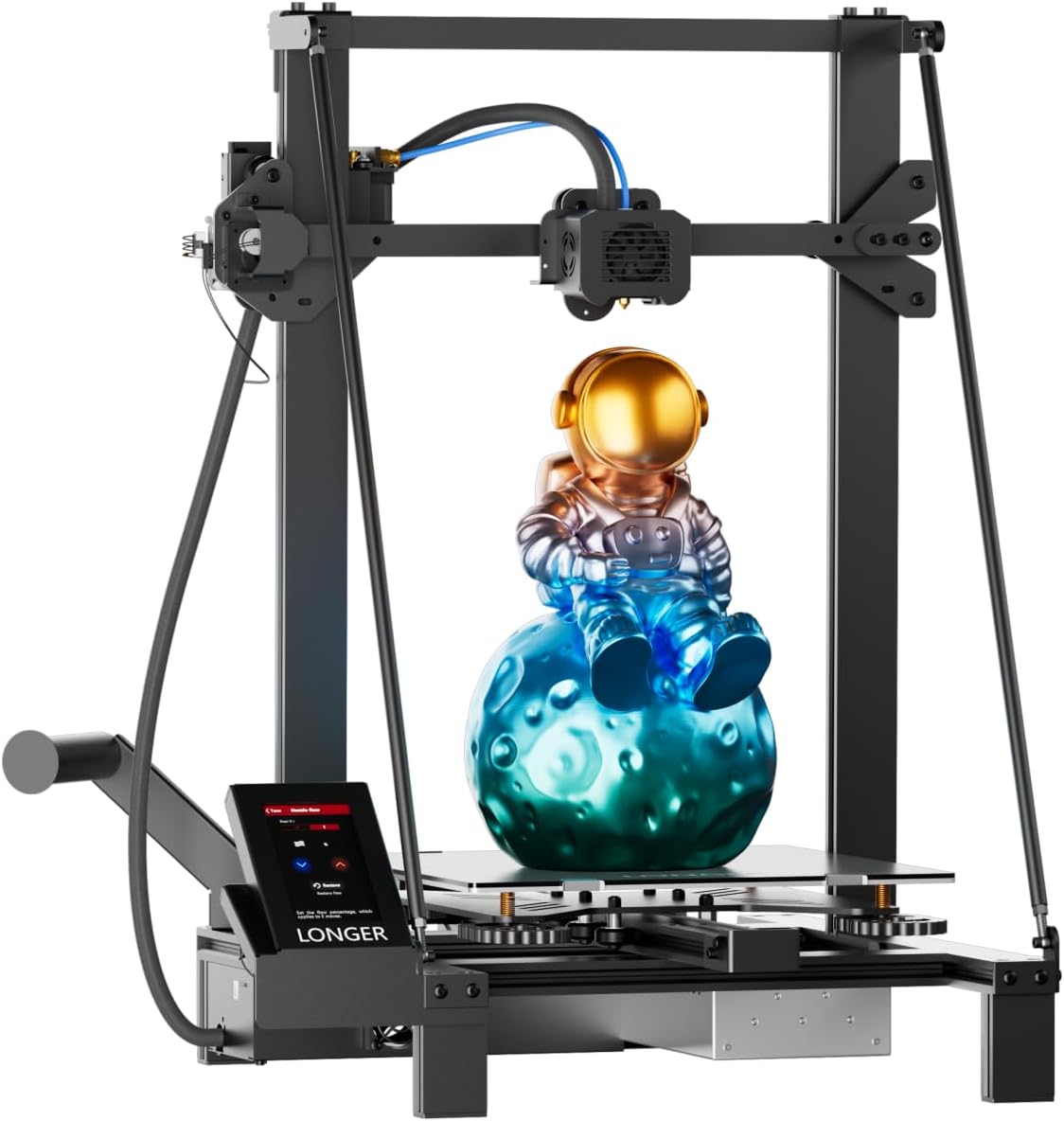
| Build volume | 300×300×400 mm |
|---|---|
| Driver type | TMC2209 silent drivers |
| Pre-assembly | 95% pre-assembled |
| Features | Filament detection, power-loss resume |
The LONGER LK5 Pro is a beginner-friendly FDM printer that focuses on a large build area and dependable printing features. It ships about 95% assembled, so setup is quick for hobbyists and makers, and the reinforced diagonal-brace frame plus a lattice glass bed help keep prints stable and flat. The open-source mainboard and firmware let you tweak settings or load custom G-code, while silent TMC2209 drivers make day-to-day printing noticeably quieter. Practical reliability features include filament runout detection and power-loss resume so long prints are less likely to fail or be wasted, and automatic XY calibration aims to reduce vibration-related defects. The printer is advertised to reach 180 mm/s and 0.1 mm precision, which is optimistic for fine-detail work but useful for faster prototyping. Expect some manual tuning for best surface finish and occasional firmware or calibration fiddling since this is an open platform rather than a fully closed turnkey system.
Best for: Buyers who prioritize a reliable, repairable printer with built-in safeguards and the ability to customize firmware will appreciate this model for home projects and educational use.
Less Ideal for: Those who want a completely hands-off, factory-perfect printer out of the box or who need guaranteed ultra-fine professional surface finish without tuning should look elsewhere.
- Large 300×300×400mm build volume for bigger parts
- 95% pre-assembled for fast setup
- Filament runout detection and power-loss resume to protect long prints
- Open-source mainboard and firmware for customization and upgrades
- Higher advertised speed may require tuning to maintain print quality
- Not fully plug-and-play; some calibration and tuning expected
Verdict: Choose the LK5 Pro if you want a large, open-source FDM printer with practical reliability features and easy setup for dependable home or school use.
FLASHFORGE Adventurer 5M
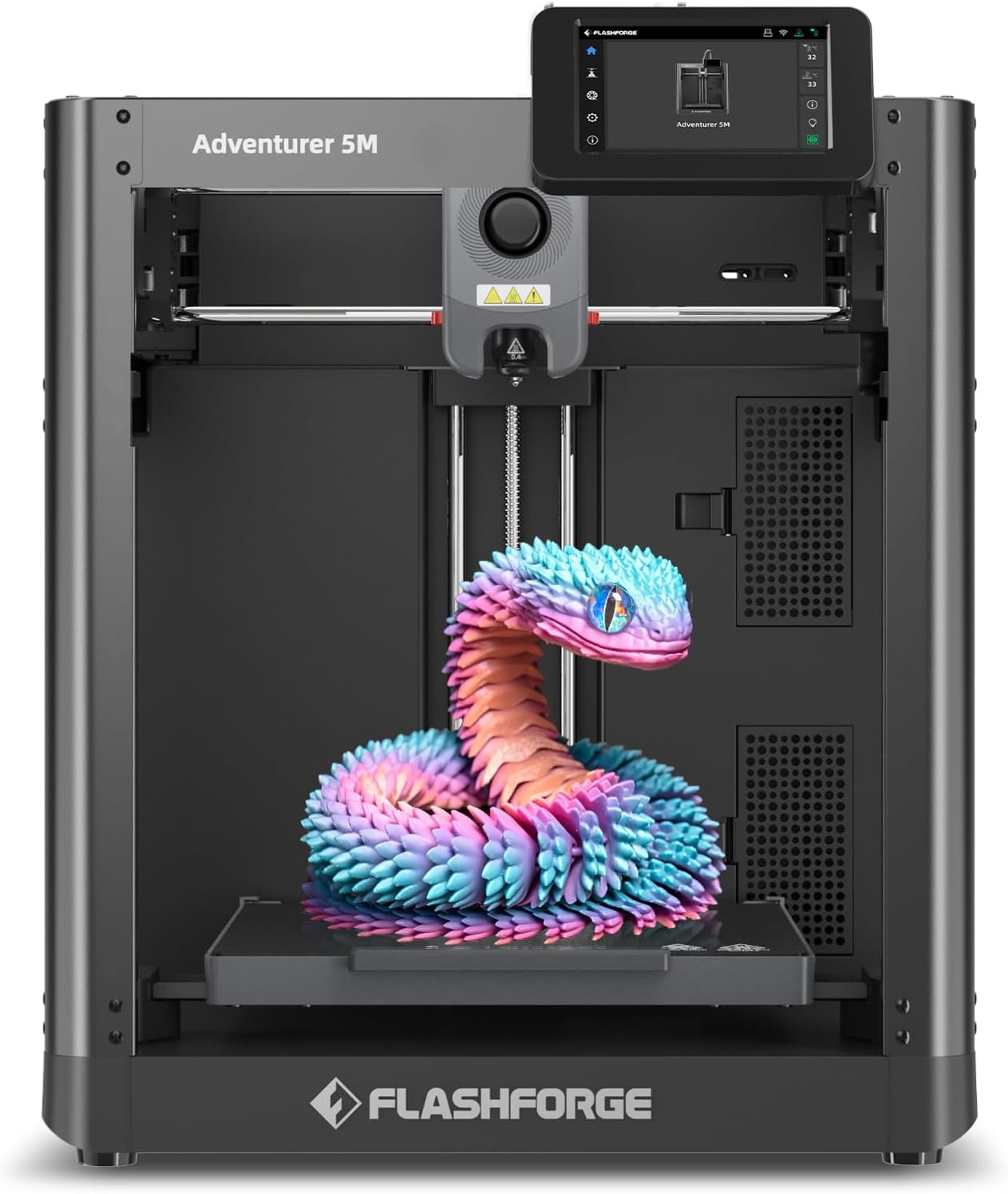
| Build Volume | 220 x 220 x 220 mm |
|---|---|
| Extruder Max Temp | 280°C Direct Drive |
| Travel Speed | 600 mm/s |
| Acceleration | 20,000 mm/s² |
| Platform Type | Double-Sided PEI Platform |
The Adventurer 5M is a CoreXY desktop printer aimed at faster prototyping and higher-throughput prints. It pairs a 280°C direct-drive extruder and quick-change nozzle system with a 220×220×220 mm build volume and a dual-sided PEI platform so you can swap materials and remove parts quickly. The printer's one-button automatic bed leveling and vibration compensation simplify setup and help get consistent first layers without manual fiddling, while the FlashMaker mobile app and optional camera support basic remote monitoring. Its CoreXY all-metal structure and stated travel speed and acceleration support much faster moves than typical hobby printers, which shortens cycle times for many small parts. Limitations to consider are the modest build volume for larger models and the fact that some advanced users will want deeper firmware or slicing customization if they require fully open-source toolchains or unusual materials workflows.
Best for: Buyers who value faster, reliable prototyping and want a relatively turnkey CoreXY machine that minimizes setup time while supporting a range of engineering filaments.
Less Ideal for: Users who need a large-format printer or those who require fully open-source firmware and deep community modability as a priority.
- True CoreXY all-metal structure for stiff, accurate high-speed movement
- One-button automatic bed leveling reduces setup time and failed first layers
- 280°C direct-drive extruder and quick-change nozzles support a wide range of filaments
- Dual-sided PEI platform makes part removal and bed prep easier
- Mobile app and camera options allow basic remote monitoring and job control
- 220×220×220 mm build volume is limited for larger prints
- Not described as fully open-source firmware or ecosystem for deep community modifications
Verdict: Choose the Adventurer 5M if you want a fast CoreXY desktop printer that reduces setup friction and accelerates prototyping with broad filament support.
Creality Ender 3 V3 SE
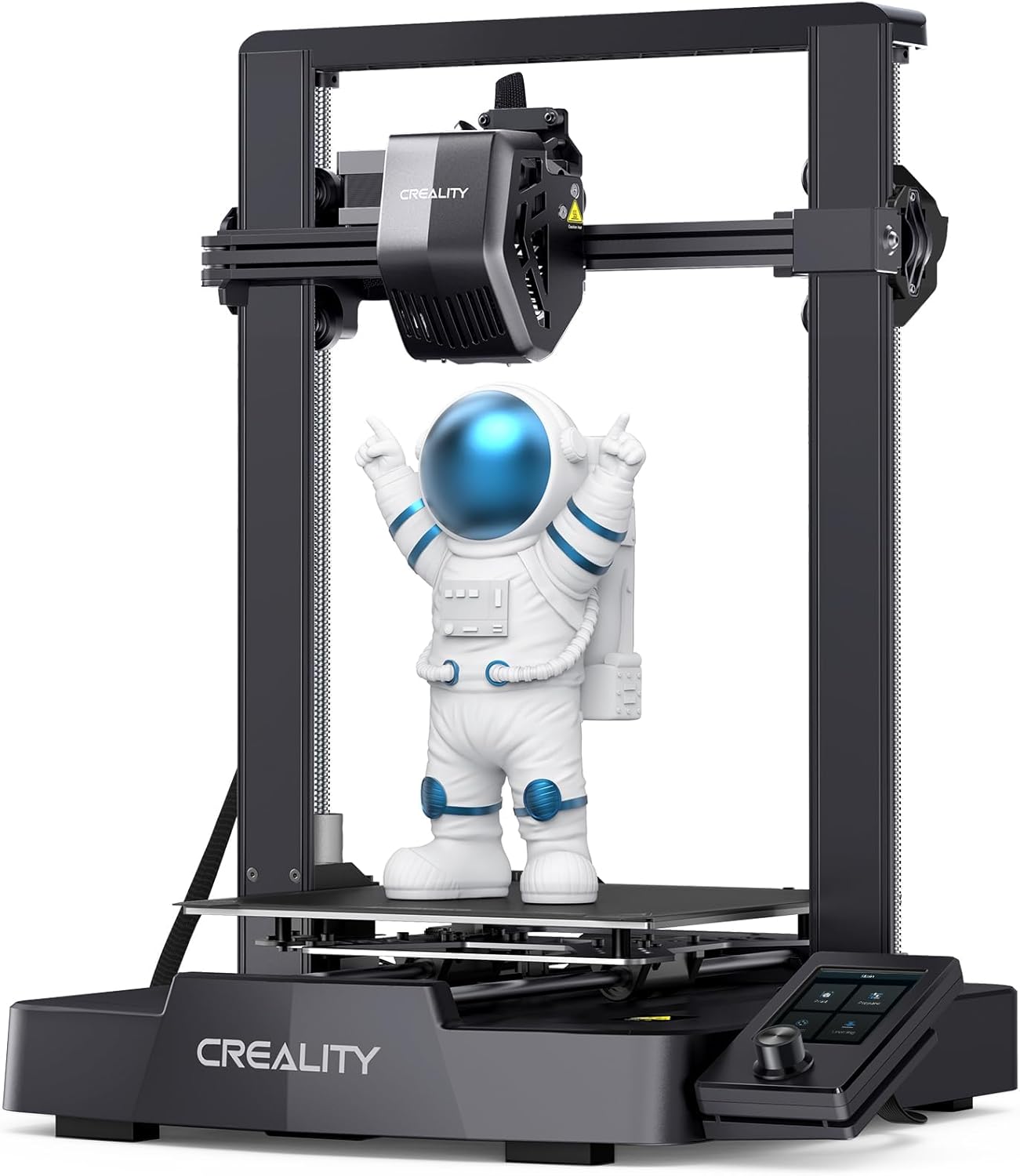
| Max printing speed | 250 mm/s |
|---|---|
| Print area | 220×220×250 mm |
| Compatible filaments | PLA, PETG, ABS, TPU 95A |
| Extruder type | Sprite full-metal dual-gear direct extruder |
The Ender 3 V3 SE is a budget-friendly desktop FDM printer aimed at fast, straightforward printing. It ships partially preassembled and claims a three-step setup that can get you from box to first print in about 20 minutes, which is helpful if you prefer minimal build work. Key hardware updates include a metal dual-gear Sprite direct extruder for more reliable filament feeding across PLA, PETG and TPU, dual Z-axis lead screws and Y-axis linear shafts for improved layer stability, and CR Touch auto leveling plus a strain sensor to automate Z-offset and reduce tuning. The printer also supports auto filament loading/unloading and has an upgraded UI for simpler controls. At the same time, this model targets value rather than premium features: advanced users may notice limits in build volume and absent high-end connectivity options, and peak speed claims are best treated as optimistic maximums rather than everyday settings. For risk-averse users who want an approachable, mostly hands-off Ender upgrade, its automation and preassembly make it an easy starter that still lets you tinker later.
Best for: Buyers who want a low-hassle, mostly ready-to-run open-source style printer that prioritizes reliable first prints and minimal setup time over advanced networking or large-format builds.
Less Ideal for: Users needing very large build volume, extensive professional features, or advanced connectivity should consider larger or higher-end machines instead.
- Preassembled, quick three-step setup for faster first prints
- Sprite full-metal dual-gear direct extruder for smoother filament feeding with flexible and stiff filaments
- CR Touch auto leveling and strain sensor reduce manual calibration and failed first layers
- Dual Z-axis and robust Y-axis linear shafts for better print stability and accuracy
- Auto filament loading and unloading simplifies filament changes
- Build volume is modest compared with larger desktop printers
- Connectivity and high-end controls are limited compared with pricier models
Verdict: If you want a risk-averse, easy-to-start open-source 3D printer that improves feed reliability and reduces setup fuss, the Ender 3 V3 SE is a practical buy.
Choosing the Right Open-Source 3D Printer: Key Factors to Consider
Frame Construction And Precision
A printer's frame affects dimensional accuracy and long-term stability. Heavier, well-braced frames reduce vibration and improve layer registration, which directly impacts print quality. Look for machines with aluminum extrusions, steel or cast components, and clear assembly tolerances.
Frames that expose mounting points and use standard fasteners make upgrades and repairs simpler. If you plan to add heavier extruders or an enclosure, choose a frame that can accept those modifications without introducing flex.
Electronics And Firmware Accessibility
Open access to the control board schematics and firmware source is central to the open-source value proposition. Boards that use common microcontrollers and expose pinouts let you swap drivers, add sensor inputs, or flash community firmware builds.
Check that firmware repositories are active and that bootloader flashing is documented. Machines that support popular firmware families make advanced tuning, mesh bed leveling fixes, and motion-profile changes far easier for hobbyists.
Extruder And Hotend Flexibility
The extruder and hotend define what materials you can print and how easily you can swap nozzles. Look for printers that accept multiple hotend designs or use standardized mounting interfaces. This makes it straightforward to upgrade to all-metal hotends, hardened nozzles, or multi-material setups.
Also consider the extruder drive type. Direct-drive setups simplify flexible filament printing while Bowden configurations reduce moving mass. The ability to fit alternative extruders is a major practical advantage of open-source platforms.
Parts Availability And Maintainability
Common fasteners, replaceable belts, and off-the-shelf motion components reduce downtime. Open-source printers that publish BOMs and part numbers let you source spares locally or print replacement brackets yourself.
Serviceability also includes reachable wiring, modular subassemblies, and documented maintenance procedures. Machines designed for easy part swaps lower the skill threshold to perform routine repairs, an important consideration for users who plan to keep a printer for years.
Community And Documentation
A vibrant user community provides tested firmware patches, wiring guides, and proven upgrade kits. Good documentation, including build guides and troubleshooting threads, accelerates learning and reduces time spent diagnosing issues.
When choosing a printer, review the activity level of forums and repositories. Printers with active maintainers and frequent community contributions tend to receive more plug-and-play mods and have better long-term viability.
Modding Paths And Common Upgrades
Open-source printers are popular because they accept a wide range of user upgrades. Common modding paths include stronger bed springs or auto-leveling probes, all-metal hotend swaps for high-temperature filaments, upgraded stepper drivers for quieter motion, and linear rail conversions for tighter tolerances.
- Add a certified bed probe or upgrade bed mounting for consistent first layers
- Swap to all-metal hotends and hardened nozzles for abrasive filaments
- Upgrade stepper drivers to modern silent drivers for lower noise and smoother motion
Sourcing Replacement Parts And BOMs
Because these platforms publish bill of materials and part drawings, you can often source replacements from local suppliers or fabricate parts with the printer itself. Prioritize machines with clear BOM links and exploded assembly diagrams to simplify repairs.
- Keep spare belts, nozzles, and PTFE liners on hand
- Use community-printable brackets when metal parts are not critical
- Match replacement motors and drivers to documented specs to avoid compatibility issues
Filament And Material Considerations
Open-source machines can support a wider range of materials when they allow hotend and bed upgrades. For high-temperature filaments, verify the machine can accept an all-metal hotend and a heated bed with sufficient power. Flexible filaments benefit from direct-drive extruders or carefully tuned Bowden setups.
- Check recommended nozzle types and whether the extruder supports flexible filaments
- Assess bed adhesion options like PEI, textured spring steel, or removable build plates
- Ensure your power supply and bed wiring can support higher bed temperatures if you plan to print engineering plastics
Safety And Enclosure Options
Open designs make it easy to add safety features such as enclosures, thermal cutoffs, and better cable management. If you plan to print high-temperature materials, an enclosure helps maintain a stable chamber temperature and reduces warping.
- Fit thermal runaway protection and documented firmware safeguards
- Consider a ventilated enclosure if printing materials that emit fumes
- Organize wiring with cable chains or sleeving to reduce abrasion and accidental disconnects
Workflow Integration And Slicer Support
Most open-source printers are compatible with mainstream slicers and toolchains. The open nature of firmware often means the printer accepts standard G-code flavors and common start/stop sequences, easing integration into a workshop workflow.
- Use slicers that support your preferred firmware for advanced setting templates
- Standardize filament profiles and print settings for repeatability
- Automate basic calibration routines to speed up daily use
How We Chose the Best Open-Source 3D Printer
We chose printers that deliver a balance of robust hardware, community support, and clear upgrade paths. Selection started by filtering for machines with published schematics or source files for electronics, firmware, and mechanical assemblies. We prioritized platforms with active forums or repositories, because sustained community contributions drive firmware forks, mods, and replacement part availability. Evaluation focused on concrete attributes: frame rigidity and tolerances, compatible aftermarket electronics and firmware ecosystems, thermal and extrusion subsystem openness, and the availability of upgrade kits or documented mods. We excluded machines with closed-source control boards, proprietary firmware lock-ins, or models lacking serviceable mechanical drawings. Other practical filters included documented safety features, accessible wiring harnesses for field repair, and compatibility with common toolchains and slicers. The result is a set of printers that are repairable, upgradeable, and backed by a community that produces usable documentation and tested improvements.
Our full evaluation process is outlined in our review methodology.
FAQ
Are open-source 3D printers harder to use than closed systems?
Often they are more hands-on, but not necessarily harder. Open-source printers require more tuning and occasional firmware or hardware tweaks, yet they offer more repairability and upgrade potential for users willing to learn.
Can I flash custom firmware safely?
Usually yes if you follow published instructions and use the correct bootloader procedure. Back up current firmware and follow community guides to reduce risk. Some boards require a hardware programmer for initial flashing.
Do open-source printers support advanced materials like nylon or polycarbonate?
They can if the platform accepts an all-metal hotend and a sufficiently powered heated bed, and if the enclosure can maintain a warm chamber temperature. Verify the thermal and mechanical limits before attempting high-temp materials.
How important is community support for long-term ownership?
Very important. Active communities provide firmware fixes, documented upgrades, and troubleshooting help which extend a printer's usable life. Lack of community resources makes diagnosing uncommon failures much harder.
What routine maintenance do these printers need?
Expect periodic belt tension checks, lubrication of linear guides, nozzle and hotend cleaning, and firmware updates. Modular designs make these tasks quicker, and having spare consumables reduces downtime.
Final Verdict
When choosing an open-source 3D printer, prioritize platforms with solid frame construction, accessible electronics, and active documentation. Those factors determine how easily you can upgrade, repair, and adapt the machine to new materials and projects. Balance the tradeoff between out-of-the-box convenience and long-term modability. If you plan to tinker, pick a machine that publishes schematics and has an engaged community. If you need minimal setup effort, focus on models with good assembly docs and accessible support resources.