
Note: This article contains affiliate links. If you click on these links and make a purchase, we may earn a small commission at no extra cost to you. This helps support our research and content. Read our full affiliate disclosure here.
If you need fast, tidy labeling without being tethered to a desktop, a portable Bluetooth label maker puts printing in your pocket. These compact devices let you design on a phone or tablet, print on demand, and move between rooms, projects, or job sites without carrying a laptop. This guide covers seven shortlisted portable Bluetooth label makers that represent the most useful feature combinations for home and small-business use. We evaluated connectivity, tape compatibility, and ease of setup so you can choose a model that fits your workflow. Read on to find a pick that balances portability, print quality, and battery life.
Top Picks at a Glance
| Best Overall The best all-around choice for most situations | Phomemo M220 Label Maker |  |
| Best Quality Built to a higher standard if you want something more solid | Brother P-touch CUBE Plus PTP-710BT |  |
| Best Value The sweet spot between price and what you get | SUPVAN T50M Pro Label Maker |  |
| Best Budget The cheapest option that still gets the job done reliably | NDYIN N12 Label Maker |  |
| Top Rated A top-rated pick with lots of positive feedback | NIIMBOT D110 Mini Label Maker |  |
| Most Popular A crowd favorite that many people choose with confidence | Phomemo D30 Label Maker |  |
| Best Seller A high-volume bestseller chosen again and again | Nelko P21 Label Maker |  |
Phomemo M220 Label Maker

| Printer Type | Thermal |
|---|---|
| Maximum Media Size | 3.14 inches |
| Resolution | 203DPI |
| Connectivity | Bluetooth, USB |
| Maximum Copies Per Run | 36 |
The Phomemo M220 is a pocketable thermal label printer designed for quick, inkless labeling from phones, tablets, or a PC. It pairs with Phomemo's Print Master app over Bluetooth for iOS and Android devices and uses a USB connection for macOS and Windows with downloadable drivers, which makes it useful for both mobile and desktop workflows. The unit prints monochrome labels up to 3.14 inches wide at 203 DPI and can handle a variety of templates including text, barcodes, QR codes, icons, and images from the app. A built-in rechargeable battery and auto-sleep mode extend run time, and the starter bundle includes three rolls of different label sizes so you can start printing right away. Trade-offs are its monochrome-only output and reliance on the vendor app for Bluetooth connections to mobile devices, and full computer support requires installing drivers and using USB rather than wireless. For someone who needs a lightweight, versatile label printer for shipping, inventory, and general office or small-business labeling, the M220 delivers a practical, portable solution.
Best for: Buyers who want a portable, easy-to-use thermal label printer for mixed mobile and desktop labeling tasks such as shipping, inventory, and small business organization.
Less Ideal for: People who need color labels or who require native Bluetooth printing from a computer without installing drivers should consider other options.
- Thermal printing so no ink, toner, or ribbons required
- Bluetooth app printing from iOS and Android for on-the-go use
- Includes three rolls of labels of different sizes to start immediately
- Rechargeable battery with auto-sleep for extended portable operation
- Supports barcodes, QR codes and image templates via the Print Master app
- Prints only in monochrome which limits color or full-color label needs
- Computer use requires USB connection and driver installation rather than Bluetooth
Verdict: A compact, inkless Bluetooth label printer that gives small businesses and mobile users a fast, portable way to print barcodes and address labels from phones and PCs.
Brother P-touch CUBE Plus PTP-710BT

| Print media | Labels |
|---|---|
| Maximum Print Resolution Black and White | 180 dpi |
| Printer Connectivity Type | Bluetooth, USB |
| Built-In Media | Includes 24mm starter tapes and built-in Li-ion battery |
The Brother P-touch CUBE Plus PTP-710BT is a portable thermal label printer designed for quick custom labeling from smartphones, tablets, or a computer via Bluetooth or USB. You design labels in Brother's apps or P-touch Editor, then print up to 24mm (about 1 inch) wide laminated tapes; the unit includes starter black-on-white and glitter gold tapes. The built-in lithium battery and lightweight chassis make it easy to move between home, office, or craft stations, and the automatic cutter provides clean full cuts for consistent labels. Support for multiple tape types and Brother's template libraries lets you produce durable, professional-looking labels, while voice-to-text and spell check speed up simple jobs. Limitations include modest print resolution (180 dpi) so very fine graphics or tiny fonts may lack sharpness, and it relies on proprietary TZe tapes, which add ongoing consumable cost. The P-touch CUBE Plus is best when you need portable, reliable label printing with flexible app-driven design rather than high-resolution graphic output.
Best for: Buyers who prioritize fast, portable label production and want an app-driven workflow for organizing, crafting, or small retail labeling.
Less Ideal for: If you need photorealistic prints or very fine graphic detail, or want to avoid proprietary tape formats, consider a different solution.
- Bluetooth and USB connectivity for phone, tablet, or desktop printing
- Built-in rechargeable Li-ion battery for true portability
- Automatic cutter produces clean, repeatable label lengths
- Works with Brother P-touch laminated tapes including premium glitter and matte options
- Companion apps and templates simplify design with fonts, frames, and voice-to-text
- Print resolution of 180 dpi limits very fine detail and small-font clarity
- Uses proprietary TZe tapes which are more expensive than generic label media
Verdict: Choose the P-touch CUBE Plus when you want a lightweight, app-first Bluetooth label maker that delivers durable laminated labels on the go.
SUPVAN T50M Pro Label Maker

| Printer Type | Thermal |
|---|---|
| Controller Type | Android / iOS |
| Maximum Print Resolution Black and White | 203 dots_per_inch |
| Printer Connectivity Type | USB |
| Power Consumption | 10 watts |
The SUPVAN T50M Pro is a handheld thermal label printer designed for home, school and small business tasks that need clear, durable labels. It connects over Bluetooth to an Android or iOS app where you can design labels with more than 30 fonts, frames and 660 icons, import images, and auto-detect tape width to simplify layout. The device prints monochrome labels at 203 dpi and handles tape widths from about 3/4" to 2" for rectangular, round, address and cable-style labels; output is waterproof and suitable for pantry, file, shipping and cable ID use. Setup is straightforward and the included USB-C charging cable and starter tape get you printing quickly without ink. Trade-offs are typical for thermal-only desktop labelers: no color printing and the print resolution is basic compared with higher-end models, so very fine graphics or small text may not be as crisp. For everyday organization and small-batch business labels the T50M Pro delivers simple app-driven workflows and durable results.
Best for: Buyers who want a compact, app-driven label maker to streamline home or small-business organization and prioritize fast, durable monochrome labels over color output.
Less Ideal for: Anyone who needs full-color printing, very high-resolution graphics, or industrial-duty continuous labeling for high-volume production should look at different solutions.
- Bluetooth app with many fonts, frames and 660+ icons for flexible label design
- Thermal, inkless printing with included USB-C charging cable and starter tape
- Prints waterproof, durable labels suitable for home, office and shipping tasks
- Auto label size recognition simplifies printing across different tape widths
- Compact, lightweight handheld form factor for easy desktop or portable use
- Monochrome thermal printing only so no color labels
- 203 dpi resolution limits fine-detail or small-font clarity
Verdict: A small, app-friendly thermal label maker that delivers durable monochrome labels quickly, ideal for efficient home and small-business organization.
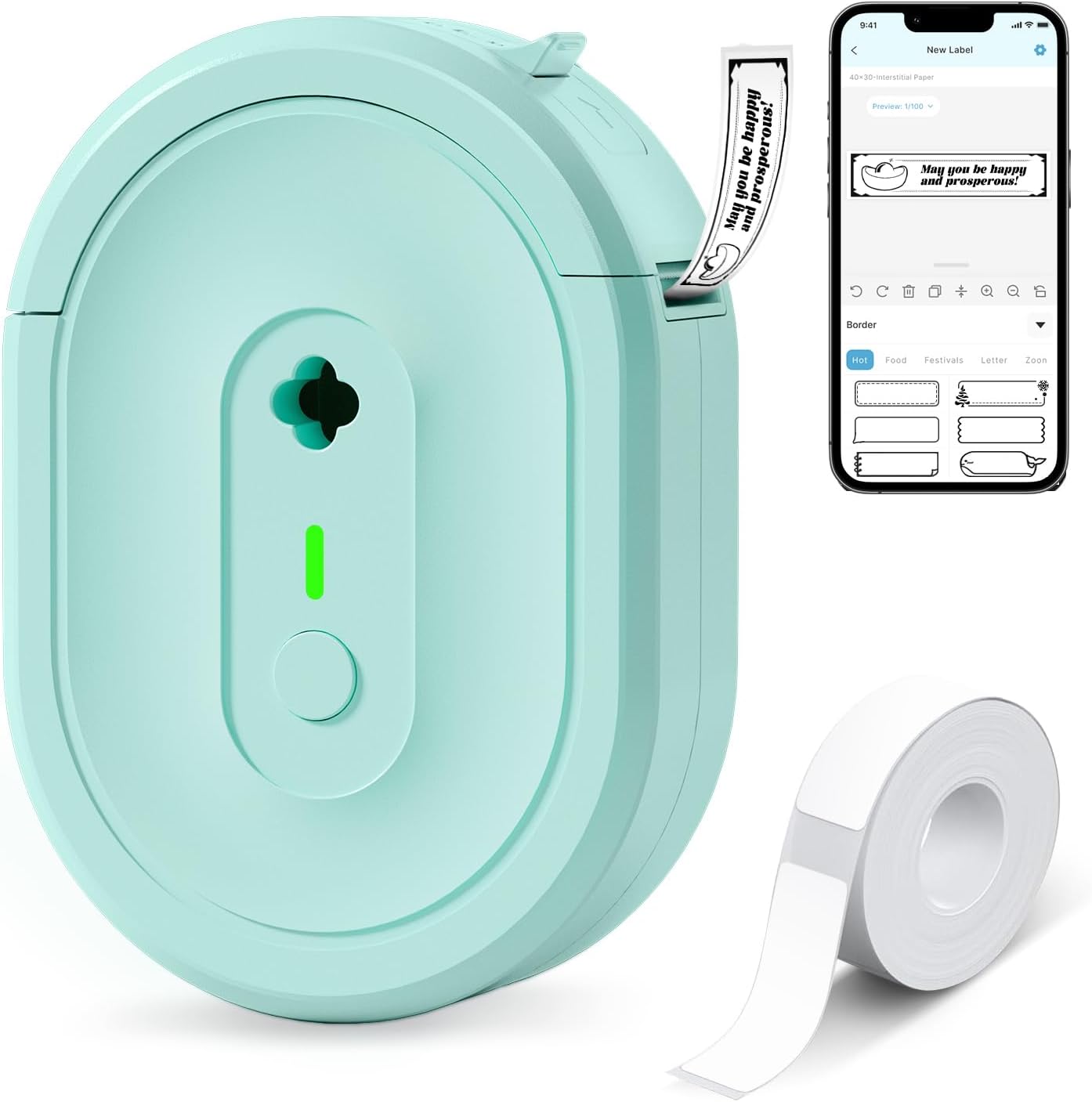
NDYIN N12 Label Maker
| Printer Type | Thermal |
|---|---|
| Connectivity | Bluetooth |
| Print Resolution | 203 x 203 dpi |
| Built-In Media | 1×180 pre-cut white labels (14×40 mm) |
The N12 is a pocketable thermal label maker that pairs over Bluetooth to the free Nada Print app so you can design and print simple adhesive labels from a phone or tablet. It uses direct thermal printing, so there is no ink, ribbon, or toner to buy, and it includes a small roll of pre-cut labels and a rechargeable battery for cordless use. The app offers many templates, symbols, frames, and fonts so you can make address tags, pantry labels, cable IDs, price tags, and school nametags quickly. Print output is monochrome at 203 dpi, which is clear enough for text and barcodes but not for detailed graphics. Label lengths and widths are fixed to supported sizes, and the device is intentionally minimalist—there is no color printing, duplexing, or large-format capability. For everyday home, office, or small-business labeling tasks the N12 delivers fast, inexpensive prints in a very small footprint, while those needing high-resolution graphics or wide-format labels will need a different machine.
Best for: Buyers wanting an inexpensive, portable label maker for routine home, school, or small-business labeling who value low running costs and ease of use from a phone app.
Less Ideal for: Users who need color printing, very high-resolution graphics, or wide/custom label widths should consider a different label printer.
- Direct thermal printing eliminates ink, ribbons, and ongoing consumable costs
- Bluetooth pairing with a smartphone app enables on-the-go design and printing
- Includes pre-cut labels and a rechargeable battery for immediate portable use
- Large template and symbol library in the app speeds label creation
- Prints only monochrome at 203 dpi so graphics and fine detail are limited
- Label sizes are fixed to supported rolls so custom widths are not possible
Verdict: A compact, budget-friendly Bluetooth thermal label maker that keeps running costs low and makes quick monochrome labels from your phone.
NIIMBOT D110 Mini Label Maker

| Printer Type | Thermal |
|---|---|
| Resolution | 203 x 203 DPI |
| Connectivity | Bluetooth |
| Print media | Labels |
| Controller Type | Android, iOS |
The NIIMBOT D110 is a pocketable Bluetooth thermal label printer designed for quick, inkless labeling from iOS and Android devices via the NIIMBOT app. It uses direct thermal technology at 203 DPI for clear black-on-white or clear tape output and accepts multiple pre-cut tape sizes that the device auto-recognizes. Setup is simple: charge via Type-C, pair over Bluetooth, choose a template in the app and print — the unit supports batch printing and exports about 40 B&W pages per minute in nominal speed. The built-in rechargeable battery and compact footprint make it convenient for home, school, and small-business tasks like jar labels, name tags, cable ID, and price stickers. Limitations to keep in mind are monochrome-only printing and no PC connectivity, so you must use a smartphone for design and operation; tape sizes are restricted to direct-thermal media the printer supports. For buyers who prioritize a reliable, portable label maker for everyday organization, the D110 delivers dependable, low-maintenance printing without inks or cartridges.
Best for: Buyers who need a dependable, portable label maker for everyday organization tasks and who prefer a low-maintenance, app-driven workflow.
Less Ideal for: Users who want full-color labels, advanced desktop integration, or professional high-volume printing should look at desktop label printers instead.
- Direct thermal printing at 203 DPI produces sharp, inkless labels
- Bluetooth app control for iOS and Android enables templates and batch printing
- Rechargeable Type-C battery and pocketable size for true portability
- Automatic label recognition supports multiple pre-cut tape sizes
- Prints only monochrome output and cannot produce full-color labels
- No computer/USB printing workflow; design and control require the smartphone app
Verdict: A compact, reliable Bluetooth thermal label maker that produces sharp, inkless monochrome labels from your smartphone for everyday organization.
Phomemo D30 Label Maker

| Printer Type | Thermal |
|---|---|
| Printer Connectivity Type | Bluetooth |
| Hardware Interface | Bluetooth 4.0, USB Type C |
| Print Resolution | 203 dots_per_inch |
| Maximum Media Size | 0.55 inch |
The Phomemo D30 is a palm‑sized Bluetooth thermal label printer designed for quick, on‑the‑go labeling from the Print Master app. It prints black text only onto a variety of patterned or plain thermal tapes so you can create colorful-looking stickers without ink, and the app supplies hundreds of templates, icons and fonts plus extras like barcode/QR generation and batch Excel import. Typical use cases are organizing home storage, classroom name tags, cable and device labeling, and small price tags for craft or retail. Notable hardware points include USB‑C charging, Bluetooth 4.0 connectivity, and a German thermal print head with 203 dpi resolution for readable, crisp output. Because it uses thermal printing there is no ink or ribbon to replace, but outputs are monochrome so color requires patterned tape; printing alignment depends on selecting the correct tape size in the app. The D30 is lightweight and rechargeable for portable use, and its app workflow is powerful for custom designs, though occasional setup steps like choosing the exact paper size and cleaning the print head can be necessary to avoid misprints.
Best for: Buyers who want a very portable, app-driven label maker for home, classroom or small business labeling and who value creative templates and no-ink operation.
Less Ideal for: Users who need full‑color printing, heavy industrial labeling, or a standalone device that does not rely on a smartphone app should look elsewhere.
- True thermal printing so no ink, toner, or ribbons required
- Robust mobile app with thousands of templates, icons, fonts and batch import features
- Compact, lightweight and rechargeable for easy portability
- 203 dpi print head delivers clear, readable monochrome text
- Supports patterned and specialty tapes for decorative labels
- Prints only black text so color effects require precolored tapes
- Requires the app and correct tape size selection to avoid alignment or clarity issues
Verdict: Choose the Phomemo D30 if you want an ultra‑portable, app-powered thermal label maker that delivers crisp monochrome labels without ink and a huge library of design templates.
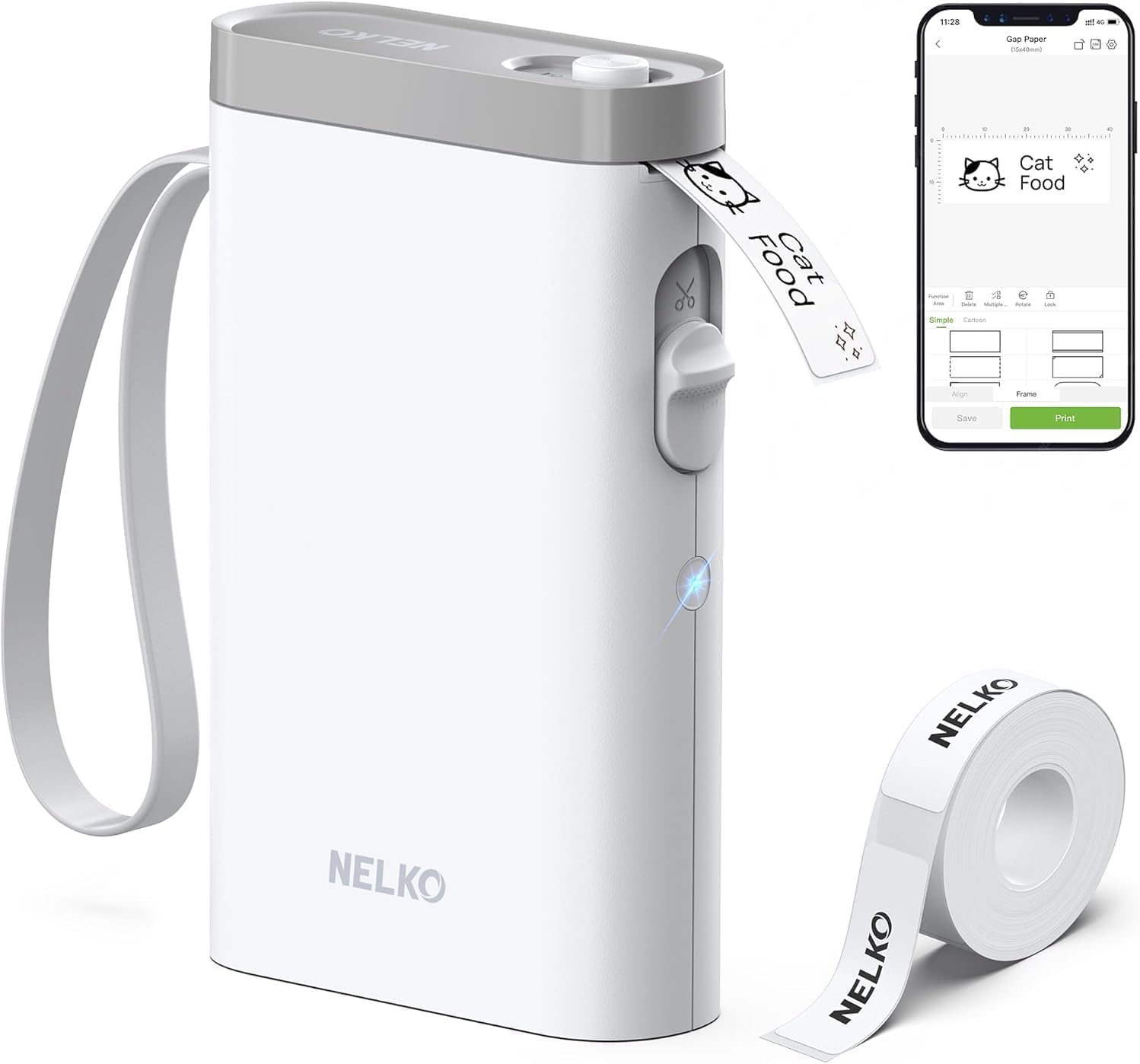
Nelko P21 Label Maker
| Printer Type | Thermal |
|---|---|
| Printer Output Type | Monochrome |
| Resolution | 203 x 203 DPI |
| Printer Connectivity Type | Bluetooth |
| Hardware Interface | USB Type C |
The Nelko P21 is a pocketable thermal label printer that pairs over Bluetooth to the Nelko mobile app for iOS and Android and produces black‑and‑white labels without ink. You design labels in the app using templates, icons, borders, barcodes and QR codes, then print to one of the supported fixed tape widths (14×40mm, 14×50mm, 14×75mm, etc.). The device is lightweight, has a built‑in rechargeable battery charged via USB‑C, and includes a cutter for clean edges. At 203 DPI it delivers clear, legible text and simple graphics on genuine Nelko thermal tape, and the app library speeds common tasks for classroom, home or small business organization. Limitations to note: it only prints monochrome thermal labels, must be controlled through the Nelko app (not a computer), and some users report connection quirks that may require app updates or a power‑cycle to pair. For straightforward labeling jobs—bins, tags, price labels and name stickers—it is fast and convenient; for advanced color printing or desktop integration, look elsewhere.
Best for: Buyers who want a lightweight, app‑driven label maker for quick organization tasks at home, school, or a small shop and prefer an easy mobile workflow over computer software.
Less Ideal for: Users who need full color labels, continuous tape formats, or desktop/computer printing workflows should consider other printers.
- Compact, pocketable design for on‑the‑go labeling
- Bluetooth pairing with a feature‑rich mobile app offering templates, icons and borders
- Direct thermal printing at 203 DPI for clear, inkless labels
- USB‑C rechargeable battery and built‑in cutter for tidy, portable use
- Monochrome only—no native color printing
Verdict: Choose the Nelko P21 when you want a truly portable, app‑driven thermal label maker that delivers clear inkless labels quickly from your phone.
Choosing the Right Portable Bluetooth Label Maker: Key Factors to Consider
Wireless Connectivity and Pairing
Bluetooth reliability directly impacts how smoothly you can print labels from a phone or tablet. A device with stable connections and straightforward pairing means fewer interruptions when switching rooms or moving between devices. Look for label makers that support modern Bluetooth versions and quick re-pairing workflows.
Also consider whether the label maker maintains its connection under typical distances and with common household interference. Some apps will auto-reconnect or store multiple device profiles, which is useful if more than one person will print from the same unit.
Tape Widths and Materials
Label versatility depends on the range of tape widths and materials a machine accepts. Narrow tapes are good for cable and file labeling, while wider tapes work better for pantry, shelf, or box labels. Durable materials such as laminated, weather-resistant, or heat-resistant tapes expand possible applications.
Check if the machine supports common tape cartridge formats to keep replacement options open. Also consider color choices and adhesive strength, because removable versus permanent adhesives matter for surfaces like painted walls or fabrics.
Print Resolution and Text Options
Print clarity affects legibility at a glance, especially for small labels or when including barcodes and small icons. Higher resolution yields crisper text and sharper icons, which is important for professional-looking labels and precise identification tasks.
Equally important are layout and text controls in the companion app. Adjustable font sizes, alignment, borders, and symbol libraries let you tailor labels for different tasks without needing a desktop design tool.
Battery Runtime and Charging Convenience
True portability requires reliable battery life so you can print multiple labels during a session. Consider both runtime per charge and the recharge method. USB-C charging is more convenient for modern households and often supports faster top-ups.
Also think about whether the device uses replaceable batteries or an internal rechargeable pack. Replaceable batteries are handy for remote jobs where charging is not available, while internal packs typically offer lighter weight and integrated charging.
Build Quality and Portability
A label maker that will be carried around needs to feel solid and resist drops or rough handling. Compact size, ergonomic button placement, and a secure tape compartment reduce frustration on the move. Weight matters if you plan to carry it in a tool bag or tote.
Consider the physical controls as well as the app interface; some users prefer tactile buttons for quick jobs, while others favor a minimalist unit that relies heavily on the phone app for design.
App Features and Cross-Device Support
The mobile app is where most label design happens for a Bluetooth label maker. A good app offers templates, easy text entry, alignment tools, and the ability to save and recall label designs. Look for apps that support both iOS and Android if you have multiple device types.
Extra features like QR and barcode generation, cloud sync of label libraries, and multi-user profiles can increase productivity for household projects or small teams.
Best Uses for Portable Bluetooth Label Makers
Portable Bluetooth label makers shine in situations where mobility and quick output are essential. They are ideal for reorganizing kitchens, labeling storage bins, tagging cables behind entertainment centers, and creating temporary signage for events or yard sales.
Professionals who perform field service, inventory checks, or light installations also benefit from wireless label printers because they reduce trips back to a central office to print labels.
- Home organization and pantry labeling
- Cable and network labeling
- Temporary event signage
- Small-business inventory tag printing
- On-site identification for installations or repairs
Tape Stocks: Materials and When to Use Them
Different tape materials suit different tasks. Paper-based tapes are economical for short-term indoor labels. Laminated or plastic-coated tapes resist moisture and abrasion, making them better for kitchens, garages, and outdoor bins. Cloth or fabric-compatible tapes can be helpful for labeling textiles or clothing tags.
Adhesive type is another consideration. Permanent adhesives stick strongly to glass, plastic, and metal, while removable adhesives let you relabel without surface damage. Specialty tapes that are heat- or chemical-resistant are useful for workshop and industrial tasks.
- Paper tape: cheap and suitable for short-term indoor use
- Laminated tape: moisture and abrasion resistance
- Cloth/fabric-friendly tape: for garments or soft goods
- Permanent vs removable adhesives: match to surface type
Maintaining Your Label Maker for Reliable Output
Regular maintenance extends the life and reliability of a portable label maker. Keep the tape compartment free of dust and debris, and avoid bending tapes excessively when loading to prevent jams. Wipe the print head gently if you see smudging or inconsistent prints.
Store extra tapes in a cool, dry place to prevent adhesive degradation. If your unit uses replaceable batteries, carry a spare set for long jobs. For rechargeable units, follow the manufacturer guidance on charge cycles to preserve battery health.
- Clean the print head periodically
- Store tape cartridges flat in a dry place
- Carry spare power or a charging cable for long sessions
- Avoid forcing jammed tapes; check loading direction first
Design Tips for Clear, Usable Labels
Simple, high-contrast designs improve readability. Use bold or larger fonts for primary information and smaller text for auxiliary details. Borders and background fills help labels stand out on patterned surfaces.
When labeling cables or small items, limit the amount of text to avoid tiny, unreadable fonts. Use symbols and color coding when possible to convey meaning at a glance and reduce reliance on small printed text.
- Prefer high-contrast color combos like black text on white
- Use icons to save space and improve quick recognition
- Limit text length for narrow tapes
- Save commonly used templates in the app for repeat jobs
Troubleshooting Common Bluetooth Issues
If your phone cannot find the label maker, toggle Bluetooth on both devices and move them closer. Close and reopen the companion app to force a fresh discovery. If pairing fails repeatedly, restart your phone or clear previous pairing records in the device Bluetooth settings.
Intermittent disconnections can be caused by wireless interference or low battery. Charge the label maker and move away from crowded Wi-Fi or microwave sources. Updating the mobile app and firmware, if available, can also resolve stability problems.
- Restart both phone and label maker if pairing stalls
- Charge the label maker before troubleshooting persistent drops
- Keep the app updated for best compatibility
- Remove old pairings that may conflict with new connections
How We Chose the Best Portable Bluetooth Label Maker
We focused on practical attributes that matter when you plan to print labels from a phone or tablet throughout your home or small workspace. Primary evaluation criteria included wireless connectivity stability and pairing simplicity, because frequent re-pairing or dropouts derail quick labeling tasks. We also measured tape compatibility and breadth of label sizes and materials supported, since a versatile supply system reduces future hassle. Battery life and charging convenience were another key filter, as truly portable use means multiple print sessions without frequent recharging. We assessed print quality and layout flexibility from device-to-app workflows, checking font clarity, icon support, and alignment controls that affect readability. Durability and construction rounded out the criteria, focusing on units that withstand being carried in a bag or used on a job site. We excluded units that lack Bluetooth control, tether-only models, and devices with extremely limited label widths or proprietary cartridge obstacles that make sourcing supplies difficult. The final list emphasizes dependable connectivity, usable tape options, sensible battery performance, clear print output, and straightforward mobile apps.
Our full evaluation process is outlined in our review methodology.
FAQ
Can I print labels from multiple phones with one portable Bluetooth label maker?
Often, yes. Many portable Bluetooth label makers allow multiple devices to pair and print, though simultaneous printing is usually serialized. Check that the companion app supports multiple profiles or will accept connections from different phones without repeated setup.
What tape widths should I keep on hand for general home use?
A narrow width such as 6 to 9 millimeters works well for cable and file labels, while a medium width of 12 to 24 millimeters covers pantry, shelf, and box labeling. Having at least one laminated or durable tape helps for areas exposed to moisture.
How can I extend battery life while using a Bluetooth label maker?
Reduce screen brightness and close other background apps that use Bluetooth. Limit long design sessions on the device and batch printing tasks when possible. If the unit uses replaceable batteries, carry spares; if rechargeable, use a portable power bank for extended sessions.
Are label makers good for outdoor labeling?
They can be, depending on the tape material. For outdoor use, choose laminated or weather-resistant tapes and a strong adhesive. Be aware that extreme temperatures and direct sunlight can still degrade some plastics and adhesives over time.
What should I do if my labels print with streaks or faded areas?
First check the print head for debris and gently clean it following the manufacturer's guidance. Ensure the tape is loaded correctly and that the cartridge is not nearing its end. If problems persist, charge the device fully and try printing a test label.
Final Verdict
When choosing a portable Bluetooth label maker, prioritize reliable Bluetooth performance and tape compatibility that matches the types of jobs you plan to do. Balance print clarity and app flexibility against battery life and the physical durability you need for on-the-go use. Decide which tradeoffs matter most: lighter units with shorter runtimes for occasional home projects, or slightly larger devices with longer battery life and broader tape support for frequent or professional use. With those priorities set, you can confidently pick a portable label maker that fits your workflow.