
Note: This article contains affiliate links. If you click on these links and make a purchase, we may earn a small commission at no extra cost to you. This helps support our research and content. Read our full affiliate disclosure here.
If you need hard copies while traveling, working remotely, or handing out receipts and labels on the spot, a compact portable mini printer can make that task simple and reliable. Choosing the right portable mini printer matters because these devices trade size, battery life, and connectivity for convenience. The wrong choice can mean slow prints, weak battery endurance, or poor image clarity when you most need a physical copy. This guide shortlists the top portable mini printers across common use cases and evaluates them on print quality, battery life, connectivity, ease of use, and portability. Read on for concise guidance to match a model to your typical usage and workflow before the product list below.
Top Picks at a Glance
| Best Overall The best all-around choice for most situations | Canon IVY 2 Mini Photo Printer |  |
| Best Budget The cheapest option that still gets the job done reliably | JEPEErbz C9 Mini Thermal Printer |  |
| Top Rated A top-rated pick with lots of positive feedback | HP Sprocket Portable 2×3 Printer |  |
| Most Popular A crowd favorite that many people choose with confidence | KODAK Step Instant Photo Printer |  |
| Best Seller A high-volume bestseller chosen again and again | Nelko PP01 Photo Printer |  |
Canon IVY 2 Mini Photo Printer

| Printer Type | Zink Technology |
|---|---|
| Maximum Media Size | 2 x 3 in |
| Maximum Sheet Capacity | 10 |
| Printer Connectivity Type | Bluetooth |
| Maximum print Resolution Color | 313×512 dots_per_inch |
The Canon IVY 2 is a small, portable photo printer designed to turn smartphone pictures into 2×3 inch peel-and-stick prints without ink cartridges by using ZINK paper. You connect via Bluetooth and use the Canon Mini Print app to crop, add frames, stickers, or collages before printing, which makes it well suited for parties, scrapbooking, and quick keepsakes. Prints take roughly up to 50 seconds and the printer accepts 10 sheets at a time, so it handles casual bursts of printing but is not aimed at high-volume jobs. Notable improvements over prior models include tuned color, better contrast and faster Bluetooth 5.0 connectivity, and fast USB-C charging that can reach full charge in about 45 minutes. Trade-offs are the small 2×3 print size and modest 313×512 dpi resolution, which are great for stickers and mementos but limit enlargement or detailed photo editing. Battery life and sheet capacity mean you will reload or recharge during longer events.
Best for: Buyers who want a portable, fun photo printer for on-the-spot stickers, scrapbooks, and social events and value easy mobile editing and no-ink convenience.
Less Ideal for: People who need larger format prints, professional-quality photo resolution, or high-volume printing for events or businesses should consider a different solution.
- Zero-ink ZINK printing produces full-color peel-and-stick 2×3 photos with no cartridges
- Bluetooth 5.0 connectivity and Canon Mini Print app for easy editing, frames, and collages
- Fast USB-C charging with a quick full charge time of about 45 minutes
- Compact, pocketable design that is easy to carry for events and travel
- Prints are small (2×3 inches) and limited to 313×512 dpi, so they are not ideal for large or highly detailed prints
- 10-sheet maximum capacity and ~50 second print time per photo limit throughput for large print runs
Verdict: If you want a truly pocketable printer for quick, sticker-style 2×3 photos with simple mobile editing and no-ink convenience, the IVY 2 is an easy, balanced pick.
JEPEErbz C9 Mini Thermal Printer

| Printer Type | Thermal |
|---|---|
| Connectivity | Bluetooth 4.0 |
| Resolution | 203 x 203 DPI |
| Built-In Media | 8 Rolls of Printing Thermal Paper |
| Battery | 1200 milliamp_hours |
The JEPEErbz C9 is a pocket-size thermal printer that connects over Bluetooth and uses app control to print photos, labels, memos, QR codes, and simple graphics on 57 mm thermal paper. It ships with eight rolls of paper (a mix of plain and adhesive rolls) and runs on a built-in 1200 mAh rechargeable battery for several days of light use. Printing is monochrome at 203 x 203 dpi, which produces clear black-and-white images and text suitable for journals, kids crafts, and quick on-the-go labels, though it is not meant for high-fidelity photo reproduction. Setup and operation are handled through a free companion app with templates and basic layout tools, and the Bluetooth 4.0 link keeps the workflow wireless and simple. Limitations include single-sided monochrome output, a small maximum media width, and modest paper capacity, so frequent heavy printing will require reloading paper and recharging more often. For casual, budget-minded buyers who want a fun, portable sticker printer, the C9 delivers straightforward performance at an entry-level price point.
Best for: Buyers who want an inexpensive, portable printer for casual stickers, journaling, and light label printing and prioritize low operating cost and simple wireless setup.
Less Ideal for: People who need color photo-quality prints, high-volume printing, or a larger paper format for documents should consider a different class of printer.
- Comes with 8 rolls of thermal paper including adhesive sticker rolls for immediate use
- Bluetooth 4.0 and free app make wireless printing from iOS and Android simple
- Inkless thermal printing requires no ink or toner and lowers ongoing costs
- 203 x 203 dpi delivers clear black-and-white text and basic images suitable for labels and journaling
- Monochrome-only output is not suitable for high-quality color photos
- Small paper width and low sheet capacity require frequent reloading for larger projects
Verdict: A cheap, easy-to-use pocket thermal printer that gives budget buyers a wireless, inkless way to make stickers and simple black-and-white prints on the go.
HP Sprocket Portable 2×3 Printer

| Print media | Glossy photo paper |
|---|---|
| Printer Connectivity Type | Bluetooth |
| Maximum print Resolution Color | 313 x 400 DPI |
| Maximum Sheet Capacity | 10 |
| Built-In Media | Includes 10 sheets HP ZINK sticky-backed paper |
The HP Sprocket Portable 2×3 Printer is a compact, rechargeable smartphone printer that uses ZINK zero-ink paper to produce 2 x 3 inch sticky-backed photos on the go. You pair it with the HP Sprocket app over Bluetooth to edit, add borders or stickers, and send images to print; multiple users can connect and the printer indicates the active user with personalized LED lights. It is designed for casual, social use—print parties, travel mementos, or quick stickers for decorating—rather than high-volume photo production. The included 10-sheet starter pack and the paper's smudge-resistant, tear-resistant finish mean prints are ready to stick or display immediately without cartridges. Limitations include small print size, modest 313 x 400 DPI resolution compared with larger photo printers, and a 10-sheet capacity that requires frequent paper replacement for heavier use. Battery life supports dozens of prints per charge but the unit is built as a fun, portable accessory rather than a replacement for higher-resolution desktop photo printers.
Best for: Buyers who want a reliable, easy-to-use pocket printer for casual photo sharing, social gatherings, and travel where quick, no-ink prints and simple app control matter more than large sizes or professional detail.
Less Ideal for: Anyone needing large, high-resolution prints, high-volume photo production, or professional photo lab quality should choose a larger desktop or lab printer instead.
- Truly pocketable and lightweight for on-the-go printing
- ZINK zero-ink paper produces smudge-resistant, peel-and-stick photos with no cartridges
- Bluetooth 5.0 pairing and app control let you edit and print directly from a smartphone
- Rechargeable battery enabling multiple prints per charge and personalized LED user indicators
- Small 2×3" print size limits framing or large-format uses
- 10-sheet paper capacity means frequent reloads during events
Verdict: A dependable, pocket-sized instant printer for people who prioritize easy, ink-free social prints and reliable smartphone-to-print simplicity.
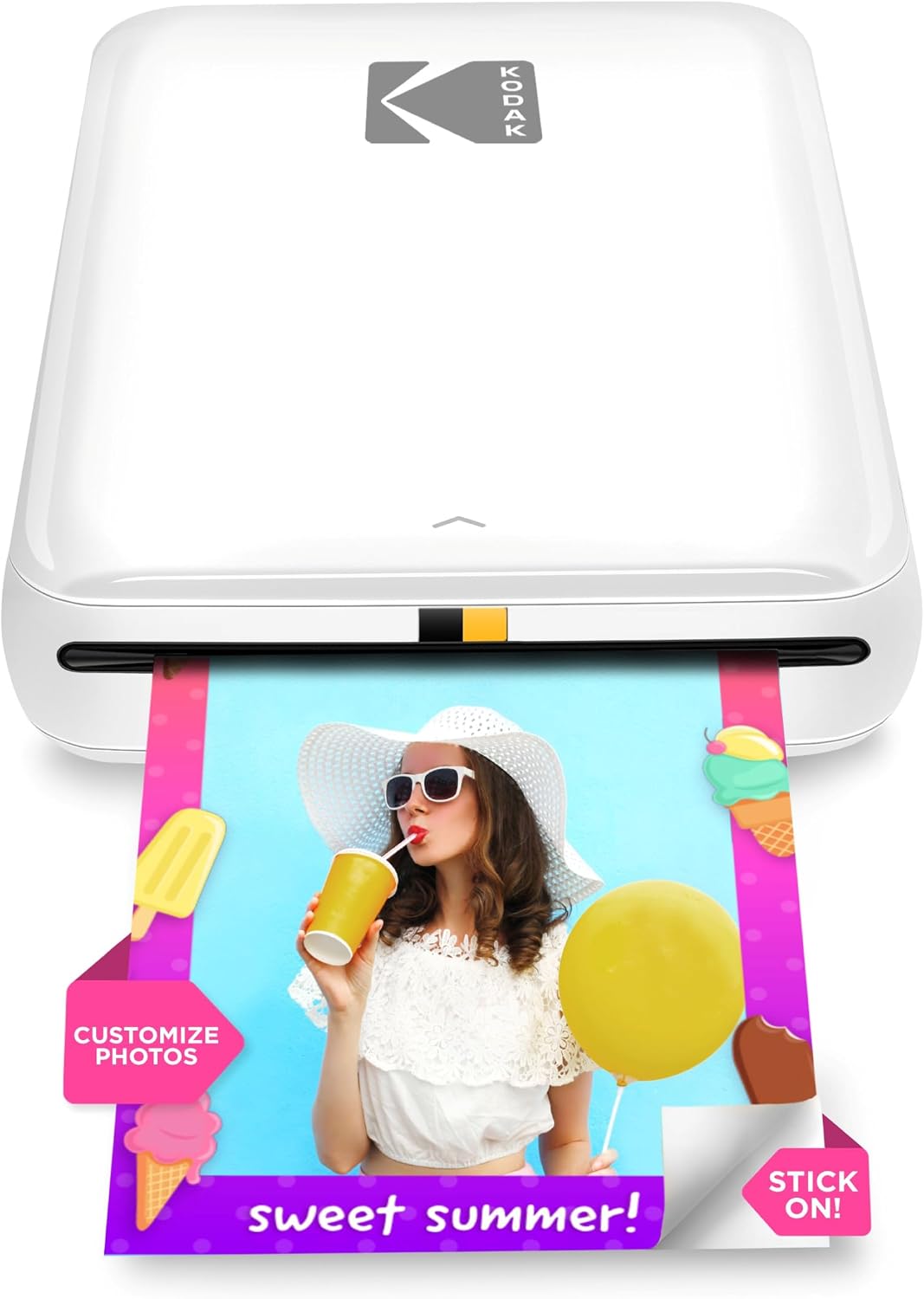
KODAK Step Instant Photo Printer
| Print media | 2×3 inches ZINK photo paper |
|---|---|
| Connectivity | Bluetooth, NFC |
| Battery life | Up to 25 prints per charge |
| Maximum Sheet Capacity | 10 |
| Print Resolution | 313 x 400 dpi |
The KODAK Step is a pocketable photo printer that pairs with the KODAK app to turn smartphone images into 2×3" sticky-backed prints in about a minute. It uses ZINK zero-ink paper, so there are no cartridges to buy or replace, and the app provides editing tools, collage modes, stickers and filters before printing. The built-in rechargeable battery is rated for roughly 25 prints per charge, making it convenient for short outings, parties, or craft projects, and the printer handles up to 10 sheets in its tray. Prints are water-resistant and have a protective coating but are limited to a small 2×3 format and modest resolution compared with lab prints. Connectivity is simple via Bluetooth or NFC, though printing requires the app and a Bluetooth-capable phone. If you want instant, shareable prints without fuss, the Step delivers an easy, portable solution with predictable output and low ongoing maintenance thanks to inkless ZINK media.
Best for: Buyers who want a simple, social-ready way to produce small physical photos from their phone for parties, scrapbooks, or gifting and who value low maintenance and easy sharing.
Less Ideal for: Users who need large, high-resolution prints or professional-grade color accuracy should consider desktop photo printers or lab services instead.
- Zero-ink ZINK printing eliminates cartridges and reduces maintenance
- Compact, lightweight design easily fits in a pocket or bag for on-the-go printing
- Includes app-based editing with collage, stickers and filters for quick customization
- Rechargeable battery supports about 25 prints per charge for short outings
- Sticky-backed, water-resistant prints that are tear- and smudge-resistant
- Print size limited to 2×3 inches which is small for framing or detailed crops
- Print quality and resolution are lower than dedicated photo-lab prints
Verdict: Choose the KODAK Step when you want a truly portable, no-ink solution to produce instant, sticky-backed 2×3 prints from your phone with easy app editing.
Nelko PP01 Photo Printer

| Printer Type | Inkjet |
|---|---|
| Print Resolution | 600 DPI |
| Printer Connectivity Type | Bluetooth |
| Paper Size | 52x90mm |
| Maximum Sheet Capacity | 30 |
The Nelko PP01 is a compact Bluetooth inkjet designed to print 2×3 sticky-backed photos from iOS and Android phones using the Nelko app. It is used by loading 2×3 photo paper, installing a small color cartridge, pairing over Bluetooth and sending edited images from the app; the app includes frames, filters, text and simple AI editing for quick personalization. The printer produces 600 DPI color prints with an adhesive backing, making it handy for scrapbooks, party favors, labels and on-the-go journaling. It is very portable and USB-chargeable, and the included starter pack supplies 20 sheets and a cartridge that the brand says prints up to about 80 photos. Practical limits are the fixed 2×3 print size, slow throughput (roughly one print per minute) and dependence on the Nelko app and Bluetooth instead of Wi‑Fi or direct file transfer, so it is best for casual, instant prints rather than bulk photo production.
Best for: Buyers who want an easy, low-risk way to make instant, sticky-backed 2×3 photos for scrapbooks, parties, and journaling and prefer a straightforward Bluetooth workflow and included starter media.
Less Ideal for: Users who need larger-format prints, fast batch printing, networked Wi‑Fi printing, or a printer for high-volume professional photo work should look elsewhere.
- Pocket-sized and highly portable for travel or events
- 600 DPI inkjet prints produce clear, full-color images with adhesive backing
- Simple Bluetooth pairing and dedicated app with editing tools and templates
- Includes starter supplies (cartridge, USB cable and photo paper) so you can print out of the box
- Prints only one size (2×3) which limits framing or larger photo needs
- Relatively slow print speed at about one photo per minute
Verdict: If you want a reliable, pocketable printer for on-the-spot 2×3 sticky-backed photos with simple Bluetooth app controls, the Nelko PP01 is a practical pick.
Choosing the Right Portable Mini Printer: Key Factors to Consider
Print Quality
Print sharpness and color fidelity determine how usable each output is for documents, receipts, or photos. Higher dpi and better thermal or ink mechanisms produce clearer text and more accurate tones, which matters when printing invoices, labels, or customer-facing materials.
Assess sample prints where possible and focus on text legibility at typical font sizes and photo detail for small prints. Poor print quality cannot be fixed with settings alone, so prioritize printers whose sample output meets your baseline needs.
Battery Life And Charging
Battery capacity affects how many pages you can print between charges and whether the device supports full-day field use. Look for stated page-per-charge estimates but treat them as guidelines because real-world printing, wireless use, and brightness settings change consumption.
Consider recharge time and whether the printer supports USB-C or standard fast-charge protocols. A removable or replaceable battery can be an advantage for extended trips, while integrated batteries demand more conservative usage planning.
Connectivity
Portable printers typically offer Bluetooth, Wi‑Fi Direct, or USB connections. Bluetooth is convenient for single-phone pairing, Wi‑Fi Direct helps when multiple devices need access, and wired USB provides the most reliable link for steady data transfer.
Ensure the printer supports your primary devices and operating systems. Check whether the manufacturer provides a mobile app or standard printing profiles so you do not depend on ad-hoc workarounds.
Consumables And Paper Options
Availability and cost of paper rolls, photo paper, or ink/thermal supplies influence long-term ownership. Some portable minis use thermal paper, which simplifies maintenance but limits media options and archival longevity. Others use micro ink cartridges that expand capabilities but add recurring costs.
Verify the sizes and types of media the printer accepts, how easy it is to swap or load consumables in the field, and whether specialty media (stickers, labels, or glossy photo paper) is supported if needed for your use case.
Durability And Build
A portable printer will be transported frequently, so robust housing and a secure paper compartment matter. Look for units with reinforced hinges, splash resistance if you expect outdoor use, and a weight that balances stability with portability.
Ruggedized features or protective cases reduce the risk of damage during transit. Consider how the printer sits on uneven surfaces and whether it has rubber feet or a flat base to avoid shifting while printing.
User Interface And Setup
Ease of pairing, a clear button layout, and a helpful mobile app minimize setup friction when you are away from a desktop. Printers with simple status LEDs and reliable firmware updates reduce downtime and troubleshooting.
Also evaluate how straightforward it is to change settings, initiate prints from different devices, and receive firmware or app-based support. Complicated initial setup undermines the convenience of a portable device.
When A Thermal Printer Works Best
Thermal-based portable mini printers excel for receipts, labels, and monochrome documents because they eliminate ink and simplify maintenance. Their advantages include lighter weight and fewer moving parts, which often extends reliability for field use.
Thermal media has tradeoffs: prints can fade over time and do not reproduce full-color photos well. Choose thermal when your priority is short-term, durable receipts or compact labels rather than archival-quality images.
- Great for receipts, shipping labels, and simple barcodes
- No ink cartridges to replace
- Limited longevity and color reproduction
Color And Photo Printing On The Go
If you need color photos or marketing materials, look for portable minis with dedicated dye or pigment-based ink systems. These devices typically accept small photo papers and produce richer tones than thermal alternatives.
Expect slightly larger size and more maintenance because of ink cartridges. For occasional snapshots and small photo prints, prioritize models with proven color balance and straightforward paper loading.
- Best for event photography, instant prints, and small promotional materials
- Requires occasional cartridge replacement
- Check for app-based color correction tools
Connectivity Tips For Reliable Mobile Printing
Test the connection method you plan to use most often. Bluetooth pairing can be quick but sometimes unstable in crowded radio environments. Wi‑Fi Direct or an ad-hoc access point is better when several devices need to print without a network.
Keep firmware and mobile apps up to date to reduce pairing issues. For critical workflows, carry a short USB cable as a fallback to avoid delays due to wireless problems.
- Prefer USB-C for faster wired transfers and universal charging
- Use Wi‑Fi Direct for multi-device access
- Carry a spare cable to avoid wireless dependency
Packing And Transport Best Practices
Protect the printer in a padded compartment or case to avoid mechanical shocks and keep media rolls from unspooling. Secure any loose accessories like cables and paper in a zipped pocket to maintain quick access.
If you print frequently while on the move, pre-load paper and test a short print sequence before leaving to confirm battery level and connectivity. Consider packing a small power bank if the printer supports USB charging.
- Use a padded bag or dedicated case
- Store consumables separately to avoid spills
- Carry a power bank for extended trips
Common Maintenance Tasks
Routine cleaning of feed paths and print heads preserves output quality. For ink-based minis, run occasional head-clean cycles per the manufacturer instructions to prevent clogs. For thermal printers, keep the platen and thermal head free of dust and adhesive residue.
Replace consumables before they run out during critical tasks and verify paper roll orientation before sealing the compartment to avoid jams. Simple preventative care reduces downtime and preserves print consistency.
- Perform light cleaning after heavy use
- Store printers in a dust-free environment when not in use
- Rotate consumables to avoid long-term degradation
How We Chose the Best Portable Mini Printer
We evaluated portable mini printers by selecting models that suited frequent mobile use and short-run printing tasks. Our filters prioritized compact dimensions and real-world battery life measurements so units are genuinely portable rather than just small in marketing photos. We also required reliable wireless connectivity options for pairing with phones and tablets, plus straightforward setup and maintenance. Key evaluation criteria included print quality for text and photos, battery runtime and recharge speed, wireless and wired connectivity options, ease of loading paper and consumables, and the durability of the chassis for regular transport. We excluded bulky desktop printers, thermal label-only devices that do not produce standard-size receipts or photos, and models lacking reputable firmware update paths. Units with poor user interface design or unclear consumable availability were also removed from consideration. The final list focuses on balanced, mobile-first printers that perform well in actual travel and field scenarios.
Our full evaluation process is outlined in our review methodology.
FAQ
Can a portable mini printer produce photo-quality prints?
Some portable minis with dedicated ink systems can deliver small photo prints with reasonable color and detail. Expect tradeoffs in paper size and longevity compared with full-size photo printers, and verify sample images before relying on any device for event prints.
How many pages will a portable mini printer print on a single charge?
Battery life varies widely by model and by the type of printing. Light text-only jobs can yield dozens of pages per charge, while color photo printing and frequent wireless use reduce the count significantly. Check manufacturer estimates and plan for a margin of error for real-world conditions.
Do portable mini printers require special paper?
Some use standard cut sheets or small photo papers, while many compact models rely on proprietary rolls or thermal media. Confirm the supported media types for your intended use and consider availability of replacements before making a choice.
Is Bluetooth reliable enough for business use?
Bluetooth can be reliable for one-to-one printing but is more susceptible to interference in crowded environments. For consistent business workflows or multi-device access, Wi‑Fi Direct or a USB connection is usually a better option.
How durable are portable mini printers for field work?
Durability depends on build quality. Many portable minis are designed for light travel, but extended field use benefits from reinforced housings, secure paper compartments, and protective cases. Evaluate construction and user reports about longevity for demanding use.
Final Verdict
Choosing the right portable mini printer comes down to matching print type, battery endurance, and connectivity to how and where you need hard copies. Prioritize print quality if you need color photos, or choose thermal models for lightweight receipt and label tasks. Also weigh consumable availability and transport protections because these factors determine real-world reliability. Focus on the criteria that matter most for your workflow and accept tradeoffs between size and capability. With the right balance of battery life, connectivity, and media support, a portable mini printer can be a dependable tool for printing on the go.