
Note: This article contains affiliate links. If you click on these links and make a purchase, we may earn a small commission at no extra cost to you. This helps support our research and content. Read our full affiliate disclosure here.
If you want to print smartphone snapshots without cables or a computer, a Bluetooth photo printer makes the process fast and portable. Choosing the right Bluetooth photo printer matters because print quality, connection reliability, and media costs all affect how much you will actually use the device and how your photos look once printed. This guide shortlists the top options for casual shooters and hobbyists who value quick mobile printing and good color accuracy. Each recommendation was assessed for photo output, ease of wireless setup, and running cost so you can find a model that fits how you plan to print. Read on for our top picks and a clear breakdown of the evaluation criteria used to select them.
Top Picks at a Glance
| Best Overall The best all-around choice for most situations | KODAK Dock Plus PD460 |  |
| Best Budget The cheapest option that still gets the job done reliably | HP Sprocket Portable Photo Printer |  |
| Top Rated A top-rated pick with lots of positive feedback | Fujifilm INSTAX Mini Link 3 |  |
| Most Popular A crowd favorite that many people choose with confidence | KODAK Step Instant Photo Printer |  |
| Best Seller A high-volume bestseller chosen again and again | Nelko PP01 Portable Photo Printer |  |
KODAK Dock Plus PD460

| Printer Type | 4PASS Dye Sublimation |
|---|---|
| Maximum Media Size | 4 x 6 inches |
| Resolution | 300 dpi |
| Printer Connectivity Type | Bluetooth, Docking |
| Hardware Interface | USB Type C |
The KODAK Dock Plus PD460 is a simple desktop photo printer designed to turn smartphone shots into durable 4×6 prints using 4PASS dye-sublimation. You dock or pair a phone over Bluetooth, use the KODAK Photo Printer app to crop and edit, then print borderless photos that emerge laminated and resistant to water, fingerprints, and fading in about a minute. The dock adds convenience by holding and charging a phone while printing, and the all-in-one cartridge/paper system makes refills straightforward for casual users. The printer is optimized for home use and small print runs rather than high-volume tasks, with a modest input capacity and a roughly 55 second print time per photo. Connectivity is flexible with Bluetooth and a USB-C port, but there is no multi-function scanning or copying beyond single photo copies. If you want fast, durable 4×6 prints from your phone with minimal setup and predictable results, this is a practical, user-friendly choice.
Best for: Buyers who want an easy, dependable way to make durable 4×6 prints from smartphones at home and value convenience over high throughput.
Less Ideal for: People who need fast bulk printing, larger print sizes, or multifunction office features should look at higher-capacity photo or office printers instead.
- 4PASS dye-sublimation prints with laminated finish for water, fingerprint, and fade resistance
- Integrated docking station that holds and charges a smartphone during printing
- Bluetooth connectivity plus USB-C for quick phone-to-printer setup
- Simple all-in-one cartridge and paper system that is easy to refill and use
- Print speed and sheet capacity are geared to occasional home use rather than high-volume printing
Verdict: A user-friendly Bluetooth dock photo printer that delivers durable, ready-to-frame 4×6 prints from your smartphone with minimal fuss.
HP Sprocket Portable Photo Printer

| Printer Type | Thermal |
|---|---|
| Maximum Media Size | 2 x 3 inch |
| Printer Connectivity Type | Bluetooth |
| Built-In Media | HP ZINK PHOTO PAPER |
The HP Sprocket Portable Photo Printer is a compact, battery-powered thermal printer designed to produce 2×3-inch glossy, peel-and-stick photos directly from a smartphone via Bluetooth 5.0 and the companion app. It is typically used for quick snapshots, party photo sharing, and casual scrapbooking where instant small prints are desired. Notable features include multi-device printing so friends can send jobs at once, LED indicators that show which device is printing, and included ZINK paper that creates smudge-proof photos without ink cartridges. In practice the printer is easy to carry, simple to set up, and the app offers templates and basic editing for personalized prints. Limitations are the small print size and reliance on proprietary ZINK paper, which means ongoing paper purchases and modest print resolution not suited for large or professional prints. Battery life and print speed are fine for casual use but heavy users will need extra paper and recharges. For budget-minded buyers this renewed unit gives instant photo fun without the complexity of larger printers but expect small-format output and recurring consumable costs.
Best for: Buyers who want an affordable, social-ready photo printer for parties, travel, and casual scrapbooks and prioritize portability and simplicity over print size or pro-level quality.
Less Ideal for: People who need high-resolution or larger format prints, professional photographers, or anyone looking to avoid recurring paper costs should choose a different solution.
- Truly portable pocket-sized design for on‑the‑go printing
- Bluetooth 5.0 wireless pairing and app control for easy smartphone printing
- Uses ZINK paper so no ink cartridges are required
- Multi-device printing and LED indicators make group printing simple
- Prints only on 2×3-inch paper so output is small and not for enlargements
- Requires proprietary ZINK photo paper which adds ongoing consumable cost
Verdict: A compact, easy-to-use Bluetooth pocket printer that delivers instant 2×3 sticky-backed photos for casual, social use.
Fujifilm INSTAX Mini Link 3

| Printer Type | Thermal |
|---|---|
| Print media | Glossy film |
| Compatible Devices | Smartphones |
| Printer Connectivity Type | Bluetooth |
| Maximum print Resolution Color | 254 dpi |
The Fujifilm INSTAX Mini Link 3 is a lightweight Bluetooth thermal printer for turning smartphone photos into credit-card‑sized instant prints. You pair it with the INSTAX Mini Link app to print directly from your phone, apply filters, frames, text, stickers, and use features like collage mode, remote live view, and AR effects before printing. Setup is straightforward over Bluetooth 5.1 and the printer uses Fujifilm glossy instax film to deliver true instant physical photos without ink cartridges. Print quality is tuned for instant film rather than photo-lab detail—the color prints use 254 dpi equivalent for color output and yield the characteristic instax look and saturation. The unit is very portable and has USB-C charging, but it only supports simplex single-sided 2 x 3 inch media and is intended for casual, on-the-spot prints rather than archival enlargements. If you want fast, social printing from a phone with easy app controls and reliable film handling, this model delivers consistently.
Best for: Buyers who prioritize a dependable, easy smartphone-to-print experience for social events, parties, and travel and want consistent instant film output without fuss.
Less Ideal for: Anyone seeking high-resolution, large-format or archival photo prints should choose a dedicated photo lab or higher-resolution printer instead.
- Simple Bluetooth 5.1 pairing and phone app workflow for fast mobile printing
- Compact, lightweight design that is easy to carry to events
- Uses Fujifilm instax film so prints are immediate and do not require ink cartridges
- App features (filters, frames, AR, collage, remote live view) add creative control before printing
- Prints are small 2 x 3 inch photos with limited resolution compared with lab prints
- Single-sided simplex printing only and limited to instax mini film format
Verdict: A reliable, portable Bluetooth instant printer for users who want quick, consistent 2 x 3 instant photos straight from their smartphone app.
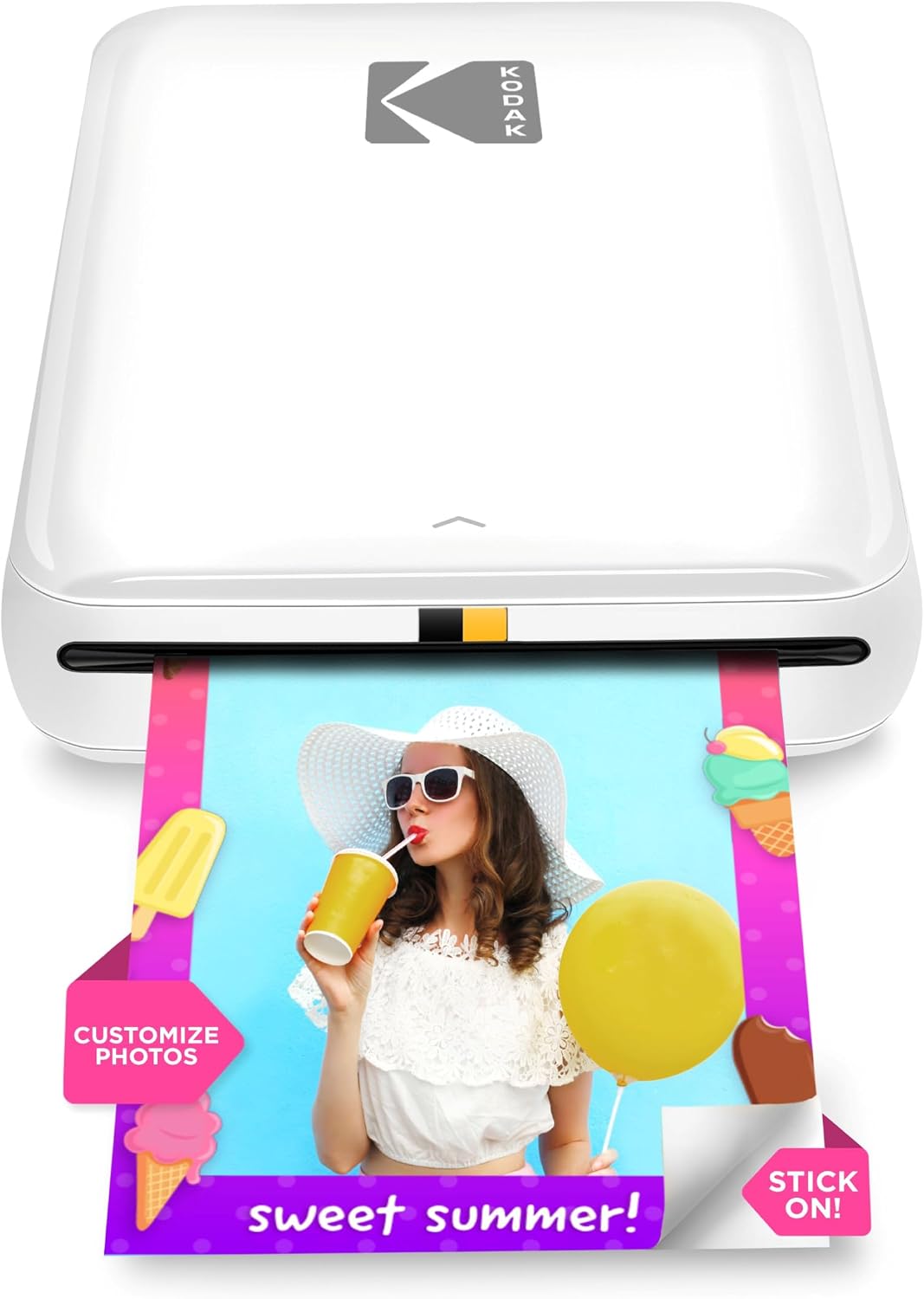
KODAK Step Instant Photo Printer
| Print media | Glossy photo paper (2×3) |
|---|---|
| Maximum sheet capacity | 10 |
| Printer Connectivity Type | Bluetooth, NFC |
| Maximum print Resolution Color | 313 x 400 dpi |
| Battery life (prints per charge) | ~25 prints |
The KODAK Step is a pocketable photo printer that turns smartphone images into 2×3" sticky-backed prints without ink cartridges using ZINK technology. You connect via Bluetooth or NFC, edit in the KODAK STEP PRINTS app (filters, stickers, collages) and tap print; a single color photo emerges in about a minute. The built-in rechargeable battery supports roughly 25 prints per charge and the printer holds up to 10 sheets, which keeps it useful for small gatherings, craft projects, or travel. Prints have a protective coating for smudge and water resistance, and the app's editing tools make simple personalization easy without needing a computer. Limitations include the small 2×3" output that is best for casual snapshots rather than enlargements, and print speed is modest at about one minute per photo, so this is not suited for high-volume events. Overall it delivers quick, peel-and-stick photos for social sharing and scrapbooking with minimal fuss.
Best for: Buyers who want a simple, proven way to make shareable, sticker-backed photos from their phone for parties, travel, and crafts and who value social proof and established product reliability.
Less Ideal for: If you need larger prints, fast high-volume output, or professional-grade color accuracy, choose a different photo printer solution.
- Zero-ink ZINK printing eliminates cartridges or ribbons
- Bluetooth and NFC pairing for direct phone printing
- Compact, lightweight, and battery-powered for true portability
- App-based editing with collage, filters, stickers and layout options
- Small 2×3" print size not suitable for larger photo prints
- Print speed around 60 seconds per photo limits throughput
Verdict: A reliable, pocketable Bluetooth printer for instant 2×3" peel-and-stick photos that makes phone snapshots easy to edit and share.
Nelko PP01 Portable Photo Printer

| Printer Type | Inkjet |
|---|---|
| Print size | 2×3 inch (printable area 45×58mm) |
| Resolution | 600 x 600 DPI |
| Connectivity | Bluetooth |
| Included media | 1 cartridge, 20 sheets (10 in printer, 10 in box) |
The Nelko PP01 is a compact Bluetooth inkjet designed to print 2x3inch sticky-backed photos directly from iOS and Android phones using the Nelko app. Setup is straightforward: load the 2×3 paper, install the color cartridge, pair over Bluetooth and print edited images from the app. Prints are produced at 600 DPI and the included adhesive-backed paper is described as smudge-, water-, and tear-resistant, which makes the output good for scrapbooks, planners, and party favors. The app adds value with basic editing, frames, stickers and simple AI edits so you can personalize prints before sending them. Because it is a small inkjet the printer is not ultra-fast—expect around one page per minute—and it requires specific Nelko paper and cartridges, so ongoing costs and keeping spare cartridges matter. There are also common portable-printer quirks: paper jams if you overload the tray and occasional cartridge contact issues that the brand documents and remedies through cleaning cycles. For buyers who prioritize convenience and portable print quality, the PP01 delivers consistent pocket-sized prints.
Best for: Buyers who want a simple, reliable way to make small, adhesive photos from their phone for scrapbooks, parties, or travel without fussing with complex settings.
Less Ideal for: Anyone who needs larger prints, high-volume production, or the lowest per-print cost should consider a different photo printer solution.
- True 600 DPI color prints for small 2×3 photos
- Sticky-backed, water-resistant photo paper suitable for scrapbooks and labels
- Bluetooth pairing with a phone and a feature-rich app for quick editing
- Pocketable size and USB charging make it easy to take on trips
- Prints are small and relatively slow at about one photo per minute
- Requires brand-specific paper and ink cartridges which affect ongoing cost
Verdict: A pocket-friendly Bluetooth inkjet that makes high-resolution 2×3 sticky-backed photos quickly and easily for casual memory-keeping.
Choosing the Right Bluetooth Photo Printer: Key Factors to Consider
Print Quality & Resolution
Print quality determines how sharp, detailed, and color-accurate your photos will look on paper. Higher optical resolution and better color processing yield clearer faces, crisper fine detail, and more accurate skin tones.
Photo papers and the printer's color management matter as much as the hardware. Matte and glossy media reproduce tones differently, and printers with dedicated photo modes or color-profile support tend to produce more predictable results. If you plan to make enlargements or preserve prints, prioritize models with stronger quality control.
Bluetooth Connectivity and Mobile App
Bluetooth pairing reliability affects how smoothly you can print from a phone at events or on the go. Look for printers with simple, consistent pairing flows and support for recent Bluetooth standards to minimize dropouts and reconnection delays.
The companion mobile app is important because it determines cropping, color adjustments, collage templates, and firmware updates. A robust app reduces the need for third-party editing and makes printing fast and repeatable, especially when you want to print multiple photos in a session.
Print Speed and Workflow
Print speed matters when you are printing several photos in one session or using the printer at gatherings. Faster throughput reduces waiting time and makes the experience feel seamless.
Consider overall workflow too: how many steps from selecting an image to finished print, whether batch printing is supported, and whether the printer auto-crops or requires manual adjustments. A printer that prints quickly but demands repeated app interactions can still slow you down.
Operating Cost and Media Availability
Running costs include paper, ink or dye packs, and any adhesive-backed media if offered. These costs accumulate with frequent printing and can be the single biggest long-term expense for casual users.
Also check how easy it is to buy replacement consumables. Printers that use proprietary cartridges or hard-to-find media may be inexpensive up front but expensive to maintain. Consider the per-print cost and whether the printer supports economical pack sizes.
Portability and Physical Footprint
Physical size and weight determine whether you can routinely bring the printer to events or keep it on a shelf at home. Smaller, battery-capable models maximize mobility, letting you print outdoors or away from power.
Also evaluate how easy it is to load paper and transport the unit without damaging the output. If you plan to use the printer at parties or while traveling, prioritize compact designs with protective covers and straightforward paper loading.
Durability and Ease of Maintenance
A durable printer with easy maintenance routines will last longer and require fewer service interventions. Consider how the design handles dust, whether printheads are user-replaceable or self-cleaning, and how accessible paper paths are for clearing jams.
Regular maintenance tasks, such as aligning printheads or replacing cartridges, should be simple and well-documented in the app or manual. If you expect frequent use, choose a model with fewer routine hassles.
Understanding Bluetooth Vs Other Wireless Options
Bluetooth printing is optimized for quick, peer-to-peer connections with a single phone or tablet and usually requires minimal setup. It is often more convenient for on-the-spot printing where you do not want to join a Wi-Fi network or enter passwords.
However, Bluetooth range and throughput are typically lower than Wi-Fi. For multiple-device workflows or longer-distance printing, check whether the printer also supports alternative wireless options in addition to Bluetooth.
- Bluetooth: fast pairing for individual devices, lower range.
- Wi-Fi: better for multiple users and larger file transfers.
- USB or wired: reliable fallback but less mobile.
Mobile App Features That Improve Prints
A capable mobile app can significantly improve your printed results without extra editing apps. Look for apps that allow color correction, exposure adjustments, templates for collages, and basic retouching.
Some apps also offer print preview with crop guides and support for common aspect ratios so your composition does not get unexpectedly trimmed. Firmware update delivery through the app keeps the printer compatible with newer phones.
- Crop and aspect ratio previews
- Color and exposure adjustments
- Collage and layout templates
- Firmware and driver updates via app
Media Types and Finish Options
Photo printers often support glossy, semi-gloss, and matte papers, and some offer sticker-backed media. The finish affects perceived sharpness, color saturation, and how long prints resist fingerprints and fading.
Choose the finish based on intended use: glossy for vibrant, display-ready prints; matte for albums and framing where glare is a concern; sticker paper for casual sharing and crafts.
- Glossy: high color pop, prone to glare
- Matte: lower glare, better for framing
- Sticker: convenient for scrapbooks and gifts
Battery Life and On-the-Go Use
If you plan to use the printer away from power, battery capacity and charging method become primary practical considerations. Check how many prints the battery supports per charge and whether the battery is fixed or removable.
Also look at charge times and whether the unit supports USB-C charging for convenient power delivery from common chargers and power banks.
- Battery capacity measured in prints per charge
- USB-C charging for faster, universal power
- Removable batteries allow extended sessions
Print Size Options and Crop Considerations
Photo printers vary in supported print sizes, from wallet-sized 2×3 prints to 4×6 or larger. The offered sizes affect how you compose shots and whether you need in-app cropping or border options.
If you frequently print from smartphones in different aspect ratios, choose a printer and app that offer flexible cropping and borderless printing to avoid losing important image content.
- 2×3 for instant photo pockets
- 4×6 for standard prints and frames
- Borderless printing for edge-to-edge images
How We Chose the Best Bluetooth Photo Printer
We selected devices that deliver consistent photo output from mobile devices and reliable Bluetooth pairing. Key evaluation dimensions included print quality, mobile connectivity and app features, print speed and workflow, running cost and consumables availability, and physical size and portability. We prioritized printers that support straightforward Bluetooth pairing with phones and tablets and that provide app-level controls for color, layout, and basic editing. Durability and build quality were considered so the unit will stay usable with frequent casual use. We excluded generic compact printers that lack dedicated photo papers or do not support direct Bluetooth printing. Also excluded were devices that depend entirely on Wi-Fi or wired-only workflows. Our approach favored printers that balance image quality with practical daily usability for casual photo printing from mobile devices.
Our full evaluation process is outlined in our review methodology.
FAQ
Can I print directly from any smartphone with Bluetooth?
Often yes. Most Bluetooth photo printers pair directly with recent iOS and Android devices, but pairing processes and app compatibility can vary. Check that your phone's Bluetooth version and operating system are supported by the printer's app.
How long do photo prints from these printers typically last?
Longevity depends on the paper and printing technology. Prints on archival-grade photo paper last longer and resist fading. For casual use, expect a few years under normal indoor conditions; storing prints away from light and moisture extends life.
Are Bluetooth photo printers expensive to run?
Running costs depend on paper and ink or dye packs. Small instant-format prints are usually inexpensive per print, but frequent printing raises cumulative costs. Look at per-print consumable costs and available pack sizes to estimate ongoing expenses.
Do I need a special app to use a Bluetooth photo printer?
Yes. Most models require a companion app for layout, color adjustments, and to initiate printing. The app often provides necessary firmware updates and simplifies pairing, so using it is recommended.
Can Bluetooth printers handle batch printing at events?
They can, but throughput is often lower than Wi-Fi or tethered setups. For small batches at events, Bluetooth is convenient, but for large volumes you may notice slower transfer times and possible reconnection steps between prints.
Final Verdict
Prioritize print quality, Bluetooth reliability, and operating costs when choosing a Bluetooth photo printer. Decide which tradeoffs matter most: a compact battery-powered model improves mobility but may have smaller paper capacity and higher per-print costs, while larger units may offer faster throughput and lower running costs. Focus on the connectivity and app experience first, then match media options and battery life to how you intend to use the printer. With those priorities clear, you can pick a unit that balances quality, convenience, and long-term value for fast mobile photo printing.