
Note: This article contains affiliate links. If you click on these links and make a purchase, we may earn a small commission at no extra cost to you. This helps support our research and content. Read our full affiliate disclosure here.
If you need a compact, low-cost way to print documents and photos while away from a desk, choosing the right portable printer matters. A budget-oriented portable printer should deliver consistent print quality, simple wireless setup, and enough battery life to handle the jobs you carry it for. This guide shortlists the top budget portable printers and explains the practical tradeoffs that matter in real-world use. We evaluated options for print clarity, connectivity, portability, and operating costs so you can pick a model that fits your mobile workflow.
Top Picks at a Glance
| Best Overall The best all-around choice for most situations | ETIKEZ D90E Portable Printer |  |
| Best Quality Built to a higher standard if you want something more solid | Phomemo M08F Portable Printer |  |
| Best Value The sweet spot between price and what you get | iDPRT MT610 Pro |  |
| Best Budget The cheapest option that still gets the job done reliably | Rongta F11A Portable Thermal Printer |  |
| Top Rated A top-rated pick with lots of positive feedback | NDYIN N80 Portable Printer |  |
| Most Popular A crowd favorite that many people choose with confidence | Gloryang PD-A4 Portable Thermal Printer |  |
| Best Seller A high-volume bestseller chosen again and again | TATTMUSE A285M Portable Thermal Printer |  |
ETIKEZ D90E Portable Printer

| Printer Type | Thermal |
|---|---|
| Printer Output Type | Monochrome |
| Maximum Media Size | 8.5 x 11 Inch |
| Printer Connectivity Type | Bluetooth, USB |
| B&W Pages per Minute | 4 pages_per_minute |
The ETIKEZ D90E is a lightweight, travel-ready thermal printer that produces black-and-white prints up to 8.5 x 11 inches without ink or toner. It pairs with phones and tablets over the Labelnize Bluetooth app and connects to laptops via USB after installing the provided driver, which makes it handy for printing documents, receipts, or forms on the go. The unit ships with a travel case, a USB-C cable and ten sheets of thermal paper so you can start printing immediately, and its built-in paper bin and simple paper-eject function help clear jams quickly. Print speed is modest at about four monochrome pages per minute, and it only accepts thermal paper so you cannot use standard copy paper. Setup for mobile printing is straightforward if you use the recommended app, but computer use requires driver installation and occasional firewall tweaks. For budget-minded buyers who need occasional full-page monochrome prints away from a desk, the D90E delivers portability and low ongoing cost; power users who need color, high speed, or standard paper support should look elsewhere.
Best for: Buyers who want an affordable, truly portable printer for occasional full-page monochrome documents while traveling, at job sites, or in small workspaces and prioritize low running costs and easy mobile printing.
Less Ideal for: Users who need color output, high-volume or high-speed production, or the flexibility to print on regular copy paper should consider other printer types.
- Inkless thermal printing eliminates ink, toner, and ribbon costs
- Supports full US Letter/A4 thermal paper up to 8.5 x 11 inches for larger portable prints
- Bluetooth mobile printing via the Labelnize app and USB connection for computers
- Compact, lightweight design with travel case for easy transport and storage
- Includes starter kit (USB-C cable and 10 thermal sheets) so it is usable out of the box
- Only prints in black and white with thermal paper and cannot use regular copy paper
- Computer printing requires driver download and setup which can be fiddly on some systems
Verdict: A budget-friendly, truly portable inkless printer for occasional full‑page black-and-white prints when you need low running cost and easy mobile connectivity.
Phomemo M08F Portable Printer

| Printer Connectivity Type | Bluetooth, USB |
|---|---|
| Maximum Media Size | 8.5 x 11 inch |
| Resolution | 203×203 DPI |
| B&W Pages per Minute | 4.25 pages_per_minute |
| Built-In Media | 10 sheets Letter thermal paper, case, USB-A to USB-C cable |
The Phomemo M08F is an inkless thermal portable printer designed for on-the-go printing of documents and images up to US Letter size. It uses thermal paper so you never deal with ink or toner, and connects to phones and tablets through the Phomemo app over Bluetooth or to a computer via the included USB cable and downloadable driver. Setup is straightforward through the app and the unit ships with a hard case, a short USB-A to USB-C cable and ten sheets of thermal paper. At 203×203 DPI and about 4.2 pages per minute it delivers decent monochrome text and simple graphics for travel, receipts, class handouts, or quick office prints. The biggest compromises are print speed and resolution compared with desktop laser or inkjet printers and the requirement to use thermal paper only, which can cost more per sheet for full-size letter printing. The M08F is best when portability and ink-free convenience matter more than high-resolution photo quality or fast bulk printing.
Best for: Buyers who prioritize portability and low maintenance and need occasional full-letter prints from phones or laptops while traveling or working remotely.
Less Ideal for: Users who need fast high-volume printing, photo-quality output, or full compatibility with regular copy paper should consider a small desktop laser or inkjet instead.
- Inkless thermal printing removes the need for cartridges or ribbons
- Prints full US Letter (8.5 x 11") sheets, not just labels
- Bluetooth app control for phone/tablet printing plus USB connection for PCs
- Comes with a hard case and starter thermal paper for travel-ready portability
- Print resolution and speed are modest (203×203 DPI, ~4.2 ppm) compared with desktop printers
- Requires thermal paper only, which is different and can be more expensive for frequent full-size printing
Verdict: Choose the M08F if you want a truly portable, ink-free US Letter printer that trades desktop speed and resolution for lightweight convenience.
iDPRT MT610 Pro

| Print Resolution | 300 dpi |
|---|---|
| Maximum Media Size | 8.5 x 11 inch |
| Printer Connectivity Type | Bluetooth, USB |
| Wattage | 10 watts |
| B&W Pages per Minute | 15 pages_per_minute |
The MT610 Pro is a pocketable thermal printer built for on-the-go document printing without ink. It pairs with the HerePrint app over Bluetooth for quick phone printing and can act as a USB-C printer for laptops once the driver is installed, so it handles simple contracts, receipts, and text pages easily. Notable features include 300 dpi resolution, automatic duplex support, and a relatively long battery life claimed to print up to 360 pages per charge, which suits frequent mobile tasks like field reports or event receipts. The unit includes 10 sheets of US Letter thermal paper and a USB-C cable, and its monochrome thermal engine produces fast output with minimal setup. Limitations: it is meant for text and simple graphics rather than high-contrast or full-color images, and some desktop setups require a driver download before use. Expect to buy thermal paper separately for regular use.
Best for: Buyers who prioritize a low-maintenance, portable printer for printing text documents, receipts, or single-page forms while traveling or working offsite.
Less Ideal for: Users who need high-quality photo printing, color output, or plug-and-play printing of complex images without installing drivers should consider other options.
- Inkless thermal printing eliminates cartridges and reduces maintenance
- Bluetooth plus USB-C connectivity for phone and laptop workflows
- 300 dpi resolution suitable for sharp text and simple graphics
- Compact, lightweight design that easily fits in a work bag
- Not suitable for complex or full-color image printing
- Computer use requires driver download and manual installation
Verdict: A compact, inkless portable printer that delivers fast, sharp monochrome documents for budget-minded users who need reliable mobile printing.
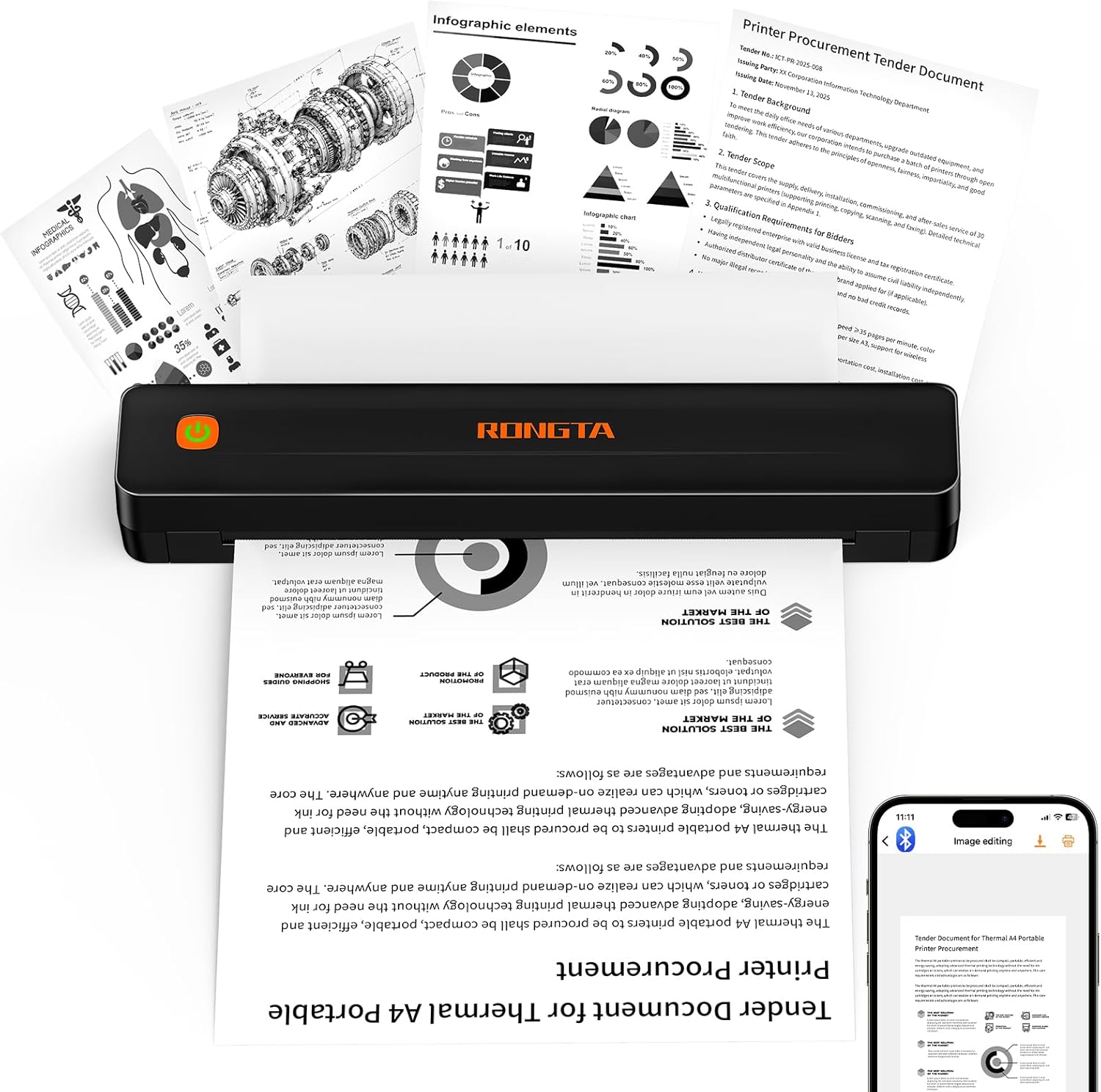
Rongta F11A Portable Thermal Printer
| Printer Type | Thermal |
|---|---|
| Resolution | 203 x 203 dpi |
| Maximum Media Size | Letter (8.5 x 11 inches) |
| Printer Connectivity Type | Bluetooth, USB |
| Print Speed | 7 pages_per_minute |
The Rongta F11A is a budget-minded portable thermal printer that prints monochrome documents up to 8.5 x 11 inches without ink or ribbons. It pairs with Android and iOS via the Rongta app and can also connect to laptops over USB, so it is useful for printing study sheets, receipts, forms, and travel documents on the go. At 203 dpi the output is legible for text and simple graphics, and the reported 7 pages per minute speed is adequate for small batches. Its compact, lightweight body and low noise under 60 dB make it easy to carry and use in quiet spaces. Limitations include reliance on thermal paper only and the requirement to pair through the vendor app rather than native system pairing, which can be inconvenient for some workflows. The printer is simplex only and does not support color or ribbon-based media, so it is not suitable for high-fidelity graphics or long-run office printing.
Best for: Buyers who want the lowest-cost, portable solution for printing documents, receipts, and study materials while traveling or working outside the office and who prioritize simplicity and operating cost over photo-quality output.
Less Ideal for: Users who need color printing, high-resolution graphics, native system Bluetooth pairing, or heavy daily office throughput should look at higher-end or sheet-fed laser/inkjet options.
- Prints up to US Letter (8.5 x 11) size on inkless thermal paper
- Bluetooth and USB connectivity for phones, tablets, and laptops
- No ink or ribbons lowers ongoing operating cost
- Compact and quiet for travel and small-space use
- Requires thermal paper only and will not print on standard copy paper
- Bluetooth pairing must be done through the vendor app rather than native OS pairing
- Monochrome 203 dpi output limits image detail and color work
Verdict: If you need a lightweight, inkless printer for occasional letter-size documents on a tight budget, the Rongta F11A delivers practical, low-cost portable printing.
NDYIN N80 Portable Printer

| Printer Type | Thermal |
|---|---|
| Maximum Print Resolution Black and White | 203 dpi |
| Printer Connectivity Type | Bluetooth |
| Hardware Interface | USB Type C |
| B&W Pages per Minute | 4 ppm |
The NDYIN N80 is a battery-powered thermal printer designed for on-the-go document printing without ink or toner. It pairs over Bluetooth with smartphones and tablets using the Nada Print app and uses a USB‑C connection (with driver) for laptops and desktops. The printer handles US Letter and A4 thermal rolls and delivers readable monochrome output at a 203 dpi resolution, good for contracts, receipts, boarding passes and simple graphics. Its built-in 1500 mAh battery and included paper roll make it useful for travel, field work, and small offices where portability and low running cost matter. Limitations include support only for thermal paper (no regular paper), Bluetooth printing restricted to mobile devices, and modest print speed around 4 ppm, so it is not suited to high-volume office printing. Expect readable, inkless prints in a lightweight package that favors convenience and low consumable costs over speed and media flexibility.
Best for: Buyers who prioritize a dependable, low-maintenance portable printer for travel, fieldwork, or occasional office use and value inkless operation and battery portability.
Less Ideal for: People who need fast, high-volume desktop printing or the ability to print on standard office paper should choose a different solution.
- Inkless thermal printing eliminates ink, toner, and ribbons
- Bluetooth pairing for phones and tablets plus USB‑C for computers
- Compact and battery-powered for true portability
- Includes a roll of US Letter thermal paper and necessary cable
- Prints only on special thermal paper and cannot use regular paper
- Bluetooth printing is limited to smartphones and tablets; PCs require USB and drivers
- Slow print speed (~4 pages per minute) not ideal for large jobs
Verdict: A compact, reliable inkless portable printer that is ideal for travelers and field users who need simple monochrome prints without the hassle of ink.
Gloryang PD-A4 Portable Thermal Printer

| Printer Type | Thermal |
|---|---|
| Maximum Media Size | Letter (8.5 x 11 inches) |
| Connectivity | Bluetooth |
| Resolution | 203 x 203 dpi |
| Print Speed | 35 pages_per_minute |
The Gloryang PD-A4 is a battery-powered thermal printer designed for portable, inkless printing of documents, photos, and labels up to US Letter size. It pairs with iOS and Android using the Jadens Printer app and can also connect to computers with a driver, making it useful for travel, fieldwork, quick office prints, or classroom handouts. Notable features include support for multiple thermal paper widths (2 to 8.5 inches), an included carry case and three rolls of thermal paper, and a claimed 203 dpi print resolution for reasonably clear black-and-white output. The unit emphasizes convenience: two built-in 2600mAh batteries for extended use, a built-in paper bin for tidy output, and a lightweight profile that fits in a bag. Important limitations are its thermal-only media requirement — it will not print on regular copy paper — and dependence on the vendor app and Bluetooth for mobile workflows, which may require occasional driver or app troubleshooting on some computers. For casual portable printing where color and glossy photo quality are not required, it delivers a practical, low-maintenance option.
Best for: Buyers who prioritize a low-maintenance, truly portable printer for field work, travel, or quick document and label printing and who value real-world reliability and included consumables.
Less Ideal for: Users who need full-color, high-gloss photo prints or those who require standard office workflows on plain paper should look at different printer types.
- Prints up to letter size (8.5 x 11) on thermal paper for larger portable documents
- Inkless thermal technology removes need for ink, toner, or ribbons
- Included carry case and three rolls of thermal paper make it ready for travel
- Bluetooth app control for printing from iOS and Android devices
- Built-in rechargeable batteries support extended mobile use and a built-in paper bin keeps output tidy
- Only supports thermal paper so it cannot print on regular copy paper
- Relies on the vendor app and drivers which may require setup and occasional troubleshooting
Verdict: A convenient, ready-to-go inkless thermal printer that gives budget-conscious buyers a portable way to print full letter-size documents without ink maintenance.
TATTMUSE A285M Portable Thermal Printer

| Printer Type | Thermal |
|---|---|
| Printer Connectivity Type | Bluetooth, USB |
| Maximum Media Size | 8.5 x 11 inch |
| B&W Pages per Minute | 7 |
| Maximum Print Resolution Black and White | 203 dots_per_inch |
The TATTMUSE A285M is a small, rechargeable thermal printer meant for on-the-go black-and-white printing where speed and portability matter more than photo-quality output. It pairs over Bluetooth with phones and tablets (prints from the companion app) and connects to laptops or PCs over USB-C with a driver, making it useful for printing receipts, invoices, boarding passes, lists, and single-sheet documents. The printer supports multiple thermal paper widths including US Letter and A4, and uses inkless thermal technology so you do not need ink or toner. Its 7 ppm print speed and roughly 203 dpi output deliver clear text and simple graphics but not high-resolution photos. Battery capacity is modest and the device requires specific thermal paper types, so continued use means sourcing compatible rolls or sheets. Setup for phone printing is straightforward, while computer use requires installing a driver first. For buyers who prioritize compact, inkless convenience and occasional document printing, the A285M is a practical budget pick; it is less suited to heavy desktop workflows or color printing needs.
Best for: Buyers who want a low-cost, portable solution for occasional mobile printing—traveling professionals, mobile service workers, and small-business users who need receipts or simple documents on the go.
Less Ideal for: Those who need high-volume desktop printing, color output, photo-quality prints, or frequent use on standard copy paper should choose a conventional inkjet or laser printer instead.
- Truly inkless thermal printing eliminates cartridges and lowers running cost
- Bluetooth support for phones and tablets enables quick mobile printing
- Supports multiple paper widths including US Letter and A4 for flexible document sizes
- Compact, lightweight design is easy to carry for travel or field use
- Only prints monochrome thermal output so no color or standard copy paper support
- Requires installing a driver for laptop/PC printing which adds setup steps
Verdict: A compact, inkless thermal printer that delivers low-cost, mobile black-and-white printing for buyers wanting a simple portable solution.
Choosing the Right Portable Printer on a Budget: Key Factors to Consider
Print Quality and Resolution
Print quality determines whether documents are legible and photos look acceptable. For a budget portable printer, higher resolution can improve sharpness for text and fine details in images, but expect tradeoffs between speed and clarity. Consider whether you need mostly text prints, occasional color images, or photo-quality output, since each use case has different resolution and color-handling priorities.
Also keep in mind how the printer handles small fonts, grayscale gradients, and color accuracy. On-the-go printing often means shorter runs, so color fidelity may be less important for basic receipts or drafts but crucial for printing images or marketing materials from a mobile device.
Battery Life and Page Yield
Battery performance affects how long the printer will operate away from a power source. Look for published battery capacity and realistic page-yield estimates, but expect that wireless use and color printing reduce runtime. If you regularly print multiple pages in one session, prioritize devices with higher battery capacity or fast charging.
Page yield per charge is as important as total battery capacity. Some portable printers are optimized for short bursts of printing and can handle occasional jobs for a day, while others are built to support continuous use for longer outings. Decide based on how often and how many pages you plan to print without access to mains power.
Connectivity and Mobile Support
Ease of connection is a major convenience factor for mobile printing. Common options include Bluetooth, Wi-Fi Direct, and standard Wi-Fi. Bluetooth provides quick pairing for a single device, while Wi-Fi Direct or Wi-Fi network support makes printing from multiple devices easier. Compatibility with mobile printing standards and a well-designed app can simplify formatting, cropping, and basic color controls.
Consider whether you need cross-platform support for both Android and iOS devices, and whether the printer supports printing directly from common apps or cloud services. Robust connectivity reduces friction and avoids the need for adapters or intermediate devices.
Size, Weight, and Build
A key reason to buy a portable printer is easy transport. Size and weight affect where you can carry the device and how it fits with other gear. Smaller printers are more convenient but may sacrifice features like larger paper capacity or higher battery size. Build quality matters too; a well-built casing and secure paper path resist damage from being tossed in a bag.
Think about how you will carry the printer and whether you need a ruggedized unit for frequent travel. Also check how easy it is to load paper and replace consumables in confined or mobile settings.
Supported Paper Types and Sizes
Different portable printers support varying media: plain paper, photo paper, labels, or adhesive-backed sheets. Confirm the maximum and minimum paper sizes, and whether the device can handle borderless photos if you need that output. Limited media support can restrict what you can print on the go, so match the printer's capabilities to your intended uses.
For business use, the ability to print standard letter or A4 pages may be more important. For creative or event use, support for small photo sizes and stickers could be a deciding factor.
Operating Costs and Consumable Availability
Long-term cost matters, even for a budget purchase. Check what kind of ink or thermal supplies the printer uses and how readily available and affordable those supplies are. Some portable printers use single-use cartridges, while others accept refillable tanks or thermal paper which can be cheaper over time.
Calculate an estimated cost per page for your typical mix of text and color prints. A low initial price can be offset by expensive consumables, so prioritize models with transparent, affordable supply paths that match your expected usage pattern.
When a Budget Portable Printer Is the Right Choice
A budget portable printer is ideal when you need occasional prints away from a standard office setup and you prioritize compactness and low upfront cost. These devices work well for field agents, students, event check-ins, or hobbyists who need quick hard copies without hauling a full desktop printer.
If you require professional photo-quality output or high-volume day-long printing, a budget portable model may not meet those needs. Instead, budget portable printers shine when portability and convenience outweigh raw speed and top-tier image fidelity.
- Suitable for short-run documents and casual photo prints
- Best for single-user or light multi-user mobile workflows
- Not designed for continuous high-volume printing
Setting Up and Maintaining Your Portable Printer
Initial setup should be straightforward: charge the battery, load media, and follow the mobile app or OS pairing instructions. Keep the printer firmware updated and the app current to maintain stable wireless connections and access new features.
Maintenance is mostly limited to replacing ink or thermal rolls and clearing occasional paper jams. Store the printer and spare supplies in a padded bag or compartment to protect mechanical parts and paper surfaces while in transit.
- Charge before extended use and carry a compact charging cable or power bank if supported
- Store spare media in a dry place to prevent curling or moisture damage
- Clean print heads or thermal elements per manufacturer guidance to avoid streaking
Optimizing Print Settings for Mobile Use
Adjust print settings to balance speed, quality, and battery consumption. Use draft or economy modes for internal documents to save power and consumables. Reserve high-quality color or photo modes for final prints when the output fidelity matters.
Crop and scale directly on the phone or tablet to avoid wasting paper. If the printer supports grayscale-only printing or monochrome modes, use them for long text documents to extend supply life and battery.
- Select economy modes for drafts and internal-use prints
- Use app-based preview and crop tools to minimize wasted paper
- Prefer monochrome for long text jobs to reduce ink use
Troubleshooting Common Mobile Printing Issues
Connectivity problems are often resolved by restarting the printer and the mobile device, then reestablishing the wireless link. Check that the printer is discoverable and that any app permissions for local network access are granted.
For print-quality issues like streaks or faded output, run the printer's cleaning routine and confirm you are using compatible media. If pages fail to feed properly, inspect for misaligned paper guides or debris in the paper path.
- Restart devices and re-pair if connection drops
- Run built-in maintenance routines for streaks or banding
- Verify media compatibility for borderless or specialty prints
Accessories That Improve Portable Printing
A compact carrying case protects the device and organizes spare paper, batteries, and cables. A small roll of spare media or extra ink cartridges can prevent workflow interruptions during long days away from power. If the printer supports external power via USB-C, a high-capacity power bank can effectively extend runtime.
Consider ordering extra media types if you plan to print labels or adhesive-backed items. Protective sleeves for prints help preserve photos and documents while you transport them back to a client or storage location.
- Padded case or sleeve for protection
- Extra media and consumables for uninterrupted use
- USB power bank for extended battery life when supported
How We Chose the Best Portable Printer on a Budget
We narrowed the field to portable printers that emphasize affordability while still delivering practical performance for mobile use. Our selection filters prioritized reliable wireless connectivity, measurable battery runtime, and clear print output for both text and photos. We excluded bulky or desktop-only devices and any models that required proprietary or hard-to-find consumables. Key dimensions we examined included print resolution and color fidelity for readable text and decent photos, battery capacity and real-world page yield for sustained mobile use, connectivity options such as Bluetooth and Wi-Fi Direct for ease of setup, and supported media sizes and types to ensure versatility. We also reviewed intuitive mobile app support and basic durability for travel. Finally, we considered ongoing operating costs by checking compatibility with standard paper sizes and common ink or thermal supplies. These criteria ensured each shortlisted printer is genuinely practical for budget-conscious mobile users.
Our full evaluation process is outlined in our review methodology.
FAQ
How long will a budget portable printer battery typically last?
Battery life varies widely, but budget portable printers often support a few dozen pages per charge under moderate use. Heavy color printing or long wireless sessions will reduce runtime, so check published page-yield estimates and consider a power bank for extended use.
Can I print full-size letter or A4 pages from a portable printer?
Some portable printers support letter or A4 media, but many are optimized for smaller formats or photo sizes. Confirm the supported maximum media size before assuming full-size printing capability.
Are thermal portable printers a good budget option?
Thermal printers eliminate ink cartridges and can be very convenient for receipts and labels, but they are not suitable for high-quality color photos. Choose thermal if you need durable, low-maintenance monochrome prints.
Will a budget portable printer handle photos from my phone?
Many budget portable models can print casual photos with acceptable results, especially on glossy photo paper. Expect limitations in color depth and fine detail compared with larger photo printers.
How do I keep operating costs low with a portable printer?
Prefer devices that use widely available consumables, opt for monochrome printing when possible, and use draft modes for internal documents. Bulk purchasing of compatible paper and checking per-page ink costs can also reduce long-term expenses.
Final Verdict
When choosing a portable printer on a budget, weigh the tradeoffs between print quality, battery life, and true portability. Prioritize the dimensions that matter most for your workflow: text clarity and low operating cost for document-heavy use, or better color handling and photo support if images are a priority. Match media support and connectivity to how and where you will print, and plan for consumable replacement to avoid surprises. With clear priorities, you can confidently select a budget portable printer that delivers dependable mobile printing without unnecessary features.