
Note: This article contains affiliate links. If you click on these links and make a purchase, we may earn a small commission at no extra cost to you. This helps support our research and content. Read our full affiliate disclosure here.
If you need dependable printing away from a desktop setup, a Portable Printer can be a game changer. Whether you travel between offices, need receipts in the field, or want quick photo prints from your phone, the right compact printer saves time and reduces friction. This guide presents seven shortlisted Portable Printers that performed well across key practical tests including print quality, connectivity, and battery longevity. Use the evaluation summary to match a model to how you plan to print in real-world scenarios, from occasional documents to frequent mobile use.
Top Picks at a Glance
| Best Overall The best all-around choice for most situations | HP OfficeJet 250 |  |
| Best Quality Built to a higher standard if you want something more solid | Epson WorkForce WF-110W |  |
| Best Value The sweet spot between price and what you get | Gloryang PD-A4 Portable Printer |  |
| Best Budget The cheapest option that still gets the job done reliably | Rongta F11A Portable Thermal Printer |  |
| Top Rated A top-rated pick with lots of positive feedback | Canon PIXMA TR160 Portable Printer |  |
| Most Popular A crowd favorite that many people choose with confidence | NDYIN N80 Portable Printer |  |
| Best Seller A high-volume bestseller chosen again and again | TATTMUSE A285M Portable Thermal Printer |  |
HP OfficeJet 250

| Printer Type | Inkjet |
|---|---|
| Print Output Type | Color |
| Maximum print Resolution Color | 4800 x 1200 dpi |
| B&W Pages per Minute | 20 pages_per_minute |
| Printer Connectivity Type | wired, wireless |
The HP OfficeJet 250 is a portable all-in-one inkjet designed for professionals who need printing, scanning, and copying away from a fixed office. It prints color and black-and-white documents, scans with a built-in portable scanner, and can copy multipage jobs using the 10-page automatic document feeder. Battery power and HP Fast Charge make it practical for travel or working from a car, and the 2.65-inch color touchscreen and HP Smart app simplify mobile printing and cloud workflows. Connectivity includes both wireless and USB so you can print with or without a network, and it accepts a useful range of paper sizes from small cards to letter and legal. Expect respectable print speeds for a portable device and factory-quality output when using HP 62 cartridges, but be aware the unit is larger and heavier than sheet-fed mobile printers and manual duplexing is required for two-sided prints. For frequent heavy-volume office use you will still prefer a desktop model, but for true portability with full multifunction capability this model balances features and performance well.
Best for: Buyers who want a true all-in-one portable printer that handles on-the-go business tasks like scanning, copying, and cloud printing while prioritizing convenience over the smallest possible footprint.
Less Ideal for: Users who need a lightweight travel-only printer or those who print large monthly volumes and require automatic duplexing and the economy of a desktop office printer.
- Battery-powered for true mobile use with fast-charge capability
- Built-in scanner and 10-page automatic document feeder for multipage scanning/copying
- Wireless and USB connectivity plus cloud printing via the HP Smart app
- Supports a wide range of paper sizes including letter and legal
- Reasonable print speeds for a portable all-in-one device
- Manual duplexing only, no automatic two-sided printing
- Larger and heavier than some ultra-compact mobile printers
Verdict: Choose the OfficeJet 250 if you need a full-featured portable all-in-one that delivers reliable mobile printing, scanning, and copying with battery-powered convenience.
Epson WorkForce WF-110W

| Printer Type | Inkjet |
|---|---|
| Maximum Media Size | A6 |
| Maximum Sheet Capacity | 20 |
| Printer Connectivity Type | Wi-Fi |
| Color Pages per Minute | 3.8 pages_per_minute |
The Epson WorkForce WF-110W is a portable inkjet printer built for business travel and mobile workflows, offering wireless printing, a built-in rechargeable battery, and USB charging. It prints documents and 4×6 photos from smartphones, tablets, and laptops via Wi-Fi or Wi‑Fi Direct and includes a 1.4-inch color LCD for basic control. Print quality is strong for text and color graphics thanks to a high optical resolution rating, and the printer supports automatic duplexing for two-sided output. Real-world speeds are modest: up to about 6.7 ppm for black and roughly 3.8 ppm color on AC power and slower on battery. Paper handling is limited to small media sizes (A6 / 4×6) and a 20-sheet capacity, so it excels at short runs like invoices, receipts, and quick photo prints rather than heavy office volumes. The unit uses genuine Epson cartridges only and offers an optional external battery for extended use, which helps if you need more pages between charges. If you need a lightweight, single-user mobile printer for professional prints away from the office, the WF-110W delivers a sensible balance of quality and portability.
Best for: Buyers who need a high-quality, travel-ready printer for printing short runs of documents and photos from mobile devices while prioritizing portability and output quality.
Less Ideal for: Those who require high-volume daily printing, standard letter-size throughput, or a shared office printer for multiple users should consider a larger desktop model instead.
- Rechargeable internal battery with USB charging for true mobile use
- Wi‑Fi and Wi‑Fi Direct support for printing from smartphones, tablets, and laptops
- High resolution print capability for crisp text and color graphics
- Automatic duplex printing for two-sided documents
- Compact, lightweight design that fits in a bag or briefcase
- Small paper capacity and limited to A6/4×6 media sizes
- Slower color print speeds on battery power compared with AC operation
Verdict: A travel-focused mobile printer that prioritizes print quality and wireless convenience for short professional print jobs on the go.
Gloryang PD-A4 Portable Printer

| Printer Type | Thermal |
|---|---|
| Printer Connectivity Type | Bluetooth |
| Maximum Media Size | Letter (8.5 x 11 inches) |
| Maximum Print Resolution Black and White | 203x 203 dpi |
| B&W Pages per Minute | 35 pages_per_minute |
The Gloryang PD-A4 is a compact thermal printer built for on-the-go document and label printing using heat-sensitive paper rather than ink. It pairs with iOS and Android via the Jadens Printer app over Bluetooth and can also connect to computers with a driver, letting you print contracts, school pages, photos, and labels up to 8.5 x 11 inches. Notable features include inkless thermal printing, a built-in paper bin, support for multiple paper widths (2 to 8.5 inches), and a rechargeable battery system that the listing says supports extended printing on a single charge. The printer offers up to 203 dpi output and claims speeds up to 35 ppm, which is good for quick text and simple graphics but not for high-fidelity photo work. Practical benefits are low running cost because no ink is required, a small footprint with a carry case for travel, and straightforward mobile app control. Important limitations are that it only works with thermal paper (preferred branded rolls recommended), prints in monochrome only, and will not replace a full-featured office laser for heavy desktop use.
Best for: Buyers who want a low-maintenance, portable printer for travel, field work, or occasional document and label printing and prioritize compactness and minimal running costs.
Less Ideal for: Users who need full-color printing, high-resolution photo output, or a heavy-duty desktop printer for continuous high-volume office use.
- Inkless thermal printing eliminates the need for ink, toner, or ribbons
- Supports letter-size media (8.5 x 11 inches) and smaller roll sizes for flexible use
- Bluetooth mobile app control for quick printing from phones and tablets
- Includes carry case and three rolls of thermal paper for immediate use
- Only prints on thermal paper so regular paper and standard ink printing are not supported
- Monochrome output and 203 dpi limit quality for detailed photo printing
Verdict: Choose the Gloryang PD-A4 if you need a truly portable, inkless thermal printer that handles letter-size documents and low-cost mobile printing while traveling or working remotely.
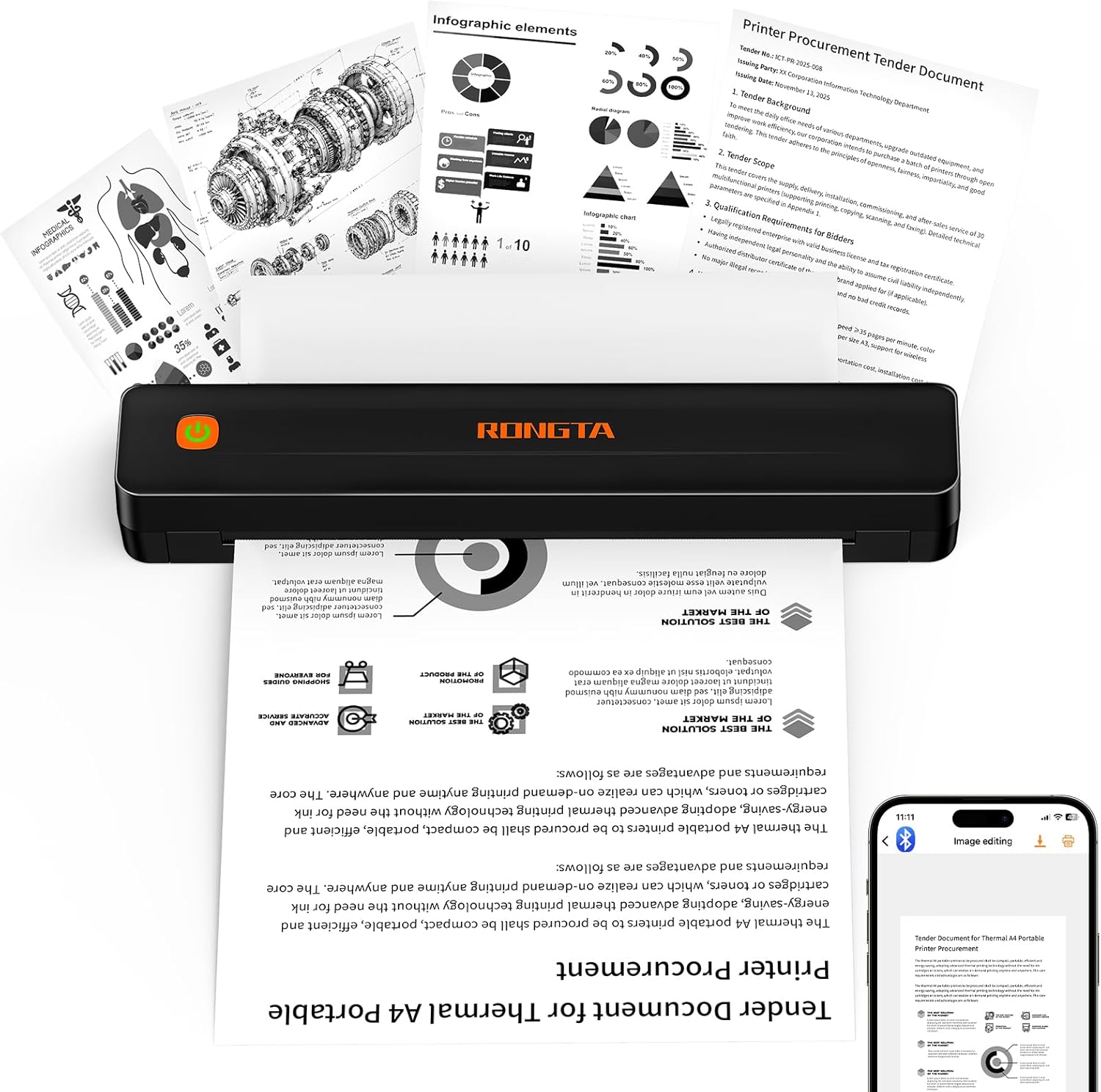
Rongta F11A Portable Thermal Printer
| Printer Type | Thermal |
|---|---|
| Print Resolution | 203 x 203 dpi |
| Maximum Media Size | Letter (8.5 x 11 inches) |
| Printer Connectivity Type | Bluetooth, USB |
| Print Speed | 7 pages_per_minute |
The Rongta F11A is a small, travel-friendly thermal printer that connects via Bluetooth or USB to phones, tablets, and laptops and prints monochrome documents without ink. It supports up to 8.5 x 11 inch thermal paper and uses 203 dpi thermal resolution, so it handles simple text, forms, receipts, and black-and-white assignments cleanly. Setup relies on the RONGTA mobile app for Bluetooth pairing and it also works over USB with Windows or macOS, which makes it useful both on the road and at a desk. The unit is lightweight and quiet in operation, and because it is inkless you avoid cartridge costs—good for frequent low-cost prints. Important limitations are its 203 dpi cap and monochrome-only output, so graphics and photos will lack fine detail, and it requires thermal paper rather than ordinary paper. The printer is best for basic document needs, labels, and travel printing rather than high-quality photo or color work.
Best for: Buyers who need an inexpensive, portable printer for on-the-go documents, receipts, or study and office pages and value low operating cost and easy mobile connectivity.
Less Ideal for: Users who need high-resolution graphics, color printing, or to print on standard non-thermal paper should look at other printer types.
- Prints up to US Letter (8.5 x 11) size on thermal paper, useful for full-page documents
- Bluetooth and USB connectivity for phone, tablet, and laptop printing
- Inkless thermal printing eliminates ongoing ink or ribbon costs
- Compact, lightweight, and quiet for travel or small offices
- Monochrome only with 203 dpi resolution limits photo and fine-graphic quality
- Requires thermal paper and will not print on ordinary inkjet/laser paper
Verdict: A budget-friendly, inkless portable printer that delivers full‑page monochrome printing for travel and basic office/document tasks.
Canon PIXMA TR160 Portable Printer

| Printer Type | Inkjet |
|---|---|
| Maximum Media Size | 8.5 x 11 inch |
| Maximum Sheet Capacity | 50 |
| Color Pages per Minute | 5.5 pages_per_minute |
| B&W Pages per Minute | 9 pages_per_minute |
The Canon PIXMA TR160 is a lightweight portable inkjet that aims to give reliable, decent-quality prints when you need them away from a desk. It prints color and black-and-white pages up to letter size, handles borderless photos and common card/envelope sizes, and uses a 5-color hybrid ink system for sharper text and richer photo detail than basic two-ink portable units. Setup and printing work via the Canon PRINT app, AirPrint, or Mopria, and there is a Wireless Direct mode so you can print without a router. The 1.44-inch OLED display makes status checks and template printing straightforward, and the 50-sheet tray keeps small jobs convenient. Expect modest speeds—around 9 ppm black and 5.5 ppm color—which is fine for occasional mobile use but not for heavy office throughput. It is simplex only, and USB-C is the wired option if you prefer a cable. If you value consistent, sensible performance in a truly portable package, the TR160 is a practical pick, though high-volume users should choose a larger desktop model instead.
Best for: Buyers who need a dependable, easy-to-carry printer for occasional document and photo printing on the go and who prioritize consistent output over high throughput.
Less Ideal for: People who print large volumes, require automatic duplexing, or need a multifunction device with scanning or copying built in should look elsewhere.
- Very compact and lightweight for true portability
- Wireless printing via Canon app, AirPrint, Mopria and Wireless Direct
- Good color and photo capability with 5-color hybrid ink system
- 1.44" OLED display and template storage for quick standalone use
- 50-sheet tray supports a variety of paper and photo sizes including borderless prints
- Simplex-only printing with no automatic duplexing
- Modest print speeds not suited for high-volume jobs
- Single USB-C port limits wired connectivity options
Verdict: A truly portable, reliable inkjet for users who want consistent on-the-go document and photo printing in a small, battery-optional package.
NDYIN N80 Portable Printer

| Printer Type | Thermal |
|---|---|
| Maximum Print Resolution | 203 dpi |
| Connectivity | Bluetooth, USB Type C |
| Maximum Media Size | 8.5 inch |
| Battery Capacity | 1500mAh |
The NDYIN N80 is a compact, inkless thermal printer designed for on-the-go document printing from phones, tablets and laptops. It pairs with smartphones and tablets over Bluetooth using the Nada Print app and connects to PCs via USB-C with a driver, making it suitable for quick contracts, invoices, boarding passes and simple graphics. The unit uses direct thermal technology so there is no ink, toner or ribbon to buy, and the built-in 1500mAh battery claims around 160 US Letter pages per charge. Print quality is modest but serviceable for monochrome documents at 203 dpi, and the printer accepts roll and folded thermal paper up to US Letter / A4 size. Limitations include the requirement for special thermal paper only and no Bluetooth printing from laptops, plus setup on computers needs driver installation. For buyers prioritizing portability and low running cost, the N80 offers practical convenience, but it is not a full replacement for office laser printers when you need high-volume, multipage color or heavy-duty reliability.
Best for: Buyers who need a lightweight travel or field printer for occasional monochrome documents and want low ongoing consumable cost backed by broad user feedback.
Less Ideal for: Users who need high-volume, color, duplex or heavy-duty office printing or who want to print on standard copy paper should look at desktop laser or inkjet options instead.
- True inkless printing using direct thermal so no consumable ink or toner is required
- Bluetooth for mobile devices and USB-C for PC/laptop connectivity
- Compact and lightweight with an internal rechargeable battery for travel use
- Supports US Letter and A4 thermal media so it can print standard document sizes
- Requires special thermal paper and cannot print on ordinary paper
- Bluetooth printing is limited to phones and tablets; PCs need USB with driver installation
Verdict: A highly portable, inkless thermal printer that delivers convenient US Letter/A4 monochrome prints for travel and field use.
TATTMUSE A285M Portable Thermal Printer

| Printer Type | Thermal |
|---|---|
| Printer Connectivity Type | Bluetooth, USB |
| Maximum Media Size | 8.5 x 11 inch |
| Maximum Print Resolution Black and White | 203 dots_per_inch |
| B&W Pages per Minute | 7 |
The TATTMUSE A285M is a small inkless thermal printer designed for mobile use and light office tasks. It prints only in black and white using thermal paper, so you never buy ink or worry about cartridges, and it accepts multiple paper widths including US Letter and A4 formats. For phones and tablets the A285M pairs over Bluetooth and is controlled through a companion app, while laptops and desktops require a USB‑C connection and a driver install. The unit is rechargeable and rated for modest print speed and resolution suitable for receipts, invoices, short documents and simple graphics. Practical benefits include very low operating cost, a built‑in paper bin for rolls or single sheets, and a compact, travelable footprint. Important limitations are monochrome thermal output only, no support for regular copy paper, and the need to use the app for mobile printing and install drivers for computer use which adds setup steps for less technical users.
Best for: Buyers who want a simple, low‑maintenance mobile printer for invoices, receipts, boarding passes, or on‑the‑go documents and prefer a fuss‑free device with low ongoing cost and compact portability.
Less Ideal for: If you need full‑color output, high‑quality photo printing, or routine printing on standard office copy paper, choose a different desktop or color printer instead.
- Inkless thermal printing eliminates cartridges and lowers operating cost
- Supports multiple thermal paper sizes up to US Letter/A4 for flexible receipts or documents
- Bluetooth control from phones and tablets for true mobile use
- Rechargeable battery and compact, lightweight design for travel and field work
- Prints only in monochrome on thermal paper and cannot use regular copy paper
- Computer printing requires driver installation and USB connection rather than Bluetooth
Verdict: Choose the A285M when you want a compact, low‑cost, inkless mobile printer that reliably handles receipts and single‑sheet documents on thermal paper.
Choosing the Right Portable Printer: Key Factors to Consider
Print Quality
Print quality determines legibility and photo fidelity. For documents, crisp text at typical office fonts is essential; for photos, higher resolution and good color handling matter.
Check manufacturer resolution specs and look for features like color management and image enhancement modes. If you print contracts, forms, or receipts, prioritize sharp black text. If you print photos, favor models that support higher DPI and better color rendering even at small sizes.
Battery Life and Charging
Battery capacity limits how many pages you can produce between charges. Longer battery life is crucial if you are printing in the field, at events, or during travel when outlets are scarce.
Consider both stated page yield per charge and real-world charging options. USB-C charging or power-bank compatibility adds flexibility. Also check how quickly the battery recharges and whether the unit supports pass-through power or printing while charging.
Connectivity
Reliable connectivity makes a portable printer genuinely useful. Bluetooth is convenient for phones and tablets, while Wi-Fi Direct and standard Wi-Fi networks work better for multiple-device workflows.
Look for stable pairing, common mobile printing protocols, and support for the platforms you use. Wired options like USB-C can be a dependable fallback. Ease of setup and clear app support reduce time spent troubleshooting on the road.
Portability and Build
Size, weight, and build quality affect how easy the printer is to carry and how well it survives travel. A slim, lightweight design fits backpacks and briefcases, while rugged or drop-resistant features help in mobile environments.
Also consider how easy it is to load paper or media without tools and whether the package includes a carrying case or protective cover. Smaller devices may sacrifice speed or media options, so match the physical design to your travel habits.
Media Support and Flexibility
Different use cases need different media. Some Portable Printers handle standard letter or A4 sheets, while others are limited to receipt rolls or photo paper. Check supported sizes, weights, and whether the device prints borderless photos.
If you need to print labels, receipts, or different paper types, confirm compatibility in advance. Also assess how easy it is to change media in the field and whether consumables are widely available or proprietary.
Speed and Throughput
Print speed affects workflow, especially when you need multiple pages quickly. Portable printers typically trade speed for compactness, but consistent throughput is still important for busy days.
Look at pages-per-minute specs and real-world reports about warm-up and first-page times. Consider whether the device can handle occasional bursts or sustained low-volume printing without overheating or frequent recharge cycles.
Who Benefits Most From a Portable Printer
Portable Printers are best for people who need occasional physical copies away from a fixed office, such as mobile professionals, event staff, photographers, and remote workers who travel. They also suit small-business owners taking orders or receipts on site.
If you only print infrequently at home, a compact all-in-one may be more cost effective. But if your workflow regularly includes client visits, field notes, or on-site receipts, the convenience of a dedicated portable unit can increase productivity and reduce friction.
- Field service technicians who deliver quotes or receipts
- Event staff needing immediate name tags or tickets
- Photographers printing quick client proofs on location
- Salespeople and mobile consultants requiring contracts or invoices
Setting Up and Connecting on the Go
A smooth setup is vital when you are away from home. Prioritize printers with simple pairing processes and dedicated mobile apps. Many devices support Bluetooth pairing directly from your phone or Wi-Fi Direct for multi-device use without a router.
Bring the right cables and, if possible, a small power bank. Know the app requirements and have the latest firmware updates applied before travel. Keep a printed quick-start note with network names or common troubleshooting steps to save time in spotty network conditions.
- Test Bluetooth and Wi-Fi Direct pairing at least once before you need it.
- Carry a short USB-C cable and an adapter if your devices have different ports.
- Install and register the printer app in advance to avoid setup delays.
Maintaining a Portable Printer While Traveling
Maintenance needs differ from full-size printers. Keep print heads clean and protect paper paths from dust and humidity. Use the recommended media and store spare consumables in protective sleeves.
Routine checks of battery health and firmware can prevent failures. If you expect heavy use, rotate batteries or carry a spare charged battery when supported. Also pack a small toolkit for clearing paper jams and replacing media.
- Wipe the exterior and paper path before extended trips.
- Store photo and thermal papers flat and shielded from sunlight.
- Schedule periodic firmware checks when convenient to maintain compatibility.
When to Choose Photo-Centric Vs Document-Centric Models
Decide which output you need most often. Photo-centric models prioritize color accuracy, higher DPI, and support for specialized photo paper. Document-centric units prioritize crisp black text, faster single-sheet throughput, and economy consumables.
If your use is split, select a model that offers balanced performance for both tasks. Keep in mind that photo printing often consumes more power and media cost, so align your choice with typical daily page counts and battery expectations.
- Photo-focused: look for higher DPI and good color rendering.
- Document-focused: seek sharp mono text and quick first-page times.
- Balanced use: prefer flexible media support and stable wireless connectivity.
Consumables and Ongoing Costs
Consumable availability and cost influence long-term satisfaction. Portable devices sometimes use proprietary cartridges or specialty photo paper that can be more expensive or harder to source in certain regions. Plan for where you will buy replacements before travel.
Consider page yield claims and whether the device supports refillable or standard-sized cartridges. If you print frequently, favor models with economical consumables and common paper formats to minimize downtime and supply complications.
- Confirm local availability of paper and cartridges for your travel areas.
- Estimate per-page cost based on manufacturer yield figures.
- Prefer standard media sizes when long-term sourcing is a concern.
How We Chose the Best Portable Printer
We focused on attributes that matter most for portable printing use. Our evaluation prioritized print quality for small-form devices, sustained battery life under typical mobile workloads, wireless and wired connectivity options, and the physical footprint and durability needed for travel. We examined specification sheets for page yield and charging methods, reviewed user-facing connectivity features like Bluetooth and Wi-Fi Direct, and checked supported media types and maximum resolution to assess clarity and photo fidelity. We excluded large desktop printers, devices that require constant AC power, and specialty industrial printers that do not fit typical consumer mobile use. We also filtered out units lacking basic mobile features such as a reliable wireless mode or a rechargeable battery. The final list balances compact size with practical throughput, ensuring the options are suitable for everyday mobile printing tasks rather than niche or heavy-duty printing jobs.
Our full evaluation process is outlined in our review methodology.
FAQ
Can a portable printer handle standard letter or A4 paper?
Some portable printers support letter or A4 sheets but many are limited to smaller formats or photo paper. Check the supported media sizes and path design before assuming full-size paper compatibility.
How many pages can I expect per battery charge?
Battery life varies widely by model and by print type. Expect fewer pages when printing full-color photos compared with single-sided black text. Look at manufacturer page-yield estimates and real-world reviews for a practical sense of endurance.
Are portable printers compatible with smartphones and tablets?
Yes, most modern portable printers offer Bluetooth or Wi-Fi Direct and have companion apps for iOS and Android. Verify app feature sets and supported file types for your platform to ensure smooth printing from mobile devices.
Do portable printers require special paper or cartridges?
Some models use standard cartridges and paper, while others require specialty photo paper or thermal rolls. Confirm the consumables required and whether they are readily available where you travel.
Is print speed noticeably slower on portable models?
Portable printers generally trade speed for compactness, so throughput is usually slower than desktop printers. However, many are optimized for quick first-page output and are adequate for low to moderate volume needs.
Final Verdict
Choosing a Portable Printer comes down to matching output needs with battery life and connectivity. Prioritize print quality if you produce photos or client-facing materials, or choose stronger battery and throughput if you need many pages in the field. Consider media compatibility and consumable access where you travel, and opt for models with straightforward wireless setup and robust app support. With those tradeoffs in mind, you can confidently select a compact printer that fits your mobile workflow.