
Note: This article contains affiliate links. If you click on these links and make a purchase, we may earn a small commission at no extra cost to you. This helps support our research and content. Read our full affiliate disclosure here.
If you want physical photos without hauling a full-size printer or visiting a shop, a portable photo printer is the simplest solution. These compact printers let you print 2×3 to 4×6 photos directly from your phone or camera, making them useful for trips, parties, and quick keepsakes. The right pick balances print quality, battery life, and connection reliability so you get consistent results wherever you are. This guide covers seven shortlisted portable photo printers that fit common home and travel needs. We evaluated each option on print quality, portability, battery and charging, connection options, and ease of use to help you pick the best fit. Read on to find which features matter most for your workflow and lifestyle.
Top Picks at a Glance
| Best Overall The best all-around choice for most situations | HP Sprocket 2×3 Portable Printer |  |
| Best Quality Built to a higher standard if you want something more solid | Canon SELPHY CP1500 |  |
| Best Value The sweet spot between price and what you get | KODAK Mini 2 Retro |  |
| Best Budget The cheapest option that still gets the job done reliably | Nelko PP01 Portable Photo Printer |  |
| Top Rated A top-rated pick with lots of positive feedback | Fujifilm Instax Mini Link 3 |  |
| Most Popular A crowd favorite that many people choose with confidence | KODAK Step Instant Photo Printer |  |
| Best Seller A high-volume bestseller chosen again and again | Liene 4×6 Photo Printer DHP513 |  |
HP Sprocket 2×3 Portable Printer

| Printer Type | Zink Technology |
|---|---|
| Print Size | 2 x 3 |
| Connectivity | Bluetooth |
| Resolution | 313 x 400 DPI |
| Maximum Sheet Capacity | 10 |
The HP Sprocket 2×3 is a compact Bluetooth photo printer designed for printing 2 x 3 inch sticky-backed photos directly from your smartphone via the HP Sprocket app. It uses ZINK zero-ink paper so there are no cartridges to replace, and the rechargeable battery can print dozens of photos between charges for easy use at parties, travel, and casual scrapbooking. The app offers basic editing, stickers, borders, social-media import, and a sharing feature so multiple people can connect and print at once while personalized LED lights identify each user. Prints are smudge-resistant, tear-resistant, and intended for casual display rather than archival large-format use, and the 313 x 400 dpi output is fine for small prints but not comparable to full-size photo lab quality. Paper capacity is limited to about 10 sheets at a time and printing is single-sided and relatively slow, so it is best for social, decorative, and on-the-go printing rather than high-volume tasks.
Best for: Buyers who want a fun, portable way to print small, shareable photos on the go for parties, travel, and decorating personal items.
Less Ideal for: People who need large prints, high-resolution photographic output, or sustained high-volume printing should choose a different printer.
- Truly pocketable design and rechargeable battery for mobile printing
- ZINK paper eliminates ink cartridges and delivers smudge-resistant sticky-backed photos
- Bluetooth 5.0 and app integration let multiple users connect and personalize prints
- Built-in LED indicators and app editing tools make group printing simple and fun
- Small 2 x 3 inch print size and 313 x 400 dpi limit image detail compared with larger photo printers
- Holds only about 10 sheets at a time, which makes high-volume printing inconvenient
Verdict: Pick this if you want a compact, ink-free printer that makes quick, sticker-backed 2 x 3 prints for social use and on-the-go sharing.
Canon SELPHY CP1500

| Printer Type | Dye Sublimation |
|---|---|
| Maximum print Resolution Color | 300 x 300 dpi |
| Maximum Media Size | 4 x 6 inch |
| Printer Connectivity Type | Wi-Fi |
| Wattage | 7.2 watts |
The Canon SELPHY CP1500 is a portable dye-sublimation photo printer built for quick, durable snapshots when you want prints from a phone, camera, memory card, or USB drive. It produces 4×6, 2.1×2.1 square, and mini sticker prints with a fast first-page time and dry, marker-ready output, and offers three finish options (glossy, semi-gloss, satin) for slightly different looks. You can print over Wi‑Fi including AirPrint, or use the Canon apps to compose collages, add effects, and send files straight from your smartphone, and an optional battery pack lets you run away from a wall outlet for events or travel. The dye-sublimation process yields water-resistant prints that Canon rates for long storage life, but print resolution is limited to 300 x 300 dpi so this is tuned for vibrant snapshots rather than ultra-fine photo lab detail. Paper capacity is small and you'll rely on consumable ink and paper cassettes, so this is best for intermittent batches rather than high-volume continuous printing.
Best for: Buyers who prioritize portable, dependable photo output and want quick, handle-ready 4×6 prints from phones or cameras at events, trips, or small craft projects.
Less Ideal for: People who need lab-grade, high-resolution enlargements or sustained high-volume photo printing should consider larger desktop or pro photo printers instead.
- Portable dye-sublimation printing produces dry, water-resistant photos ready to handle immediately
- Multiple connectivity options: Wi‑Fi (including AirPrint), USB, and direct memory card support
- Compact footprint and optional battery pack make it easy to print on the go
- Canon apps let you edit, make collages, and apply effects before printing
- Maximum print resolution of 300 x 300 dpi limits fine detail compared with lab printers
- Very small paper cassette and limited output capacity make it unsuitable for high-volume use
Verdict: Choose the SELPHY CP1500 when you want a truly portable printer that delivers quick, durable 4×6 and mini photo prints straight from your phone or camera.
KODAK Mini 2 Retro

| Printer Type | Dye Sublimation |
|---|---|
| Print Resolution | 300 dpi |
| Printer Connectivity Type | Bluetooth |
| Control Method | App |
| Paper Size | 2.1 x 3.4 inches |
The KODAK Mini 2 Retro is a pocketable Bluetooth photo printer that turns smartphone pictures into 2.1 x 3.4 inch dye sublimation prints in about a minute. It pairs with the KODAK Photo Printer app on iOS and Android for basic editing and layout, then prints each image in three color layers plus a clear protective laminate to resist fingerprints, water, and fading. Setup is simple: charge via USB-C, connect over Bluetooth, and load the included cartridges and paper; the printer is designed for casual, on-the-go use like travel, parties, scrapbooks, and planners. Output quality is good for the size, with up to 300 dpi resolution, and the laminated finish makes photos more durable than sticker-style prints. The main limitations are the small credit-card print size and modest sheet capacity, which mean it is not intended for large runs or larger-format photos, and Bluetooth-only connectivity can be slower than Wi-Fi for batch printing. For buyers who want quick, durable pocket prints from a phone, this is a practical, easy-to-use choice.
Best for: Buyers who prioritize compact, reliable printing of smartphone photos for scrapbooks, wallets, events, and travel and want prints that hold up to handling.
Less Ideal for: Users who need larger photo sizes, fast Wi-Fi batch printing, or high-volume photo production should consider larger desktop photo printers instead.
- 4PASS dye sublimation with laminated finish resists fingerprints, water, and fading
- Small, pocketable design for printing on the go
- Simple Bluetooth pairing and app-based editing for smartphone users
- Includes cartridges, 38 sheets, and USB-C cable to start printing immediately
- Prints are small credit-card size only, not suitable for larger photos
- Limited sheet capacity makes it less efficient for high-volume printing
Verdict: A compact, app-controlled portable printer that produces durable credit-card sized photos quickly for on-the-go keepsakes.
Nelko PP01 Portable Photo Printer

| Printer Type | Inkjet |
|---|---|
| Print media | Glossy photo paper |
| Paper Size | 52x90mm (2×3") |
| Print Resolution | 600 DPI |
| Printer Connectivity Type | Bluetooth |
The Nelko PP01 is a pocketable 2×3 inkjet photo printer designed for quick, on-the-go prints from a smartphone. You connect by Bluetooth and use the Nelko app to edit images, add frames or stickers, then print a 2×3 sticky-backed photo in roughly a minute. It uses a four-color cartridge system and claims 600 DPI output for sharper color and detail than many thermal pocket printers, and each cartridge can yield dozens of small photos. The unit includes 20 sheets to start and a USB charging cable, and the app offers collage, filters, and basic AI editing for more playful prints. Practical limits are the fixed 2×3 print size, a small paper tray (avoid loading more than 10 sheets), and the need to keep the ink cartridge from drying if unused for long stretches. For simple, low-cost instant stickers for scrapbooks, parties, and travel, the PP01 is a capable and portable choice, but it is not suited for larger or high-volume photo workflows.
Best for: Buyers who want an inexpensive, truly portable printer for instant 2×3 sticker photos and craft projects and who prioritize compact size and easy smartphone printing over large-format capability.
Less Ideal for: People who need larger prints, high-volume daily printing, or professional lab-quality images should choose a different solution geared to bigger formats and higher throughput.
- True inkjet printing with 600 DPI for better color and detail than typical ZINK thermal pocket printers
- Bluetooth pairing and a feature-rich Nelko app for quick editing and printing from iOS and Android
- Prints on sticky-backed, water-resistant photo paper useful for scrapbooks and labels
- Compact, lightweight design with a USB charging cable included
- Includes starter media and an ink cartridge in-box so you can print out of the box
- Limited to a fixed 2×3 print size so you cannot make larger photos
- Small sheet capacity requires frequent refilling for multiple prints
- Ink cartridges can dry or clog if the printer sits unused for long periods
Verdict: A pocketable inkjet printer that delivers true 600 DPI 2×3 sticky-backed photos for budget-minded buyers who want portable, smartphone-driven prints.
Fujifilm Instax Mini Link 3

| Printer Connectivity Type | Bluetooth |
|---|---|
| Hardware Interface | USB Type C |
| Maximum print Resolution Color | 1200 x 1200 dpi |
| Maximum Media Size | 2×3 |
| Maximum Sheet Capacity | 10 |
The Instax Mini Link 3 is a pocket-friendly smartphone printer designed to turn phone photos and short video clips into 2×3 instant prints using Fujifilm instax mini film. It pairs over Bluetooth to the free instax mini Link app, where you can apply frames, stickers, collages, video stills and simple AR effects before printing, and the app also supports reprinting the last image and remote shooting. The unit charges via USB‑C and prints at roughly one print per minute at up to 1200 x 1200 dpi, with a 10-sheet output capacity in the tray. Its front LEDs provide simple status feedback and the design emphasizes portability for parties, trips, and quick keepsakes. Limitations include the ongoing cost and limited capacity of proprietary instax mini film and the small 2×3 format that is not suitable for larger photo display needs, but for users who value reliable, tactile instant prints the Link 3 delivers consistent, easy results with straightforward smartphone control.
Best for: Buyers who prioritize a dependable, easy-to-use portable printer for instant physical keepsakes and want consistent prints handled from a smartphone app.
Less Ideal for: Anyone seeking large-format prints, high-volume photo production, or a printer that uses standard office paper should look at different options.
- Bluetooth pairing and dedicated app let you edit, collage, and print directly from a smartphone
- USB‑C charging for quick recharges and on‑the‑go use
- High nominal print resolution (1200 x 1200 dpi) for sharp 2×3 instant photos
- Reprint and remote shooting features add convenience for events and group shots
- Uses proprietary instax mini film which adds ongoing per‑print cost
- Small 2×3 print size limits uses to casual keepsakes rather than display prints
Verdict: A reliable, portable instant-photo printer that turns smartphone moments into consistent 2×3 instax prints with easy app control.
KODAK Step Instant Photo Printer
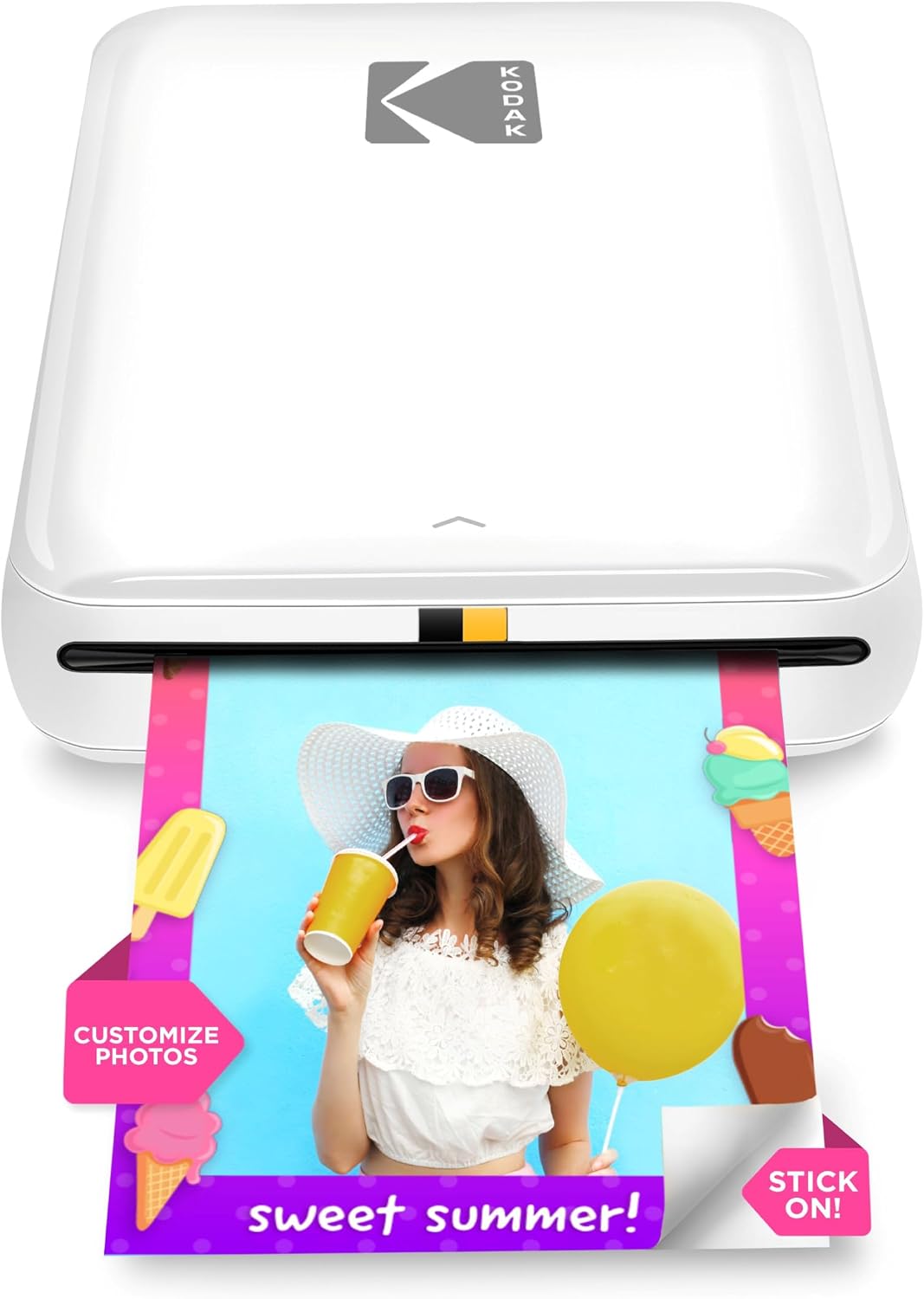
| Print media | Glossy ZINK 2×3 paper |
|---|---|
| Maximum Sheet Capacity | 10 |
| Connectivity | Bluetooth, NFC |
| Battery prints per charge | Up to 25 prints |
| Print speed | ~60 seconds per photo |
The KODAK Step is a compact, battery-powered mobile printer that turns smartphone photos into 2×3-inch sticky-backed prints without ink cartridges using ZINK zero-ink technology. You pair it with the free KODAK STEP PRINTS app over Bluetooth or NFC, edit images with filters, stickers, collages and then print a finished photo in about a minute. Its rechargeable battery is rated for roughly 25 prints per charge and the paper tray holds up to 10 sheets for short sessions on the go. The prints are coated for water and smudge resistance, so they are fine for scrapbooks, backpacks and casual display. On the downside, print size is fixed at 2×3 inches and image detail is limited compared with larger dye-based or pigment printers, so it is best for snapshots rather than high-resolution keepsakes. The app is central to the workflow, so printing requires a smartphone and the app installed. For its size and convenience the Step delivers fast, fun results for parties, travel, and craft projects.
Best for: Buyers who want a small, social-friendly printer to produce instant sticky-backed photos for parties, travel, scrapbooking, and casual sharing and who weigh proven popularity and reliable user experience when deciding.
Less Ideal for: People who need larger prints, professional-quality photo detail, or a standalone printer that does not rely on a smartphone app should look elsewhere.
- Truly portable with built-in rechargeable battery for on-the-go printing
- ZINK zero-ink prints are peel-and-stick and resistant to smudges, water, and tears
- Simple wireless pairing via Bluetooth and NFC with iOS and Android devices
- Editing app offers collage, filters, stickers and other creative controls before printing
- Includes starter pack of ZINK paper and a compact paper tray holding multiple sheets
- Fixed 2×3-inch print size limits framing and large-format uses
- Image resolution and detail are lower than larger dedicated photo printers
Verdict: If you want an easy, pocketable printer for instant 2×3 peel-and-stick photos and a solid app-driven experience, the KODAK Step is the go-to portable option.
Liene 4×6 Photo Printer DHP513

| Printing technology | Dye Sublimation |
|---|---|
| Maximum media size | 4 x 6 inch |
| Maximum sheet capacity | 20 |
| Print resolution | 300 x 300 dpi |
| Connectivity | USB, Wi-Fi |
The Liene DHP513 is a portable 4×6 dye-sublimation photo printer meant for quick, borderless color prints from smartphones, tablets, and PCs. You load glossy 4×6 paper into the cassette, install the proprietary color cartridge, then print from the Liene app or directly over the printer's built-in hotspot or a USB Type‑C connection. The dye‑sublimation process produces laminated, water- and scratch-resistant prints with vivid colors and a 300 x 300 dpi resolution, and the unit ships with paper and cartridges in the full kit. Setup is straightforward and the app provides simple editing, templates, and printing controls for ID photos and social prints. Limitations to expect are a relatively slow per‑photo time of about a minute and a 20‑sheet tray capacity, so it is better suited to occasional home use and events rather than high-volume studio work. It relies on proprietary cartridges and paper, which keeps color quality consistent but adds ongoing consumable costs. Overall, the DHP513 offers an easy, reliable way to get durable 4×6 prints from phones and laptops without a complex desktop press.
Best for: Buyers who want a fuss-free portable printer to make durable 4×6 photos from phones or laptops for personal use, parties, or gifting and who prioritize simple setup and reliable color output.
Less Ideal for: People who need fast, high-volume production or a professional studio workflow should choose a larger, faster photo printer or lab service instead.
- Dye‑sublimation printing yields laminated, water- and scratch-resistant 4×6 photos.
- Built-in Wi‑Fi hotspot and USB‑C let you print directly from phones or computers without a router.
- Includes starter ink cartridge and paper so you can print right away.
- Simple app with basic editing, templates, and status monitoring for quick setup and prints.
- Print speed is modest at about one minute per 4×6 photo.
- Small 20‑sheet cassette limits continuous printing before reloads.
Verdict: A compact, easy-to-use dye-sublimation 4×6 printer that delivers durable, ready-to-display photos from phones and laptops with minimal setup.
Choosing the Right Portable Photo Printer: Key Factors to Consider
Print Size and Paper Type
Different portable photo printers support varying print sizes, from wallet-sized 2×3 prints to 4×6 photos. Choose the sizes that match how you plan to use prints: smaller sizes are great for stickers and scrapbooks, while 4×6 is better for framing or sharing. Also consider paper finish options. Some systems use glossy lab-style paper, while others use peel-and-stick media or matte alternatives. The paper chemistry affects color saturation, longevity, and handling during travel.
Paper availability and how it loads matter for convenience. Printers that use widely available cartridges or packs reduce hassles when you need more media on a trip. If you plan heavy printing, look at refill pack sizes and how easy it is to swap media on the go.
Battery Life and Charging
Battery capacity determines whether the printer is practical for a weekend trip or just quick use around the house. A unit with longer battery life or swappable batteries is better for events and travel. Consider how many prints you can expect per charge and whether the battery recharges via a common standard like USB-C.
Charging speed and cable compatibility are also important. Printers that charge from a power bank or USB wall adapter offer flexible charging options away from mains power. If you need to print a moderate number of photos during a day out, prioritize models that advertise higher print counts per full charge.
Connectivity and Mobile Workflow
Most buyers will print directly from a smartphone, so wireless reliability and the mobile app experience are critical. Look for printers with stable Bluetooth or Wi-Fi connections and straightforward pairing. A well-designed app should let you crop, apply filters, and add borders or text without needing extra software.
Also check whether the printer supports direct printing from cameras or SD cards if you prefer a more traditional workflow. Offline printing modes or physical buttons for quick reprints can be helpful in low-signal situations.
Print Durability and Longevity
If you want prints that last, consider the print technology and archival qualities of the media. Dye-sublimation prints tend to resist fading and handle handling better, while some inkless or thermal systems offer convenience at the cost of long-term color stability. Exposure to sunlight, moisture, and fingerprints will affect longevity, so look for media with protective coatings or consider storing important prints in albums.
For travel or outdoor use, choose media that tolerates handling and avoids smudging. If you plan to display prints, confirm that the manufacturer rates the media for lightfastness or provides guidance on expected lifespan.
Ease Of Use and Maintenance
A portable printer should be simple to load, pair, and operate without technical fuss. Look for drop-in paper loading, clear status indicators, and minimal maintenance. Printers that require frequent cleaning, alignment, or fiddly cartridge swaps are less suited to travel.
Also consider the clarity of the app and firmware updates. Regular software support improves compatibility with new phones and fixes bugs that could disrupt printing at events. Replaceable parts and straightforward troubleshooting guidance are useful for long-term ownership.
Common Print Technologies Explained
Portable photo printers typically use one of a few print technologies, each with different strengths. Dye-sublimation transfers dye from a ribbon to the paper in layers, producing smooth gradients and durable colors that resemble lab prints. Thermal or inkless systems rely on heat-sensitive paper to form images without liquid ink, which can be clean and compact but may have different color characteristics.
- Dye-sublimation: lab-like finish and good durability
- Thermal/inkless: compact and low maintenance
- Inkjet-based mobile printers: higher flexibility but usually bulkier
How Much Printing Capacity Do You Need?
Estimate prints per event and pick a device that matches that volume. Casual users who print a few photos per outing can favor the smallest, lightest models. If you frequently print for gatherings or sell prints at markets, choose a model that accepts larger paper packs or has faster throughput to avoid frequent reloads.
- Light use: under 50 prints between charges
- Moderate use: 50 to 200 prints per trip
- High use: look for larger paper packs and longer battery life
Carrying and Protecting Your Printer While Traveling
Protective cases and simple packing techniques extend the life of a portable printer. Use a padded pouch to prevent scratches and keep spare paper packs in a resealable bag to avoid moisture exposure. Avoid packing the printer with heavy items that could press on controls or deform the casing.
- Pad the device and secure loose accessories
- Keep media sealed and dry
- Carry a small power bank or spare battery when possible
Printing From Multiple Devices
If you plan to print from friends' phones or multiple cameras, prioritize models with easy guest access. Printers with direct Wi-Fi hotspots or quick-connect Bluetooth modes reduce setup friction at parties. An intuitive app that allows multiple users to queue prints is beneficial for social settings.
- Look for guest-friendly connection modes
- Simple app sharing reduces bottlenecks at events
- Check whether the printer supports both Android and iOS smoothly
How We Chose the Best Portable Photo Printer
We focused on criteria that matter to real users who want dependable, on-the-go photo printing. First, print quality and media options were primary filters. We prioritized devices that produce sharp, color-accurate photos at common snapshot sizes and that support either dye-sublimation or high-quality thermal/inkless paper. Second, we evaluated portability metrics such as weight, physical footprint, and battery life to ensure the picks are genuinely travel-ready. Connectivity and workflow were next. Devices that offer stable wireless pairing with phones, Bluetooth, and simple app controls earned higher marks. Battery and charging convenience were considered, favoring printers with multi-charge support, USB-C charging, or easy battery replacement. Finally, we considered usability features like quick-loading paper, intuitive apps, and maintenance needs. We excluded models without reliable mobile support, printers that require frequent messy maintenance, and any unit with inconsistent print output during standard testing conditions. These filters produced a compact list of products that collectively cover fast snapshots, social printing, and higher-fidelity portable prints without unnecessary bulk.
Our full evaluation process is outlined in our review methodology.
FAQ
Can a portable photo printer match lab-quality prints?
Portable printers can produce lab-like results, especially dye-sublimation machines, but full lab-grade output usually requires larger, dedicated equipment. For most casual use and small framed photos, portable prints are more than adequate.
How long do prints from portable printers last?
Longevity depends on print technology and storage. Dye-sublimation prints typically resist fading longer than simple thermal prints, and protecting prints from sunlight and moisture will extend life. Expect varied lifespans and follow media care guidelines for best results.
Will a portable photo printer work without Wi-Fi?
Yes. Many portable models offer Bluetooth or direct hotspot modes that let you print without a Wi-Fi network. Some also allow printing from an SD card or via cable for fully offline workflows.
What should I carry for prints on a long trip?
Bring spare paper packs, a charging cable or power bank, and a small pouch for protection. If the model uses replaceable batteries, consider carrying a charged spare to maintain printing capacity during extended outings.
Are portable photo printers easy to maintain?
Maintenance is usually minimal for newer portable designs, especially inkless or dye-sublimation systems. Regularly clean paper sensors per the manual and store media properly to avoid jams or degraded output.
Final Verdict
Prioritize the tradeoffs that matter most to your routine. If you need the best color and durability for gift prints or framing, favor printers and media with superior color fidelity and protective finishes. For travel and social use, prioritize compact size, long battery life, and simple mobile workflows. Keep expectations realistic about archival longevity versus convenience, then pick the device that matches your print volume and typical shooting scenarios.