
Note: This article contains affiliate links. If you click on these links and make a purchase, we may earn a small commission at no extra cost to you. This helps support our research and content. Read our full affiliate disclosure here.
When you need clear, long-lasting labels on the go, a Portable Thermal Label Maker can make the job quick and reliable. Whether you are organizing a home office, labeling storage, or marking cables and equipment, the right handheld thermal label maker saves time and avoids fading or smudging. This guide shortlists the top options and explains how we evaluated them so you can match features like print speed, tape sizes, and connectivity to your specific workflow. Read on to see our top picks and the key factors that should shape your decision.
Top Picks at a Glance
| Best Overall The best all-around choice for most situations | Phomemo D30 Portable Label Maker |  |
| Best Quality Built to a higher standard if you want something more solid | NIIMBOT M2 Label Maker |  |
| Best Value The sweet spot between price and what you get | NIIMBOT B1 Label Maker |  |
| Best Budget The cheapest option that still gets the job done reliably | NDYIN N12 Label Maker |  |
| Top Rated A top-rated pick with lots of positive feedback | NDYIN N20 Label Maker |  |
| Most Popular A crowd favorite that many people choose with confidence | Phomemo D30 Label Maker |  |
| Best Seller A high-volume bestseller chosen again and again | Nelko P21 Label Maker |  |
Phomemo D30 Portable Label Maker

| Printer Type | Thermal |
|---|---|
| Printer Output Type | Monochrome |
| Resolution | 203 x 203 DPI |
| Printer Connectivity Type | Bluetooth |
| Power Consumption | 7 watts |
The Phomemo D30 is a pocketable thermal label printer that connects over Bluetooth to an Android or iOS device and uses an app to design and print monochrome text and graphics onto pre-cut or continuous label tapes. It is primarily used for home, school, and small office organization tasks like jar dates, file tags, name labels, cable markers, and small price tags. The D30 is inkless thanks to direct thermal printing, so running costs are limited to tapes, and the included three rolls make it ready to use out of the box. The app provides many templates, symbols, borders, and optional creative patterned tapes so you can produce colorful-looking labels by printing black on patterned stock. Practical strengths are its small footprint, rechargeable battery, simple app workflow, and 203 dpi resolution that delivers readable, crisp text for typical label sizes. Limitations include monochrome-only output and reliance on the app and Bluetooth connection for advanced layout, which adds a step compared with devices that print standalone or support full-color thermal transfer ribbons.
Best for: Buyers who want a lightweight, app-driven label printer for organizing at home, school, or a small business and value portability and low running costs.
Less Ideal for: Users who need full-color printing, larger industrial labels, or a completely standalone device without a phone or tablet.
- Compact, pocketable design that is easy to carry and store
- Bluetooth app control with many templates, symbols, and layout options
- Inkless thermal printing reduces consumable cost and maintenance
- Includes three label rolls so it is ready to use out of the box
- 203 x 203 dpi resolution produces clear, legible text on small labels
- Prints only black text so color requires patterned tapes rather than true color printing
- Requires a smartphone or tablet and the app for most functions, no full standalone keyboard
- Limited maximum media width suitable only for small label tasks
Verdict: A highly portable, app-controlled thermal label printer that delivers low-cost, crisp monochrome labels for everyday home and small-office organization.
NIIMBOT M2 Label Maker

| Resolution | 300 x 300 dpi |
|---|---|
| Printer Type | Thermal |
| Printer Connectivity Type | Bluetooth |
| Hardware Interface | USB |
| Maximum Media Size | 2inch |
The NIIMBOT M2 is a portable thermal transfer label maker built for durable, high-resolution labelling in small business and office settings. It uses thermal transfer ribbons and roll labels to produce 300 x 300 dpi prints that resist fading, water, oil, and extreme temperatures, making it suited for refrigerated items, outdoor plant tags, cable marking, and long-term storage labels. You create and edit labels via the NIIMBOT mobile app over Bluetooth or connect by USB to a PC (driver required) for more complex layouts and batch work. The unit recognizes label width automatically, supports 20–50 mm print widths, and offers features like automatic paper rewind and adjustable print density to reduce waste. Setup is straightforward and one black ribbon plus a label roll are included, while additional colored ribbons are available for more visual options. Limitations include the need for two consumables (labels and ribbon) which adds ongoing cost and the requirement to use M2-series thermal transfer labels for best results, and PC use requires driver installation.
Best for: Buyers who prioritize printed label durability and crisp, high-resolution output for business, lab, or refrigerated/outdoor labeling and who value mobile plus PC editing workflows.
Less Ideal for: Casual home users who want the lowest running costs or simple monochrome tape-style labels should consider simpler thermal direct printers that do not use ribbons.
- 300 x 300 dpi thermal transfer printing for sharp, fade-resistant labels
- Designed to withstand water, oil, abrasion, and temperature extremes
- Bluetooth mobile app plus USB PC connectivity for flexible editing and batch printing
- Automatic consumable recognition and paper rewind to reduce wasted labels
- Requires both label rolls and ribbons, increasing ongoing consumable cost
- Only compatible with M2-series thermal transfer labels for reliable results
Verdict: Choose the NIIMBOT M2 when you need a portable label maker that delivers professional, long-lasting 300 dpi prints for demanding small-business and field labeling tasks.
NIIMBOT B1 Label Maker

| Printer Type | Thermal |
|---|---|
| Maximum Media Size | 2 inches |
| Resolution | 203dpi |
| Connectivity | Bluetooth, USB |
| Battery | 1500 milliamp_hours |
The NIIMBOT B1 is a portable thermal label printer that connects via Bluetooth to iOS and Android phones and via USB to Windows PCs for quick label production. You design labels in the NIIMBOT app, which auto-detects tape width and offers many fonts, borders, and symbols plus template saving for repeat jobs. The device uses thermal printing so there is no ink to replace, and a built-in rechargeable battery with auto-shutoff helps preserve power between sessions. Practical features include support for a range of label widths up to 2 inches, 203 dpi resolution for clear text, and simple setup through the app. Limitations are that NIIMBOT recommends using its proprietary labels because of a built-in detection system, and the 203 dpi resolution is fine for text but not suited to very detailed graphics or photo-quality prints. The unit is best for routine organization, small business tags, and cable or pantry labeling rather than high-volume industrial printing or photo labels.
Best for: Buyers who want a small, reliable label maker to streamline home, office, or small-business organization and value quick setup and repeatable templates.
Less Ideal for: Those needing high-resolution photo-quality labels or a printer that accepts third-party tapes without compatibility checks should look elsewhere.
- Bluetooth and USB connectivity for phone and PC design workflows
- Inkless thermal printing removes the need for cartridges or ribbons
- App auto-detects label width and saves templates for fast reprints
- Portable, rechargeable design with auto-shutoff to conserve battery
- Supports up to 2-inch media and a variety of fonts, borders, and symbols
- Requires genuine NIIMBOT labels for reliable detection and optimal performance
- 203 dpi resolution limits photo or very fine graphic printing
Verdict: A compact, app-driven thermal label maker that makes everyday organization fast and fuss-free for home and small-business use.
NDYIN N12 Label Maker
| Printer Type | Thermal |
|---|---|
| Connectivity | Bluetooth |
| Resolution | 203 x 203 dpi |
| Built-In Media | 1×180 pre-cut white labels (14×40mm) |
| Warranty Description | 2 Year |
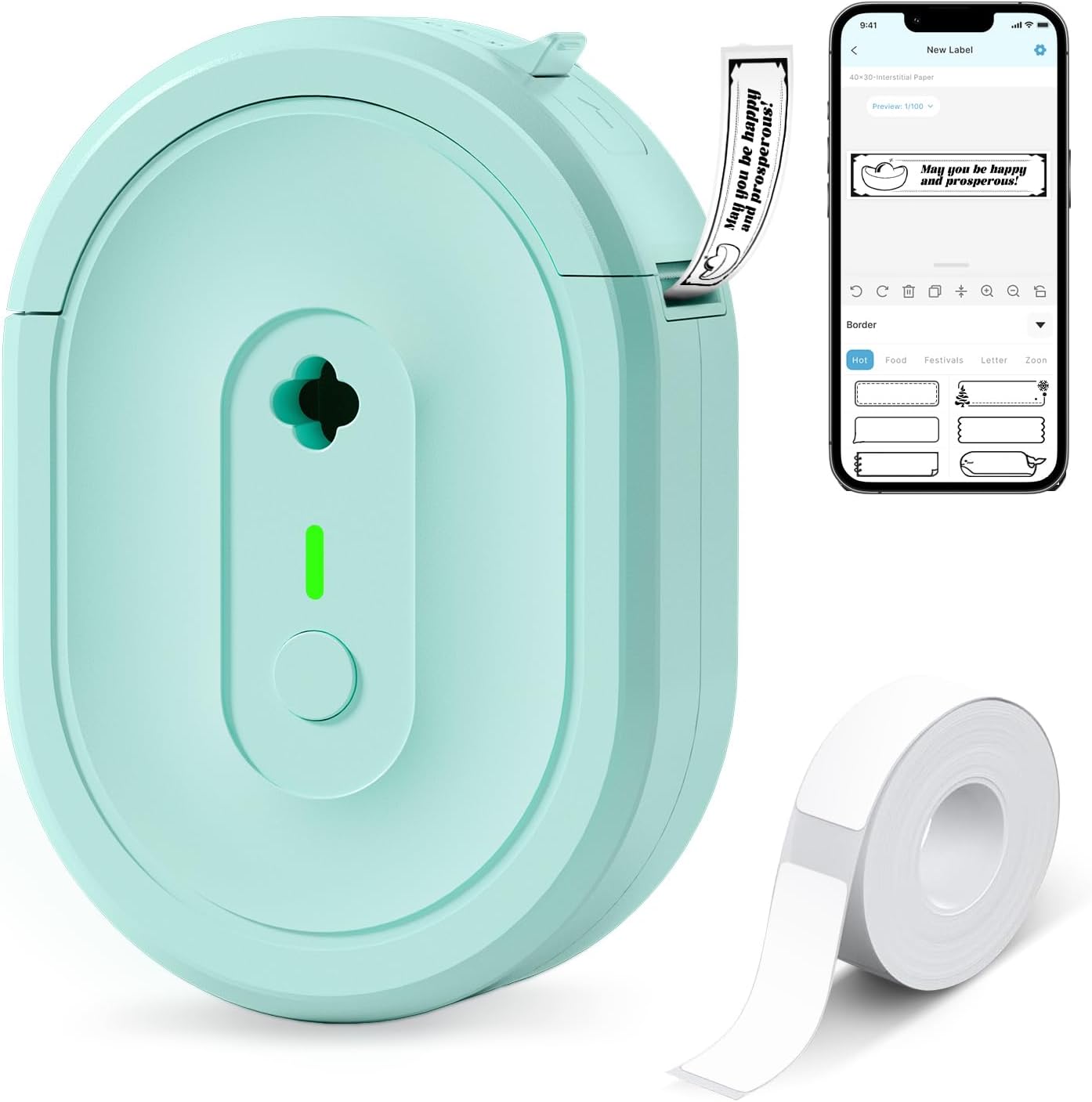
The NDYIN N12 is a small, battery-powered thermal label printer designed for quick on-demand labeling from smartphones and tablets. You connect over Bluetooth and use the free "Nada Print" app to choose templates, fonts, symbols, and label sizes, then print direct-thermal black text to adhesive label rolls included in the box. Its compact, lightweight build and built-in rechargeable battery make it easy to move around the house, classroom, or small shop for tasks like spice labeling, file tabs, cable ID, and price tags. The unit ships with a roll of pre-cut labels and supports several fixed widths, and because it uses direct thermal technology you do not need ink, toner, or ribbons. Expect clear 203 dpi mono output for short text and barcodes but no color or high-resolution graphics, and label lengths/sizes must match what the app and printer support. If you need heavy-duty industrial labels, faster enterprise print speeds, or full-color printing, this consumer-focused mini printer is not designed for those needs.
Best for: Buyers on a tight budget who want a simple, portable label maker for home, classroom, or small business tasks and value low ongoing costs over industrial features.
Less Ideal for: Users who need full-color printing, industrial-grade durability, or large-volume, high-speed label production should choose a more heavy-duty printer instead.
- Direct thermal printing so no ink, toner, or ribbons required
- Bluetooth connectivity with a companion app offering many templates and fonts
- Rechargeable built-in battery for true portability
- Includes pre-cut labels and charging cable out of the box
- Prints only black-and-white at 203 dpi so graphics and color are not supported
- Label widths and lengths are fixed to supported sizes so custom roll sizes may not work
Verdict: A compact, budget-friendly portable thermal label printer that cuts ongoing costs by printing from your phone without ink or ribbons.
NDYIN N20 Label Maker

| Printer Type | Thermal |
|---|---|
| Connectivity | Bluetooth, USB |
| Print Resolution | 203 dots_per_inch |
| Maximum Media Size | Paper Width: 3/4 inch-2 inch |
| Battery | 2000mAh rechargeable (up to 1,000 labels) |
The NDYIN N20 is a portable direct-thermal label printer that connects via Bluetooth or USB and prints black-and-white labels without ink. You design labels in the vendor app on iOS or Android and send them to the printer for quick production of product tags, pantry and office labels, barcodes, and QR codes. It accepts common thermal label widths from about 20 mm to 50 mm, uses 203 dpi resolution for clear text and simple graphics, and prints at roughly 35–40 mm/s, which keeps short runs moving. A built-in 2000 mAh battery claims long runtime and up to 1,000 labels per charge, making it convenient for occasional mobile use or light retail tasks. The unit ships with a starter roll and a Type-C cable and supports a variety of label shapes including clear and colored stock. Limitations to note are monochrome-only output and modest print resolution compared with higher-end models, so it is best for text, simple logos, and codes rather than photo-quality labels.
Best for: Buyers who need a reliable, portable label printer for steady everyday tasks like office tagging, pantry organization, small retail labeling, or classroom supplies and who value consistent, ink-free operation.
Less Ideal for: Those who need color printing, photo-quality labels, or heavy industrial throughput should consider higher-end or specialty printers instead.
- Direct thermal printing requires no ink or toner
- Bluetooth and USB connectivity for phone and computer printing
- Accepts a wide range of common thermal label widths
- 203 dpi resolution suitable for sharp text, barcodes, and QR codes
- Rechargeable battery with long standby and high label-per-charge claim
- Prints only in black and does not support color labels
- 203 dpi is not sufficient for high-detail or photographic printing
Verdict: A compact, battery-powered thermal label printer that reliably produces crisp monochrome labels from phones or USB devices, ideal for everyday portable labeling tasks.
Phomemo D30 Label Maker

| Printer Type | Thermal |
|---|---|
| Printer Connectivity Type | Bluetooth |
| Hardware Interface | Bluetooth 4.0, USB Type C |
| Maximum Print Resolution Black and White | 203 dots_per_inch |
| Print media | Labels |
The Phomemo D30 is a pocketable thermal label printer that pairs with the Print Master app to produce black-on-pattern or plain labels without ink. You design labels on your phone (fonts, icons, tables, barcodes, QR codes, and imported images) then send them over Bluetooth for fast, app-controlled printing. It accepts pre-cut and continuous D30-format tapes and uses a German thermal print head for sharper text and consistent output. Because it is thermal, you do not need ink or ribbons which lowers operating costs, and the rechargeable battery plus USB-C charging keeps it usable on the go. Limitations to note: it prints only black text, so color effects rely on patterned tapes, and layout requires selecting the correct paper size in the app to avoid offsets. The unit is best for light-to-medium labeling jobs like classroom bins, home organization, office files, and small business price tags rather than high-volume industrial use.
Best for: Buyers who want a low-cost, highly portable labeler for home, classroom, or small business tasks and who value easy, template-driven design via a smartphone app.
Less Ideal for: Users needing full‑color printing, heavy industrial throughput, or a standalone keyboard-driven labeler should look at other solutions.
- Very portable, pocket-sized design for on-the-go labeling
- App-driven templates, fonts, icons, barcode and QR code support for flexible label design
- Inkless thermal printing cuts consumable costs and simplifies maintenance
- Supports both pre-cut and continuous D30-format label tapes
- USB‑C charging and Bluetooth connectivity for modern convenience
- Prints only black text so color requires patterned tapes
- Requires the Print Master app and correct paper-size selection to avoid misaligned prints
Verdict: A lightweight, app-powered thermal label maker that delivers sharp, inkless monochrome labels for classroom, home, and small-business organization.
Nelko P21 Label Maker
| Printer Type | Thermal |
|---|---|
| Printer Connectivity Type | Bluetooth |
| Resolution | 203 x 203 DPI |
| Hardware Interface | USB Type C |
| Paper Size | 15X30mm,12X40mm,14x40mm,14X50mm,14x75mm |
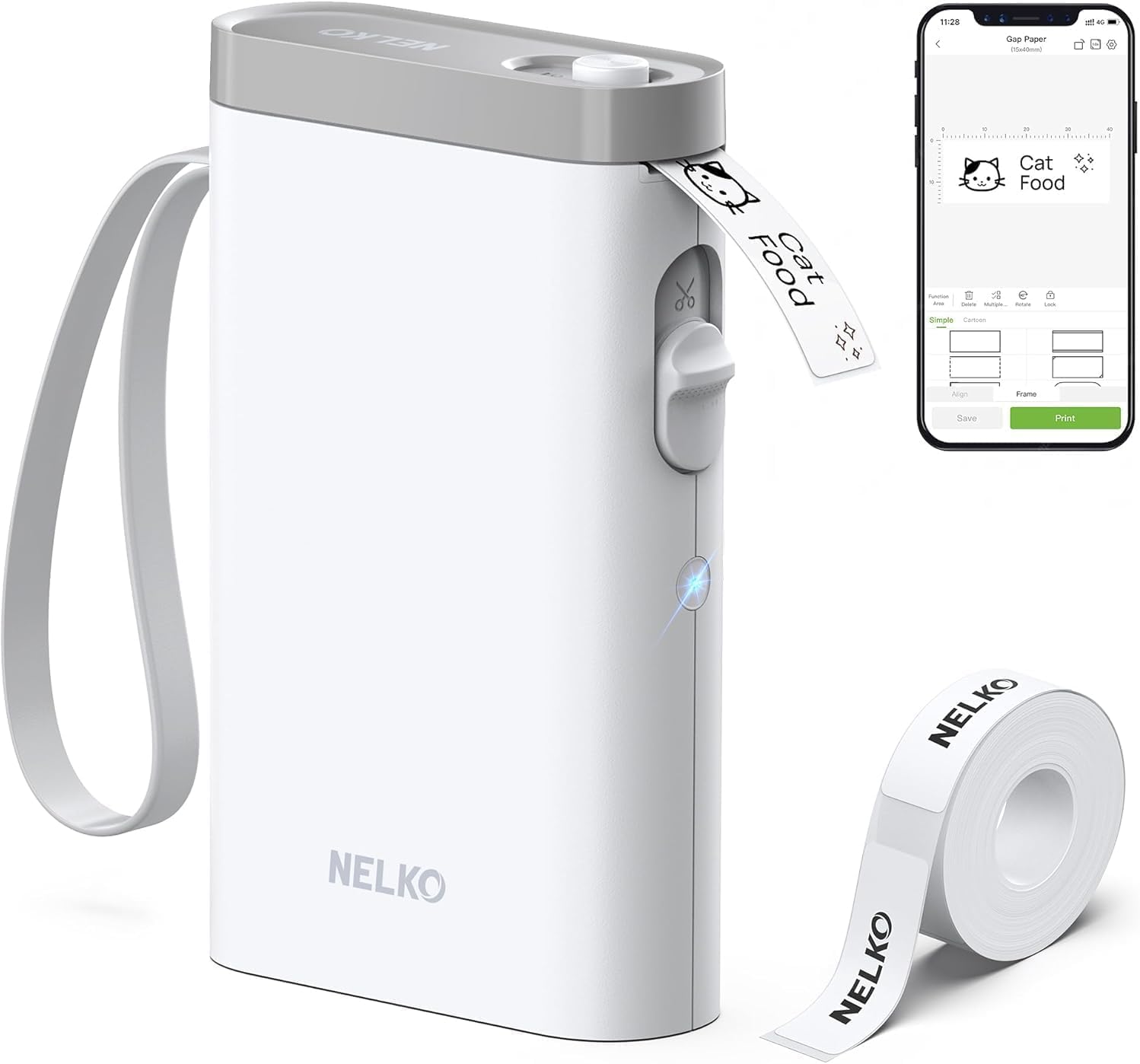
The Nelko P21 is a pocketable thermal label maker that links to your smartphone via Bluetooth and prints monochrome labels without ink. You design labels in the Nelko app (iOS 13+ and Android supported) using templates, icons, borders, barcodes and QR codes, then send jobs to the P21 which cuts labels with its built-in cutter. The unit uses direct thermal technology at 203 DPI for clear text and simple graphics, and runs from a built-in rechargeable battery charged over USB‑C. It accepts fixed-width label rolls (examples: 14×40mm, 14×50mm, 14×75mm) and is aimed at home, office and classroom organization tasks like bin labels, name tags and price stickers. Practical benefits include small size for portability, inkless printing and an app with many design resources. Important limitations are monochrome-only output and dependency on the Nelko mobile app for creating and sending prints, plus a note that it is not compatible with some Android 14 phones and does not work with computers.
Best for: Buyers who want a simple, reliable pocket labeler for tidying home, classroom, or small-business items and prefer an app-driven workflow over a full desktop solution.
Less Ideal for: Users who need color printing, desktop/PC printing, or who prefer a standalone device with onboard keyboard and screen should consider other options.
- Very compact and lightweight for portable use
- Inkless thermal printing with 203 DPI for clear black text
- Bluetooth pairing to smartphone app with many templates and design elements
- USB-C rechargeable battery for repeat use without disposable cells
- Monochrome printing only, no internal color capability
- Requires the Nelko mobile app to design and print and does not support PC connections
Verdict: A pocketable, app-driven thermal label maker that delivers crisp monochrome labels for home, classroom, and small-business organization.
Choosing the Right Portable Thermal Label Maker: Key Factors to Consider
Print Quality & Resolution
Print clarity determines how readable your labels are at a glance. Higher resolution thermal heads produce sharper fonts and finer lines, which matters for small text, barcode printing, and professional-looking results.
If you frequently label small cables, components, or narrow tags, better resolution reduces guesswork and misreads. Lower-resolution units may still be acceptable for large-format labeling like pantry jars or boxes, but think about the smallest text size you will need before choosing.
Print Speed
Print speed affects productivity when you are making many labels in a session. Faster printers reduce time spent waiting between labels and are valuable in office or light industrial settings where batch labeling is common.
Consider both per-label speed and any overhead from formatting or cutting. Some compact models sacrifice raw speed for portability, which is fine if you print intermittently; frequent label makers should prioritize higher throughput.
Tape Compatibility & Sizes
A label maker is only useful if its consumables match your needs. Look for units that accept a range of tape widths and common adhesive types, including durable thermal tapes rated for indoor and outdoor use.
Availability of tapes in different colors and finishes also affects flexibility for color-coding or signage. Proprietary, hard-to-find cartridges increase long-term cost and limit options, so prefer models that use widely available thermal label rolls.
Battery Life & Power Options
True portability depends on reliable power. Evaluate how long a unit runs on its included power source and whether it supports rechargeable batteries, USB charging, or standard replaceable cells.
If you plan to use the label maker in the field or away from power outlets, longer battery life or the ability to charge from a power bank makes the device more practical. Also consider how easy it is to swap batteries or charge between jobs.
Connectivity & Ease Of Use
A smooth workflow saves time. Some portable thermal label makers include on-device keyboards and templates, while others pair with smartphone apps or computer software. Each approach has tradeoffs in speed and flexibility.
On-device controls are great for quick single-line labels without a phone, while app-driven systems enable more complex layouts and barcode types. Evaluate the menu design, template availability, and whether the interface supports the kinds of labels you need.
Durability & Maintenance
A handheld label maker will see drops, spills, and repeated handling. Check construction quality, button responsiveness, and how easy it is to access the tape path for loading and clearing jams.
Thermal heads can wear over time; look for units that allow straightforward cleaning and have replaceable tape cartridges. Consider the warranty and expected maintenance needs for heavy or professional use.
Label Types and Adhesive Choices
Thermal label makers support a range of label materials and adhesives that suit different uses. Standard paper thermal tapes are fine for temporary indoor labels, but for more durable needs look for laminated or polyester thermal tapes that resist moisture, oil, and UV.
For cable marking or outdoor storage, choose high-tack or weatherproof adhesives and select narrow-width tapes made specifically for wraps and tags. Color and finish choices also help when you need quick visual organization.
- Paper thermal tape: economical, best for short-term indoor use
- Laminated/polysteric tapes: durable, resistant to abrasion and moisture
- Removable adhesives: good for temporary labeling without residue
- High-tack adhesives: better for textured or dusty surfaces
Portable Vs. Desktop Tradeoffs
Portable thermal label makers emphasize size, battery operation, and simplicity. They are ideal when you need to print labels at the point of use, such as on shelves, in server racks, or during event setup. Expect compromises in maximum tape width, print speed, and advanced layout features compared with larger desktop units.
Desktop label printers typically handle wider tapes and faster continuous printing for high-volume jobs, but they are less convenient to carry. Think about where you will print most often and whether mobility or capacity is the priority.
- Portable: compact, battery-powered, limited tape widths
- Desktop: higher capacity, faster, requires mains power
Connectivity Options and When They Matter
Bluetooth and USB connectivity expand layout options by enabling smartphone or computer apps for label creation. Apps often provide templates, barcode generation, and font choices that may not be available on-device. Use connectivity when you need complex labels or to integrate with asset management workflows.
However, reliable on-device controls are important if you often work without a phone or in environments where pairing is inconvenient. Evaluate whether wireless pairing is stable and whether the app supports the platforms you use.
- Bluetooth: great for mobile workflows and quick app-driven templates
- USB: reliable tethering for desktop-style label creation
- On-device: fastest for quick single-line labels without pairing
Managing Consumables and Long-Term Costs
Long-term ownership costs are driven by how often you print and the price and availability of label tapes. Choose tape widths and materials that match your most common tasks to avoid buying many different consumables.
Also consider multi-pack availability and third-party supply options. Units that accept widely available standard rolls typically reduce hassle and expense over time compared with those that lock you into single-vendor cartridges.
- Buy tapes in the widths you use most to minimize waste
- Check for third-party or bulk roll options for common tape types
- Store spare tapes properly to avoid curling or adhesive degradation
Label Design Tips for Readability
Focus on high contrast between text and background to maximize legibility. Use larger font sizes for text that may be read from a distance and reserve small text for close-up labels like barcode tags.
Limit decorative elements and keep layouts simple when printing on narrow tapes. For multi-line labels, align text and use capitalization or simple symbols to improve scanning and quick identification.
- Use bold or high-contrast fonts for faster scanning
- Avoid excessive icons or decorative borders on narrow labels
- Test barcode readability after printing before applying labels to critical items
How We Chose the Best Portable Thermal Label Maker
We evaluated candidates by focusing on the features that matter most to people who need portable, reliable label printing. Primary criteria included print quality and speed because legibility and throughput affect everyday usefulness. We also measured tape compatibility and availability to ensure each unit works with common widths and produces durable results. Battery life and power options were considered for true portability, looking for units that offer long runtimes or flexible power sources. Connectivity and ease of use were assessed by checking whether devices include simple on-device keyboards, Bluetooth or USB support, and intuitive menus. Finally, build quality and maintenance needs were factored in so picks would stand up to regular handling and require minimal upkeep. We excluded units that rely solely on obscure or proprietary consumables that are difficult to source. We also filtered out models that lacked basic durability or offered extremely slow print speeds. The resulting list prioritizes practical tradeoffs between speed, label longevity, and portability to help buyers choose based on real-world use.
Our full evaluation process is outlined in our review methodology.
FAQ
How long do thermal labels last?
Thermal labels can last several years depending on the tape material and exposure. Laminated and polyester thermal tapes resist fading and abrasion much better than plain paper tapes, especially outdoors or in sunlight.
Can I print barcodes with a portable thermal label maker?
Many portable thermal units support common barcode formats either on-device or through a companion app. Barcode readability depends on print resolution and label material, so choose a higher-resolution unit and suitable tape for reliable scanning.
Are rechargeable batteries better than replaceable cells?
Rechargeable batteries are convenient and lower long-term cost for heavy users, while replaceable cells provide a quick field swap when recharging is not possible. The best choice depends on how often you print away from power sources.
What tape width should I choose?
Select the tape width based on the maximum text or barcode size you need and the surface you will label. Narrow tapes are good for cables and small tags, while wider tapes work better for shelves and boxes that require larger text.
Do portable thermal label makers require special maintenance?
Maintenance is usually minimal but includes occasional cleaning of the thermal head and checking the tape path for dust or adhesive buildup. Proper cleaning extends head life and ensures consistent print quality.
Final Verdict
When choosing a portable thermal label maker, prioritize the features that match how and where you will print: resolution for small text and barcodes, tape compatibility for the materials you need, and battery life for true portability. Expect tradeoffs between compact size and throughput, and weigh whether you need Bluetooth or on-device controls for your workflow. Focus on units that use widely available tapes and offer straightforward maintenance to keep long-term costs and downtime low. With those priorities in mind, you can pick a model that delivers reliable, durable labels for home or light professional use.