
Note: This article contains affiliate links. If you click on these links and make a purchase, we may earn a small commission at no extra cost to you. This helps support our research and content. Read our full affiliate disclosure here.
If you want a faster, neater way to identify bins, shelves, cables, and pantry items, a label maker for organizing can make daily routines simpler. The right unit produces clear, long-lasting labels, fits the tapes or ribbons you prefer, and is easy to use when you need to relabel or add new tags. This guide shortlists the top label makers for organizing, focusing on units that balance speed, label durability, and ease of setup. Below you will find the main factors we used to evaluate each model and practical guidance to help you pick the right labeler for typical home organization tasks.
Top Picks at a Glance
| Best Overall The best all-around choice for most situations | Brother P‑Touch PTD220 |  |
| Best Quality Built to a higher standard if you want something more solid | Brother P-Touch PTD610BT |  |
| Best Value The sweet spot between price and what you get | SUPVAN T50M Pro Label Maker |  |
| Best Budget The cheapest option that still gets the job done reliably | NDYIN N12 Label Maker |  |
| Top Rated A top-rated pick with lots of positive feedback | DYMO LetraTag 100H |  |
| Most Popular A crowd favorite that many people choose with confidence | Nelko P21 Label Maker |  |
| Best Seller A high-volume bestseller chosen again and again | Phomemo D30 Label Maker |  |
Brother P‑Touch PTD220

| Maximum Media Size | 12 x 9 mm |
|---|---|
| Print Resolution | 180 dpi |
| Number of Saved Labels | 30 |
| Power | 6 AAA batteries or optional AC adapter |
| Printer Connectivity Type | wired |
The Brother P-Touch PTD220 is a portable, QWERTY-style label maker designed for home and small office organization. It prints black-on-white laminated TZe label tapes up to 12mm (about 1/2 inch) wide and offers one- and two-line printing at a crisp 180 dpi. The unit runs on six AAA batteries or an optional AC adapter and has a 15-character preview display so you can check text before printing. Practical features include one-touch formatting keys, 25 preset templates, and the ability to save up to 30 frequently used labels for quick reprints, plus a broad selection of Brother TZe tape types for waterproof, extra-strength, or decorative jobs. It is compact and straightforward to use for labeling files, shelves, cords, and pantry items, producing durable laminated labels that stick well to many surfaces. Limitations are the wired-only connectivity and small monochrome display, so you cannot design labels from a phone or computer and layout options are more basic than larger, connected models.
Best for: Buyers who want a simple, reliable handheld label maker for tidying a home or small office and value quick on-device label creation and durable laminated tapes.
Less Ideal for: Users who need app or PC-based design, wider tape support beyond 12mm, or advanced layout and graphic features should consider higher-end connected models.
- Prints durable laminated Brother TZe tapes up to 12mm wide suitable for many surfaces
- Familiar QWERTY keyboard and one-touch formatting make label creation fast and easy
- Stores up to 30 frequently used labels for quick reprinting
- Includes 25 preset templates and a large library of fonts, frames, and symbols
- No wireless or PC connectivity for designing labels remotely
- Monochrome 15-character display limits complex previews and multi-line layout editing
Verdict: A compact, easy-to-use label maker that makes durable, on-the-spot labels quickly for home and small office organization.
Brother P-Touch PTD610BT

| Printer Type | Thermal |
|---|---|
| Maximum tape width | 24 mm (~1") |
| Print resolution | 180 x 360 dpi |
| Connectivity | USB, Bluetooth |
| Display Type | Full-color backlit LCD |
The Brother P-Touch PTD610BT is a business-focused thermal label printer that connects by Bluetooth or USB to smartphones and computers so teams can design and print professional labels from multiple devices. It prints on durable Brother TZe laminated tapes up to about 1 in (24mm) with a high-resolution engine that produces crisp barcodes, logos, and multi-line text. The unit includes a QWERTY keyboard and a large two-line color LCD for on-device editing and print preview, plus templates, one-touch formatting, and the ability to store frequently used labels. For busy retail, warehouse, or office workflows the automatic cutter, fast print speed, and app/PC editor streamline batch labeling and asset tracking. Limitations include reliance on proprietary TZe tapes and a footprint that suits desktop use rather than handheld portability, so it is best where durability and connectivity matter more than ultra-compact size.
Best for: Buyers who need durable, high-quality labels for business workflows and value fast, networked label creation across phones and computers to keep inventory and assets organized.
Less Ideal for: People who want an ultra-compact, pocketable labeler for occasional home use or who prefer open third-party label supplies.
- Bluetooth and USB connectivity for mobile and PC printing
- High-resolution thermal printing that handles barcodes, logos and up to 7 lines of text
- Full-color backlit LCD with print preview and built-in QWERTY keyboard for quick on-device setup
- Automatic cutter and fast print speed for efficient batch labeling
- Supports durable Brother TZe laminated tapes up to ~1" for outdoor and long-lasting labels
- Uses proprietary TZe tape supplies which adds ongoing cost
- Designed for desktop use and is larger than handheld labelers
Verdict: Choose the PTD610BT when you need rugged, high-resolution business labels and seamless mobile-to-desktop printing for efficient organization.
SUPVAN T50M Pro Label Maker

| Printer Type | Thermal |
|---|---|
| Controller Type | Android / iOS |
| Maximum Media Size | 1-5/8'' x 1-3/16'' |
| Hardware Interface | USB Type C |
| Resolution | 203 dots_per_inch |
The SUPVAN T50M Pro is a handheld thermal label printer aimed at home, school, and small-business organization. It prints monochrome labels without ink, using thermal tape that snaps into the device, and pairs with a free iOS/Android app to design labels with fonts, frames and icons or import images and barcodes. Typical uses include pantry and spice labeling, file and folder tags, cable and product labels, and small-address or barcode printing. Notable features are automatic label-size recognition, USB-C charging/connection, and enhanced image processing in the companion app for sharper text and simple graphics. The device is lightweight and portable, and the included 40 mm x 30 mm tape and charging cable make it ready to use out of the box. Limitations are that it only prints black-and-white and is limited to the T50M tape widths and supplied media sizes, so it is not suitable if you need color labels or wider commercial formats. Print resolution and 2-inch max width are good for clear small labels but not for high-resolution photo printing.
Best for: Buyers who prioritize straightforward, low-maintenance organization for home, school, or a small business and want a compact label printer that pairs with a capable mobile app for quick custom labels.
Less Ideal for: Anyone who needs full‑color labels, wider-format commercial labels, or photo-quality printing should choose a device designed for those specific needs instead.
- Inkless thermal printing eliminates cartridges and reduces running cost
- Free companion app with many fonts, frames and 660+ icons for fast label design
- Automatic label-size recognition simplifies switching label shapes and sizes
- USB Type-C connectivity and included charging cable for easy power and wired connection
- Included starter tape lets you print right away
- Monochrome-only printing limits decorative and color-coded labeling
- Maximum media width capped at about 2 inches restricts larger label needs
Verdict: A portable, inkless label maker with a powerful free app that makes fast, durable monochrome labels for home and small-business organization.
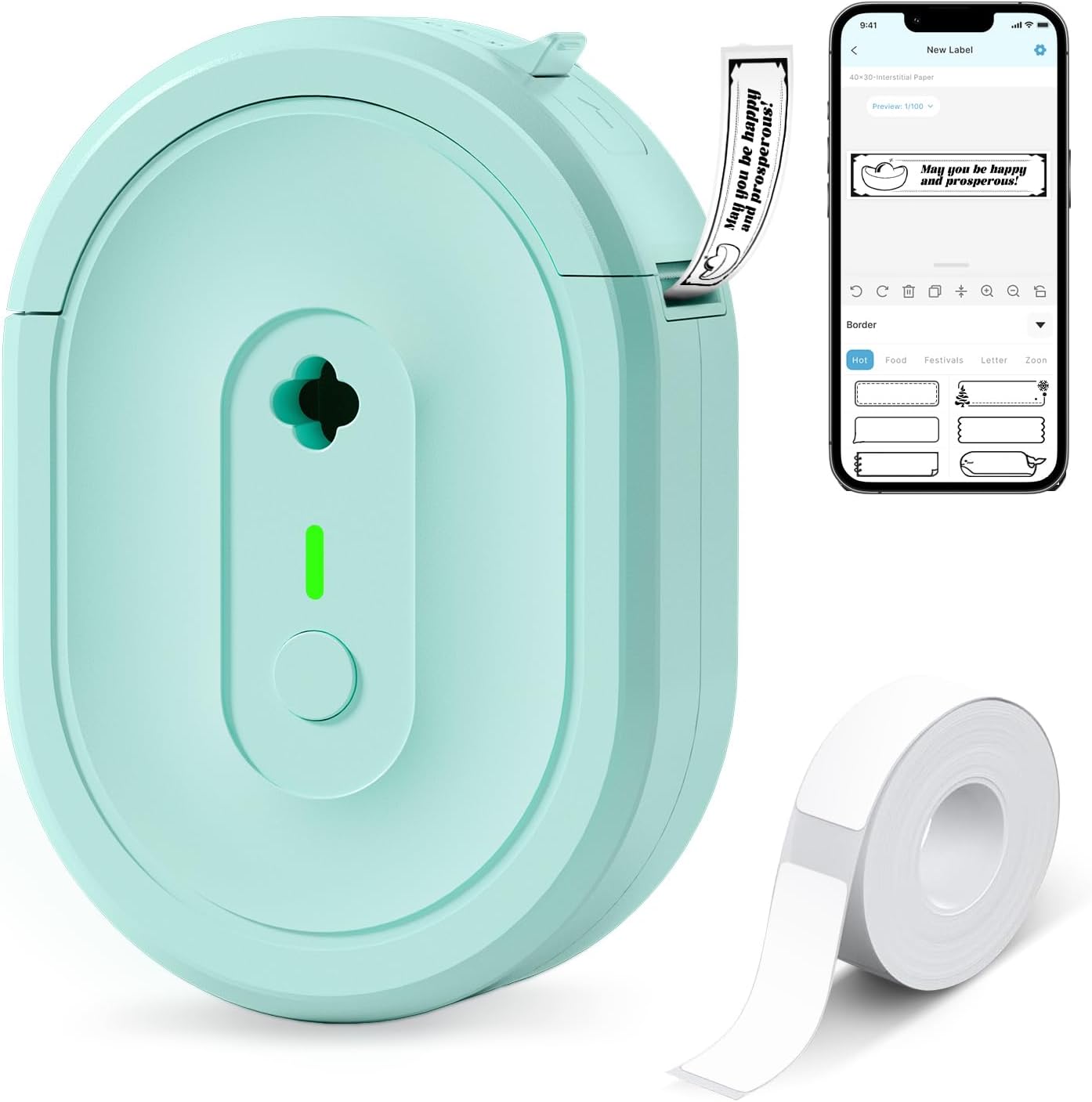
NDYIN N12 Label Maker
| Printer Type | Thermal |
|---|---|
| Printer Connectivity Type | Bluetooth |
| Resolution | 203 x 203 dpi |
| Built-In Media | 1*180 Pre-cut white labels (14×40mm) |
The NDYIN N12 is a pocket-friendly thermal label maker that pairs with the free Nada Print app to create simple adhesive labels from a phone or tablet. It uses direct thermal printing so you do not need ink, toner, or ribbons, and it runs on a built-in rechargeable battery for cordless use around the house, classroom, or small office. The app includes a wide range of templates, symbols, frames, and fonts, making it easy to design spice jar tags, cable labels, file labels, price tags, and name badges. Setup is straightforward via Bluetooth and the printer ships with a roll of pre-cut labels and a charging cable. Expect only black-and-white output and fixed label widths, and note the resolution is modest at 203 dpi which is fine for text and barcodes but not for detailed graphics. The compact size makes it very portable but limits large-format labels and high-volume work without reloading media frequently.
Best for: Buyers who want an inexpensive, easy-to-use label maker for home, school, or light small-business tasks and prefer designing labels from a phone.
Less Ideal for: Users who need high-resolution graphics, full-color printing, or heavy industrial labeling should consider more capable desktop label printers.
- Direct thermal printing eliminates ink, toner, and ribbons
- Rechargeable battery for cordless, portable use
- Bluetooth pairing and a mobile app with many templates and fonts
- Includes pre-cut label roll and charging cable for quick start
- Prints only in black and white with 203 dpi resolution
- Fixed label widths limit very large or custom-width labels
Verdict: A low-cost, portable Bluetooth thermal label printer that makes quick monochrome labels from your phone for everyday home and small-business organization.
DYMO LetraTag 100H

| Print technology | Direct Thermal Printing |
|---|---|
| Print resolution | 200 dpi |
| Power source | 4x AA Batteries (not included) |
| Included tapes | 3 |
The DYMO LetraTag 100H is a small, handheld thermal label maker designed for home and office organization tasks. It prints on paper and plastic cassettes and arrives with three starter tapes so you can label drawers, files, bins, and clothing right away. The unit offers a graphical LCD that previews text, 5 font sizes, multiple print and box styles, simple two-line printing and nine label memories for recurring labels, which speeds repetitive jobs. It runs on four AA batteries and has an auto-off power saver to preserve battery life when idle. Because it uses direct thermal printing there is no ink or toner to replace, which reduces ongoing maintenance. Limitations include the basic keyboard and monochrome output—this is not for high-volume industrial use or color-rich designs—but for everyday organizing projects the LetraTag 100H is reliable, portable, and easy to operate.
Best for: Buyers who prioritize a dependable, low-maintenance label maker for home or small office organization and want a portable tool that consistently produces clear labels.
Less Ideal for: Those needing high-volume, industrial-grade labeling, full-color printing, or advanced desktop software workflows should look at more capable desktop label printers.
- Compact, lightweight handheld design for portability
- Graphical LCD preview to check labels before printing
- Includes three starter tapes (paper and plastic) for immediate use
- Direct thermal printing requires no ink or toner, lowering maintenance
- Runs on four AA batteries rather than rechargeable power
- Monochrome output and basic keyboard limit design flexibility
Verdict: A reliable, no-fuss handheld label maker that delivers easy, maintenance-free labels for everyday organizing tasks.
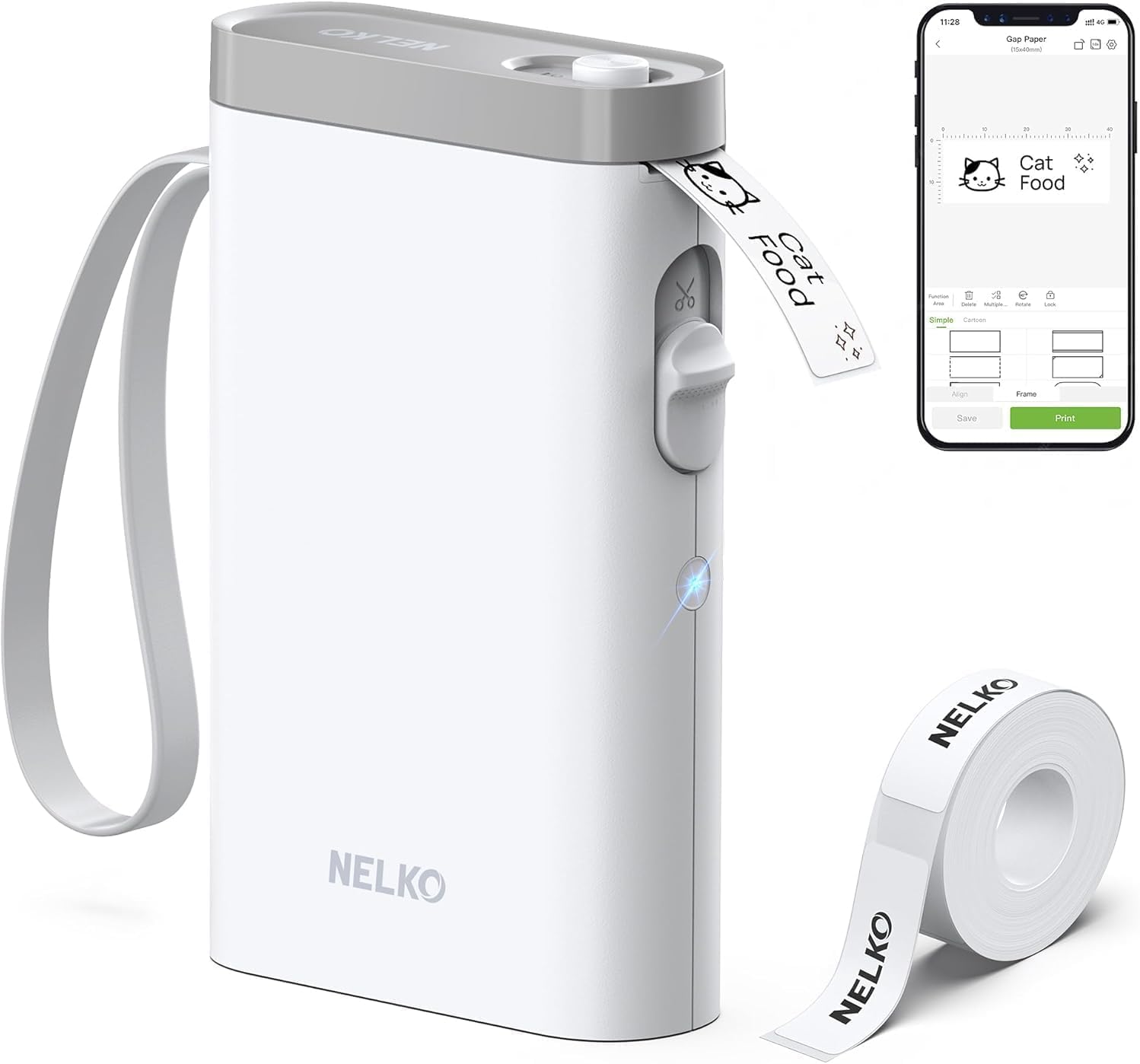
Nelko P21 Label Maker
| Printer Type | Thermal |
|---|---|
| Printer Connectivity Type | Bluetooth |
| Resolution | 203 x 203 DPI |
| Hardware Interface | USB Type C |
| Paper Size | 15X30mm,12X40mm,14x40mm,14X50mm,14x75mm |
The Nelko P21 is a pocketable Bluetooth thermal label maker designed for quick, app-driven labeling at home, school, or small businesses. You design labels in the Nelko app (iOS and Android) using templates, icons, borders, barcodes, or images, then send them to the P21 for inkless 203 DPI thermal printing. The unit is rechargeable via USB-C and ships with a roll of white label tape and a built-in cutter for clean edges. Its small size and app templates make it convenient for sorting bins, pricing, name tags, and classroom organization, and the thermal printing means no ink to replace. Limitations include monochrome-only output and dependence on the Nelko mobile app for all editing and Bluetooth connection, and it is not compatible with computers or some Android 14 phones. Buyers should also stick with recommended Nelko label rolls to avoid print quality issues.
Best for: Buyers who rely on user reviews and want a compact, proven label maker for everyday organization—especially for classrooms, home bins, or small retail labeling where portability and template-driven design matter.
Less Ideal for: Users who need full-color printing, direct computer integration, or guaranteed compatibility with the latest Android OS releases should look for alternate models with those capabilities.
- Very compact and lightweight for portable use and quick label printing
- Bluetooth app control with many templates, icons, and borders for creative labels
- Inkless thermal printing at 203 DPI eliminates ink replacements
- Includes USB-C charging and built-in cutter for finished labels
- Works well for classroom, home organization, and small business tags
- Monochrome printing only, so color requires patterned tape rather than true color output
- Requires the Nelko mobile app and Bluetooth; not usable from a computer
- Some Android 14 phones and other devices may not be compatible
Verdict: Choose the Nelko P21 if you want an affordable, highly portable Bluetooth label maker that delivers reliable inkless labels with rich app templates for everyday organization.
Phomemo D30 Label Maker

| Printer Type | Thermal |
|---|---|
| Print Resolution | 203 dots_per_inch |
| Printer Connectivity Type | Bluetooth |
| Hardware Interface | Bluetooth 4.0, USB Type C |
| Control Method | App |
The Phomemo D30 is a pocketable, rechargeable thermal label maker that connects to your phone over Bluetooth and prints black text onto continuous or pre-cut sticker tapes without ink. You design labels in the Print Master app using templates, icons, barcodes, QR codes or Excel imports, then send jobs wirelessly to the D30 for quick one-off prints. The unit is lightweight and easy to carry, and the German thermal print head delivers clear 203 dpi text suitable for household, classroom, office, or small-business tags. Because it uses thermal paper there is no ink or ribbon to replace, which keeps running costs low, and a wide variety of patterned tapes lets you add color backgrounds even though output is single-color. Limitations to note are the monochrome output and the need to set the correct tape size in the app to avoid offsets, and more advanced users may miss a built-in screen or direct keyboard control for on-device editing.
Best for: Buyers who want a low-maintenance, app-driven label maker for everyday organizing tasks—suitable for tidying home storage, classroom supplies, office files, and small-business price tags.
Less Ideal for: People who need full-color printing, a standalone device with a built-in screen and keyboard, or industrial-grade label durability for heavy outdoor use should look elsewhere.
- Portable, lightweight design that is easy to carry and store
- Bluetooth connection and app-based editor with many templates, fonts, icons, and batch import
- Inkless thermal printing reduces consumable costs and maintenance
- Supports continuous and pre-cut tapes including decorative patterned labels for color effects
- Prints only black text so color requires patterned tape rather than colored ink
- No built-in display or onboard keyboard so editing requires the smartphone app
Verdict: Choose the Phomemo D30 if you want a pocketable, app-controlled thermal label maker that delivers sharp monochrome labels with minimal running costs for home, classroom, or small-business organization.
Choosing the Right Label Maker for Organizing: Key Factors to Consider
Label Durability and Finish
Durable labels stay legible through spills, sunlight, and everyday wear. For home organizing you will often place labels on containers that see handling, moisture, or freezer temperatures. Look for label materials rated for water resistance and fade resistance, and consider laminated or thermal-transfer finishes if longevity is a priority. Different finishes also affect legibility and aesthetics. Matte labels reduce glare under under-cabinet lighting, while glossy or laminated labels are easier to wipe clean. Think about where the labels will live and choose a label material that matches those conditions.
Ease of Use and Editing
A label maker that is easy to operate saves time when you are tagging dozens of items. Physical keyboards with tactile keys speed up single-line entries, while devices with mobile apps or desktop software are better for longer lists, batch printing, or custom templates. Menus, preview screens, and built-in templates reduce mistakes and make it simpler to get consistent results. Consider how you like to work: whether you prefer typing directly on the unit, designing on a phone, or importing text from a computer.
Tape Compatibility and Size Options
Compatibility with a variety of tape widths, colors, and adhesive types gives a label maker more flexibility. Thin tapes are good for cords and small items, while wider tapes are better for boxes and pantry shelves. Some label makers accept specialty tapes such as iron-on fabric labels or extra-strong adhesive for rough surfaces. Check whether the machine uses proprietary cartridges or accepts standard rolls. Machines that support multiple tape widths and finishes let you standardize labeling across different storage types without needing multiple devices.
Power, Portability, and Mounting
Where and how you will use the label maker affects whether battery power, USB charging, or a dedicated wall adapter is preferable. Battery-operated units are convenient for labeling around the house and in garages; plug-in or rechargeable units avoid frequent battery replacement for heavy use. Portability also matters if you plan to use the label maker on ladders or in storage closets. Size, weight, and ergonomics influence how comfortable the device is to use for extended sessions and whether it fits in a cleaning caddy or closet shelf.
Print Speed, Cutter, and Reliability
Speed matters when you have many labels to produce. Look for machines with fast print throughput and reliable auto-cutters to reduce time spent trimming or peeling tape. A consistent feed mechanism prevents jams and misaligned text, both of which slow down multi-label jobs. Reliability also covers how the device handles repeated use. Durable mechanisms and straightforward tape loading reduce downtime and frustration in regular organizing projects.
Connectivity, Templates, and Export Options
Connectivity to smartphones or computers lets you build and store templates, import lists, and use additional fonts or symbols. A label maker with a companion app can speed repetitive tasks like labeling multiple similar boxes or creating barcode tags from an inventory list. Consider whether the device supports offline use, how easy it is to sync designs, and if it exports or saves label files for later reprinting. Those options are helpful when you maintain seasonal labeling schemes or update pantry inventories regularly.
Best Tape Types for Home Organization
Different tape types suit different uses. For pantry and kitchen items choose waterproof, oil-resistant tapes that can withstand spills and temperature changes. For fabric or clothing labels look for heat-transfer or iron-on tapes designed to bond with textiles.
Color and finish matter for visual systems. Use high-contrast combinations for readability, such as black text on white tape for general use and colored tapes to mark categories or seasons.
- Matte white for general-purpose labeling and low glare
- Laminated tapes for heavy-duty, easy-to-clean labels
- Heat-transfer tapes for fabric and garments
- Strong-adhesive tapes for textured or dusty surfaces
Setting Up a Consistent Home Labeling System
A consistent approach improves recognition and reduces decision fatigue. Decide on a color-coding scheme, tape width, and naming convention before you start so labels look uniform across the house. For example, use one tape color for food items and another for storage containers.
Batch your work by area. Label all pantry items in one session, then move to storage bins. Save templates for repeated labels like 'spare bulbs' or 'seasonal decorations' to speed future labeling.
- Choose a single font size for similar surfaces to maintain legibility
- Standardize margins and padding so printed labels align on containers
- Use consistent capitalization and abbreviations for clarity
Maintaining and Replacing Label Tapes
Keep spare rolls of your most-used tape types on hand so you do not interrupt a long labeling session. Store tapes away from direct sunlight and extreme temperatures to preserve adhesive quality and print contrast.
When replacing tapes, follow the device instructions carefully to avoid feed errors. Inspect the first few prints after a new roll for alignment and contrast, and adjust contrast or font size if necessary.
- Rotate stock by using older tapes first to avoid adhesive degradation
- Keep cleaning cloths nearby to prep textured surfaces before applying labels
- Note tape part numbers or descriptors so you can reorder the same finish
Using Mobile Apps and Templates Effectively
If your label maker pairs with an app, use it to create multi-line templates and store commonly used labels. Apps often include symbol libraries and grid alignment tools that are hard to replicate on a small device screen.
Export or back up label templates if the app allows it. That makes it easy to restore your system after a phone change or to share a labeling standard with family members handling storage.
- Use copy-and-paste or import features for long inventory lists
- Save templates with descriptive names tied to rooms or categories
- Test print a single label to verify spacing before batch printing
Labeling for Specific Home Areas
Different rooms present unique needs. In the kitchen prioritize waterproof, food-safe labeling for pantry jars and freezer containers. In the garage choose strong-adhesive tapes that stick to rough surfaces and tolerate temperature swings.
For kids spaces, pick rounded-edge labels or clearly sized fonts so small hands can see and return items correctly. For home offices use narrow tapes for cable tags and wider labels for file boxes to keep the workspace orderly.
- Kitchen: laminated, oil-resistant tape
- Garage: extra-strong adhesive, high-contrast tape
- Kids: wipeable, rounded-edge labels with clear fonts
- Office: narrow cable labels and wider file box labels
How We Chose the Best Label Maker for Organizing
We evaluated label makers for organizing against concrete, buyer-focused criteria that determine real-world usefulness. Portability and power were assessed to ensure units work well both on a countertop and when moved between rooms. Label material support and durability were judged by the range of tape widths and finishes accepted plus resistance to water, abrasion, and fading. Ease of use covered keyboard layout, menu clarity, and software convenience for creating multi-line or custom labels. Speed and reliability looked at print throughput and how consistently the device advances and cuts tape. Connectivity and file support considered whether the unit pairs with mobile apps, supports templates, and accepts common file types or fonts. Finally, ongoing cost and tape availability were considered to ensure replacement consumables are commonly stocked. We excluded lab-grade industrial labelers and specialty electronic printers intended for signage or networking cable labeling that require enterprise workflows. Our short list favors machines that perform well in typical home organization tasks, are straightforward to set up, and use readily available label supplies.
Our full evaluation process is outlined in our review methodology.
FAQ
What tape finish lasts longest on pantry jars?
Laminated waterproof tapes typically last longest in pantry conditions because they resist moisture, grease, and frequent handling. Matte laminated options reduce glare while still offering strong resistance to spills.
Can I use a label maker without connecting to a phone or computer?
Yes. Many label makers include a built-in keyboard and templates for offline use. Those units are convenient for quick, on-the-spot labeling when you do not want to open an app.
How do I ensure labels stick to textured or dusty surfaces?
Clean and dry the surface thoroughly before applying a label, and choose a tape with stronger adhesive formulated for rough or dusty surfaces. Press the label firmly and allow adhesive to set if the manufacturer recommends a cure time.
Are heat-transfer tapes safe for clothing?
Heat-transfer tapes designed for garments are generally safe when applied according to instructions, using the recommended temperature and pressure. Test on a scrap of fabric first to confirm adhesion and wash durability.
How often should I replace label tapes to avoid printing issues?
Replace tapes when you notice fading, inconsistent feed, or adhesive degradation. Storing unopened rolls in a cool, dark place helps extend usable life, and checking alignment on the first few prints after a new roll avoids wasted labels.
Final Verdict
Prioritize the label maker features that match how you will use it. If you need long-lasting tags for kitchen and storage, emphasize tape durability and waterproof finishes. If you label frequently across the house, prioritize ease of use, battery or rechargeable power, and app templates to speed batch printing. Balance tape compatibility, print reliability, and portability to find a device that fits your workflow. With the right combination of durability and usability you can create a consistent labeling system that keeps your home organized with minimal ongoing effort.