
Note: This article contains affiliate links. If you click on these links and make a purchase, we may earn a small commission at no extra cost to you. This helps support our research and content. Read our full affiliate disclosure here.
Picking the right printer for students matters because it shapes everyday study routines and can save time and money over a school year. You want a machine that handles homework, projects, and occasional photo or color pages without frequent maintenance or expensive supplies. This guide shortlists the top options for students, each selected for classroom-friendly features and real-world usability. Below we cover compact footprints, print speed, running costs, and ease of use so you can pick a device that fits dorms, desks, or shared apartments. Read on for the picks and the evaluation criteria used to choose them.
Top Picks at a Glance
| Best Overall The best all-around choice for most situations | HP OfficeJet Pro 8125e |  |
| Best Quality Built to a higher standard if you want something more solid | Epson EcoTank ET-2800 |  |
| Best Value The sweet spot between price and what you get | Brother Work Smart 1360 |  |
| Best Budget The cheapest option that still gets the job done reliably | Epson Expression Home XP-5200 |  |
| Top Rated A top-rated pick with lots of positive feedback | Canon PIXMA TR4720 |  |
| Most Popular A crowd favorite that many people choose with confidence | Canon PIXMA MG3620 |  |
| Best Seller A high-volume bestseller chosen again and again | TATTMUSE A285M Portable Thermal Printer |  |
HP OfficeJet Pro 8125e

| Printer Type | HP Thermal Inkjet |
|---|---|
| Scanner Type | Flatbed, 1-sided ADF |
| Maximum Sheet Capacity | 225 |
| Duplex | Automatic (standard) |
| Connectivity | Apple AirPrint; Ethernet; USB; Wireless (Wi-Fi); Wireless direct printing |
The HP OfficeJet Pro 8125e is a multifunction inkjet aimed at users who need fast color and reliable everyday printing. It handles printing, flatbed scanning, copying and an automatic document feeder for multi-page scans, and it supports automatic two-sided printing to save paper. Connectivity covers dual-band Wi-Fi, wireless direct, AirPrint, Ethernet and USB, and the HP app plus AI-driven formatting tools make printing web pages and emails easier without awkward layouts. The 225-sheet input capacity and 60-sheet output help when printing many assignments or handouts, and color print resolution is high enough for presentations and graphics. Practical downsides include dependency on HP cartridge family and optional Instant Ink subscription for ongoing savings, and some buyers report setup or app issues with network configurations. For students this printer balances speed, useful mobile features and paper handling to cover typical course work and project printing needs.
Best for: Students who need a dependable, feature-rich printer for coursework and projects and who value mobile printing, automatic duplexing and decent input capacity for regular document volumes.
Less Ideal for: Those wanting the absolute lowest ongoing ink costs or a compact travel-sized printer should look at budget or monochrome alternatives instead.
- All-in-one functions with flatbed scanner and 1-sided ADF for multi-page scanning
- Automatic duplex printing and 225-sheet input reduce manual paper handling
- Multiple connectivity options including dual-band Wi-Fi, Ethernet and AirPrint
- High color print resolution up to 4800 x 1200 dpi for crisp presentations
- Relies on HP 923 cartridge family which affects long-term ink costs
- Some users report occasional setup or app connection frustrations
Verdict: A versatile all-in-one that gives students fast, feature-packed printing and easy mobile workflows for everyday assignments and projects.
Epson EcoTank ET-2800

| Printer Type | Inkjet |
|---|---|
| Printer Connectivity Type | USB, Wi-Fi |
| Maximum print Resolution Color | 5760 x 1440 dpi |
| B&W Pages per Minute | 10 |
| Maximum Sheet Capacity | 100 |
The ET-2800 replaces cartridges with high-capacity refillable ink tanks, letting you print large volumes without frequent cartridge swaps; Epson rates the included ink as roughly equal to many cartridges, which cuts ongoing costs. It prints up to 10 ISO pages per minute for black and around 5 ppm for color, and offers a flatbed scanner and copy functions for typical student needs like essays, handouts, and occasional photos. Setup and mobile printing are straightforward thanks to Wi-Fi and app control, and the PrecisionCore-based Micro Piezo technology delivers sharp text and decent color for classroom projects. Limitations include simplex-only printing so no automatic duplex, modest paper handling compared with office models, and slower color photo speeds. Also Epson recommends genuine ink to maintain performance. For students who prioritize low running costs and reliable text quality, this model balances affordability and everyday performance.
Best for: Students who want a low-cost-per-page home printer that reliably produces sharp text and handles everyday printing, scanning, and copying without frequent ink changes.
Less Ideal for: People who need fast duplex printing, large paper trays, or high-volume photo printing should look at higher-end or office-focused models instead.
- Cartridge-free EcoTank system with high-capacity refillable ink tanks reduces frequency of replacements
- Good text quality driven by PrecisionCore/Micro Piezo technology for crisp documents
- Wireless and mobile printing with app control for easy printing from laptops and phones
- No automatic duplex printing; manual two-sided printing only
- Color print speed and photo printing are relatively slow compared with higher-end models
Verdict: Choose the ET-2800 if you want a student-friendly, low-running-cost all-in-one that delivers reliable text quality and easy wireless printing.
Brother Work Smart 1360

| Printer Type | Inkjet |
|---|---|
| Duplex | Automatic |
| Maximum Sheet Capacity | 150 |
| Automatic Document Feeder | 20 sheets |
| Connectivity | USB, Wi‑Fi |
The Brother Work Smart 1360 is a compact multifunction inkjet aimed at home and small office use; it handles printing, copying, and scanning with a 20‑sheet single‑sided automatic document feeder and flatbed scanner. Setup and mobile printing are straightforward using Brother Mobile Connect, AirPrint, or Mopria and the printer supports Wi‑Fi and USB connections. Notable features for students include automatic two‑sided printing to save paper, a 150‑sheet input tray to reduce reloads, and relatively quick black print speeds for text. Color output is suitable for flyers and class projects, though color speed is slower than black. The machine uses LC501 series ink with standard and high‑yield options and includes Page Gauge to monitor levels, but frequent color graphics or photo-heavy print jobs will increase ink costs. The 1.8" color display gives basic control without a full touchscreen, and the small footprint fits dorm rooms or study desks. If you need dependable, straightforward printing with duplexing and easy mobile workflows, this model covers the essentials without extra complexity.
Best for: Students who need a reliable, space-saving all‑in‑one for essays, scans, and occasional color projects and who value easy mobile printing and automatic duplexing to cut paper use.
Less Ideal for: Students who print high volumes of color graphics or photos and need the fastest color throughput or the lowest ongoing ink cost should consider higher-capacity or laser alternatives.
- Automatic duplexing saves paper for double-sided assignments
- Wireless and USB connectivity with AirPrint and Mopria for easy mobile printing
- 150-sheet tray and 20-sheet ADF reduce frequent paper refills
- Compact footprint suitable for dorms and small desks
- Page Gauge and Mobile Connect app make ink monitoring and remote printing simple
- Color prints are slower than black and can consume ink quickly
- Small display is basic and not a full touchscreen
Verdict: A compact, student-friendly all‑in‑one that prioritizes easy mobile printing and automatic duplexing to save time and paper.
Epson Expression Home XP-5200

| Printer Type | Inkjet |
|---|---|
| Maximum print Resolution Color | 4800 x 1200 dpi |
| B&W Pages per Minute | 14 pages_per_minute |
| Color Pages per Minute | 7.5 pages_per_minute |
| Printer Connectivity Type | USB, Wi-Fi |
The Epson Expression Home XP-5200 is a compact all-in-one aimed at everyday home and student use, offering print, scan and copy functions with Wi-Fi and voice-activated printing. It uses Epson PrecisionCore technology for sharp documents and borderless photos at a maximum resolution of 4800 x 1200 dpi, and handles common paper sizes from 4×6 photos up to legal. A 150-sheet tray and automatic duplexing make it convenient for multi-page homework and handouts, while the 2.4-inch color display and Epson Smart Panel app simplify setup and mobile printing. Print speeds are modest—about 14 ppm black and 7.5 ppm color—so it is best for intermittent classroom assignments and photo projects rather than heavy daily volumes. It uses individual Claria 222 cartridges so you only replace depleted colors, but the printer requires genuine Epson cartridges. Overall, it balances image quality, basic features, and straightforward wireless setup in a space-saving package suited to students on a budget who need scanning and occasional photo printing.
Best for: Students needing an affordable, space-saving all-in-one for homework, scanning assignments, and occasional photo prints who value easy mobile setup and duplex printing.
Less Ideal for: Users who print large volumes regularly or need the fastest color output should consider higher-capacity or faster office-focused models.
- Automatic two-sided printing saves paper for essays and study materials
- 150-sheet paper tray reduces frequent refills during busy school weeks
- Wireless and mobile app support for easy printing from phones and tablets
- High maximum print resolution suitable for borderless photos and detailed graphics
- Color print speed is relatively slow compared with monochrome speed
- Requires genuine Epson Claria 222 cartridges which can raise ongoing ink costs
Verdict: A budget-friendly, compact all-in-one that delivers good print quality and convenient wireless features for students who need scanning and duplex printing without a large footprint.
Canon PIXMA TR4720

| Printer Type | Inkjet |
|---|---|
| Printer Connectivity Type | Wi-Fi |
| Duplex | Automatic |
| Compatible Cartridge | PG-275, CL-276 |
| Maximum print Resolution Color | 4800 x 1200 dpi |
The Canon PIXMA TR4720 is a space-saving 4-in-1 inkjet that prints, copies, scans and faxes while offering easy mobile setup via the Canon app. It accepts standard PG-275/CL-276 cartridges, connects over Wi-Fi for phone and tablet printing, and includes an automatic document feeder and automatic duplex printing, which speeds routine multi-page tasks. Print quality is good for class assignments and color documents thanks to a 4800 x 1200 dpi color resolution, and the single tray plus 100-sheet capacity keeps desktop clutter low. The built-in fax and LCD make occasional office-style tasks straightforward, though its focus on compactness means it is not optimized for heavy continuous printing and replaceable starter cartridges may need changing sooner under frequent use. For students who need reliable, simple multifunction capability in a small footprint, the TR4720 handles everyday homework, scanning and occasional color prints without fuss.
Best for: Students who need a compact, dependable all-in-one for homework, scanning and occasional color prints and who prioritize simple wireless setup and easy mobile printing.
Less Ideal for: Users who regularly print large volumes or need the lowest long-term cost per page should consider a larger duty-cycle or cartridge-efficient model instead.
- Wireless connectivity and mobile printing via Canon app for easy setup from phones and tablets
- Automatic duplex printing saves paper and speeds two-sided assignments
- Auto document feeder simplifies multi-page scans and copies
- High color resolution (4800 x 1200 dpi) for clear color documents and graphics
- Compact footprint suited to small desks and dorm rooms
- Starter ink cartridges are small and may require replacement with frequent color printing
- Not designed for high-volume, continuous printing needs
Verdict: A compact, easy-to-set-up multifunction printer that reliably handles student assignments, scans and occasional color prints with wireless convenience.
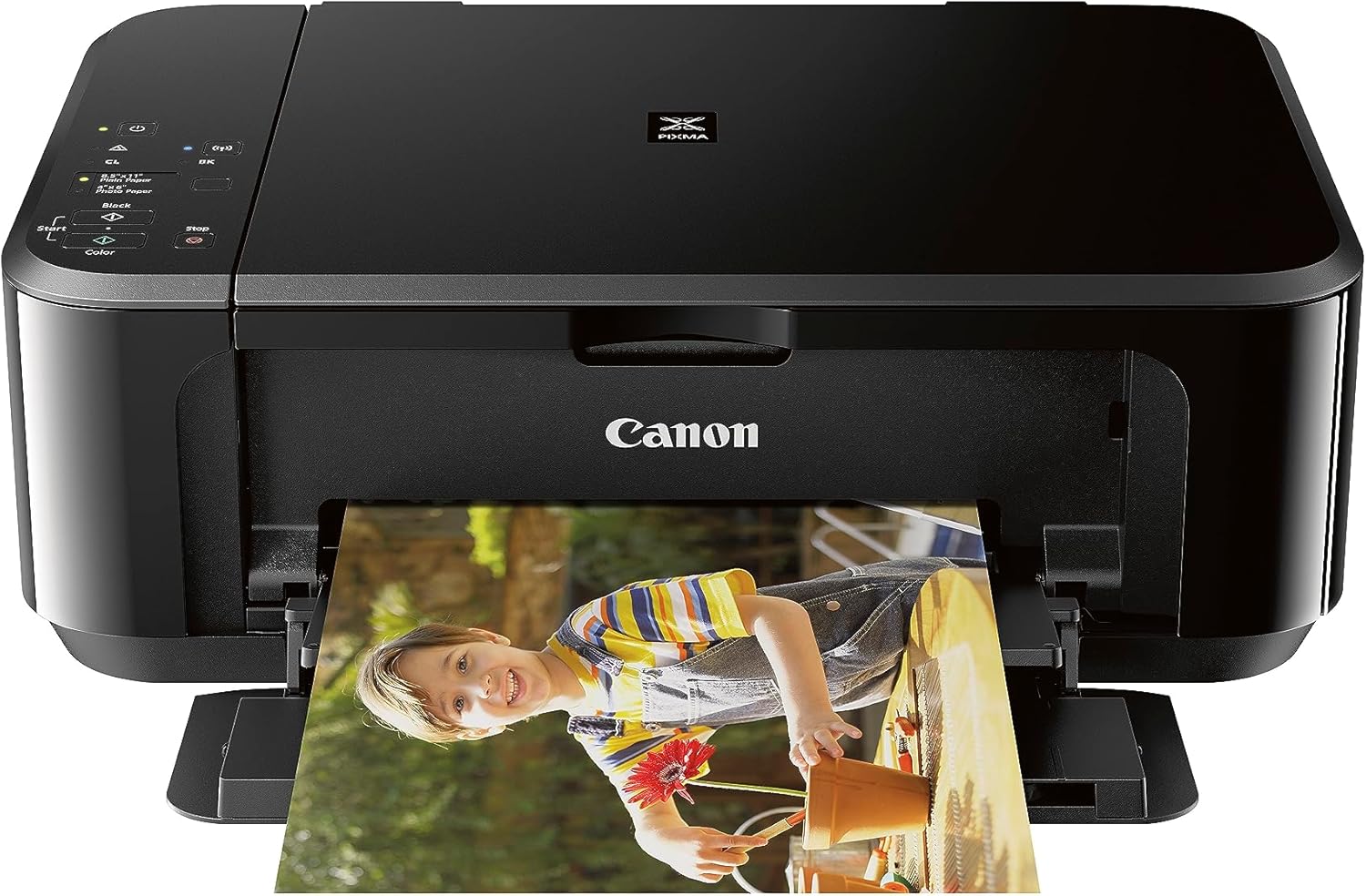
Canon PIXMA MG3620
| Printer Type | Inkjet |
|---|---|
| Functions | Print, Copy, Scan |
| Connectivity | Wireless, USB 2.0 |
| Maximum print Resolution Color | 4800 x 1200 dpi |
| Maximum Sheet Capacity | 100 |
The PIXMA MG3620 is a compact wireless all-in-one inkjet that makes basic document and photo tasks straightforward for students. It supports mobile printing via AirPrint and Google Cloud Print and connects over Wi-Fi or USB, so you can print from phones, tablets, or a laptop without a fuss. Print quality is good for class materials and casual photos thanks to a 4800 x 1200 color resolution, while scan and copy functions are handled by the flatbed scanner. Paper handling is simple with a single 100-sheet tray and automatic duplex printing to save paper. Speed is modest—around 9.9 ipm for black and 5.7 ipm for color—so heavy-volume printing will feel slow, but it is fine for assignments and occasional handouts. Setup and app control are convenient, though ongoing ink costs and cartridge model compatibility (PG-245, CL-246) are worth checking if you print frequently. Its small footprint and ENERGY STAR power draw make it a practical dorm or small-apartment choice for students who need dependable, low-complexity printing.
Best for: Students who want a straightforward, space-efficient all-in-one for printing assignments, scans, and occasional photos, and who prioritize ease of mobile printing and simple setup.
Less Ideal for: Students or users who need fast, high-volume color printing or the lowest long-term per-page cost should consider higher-speed or ink-efficient alternatives.
- Wireless mobile printing via AirPrint and Google Cloud Print for easy phone and tablet use
- Automatic two-sided printing helps reduce paper use
- High color print resolution for decent photo and graphics output
- Compact, space-saving design suitable for small study areas
- Relatively slow color print speed compared with modern models
- Ongoing ink costs depend on PG-245/CL-246 cartridges which can add up with regular use
Verdict: A compact, student-friendly all-in-one that delivers easy wireless printing and good photo-capable quality for homework and projects.
TATTMUSE A285M Portable Thermal Printer

| Printer Type | Thermal |
|---|---|
| Printer Connectivity Type | Bluetooth, USB |
| Maximum Media Size | 8.5 x 11 inch |
| Maximum Print Resolution Black and White | 203 dots_per_inch |
| B&W Pages per Minute | 7 |
The TATTMUSE A285M is a small, battery-powered thermal printer designed for on-the-go black-and-white printing. It pairs over Bluetooth with phones and tablets (Android and iOS) and can print from laptops or desktops when connected by USB-C and the vendor driver, making it useful for quick copies, receipts, boarding passes, and single-page handouts. The printer uses inkless thermal paper in multiple widths up to 8.5 x 11 inches, so you avoid ink or toner replacements and shipping of cartridges. Practical benefits include light weight and a built-in paper bin for roll or folded sheets, a moderate 7 ppm speed, and a claimed 203 dpi monochrome resolution that is fine for text and simple graphics. Limitations to consider are thermal-only media (no standard copy paper or color), the need to install a computer driver for USB use, and dependence on the specific app for mobile printing. For students this is best as a portable supplement for printing notes and quick handouts rather than a full desktop replacement.
Best for: Students who need a lightweight, portable printer for quick black-and-white handouts, receipts, or single-page notes on campus or while traveling and who value low operating cost over full-featured desktop printing.
Less Ideal for: Users who need color prints, high-quality photo output, heavy daily page volume, or regular use on standard copy paper should choose a conventional inkjet or laser printer instead.
- Inkless thermal printing eliminates ink or toner replacements
- Bluetooth support for phone and tablet printing without cables
- Supports multiple thermal paper widths up to US Letter/A4
- Compact, lightweight design with built-in paper bin for travel
- USB-C connection for laptop/PC printing when drivers are installed
- Prints only in black-and-white on thermal paper, not standard copy paper
- Requires a computer driver for USB printing which adds setup steps
Verdict: A portable, inkless thermal printer that gives students convenient on-the-go black-and-white printing without ink hassles when they need lightweight, low-maintenance output.
Choosing the Right Printer for Students: Key Factors to Consider
Print Speed and Throughput
Speed affects how quickly you can turn around assignments and print study materials between classes. Faster first-page-out times reduce waiting when printing single documents, while higher pages-per-minute ratings matter for larger study packets. Consider both black-and-white and color speeds if you plan to print color slides or posters.
Throughput also ties into thermal and mechanical strain. A printer with a rated monthly duty cycle far above typical student use will typically be more durable, but a compact model with modest speed may be a better fit for light personal workloads.
Running Cost and Consumables
Long-term cost often outweighs the initial purchase price for students on a budget. Look at cartridge yield and the per-page cost for black-and-white and color printing. Refillable tanks or high-yield cartridges can lower semester expenses, and some models support third-party refills or bulk ink options that reduce ongoing cost.
Also consider the frequency of consumable replacement. A printer that needs new cartridges every few weeks for moderate use becomes a recurring expense and inconvenience for busy students.
Connectivity and Mobile Printing
Students use multiple devices, so reliable wireless performance and straightforward mobile printing are essential. Native Wi-Fi, robust signal handling, and support for printing from smartphones and tablets remove friction when printing from dorm laptops or shared networks. Look for simple setup steps, stable drivers, and features like Wi-Fi Direct or cloud printing for easy access when a campus network is restrictive.
Wireless setup ease affects whether you can quickly share the device with roommates or connect from a study group laptop.
Size, Portability, and Noise
Dorm rooms and small apartments demand compact equipment. A small footprint lets you fit the printer on a desk or shelf without crowding study space. Portability matters if you move between semesters or need to relocate the device for group projects.
Noise levels can disrupt study or sleep. Look for printers with quieter mechanical operation for late-night printing, and consider whether the occasional louder cycle is acceptable compared with a consistently quieter unit.
Print Quality for Text and Graphics
Assignments often include text, charts, and occasional images. Text clarity is critical for readability and professional-looking submissions. For posters or presentations, decent color accuracy and tone can make a difference. Evaluate the effective DPI and how well the device renders small fonts, fine lines, and gradients.
Some printers prioritize crisp text over photo realism, which is typically ideal for student use. If you plan to print photos or high-resolution posters, look for models with better color handling and multi-level color management.
Maintenance and Reliability
A reliable printer minimizes interruptions during crunch time. Check how easy it is to replace cartridges, clear paper jams, and access paper trays. Models with simple front access and clear status indicators reduce downtime.
Also consider warranty and support channels. Student-friendly devices should offer straightforward troubleshooting steps and stable firmware updates to avoid unexpected failures during critical deadlines.
Choosing Between Inkjet and Laser
Inkjet and laser technologies each suit different student habits. Inkjet machines tend to be compact and excel at color printing, making them useful for class presentations, color handouts, and occasional photo prints. They often have lower upfront cost but higher ongoing ink expenses depending on cartridge yield.
Laser printers usually deliver faster black-and-white output and lower per-page costs for text-heavy work. Monochrome lasers are a smart choice if most printing is essays and PDFs. Color lasers are an option when you need faster color throughput, but they are typically larger and may have higher initial cost.
- Inkjet: better for occasional color and photos, smaller models available
- Laser: faster text printing, lower long-term cost for heavy text use
- Consider hybrid needs: some students prefer color inkjets with refillable tanks
Setting Up a Student-Friendly Print Workflow
A smooth workflow starts with proper placement and network configuration. Place the printer near your most-used device and ensure your Wi-Fi signal is strong. Configure default settings to double-sided printing and draft mode to save paper and ink for rough drafts.
Use client-side settings and templates for common tasks like printing assignments or slides. If you share the device, create separate profiles to prevent accidental overwrites of print preferences. Regularly check installed drivers and firmware to avoid connectivity hiccups.
- Set double-sided printing as default to save paper
- Create templates for common print layouts like margins and headers
- Keep firmware and drivers updated for reliable connectivity
Maximizing Print Economies on a Student Budget
To keep costs manageable, enable draft or economy modes for non-final copies and black-and-white settings when color is not required. Track cartridge yields and keep spare consumables on hand to avoid last-minute problems before deadlines. Refillable tank systems or high-yield cartridges typically reduce the cost per page compared with standard cartridges.
Also consider paper choices. Using standard multipurpose paper for drafts and higher-quality paper for final presentations can balance cost with appearance. Avoid specialty photo papers unless you need them for a specific project.
- Use draft mode for practice prints
- Buy high-yield or refill options when available
- Reserve premium paper for final submissions only
Printing for Group Projects and Shared Housing
When a printer will be shared, prioritize ease of access and low maintenance. Robust wireless setup and clear status indicators help roommates troubleshoot issues without technical support. A moderate paper tray capacity reduces refill frequency when multiple people print regularly.
Agree on usage guidelines to prevent conflicts, such as cost-sharing for consumables or a schedule for replacing cartridges. Choose a model that balances accessibility with security features like guest printing or PIN release if privacy is a concern.
- Look for clear LED indicators and easy front access
- Moderate paper capacity reduces frequent refills
- Consider PIN or secure print features for shared environments
When You Need Occasional Poster or Photo Prints
If courses occasionally require larger color prints or photos, check maximum supported media sizes and color management features. Some printers accept legal or tabloid sizes and offer borderless printing for photos. For best results, use manufacturer-recommended photo papers and appropriate color profiles.
Be realistic about expectations. Most student-focused printers handle basic posters and photo prints acceptably, but dedicated photo printers or professional print services produce better color fidelity and large-format quality.
- Check maximum media size and borderless printing options
- Use correct paper types for color-critical work
- For large or high-fidelity prints, consider a dedicated service
How We Chose the Best Printer for Students
We focused on features that actually affect a student experience rather than broad marketing claims. Primary evaluation criteria included print speed and output quality, because students need readable text and acceptable graphics for assignments. Running cost was measured by typical cost per page and cartridge or refill options to reflect semester-long budgets. Connectivity and setup covered Wi-Fi performance, mobile printing, and ease of installation so devices work reliably across laptops, tablets, and phones. Footprint and noise matter for dorm- or apartment-sized spaces, so we checked dimensions and reported noise tendencies. Finally, maintenance and reliability assessed routine tasks like replacing consumables and how often users should expect service. Products were excluded if they lacked basic duplex printing, offered only proprietary consumables with no low-cost alternatives, or were clearly targeted at heavy commercial use rather than student workloads. The list prioritizes devices that balance affordability, convenience, and dependable everyday performance.
Our full evaluation process is outlined in our review methodology.
FAQ
Do students need color printing for most assignments?
It depends on coursework. Many assignments are text-based and print fine in black-and-white, while presentations and design classes may require color. Consider a color-capable device if you often submit visual projects.
How can I reduce the long-term cost of printing as a student?
Use draft mode for non-final copies, enable duplex printing, and choose models with high-yield cartridges or refillable ink tanks. Tracking usage and buying higher-yield consumables when possible lowers per-page cost.
Is wireless printing reliable in dorm or campus networks?
Wireless printing can be reliable but depends on the network setup. Wi-Fi Direct or guest-network printing options help when campus networks restrict device-to-device communication. Setting up the printer on a stable home network is usually the simplest approach.
What size printer should I get for limited desk space?
Look for compact or mini printers with a small footprint and front-access trays. Prioritize models that fold paper trays inward and offer vertical design to minimize desk area used.
How often do printers require maintenance during a semester?
For moderate student use, basic maintenance like replacing cartridges and clearing occasional paper jams is typical. Frequency varies with print volume; light users may only need supplies once per semester while heavy users will replace consumables more often.
Final Verdict
Prioritize the features you will actually use most often. If your workload is mostly essays and PDFs, a compact monochrome laser tends to deliver the fastest, lowest-cost results. If you need color for presentations or occasional photos, an inkjet with refillable tanks or high-yield cartridges usually offers the best balance for student budgets. Consider footprint, noise, and wireless setup for dorm or shared housing and plan for consumable costs over the semester. With those tradeoffs in mind, choose the device that matches your typical print habits and campus living situation.