
Note: This article contains affiliate links. If you click on these links and make a purchase, we may earn a small commission at no extra cost to you. This helps support our research and content. Read our full affiliate disclosure here.
If you need a Printer that can handle high-volume work while delivering sharp text and accurate color, picking the right model matters. Choices in this price bracket range from compact workhorses to feature-rich devices that include robust networking, high-capacity consumables, and faster duty cycles. This guide highlights seven shortlisted Printers under $3,000 that match common needs like heavy daily use, frequent color jobs, and low ongoing cost. We evaluated durability, print quality, and running expenses to narrow the field. Read on for the main strengths buyers should weigh before selecting the unit that fits their workflow.
Top Picks at a Glance
| Best Overall The best all-around choice for most situations | Brother MFC-L3720CDW |  |
| Best Quality Built to a higher standard if you want something more solid | Canon imagePROGRAF TA-30 36" |  |
| Best Value The sweet spot between price and what you get | Epson EcoTank ET-4800 |  |
| Best Budget The cheapest option that still gets the job done reliably | HP DeskJet 2955 All-in-One |  |
| Top Rated A top-rated pick with lots of positive feedback | Brother MFC-L9570CDW |  |
| Most Popular A crowd favorite that many people choose with confidence | HP DeskJet 2855e |  |
| Best Seller A high-volume bestseller chosen again and again | Epson EcoTank ET-2800 |  |
Brother MFC-L3720CDW

| Print speed (B&W/Color) | 19 ppm / 19 ppm |
|---|---|
| Paper capacity | 250 sheets (standard) |
| Auto document feeder | 50 sheets |
| Duplex | Automatic |
| Connectivity | Wi‑Fi, USB 2.0 |
The Brother MFC-L3720CDW is a compact color laser multifunction printer designed for small offices that need dependable everyday color documents and moderate scan/copy jobs. It prints up to 19 ppm in color and black, offers automatic duplex printing, and handles a mix of media including envelopes and labels from its 250‑sheet adjustable tray and 50‑sheet ADF. Setup and daily use are simplified by the 3.5" color touchscreen and mobile app support for wireless printing and toner monitoring. Print quality is laser-sharp at up to 2400 x 600 dpi for text and business graphics, and Brother supplies and an optional Refresh EZ subscription make toner replacement straightforward. Tradeoffs are typical for an entry-level color laser: 19 ppm is solid but not fast for high-volume sites, the base resolution of controller/scan can feel basic compared with higher-end models, and the unit is relatively heavy for a small office desktop. For balanced buyers wanting reliable color prints, scanning and occasional faxing without enterprise throughput, this is a practical choice.
Best for: A balanced small‑office buyer who needs a single reliable machine to handle printing, scanning and occasional faxing with good color quality and easy mobile integration.
Less Ideal for: Large teams or high‑volume print centers that need faster page-per-minute throughput and higher monthly duty cycles should consider a production-oriented model instead.
- All‑in‑one functionality: print, copy, scan and fax in one unit.
- Automatic duplex printing and 50‑sheet ADF speed routine two‑sided jobs.
- Wireless and USB connectivity with mobile app control for remote printing and toner monitoring.
- Solid laser print quality up to 2400 x 600 dpi for crisp text and business graphics.
- 250‑sheet adjustable tray reduces routine refills for small office use.
- Print speed is moderate at 19 ppm, so not ideal for heavy daily volume.
- Device is relatively heavy for a desktop unit and takes substantial space.
Verdict: A well-rounded color laser all‑in‑one that delivers reliable everyday color printing and scanning for small offices looking for practical performance under $3,000.
Canon imagePROGRAF TA-30 36"
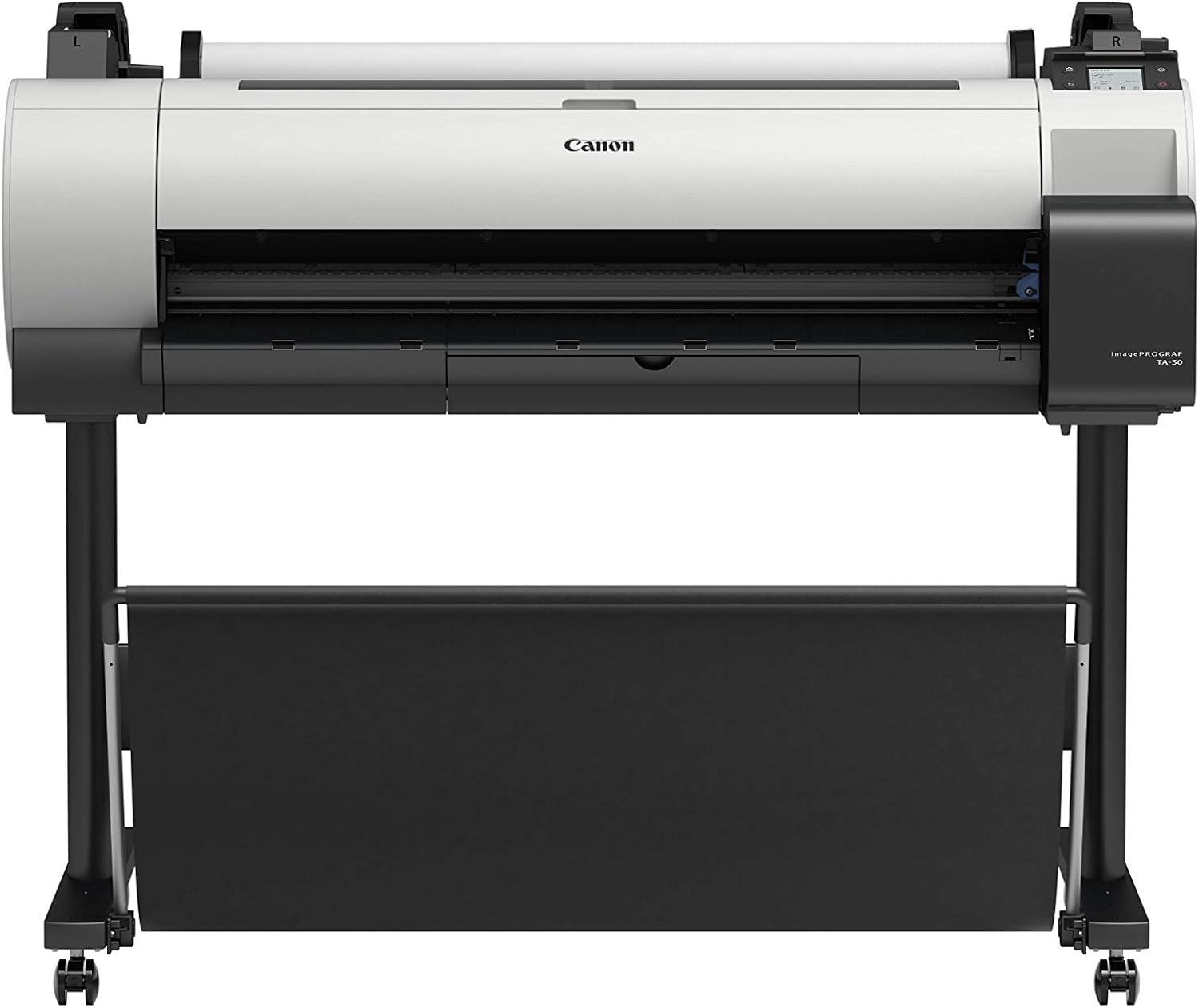
| Maximum Media Size | 36 inch |
|---|---|
| Resolution | 2400 x 1200 |
| Printer Connectivity Type | USB, Wi-Fi |
| Built-In Media | 2” Core Media Spool, 6 Ink Tanks (55 ml each) |
The Canon imagePROGRAF TA-30 is a 36-inch large-format inkjet printer aimed at offices and design teams that need in-house poster and wide-format output. It uses six 55 ml ink tanks including dual matte black for richer blacks, a PF-06 print head, and supports roll media from 8 to 36 inches on a 2-inch core, so it handles banners, glossy photo paper and fabric. Built-in Ethernet, USB and Wi-Fi let you print from networked workstations and the included poster-creation software simplifies one-off marketing prints. The TA-30 delivers high-resolution output up to 2400 x 1200 dpi and a practical sheet capacity and manual duplexing for mixed media jobs. Trade-offs are its print-only design with no scanning, a relatively modest ink supply compared with production models, and a footprint that requires dedicated floor space with the supplied stand. For teams focused on sharp, large color prints under a commercial budget, the TA-30 balances image quality and workplace connectivity without enterprise-level running costs.
Best for: Buyers who need reliable, high-resolution wide-format color prints in-house and prioritize image detail, network connectivity, and poster production over multifunction features.
Less Ideal for: Those who need an all-in-one device with scanning or very high-volume production ink supply should consider multifunction or production-class alternatives.
- 36-inch maximum media width for true wide-format posters and banners
- High maximum print resolution of 2400 x 1200 dpi for detailed color output
- Built-in Ethernet, USB and Wi-Fi for flexible networked printing
- Includes starter ink set and roll spool so the printer is ready to produce posters out of the box
- No integrated scanner or multifunction capabilities
- Manual duplex only, so two-sided workflow requires extra handling
- Requires dedicated floor space and a stand, not compact for small offices
Verdict: A cost-conscious choice for offices that need high-resolution 36-inch poster and wide-format prints with solid connectivity and ready-to-run setup.
Epson EcoTank ET-4800

| Printer Type | Inkjet |
|---|---|
| Printer Connectivity Type | Wi-Fi, wired |
| Maximum print Resolution Color | 5760 x 1440 dots_per_inch |
| B&W Pages per Minute | 10 pages_per_minute |
| Maximum Sheet Capacity | 100 |
The EcoTank ET-4800 replaces disposable cartridges with large refillable ink tanks and bundled ink bottles, so running costs drop sharply for users who print regularly. It prints color documents and photos at up to 5 ppm and black-and-white at up to 10 ppm, and uses Epson Micro Piezo technology for high-resolution output up to 5760 x 1440 dpi. The all-in-one body includes a flatbed scanner, automatic document feeder, fax and a color LCD for hands-on control, plus Ethernet, USB and Wi-Fi for networked home office use. Paper handling supports up to 100 sheets and legal-size media, though duplex printing is manual rather than automatic. Practical benefits are low ongoing ink cost, minimal cartridge waste, and solid print quality for text and graphics, while trade-offs are slower color speeds and the need to refill tanks occasionally and manage bulk ink bottles.
Best for: Buyers who prioritize low running costs and reliable multifunction capability for a home or small office and who value reducing cartridge waste while keeping networked printing and scanning simple.
Less Ideal for: Users who need fast automatic duplexing or the quickest color photo throughput for heavy photo printing workloads should consider alternatives.
- Refillable high-capacity ink tanks greatly reduce ongoing ink costs
- Factory-quality print resolution up to 5760 x 1440 dpi for sharp text and good photo output
- Includes scanner, ADF, copier and fax in a compact all-in-one design
- Multiple connectivity options: Wi‑Fi, Ethernet and USB for home office networking
- Duplex printing is manual rather than automatic
- Color print speed is modest at about 5 pages per minute
Verdict: Choose the ET-4800 if you want a low-cost, cartridge-free all-in-one that cuts ink expenses while covering typical home and small-office print, scan and copy needs.
HP DeskJet 2955 All-in-One

| Printer Type | HP Thermal Inkjet |
|---|---|
| Functions | Print, scan, copy |
| Input Tray Capacity | 60 sheets |
| Compatible Cartridges | HP 68 Black; HP 68 Tri-Color; HP 68e |
| Connectivity | AirPrint, USB, Wi‑Fi, Wireless direct, Mopria |
The HP DeskJet 2955 is a compact all-in-one inkjet designed for straightforward home use where space and simplicity matter. It prints color and black-and-white documents, scans on a flatbed, and copies up to nine pages per run, using HP 68 cartridges and a 60-sheet input tray for light duty runs. Setup and mobile printing are simple thanks to dual-band Wi-Fi, AirPrint and the HP app, and the small icon LCD makes basic tasks easy without a computer. Print quality can be good for everyday documents and occasional photos when using recommended paper, and HP AI formatting helps avoid wasted pages when printing web content. Expect modest print speeds in typical home use—around 7.5 ppm black and 5.5 ppm color—and manual duplexing if you need two-sided pages. This model also includes a three-month Instant Ink trial and is built with a high percentage of recycled plastics, which reduces environmental impact. It is best for light to moderate home printing rather than heavy office workloads.
Best for: Buyers seeking an affordable, space-saving multifunction printer for everyday home documents, occasional photos, and convenient mobile printing.
Less Ideal for: Users who need fast, high-volume printing, automatic two-sided printing, or professional-grade photo output should look at higher-end models.
- Compact all-in-one design fits small home spaces
- Wireless printing with AirPrint, Mopria and HP app for easy mobile use
- Includes 3-month Instant Ink trial to simplify ink replacement
- 60-sheet input tray and flatbed scanner for basic home tasks
- Made with at least 70% recycled plastics and ENERGY STAR certified
- Modest print speeds and manual duplexing limit productivity for heavy use
- Not intended for high-volume or professional photo printing
Verdict: A budget-friendly, compact all-in-one that delivers simple, reliable home printing with easy mobile setup and low environmental footprint.
Brother MFC-L9570CDW

| Print speed | Up to 33 ppm color/black |
|---|---|
| Print resolution | Up to 2400 x 600 dpi |
| ADF capacity | 80 pages |
| Memory | 1GB |
| Connectivity | Wireless 802.11b/g/n, NFC+, Gigabit Ethernet, USB |
The Brother MFC-L9570CDW is a workgroup-focused color laser all-in-one that handles printing, scanning, copying, and faxing with predictable, office-grade performance. It produces up to 33 ppm in color and black with a time-to-first-page under 15 seconds, and a 7-inch color touchscreen makes managing jobs and settings straightforward. Paper handling is built for moderate office loads with a 250-sheet main tray, 50-sheet multipurpose tray, and an 80-sheet ADF that supports duplex scanning at high speeds. Connectivity covers Ethernet, Wi-Fi, NFC, AirPrint, Mopria and USB so it fits into varied networks and mobile workflows. Output quality and scan resolution are strong for document work, and the long-life consumables included in the box reduce downtime and service touches. The unit is large and fairly heavy, so it suits a shared office rather than a personal desktop, and operational costs will depend on toner yields and replacement frequency for high-volume use. For teams that prioritize steady, predictable operation and robust scanning, this model is a sensible choice.
Best for: Small to mid-size offices and workgroups that need a dependable, networked color laser AIO for steady daily document production and fast scan workflows.
Less Ideal for: Individuals or very small home offices with limited space or extremely low monthly page volumes should consider smaller, lighter printers instead.
- Consistent 33 ppm color and black printing for steady throughput
- Fast time-to-first-page under 15 seconds keeps short jobs moving
- Robust duplex ADF and high duplex scan speeds for large document workflows
- Wide connectivity including Gigabit Ethernet, Wi‑Fi, NFC, AirPrint and Mopria
- Includes long-life consumables (super high-yield toners, drum, belt, waste toner) to reduce service frequency
- Large, heavy footprint not suited to small personal workspaces
- Operational costs depend on toner usage and will rise with heavy color printing
Verdict: Choose the MFC-L9570CDW when you need a reliable, networked color laser AIO that keeps a busy office printing and scanning with minimal interruptions.
HP DeskJet 2855e
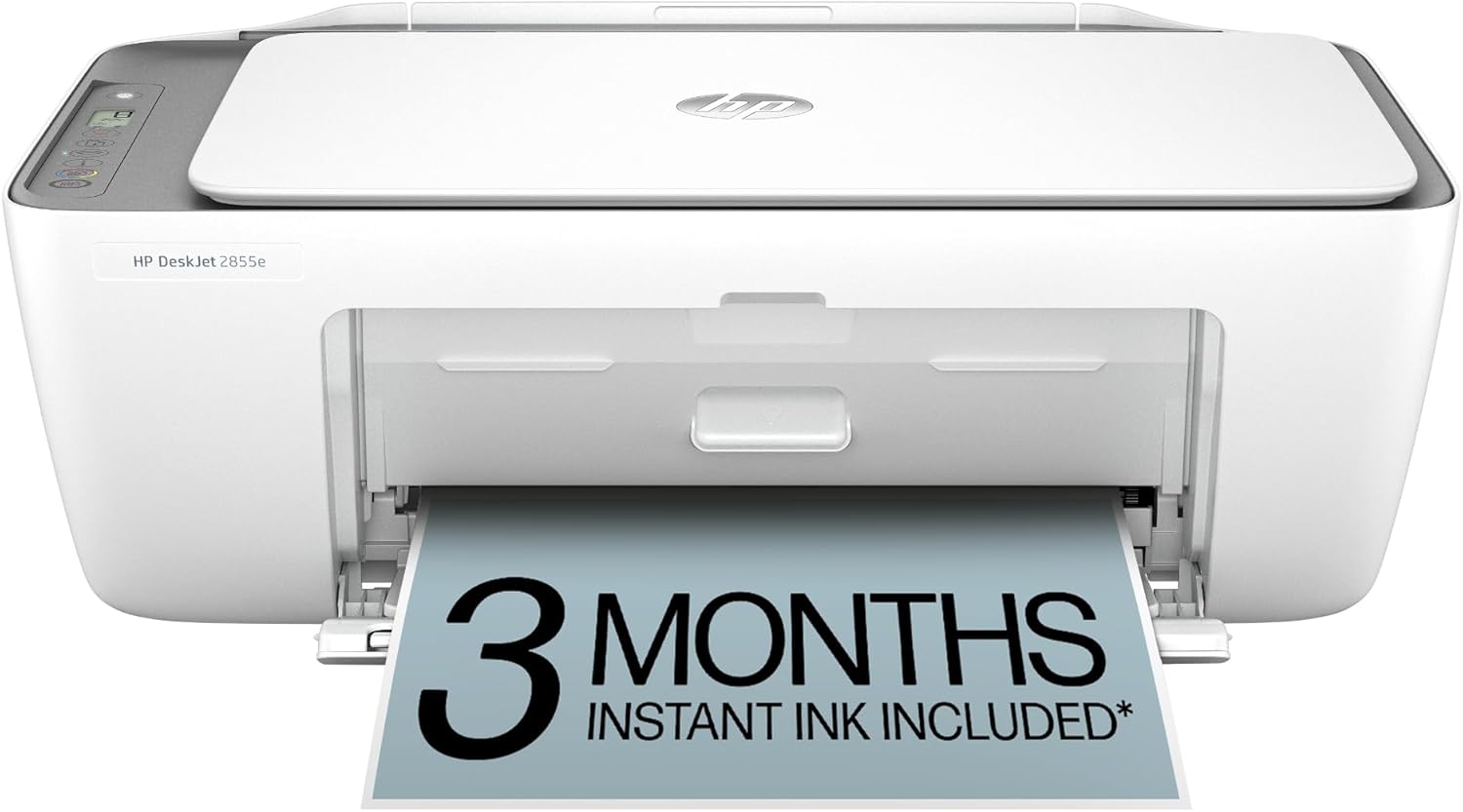
| Printer Type | Inkjet |
|---|---|
| Compatible Cartridge | HP 67 |
| Color Pages per Minute | 5.5 pages_per_minute |
| B&W Pages per Minute | 7.5 pages_per_minute |
| Printer Connectivity Type | single band wi-fi (2.4ghz only) |
The DeskJet 2855e is a compact home-focused all-in-one that handles everyday printing, scanning, and copying needs. It produces color prints at up to 5.5 ppm and black at 7.5 ppm, and its flatbed scanner is convenient for occasional scans and copies. Setup and daily use center on the HP app, which supports smartphone printing and includes HP AI formatting to trim unwanted web content before printing. The 60-sheet input tray and compatibility with HP 67 cartridges make it simple to install and maintain, and HP includes a three-month trial of Instant Ink with HP+ activation for ink delivery. Connectivity is limited to single-band 2.4 GHz Wi‑Fi and a USB 2.0 port, and duplex printing is manual, so expect some hands-on effort for two-sided jobs. Print quality is suitable for documents, photos in casual use, and household needs rather than high-volume or professional photo work. For buyers seeking an affordable, compact AIO for home or light office tasks, the DeskJet 2855e delivers straightforward features with easy mobile integration.
Best for: Buyers who want an inexpensive, easy-to-use all-in-one for home or light office printing with simple mobile control and occasional photo or document needs, and who value straightforward setup and subscription ink options.
Less Ideal for: Users needing fast high-volume output, automatic two-sided printing, or advanced color/photo quality for professional work should consider more capable office or photo-oriented models.
- All-in-one: print, scan, and copy in a compact footprint
- Includes 3-month Instant Ink trial with HP+ activation for convenient ink delivery
- Easy mobile printing and app control with HP app and AI formatting
- 60-sheet input tray fits everyday home printing tasks
- Connectivity limited to single-band 2.4 GHz Wi‑Fi and USB 2.0 only
- No automatic duplexing and relatively slow color print speeds compared with higher-end models
Verdict: A compact, app-driven all-in-one that fits home and light-office printing needs while keeping setup and ink management simple.
Epson EcoTank ET-2800

| Printer Type | Inkjet |
|---|---|
| Printer Connectivity Type | USB, Wi-Fi |
| Maximum print Resolution Color | 5760 x 1440 dpi |
| B&W Pages per Minute | 10 |
| Color Pages per Minute | 5 |
The Epson EcoTank ET-2800 is a cartridge-free all-in-one inkjet that prints, scans, and copies for home use while using refillable high-capacity ink tanks to reduce the need for frequent replacements. It connects via Wi-Fi or USB and supports mobile and voice-activated printing for easy smartphone and tablet workflows, while a simple LCD provides basic status information. Print quality is strong for documents and casual photos thanks to Epson's PrecisionCore and high resolution, and the included ink set can equal dozens of standard cartridges, which lowers running costs and reduces plastic waste. The ET-2800 is straightforward to set up and is best used for routine home tasks and moderate page volumes rather than heavy office duty; it lacks automatic duplexing and an automatic document feeder, so multi-page copying or two-sided printing require manual handling. Speed is typical for its class with about 10 ISO ppm black and 5 ppm color, and Epson recommends using genuine ink to maintain performance and warranty coverage.
Best for: Buyers who want a low-maintenance, lower-running-cost home all-in-one that handles everyday documents and occasional photos with simple wireless setup and reliable basic performance.
Less Ideal for: Busy small offices or users who need fast two-sided printing, high monthly volumes, or automatic multi-page scanning features.
- Cartridge-free EcoTank system with high-capacity refillable ink tanks reduces refill frequency
- Wireless and mobile printing including voice-activated printing for convenient device workflows
- High maximum print resolution for sharp text and detailed color prints
- Included ink yields a large page count comparable to many cartridge sets, lowering long-term costs
- No automatic duplex (two-sided) printing
- No automatic document feeder, which slows multi-page copying or scanning
Verdict: Choose the ET-2800 if you want a dependable, cartridge-free home all-in-one that cuts ongoing ink costs and simplifies daily printing tasks.
Choosing the Right Printer: Key Factors to Consider
Print Quality and Color Accuracy
Sharp text clarity and accurate color reproduction determine whether prints are fit for client-facing documents and marketing collateral. High resolution, good halftoning, and effective color management reduce the need for reprints and manual color correction. For mixed-use environments that print both text and graphics, look for devices with dedicated color adjustment settings, support for standard color profiles, and the ability to handle heavier coated stock without smudging.
Color stability over long print runs matters as well. Some machines maintain consistent color by using larger-capacity cartridges or separate color drum and developer assemblies. If you produce proofs or presentations, a printer that reproduces flesh tones and brand colors predictably will save time and reduce waste.
Throughput and Duty Cycle
Monthly duty cycle and rated pages per minute are proxies for how well a Printer will hold up under heavy use. A higher duty cycle indicates the device is designed for frequent, continuous printing rather than occasional bursts. Consider both single-page speed and realistic sustained speed for mixed jobs, since short test speeds do not reflect long, toner-heavy runs.
If your workflow includes many multi-page documents or large color jobs, prioritize machines with robust paper paths, larger feeders, and higher monthly duty ratings. Devices with cooling periods or slower sustained rates may seem fast in short tests but become bottlenecks during real production work.
Running Costs and Consumable Yield
Initial cost is only part of ownership. Toner or ink yield and the unit cost per page determine long-term expense. High-capacity cartridges, optional high-yield replacement parts, and the ability to use continuous feed or bulk ink systems can dramatically lower per-page costs. Also consider the availability and lead time for consumables, because supply issues can interrupt workflows.
Some printers offer separate drum and toner systems that reduce waste and lower ongoing expense when only toner needs replacement. Factor in maintenance kits and other periodic replacement parts when estimating annual operating costs.
Connectivity and Integration
How a Printer connects to your network and software ecosystem affects daily productivity. Wired Ethernet with VLAN support and robust security options is important for shared office environments. Wireless printing and mobile-device compatibility make ad-hoc jobs easier, while direct USB or local interfaces still matter for secure one-off prints.
Advanced integration features include print queues compatible with common operating systems, cloud printing or FTP drop support for remote submissions, and support for large-format or duplex scanning if your workflow requires it. Built-in touchscreens and customizable workflows can reduce repetitive tasks and speed up common jobs.
Media Handling and Finishing
Versatile media handling expands what you can produce. Look for reliable trays that accept a range of weights and sizes, manual feed slots for specialty media, and optional feeders for higher capacity. Built-in duplexing, multi-sheet stapling, hole punching, and booklet-making options save time and reduce the need for separate finishing equipment.
Consider whether the Printer supports thicker cardstock, envelopes, and coated media without frequent jams. If you expect to print banners or wide-format posters within the under $3,000 constraint, confirm the maximum media width and available trays or roll options.
Serviceability and Reliability
A Printer that is easy to maintain reduces downtime. Look for user-accessible parts, clear error messaging, and durable components like metal feed rollers and sturdy paper paths. Units with modular replaceable parts simplify repairs and make in-house maintenance practical.
Warranty terms, availability of service plans, and documented reliability history are also relevant. Machines designed for business use typically provide better diagnostics and remote management tools that help administrators spot issues before they interrupt production.
Choosing Between Laser and Ink Technologies
Laser and high-volume inkjet technologies each have advantages depending on workload and output goals. Laser devices traditionally excel at fast monochrome and mixed color business printing with lower per-page costs for text-heavy runs. Modern high-capacity inkjet systems can compete on color quality and cost per page for graphics-heavy jobs, especially when they use bulk ink or high-yield cartridges.
Decide based on the proportion of color to monochrome printing, the importance of photo-quality output, and your tolerance for maintenance tasks like head cleaning. Also consider the typical job size: laser tends to be better for many small jobs, while inkjet can be more cost-effective for continuous color runs when configured with appropriate supplies.
- Laser: typically better for fast, text-heavy volumes and predictable per-page costs
- High-capacity inkjet: often superior for continuous color workloads and photographic prints
- Check maximum recommended monthly pages to match expected usage
Optimizing Workflow With Network and Cloud Features
Network integration reduces friction when multiple users need access to a single Printer. Enterprise-focused devices often support secure print release, user authentication, and queue management to prevent accidental or unauthorized printing. Cloud connectors and mobile printing ease remote submissions but verify they meet your security requirements.
For small offices, a straightforward setup with reliable Ethernet and simple mobile printing may be enough. For larger teams, look for centralized management tools that allow firmware updates, usage monitoring, and consumable tracking across devices.
- Look for secure printing and user authentication for shared environments
- Centralized management tools simplify updates and consumable monitoring
- Verify mobile and cloud printing options meet your security policies
Paper Handling Tips to Reduce Jams and Waste
Proper paper selection and correct tray configuration are the simplest ways to reduce jams. Use the recommended paper weight ranges and avoid mixing different stock types in a single tray. If your jobs include heavy cardstock or coated media, adjust the manual feed and select the correct media type in the driver to avoid smearing or curling.
Regularly clean feed rollers and keep environmental humidity in the manufacturer-recommended range to maintain reliable feeding. Investing in larger-capacity trays and optional feeders reduces handling but increases the importance of confirming tray settings before long runs.
- Set tray weights and sizes correctly for each job
- Use recommended media for coated or heavyweight prints
- Maintain feed rollers and control humidity to prevent misfeeds
Estimating Total Cost of Ownership
To estimate true cost of ownership, calculate the expected annual pages, then multiply by the cost per page including toner or ink and routine maintenance parts. Include service kits, transfer belts, fuser replacements, and any optional finishing units that require periodic attention. Comparing only street price will understate the long-term expense for frequent users.
Factor in downtime and service response if printing is mission critical. A slightly more expensive model with longer service intervals or easier in-house maintenance can be cheaper over its usable life than a lower-cost device with frequent part replacements.
- Include consumables, maintenance kits, and expected part replacements
- Estimate pages per year to compare cost per page between options
- Account for potential downtime and service needs in business settings
Security Features to Protect Sensitive Documents
Security features are important when you print invoices, HR documents, or confidential reports. Look for secure boot, firmware signing, and support for encrypted connections. Secure print release and user authentication reduce the risk of sensitive documents left in output trays.
Administrative controls that limit printing permissions and track usage help enforce policies and identify misuse. If the Printer will be on a shared network, ensure firmware updates are manageable and that the vendor provides timely security patches.
- Enable secure print and user authentication for confidential jobs
- Use encrypted network protocols and keep firmware patched
- Monitor usage with administrative reporting tools
How We Chose the Best Printer
We focused on features and performance metrics that matter most to buyers shopping for Printers under $3,000. Our shortlist reflects units that balance print speed and consistent output with manageable operating costs. Primary evaluation criteria included sustained monthly duty cycle and reliability under continuous use, measured by manufacturer-rated monthly duty and service-focused design. We also emphasized print quality across text and color, assessing resolution specs and color management features that affect output fidelity. Consumable cost and yield were another major filter, since ink and toner expenses determine long-term ownership cost. Connectivity and workflow features were considered, including gigabit Ethernet, wireless networking, mobile printing, and support for large media sizes. Ease of maintenance and access to user-replaceable parts were also part of the selection process. We excluded entry-level home models that lack the throughput or capacity for sustained business use. Units that met these filters were further evaluated on documented reliability and clear serviceability features.
Our full evaluation process is outlined in our review methodology.
FAQ
How do I calculate cost per page for different printers?
Estimate annual pages you expect to print, then divide the annual cost of consumables and maintenance by that page count. Include toner or ink, maintenance kits, and periodic part replacements to get a realistic cost per page.
Is a high monthly duty cycle necessary for a small office?
It depends on actual usage. If you print hundreds to thousands of pages monthly, choose a higher rated duty cycle to ensure durability. For occasional printing, a lower duty model may suffice and save upfront expense.
Are desktop inkjets ever a good choice under $3,000?
Yes. High-capacity inkjet systems can be cost-effective for continuous color or photo-quality work, especially when they support bulk ink or high-yield cartridges. Match the technology to your primary output needs.
How important is duplexing for reducing costs?
Automatic duplexing reduces paper consumption significantly for multi-page documents and can lower overall operating expenses. It also speeds workflow by reducing manual flipping for double-sided prints.
What maintenance should I plan for to keep a printer reliable?
Plan for scheduled replacement of wear items like rollers, fusers, and transfer belts. Regular cleaning of paper paths and maintaining appropriate environmental conditions will also reduce jams and prolong component life.
Final Verdict
When choosing a Printer under $3,000, balance print quality, throughput, and ongoing operating cost against your typical workload. Prioritize print quality if color fidelity matters, or favor higher duty cycles and robust media handling for heavy document output. Pay attention to consumable yields and serviceability to minimize downtime and cost over the device lifetime. By aligning the device capabilities with actual monthly volume and required features like secure printing and finishing, you can pick a unit that meets production needs without unnecessary extras.