
Note: This article contains affiliate links. If you click on these links and make a purchase, we may earn a small commission at no extra cost to you. This helps support our research and content. Read our full affiliate disclosure here.
Tile floors show dirt and grime quickly, and the right robot vacuum can save you time while keeping grout lines and smooth surfaces clean. A Robot Vacuum for Tile needs strong suction, a brush setup that does not scatter debris, and navigation that avoids repeated passes across grout or fragile trim. This guide presents seven carefully shortlisted options that excel on hard floors and tile surfaces. Below we summarize what matters for tile cleaning and how each shortlisted robot performs on those criteria, so you can pick the best match for your home and floor layout.
Top Picks at a Glance
| Best Overall The best all-around choice for most situations | Shark Matrix Clean AV2511AE |  |
| Best Quality Built to a higher standard if you want something more solid | roborock Saros 20 |  |
| Best Value The sweet spot between price and what you get | roborock Q7 L5 Robot Vacuum |  |
| Best Budget The cheapest option that still gets the job done reliably | ILIFE V2 Robot Vacuum |  |
| Top Rated A top-rated pick with lots of positive feedback | WSUANE D15S Max Robot Vacuum |  |
| Most Popular A crowd favorite that many people choose with confidence | iRobot Roomba 105 Combo |  |
| Best Seller A high-volume bestseller chosen again and again | eufy 11S Max Robot Vacuum |  |
Shark Matrix Clean AV2511AE

| Surface Recommendation | Carpet & Hard Floors |
|---|---|
| Battery Life | 120 minutes |
| Capacity | 0.27 gallons |
| Compatible Devices | Amazon Alexa, Google Assistant |
The Shark Matrix Clean AV2511AE is a robot vacuum and mop designed to keep tile and mixed floors consistently clean with minimal intervention. It navigates using 360° LiDAR mapping and follows a precision grid pattern so it methodically covers rooms rather than wandering randomly, while targeted edge detection helps pull debris from corners. The unit pairs vacuuming and sonic mopping to remove stuck-on grime on tile and hard surfaces, and its self-emptying bagless base holds up to 60 days of dirt for less frequent maintenance. App and voice control let you schedule, zone, and start spot cleans, and the cartridge filter plus self-cleaning brushroll make it better suited for homes with pets. Trade-offs include a relatively large base and a heavier robot compared with compact models, and its long runtime claims vary with mode and mop use which can extend cycle times. For tile-first homes it offers thorough, automated cleaning that reduces hands-on upkeep while delivering better edge and systematic coverage than basic robot vacuums.
Best for: Buyers who want a low-maintenance, methodical robot that handles tile and mixed floors well and prioritizes automated, hands-off cleaning routines.
Less Ideal for: Those who need the smallest-footprint robot for tight storage spaces or who prefer a dedicated high-pressure mop system for deep grout cleaning.
- LiDAR home mapping with precision grid cleaning for orderly, full-coverage passes
- Combined vacuum and sonic mopping for removing dirt and residue from tile
- 60-day bagless self-empty base reduces how often you need to empty debris
- App and voice control let you schedule, target rooms, and run spot cleans
- Self-cleaning brushroll and cartridge filter help manage pet hair and allergens
- Unit and its XL base are relatively large and take up more floor space
- Mopping extends run time and may require occasional manual touch-ups on grout or heavy stains
Verdict: For tile-focused homes that value hands-off, systematic cleaning, this Shark delivers thorough vacuuming and sonic mopping with a 60-day self-empty base to minimize upkeep.
roborock Saros 20

| Surface Recommendation | Hardwood Floors, Tile, Marble, Carpet, Laminate |
|---|---|
| Battery Life | 180 minutes |
| Filter Type | Washable Filter |
| Noise Level | 55 db |
| Control Method | App, Push Button, Voice |
The roborock Saros 20 is a high-performance robot vacuum and mop built to handle hard floors and carpets with minimal intervention. It combines a 36,000 Pa digital motor and a dual anti-tangle system to pull deep dirt and pet hair from tile grout and edges, while its ultra-slim 3.13-inch profile and FlexiArm side brush let it reach under furniture and into corners. StarSight 3D ToF sensors and an RGB camera provide detailed mapping and obstacle recognition so the robot runs efficient routes with fewer interruptions. The RockDock auto-dock adds hot-water wash, hot-air drying, re-wash/re-mop cycles, and up to 65 days of auto emptying for a largely hands-free cleaning cycle. Typical use is scheduled app-driven cleanings optimized by SmartPlan 3.0, with voice and remote control options for on-demand spot or edge cleans. Trade-offs are its relatively complex dock and maintenance routines compared with bare-bones models and the larger unit footprint when storing the dock, but for tile-focused cleaning the combination of suction, mop automation, and corner reach makes it a strong option.
Best for: Buyers prioritizing top-tier cleaning performance on tile and pet-hair management who want automated, scheduled maintenance and are willing to use an app-driven system to maximize results.
Less Ideal for: People who need a very small, simple robot or have minimal storage space for a large auto-dock should consider simpler compact models instead.
- Very high 36,000 Pa suction for deep cleaning grout lines and embedded debris
- StarSight 3D ToF sensors plus RGB camera for accurate mapping and obstacle avoidance
- Ultra-slim 3.13-inch profile and FlexiArm side brush reach under furniture and into corners
- RockDock delivers hot-water wash, hot-air drying, re-wash cycles, and long auto-empty intervals for hands-free maintenance
- Large multi-function dock adds complexity and requires floor space
- Powerful suction and advanced features make it heavier and potentially louder than simpler models
Verdict: If you want the strongest suction and an automated dock that keeps tile floors and grout cleaner with minimal hands-on work, the Saros 20 delivers best-in-class performance.
roborock Q7 L5 Robot Vacuum

| Suction | 8,000 Pa |
|---|---|
| Navigation | LiDAR |
| Battery life | 150 minutes |
| Water tank capacity | 270 ml |
| Filter type | Washable |
The roborock Q7 L5 is a LiDAR-guided robot vacuum that vacuums and mops in a single run, using an integrated 270 ml water tank and up to 8,000 Pa suction to handle dust and pet hair on hard floors and low‑pile carpet. It maps rooms with multi-floor support and quick mapping so you can set scheduled cleans, no-go zones, and targeted room runs from the Roborock app or with voice assistants. Practical features include a dual anti-tangle brush system that reduces hair wrap, carpet boost that increases suction where needed, washable filters, and a child lock. For hardwood floors the precise navigation and along-floor-direction cleaning reduce repeated passes and the electronic water control offers three water levels to avoid over-wetting. Limitations to note are the combined dustbin/water-tank design which means you cannot refill water without handling the combo unit, and the robot requires a 2.4 GHz Wi‑Fi connection for full app features.
Best for: Buyers who prioritize reliable, predictable cleaning on hardwood and want a robot that follows precise maps, runs on a schedule, and minimizes hair-related maintenance.
Less Ideal for: People who need separate, large-capacity water or dust tanks for long runs without handling the unit frequently or who cannot provide a 2.4 GHz Wi‑Fi network.
- LiDAR mapping and multi-floor mapping for accurate, efficient coverage
- Strong 8,000 Pa suction with carpet boost for better pickup of dust and pet hair
- Dual anti-tangle brushes minimize hair wrap and maintenance
- Electronic water tank with three water levels lets you control mop moisture
- App control plus Alexa and Google Home compatibility for scheduled, hands-free operation
- Integrated dustbin and water tank is a single combo part, which adds steps when refilling or emptying
- Requires 2.4 GHz Wi‑Fi for app connectivity, which may need router changes for some homes
Verdict: A strong‑suction, LiDAR‑mapped vacuum‑and‑mop that reliably cleans hardwood with low hair maintenance and smart app controls.
ILIFE V2 Robot Vacuum

| Battery Life | 120 minutes |
|---|---|
| Capacity | 300 ml |
| Filter Type | Sponge |
| Control Method | Remote |
| Noise Level | 69 db |
The ILIFE V2 is an entry-level robot vacuum built to keep hardwood and other hard floors tidy without a lot of fuss. Its 2.99-inch slim body fits under low furniture while a tangle-free suction port and sponge filter make it practical for homes with pet hair. You can run scheduled cleanings, switch between auto, spot and edge modes, or start jobs with the included remote control or the single-button on the unit. A 300 ml dustbin and up to 120 minutes of runtime let it cover medium rooms on one charge, and it will automatically return to the dock when the battery is low. Noise is noticeable at 69 dB and there is only one power level, so it lacks adjustable suction or app-based controls, but for straightforward floor maintenance on hardwood and low-pile carpet the V2 delivers solid value at an affordable price.
Best for: Buyers who want an affordable, no-frills robot to maintain hardwood and low-pile carpet cleanliness with simple controls and scheduled runs.
Less Ideal for: Those who need strong adjustable suction, smart app control, or advanced mapping for large or complex homes should consider higher-end models.
- Slim 2.99-inch profile cleans under low furniture
- Tangle-free suction port suited for pet hair
- 120 minutes runtime with automatic return-to-dock
- Multiple cleaning modes (auto, spot, edge) and simple remote control
- Single power level limits suction control for heavier debris
- No smartphone app or advanced navigation features
Verdict: A low-cost, slim robot vacuum that reliably maintains hardwood floors and handles pet hair for budget-focused buyers.
WSUANE D15S Max Robot Vacuum

| Suction | Up to 10000Pa |
|---|---|
| Dustbin Capacity | 3.5 liters |
| Navigation | dToF LIDAR |
| Battery | 3200mAh (up to 160 min) |
The WSUANE D15S Max is a robot vacuum and mop combo designed for long stretches of unattended cleaning on hard floors and carpets. It uses dToF LIDAR to build accurate maps, supports app control with custom no-go zones, and returns to its dust collection station to empty its 3.5L bin so you can avoid frequent maintenance for weeks. Suction peaks at 10000Pa with multiple power modes and an Auto Boost feature that raises suction on carpets, while a blade-equipped roller and high-speed side brushes reduce hair tangles from pets. The unit can mop and vacuum in one pass and its 3200mAh battery delivers up to 160 minutes on the quiet setting for larger tile areas. Practical limits include a reported noise level around 70 db at higher settings and a mixture of washable and non-washable filter components that require occasional replacement. For tile floors the precise LIDAR navigation and large dustbin make it effective at cleaning debris and pet hair with minimal intervention, though heavier cleaning cycles will be louder and shorten runtime.
Best for: Buyers who prioritize reliable, low-maintenance cleaning on tile and mixed floors and want a map-driven robot that can run for long stretches without intervention.
Less Ideal for: People who need an ultra-quiet vacuum for noise-sensitive environments or those who prefer completely washable filter systems without any disposable elements.
- Large 3.5L self-emptying dustbin greatly reduces how often you need to empty the base
- dToF LIDAR mapping with multi-level mapping and no-go zone control for consistent coverage
- High maximum suction (up to 10000Pa) with Auto Boost for carpets and stubborn debris
- Anti-tangle blade roller and side brushes that help manage pet and human hair
- Long runtime options up to 160 minutes on quieter modes for bigger tile areas
- Noise can be noticeable at higher power levels (around 70 db)
- Filter system mixes washable and non-washable parts that need periodic replacement
Verdict: If you want dependable, hands-off cleaning for tile and mixed floors, this LIDAR-mapped self-emptying robot keeps floors clean for weeks without daily maintenance.
iRobot Roomba 105 Combo

| Surface Recommendation | Carpet & Hard Floor |
|---|---|
| Battery Life | 100 minutes |
| Other Special Features of the Product | LiDAR Navigation, Self-Emptying, Simultaneous Vacuuming & Mopping, Smart Mapping |
| Control Method | App, Touch, Voice |
| Filter Type | Cartridge |
The Roomba 105 Combo pairs vacuuming and mopping with ClearView LiDAR mapping and a self-emptying dock that holds up to 75 days of debris, making routine floor care hands-free for weeks. It offers three cleaning modes—vacuum, mop, or vacuum-and-mop—plus SmartScrub for intensified scrubbing on high-traffic areas and a micro-pump that controls water flow to keep the microfiber pad evenly moist. LiDAR mapping creates precise maps you can customize in the app, and carpet detection prevents the mop from wetting rugs. Control options include the iRobot Home app, onboard buttons, and voice assistants. Practical limits include a 100-minute runtime which may require recharges on larger homes, and maintenance tasks like periodic filter and brush cleaning. The AutoEmpty dock uses disposable bags and will reduce interaction with dirt, but those bags are an ongoing consumable. On tile the mop and SmartScrub provide effective surface cleaning, while the vacuum and edge brush help lift debris from grout lines and edges.
Best for: Buyers who want a mostly hands-off way to keep tile floors clean and appreciate verified navigation and self-emptying convenience over managing the robot daily.
Less Ideal for: Those needing all-day runtime without recharges or who prefer a bagless dock solution should consider other options.
- Self-emptying AutoEmpty dock holds up to 75 days of debris for low-maintenance operation
- ClearView LiDAR mapping yields accurate navigation and customizable maps in the app
- Combined vacuum-and-mop modes with SmartScrub provide stronger scrubbing for stuck-on messes
- Carpet detection avoids mopping rugs and protects soft surfaces
- Multiple control methods via app, buttons, or voice assistants offer convenient on-demand cleaning
- 100-minute battery life may not cover very large homes on a single charge
- AutoEmpty uses disposable bags, which adds ongoing consumable costs
Verdict: If you want low-touch tile maintenance with reliable LiDAR navigation and a hands-free self-emptying dock, this Roomba combo delivers practical, automated cleaning.
eufy 11S Max Robot Vacuum
| Surface Recommendation | Hard Floor & Tile & Medium carpet |
|---|---|
| Battery Life | 100 minutes |
| Suction Power | 2000 Pa |
| Capacity | 600 ml |
| Noise Level | 55 db |
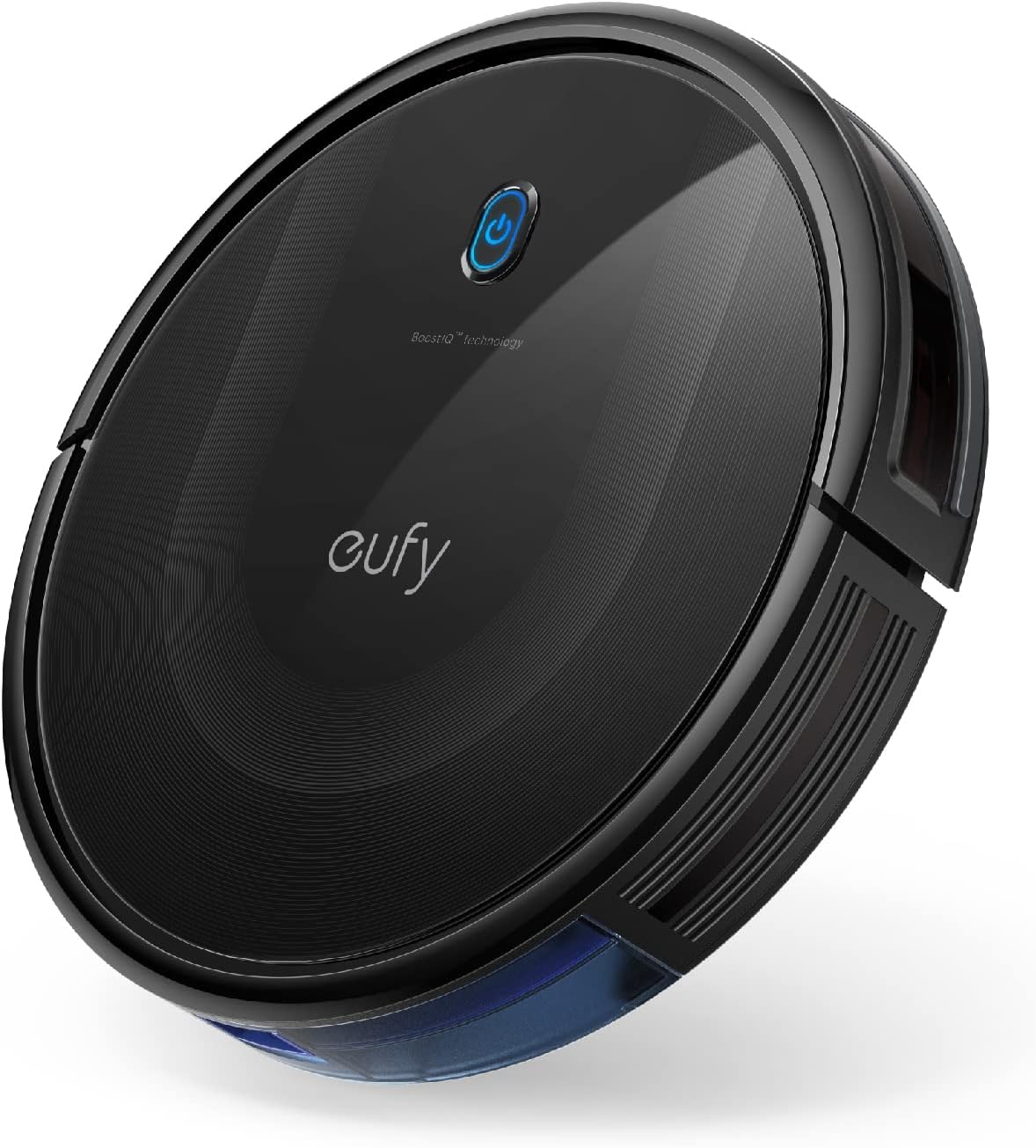
The eufy 11S Max is a low-profile robot vacuum built to clean hard floors and medium-pile carpets without drawing attention. Its 2.85-inch slim body lets it slide under low furniture while 2000Pa suction and a 12.8-inch cleaning path pick up dust, crumbs, and pet hair. It runs up to 100 minutes on hardwood at a reported low 55 dB, and automatic return-to-base means it tops off battery without user intervention. Controls are simple: the included remote and onboard buttons let you start, stop, and switch modes quickly, though there is no Wi-Fi or app control. Practical touches include washable filters, drop-sensing and anti-collision sensors, and a 600 ml dust capacity that reduces how often you empty the bin. The trade-offs are straightforward: navigation is basic rather than lidar or map-based, so room coverage is more random and may miss tight corners, and the single-side-brush design can be less thorough along edges compared with dual-brush models. For routine, quiet cleaning of hardwood, the 11S Max balances strong suction and a slim profile in a simple, reliable package.
Best for: Buyers who prioritize a quiet, no-frills robot that cleans hardwood reliably and fits under low furniture will appreciate this model for regular maintenance cleaning.
Less Ideal for: If you want mapped cleaning, smartphone scheduling, or the most thorough edge-cleaning for complex floorplans, choose a model with advanced navigation and app control instead.
- Slim 2.85" profile reaches under low furniture
- Up to 100 minutes runtime for extended cleaning sessions
- Powerful 2000Pa suction for effective pickup on hard floors
- Quiet operation at about 55 dB suitable for daytime or evening use
- Large 600 ml dust capacity and washable filter lower maintenance frequency
- Random navigation rather than mapping can lead to uneven coverage
- No Wi‑Fi or smartphone app means limited scheduling and remote control options
Verdict: A slim, quiet robot with strong suction made for routine hardwood maintenance when you want reliable, no-frills cleaning.
Choosing the Right Robot Vacuum for Tile: Key Factors to Consider
Suction Strength and Airflow
Suction strength and airflow are the primary drivers of debris pickup on tile. Strong suction helps lift fine dust and grit from grout lines and pulls hair into the dustbin rather than pushing it ahead. Measured airflow and motor power give a more consistent indication of cleaning ability than naive wattage ratings.
When evaluating models, look for clear specifications or third-party tests showing pickup on hard floors. Also consider whether the unit maintains suction as the dustbin fills because reduced airflow undermines cleaning performance across longer runs.
Brush Design and Floor Contact
Brushes that are too aggressive can fling debris across smooth tile, while poorly designed brushes may not reach grout or edge dirt effectively. Many robots use a single soft roller or a combination of side brushes and soft main rollers to balance scraping and sweeping.
For tile, soft rollers or low-profile flaps reduce scattering and improve direct suction. Side brushes can help along baseboards but should be stiff enough to direct debris inward without creating dust trails. Consider removable, easy-to-clean brush components to keep performance consistent over time.
Navigation Accuracy and Coverage
Accurate navigation is essential for systematic coverage of rooms with grout lines, thresholds, and hard-to-reach corners. Robots that use structured mapping typically clean more efficiently and avoid repeated passes that waste battery and time.
Good navigation also reduces the chance of the robot getting stuck on small rugs, scatter mats, or uneven grout. Look for machines that offer room mapping, no-go zone setup, and reliable obstacle detection to maintain consistent cleaning paths on tile layouts.
Battery Life and Recharge Behavior
Battery runtime determines how much square footage a robot can cover in one session. Longer runtime matters in larger homes or when you want end-to-end cleaning without interruptions. Equally important is how the robot handles recharging: efficient return-to-base behavior and resume cleaning features let the device finish a job across multiple charge cycles.
Consider both full-run runtime and realistic runtime under active suction and mapping loads. Also factor in how long a full recharge takes, because short recharges reduce total usable cleaning time in multi-room homes.
Dustbin Capacity and Filter Type
Tile floors can generate a lot of fine dust, so dustbin capacity affects how often you need to empty the robot between jobs. A larger dustbin suits households with pets or heavy foot traffic, while smaller bins require more frequent maintenance.
Filter type matters for allergy-sensitive homes. High-efficiency filters trap fine particulates better and reduce recirculation of dust. Removable and washable filters and easy-access dustbins make upkeep simpler and keep suction consistent over time.
Edge Cleaning and Threshold Handling
Effective edge cleaning determines how well a robot clears debris along baseboards and grout junctions. Robots with optimized side brushes or edge-focused suction paths collect more dirt without relying on manual touch-ups.
Threshold handling is also important where tile meets other floor types or in rooms with slightly raised transitions. A robot that can manage low thresholds smoothly will avoid getting stuck and maintain a consistent cleaning schedule across multiple rooms.
Why Tile Needs a Different Approach
Tile presents unique challenges compared with carpet. Dust and grit settle into grout lines and between tiles where brushes may not reach, while smooth surfaces let fine particles scatter if the cleaning setup is poorly matched. A dedicated Robot Vacuum for Tile prioritizes suction, soft contact rollers, and precise navigation to address those issues without smearing or leaving streaks.
Choosing a robot matched to tile reduces manual upkeep. The right machine minimizes repeated passes, avoids pushing debris into corners, and makes routine maintenance simpler by trapping dust in a contained dustbin and filter.
- Grout lines require suction and low-profile contact to extract trapped dirt.
- Smooth tiles benefit from soft rollers to prevent scattering.
- Precise navigation prevents missed areas and reduces repeat cleaning.
Cleaning Grout Lines and Edges
Grout lines are small but can hold a disproportionate amount of dirt. Robots that combine concentrated suction with side brush support are most effective at loosening and then collecting debris from grout edges. Look for units that maintain close floor contact so airflow is focused where dirt collects.
For edges, a side brush that sweeps debris toward the suction inlet is preferable to one that spins too fast and spreads dirt. Consistent performance over time requires brushes and crevice tools that can be removed and cleaned without special tools.
- Prioritize suction directly over grout for pickup.
- Use soft or mixed-material rollers to avoid scattering.
- Inspect and clean side brushes regularly for consistent edge performance.
Mapping Features That Matter for Tile Floors
Room mapping and no-go zones make a big difference when you want targeted cleaning on high-traffic tiled areas like kitchens and entryways. Mapping helps the robot create efficient paths that avoid dithering over grout-heavy sections or repeatedly crossing the same spots.
Look for virtual boundary tools and multi-floor maps if you maintain separate tiled zones. Reliable obstacle detection prevents the robot from getting stuck on small rugs near tiled thresholds or on uneven grout edges.
- Virtual no-go lines help protect delicate floor treatments or small rugs.
- Saved maps speed up scheduled cleanings for specific tiled rooms.
- Obstacle sensing reduces the frequency of manual rescues.
Maintenance Tips to Keep Performance High
Routine maintenance preserves suction and prevents scattering on tile. Empty the dustbin frequently, clean or replace filters when airflow drops, and remove hair from rollers and side brushes to maintain contact with the floor. Regularly inspect sensors and wheels for trapped debris that can affect navigation.
Periodic deep cleaning of the main roller and side brushes keeps tile pickup consistent. If your robot includes washable filters, follow manufacturer guidance on drying times before reinstalling to avoid damage to internal systems.
- Empty dustbin after heavy-traffic cleanings.
- Clean rollers and brushes weekly in pet homes.
- Replace filters on the schedule recommended by the manufacturer.
Scheduling and Routine for Tile-Focused Cleaning
Set cleaning schedules around peak dirt accumulation times. For kitchens and entryways with frequent foot traffic, daily or alternate-day light cleanings prevent grit from grinding into grout. Deeper, longer runs can be scheduled weekly to cover whole-house tiled areas at once.
Use room-specific schedules if your robot supports saved maps. Short, focused sessions on tiled areas reduce overall runtime and keep dustbins from filling too quickly while maintaining consistently cleaner floors.
- Daily short runs for high-traffic tiled areas.
- Weekly full-room cycles for more thorough grout cleaning.
- Stagger schedules to allow recharges between large-area cleanings.
How We Chose the Best Robot Vacuum for Tile
We prioritized criteria that directly affect real-world cleaning on tile. First, suction and airflow determine how well a robot picks up fine dust, pet hair, and grit from grout lines. Second, brush system design and floor contact matter because aggressive bristles can scatter debris on smooth tile. Third, navigation accuracy and mapping affect coverage and reduce repeated passes that can wear finishes or miss corners. Fourth, battery life and recharge behavior influence how much continuous area a unit can clean between charges. Fifth, dustbin capacity and filter type impact how often you need to empty and maintain the machine. We excluded models designed only for carpets or those that rely primarily on agitator-based cleaning that tends to push debris off smooth surfaces. We also filtered out units with unreliable mapping or inconsistent suction specifications. Our selection emphasizes measurable specs and real-world handling characteristics for tile: suction/airflow, low-scatter brush systems, mapping/navigation, battery/runtime, and maintenance friendliness. Units that met multiple criteria and offered consistent performance on hard floors were included.
Our full evaluation process is outlined in our review methodology.
FAQ
Can a robot vacuum clean grout lines effectively?
Often, yes. Robots with concentrated suction and low-profile cleaning heads can pull debris from shallow grout lines. Extremely deep or heavily stained grout may still need occasional manual scrubbing or a specialized grout tool.
Do side brushes damage tile or grout?
Usually not. Properly designed side brushes are soft enough for tile and help sweep debris toward the suction inlet. Brushes that are too stiff or worn can scatter dirt, so regular inspection and replacement help avoid issues.
How often should I run a robot vacuum on tile floors?
It depends on traffic and pets. High-traffic areas benefit from daily or alternate-day runs, while whole-room deep cleans can be scheduled weekly. More frequent light runs prevent grit from accumulating in grout.
Will a robot vacuum scratch or mark tile?
Most robots designed for hard floors use soft rollers and smooth wheels that do not scratch properly finished tile. Avoid models with exposed aggressive brushes and keep wheels free of trapped grit to reduce the risk of surface marks.
How do I prevent my robot from getting stuck on thresholds?
Choose a robot with good threshold handling and obstacle detection. Low thresholds under the unit's clearance are easiest to cross. You can also set virtual no-go zones around problem transitions to prevent repeated entrapment.
Final Verdict
For tile floors, prioritize machines that balance strong suction with brush systems designed to avoid scattering, and choose reliable navigation that covers grout lines and edges without excessive repeat passes. Decide based on the size of your tiled areas, how often you can perform maintenance, and whether you need mapping and scheduling features. Focus on suction, brush design, and navigation as the top tradeoffs: stronger suction improves pickup but requires better maintenance, while softer rollers reduce scattering but must be paired with good airflow. With those priorities in mind, you can confidently pick a Robot Vacuum for Tile that fits your routines and keeps tiled spaces consistently cleaner.