
Note: This article contains affiliate links. If you click on these links and make a purchase, we may earn a small commission at no extra cost to you. This helps support our research and content. Read our full affiliate disclosure here.
Picking the right Simple Smart Thermostat matters because the device sits at the center of home comfort and energy use. A thermostat that is genuinely simple will make scheduling, temperature adjustments, and remote control straightforward without adding unnecessary features or complexity. In this guide we shortlisted the top-performing, user-friendly options and evaluated each for compatibility, usability, and control reliability. You will find picks that prioritize clear interfaces, fast installation, and dependable temperature regulation for typical residential HVAC systems. Read on to see how we evaluated usability and fit so you can quickly choose the right thermostat for your home.
Top Picks at a Glance
| Best Overall The best all-around choice for most situations | ecobee Smart Thermostat Enhanced |  |
| Best Quality Built to a higher standard if you want something more solid | Google Nest Learning Thermostat (4th Gen) |  |
| Best Value The sweet spot between price and what you get | ecobee Smart Thermostat Essential |  |
| Best Budget The cheapest option that still gets the job done reliably | Sensi Lite ST25 | 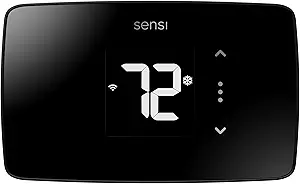 |
| Top Rated A top-rated pick with lots of positive feedback | Sensi Smart Thermostat ST55 |  |
| Most Popular A crowd favorite that many people choose with confidence | Google Nest Thermostat |  |
| Best Seller A high-volume bestseller chosen again and again | Amazon Smart Thermostat |  |
ecobee Smart Thermostat Enhanced

| Connectivity Technology | Wi‑Fi |
|---|---|
| Power Source | Corded Electric |
| Voltage | 24 volts |
| Display Type | LCD |
| Controller Type | Amazon Alexa, Android, Apple HomeKit, Google Assistant, iOS |
The ecobee Smart Thermostat Enhanced is a hardwired Wi‑Fi thermostat designed to replace a standard wall thermostat and give you remote and voice control of heating and cooling. It pairs with Alexa, Google Assistant, and Apple HomeKit, and is controlled via the ecobee app or voice commands; the built‑in radar occupancy sensing and included SmartSensor support let the unit detect presence and adjust temperatures automatically. The unit ships with a power extender kit and mounting hardware to simplify DIY installs on most 24 VAC HVAC systems, and the LCD screen and single included battery provide local status and backup. Practical benefits include automatic schedule suggestions, eco+ energy optimizations to reduce heating and cooling costs, and tight smart home integration for routines and remote adjustments. Limitations to note are that it is meant for compatible low‑voltage HVAC systems only (not line‑voltage or millivolt), and fully taking advantage of room‑by‑room balancing requires purchasing additional SmartSensors.
Best for: Buyers who want a simple, connected thermostat that reduces energy use while offering reliable voice and app control and straightforward DIY installation.
Less Ideal for: Homes that use line‑voltage or other non‑24VAC heating systems, or buyers who need multiroom temperature control out of the box without extra accessories.
- Works with Alexa, Google Assistant, and Apple HomeKit for voice and remote control
- Built‑in radar occupancy sensing and SmartSensor support for more accurate comfort and savings
- Includes Power Extender Kit and mounting hardware for easier DIY installation on many systems
- App control and eco+ features provide automated schedule suggestions and energy optimization
- Not compatible with line‑voltage, millivolt, or 0‑10V systems
- Advanced multi‑room balancing requires buying extra SmartSensors
Verdict: A user‑friendly smart thermostat that delivers voice and app control plus occupancy‑based savings, ideal for buyers seeking an easy, energy‑minded upgrade to a 24VAC HVAC system.
Google Nest Learning Thermostat (4th Gen)

| Controller Type | Amazon Alexa, Android, Apple HomeKit, Google Assistant, iOS |
|---|---|
| Power Source | Battery Powered |
| Voltage | 24 volts |
| Display Type | graphical lcd, ips |
| Included Components | Nest Temperature Sensor (2nd gen) |
The Nest Learning Thermostat (4th gen) is a premium smart thermostat that learns your temperature preferences, suggests schedule tweaks, and can automatically shift settings to save energy. Install it on a 24V system and use the Google Home app or voice assistants to change temperature and review suggested schedule changes; Dynamic Farsight and a larger graphical LCD make status and information easy to read across a room. The included Nest Temperature Sensor helps manage hot and cold spots by letting you target a specific room rather than relying solely on the thermostat location. Smart features like Adaptive Eco, Natural Heating & Cooling, Smart Ventilation, and System Health monitoring translate data into practical savings and maintenance alerts. It supports Matter and works with Alexa, Siri/HomeKit, and Google Assistant for broader smart-home integration. The main compromises are that advanced savings and some features require setup in the app and account-linked services, and high-end materials and finishes mean this is positioned as a premium option rather than a bare-bones programmable thermostat.
Best for: Buyers who prioritize automated comfort and measurable energy performance and want a thermostat that learns and integrates with a broader smart-home setup.
Less Ideal for: People who want a minimal, locally controlled programmable thermostat with no app or account dependencies or who need the lowest-cost basic thermostat option.
- Learns user routines and suggests schedule changes to reduce energy use.
- Includes a Nest Temperature Sensor to manage hot and cold spots.
- Large, readable graphical display with Dynamic Farsight for quick status at a distance.
- Works with Google Home app and voice assistants and is Matter compatible for smart-home flexibility.
- System Health monitoring and smart ventilation provide maintenance alerts and air-quality aware ventilation.
- Some energy features and savings depend on cloud services and app setup tied to an account.
- Premium design and materials make it more expensive than basic smart thermostats.
Verdict: Choose the Nest Learning Thermostat if you want a feature-rich, learning smart thermostat that prioritizes automated comfort and energy savings while fitting into a modern smart-home ecosystem.
ecobee Smart Thermostat Essential

| Connectivity Technology | Wi-Fi |
|---|---|
| Controller Type | Amazon Alexa, Android, Apple HomeKit, Google Assistant, iOS |
| Power Source | Battery Powered |
| Display Type | LCD |
| Mounting Type | Wall Mount |
The ecobee Smart Thermostat Essential is a compact, wall‑mounted smart thermostat designed to give basic smart control without extra frills. You interact with it via the color LCD touchscreen or the ecobee mobile app to set schedules, adjust temperature remotely, and view simple energy reports. It supports Apple HomeKit, Google Assistant, and Alexa so you can use voice control, and the unit includes eco+ features like schedule assistant and time-of-use preheating to reduce energy costs. Installation is aimed at DIYers and covers most 24 VAC HVAC systems; homes without a C wire may need the optional Power Extender Kit. The Essential lacks onboard advanced sensors and air quality monitoring found on higher-end models, but it still works with ecobee SmartSensors sold separately to manage comfort in different rooms. For someone who wants straightforward smart thermostat features, easy app control, and proven energy-saving routines, this model hits the mark, though buyers needing built-in multiroom sensing or premium extras should consider a more fully featured unit.
Best for: Buyers who want a straightforward, energy‑focused smart thermostat with reliable app and voice control and prefer an easy DIY install to reduce heating and cooling costs.
Less Ideal for: People who need built‑in multiroom sensing, indoor air quality monitoring, or premium thermostat features should choose a higher‑end model instead.
- Simple touchscreen and app control for remote temperature adjustments
- Works with HomeKit, Google Assistant, and Alexa for voice control
- Built-in eco+ scheduling and time-of-use features to reduce energy use
- Compatible with most 24 VAC HVAC systems and aimed at easy DIY installation
- No built-in SmartSensor pack or air quality monitor; sensors are sold separately
- Homes without a C wire may require an additional Power Extender Kit
Verdict: A capable, no-frills smart thermostat that delivers app and voice control plus energy‑saving schedules for buyers who want simple, practical smart home temperature control.
Sensi Lite ST25
| Connectivity Technology | Wi-Fi |
|---|---|
| Control Method | App, Touch, Voice |
| Power Source | Battery or C-wire |
| Number of Batteries | 2 AAA (included) |
| Specification Met | Energy Star |
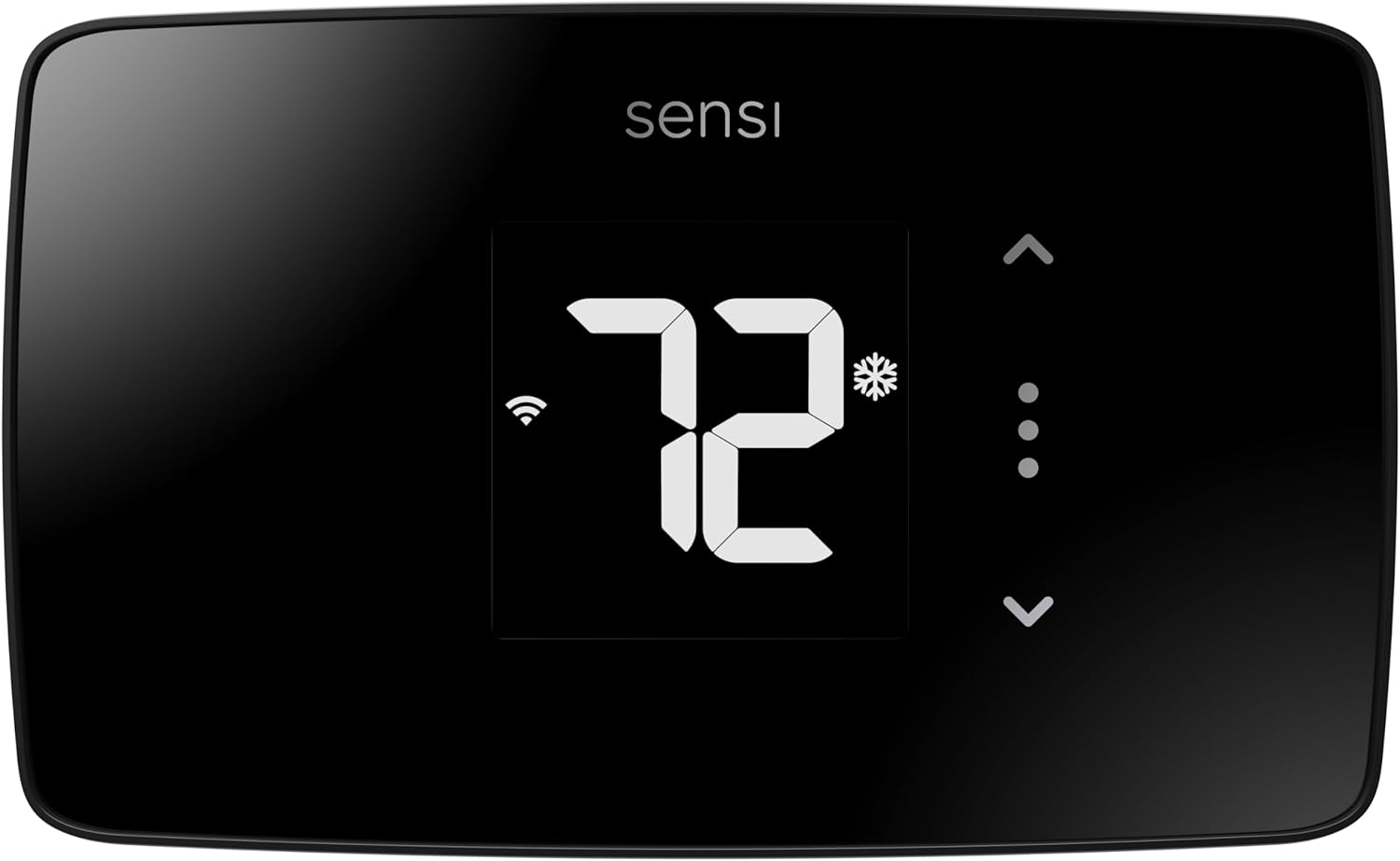
The Sensi Lite ST25 is a straightforward smart thermostat aimed at buyers who want remote control and basic scheduling without extras. It connects to 2.4 GHz Wi‑Fi and pairs with the Sensi mobile app for remote temperature control, geofencing, and usage reports, while voice control works with Alexa and Google Assistant. Installation is designed for DIY with a built-in level and included mounting hardware, and many systems do not require a common wire though some heat-only or cool-only systems do. The unit runs on 2 AAA batteries or a C-wire, and the LCD touch display offers simple set-and-forget operation. Energy Star certification and scheduling features can reduce HVAC energy use, and the manufacturer emphasizes data privacy. Limitations include a basic LCD rather than a color touchscreen and no advanced learning or multi-zone features, so it covers core smart thermostat needs rather than premium automation. For budget-focused buyers who want reliable remote control and energy savings without a steep learning curve, the Sensi Lite is a sensible choice.
Best for: Buyers on a budget who want reliable remote thermostat control, energy-saving schedules, and a simple DIY install without advanced automation or extra frills.
Less Ideal for: Users who want a color touchscreen, advanced learning algorithms, or multi-zone/home automation integration beyond basic voice and app control should consider higher-end models.
- Easy DIY installation with built-in level and step-by-step instructions
- Wi‑Fi remote control and scheduling via a top-rated mobile app
- Works with Alexa and Google Assistant for voice control
- Energy Star certified and includes features to reduce HVAC energy use
- Includes batteries and mounting hardware in the box
- Basic LCD display with limited on-device controls compared with premium touchscreens
- May require a C‑wire for some system types such as heat-only or cool-only configurations
Verdict: A cost-conscious, easy-to-install smart thermostat that delivers essential remote control and energy-saving features without premium extras.
Sensi Smart Thermostat ST55

| Connectivity Technology | Wi-Fi |
|---|---|
| Controller Type | Alexa, Apple HomeKit, Google Assistant, SmartThings, Vera |
| Power Source | Corded Electric |
| Temperature Control Type | Programmable, Smart/Remote |
| Number of Batteries | 2 AA (included) |
The Sensi Smart Thermostat ST55 is a straightforward Wi‑Fi thermostat that replaces a traditional wall unit to give remote control, scheduling, and energy reports via the Sensi mobile app. It supports Alexa, Google Assistant, Apple HomeKit, SmartThings, and Vera so you can adjust temperature by app or voice, and the unit includes a simple LED display with button controls for local use. Installation is designed for DIY with a built‑in level, wire stickers, and step‑by‑step app instructions, and it works without a common wire in many homes. The thermostat is Energy Star certified and provides usage reports, smart alerts, and filter reminders to help manage HVAC efficiency and maintenance. Limitations to note are the basic LED screen and button interface compared with touchscreen models and the need to confirm compatibility with some HVAC systems before purchase. For buyers who want a reliable, privacy-minded smart thermostat that looks and installs like a traditional unit, Sensi is a practical choice.
Best for: Homeowners who prioritize a dependable, no‑frills smart thermostat that installs easily and integrates with existing voice assistants while preserving data privacy.
Less Ideal for: Users who want a large color touchscreen interface or advanced thermostat features such as multi‑zone management or highly detailed touchscreen controls.
- Works with major voice assistants and smart home platforms for convenient remote and voice control.
- Energy Star certification with usage reports and smart alerts helps track and reduce HVAC energy use.
- Designed for DIY installation with built‑in level, wire stickers, and clear app guidance.
- Includes batteries and mounting hardware so it fits into the same wall footprint as traditional thermostats.
- LED display and button controls are more basic than color touchscreen alternatives.
- Some HVAC configurations still require a C‑wire, so compatibility should be checked before purchase.
Verdict: Choose the Sensi ST55 when you want a dependable, privacy-conscious smart thermostat that is easy to install and integrates with major voice assistants.
Google Nest Thermostat

| Connectivity Technology | Bluetooth, Wi-Fi |
|---|---|
| Power Source | Battery Powered |
| Display Type | LCD |
| Screen Size | 2 inches |
| Control Type | Remote Control, Voice Control |
The Google Nest Thermostat is a compact, app-driven smart thermostat designed for simple installation and everyday temperature control. It connects to your home network via 2.4 GHz and 5 GHz Wi‑Fi and also supports Bluetooth Low Energy for local interactions, letting you change settings from the Google Home app or by swiping its touch bar. The unit includes programmable scheduling, an Eco Temperature mode that lowers heating or cooling when you leave, and Savings Finder which suggests schedule tweaks to reduce energy use. It also monitors HVAC behavior and can send alerts if something looks off. The Nest is battery powered and often works without a C wire, which keeps installation straightforward in many homes, though some heating and cooling setups will still require a C wire or power accessory. Voice control is supported through compatible assistants, and the small LCD screen provides clear readouts. If you want a no-frills smart thermostat that focuses on simple automation, remote control, and energy suggestions, the Nest delivers, but it is not the most advanced model for users who need deep, technical HVAC diagnostics or highly customizable programming options.
Best for: Buyers who want a simple, app-first smart thermostat that reduces energy waste and is easy to install and control through Google Home and voice assistants.
Less Ideal for: People who need advanced HVAC troubleshooting, professional-grade diagnostics, or highly customizable scheduling should look at higher-end smart thermostats.
- Works with Google Home and common voice assistants for remote and voice control
- Easy self-installation in many homes and designed to operate without a C wire in most systems
- Energy-saving features like Eco Temperature and Savings Finder provide actionable suggestions
- Compact touch-bar control and a clear LCD for simple local operation
- May require a C wire or power accessory on some HVAC configurations
- Not intended for advanced HVAC diagnostics or highly detailed custom programming
Verdict: Choose the Nest Thermostat if you want an easy-to-install, app-controlled smart thermostat that focuses on simple automation and energy savings.
Amazon Smart Thermostat

| Compatible voice assistants | Alexa and Ring |
|---|---|
| Power requirement | C-wire required |
| Manufacturer tech | Honeywell Home technology |
| Energy guidance | ENERGY STAR referenced savings estimate |
The Amazon Smart Thermostat is a compact, Alexa-first thermostat designed to replace a conventional wall unit and give simple smart control over home heating and cooling. It installs with a required C-wire and the Alexa app walks you through setup, then lets you create schedules, switch home/away modes, and adjust temperature remotely. The unit uses Amazon and Honeywell Home thermostat technology for reliable temperature sensing and supports Alexa integrations like presence-based adjustments when paired with compatible devices. Practical benefits include easy voice control, app-based scheduling, and energy-saving automated behavior backed by ENERGY STAR guidance and potential local rebates. Limitations are straightforward: it is focused on basic comfort scheduling and Alexa ecosystem features rather than advanced learning algorithms or deep HVAC diagnostics, and it requires a C-wire for power so older homes without one may need wiring work or a power adapter.
Best for: Buyers who want a straightforward, reliable smart thermostat that prioritizes simple Alexa voice control and basic scheduling without a steep learning curve.
Less Ideal for: People who want an advanced self-learning thermostat or detailed HVAC diagnostics and control should consider higher-end models instead.
- Simple Alexa integration for voice control and routines
- App-guided DIY installation with C-wire support
- Remote monitoring and scheduling via the Alexa app
- Energy-focused features and eligibility information for local rebates
- Requires a C-wire which may need professional wiring in older homes
- Does not include advanced learning or diagnostic features found on premium smart thermostats
Verdict: Choose this thermostat if you want a simple, reliable Alexa-integrated upgrade from a standard thermostat that focuses on easy installation and basic energy-saving control.
Choosing the Right Simple Smart Thermostat: Key Factors to Consider
Installation & Wiring Requirements
A simple smart thermostat should be easy to install for a typical DIYer. Confirm which wires your HVAC setup uses, whether a common "C" wire is required, and whether the thermostat includes adapters or a power-stealing option. Clear wiring labeling, straightforward mounting hardware, and step-by-step setup instructions reduce the chance you will need professional help.
Installation complexity affects total cost and how quickly you can start using the thermostat. If your system uses more advanced controls like heat pump reversing valves or multi-stage heating, check for explicit compatibility before buying. An accessible installation experience also matters when swapping an older thermostat, since many buyers want a painless transition to smart control.
App and On-Device Usability
Simplicity is primarily about interaction. Evaluate whether the thermostat's app presents schedules, temperature overrides, and mode changes in clear language and whether the on-device interface matches that simplicity. Look for features like one-tap hold, easy manual adjustments, and straightforward schedule editing without nested menus.
Usability also influences how often you interact with the thermostat. A clean app and readable display encourage energy-saving behaviors and make it less likely you will disable automation. Poorly designed controls can negate the benefits of a smart thermostat by frustrating day-to-day use.
Compatibility With Your HVAC System
Not all smart thermostats support every heating and cooling configuration. Verify support for single-stage and multi-stage systems, heat pumps, and common forced-air setups. If you have boiler systems, zoned systems, or auxiliary heat, confirm the thermostat can manage the required relays and sequencing.
Incompatibility can cause poor temperature control or require additional relays and accessories. Choosing a thermostat compatible with your exact system avoids unexpected installation steps and ensures reliable operation once installed.
Connectivity and Reliability
A key reason to choose a smart thermostat is remote access and automation. Evaluate the product's Wi-Fi stability, how it handles network drops, and whether local controls remain fully functional without cloud access. Thermostats that buffer schedules and keep basic functions running during outages provide better reliability.
Connectivity affects how quickly the device responds to remote commands and how dependable notifications are. Strong, consistent connectivity also matters if you use voice assistants or integrate the thermostat with other home automation routines.
Scheduling and Energy-Saving Features
Look for scheduling that is simple to set and flexible enough to match your daily habits. Basic scheduling, temporary hold options, and intuitive away or eco modes let you reduce energy use without constant micromanagement. Some systems offer adaptive or learning schedules, but for a simple smart thermostat, simpler rule-based schedules are often preferable.
Energy-saving features should be transparent and easy to override. Clear feedback on estimated savings or runtime can help you decide whether automation is working as expected and encourage long-term energy-conscious behavior.
What Counts as a "Simple" Smart Thermostat
A simple smart thermostat pares down advanced features to the essentials buyers use daily: reliable temperature control, clear scheduling, and easy remote adjustments. It avoids deep menus, complex automation workflows, and features that demand constant tuning.
The ideal simple thermostat offers a minimal learning curve for both installation and ongoing use. That means readable displays, an intuitive mobile app or web interface, and scheduling that can be created or edited in a few taps. Simplicity also implies sensible defaults so new users do not have to configure numerous settings to get a useful experience.
- Essential controls: setpoint adjustment, mode selection, hold/override
- Basic scheduling with easy edits and temporary holds
- Robust local control when Wi-Fi is unavailable
Preparing Your Home and HVAC Before Installation
Before installing a smart thermostat, gather information about your HVAC wiring and system type. Turn off power to the furnace or air handler, remove the existing thermostat, and take a clear photo of the wiring. Identify which terminal each wire is connected to and whether a dedicated common conductor is present.
Check the breaker or switch for the heating and cooling equipment and confirm you are comfortable with a basic wiring swap. If your system uses uncommon control voltages or specialized relays, or if you are unsure about wiring labels, consider consulting a technician to avoid damage to equipment.
- Label or photograph existing wires before disconnecting
- Confirm presence of a C wire if required
- Turn power off at the breaker before wiring
Maintaining a Simple Smart Thermostat for Long-Term Use
Maintaining a simple smart thermostat involves periodic software updates, monitoring connectivity, and replacing batteries if the model uses them. Keep the app updated and review scheduled runtimes seasonally to match changing comfort needs. If the thermostat reports firmware updates, install them when convenient to maintain security and reliability.
Occasional checks of wiring connections behind the thermostat are useful, especially if you experience intermittent communication or control issues. Also, update Wi-Fi credentials if you change your home network to ensure remote access continues uninterrupted.
- Install firmware updates for security and bug fixes
- Review and adjust schedules with seasonal changes
- Replace batteries annually if applicable
Privacy and Data Considerations
Even simple smart thermostats collect usage and environment data to provide features like remote control and scheduling. Review the product's privacy policy to understand what telemetry is collected, how long it is stored, and whether data is shared with third parties. Opt out of optional data sharing when privacy concerns outweigh added features.
Prefer products that store essential schedules locally and can operate basic functions without sending all data to the cloud. That reduces exposure during service disruptions and limits the amount of personal data retained off-device.
- Check what telemetry is collected and retention policies
- Prefer local control for critical functions
- Disable optional data sharing and voice integrations if privacy is a priority
Using a Simple Smart Thermostat With Home Automation
If you plan to use a thermostat within a broader automation setup, decide which integrations truly add value. For simple use cases, basic voice control, presence-based away modes, or simple schedule triggers are often sufficient. Keep automations limited and well documented so they do not conflict with manual adjustments.
Test any routines you create to ensure they behave predictably. Automations that change setpoints based on multiple triggers can become confusing, so prefer single-purpose routines that are easy to disable or edit.
- Use minimal, purpose-driven automations
- Test routines and document triggers
- Ensure manual overrides are always respected
How We Chose the Best Simple Smart Thermostat
We focused on selecting Simple Smart Thermostats that prioritize straightforward installation, intuitive controls, and dependable temperature regulation. Our editorial filters favored units with clear setup paths for common residential HVAC wiring, solid Wi-Fi connectivity for remote access, and a minimal app or on-device interface that reduces friction for everyday use. We also evaluated thermostat responsiveness to setpoint changes and schedule adherence to ensure comfort and energy savings in real use. Concrete evaluation criteria included installation effort and wiring clarity, app and on-device usability, compatibility with common residential heating and cooling systems, connectivity reliability, and energy-saving scheduling features. We excluded thermostats that require advanced configuration, heavy third-party integration, or professional-only installers. Units were filtered out if they lacked basic scheduling, remote control, or clear wiring documentation. The resulting selections reflect models that make smart control accessible without unnecessary complexity, and the scoring criteria below map to the practical dimensions buyers care about when choosing a simple smart thermostat.
Our full evaluation process is outlined in our review methodology.
FAQ
Do I need a C wire for a simple smart thermostat?
It depends on the model. Many smart thermostats run on low power from a common C wire, while some include power adapters or power-stealing modes to work without a dedicated C wire. Check the product wiring requirements and your system's terminal strip to confirm before purchase.
Can a simple smart thermostat control a heat pump?
Often yes, but compatibility varies. Some simple smart thermostats explicitly support heat pump systems and auxiliary heat staging, while others are intended for single-stage forced-air systems. Verify that the thermostat supports your system type to ensure proper control and sequencing.
Will a simple smart thermostat still work if my Wi-Fi goes down?
Most simple smart thermostats retain basic local control when Wi-Fi is unavailable, allowing on-device temperature adjustments and schedule adherence. However, remote access and cloud-dependent features will be unavailable until connectivity is restored.
How much can a simple smart thermostat actually reduce energy use?
Energy savings depend on your existing habits and how you use scheduling or away modes. Simple setpoint setbacks and consistent scheduling typically reduce runtime, but actual savings vary based on climate, insulation, and HVAC efficiency. The thermostat itself does not guarantee savings without appropriate use.
Is professional installation required for a simple smart thermostat?
Not usually. Many models are designed for homeowner installation with clear wiring guides and step-by-step apps. Professional installation may be recommended if your system has complex wiring, multiple zones, or nonstandard control voltages.
Final Verdict
Choose a Simple Smart Thermostat that matches the wiring and control needs of your HVAC system, and prioritize ease of installation and daily usability. Focus on models with clear wiring instructions, a straightforward app or on-device interface, and reliable connectivity so the thermostat does what you expect without constant maintenance. Balance scheduling features against simplicity: enough automation to save energy, but not so many rules that the system becomes hard to manage. With those priorities in place, you can pick a thermostat that delivers dependable comfort and sensible control.