
Note: This article contains affiliate links. If you click on these links and make a purchase, we may earn a small commission at no extra cost to you. This helps support our research and content. Read our full affiliate disclosure here.
Picking the right simple Wi-Fi thermostat matters because it controls home comfort, energy use, and how easily you interact with your heating and cooling system every day. A straightforward, reliable thermostat reduces frustration from app complexity, prevents accidental schedule changes, and gives consistent temperature control whether you are home or away. This guide shortlists the top simple Wi-Fi thermostats to help you find models that focus on easy setup, dependable connectivity, and intuitive controls. Below you will find our top picks for uncomplicated Wi-Fi thermostats along with the evaluation criteria we used to assess connectivity, installation friendliness, and daily usability.
Top Picks at a Glance
| Best Overall The best all-around choice for most situations | ecobee Smart Thermostat Essential |  |
| Best Quality Built to a higher standard if you want something more solid | Google Nest Learning Thermostat (4th Gen) |  |
| Best Value The sweet spot between price and what you get | Honeywell Home X2S Smart Thermostat |  |
| Best Budget The cheapest option that still gets the job done reliably | Sensi Lite Smart Thermostat ST25 | 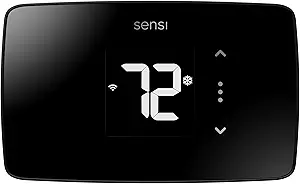 |
| Top Rated A top-rated pick with lots of positive feedback | Sensi Touch ST75 Thermostat |  |
| Most Popular A crowd favorite that many people choose with confidence | Google Nest Thermostat |  |
| Best Seller A high-volume bestseller chosen again and again | Amazon Smart Thermostat |  |
ecobee Smart Thermostat Essential

| Connectivity Technology | Wi‑Fi |
|---|---|
| Controller Type | Amazon Alexa, Android, Apple HomeKit, Google Assistant, iOS |
| Power Source | Battery Powered |
| Display Type | LCD |
The ecobee Smart Thermostat Essential is a pared-down smart thermostat designed to deliver basic remote temperature control and energy-saving features without extra complexity. It installs on the wall and uses a color touch LCD for local control while connecting to your home Wi‑Fi so you can change settings from the ecobee app or via Siri, Alexa, or Google Assistant. The unit supports auto-scheduling and eco+ features that adapt to your routine to reduce heating and cooling costs, and it can work with an optional Power Extender Kit if you lack a C-wire. Practical benefits include easy DIY setup, simple touchscreen interaction, app and voice integration for remote adjustments, and built-in reminders for maintenance. Limitations are its focus on essential features rather than advanced zoning or built-in room sensors, and it relies on optional accessories for full compatibility in some older systems. For buyers who want straightforward smart control and energy savings without a steep learning curve, this model hits the essentials cleanly.
Best for: Buyers who want a straightforward, easy-to-install smart thermostat that provides app and voice control plus basic energy-saving automation without advanced setup.
Less Ideal for: Homes that need built-in multi-room sensing, advanced zoning, or extensive HVAC analytics should consider a higher-end model or systems with included sensors.
- Simple color touchscreen for easy local control
- Wi‑Fi connectivity with app control and voice assistant support
- Built-in eco+ features and auto-scheduling to reduce energy use
- Easy DIY installation with compatibility checker and optional PEK for no C‑wire homes
- Does not include SmartSensor room sensors by default for multi-room temperature balancing
- Limited to essential smart features rather than advanced zoning or analytics
Verdict: A user-friendly, Wi‑Fi smart thermostat that delivers the essential app and voice control plus energy-saving automation for buyers who want simplicity and reliable savings.
Google Nest Learning Thermostat (4th Gen)

| Power Source | Battery Powered |
|---|---|
| Voltage | 24 volts |
| Display Type | graphical lcd, ips |
| Control Method | App |
| Included Components | Nest Temperature Sensor (2nd gen) |
The Nest Learning Thermostat (4th Gen) is a high-end smart thermostat that learns your preferences and suggests schedule tweaks in the Google Home app while providing remote and voice control. It installs on standard 24V HVAC systems, is battery powered with an included CR2, and ships with a Nest Temperature Sensor to help manage hot and cold spots. Notable features include Dynamic Farsight for visible room information, Adaptive Eco that factors outdoor temperature to pause HVAC for savings, Smart Schedule suggestions you can accept or adjust, and System Health monitoring that alerts you to potential equipment issues. Matter compatibility and broad voice assistant support make integration into a simple Wi-Fi smart home straightforward. The main trade-offs are its premium positioning and focus on automated learning rather than granular manual scheduling for users who prefer full manual control, and advanced features depend on the Google Home ecosystem and app. For buyers seeking a performance-oriented, easy-to-manage Wi-Fi thermostat, the Nest delivers efficient, automated comfort with useful diagnostics and zoning capability.
Best for: Buyers who want a top-performing, automated Wi‑Fi thermostat that minimizes manual scheduling and prioritizes energy savings and system monitoring through smart learning.
Less Ideal for: Users who want a very basic, low-cost Wi‑Fi thermostat or who prefer fully manual, granular scheduling without app-driven suggestions.
- Learns user preferences and suggests schedule optimizations to reduce energy use
- Includes a Nest Temperature Sensor to manage hot and cold spots remotely
- Adaptive Eco and outdoor-aware behavior can pause HVAC to save energy
- Wide integration via Google Home, Matter, and voice control with Alexa and Siri
- System Health monitoring provides alerts for potential HVAC issues
- Premium feature set and price compared with basic Wi‑Fi thermostats
- Advanced automation is tied to the Google Home app and ecosystem
Verdict: If you want a performance-focused smart thermostat that learns your routine, optimizes energy use, and integrates simply with a Wi‑Fi smart home, this Nest is an excellent choice.
Honeywell Home X2S Smart Thermostat

| Connectivity Technology | Wi‑Fi |
|---|---|
| ENERGY STAR | Yes |
| Compatibility | Up to 2H/2C conventional or up to 2H/1C heat pump |
| Control Method | App, Push Button, Voice |
| Power | C‑wire required (24 VAC) |
The Honeywell Home X2S Smart Thermostat is a straightforward Wi‑Fi thermostat built for everyday home use. It provides remote control via the First Alert app and works with Alexa, Google Assistant, and Apple HomeKit through Matter certification, so you can adjust temperature and routines from your phone or voice assistant. Typical use centers on scheduled programming and energy savings: it supports multiple scheduling formats, auto‑away, filter reminders, and an optional humidity display. The small LCD and interchangeable accent plates keep the interface simple and visually unobtrusive on a wall. Installation requires a C‑wire for steady power, and the unit is specified for up to 2 heat/2 cool conventional systems or certain heat pump setups, making it suitable for many single‑family homes. If you want a no‑frills smart thermostat that focuses on reliable remote control, basic automation, and energy program participation, this model covers those needs clearly; it is not aimed at advanced HVAC diagnostics or complex multi‑stage commercial systems.
Best for: Buyers who want a simple, energy‑minded smart thermostat that provides dependable remote control and basic automation without complex HVAC features.
Less Ideal for: Homes needing advanced multi‑stage HVAC control, commercial systems, or users who cannot provide a C‑wire without extra modification.
- Matter certified for reliable integration with Alexa, Google Assistant, and Apple HomeKit
- ENERGY STAR certified with flexible scheduling and auto‑away to help reduce energy use
- Customizable alerts including change air filter reminders and humidity monitoring
- Interchangeable accent pieces and a simple LCD make for unobtrusive wall styling
- Requires a C‑wire for proper operation which may need professional wiring or an adapter
- Limited to smaller residential HVAC setups (up to 2 heat/2 cool conventional or up to 2 heat/1 cool heat pump)
Verdict: Choose the X2S if you want a simple, ENERGY STAR certified smart thermostat that reliably connects to modern smart-home platforms and focuses on easy scheduling and energy savings.
Sensi Lite Smart Thermostat ST25
| Connectivity Technology | Wi-Fi |
|---|---|
| Control Method | App, Touch, Voice |
| Power Source | Battery or C-wire |
| Number of Batteries | 2 AAA (included) |
| Specification Met | Energy Star |
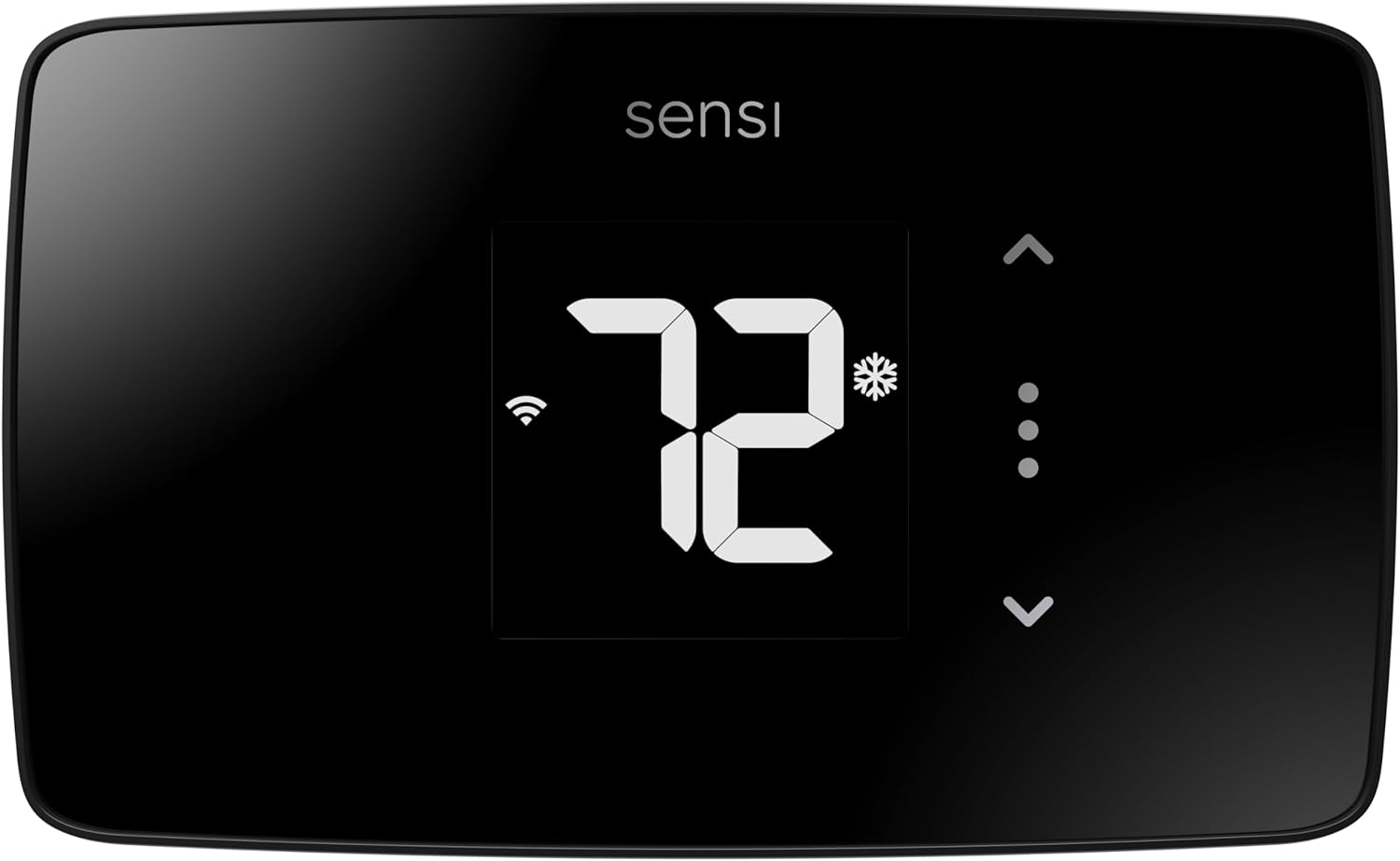
The Sensi Lite ST25 is a pared-down smart thermostat that gives you remote control and scheduling without extra complexity. It connects over 2.4 GHz Wi‑Fi and pairs with the Sensi mobile app for on-the-go temperature adjustments, geofencing, and usage reports, and also supports voice control via Alexa and Google Assistant. Installation is geared toward DIYers with a built-in level, wire labels, and step-by-step instructions, and it can run on included AAA batteries or a C-wire when required by some systems. The display is a straightforward LCD and controls are available by app, touch, or voice. Because it is Energy Star certified and lists features like flexible scheduling and usage reporting, the unit helps reduce HVAC energy use in everyday households. Limitations include a simple feature set compared with full-featured smart thermostats and requirement of a common wire for certain HVAC configurations, so it is best for people who want reliable remote control and energy savings without advanced home automation bells and whistles.
Best for: Buyers looking for a straightforward, budget-friendly smart thermostat that provides reliable remote control and basic energy-saving features without a steep learning curve.
Less Ideal for: Users who want advanced smart-home integrations, learning algorithms, or a large touchscreen interface should consider more feature-rich thermostats.
- Easy DIY installation with built-in level, wire labels, and step-by-step guide
- Wi‑Fi app control with geofencing and usage reports for remote management
- Works with Alexa and Google Assistant for voice control
- Energy Star certified to help reduce HVAC energy use
- Requires a C-wire for some system types
- Simpler feature set than premium smart thermostats
Verdict: A cost-conscious choice that delivers dependable Wi‑Fi remote control, easy DIY setup, and basic energy savings without unnecessary complexity.
Sensi Touch ST75 Thermostat

| Connectivity Technology | Wi-Fi |
|---|---|
| Control Method | App, Touch, Voice |
| Display Type | LCD |
| Screen Size | 4.3 inches |
| Specific Uses For Product | Air Conditioner, Boiler, Furnace, Heat Pump |
The Sensi Touch ST75 is a straightforward smart thermostat that replaces a standard wall unit and gives you remote control and programmable schedules through a mobile app. Installation is geared toward DIYers: the product includes illuminated easy‑click terminals, a built‑in level, and step‑by‑step app instructions, though a common C‑wire is required. The 4.3‑inch color touchscreen and touch controls make local adjustments simple, while Wi‑Fi connectivity enables remote temperature control, usage reports, smart alerts, and geofencing. It supports major voice assistants and smart home platforms and provides maintenance reminders like filter replacement. Energy Star certification and usage reporting aim to reduce HVAC energy use. Practical limitations are the C‑wire requirement for most homes and dependence on 2.4 GHz Wi‑Fi, which may complicate setups on newer mesh or 5 GHz‑only networks. The thermostat focuses on core smart features rather than advanced learning algorithms, so buyers looking for fully automated temperature learning will want a different model.
Best for: Homeowners who want a reliable, easy‑to‑install smart thermostat that provides solid remote control, energy reporting, and straightforward touchscreen controls without complex automation.
Less Ideal for: Buyers who want a thermostat that learns schedules automatically or who cannot provide a C‑wire and do not want to install one should consider other options.
- Easy DIY installation with illuminated terminals and built‑in level
- Color touchscreen and touch controls for intuitive local use
- Full remote control via 2.4 GHz Wi‑Fi and mobile app with usage reports and alerts
- Works with major voice assistants and smart home platforms
- Energy Star certified and provides maintenance reminders
- Requires a common C‑wire for most installations
- Only supports 2.4 GHz Wi‑Fi which can limit some network setups
Verdict: Choose the Sensi Touch ST75 if you want a dependable, DIY‑friendly Wi‑Fi thermostat that gives clear touchscreen controls and solid remote energy reporting.
Google Nest Thermostat

| Connectivity Technology | Bluetooth, Wi-Fi |
|---|---|
| Power Source | Battery Powered |
| Display Type | LCD |
| Control Type | Remote Control, Voice Control |
| Number of Batteries | 2 A batteries required. (included) |
The Google Nest Thermostat is a pared-down smart thermostat that brings app and voice control to a home HVAC system with minimal fuss. It connects to Wi‑Fi and Bluetooth so you can change temperatures from the Google Home app or a compatible voice assistant, and the side touch bar makes local adjustments quick. Savings Finder and Eco Temperature help reduce energy use by suggesting schedule tweaks and automatically lowering settings when the house is empty, while HVAC monitoring can alert you to potential issues. Setup is intended to be user-installable in about 30 minutes and the package includes mounting hardware and batteries so you can get started right away. Limitations to consider are that some systems may require a C wire or power accessory, voice and remote features need working internet and compatible devices, and the thermostat provides basic smart features rather than the advanced learning behavior of higher-end Nest models. For buyers seeking a simple, app-controlled upgrade, it covers the essentials without extra complexity.
Best for: Buyers who want an affordable, easy-to-install smart thermostat that provides reliable remote control and straightforward energy-saving tools without advanced learning features.
Less Ideal for: Users who need full-featured learning thermostats, professional HVAC diagnostics, or have systems incompatible without professional wiring changes should look elsewhere.
- App and voice control via Google Home and compatible assistants for remote temperature changes
- Energy-saving features like Savings Finder and Eco Temperature that suggest and apply schedule tweaks
- Simple installation with included mounting hardware and batteries for quick setup
- Basic HVAC monitoring that can send alerts if the system appears to have issues
- May need a C wire or power accessory for some HVAC systems
- Requires working Wi‑Fi and compatible voice devices for remote and voice features
Verdict: A simple, budget-friendly smart thermostat that delivers easy app and voice control plus basic energy-saving features for everyday use.
Amazon Smart Thermostat

| Works with | Alexa and Ring |
|---|---|
| C‑wire | Required |
| Technology | Honeywell Home thermostat technology |
| ENERGY STAR | Aligned |
The Amazon Smart Thermostat is a straightforward Wi‑Fi thermostat designed for easy DIY replacement of a conventional wall unit and Alexa integration. Installation walks you through wiring using the Alexa app and it requires a C‑wire, after which the thermostat connects to your Wi‑Fi so you can set schedules, control temperature remotely, and use Alexa voice commands or presence-based adjustments via select Alexa devices. Notable features include compatibility with Alexa routines and Ring devices, EPA ENERGY STAR alignment for potential energy savings, and Honeywell Home thermostat technology under the hood for reliable temperature control. The interface and app focus on simple scheduling and remote control rather than advanced zoning or professional-grade HVAC diagnostics, and it does not list batteryless or multi‑stage HVAC details on the product page. If you want a touchscreen-packed or installer-focused model with lots of commercial HVAC options, this one favors ease of use and smart home integration over deep configurability.
Best for: Buyers who want a simple, reliable smart thermostat that integrates tightly with Alexa and Ring and prefer a low‑effort DIY upgrade to add basic remote control and scheduling.
Less Ideal for: Professional installers, users with complex multi‑stage HVAC systems, or buyers seeking a feature‑rich touchscreen thermostat for advanced HVAC tuning.
- Easy Alexa integration for voice and routines
- Simple DIY installation guided by the Alexa app
- Remote temperature control and scheduling via the Alexa app
- ENERGY STAR aligned features aimed at saving energy
- Requires a C‑wire which may need professional wiring in some homes
- Limited advanced HVAC configuration compared with pro thermostats
Verdict: Pick this thermostat if you want a no‑fuss, Alexa‑centric Wi‑Fi replacement that makes basic smart scheduling and remote control easy.
Choosing the Right Simple Wi-Fi Thermostat: Key Factors to Consider
Connectivity Reliability
A simple Wi-Fi thermostat must maintain a steady connection to your home network to provide reliable remote control and receive schedule updates. Intermittent connectivity causes missed commands, delayed temperature changes, and confusing app status that undermine the purpose of remote control. Consider whether the device supports 2.4 GHz networks, how it handles reconnection after outages, and whether it provides local control when the cloud service is unreachable.
High connectivity reliability reduces the need to troubleshoot network issues and ensures that automations and schedule changes take effect when expected. In a mixed network environment, look for thermostats with clear documentation on network requirements and simple recovery steps for when the router reboots.
Installation and Wiring Simplicity
Installation should be straightforward for a basic thermostat, with clear labeling for common HVAC wires and an easy-to-follow setup process. Many homes have a standard set of control wires, but older systems or heat-only/cool-only setups can complicate installation. A thermostat that offers clear wiring diagrams, compatibility checks, and a simple in-app wizard lowers the chance of incorrect wiring or the need for professional help.
Also consider whether the thermostat requires a common wire, includes an adapter, or offers an alternative power solution. The less invasive the installation, the more likely you are to complete the swap quickly and maintain reliable system control after installation.
User Interface Clarity
Simplicity means clear, immediately usable controls both on the thermostat itself and in the companion app. A good simple Wi-Fi thermostat shows current and target temperatures, easy access to basic modes (heat, cool, off), and straightforward manual temperature adjustments without deep menu dives. The app should mirror that clarity with a minimal, logical layout for viewing current status and making quick changes.
An intuitive interface reduces accidental changes and makes it easier for multiple household members to operate the thermostat. Look for devices that prioritize essential functions up front and avoid buried settings that only advanced users would need.
Scheduling and Automation Basics
Even simple thermostats should offer basic scheduling to set different temperatures for home, away, and sleep times. The scheduling interface should be quick to edit, allow easy copying of routines between days, and support simple overrides. Advanced scene builders or complex geo-fencing are unnecessary for a simple thermostat and can complicate setup.
Effective scheduling saves energy by reducing run time when you do not need heating or cooling. When evaluating models, prioritize those that let you create, edit, and override schedules with a minimum number of taps or clicks.
Compatibility With Your HVAC System
A thermostat that is simple to use can still be incompatible with certain HVAC setups. Confirm that the thermostat supports your system type, whether single-stage, multi-stage, heat pump, or systems that rely on a common wire. Mismatched compatibility can lead to reduced functionality or require professional adjustments.
Check documentation for supported control types, and verify whether the unit offers diagnostic indicators that help confirm correct wiring and operation after installation. Good compatibility reduces post-install problems and ensures the thermostat controls the system as intended.
How Simple Thermostats Handle Offline Control
Not all Wi-Fi thermostats rely solely on cloud services to function. When the internet is down, look for devices that still allow local temperature adjustments from the display and preserve schedules. Some models queue changes locally until the network returns, while others maintain full manual control independent of the app.
Understand the distinction between cloud-dependent features and local controls so you do not lose basic functionality during outages. A thermostat that retains local scheduling and manual set points gives predictable behavior even when remote features are unavailable.
- Local control for manual temperature changes
- Queued schedule updates when offline
- Clear status indicators for connection state
Wiring Tips for a Smooth Installation
Before starting the swap, label wires and photograph the existing thermostat wiring. That makes it simpler to match wires to the new unit and avoids guesswork. Turn off power at the breaker to prevent short circuits and to protect the HVAC control board while you work.
If your system lacks a common wire, check whether the thermostat supports a power adapter or a power-stealing mode. Even with a simple model, reading the wiring guide and using the installer checklist in the app can prevent mistakes that cause system faults.
- Turn off system power at the breaker
- Label and photograph wires before removal
- Confirm C-wire needs before buying
Balancing Simplicity and Energy Savings
Simple thermostats trade advanced automation for ease of use, but they can still contribute to lower energy consumption. Basic scheduling, setback temperatures, and straightforward occupancy overrides typically cover most homeowner needs. Use simple rules like lowering temperatures at night and raising them when you are away to capture meaningful savings.
Avoid complicated automation flows that create confusion. The easiest routines are the ones you will actually maintain over time, so pick schedules you will stick to rather than elaborate scenes that require frequent edits.
- Use straightforward schedules for predictable savings
- Prefer manual overrides over complex automations
- Set realistic temperature setbacks for comfort
App Features That Matter for Simple Use
For a simple Wi-Fi thermostat, the companion app should provide quick access to current temperature, basic scheduling, and a manual override. Avoid apps that burden you with excessive notifications or require numerous permission grants for core functions. A clean app preserves the thermostat's simple ethos and reduces time spent managing settings.
Look for apps that clearly display connectivity status and offer intuitive schedule editing. Helpful extras include simple usage history and basic alerts for system faults without overwhelming the user with technical diagnostics.
- Simple schedule editor with copy/duplicate day features
- Clear connectivity and status indicators
- Minimal, meaningful notifications
Placement and Temperature Accuracy
Where you mount the thermostat affects how accurately it senses ambient temperature. Avoid direct sunlight, drafts, or locations near heat-producing appliances. Mounting at a central, interior wall height provides the most consistent readings for whole-home comfort.
Some simple thermostats support external remote sensors to better reflect occupied zones. If you have uneven temperatures in your home, consider whether adding a basic sensor is an option while keeping the overall control scheme straightforward.
- Avoid direct sun and drafts
- Mount on an interior wall at average room height
- Consider an optional remote sensor for uneven homes
How We Chose the Best Simple Wi-Fi Thermostat
We shortlisted thermostats that emphasize simplicity in setup, operation, and routine scheduling. Our evaluation focused on concrete, buyer-relevant attributes: connectivity reliability, ease of setup and installation, user interface clarity in both hardware and app, thermostat compatibility with common HVAC control wiring, and energy-saving schedule capabilities. We prioritized products that minimize configuration steps and avoid feature overload while still supporting essential Wi-Fi functions and remote control. We excluded complex smart thermostats that require extensive configuration, proprietary ecosystems, or advanced automation features that conflict with a simple-use goal. We also removed items that lack clear documentation or have inconsistent network performance reports. In practice we filtered for models with clear wiring guides, straightforward app flows, consistent Wi-Fi uptime, solid local controls, and basic scheduling and sensor handling. These are the dimensions that mattered most when deciding which simple Wi-Fi thermostats belong on this list.
Our full evaluation process is outlined in our review methodology.
FAQ
Will a simple Wi-Fi thermostat work if my internet goes out?
Usually yes. Many simple Wi-Fi thermostats retain local control so you can change the temperature at the device. However, remote app control and cloud-dependent features will be unavailable until the connection is restored.
Do I need a common wire to install a Wi-Fi thermostat?
It depends. Some models require a common wire for power, while others offer alternatives like power adapters or power-stealing modes. Check the installation documentation before purchasing to confirm your wiring situation.
How difficult is it to set up basic schedules?
Setting up simple schedules is normally quick and intuitive, often done in the app with a few taps. Good simple thermostats provide a straightforward schedule editor that allows copying days and setting quick overrides.
Can multiple household members use the same thermostat app?
Many thermostats allow multiple user accounts or shared access via the app. Account sharing options vary, so choose a model that supports multi-user control if convenient household access is important.
Will a simple thermostat save energy compared with a manual model?
Often yes. Even basic scheduling and setback features can reduce runtime when the home is unoccupied or sleeping, which typically lowers energy use compared with leaving a manual thermostat at a constant setting.
Final Verdict
Pick a simple Wi-Fi thermostat that emphasizes reliable connectivity, clear controls, and easy installation to minimize setup friction and day-to-day fuss. Prioritize models that match your HVAC wiring, retain local control during outages, and offer a straightforward scheduling interface you will actually use. Ultimately, choose the thermostat that reduces complexity while giving the remote access and schedule basics you need. That tradeoff between simplicity and essential features will deliver predictable comfort and fewer maintenance headaches.