
Note: This article contains affiliate links. If you click on these links and make a purchase, we may earn a small commission at no extra cost to you. This helps support our research and content. Read our full affiliate disclosure here.
If you want the convenience of connected lighting without overspending, choosing the right smart light bulb on a budget matters. Cheap bulbs vary widely in app quality, compatibility, and long-term energy savings, so picking a model that balances initial cost with ease of use and efficiency will save time and money. This guide shortlists seven top options that deliver reliable wireless control, reasonable color or white quality, and straightforward setup. We evaluated each pick for installation simplicity, brightness and color performance, energy usage, and app or hub requirements. Read on to see which features matter most for budget smart lighting and which picks fit common room types and setups.
Top Picks at a Glance
| Best Overall The best all-around choice for most situations | Kasa Smart Bulb KL125P2 |  |
| Best Quality Built to a higher standard if you want something more solid | Philips Hue Essential A19 |  |
| Best Value The sweet spot between price and what you get | WiZ Connected A19 Color Bulb |  |
| Best Budget The cheapest option that still gets the job done reliably | Tapo L531E Smart A19 Bulb |  |
| Top Rated A top-rated pick with lots of positive feedback | Govee Smart A19 Light Bulb H6008 |  |
| Most Popular A crowd favorite that many people choose with confidence | Amazon Basics Smart A19 LED Bulb | 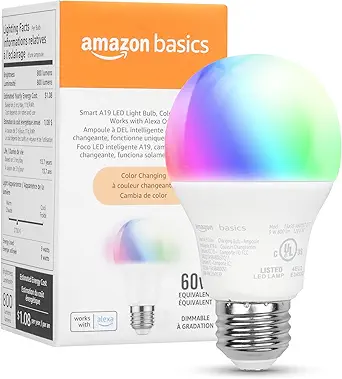 |
| Best Seller A high-volume bestseller chosen again and again | Govee Smart A19 Light Bulb H6006 |  |
Kasa Smart Bulb KL125P2
| Light Output Maximum | 800 lumens |
|---|---|
| Light Source Wattage | 9 watts |
| Color Temperature | 2500K–6500K |
| Connectivity Protocol | Wi-Fi (2.4 GHz) |
| Bulb Base | E26 |
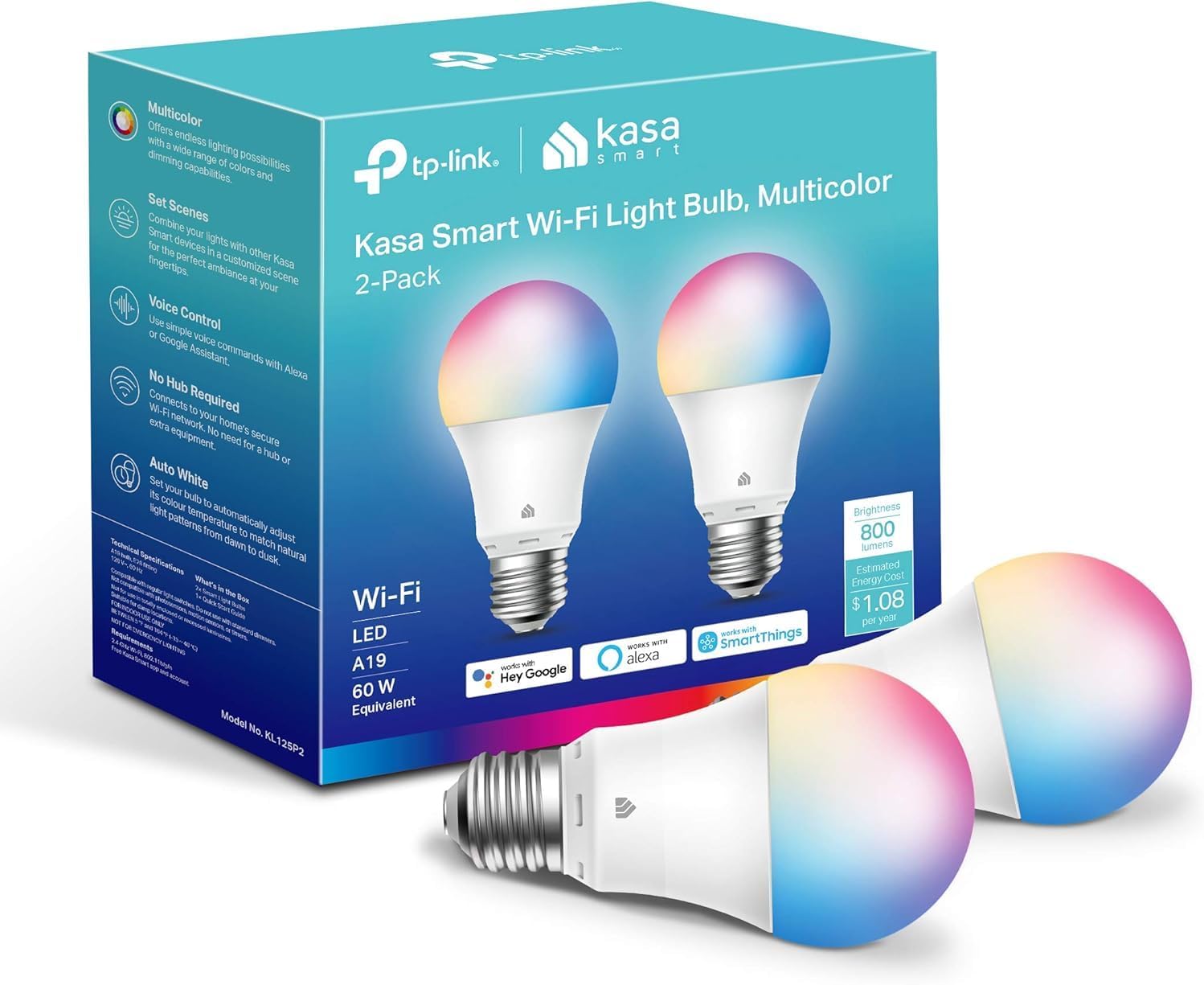
The Kasa KL125P2 is a full‑color A19 smart LED that replaces a 60W bulb while drawing about 9W and delivering up to 800 lumens. It connects directly to 2.4 GHz Wi‑Fi so you can control color, warm‑to‑cool white and brightness from the Kasa app or with Alexa and Google Assistant, and it supports schedules, timers and energy monitoring for routine automation. The bulb's Auto White feature helps shift color temperature across the day and the app groups and scenes make it easy to set mood lighting for parties or focused tasks. Setup is straightforward for typical home Wi‑Fi networks and the 16 million color options are useful for decorating or accent lighting. Limitations include the 2.4 GHz‑only requirement, which can be an issue on routers that separate bands or restrict older devices, and the 800‑lumen output is moderate for large rooms. For buyers wanting a reliable, app‑driven multicolor bulb with energy tracking and voice control on a budget, this model hits the essentials without extra hardware.
Best for: Buyers who want an affordable, no‑hub smart bulb that covers both color and tunable white use cases and who value app scheduling and voice control for everyday rooms and accent lighting.
Less Ideal for: People who need very high brightness for large spaces or who require bulbs that work on 5 GHz Wi‑Fi or mesh setups without band separation.
- Full RGB color plus tunable white (2500K–6500K) for versatile scenes
- Direct Wi‑Fi connection with Alexa and Google Assistant voice control, no hub required
- Scheduling, timers and energy monitoring available in the Kasa app
- Moderate 800‑lumen brightness while drawing about 9W for energy efficiency
- Works only on 2.4 GHz Wi‑Fi, which may limit compatibility with some modern router setups
- 800 lumens is adequate for small to medium rooms but may be dim for larger spaces
Verdict: A budget‑friendly, full‑color smart bulb that gives reliable app and voice control plus energy monitoring without needing a hub.
Philips Hue Essential A19

| Wattage | 8.8 watts |
|---|---|
| Bulb Base | E26 |
| Light Output Maximum | 800 lumens |
| Light Color | Multicolor |
| Control Method | App |
The Philips Hue Essential A19 is a full-color smart LED bulb that brings tunable white light and millions of color options into a standard E26 lamp. You set it up through the Hue app or voice assistants and can dim smoothly from full brightness down to about 2 percent, making it useful for task lighting, ambient scenes, and mood lighting. It delivers about 800 lumens while consuming roughly 8 to 8.8 watts, matching the output of a 60 to 75 watt incandescent in a much smaller power envelope. The bulb works best within the Hue ecosystem and unlocks advanced features if you add a Hue Bridge, but basic app and voice control are available without extra hardware. Practical benefits include strong color range, reliable app control, and smooth dimming; limitations are that some advanced integrations require the separate bridge and it is an indoor-only A19 form factor, so it is not suited for every fixture or outdoor use.
Best for: Buyers who prioritize reliable color quality and smooth dimming in a compact smart bulb and who want straightforward app and voice control to improve room lighting and mood on a budget.
Less Ideal for: People needing outdoor-rated bulbs, specialty form factors, or full-featured integrations without adding a Hue Bridge should consider other options.
- Full multicolor range plus tunable white for flexible scene creation
- Smooth dimming from full brightness down to about 2 percent
- Energy efficient 8–8.8W draw with roughly 800 lumens output
- Works with Alexa, Google Assistant, and Apple Home for voice control
- Advanced features like content syncing and extended automations require a separate Hue Bridge
- Designed for indoor A19/E26 fixtures only, not rated for outdoor use
Verdict: Choose this Philips Hue A19 bulb if you want dependable color performance and smooth dimming with mainstream app and voice control on a budget.
WiZ Connected A19 Color Bulb

| Light Output Maximum | 800 lumens |
|---|---|
| Wattage | 8.8 watts |
| Bulb Base | E26 |
| Light Color | Multicolor |
| Connectivity Technology | Bluetooth, Wi-Fi |
The WiZ Connected A19 color bulb is a budget-friendly smart LED that brings millions of colors and tunable whites to any standard E26 socket. It connects directly to your 2.4 GHz Wi‑Fi or Bluetooth, so no hub is required, and you can control it with the WiZ app, voice assistants, or a WiZ remote. Setup is straightforward — screw in the bulb, join your network in the app, and you can schedule scenes, dim smoothly, and use SpaceSense motion-triggered on/off when multiple WiZ devices are present. The bulb outputs up to 800 lumens (60W equivalent) while consuming just 8.8 watts, making it suitable for general room lighting or accent and decorative uses. Matter compatibility and broad controller support (Alexa, Google, Siri, SmartThings, IFTTT) make integration with existing smart setups easy. Limitations include the need for a 2.4 GHz Wi‑Fi network for full features and that advanced presence sensing requires additional WiZ devices in the room, so it is not a complete stand-alone security sensor solution.
Best for: Buyers who want an affordable, no-hub smart bulb to replace standard A19 lamps and who prioritize easy app or voice control and energy-efficient color lighting.
Less Ideal for: People who need advanced standalone motion-activated security lighting or who cannot provide a 2.4 GHz Wi‑Fi network in the installation area.
- Full-color output with millions of colors plus tunable warm-to-cool whites
- No hub required — connects to 2.4 GHz Wi‑Fi and Bluetooth
- Works with major voice assistants and Matter for easy integration
- Energy efficient 8.8W operation with up to 800 lumens brightness
- SpaceSense motion detection needs at least two WiZ devices in a room to work
- Requires a 2.4 GHz Wi‑Fi network for full functionality
Verdict: A cost-conscious smart A19 bulb that delivers bright, full-color lighting and easy no-hub control for everyday home use.
Tapo L531E Smart A19 Bulb

| Light Source Wattage | 9 watts |
|---|---|
| White Brightness | 800 lumens |
| Light Color | RGBW |
| Connectivity Protocol | Wi‑Fi |
| Color Rendering Index | 90 |
The Tapo L531E is an A19 smart LED bulb designed for everyday smart lighting without a hub. It connects to 2.4 GHz Wi‑Fi and is controlled through the Tapo app or voice assistants, letting you pick from 16 million colors or tune white from warm to cool for scenes like movie night or task lighting. The bulb produces about 800 lumens (60W equivalent) while using roughly 8.3 to 9 watts, and its CRI over 90 gives accurate colors for photos or decor. The app includes scheduling, away mode, presets and basic energy monitoring so you can track consumption and automate routines. Installation and Alexa setup are straightforward for most users, and the wide 220 degree beam spreads light well in typical fixtures. Limitations include reliance on 2.4 GHz Wi‑Fi only and the need to use the Tapo app for advanced features, which may not integrate with every smart-home ecosystem or power-heavy enterprise setups. For budget buyers the L531E delivers solid color range, good brightness, and energy savings in a low-cost package.
Best for: Anyone seeking an affordable, full-color smart bulb to add app and voice control to living spaces while keeping upfront cost and energy use low.
Less Ideal for: Users who need native 5 GHz or enterprise Wi‑Fi support, deep cross-platform integrations, or who prefer bulbs managed solely through third‑party smart-home hubs.
- True RGBW with 16 million colors plus tunable white for flexible scenes
- Bright 800 lumens output with CRI>90 for accurate color rendering
- No hub required — connects directly to 2.4 GHz Wi‑Fi and works with Alexa and Google Assistant
- Energy monitoring and low power draw for ongoing savings
- Wide 220° beam angle spreads light across fixtures
- Only supports 2.4 GHz Wi‑Fi which can limit placement on networks that use 5 GHz only
- Advanced routines require use of the Tapo app for full control
Verdict: A feature-rich multicolor smart bulb that gives budget buyers true‑white tunability, strong color accuracy, and voice/app control without a hub.
Govee Smart A19 Light Bulb H6008

| Wattage | 9 watts |
|---|---|
| Bulb Shape Size | A19 |
| Bulb Base | E26 |
| Light Output Maximum | 800 lumens |
| Connectivity Protocol | Bluetooth, Wi‑Fi (2.4 GHz) |
The Govee H6008 is a budget-friendly smart A19 LED bulb that puts 16 million colors, tunable white, and basic smart controls into a standard E26 socket. You control color, brightness, schedules, and preset scenes through the Govee Home app or voice assistants, and it connects directly over 2.4 GHz Wi‑Fi or Bluetooth so no hub is required. Practical extras include music sync driven by your phone microphone, timers like sunrise/sunset, and group control with other Govee devices. At 9 watts it produces about 800 lumens of white brightness and runs with good efficiency for everyday use. The bulb is aimed at straightforward room lighting and decorative setups rather than professional lighting design, and the app-dependent features mean some functions require a smartphone and microphone permission for music mode. It also does not support 5 GHz networks and has a moderate color rendering index around 80, so color-critical tasks could be better served with higher-CRI options. For reliable, easy smart lighting on a budget the H6008 covers the basics well.
Best for: Buyers who want reliable, easy-to-set-up smart lighting on a budget and prefer direct Wi‑Fi or Bluetooth bulbs they can control by app or voice without adding a hub.
Less Ideal for: Users who need studio-level color accuracy, professional tunable lighting, or require 5 GHz network support should consider higher‑CRI or pro-grade fixtures.
- Direct Wi‑Fi and Bluetooth connectivity with no hub required
- Wide RGBWW color range plus tunable white and 54 preset scenes
- Voice control compatibility with Alexa, Google Assistant, Siri/HomeKit, and SmartThings
- Low power draw (9W) with about 800 lumens brightness for everyday rooms
- Color rendering index of 80 is only moderate for color-accurate tasks
- Music sync depends on phone microphone access and may be less responsive than built-in sensors
Verdict: A dependable, no-hub smart A19 bulb that delivers wide color control and routine automation at a budget-friendly value.
Amazon Basics Smart A19 LED Bulb

| Wattage | 9 watts |
|---|---|
| Light Output Maximum | 800 lumens |
| Bulb Shape Size | A19 |
| Bulb Base | E26 |
| Control Method | App |
This Amazon Basics smart A19 replaces a standard 60W incandescent with a 9W LED that offers 16 preset colors, adjustable white at 2700K, and app or voice control via Alexa over 2.4 GHz Wi‑Fi. Setup is straightforward: screw it in, connect through the Alexa app and add the bulb to a room or routine for remote control, scheduling, and grouping. The bulb is dimmable through the app or voice commands and reaches about 800 lumens at full white, making it bright enough for living rooms or bedrooms while using far less power. It is limited to Alexa only and does not support Google Assistant, HomeKit, or 5 GHz networks, so it fits households standardized on Alexa and 2.4 GHz Wi‑Fi. Also the bulb is not compatible with physical dimmer switches. For buyers watching reviews and reliability, the model has many user feedbacks and basic troubleshooting steps like power-cycle resets and factory reset via on/off cycles.
Best for: Buyers who want an affordable, widely reviewed smart bulb that integrates cleanly into an Alexa-centered home and prefers easy, hub-free setup and routine control.
Less Ideal for: People who use Google Assistant, Apple HomeKit, or rely on 5 GHz Wi‑Fi networks or physical dimmer switches should look elsewhere.
- Direct Wi‑Fi connection with no hub required for simple setup
- Works with Alexa for voice control, routines, and remote app control
- Color changing with 16 presets plus dimmable white down to 5%
- Energy efficient 9W LED output equivalent to a 60W incandescent (800 lumens)
- Only compatible with Alexa and 2.4 GHz Wi‑Fi, no Google Home or HomeKit support
- Not usable with physical dimmer switches
Verdict: A budget-friendly, Alexa-first smart bulb that gives reliable color and scheduling control without a hub for Alexa households.
Govee Smart A19 Light Bulb H6006

| Light Output Maximum | 1000 lumens |
|---|---|
| Wattage | 9 watts |
| Bulb Shape Size | A19 |
| Bulb Base | E26 |
| Connectivity Protocol | Bluetooth, Wi‑Fi |
These Govee H6006 A19 bulbs turn standard E26 fixtures into controllable smart lights with bright 1000‑lumen output and full RGB plus tunable white tones. You control color, brightness, schedules and scenes from the Govee Home app or with voice through Matter, Alexa, Google Assistant or Siri, and the bulbs support both Wi‑Fi and Bluetooth for remote and local control. Practical features include 54 scene presets, music sync via the phone microphone, and grouping so multiple bulbs act together. At 9 watts they replace a 75W incandescent while delivering a high CRI of 90 and an advertised 30,000‑hour life, which is good for low ongoing cost and consistent color. Limitations to note: presets and some cloud features require a 2.4 GHz Wi‑Fi connection and certain smart switch setups are incompatible, so these work best in sockets left powered and controlled electronically. For buyers wanting bright, budget smart bulbs with wide color range and stable app and voice control, these cover the essentials well.
Best for: Buyers who want a reliable, bright, budget smart bulb that works with major voice platforms and is simple to set up and manage via an app.
Less Ideal for: People who need bulbs to work with in-line mechanical smart switches or who require outdoor/fixture-specific bulbs designed for damp locations.
- High brightness at 1000 lumens suitable for larger rooms
- Wide color range plus tunable 2700–6500K white for versatile lighting
- Works with Wi‑Fi and Bluetooth and integrates with Matter, Alexa, Google and Siri
- Energy efficient 9W LED that replaces a 75W incandescent
- Music sync and multiple scene presets for decorative and mood lighting
- Requires 2.4 GHz Wi‑Fi for full preset/cloud features and remote access
- Not compatible with smart switches that cut power to the bulb
Verdict: A bright, budget-friendly smart A19 bulb that delivers wide color and solid app and voice control for everyday indoor lighting needs.
Choosing the Right Smart Light Bulb on a Budget: Key Factors to Consider
Connectivity and Ecosystem
Which wireless protocol a bulb uses affects setup and long-term usability. Bulbs that use well-supported protocols integrate more easily with voice assistants and smart-home systems, while proprietary or Wi-Fi-only solutions can work but may need vendor apps for advanced features.
Consider whether you prefer bulbs that pair directly to your router, ones that require a separate hub, or bulbs that use a mesh network protocol. Hub-required bulbs can add initial complexity but may offload traffic from your Wi-Fi and allow more devices on a single network. Direct-to-Wi-Fi bulbs simplify installation for single devices but may be less robust at scale.
Brightness and Color Performance
Lumen output and color rendering determine how well a budget bulb lights a room. Higher lumen ratings matter for overhead fixtures and living spaces, while lower lumen, warm-white options are fine for night lights or accent lamps.
If you want color-changing bulbs, check both the color range and how natural whites appear at different color temperatures. Budget bulbs sometimes trade color accuracy for cost, so prioritize models that state both lumen output and color temperature range.
Ease of Setup and App Experience
A simple pairing process and a stable companion app reduce frustration. Look for bulbs with clear setup steps, reliable firmware update paths, and straightforward grouping and scheduling features.
Apps that provide basic scenes, timers, and brightness control cover most needs. If advanced routines or integrations are important, confirm the app supports those features or that the bulb can be controlled through your preferred smart-home platform.
Energy Use and Lifespan
Lower wattage and higher lumens-per-watt translate to energy savings over time. For budget bulbs, initial purchase cost is just one part of total ownership cost; bulbs that last longer and draw less power will cost less to operate over their lifetime.
Check rated lifetime hours and estimated power draw. Even inexpensive LED smart bulbs typically save money compared with legacy incandescent bulbs, but lifespan claims vary across budget lines, so factor expected replacement frequency into your decision.
Form Factor and Fit
Make sure the bulb fits your fixture and provides the needed beam spread. Standard A19 or A60 shapes suit most lamps and ceiling fixtures, while candle, globe, or BR-style bulbs are necessary for specific fixtures.
Also confirm base type compatibility with your sockets and any dimmer hardware. Some budget smart bulbs do not work with mechanical wall dimmers and require removing the dimmer or using smart switches.
Warranty and Support
A clear warranty and responsive support matter for inexpensive devices that may fail earlier than premium models. Warranties give you recourse if a bulb fails prematurely, and good vendor support can resolve connectivity or firmware issues.
Look for documented warranty length and basic troubleshooting resources. Community forums and support articles can also shorten downtime when integrating multiple bulbs.
Best Rooms and Uses for Budget Smart Bulbs
Budget smart bulbs are ideal for high-traffic areas where you want the convenience of schedules, motion-triggered lighting, or voice control without investing in expensive fixtures. Use them in living rooms, bedrooms, and home offices to enable timers, wake-up lights, and evening dimming scenes.
Color-capable budget bulbs work well for accent lighting or media rooms where vibrant hues add atmosphere. For kitchens and task areas, prioritize brightness and accurate whites rather than color features.
- Living rooms: choose higher lumen bulbs for overhead fixtures.
- Bedrooms: warm-white tones and timers for sleep routines.
- Accent lighting: color bulbs for mood and decorative effects.
Networking Tips for Multiple Bulbs
When deploying several smart bulbs, consider how they will connect to your home network. If many devices are on Wi-Fi, a dedicated smart-home hub or using bulbs that support mesh protocols can improve reliability and reduce router congestion.
Group bulbs by room in the app to simplify control and reduce the number of individual commands. Keep firmware updated to benefit from bug fixes and improved stability.
- Place bulbs on a 2.4 GHz network if they do not support 5 GHz.
- Avoid placing hubs near large metal objects or thick walls that can block signals.
When to Choose Hub Vs Hubless Bulbs
Hubless bulbs that connect directly via Wi-Fi are convenient for small deployments and single-room setups. They require no extra hardware but can add traffic to your wireless network and sometimes rely heavily on a vendor app.
Bulbs that use a dedicated hub or a mesh protocol may be preferable for whole-home installations. A hub can centralize updates and allow more devices without overburdening Wi-Fi, while mesh protocols can extend coverage to distant fixtures.
- Pick hubless for single-room or starter setups.
- Pick hub-based or mesh for many bulbs or larger homes.
Setting Up Scenes and Automation
Use scenes to group color and brightness settings across bulbs for specific activities like reading, cooking, or winding down. Automations let you trigger lights based on time, sunrise and sunset, or other smart-home events.
Keep automations simple at first to avoid conflicts. Test schedules and motion triggers in one room before rolling them out housewide so you can fine-tune sensitivity and timing.
- Create a good-night scene that dims bedroom bulbs gradually.
- Use motion-triggered lighting in hallways to save energy.
Maintenance and Troubleshooting
Basic maintenance includes checking firmware updates and ensuring the app account settings remain authorized. If a bulb loses connection, power-cycle the fixture, check network settings, and confirm the bulb firmware is current.
For recurring issues, isolate the problem by testing with one bulb on the same fixture and swapping sockets or networks. Keep purchase receipts and warranty info handy if replacement is needed.
- Power-cycle fixtures before resetting the bulb.
- Document your network SSID and password for device re-pairing.
How We Chose the Best Smart Light Bulb on a Budget
We focused on real-world value for budget-minded buyers by applying practical, measurable filters. First, we required reliable wireless connectivity and a stable app or simple hub pairing process so bulbs work consistently after installation. Second, we assessed light output and color rendering to ensure usable brightness and pleasant white or color tones for everyday rooms. Third, energy efficiency and rated lifespan were prioritized to show long-term operating costs for lower-priced bulbs. Fourth, we checked compatibility scope so buyers know whether a bulb requires a hub, works directly with common voice ecosystems, or supports standard smart-home protocols. Finally, we evaluated build quality and warranty terms relative to price to avoid options that are cheap but short-lived. Exclusions: we excluded novelty or single-use bulbs with very short lifespans, obscure connectivity that prevents integration with common systems, and any products lacking basic safety ratings. The result is a short list of bulbs that balance low purchase cost with usable performance and straightforward setup.
Our full evaluation process is outlined in our review methodology.
FAQ
Do budget smart bulbs need a separate hub?
It depends. Some budget bulbs connect directly to Wi-Fi and do not require a hub, while others use a separate hub or a mesh protocol. Choose based on how many bulbs you plan to install and whether you want to reduce Wi-Fi traffic.
How long do inexpensive smart bulbs typically last?
Lifespan varies but many LED smart bulbs list tens of thousands of hours. Budget models may claim shorter lifetimes than premium lines, so check rated hours and be prepared for earlier replacement if longevity is a priority.
Can I use smart bulbs with my existing dimmer switch?
Usually you should not use most smart bulbs with mechanical dimmer switches unless the bulb explicitly supports it. Mechanical dimmers can interfere with the bulb's built-in electronics. For dimming, use the companion app or a compatible smart switch.
Will smart bulbs increase my electricity bill?
Smart LED bulbs generally draw less power than incandescent equivalents, so they typically reduce energy use despite being on longer due to automation. Energy impact depends on brightness, hours of use, and whether color features are used often.
Are color-changing budget bulbs worth it?
Color bulbs add ambiance and can be worth it for media rooms or decorative lighting. If you only need warm-to-cool white adjustments, a tunable white bulb may be a better value on a strict budget.
Final Verdict
When hunting for a smart light bulb on a budget, prioritize connectivity behavior, usable brightness, and energy efficiency over headline features. Decide whether you need hub-based reliability for many devices or hubless simplicity for a few rooms, and choose a form factor that fits your fixtures. Balance initial cost with expected lifespan and app stability to avoid frequent replacements or frustrating setup. Focus on the few criteria that matter most to your home and you can add smart lighting affordably and with minimal hassle.