
Note: This article contains affiliate links. If you click on these links and make a purchase, we may earn a small commission at no extra cost to you. This helps support our research and content. Read our full affiliate disclosure here.
Choosing the right smart speaker for home affects daily routines, from morning briefings to hands-free music and voice-controlled lighting. The best options combine good audio, reliable voice recognition, and dependable integration with the smart devices you already use. This guide highlights five shortlisted smart speakers for home use that stood out for real-world utility and consistent performance. Below we outline the criteria used to evaluate each unit and walk through practical considerations so you can match a speaker to your listening habits, room sizes, and smart-home setup. Read on for an overview of capabilities and what to prioritize for your living spaces.
Top Picks at a Glance
| Best Overall The best all-around choice for most situations | Bose Portable Smart Speaker |  |
| Best Quality Built to a higher standard if you want something more solid | Sonos Era 100 | 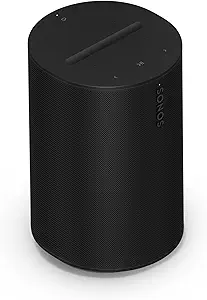 |
| Top Rated A top-rated pick with lots of positive feedback | Sonos Era 300 |  |
| Most Popular A crowd favorite that many people choose with confidence | Amazon Echo Dot (newest model) |  |
| Best Seller A high-volume bestseller chosen again and again | Amazon Echo Show 5 |  |
Bose Portable Smart Speaker

| Wireless Technology | Bluetooth, Wi-Fi |
|---|---|
| Battery Average Life | 12 hours |
| Water Resistance Level | Water Resistant |
| Connectivity Technology | 1x USB Type-C (Power) |
| Audio Output Mode | Surround |
The Bose Portable Smart Speaker is designed to be both a home smart speaker and a rugged portable Bluetooth speaker for outdoor use. It streams over Wi‑Fi for voice control and multiroom setups via the Bose app or AirPlay 2 and falls back to Bluetooth when away from Wi‑Fi. The speaker radiates 360-degree sound with dynamic drivers and passive radiators for stronger bass than typical small speakers, and built-in Alexa and Google Assistant let you control music and smart home devices hands-free. A water‑resistant build and an integrated handle make it easy to move between rooms or take outside, while the rechargeable battery delivers about 12 hours of playback per charge. Practical limits include a modest maximum output power compared with larger home speakers and a 12-hour charge time listed for the battery rather than a fast top-up, so it is best for day trips and everyday home use rather than long festival weekends or very large outdoor gatherings.
Best for: Buyers who want a single speaker that works well as a primary home smart speaker and also travels easily between rooms or outdoors, valuing voice control and multiroom convenience.
Less Ideal for: People who need very high volume output for large outdoor parties or multi-day off-grid use without access to charging should consider larger or longer‑runtime options.
- 360-degree sound with enhanced bass for even dispersion in a room
- Wi‑Fi and Bluetooth streaming plus AirPlay 2 for flexible connectivity
- Built-in Alexa and Google Assistant for hands-free voice control
- Water-resistant, lightweight design with an integrated handle for portability
- Up to 12 hours of battery playback for all-day listening
- Lower maximum output power compared with larger stationary home speakers
- Battery charge time and runtime are modest for extended off-grid use
Verdict: Choose this speaker if you want a versatile, voice‑enabled smart speaker that also doubles as a portable, water‑resistant Bluetooth speaker for everyday home and outdoor use.
Sonos Era 100

| Connectivity Technology | Bluetooth, USB, Wi-Fi |
|---|---|
| Wireless Technology | Airplay, Bluetooth, NFC, Wi‑Fi |
| Audio Encoding | Dolby Digital 2.0 Stereo |
| Speaker Maximum Output Power | 10 watts |
| Control Method | Voice |
The Sonos Era 100 is a compact Wi‑Fi and Bluetooth smart speaker designed to deliver finely tuned stereo sound in small to medium rooms. It uses a dual‑tweeter architecture and a larger midwoofer to improve separation and deepen bass, and Sonos Trueplay tuning adapts the EQ to a room for more consistent results. You can stream over Wi‑Fi, pair via Bluetooth, or use a 3.5 mm line‑in with the Line‑In Adapter, and Alexa is built in for hands‑free control. Setup is straightforward through the Sonos app and the unit can be paired with a second Era 100 for true stereo or added to a Sonos home theater setup. Practical limitations include modest maximum output power relative to larger speakers and no water resistance, so it is best for indoor listening rather than outdoor or party use.
Best for: Buyers who prioritize accurate, room‑tuned stereo sound in a compact speaker and want flexible streaming and voice control for everyday home listening.
Less Ideal for: People who need very high volume levels for large gatherings or a rugged speaker for outdoor use should consider larger or weatherproof alternatives.
- True stereo separation from dual tweeters and a larger midwoofer for clearer mids and deeper bass
- Multiple connectivity options including Wi‑Fi, Bluetooth, AirPlay and 3.5 mm line‑in for broad source compatibility
- Built‑in voice control with Alexa and app‑based Trueplay tuning to optimize sound for the room
- Compact shelf‑friendly design that fits on counters, desks, and bookshelves and can be stereo paired
- Ten watt maximum output limits volume headroom for large rooms or loud parties
- Not water resistant so it is unsuitable for outdoor or poolside use
Verdict: Choose the Sonos Era 100 if you want a compact, room‑tuned smart speaker that delivers detailed stereo sound and flexible streaming for everyday home listening.
Sonos Era 300

| Audio Output Mode | Dolby Atmos |
|---|---|
| Connectivity Technology | Wi-Fi, Bluetooth, AirPlay, NFC |
| Speaker Maximum Output Power | 300 watts |
| Control Method | App |
| Power Source | Corded Electric |
The Sonos Era 300 is a tabletop smart speaker built to deliver roomy, spatial sound using six drivers and Dolby Atmos processing for a wider soundstage than typical single-speaker designs. It streams over Wi‑Fi and supports Bluetooth and AirPlay for flexible source options, and you can pair two for enhanced stereo imaging or add them as surrounds to compatible Sonos soundbars. Setup and control are handled through the Sonos app, which also provides Trueplay-style tuning so the speaker adapts to a room. Practical benefits include strong mid and high detail, clear dialogue reproduction, and easy integration into an existing Sonos multiroom system. Limitations are a lack of water resistance, a corded power requirement, and a relatively large footprint for a countertop speaker, so it is less suited to portable or outdoor use. There is also no built-in line-out for wired subs, so low-end extension relies on pairing with other Sonos products or using the speaker at higher output levels.
Best for: Buyers who prioritize consistent, room-filling sound and want a speaker that reliably integrates into a Sonos multiroom system for long-term use and minimal fuss.
Less Ideal for: People seeking a portable, battery-powered speaker or a weatherproof option for outdoor listening should look elsewhere.
- Immersive Dolby Atmos spatial sound from a six-driver design
- Multiple connectivity options including Wi‑Fi, Bluetooth and AirPlay
- App-based tuning and multiroom Sonos integration for consistent performance across rooms
- Can be stereo paired or used as surround speakers with Sonos Arc or Beam (Gen 2)
- Not water resistant and requires mains power so not suitable for outdoor or portable use
- No dedicated wired subwoofer output for adding external bass
Verdict: Choose the Sonos Era 300 when you want dependable, immersive Dolby Atmos sound that plugs into a Sonos multiroom setup for consistent home listening.
Amazon Echo Dot (newest model)

| ASIN | B09B93ZDG4 |
|---|---|
| Price | 49.99 USD |
| Alexa built-in | Yes |
| eero Built-in | Yes |
The Echo Dot (newest model) is a compact Alexa smart speaker designed for bedrooms, dining rooms, and offices that plays music, answers questions, and controls compatible smart home devices. It streams from services like Amazon Music, Apple Music, and Spotify or connects via Bluetooth, and can pair with other Echo devices to create multiroom audio or a home theater with Fire TV. Built-in motion and temperature sensors let you trigger routines such as turning lights on when you enter a room or starting a fan based on room temperature. A notable addition is eero Built-in, which can extend an existing eero mesh network by up to roughly 1,000 sq ft. Privacy controls include a microphone off button and layered protections. For everyday use it is easy to set up and responsive to voice commands, though its small size limits bass and maximum volume compared with larger speakers. The device is a practical, privacy-minded choice for adding voice control and modest audio to smaller rooms.
Best for: Buyers who want an affordable, privacy-conscious smart speaker to add voice control, basic music playback, and simple home automations to smaller rooms.
Less Ideal for: Users seeking deep bass, high-volume listening, or a standalone full-home Wi‑Fi solution should consider larger speakers or a dedicated mesh system instead.
- Clear, room-filling sound for small spaces with support for major streaming services
- Built-in Alexa for hands-free voice control, timers, routines, and smart home device control
- eero Built-in can extend existing eero mesh Wi‑Fi coverage by up to about 1,000 sq ft
- Motion and temperature sensors enable automated routines without extra hardware
- Dedicated microphone off button and layered privacy controls
- Limited bass and maximum volume compared with larger or premium speakers
- eero extension only works with an existing eero network and provides modest coverage
Verdict: A compact, privacy-minded smart speaker that adds Alexa voice control, simple automations, and modest eero Wi‑Fi extension to smaller rooms.
Amazon Echo Show 5
| Display size | 5.5 inches |
|---|---|
| Camera | 2 MP |
| Audio | Improved bass and clearer vocals |
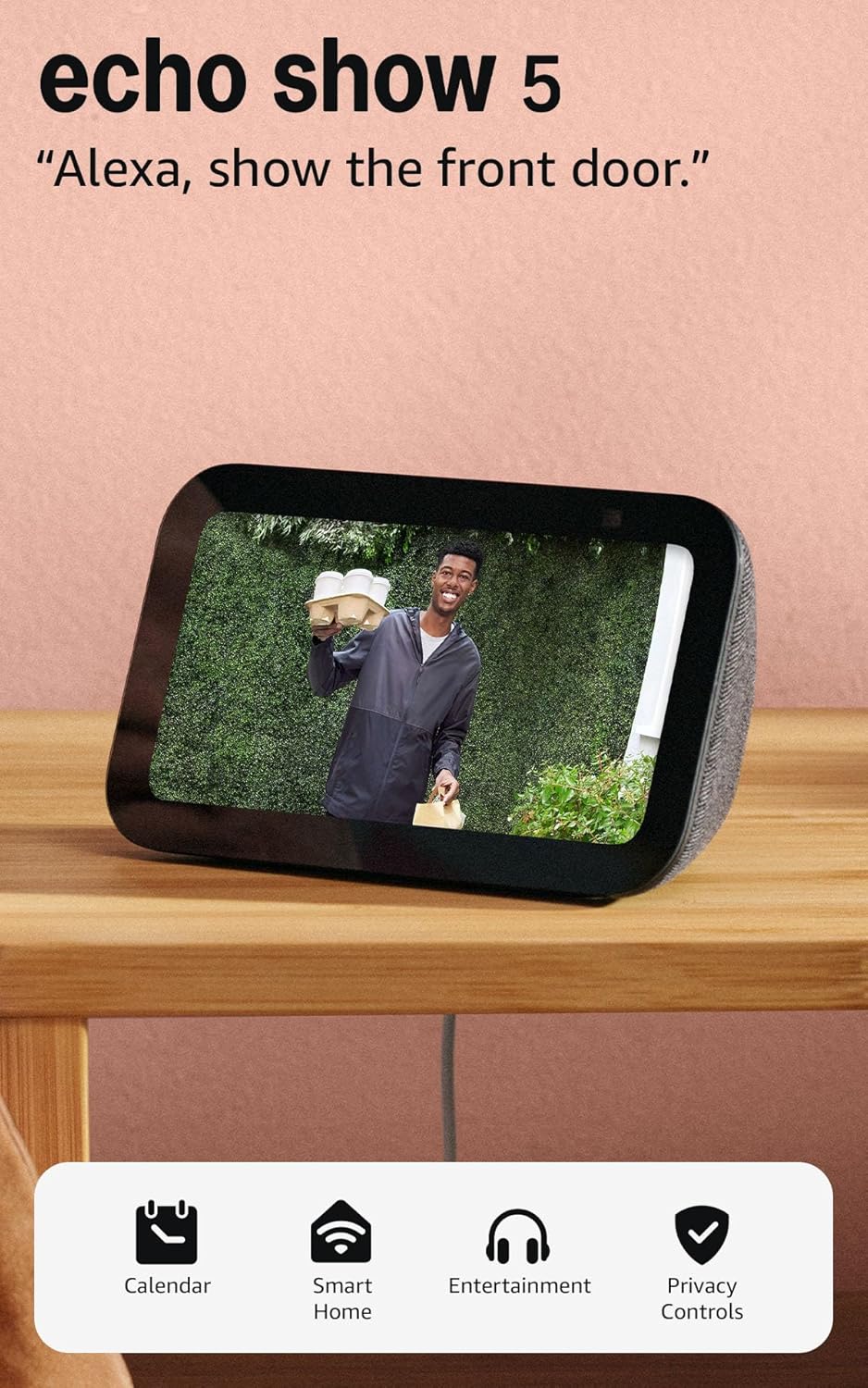
The Echo Show 5 brings voice assistant convenience into small spaces by combining a 5.5-inch touchscreen with Alexa voice control and a 2 MP camera. You can use it to check news and weather at a glance, make video calls, view compatible security cameras or a video doorbell feed, and control smart home devices like lights and thermostats. Streaming music and shows is simple and benefits from improved bass and clearer vocals compared with older compact models, and the display can show song titles, timers, or a rotating photo slideshow when idle. Privacy controls are practical for cautious buyers: a physical mic/camera off button and a built-in camera shutter are included, and the device supports encrypted Ring video viewing. The small footprint fits nightstands and kitchen counters, but the screen size and camera resolution are modest compared with larger smart displays, so it is best for bedside or secondary-room use rather than as a primary home hub.
Best for: Buyers who prioritize a compact, privacy-minded smart display for bedrooms, kitchens, or secondary rooms and want easy voice control plus basic video calling and camera monitoring.
Less Ideal for: Those who want a large, high-resolution display for shared media viewing or the highest camera quality for detailed video monitoring.
- Compact 5.5-inch display fits small spaces like bedside tables and kitchen counters
- Improved bass and clearer vocals for better audio than prior Echo Show 5 models
- Built-in 2 MP camera enables video calling and quick home checks
- Physical mic/camera off button and camera shutter for direct privacy control
- Works as a smart home controller to manage lights, thermostats, and compatible cameras
- Small screen and 2 MP camera are lower resolution than larger smart displays
- Limited as a central home hub if you need a larger display for shared viewing
Verdict: Choose the Echo Show 5 when you want a small, privacy-focused smart display that adds reliable Alexa control, video calling, and basic home monitoring to bedrooms or secondary rooms.
Choosing the Right Smart Speaker for Home: Key Factors to Consider
Room Size and Acoustic Needs
Match speaker output to the rooms where you will use it most. Small kitchens and bedrooms usually need compact speakers that provide clear mids and vocals at moderate volumes, while living rooms and open-plan areas benefit from larger drivers and better bass response.
Consider how far listeners will be from the device and whether the speaker will compete with background noise like cooking or TV. Better acoustic performance reduces the need to raise volume and improves voice assistant reliability in noisy conditions.
Voice Assistant Responsiveness
Responsiveness affects how natural interactions feel. Fast wake-word detection and low latency in processing commands make routine tasks feel seamless, such as setting timers, playing music, or controlling lights.
Also consider multi-user recognition and language support if several household members will use the speaker. Devices that quickly interpret commands in noisy environments or from a distance will save time and frustration.
Smart-Home Compatibility
Check which smart-home protocols and device types are supported. Some speakers offer broad compatibility with lighting, thermostats, locks, and entertainment systems, while others focus on a narrower ecosystem.
Choose a speaker that works with the devices you already own or plan to add. Native integration often provides smoother automations and voice controls compared with relying on third-party bridges.
Privacy and Local Controls
Smart speakers have microphones and persistent network connections, so privacy settings matter. Look for clear physical mute switches, easy-to-use privacy dashboards, and options to manage or delete recorded voice data.
Local processing of common commands can reduce cloud dependence. If privacy is a priority, favor devices that expose straightforward configuration for data retention and microphone behavior.
Music Streaming and Audio Sources
Consider which streaming services and audio sources you use. Native support for your preferred services avoids complicated workarounds and often provides better sound quality.
Also check for multiroom audio capabilities and support for common protocols like Bluetooth, AirPlay, or direct Wi-Fi streaming. These features affect how you group speakers and move audio between rooms.
Ease of Setup and Ongoing Management
Initial setup should be quick and reliable, with clear app guidance and robust Wi-Fi handling. Devices that offer guided pairing, automatic updates, and simple device grouping reduce the time you spend managing your system.
Consider whether the mobile app provides useful features like EQ adjustments, device naming, and routine management. Simpler day-to-day management leads to better long-term satisfaction.
Where to Put a Smart Speaker in Your Home
Placement affects both sound quality and voice recognition. For best voice pickup, place the speaker on a flat surface at least a few feet from walls and large reflective surfaces. Avoid putting the device inside closed cabinets where microphones and speakers are muffled.
In open-plan spaces, position the speaker centrally or where people usually gather. For bedrooms and small rooms, bedside tables and counters work well. If you plan to use the speaker for calls, sit facing it and keep ambient noise low for clearer audio.
- Avoid corners and tight enclosures that cause boominess.
- Elevate small speakers to reduce surface reflections.
- Keep at least one meter between speaker and major noise sources like a running fan.
Managing Multiple Speakers and Multiroom Audio
If you plan to use more than one smart speaker, check whether the devices support multiroom grouping and synchronized playback. Multiroom setups usually require devices on the same network and compatible streaming protocols.
Think about how you will control grouped playback. Some systems allow voice-based group commands, while others rely on a mobile app. Consistent naming and placement help avoid confusion when issuing room-specific commands.
- Decide on a primary hub room for whole-home commands.
- Keep speakers on a stable Wi-Fi network to prevent dropouts.
- Label each speaker clearly in the app for easy voice targeting.
Optimizing Voice Commands and Routines
Create simple, repeatable routines for common tasks like morning briefings, turning off lights, or starting a playlist. Short, consistent phrasing improves reliability and reduces misfires.
Test voice commands in the rooms where you will use them frequently and refine phrasing if needed. Where available, enable voice training or multi-user profiles to improve recognition accuracy for different household members.
- Use concise phrases and avoid overly complex sentences.
- Set up named scenes in your smart-home app to trigger multiple actions with one command.
- Schedule routines for recurring tasks to automate daily flows.
Audio Settings and Equalization Tips
Most smart speakers offer basic EQ or presets. Use these tools to tailor the sound to your room and preferred music styles. Boosting mids can clarify vocals, while modest bass increases add warmth without distortion.
If the speaker performs poorly at low volumes, experiment with EQ rather than raising volume, which can lead to distortion. For critical listening, consider a speaker with separate subwoofer support or pairing with an external audio device.
- Start with flat EQ and tweak by small increments.
- Use room correction features if available to compensate for challenging acoustics.
- Test playback at the volumes you commonly use to ensure clarity.
Privacy Practices and Household Policies
Set household policies for when microphones should be active, who can issue voice commands, and how voice recordings are handled. Enforce simple rules like muting microphones at night or when privacy is desired.
Regularly review privacy dashboards and clear stored recordings if you need to limit retained data. Teach household members how to use physical mutes and how to adjust privacy settings in the device app.
- Use guest or limited-access modes if available for visitors.
- Keep firmware updated to ensure privacy features are current.
- Document how to disable voice history for less technical users in the home.
How We Chose the Best Smart Speaker for Home
We focused on real-world factors that matter to people using a smart speaker for home environments. Each candidate had to demonstrate consistent voice-recognition accuracy across typical room noise levels, robust audio for common listening tasks, and straightforward on-boarding with popular smart-home protocols. We also prioritized devices with clear privacy controls and regular software support to avoid long-term reliability issues. Evaluation criteria included audio clarity and volume, voice assistant accuracy and latency, smart-home integration depth, ease of setup and everyday use, and privacy/configuration options. We excluded units that lacked current software support or could not reliably connect to common home networks. We did not include niche or single-purpose devices that cannot serve general smart-speaker roles in living rooms or kitchens. These filters ensured the shortlist focuses on broadly useful speakers that perform well across daily home scenarios.
Our full evaluation process is outlined in our review methodology.
FAQ
Can a smart speaker control different types of smart-home devices?
Often yes. Many smart speakers support a wide range of lights, plugs, thermostats, and entertainment devices through native integrations or common protocols. Compatibility varies, so check whether the speaker supports the specific device types and protocols in your home.
Do smart speakers work if my Wi-Fi goes down?
Usually limited functionality remains. Basic local audio playback from Bluetooth may still work, but voice assistant features and cloud-based controls typically require an internet connection. Some devices can perform a few local automations without internet but expect reduced capability.
How do I protect my privacy with a smart speaker?
Use the physical mute switch when you do not want voice activation, review and delete voice recordings periodically, and adjust privacy settings in the app. Prefer devices that offer clear data controls and local processing options for common commands if privacy is a priority.
Will a smart speaker sound good in large rooms?
It depends on the speaker's drivers and power. Larger rooms often require speakers with stronger low-end response and higher maximum volume to fill space without distortion. For big open areas, consider more powerful models or multiple speakers arranged for even coverage.
Can multiple people use voice profiles on one speaker?
Many systems support multiple voice profiles so the speaker can personalize responses, calendars, and music. Accuracy varies and may require voice training or account linking for full personalized features.
Final Verdict
Prioritize the features that match how you will use a smart speaker for home: choose better audio if music is a primary use, stronger voice recognition if you rely on hands-free commands, and wide smart-home compatibility if you plan to automate devices across rooms. Balance those priorities with privacy controls and ease of setup to avoid friction during daily use. Ultimately, pick the option that aligns with your room sizes, streaming services, and comfort with cloud features. That approach makes it easier to get consistent performance and long-term satisfaction from a smart speaker for home.