
Note: This article contains affiliate links. If you click on these links and make a purchase, we may earn a small commission at no extra cost to you. This helps support our research and content. Read our full affiliate disclosure here.
Picking the right smart speaker matters because it becomes a central hub for music, voice control, and connected-home tasks. You want a unit that sounds good for everyday listening, understands voice commands reliably, and integrates cleanly with the rest of your setup. This guide shortlists the top smart speakers available and explains why each type of design and feature set works for different rooms and uses. Below you will find our top picks for smart speakers, plus clear evaluation criteria to help you match a choice to your priorities like sound quality, voice recognition, and connectivity. Use the quick summaries to find the speaker that best fits how you live and listen.
Top Picks at a Glance
| Best Overall The best all-around choice for most situations | Bose Lifestyle Ultra Speaker |  |
| Best Quality Built to a higher standard if you want something more solid | Sonos Era 300 |  |
| Best Value The sweet spot between price and what you get | Belkin SOUNDFORM Elite Speaker |  |
| Best Budget The cheapest option that still gets the job done reliably | Google Nest Mini 2nd Gen |  |
| Top Rated A top-rated pick with lots of positive feedback | Amazon Echo Dot (newest model) |  |
| Most Popular A crowd favorite that many people choose with confidence | Amazon Echo Show 5 |  |
| Best Seller A high-volume bestseller chosen again and again | Sonos Era 100 | 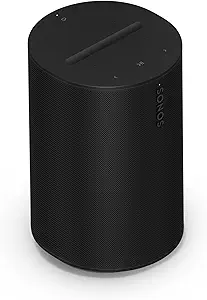 |
Bose Lifestyle Ultra Speaker

| Audio Output Mode | Surround |
|---|---|
| Connectivity Technology | Airplay, Bluetooth, Wi-Fi |
| Maximum Range | 30 feet |
| Control Method | App |
| Speaker Size | 7.27 inches |
The Bose Lifestyle Ultra Speaker is a compact wireless smart speaker designed to deliver surprisingly large, immersive sound from a small cabinet. It combines two forward-facing drivers and an up-firing driver with CleanBass processing to emphasize punch and low-end clarity, and Adjustable EQ in the Bose app lets you tailor the tonal balance for music, movies, or podcasts. Typical use is as a standalone speaker in a bedroom, kitchen, or den, as a stereo pair, or as part of a multiroom system and surround setup with compatible Bose components. Connectivity is wide: AirPlay, Google Cast, Bluetooth and Wi-Fi cover streaming from phones and services, and the speaker supports app, touch, and voice control through Alexa+. Practical benefits include flexible placement options with tabletop, floor-stand, or wall-mount compatibility and AUX input for analog sources. The main limitations are its small physical size, which means bass depth will not match a dedicated subwoofer, and dependence on the Bose app ecosystem for some advanced features and updates.
Best for: Buyers who want a compact, easy-to-place smart speaker that fills small to medium rooms with immersive sound and values broad streaming protocols and app/voice control.
Less Ideal for: If you need deep, room-shaking bass or a standalone audiophile setup, this small speaker should be paired with a subwoofer or avoided in favor of larger systems.
- Clear, room-filling sound from a compact enclosure using up-firing and forward drivers
- Multiple wireless protocols (Wi‑Fi, AirPlay, Google Cast, Bluetooth) for broad streaming compatibility
- Adjustable EQ and app/voice control let you quickly tune and operate the speaker
- Versatile placement options: tabletop, wall mount, or floor-standing use
- Small cabinet cannot replace the low-frequency output of a dedicated subwoofer
- Relies on the Bose app ecosystem for feature access and firmware updates
Verdict: Choose this speaker if you want a compact, smart wireless speaker that delivers immersive, tunable sound and broad streaming compatibility for rooms where space is limited.
Sonos Era 300

| Audio Output Mode | Dolby Atmos |
|---|---|
| Connectivity Technology | Wi-Fi, Bluetooth, AirPlay, NFC |
| Speaker Maximum Output Power | 300 watts |
| Control Method | App |
| Power Source | Corded Electric |
The Sonos Era 300 is a performance-focused smart speaker built to deliver immersive, room-filling sound thanks to a six-driver array and Dolby Atmos audio. It streams over Wi‑Fi, AirPlay, Bluetooth and supports line-in via a Sonos adapter, making it easy to play from phones, services, or an external source. Sonos Trueplay tuning and custom waveguides shape sound across the room so vocals and overhead effects stay clear at listening and party levels, and stereo pairing or using two with a Sonos Arc or Beam (Gen 2) creates a convincing multichannel setup. The speaker is controlled from the Sonos app and supports voice options, multi-room grouping, and regular software updates. Trade-offs are practical: it is not water resistant and requires mains power, and advanced features are most convenient inside the Sonos ecosystem rather than as a standalone Bluetooth-only solution. For buyers prioritizing spatial audio quality and a plug-and-play multiroom path, the Era 300 delivers a noticeable step up from typical smart speakers.
Best for: Buyers who prioritize high-fidelity, spatial sound and plan to integrate a smart speaker into a multiroom or home theater setup will get the most from this speaker.
Less Ideal for: If you need a rugged, battery-powered portable speaker or prefer a simple Bluetooth-only device, this is not the best fit.
- Dolby Atmos spatial audio with six optimally positioned drivers for immersive staging
- Multiple streaming options including Wi‑Fi, AirPlay, Bluetooth and line-in support
- Trueplay-style tuning and app control for room-adaptive sound and easy setup
- Works in stereo pairs and as surrounds with Sonos Arc or Beam for home theater expansion
- Not water resistant and requires a mains outlet, limiting outdoor or portable use
- Best features are tied to the Sonos ecosystem so standalone Bluetooth-only users get less value
Verdict: Choose the Era 300 when you want a smart speaker that prioritizes immersive Dolby Atmos spatial audio and easy expansion into a high-performance Sonos multiroom or home theater system.
Belkin SOUNDFORM Elite Speaker

| Wireless charging output | iPhone 7.5W, Samsung 9W, Google 10W |
|---|---|
| Voice assistant | Alexa |
The Belkin SOUNDFORM Elite combines a capable smart speaker with a convenient wireless charger built into the top surface. It plays music via Bluetooth or over your network for multiroom setups, and Devialet sound tuning emphasizes full bass and clear mids for room-filling playback. The speaker supports voice control through Alexa, so it doubles as a smart home control point, and vibration-canceling design helps keep charging steady while music plays. In daily use it works as a bedside or kitchen hub where you want good sound and the ability to top up a phone without a separate charger. Expect straightforward setup and typical smart speaker controls, but the device is focused on audio and charging rather than advanced streaming app integration or extras like a display. Battery power is not offered so it stays plugged in, and its size makes it best for single-room listening rather than portable use.
Best for: Buyers who want better-than-average smart speaker sound and the convenience of a built-in wireless charger for daily use in a single room.
Less Ideal for: People who need a portable battery speaker, a visual display, or a speaker primarily for advanced streaming app controls.
- Devialet-tuned drivers deliver strong bass and clear midrange for room-filling sound
- Integrated fast wireless charging for phones simplifies bedside or desk setups
- Works as an Alexa smart speaker for voice control and smart-home tasks
- Supports Bluetooth and multiroom playback for flexible listening options
- Requires mains power and is not battery portable
- May lack advanced streaming app features or a visual display for controls
Verdict: Choose this speaker if you want smart speaker voice control plus noticeably better audio and a built-in fast wireless charger for everyday bedside or desk use.
Google Nest Mini 2nd Gen

| Audio Output Mode | Stereo |
|---|---|
| Speaker Maximum Output Power | 15 watts |
| Connectivity Technology | Bluetooth |
| Power Source | Corded Electric |
The Nest Mini 2nd Gen is a small Bluetooth smart speaker designed for everyday background listening and voice-activated tasks. It plugs into the wall and is typically placed on a nightstand, shelf, kitchen counter, or mounted to the wall, where its boosted bass and 15-watt output give punchier sound than previous Minis. Setup is straightforward and the speaker supports multiple languages out of the box, making it useful in multilingual homes or when traveling with the included universal power adapter. Voice control and smart assistant features let you play music, control compatible smart devices, set timers, and ask questions hands-free. The speaker is best for filling small to medium rooms with clear, balanced audio rather than deep, room-filling sound, and it lacks waterproofing and advanced connectivity options beyond Bluetooth. If you want a compact, easy-to-use smart speaker with better-than-expected bass and global power compatibility, the Nest Mini is a sensible choice for everyday use.
Best for: Buyers who want an affordable, space-saving smart speaker for everyday listening and voice controls, especially those who value easy setup and multi-language support for household or travel use.
Less Ideal for: Audiophiles seeking deep, room-filling sound or users who need outdoor or moisture-resistant speakers should look elsewhere.
- Compact, wall-mountable design that fits easily in small spaces
- Improved bass and 15-watt maximum output for richer sound than previous Minis
- Multi-language support and universal power adapter for international use
- Simple voice control and Bluetooth connectivity for hands-free commands and streaming
- Not waterproof and intended for indoor use only
- Limited to Bluetooth connectivity without advanced wired inputs
Verdict: A compact, budget-friendly smart speaker that delivers surprisingly strong bass and easy multilingual voice control for everyday rooms.
Amazon Echo Dot (newest model)

| ASIN | B09B8V1LZ3 |
|---|---|
| Price | 49.99 USD |
The Echo Dot (newest model) is a small Alexa-powered speaker designed for everyday rooms like bedrooms, offices, and dining areas. It plays music and spoken content from popular services and can also act as a Bluetooth speaker for phones, while voice control handles timers, weather, and smart-home commands. Notable hardware touches include built-in motion and indoor temperature sensors that let you trigger routines automatically and snooze alarms by tapping the device. It also includes eero Built-in so the Dot can extend an existing eero network and add coverage in smaller homes. Practical benefits are straightforward: reliable voice assistant features, compact footprint that fits on nightstands, and simple integration with other Echo devices for multiroom audio or basic home theater pairing. Limitations are its modest speaker size, which is fine for voice and casual music but not for deep bass or large-room listening, and its mesh extender only works with an eero network. For buyers prioritizing steady smart-home voice control and privacy controls in smaller spaces, the Echo Dot is a sensible, low-friction choice.
Best for: Buyers who want a dependable, no-fuss smart speaker to handle voice control, basic music listening, and automated routines in bedrooms or small living spaces.
Less Ideal for: People seeking a loud, audiophile-grade speaker for large rooms or those who do not use an eero network for mesh Wi‑Fi.
- Compact design for placement on nightstands and desks
- Built-in motion and temperature sensors enable automated routines
- Works with major music services and Bluetooth streaming
- Adds eero mesh Wi‑Fi coverage when paired with an existing eero network
- Multiple privacy controls including a mic off button
- Small speaker delivers limited bass and volume for large rooms
- Mesh extender feature requires an existing eero system
Verdict: Choose the Echo Dot if you want a compact, reliable Alexa speaker that also adds simple home automation and optional eero mesh coverage for smaller spaces.
Amazon Echo Show 5
| Display | 5.5 inches |
|---|---|
| Camera | 2 MP |
| Brand | Amazon |
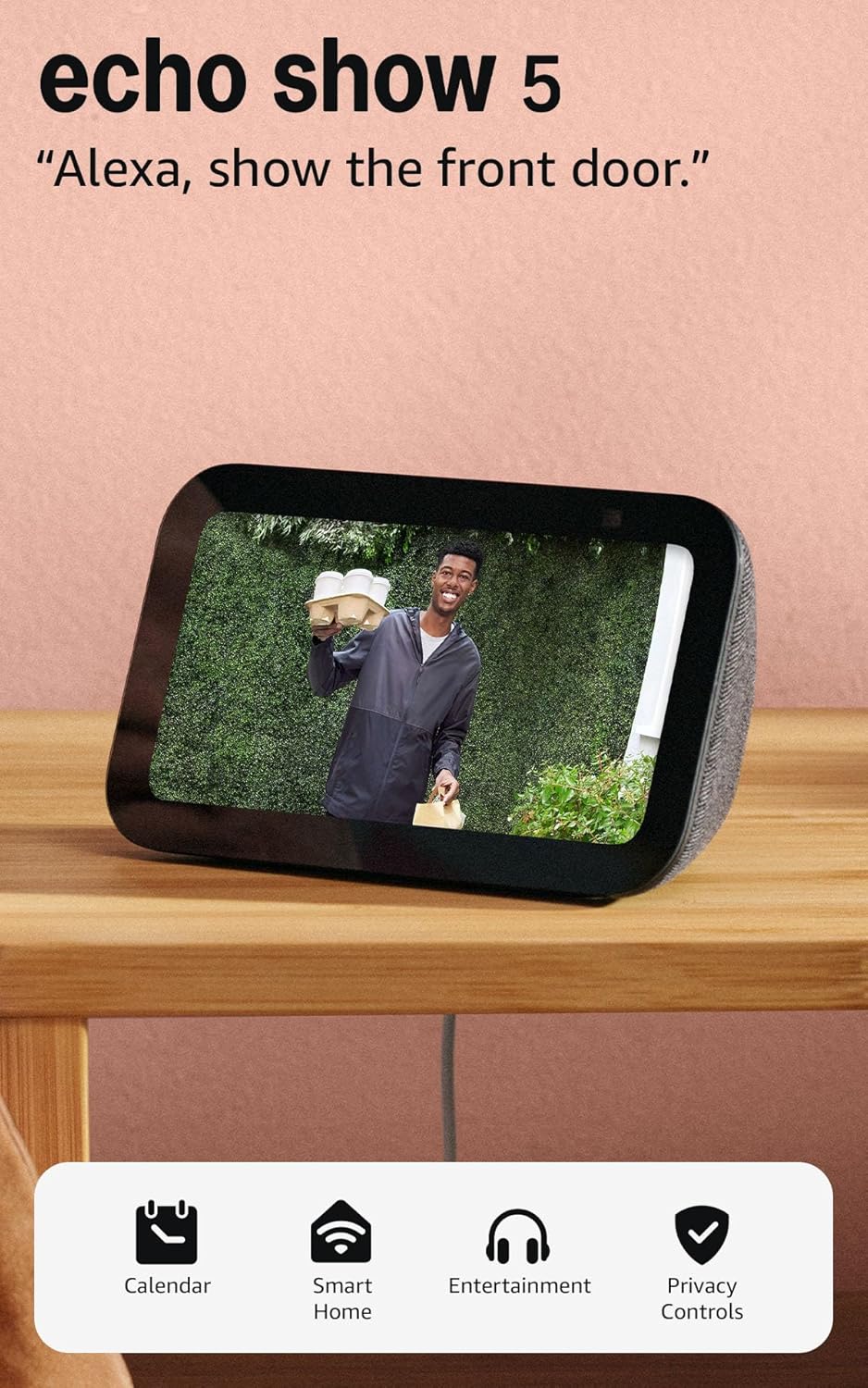
The Echo Show 5 is a small, voice-first smart display designed to sit on a bedside table or kitchen counter and provide quick visual info alongside Alexa. It runs the Alexa assistant on a 5.5-inch touchscreen so you can see headlines, weather, timers, and song titles, make video calls with the built-in 2 MP camera, and view compatible home cameras or video doorbells. Audio is tuned for clearer vocals and deeper bass than earlier generations, making music, podcasts, and video content sound better than on a typical small smart speaker. The device also doubles as a digital photo frame and offers privacy controls including a physical camera shutter and mic/camera off button. Practical limits are its small display and modest speaker size compared with larger Echo Shows or dedicated smart speakers, so room-filling audio and detailed video playback are constrained by hardware. If you want a compact, privacy-minded smart display for hands-free control and casual media, this is a sensible pick.
Best for: Buyers who want a space-saving smart display to add voice control, video calling, and quick visual information to bedrooms or kitchens while keeping privacy controls simple and visible.
Less Ideal for: People seeking a primary home speaker for large rooms or a tablet-like streaming device for long videos should consider larger displays or dedicated speakers instead.
- Compact 5.5-inch display for quick at-a-glance information and casual video viewing
- Improved bass and clearer vocals compared with prior small Echo models for better sound
- Built-in 2 MP camera for video calls and Drop In camera checks
- Physical camera shutter and mic/camera off button for straightforward privacy control
- Works with Alexa to control compatible smart home devices and show camera feeds
- Small screen and speaker limit suitability for long-form video or room-filling audio
Verdict: A compact, privacy-focused smart display that brings Alexa, video calling, and improved small‑speaker sound to tight spaces.
Sonos Era 100

| Connectivity Technology | Bluetooth, USB, Wi-Fi |
|---|---|
| Wireless Technology | Airplay, Bluetooth, NFC, Wi-Fi |
| Audio Encoding | Dolby Digital 2.0 Stereo |
| Power Source | Corded Electric |
| Speaker Maximum Output Power | 10 watts |
The Sonos Era 100 is a small but capable smart speaker built for everyday listening in homes. It uses a dual‑tweeter architecture and a larger midwoofer to produce clear stereo separation and stronger bass than many similarly sized speakers, and Trueplay room tuning adjusts the EQ to match placement. You can stream over Wi‑Fi, pair via Bluetooth, or use a 3.5 mm line‑in for turntables and other sources, and Alexa is available for hands‑free control. Setup is straightforward through the Sonos app and the compact enclosure fits on shelves, counters, or a nightstand. Practical benefits include multiroom grouping with other Sonos speakers and optional stereo pairing for wider soundstage. Limitations to note are the modest maximum output power, so the Era 100 is best for small to medium rooms rather than very large or outdoor gatherings, and advanced users may want more granular EQ controls or higher peak loudness for parties.
Best for: Buyers who prioritize reliable, easy setup and consistent, room‑adjusted sound for everyday listening in typical home rooms will appreciate this speaker.
Less Ideal for: If you need very high-volume output for large open areas, outdoor use, or a weatherproof speaker for humid environments, choose a different product.
- Detailed stereo separation from dual‑tweeter plus larger midwoofer.
- Multiple playback options: Wi‑Fi streaming, Bluetooth pairing, and 3.5 mm line‑in.
- Trueplay room tuning that optimizes EQ for placement.
- Compact design that fits easily on shelves, counters, or nightstands.
- Works with voice control and multiroom Sonos systems for easy expansion.
- Modest maximum output power limits loudness in large or outdoor spaces.
- Not water resistant so it is not suited for bathrooms or outdoor exposure.
Verdict: The Sonos Era 100 is a compact, easy-to-use smart speaker that delivers room‑tuned stereo sound and flexible streaming for dependable everyday home listening.
Choosing the Right Smart Speaker: Key Factors to Consider
Audio Performance
How a smart speaker sounds matters for daily satisfaction. Evaluate clarity for speech, midrange accuracy for voices and podcasts, and low-end control if you listen to music. Room size and speaker placement strongly affect perceived quality; compact units can deliver excellent voice clarity but may lack a full low end. Consider whether you need stereo pairing or multiroom capability to expand sound coverage across larger spaces.
Voice Recognition & Assistant Reliability
Reliable voice pickup is essential because the speaker will often respond from across the room or through background noise. Look for multiple microphones and far-field voice processing that minimize false activations and missed commands. The assistant's responsiveness and the richness of voice-controlled actions you can perform are equally important, since they determine how useful hands-free control will be for timers, smart-home commands, and quick information requests.
Connectivity Options
Check Wi-Fi band support, Bluetooth capability, and whether the speaker works with your preferred streaming services. Some speakers also support auxiliary inputs or local network streaming protocols, which matters if you want to connect external sources or integrate with networked audio gear. Strong, stable connectivity reduces dropouts during streaming and ensures routines and smart-home commands execute reliably.
Smart-Home Integration
A smart speaker often acts as the central controller for lights, thermostats, and other devices. Confirm the assistant supports the device types and brands you already own. Look for features like routines, voice-triggered scenes, and group control so you can automate common tasks. Native integrations reduce setup time and improve reliability compared with third-party bridging solutions.
Physical Design and Controls
Design affects both aesthetics and usability. Consider footprint and styling so the speaker fits comfortably in intended rooms. Physical buttons for volume and mute are useful when voice control is inconvenient. Also evaluate orientation and grille design for even sound dispersion, and whether the unit is suitable for surfaces like counters or shelves without tipping or rattling.
Privacy and Local Processing
Privacy features matter for many buyers. Look for clear mute options, local wake-word processing, or downsampling policies that limit off-device audio transmission. Some platforms offer on-device handling of routine commands to minimize cloud reliance. Understand the available privacy controls and how easy they are to use when you want to limit always-listening behavior.
Choosing the Right Size for the Room
Room size and listening distance dictate the speaker size you should choose. Small bedrooms and kitchens benefit from compact units optimized for voice clarity, while living rooms and open-plan spaces often need larger drivers or multi-driver designs to fill the area without distortion.
Also consider placement. Shelves, cabinets, and corners change bass response and imaging. If you cannot place the speaker centrally, look for models with adjustable EQ or room correction features to compensate for placement limitations.
- Small rooms: prioritize compact size and clear midrange
- Medium rooms: look for fuller sound and higher maximum volume
- Large rooms: consider stereo pairs or multiroom setups
Network Setup and Troubleshooting Tips
A smooth initial setup saves time and frustration. Ensure your Wi-Fi network is stable and that the speaker is within good signal range during setup. Disable guest network isolation if you use multiple SSIDs, and verify the router supports the speaker's required Wi-Fi band.
If connections drop, try moving the speaker closer to the router, changing Wi-Fi channels to reduce interference, or using a wired Ethernet connection when available. Restarting the speaker and router can resolve many transient issues.
- Place speakers at least a few feet from microwave ovens and cordless phones
- Use 2.4 GHz for range, 5 GHz for reduced interference when supported
- Consider a mesh network for homes with many connected devices
Hands-Free Routines and Automation
Smart speakers are most useful when integrated into routines that automate common tasks. Set up morning routines that start news briefings and adjust thermostats, or create 'away' routines that switch off lights and lock doors on a schedule. The flexibility of routine creation varies by assistant, so check the available triggers and actions before committing.
Voice-shortcut customization and routine scheduling let you compress multi-step processes into a single command. Test and refine routines to avoid unintended behaviors, and keep a backup manual control method for safety-critical automations.
- Use time-based and location-based triggers for convenience
- Include fallback actions like confirmations for important tasks
- Test automation sequences in the actual environment before relying on them
Audio Settings and Tuning
Most smart speakers offer built-in EQ presets, companion app adjustments, or automatic room tuning. Use these tools to tailor sound to your space and listening preferences. For voice-heavy use, emphasize midrange clarity; for music, boost low end modestly while avoiding distortion at higher volumes.
If you plan to stream lossless audio, verify the speaker and service support the necessary codecs and network throughput. Otherwise choose a speaker optimized for compressed streaming to get the best perceived quality.
- Prefer adjustable EQ for mixed-use households
- Enable room correction if available for better balance
- Check codec support if you use high-resolution streaming
Maintaining and Updating Your Speaker
Keep firmware and companion apps updated to benefit from performance improvements and security patches. Regular updates also add new integrations and feature enhancements that extend the speaker's useful life. Schedule updates during off-hours to avoid interrupting active use.
Physically clean the grille and controls gently to prevent dust buildup. If the speaker has a rechargeable battery option, follow manufacturer guidance on charging cycles to preserve battery health when used unplugged.
- Enable automatic updates for hassle-free maintenance
- Use a soft brush to clean speaker grilles
- Avoid exposing units to moisture and extreme temperatures
How We Chose the Best Smart Speaker
We focused on real-world performance and usability for everyday home scenarios. Our selection prioritized consistent voice recognition in typical household conditions, accurate audio reproduction for spoken content and music, and a range of connectivity options so the speaker fits into varied home networks and streaming setups. We also evaluated build quality and durability, ease of setup and daily use, and the strength of smart assistant integration for common tasks. We excluded products that lack basic smart-assistant compatibility or reliable Wi-Fi performance, as well as units that depend on proprietary ecosystems with negligible third-party integration. Final picks were filtered by responsiveness to voice queries, measured audio clarity for midrange vocals and intelligibility, latency and stability of wireless streaming, and the quality of companion apps and routines. Power handling and onboard controls were considered to ensure the speaker performs well both as an audio device and as a hands-free controller.
Our full evaluation process is outlined in our review methodology.
FAQ
Can a smart speaker control other smart devices without a hub?
Often a smart speaker can control many smart devices directly if those devices support the same assistant or a common standard like Wi-Fi. However, some devices require a dedicated hub or bridge for full functionality. Check the device and assistant compatibility before assuming hub-free control.
Do smart speakers work with multiple streaming services?
Many smart speakers support a range of popular streaming services, but exact service availability varies. You can usually set a default provider in the companion app and switch services as needed, though some advanced features may be limited to specific integrations.
How private are voice commands sent to smart speakers?
Privacy practices vary by platform. Basic voice commands are often processed in the cloud for accuracy, but some assistants offer local processing for common commands or allow you to disable voice recordings. Review privacy settings and use mute features when you want to prevent continuous listening.
Can I use a smart speaker offline?
Limited functionality is available when offline. Local audio playback via Bluetooth may still work, but voice assistant features that require internet access, like web searches and streaming, will be unavailable until the speaker reconnects.
What is the difference between stereo pairing and multiroom audio?
Stereo pairing links two compatible speakers to act as left and right channels for a single listening zone, improving stereo imaging. Multiroom audio synchronizes playback across multiple speakers in different rooms for whole-home music, but it does not create a stereo image.
Final Verdict
Choose a smart speaker based on the room where you will use it and the tasks you expect it to handle. Prioritize voice recognition and assistant responsiveness if hands-free control is your main use, or prioritize audio clarity and connectivity if music playback matters most. Balance physical size, network stability, and integration needs to find a speaker that fits your daily routine. Ultimately, weigh tradeoffs between compact convenience and fuller sound, and prefer models that offer clear privacy controls and straightforward setup. With the right priorities, you can pick a smart speaker that reliably handles voice commands and delivers satisfying audio for your home.