
Note: This article contains affiliate links. If you click on these links and make a purchase, we may earn a small commission at no extra cost to you. This helps support our research and content. Read our full affiliate disclosure here.
If you want more consistent temperatures across your home, a smart thermostat with remote sensors can reduce hot and cold spots while improving overall comfort. These thermostats let you place small wireless sensors in bedrooms, upstairs hallways, or living areas so the system responds to where people actually are instead of a single wall-mounted sensor. This guide covers seven shortlisted smart thermostats with remote sensors, explaining the core features that matter for everyday use. We evaluate sensor accuracy, ease of installation and setup, compatibility with common HVAC systems, battery life, and the app experience. Read on to find the option that best fits your home layout and control preferences.
Top Picks at a Glance
| Best Overall The best all-around choice for most situations | YoLink Thermostat 2 | 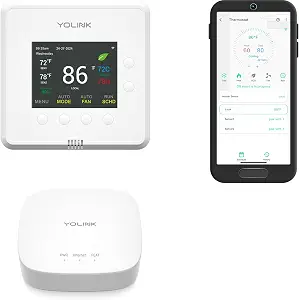 |
| Best Quality Built to a higher standard if you want something more solid | Google Nest Learning Thermostat 4th Gen |  |
| Best Value The sweet spot between price and what you get | Honeywell Home X8S Smart Thermostat |  |
| Best Budget The cheapest option that still gets the job done reliably | LUX TQX Smart Thermostat |  |
| Top Rated A top-rated pick with lots of positive feedback | ecobee4 Smart Thermostat |  |
| Most Popular A crowd favorite that many people choose with confidence | ecobee Smart Thermostat Premium |  |
| Best Seller A high-volume bestseller chosen again and again | Honeywell Home T9 Smart Thermostat |  |
YoLink Thermostat 2
| Connectivity Technology | LoRa |
|---|---|
| Power Source | Hardwired |
| Control Method | App, Voice |
| Product Style | 2-Stage with Hub |
| Screen Size | 4.52 inches |
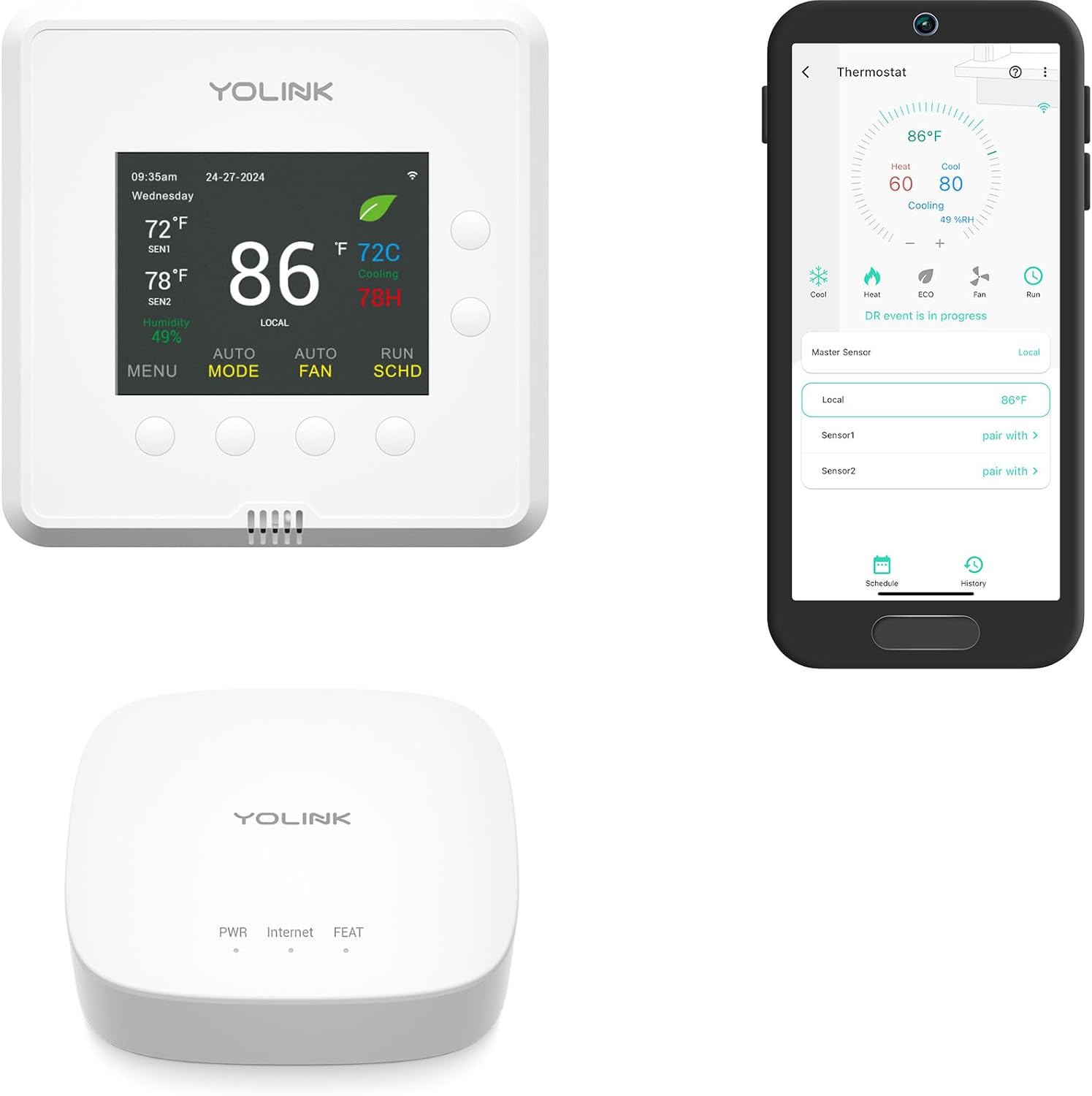
The YoLink Thermostat 2 is a smart, programmable thermostat built for homes and small commercial spaces that need precise multi-stage climate control and remote sensing. It supports dual-stage heating and cooling and works with heat pumps, while the YoLink ecosystem accepts up to two external sensors for room-level temperature and humidity monitoring. The thermostat uses LoRa connectivity through a YoLink Hub, which provides very long wireless range useful for large properties, basements, or detached structures, and the companion app enables schedules, ECO mode, and remote adjustments. Integration with Alexa, Google, IFTTT, and Home Assistant lets you add voice and automation, and installation is straightforward for 24VAC systems with a C-wire. Important limits are that the YoLink Hub is required for wireless features and sensors, and the device relies on the YoLink network rather than standard Wi‑Fi or Zigbee, which may affect how you build or expand a smart system.
Best for: Buyers who want precise multi-stage climate control with remote room sensing across larger homes or properties and are comfortable using a dedicated hub-based smart system.
Less Ideal for: People who prefer native Wi-Fi thermostats or want a hub-free, plug-and-play smart thermostat experience should look elsewhere.
- Dual-stage heating and cooling with heat pump support for finer temperature control
- Supports up to two external YoLink sensors for remote temperature and humidity monitoring
- LoRa connectivity provides very long wireless range suitable for large properties or outbuildings
- App control, schedules, and ECO mode enable remote management and energy savings
- Works with Alexa, Google Home, IFTTT, and Home Assistant for voice and automation
- Requires a YoLink Hub for wireless and sensor functionality
- Uses LoRa protocol instead of native Wi-Fi which can complicate integration if you do not use the YoLink ecosystem
Verdict: Choose the YoLink Thermostat 2 when you need dual-stage control and long-range remote sensors on a hub-backed system for large homes or outbuildings.
Google Nest Learning Thermostat 4th Gen

| Connectivity Technology | Wi-Fi |
|---|---|
| Power Source | Battery Powered |
| Voltage | 24 volts |
| Display Type | Touchscreen |
| Included Components | Thermostat Display, Thermostat base, Trim plate, Steal plate, Mounting screws and wiring labels, Nest Temperature Sensor (2nd gen) |
The Nest Learning Thermostat (4th gen) pairs an upgraded circular touchscreen with machine learning and a bundled Nest Temperature Sensor to help manage hot and cold spots and reduce HVAC runtime. It installs on standard 24V systems and can be set up in most homes without a C wire, then controlled from the Google Home app or voice assistants. Key features include Adaptive Eco and Smart Schedule suggestions that learn how your home heats and cools, Dynamic Farsight for at-a-glance info across the room, and a System Health Monitor that alerts you to potential equipment issues. The included remote sensor lets you prioritize a specific room instead of relying solely on the thermostat location. Trade-offs are that advanced savings depend on letting the thermostat make schedule suggestions and that deep HomeKit or non-Google integrations may require extra setup; also some specialized HVAC configurations should be checked against compatibility tools before installation.
Best for: Buyers who want a performance-focused smart thermostat that actively learns home heating and cooling patterns and includes a remote sensor to manage hot and cold spots for better system efficiency.
Less Ideal for: People who need a minimalist manual thermostat or who require guaranteed out-of-the-box compatibility with uncommon HVAC systems without prior checking.
- Learns your temperature preferences and proposes smart schedule adjustments to reduce HVAC runtime
- Includes a Nest Temperature Sensor to monitor and prioritize a remote room
- Large Dynamic Farsight display that shows time, weather, or temperature from across the room
- Adaptive Eco and outdoor-aware controls that pause or shift HVAC activity to save energy
- System Health Monitor provides alerts when the heating or cooling system may need attention
- Some advanced integrations or unusual HVAC setups may require compatibility checks or professional help
- Energy savings rely on accepting automated schedule suggestions and adaptive behaviors
Verdict: If you want a learning thermostat that improves system efficiency and comes with a remote sensor to address hot and cold spots, the Nest Learning Thermostat 4th Gen is built for that purpose.
Honeywell Home X8S Smart Thermostat

| Controller Type | Touchscreen |
|---|---|
| Screen Size | 5 inches |
| Connectivity Technology | Wi-Fi |
| Control Method | App, Touch, Voice |
| Specific Uses For Product | Air Conditioner, Furnace, Heat Pump |
The Honeywell Home X8S is a touchscreen smart thermostat designed to give targeted comfort using its included wireless room sensor and connected IAQ features. You control temperature, humidity, and ventilation locally from the bright 5" display or remotely through the First Alert app, and it joins Alexa, Google, and Apple Home as a Matter‑certified device. Notable features include occupancy and presence detection, a sensor with up to 200 ft range for prioritizing rooms, energy‑saving Auto‑Scheduling, and compatibility with certain video doorbells so you can view visitors from the thermostat. It supports common HVAC setups including multi‑stage heat pump and conventional systems and requires a C‑wire (a free adapter voucher is included if needed). Practical limits are its lack of support for electric baseboard heat and the potential need for additional HVAC accessories to enable full IAQ functions. For buyers who want room‑level control and smart‑home interoperability, the X8S combines useful sensors and a clear interface in a single package.
Best for: Buyers who prioritize efficient, room‑level comfort control and want a smart thermostat that integrates with a wider smart home and remote sensors to automate temperature and save energy.
Less Ideal for: Homes that rely on electric baseboard heating or owners who need IAQ features without adding extra HVAC hardware should consider different solutions.
- Includes a wireless room sensor with up to 200 ft range for targeted comfort control
- 5" touchscreen plus full remote control via First Alert app and Matter compatibility with major voice platforms
- Occupancy and presence detection with Auto‑Scheduling to reduce energy use
- Works with common multi‑stage heat pump and conventional HVAC systems and is ENERGY STAR certified
- Integration with compatible video doorbells to view and speak to visitors from the thermostat
- Does not support electric baseboard heating systems
- Some indoor air quality features may require additional HVAC equipment or accessories
Verdict: Choose the X8S when you want a smart thermostat that delivers room‑level comfort with a long‑range sensor and broad smart‑home interoperability.
LUX TQX Smart Thermostat
| Connectivity Technology | Bluetooth, Matter, WiFi, Zigbee |
|---|---|
| Power Source | System Power C-Wire |
| Number of Batteries | 2 CR2 batteries required (included) |
| Controller Type | Amazon Alexa, Android, Apple HomeKit, Google Assistant, iOS |
| Specific Uses For Product | Air Conditioner, Furnace, Heat Pump |
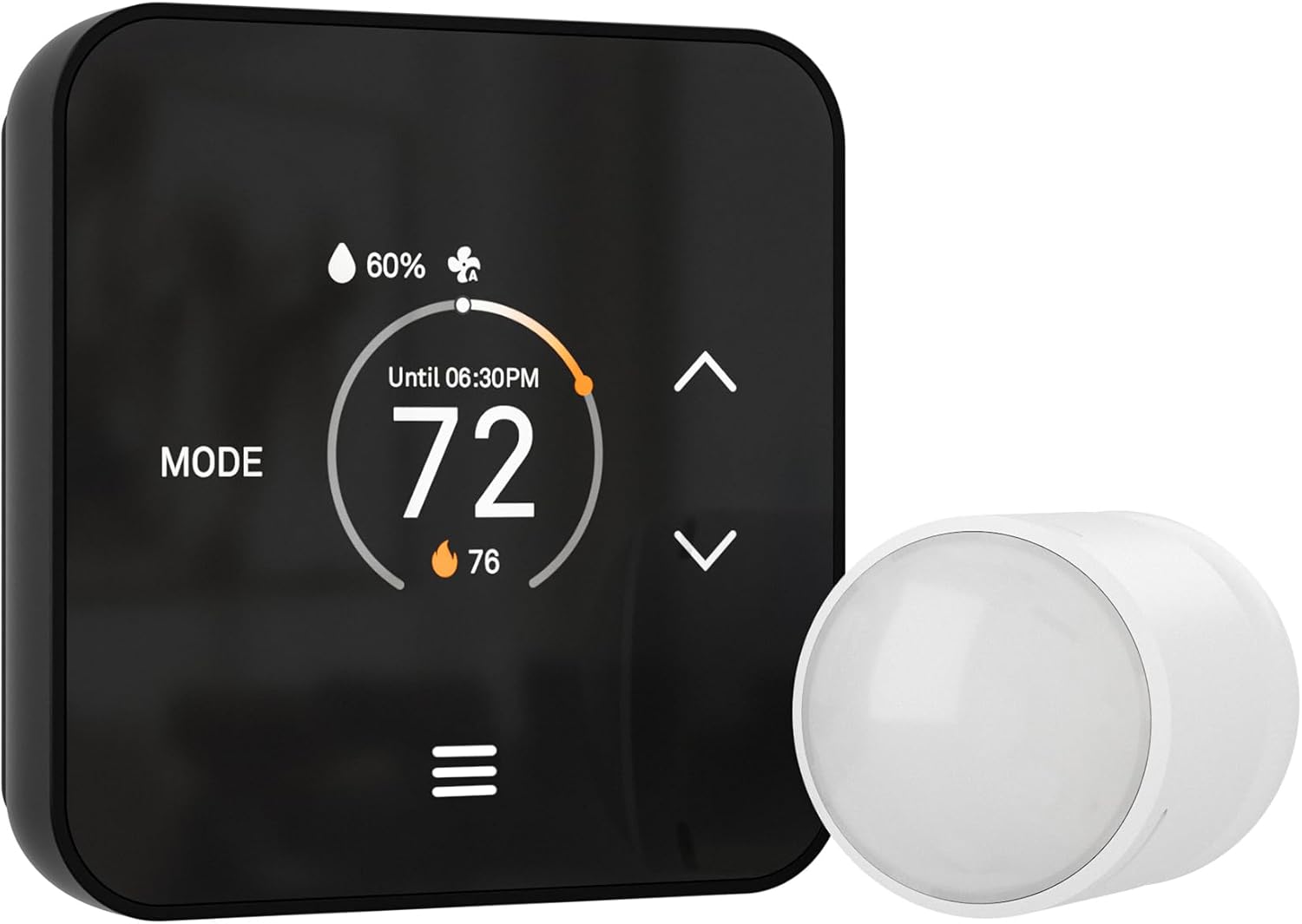
The LUX TQX Smart Thermostat is a wall-mounted, Matter-over-WiFi thermostat that pairs with smart-home hubs and speakers to provide local and remote temperature control without a separate app. It uses millimeter-wave occupancy detection plus an included sensor and supports up to five remote sensors to factor room occupancy and temperature into whole-house heating and cooling decisions. The thermostat offers auto-schedule learning, an auto-brightness LED display, keypad lockout, and multiple connectivity options including Wi‑Fi, Matter, Zigbee and Bluetooth, while the package includes a power bridge for systems without a C-wire. In practice it simplifies voice and app control through existing smart-home ecosystems and can shift HVAC operation based on detected presence to save energy. Limitations to note: sensor data is combined for overall system decisions rather than controlling individual rooms independently, and it is not compatible with line-voltage heating systems, so installation requires a compatible 24VAC system and basic wiring or use of the included bridge.
Best for: Buyers seeking a budget-friendly smart thermostat that integrates with existing smart-home hubs and prioritizes whole-house comfort and energy savings using remote sensors.
Less Ideal for: Homes that need per-room independent temperature control or properties with line-voltage heating systems should look for alternative solutions.
- Matter over Wi‑Fi support enables native integration with modern smart-home ecosystems and voice assistants
- Includes Lux Power Bridge so it can work on systems lacking a C-wire
- Supports up to five remote sensors for better whole-house occupancy and temperature awareness
- Auto-schedule learning and occupancy detection can reduce runtime and save energy
- Sensors and thermostat aggregate data for system-wide control and do not regulate individual rooms independently
- Not compatible with 120V/240V line-voltage heating systems
Verdict: A cost-conscious choice for smart-home users who want Matter-based integration and whole-house comfort using multiple remote sensors.
ecobee4 Smart Thermostat

| Connectivity Technology | Wi-Fi |
|---|---|
| Power Source | Hardwired |
| Display Type | Digital |
| Included Components | Room Sensor |
| Controller Type | Amazon Alexa, Android, Apple HomeKit, Google Assistant, IFTTT, SmartThings, iOS |
The ecobee4 is a wall-mounted smart thermostat that controls heating and cooling via Wi‑Fi and the ecobee app while including a room sensor to reduce temperature disparity. Installation replaces an existing 24V thermostat and once hardwired the unit provides digital controls, app scheduling, and voice control through the built-in Alexa Voice Service and compatibility with Apple HomeKit, Google Assistant, SmartThings and IFTTT. The included remote room sensor helps the thermostat prioritize the temperature in a specific room, which is useful for reducing hot or cold spots and improving comfort in frequently used spaces. Because it is a full-featured smart controller, it supports heat pumps and humidifiers and offers programmable schedules and voice-enabled adjustments for hands-free operation. Limitations include the need for a C-wire or compatible wiring for power and that advanced features rely on the ecobee ecosystem and cloud connectivity for remote access and some automations.
Best for: Buyers who prioritize reliable, room-targeted temperature control and want a thermostat that integrates with major smart home platforms while offering local voice control.
Less Ideal for: People seeking a battery-powered or completely wireless thermostat solution or those who want to avoid dependence on a vendor app or cloud services.
- Built-in Alexa voice service for hands-free control without a separate smart speaker
- Includes a remote room sensor to measure and prioritize room-level temperature
- Works with major smart home platforms including HomeKit, Google Assistant, SmartThings and IFTTT
- Wi‑Fi and app control enable scheduling and remote adjustments from mobile devices
- Requires hardwired 24V power which may need professional installation
- Some advanced features depend on cloud connectivity and the ecobee app ecosystem
Verdict: A dependable smart thermostat with an included remote sensor and built-in Alexa that keeps frequently used rooms comfortable and integrates with major smart home systems.
ecobee Smart Thermostat Premium

| Connectivity Protocol | Wi-Fi |
|---|---|
| Controller Type | Amazon Alexa, Android, Apple HomeKit, Google Assistant, iOS |
| Power Source | Battery Powered |
| Voltage | 24 volts |
| Included Components | SmartSensor, Backplate, Power Extender Kit, trim plate |
The ecobee Smart Thermostat Premium pairs a large touchscreen thermostat with a SmartSensor to reduce hot and cold spots and improve comfort in specific rooms. It installs on most 24VAC HVAC systems and includes a Power Extender Kit for homes without a C-wire, so DIY setup is feasible for many users. On the software side it supports dual-band Wi‑Fi, works with Siri, Alexa, Google Assistant and HomeKit, and offers home health features like a built-in air quality monitor, smoke alarm alerts and occupancy detection via radar. The built-in speaker and voice assistant add convenient hands-free control and media playback. Practical benefits include clearer room-level comfort when the SmartSensor is used, energy-saving schedules and live doorbell view when paired with ecobee doorbell hardware. Trade-offs are that full Siri requires an Apple home hub and the premium metal design and advanced features add complexity compared with simpler programmable thermostats.
Best for: Buyers who want a high-end smart thermostat that improves comfort with remote sensing and provides integrated air quality and voice-control features while preserving energy savings.
Less Ideal for: People who prefer a very simple, no-frills programmable thermostat or who do not want voice assistants or cloud-connected features.
- Includes SmartSensor for room-specific temperature control
- Built-in air quality monitor and occupancy sensing for home health insights
- Works with Siri, Alexa, Google Assistant and HomeKit for flexible voice control
- Includes Power Extender Kit and wiring accessories for easier installation without a C-wire
- Large display and premium metal design with speaker for voice and media playback
- Some advanced features require an Apple home hub for full Siri functionality
Verdict: Choose this model if you want a premium smart thermostat that uses remote sensors and built-in air quality and voice features to deliver targeted comfort and smarter energy use.
Honeywell Home T9 Smart Thermostat

| Connectivity Technology | Wi-Fi |
|---|---|
| Display Type | LCD |
| Control Type | Touch |
| Power Source | Corded Electric |
| Included Components | Thermostat, Mounting Hardware, Sensor |
The Honeywell Home T9 is a touchscreen Wi‑Fi thermostat paired with a battery-powered Smart Room Sensor to monitor temperature and humidity in a chosen room. You set schedules or let the sensors and geofencing Auto Home/Away adjust the system automatically, and control the thermostat from the Honeywell Home (Resideo) app or with voice assistants like Alexa, Google Assistant, and Apple HomeKit. Notable features include multi-room focus using additional sensors, monthly energy reports, and an included low-voltage power adapter to ease installation when a C‑wire is absent. In practice the T9 shines when you want to prioritize comfort in bedrooms or living areas rather than relying on a single hallway sensor, and the sensor range (up to about 200 feet) makes placement flexible in most homes. Limitations to watch for are the requirement to verify compatibility with some heating types and that electric baseboard heat is not supported, plus you may need extra sensors to cover many rooms which adds cost.
Best for: Homeowners who want reliable, sensor-driven comfort control and prefer a straightforward, supported smart-thermostat setup that minimizes installation risk and surprises.
Less Ideal for: People with electric baseboard heating or those who need whole-home coverage without buying multiple additional sensors should look elsewhere.
- Includes one Smart Room Sensor to prioritize a specific room’s temperature and humidity.
- Works with major voice assistants and the Honeywell Home app for remote control and geofencing Auto Home/Away.
- Guided DIY installation with a low-voltage adapter to help homes lacking a C‑wire.
- Sensor range up to ~200 feet provides flexible placement in typical houses.
- Provides monthly energy reports to track heating and cooling trends.
- Not compatible with electric baseboard heat (120–240V).
- Covering multiple rooms requires purchasing additional sensors.
- Requires checking home compatibility for some HVAC configurations.
Verdict: Choose the T9 if you want a dependable, easy-to-install smart thermostat that uses remote sensors to prioritize comfort where it matters most.
Choosing the Right Smart Thermostat with Remote Sensors: Key Factors to Consider
Sensor Accuracy and Placement
Remote sensor accuracy directly affects how well the thermostat balances temperatures across rooms. Look for sensors with consistent temperature reporting and minimal drift over time. When planning placement, avoid direct sunlight, drafts, and heat sources such as vents and lamps, since those conditions skew readings.
Think about the rooms that most affect comfort. Bedrooms and upstairs hallways often need separate sensing because heat rises and occupants sleep in cooler or warmer spots than the main living area. Proper placement improves automatic averaging or occupancy-based control and reduces short-cycling caused by misleading local temps.
Wireless Range and Connectivity
Remote sensors communicate wirelessly to the thermostat hub; range and reliability determine whether sensors work in basements, garages, or distant bedrooms. Review expected indoor range and whether the system uses a mesh, Bluetooth, or proprietary RF link. Walls, floors, and metal studs can reduce signal strength, so systems with repeaters or robust pairing procedures are useful in larger homes.
Consider how the thermostat handles lost sensors. Some systems continue operating using the main sensor or last-known values, while others can alert you to connectivity problems. Reliable reconnection and clear diagnostic information minimize downtime and frustration.
HVAC Compatibility and Wiring
Not every smart thermostat works with every HVAC setup. Confirm compatibility with your heating and cooling equipment type, fan controls, and any multi-stage or heat-pump systems. Wiring requirements matter; some thermostats need a common C wire for stable power while others include power-extender kits or battery-powered options for simpler swaps.
If you have specialized equipment like zoning panels or dual-fuel systems, verify whether the thermostat supports those features or whether additional hardware is required. Proper compatibility ensures the thermostat can fully control all stages of your system without unpredictable behavior.
App Experience and Automation
The mobile app is the primary interface for programming schedules, setting temperature ranges, and creating automations based on sensor input. Look for apps that let you assign priorities to sensors, create multi-sensor averaging zones, or base control on occupancy rather than just temperature. Good apps offer clear feedback when a sensor is offline or reporting unusual values.
Automation options matter if you want hold modes, vacation scheduling, or smart-away features that act on combined sensor data. Integration with presence detection or external sensors can improve comfort and efficiency when properly supported by the software.
Battery Life and Maintenance
Remote sensors are usually battery powered, so expected battery life and how easy it is to replace batteries are important. Longer battery life reduces maintenance trips and the risk of a sensor going offline. Check whether sensors use common batteries such as AA or coin cells and whether the app provides low-battery alerts before performance degrades.
Maintainability also includes firmware updates and the ability to recalibrate or re-pair sensors without a full reset. Systems that display sensor health in the app make it easier to schedule replacements and avoid surprises.
Privacy, Security, and Data Handling
Smart thermostats and their sensors send data through home networks and cloud services. Confirm whether the vendor uses encrypted communications and offers clear privacy policies. Local-only control options or limited cloud dependency reduce exposure if you prefer to keep home automation on-premises.
Consider account security features such as two-factor authentication and the ability to review and delete historical data. Secure update channels and timely firmware patches help protect against vulnerabilities that could expose device control or personal usage patterns.
How Remote Sensors Improve Comfort
Remote sensors let a thermostat respond to temperatures in multiple rooms, preventing the main living area thermostat from misreading the climate. This results in fewer hot or cold spots and can make scheduled setbacks feel more consistent across the house.
Sensors are especially helpful in multi-level homes and rooms that are rarely occupied. By averaging or prioritizing readings from these sensors, the system spends heating or cooling effort where it matters most.
- Reduces short-cycling by avoiding overreaction to a single hot or cold fireplace wall.
- Helps maintain consistent sleeping temperatures by monitoring bedrooms directly.
- Enables targeted schedules that favor frequently used rooms during different times of day.
Placement Tips for Reliable Readings
Place sensors about chest height in rooms where occupants spend most of their time. Avoid mounting directly above radiators, vents, or on exterior walls that receive sun during the day.
For bedrooms, position the sensor away from windows and doors to avoid drafts and direct sunlight that can skew night-time readings. Hallways and stairwells may need sensors when those areas act as temperature conduits between floors.
- Mount sensors on interior walls, not in corners.
- Keep sensors at least a few feet away from lamps, TVs, and other heat sources.
- If range is limited, test signal strength before final mounting.
Managing Multi-Zone and Prioritized Control
Some thermostats let you create zones virtually by grouping sensors and choosing a primary sensor for scheduling or comfort. Decide whether you want fixed zones or dynamic control that follows occupancy. In many homes, prioritizing bedrooms during sleep hours and living areas during daytime yields the best comfort balance.
Understand how the thermostat resolves conflicting readings. Systems that let you weight sensors or create time-based priorities give more control, while others use simple averaging that may not suit all layouts.
- Use sensor groups to mimic zoned HVAC without extra dampers.
- Set time-based priorities to shift focus between bedrooms and common spaces.
- Test and tweak priorities for a week to find the best balance.
Integration With Smart Home Devices
If you already use voice assistants or smart home hubs, check for compatibility so sensors can influence broader automations. For example, sensor-driven presence detection can turn on lights or trigger ventilation when a room becomes occupied and reaches certain temperatures.
Local integrations reduce latency and dependence on cloud services, while cloud-based workflows often provide richer remote access and advanced automations. Choose the integration style that matches your privacy preferences and the complexity of automations you want to run.
- Link sensors to routines that respond to occupancy, not just temperature.
- Prefer local control if you need low-latency or offline functionality.
- Confirm which third-party platforms are supported before deploying complex automations.
Troubleshooting Common Sensor Issues
If a remote sensor reports erratic values, first check battery level and placement relative to heat sources. Re-pairing the sensor often clears transient communication errors. A complete reset is rarely necessary but may be required if firmware updates fail.
When sensors drop offline intermittently, test signal strength by moving the sensor closer to the thermostat. If distance or structural interference is the cause, consider repositioning the thermostat if possible or using a repeater device if the system supports it.
- Replace batteries promptly when the app issues a low-battery warning.
- Reboot the thermostat and sensors in sequence to re-establish connections.
- Document sensor locations and battery change dates to simplify maintenance.
How We Chose the Best Smart Thermostat with Remote Sensors
We focused on real-world performance measures that affect day-to-day comfort and long-term satisfaction. Primary evaluation criteria included sensor accuracy and range to ensure remote units report reliable temperatures from different rooms; system compatibility and wiring support for modern and older HVAC configurations; ease of installation and setup for homeowners who install themselves or work with a technician; mobile app usability and automation capability for scheduling, presence detection, and multi-sensor averaging; battery life and maintenance demands for remote sensors; and integration with common smart home assistants and platforms for voice control and routines. We excluded thermostats that rely solely on a single internal sensor or those with ambiguous support for remote sensing. Products that required proprietary, hard-to-source accessories were deprioritized. The shortlist emphasizes units that balance responsive multi-room sensing with simple installation, robust wireless performance, and accessible software features that let you prioritize comfort, energy savings, or specific-room control.
Our full evaluation process is outlined in our review methodology.
FAQ
Do remote sensors need wiring to the thermostat?
No, most remote sensors are wireless and battery powered. They communicate with the thermostat hub or base station using Bluetooth, RF, or a proprietary wireless link, so no additional thermostat wiring is usually required.
Can remote sensors control heating and cooling independently?
Remote sensors typically do not control separate HVAC zones on their own. They provide temperature or occupancy data to the main thermostat, which can then prioritize or average readings. Independent zone control requires dedicated zoning hardware and dampers.
How often should I replace sensor batteries?
Battery life varies by sensor type and reporting frequency but typically ranges from several months to multiple years. Check the product documentation and enable low-battery alerts in the app to replace batteries proactively.
Will remote sensors improve energy efficiency?
Sensors can improve efficiency when they prevent over-conditioning of unused spaces and enable targeted scheduling. Efficiency gains depend on how the thermostat uses sensor data and whether automation is set to balance comfort with energy-saving setpoints.
What if a sensor keeps losing connection?
Intermittent disconnects are often caused by distance, interference, or battery issues. Move the sensor closer, replace batteries, or check for obstructions. If problems persist, consult the thermostat's troubleshooting guidance for pairing and firmware updates.
Final Verdict
When choosing a smart thermostat with remote sensors, prioritize sensor accuracy, reliable wireless range, and compatibility with your HVAC system. App flexibility and clear automation controls make it easier to tailor behavior to sleeping and daytime patterns, while long battery life and simple maintenance reduce ongoing headaches. Focus on the control style you prefer: averaging multiple sensors for uniform comfort or prioritizing specific rooms at set times. With these tradeoffs in mind, select the thermostat that best matches your home layout, installation capacity, and desired level of automation.