
Note: This article contains affiliate links. If you click on these links and make a purchase, we may earn a small commission at no extra cost to you. This helps support our research and content. Read our full affiliate disclosure here.
If you want steady comfort in two separate areas of your home, choosing the right thermostat for dual zone control matters. A correct unit keeps each zone at its own setpoint, reduces temperature battles between rooms, and can improve overall system efficiency. This guide shortlists the top thermostats designed specifically for dual zone setups and explains the practical differences that affect installation, daily use, and remote control. The selections that follow were chosen for compatibility, zoning features, and user controls. Read on to see the key criteria we tested and which capabilities to prioritize for your layout and HVAC configuration.
Top Picks at a Glance
| Best Overall The best all-around choice for most situations | Honeywell Home Smart Color Thermostat RTH9585WF |  |
| Best Quality Built to a higher standard if you want something more solid | Honeywell Home Smart Color Thermostat |  |
| Best Value The sweet spot between price and what you get | Sensi Lite Smart Thermostat ST25 | 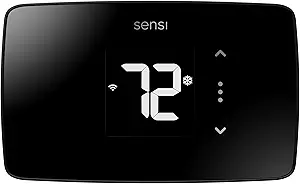 |
| Best Budget The cheapest option that still gets the job done reliably | Miuputake STN601 Thermostat |  |
| Top Rated A top-rated pick with lots of positive feedback | Sensi Smart Thermostat ST55 |  |
| Most Popular A crowd favorite that many people choose with confidence | Amazon Smart Thermostat |  |
Honeywell Home Smart Color Thermostat RTH9585WF

| Connectivity Technology | Wi-Fi |
|---|---|
| Controller Type | Touch Screen, Voice |
| Temperature Control Type | Heating and Cooling |
| Power Source | AC Power Supply |
| Specification Met | Energy Star |
The Honeywell Home Smart Color Thermostat is a user‑friendly Wi‑Fi thermostat that replaces a conventional wall unit with a customizable color touchscreen and remote control via the Honeywell app or voice assistants. It is typically used to set daily schedules, view local weather, and receive equipment alerts like filter or humidity reminders, and it supports flexible holds and auto changeover between heating and cooling. Notable features include Smart Response Technology that learns temperature preferences, Energy Star certification with monthly energy reports, and compatibility with most low‑voltage forced air systems provided a C‑wire is present. Installation is aimed at DIYers with step‑by‑step guidance, but homes with line‑voltage or electric baseboard heat are not supported. The color display and simple app controls make it convenient for monitoring multiple zones visually, though true dual‑zone control will still require separate thermostats and zone control hardware; this unit serves well as a reliable, app‑connected controller for a single zone with solid energy reporting and smart alerts.
Best for: Buyers who want a straightforward, app‑connected thermostat with a bright customizable display and energy reporting for managing a single zone in a connected home.
Less Ideal for: Homes that rely on line‑voltage baseboard heating or owners wanting an out‑of‑the‑box multi‑zone thermostat solution without extra zone controllers.
- Customizable full‑color touchscreen that can match décor and is easy to read
- Wi‑Fi connectivity with app and voice assistant control for remote management
- Smart Response Technology that adapts to user preferences for comfort
- Energy Star certification and monthly energy reporting for efficiency tracking
- Requires a C‑wire and is not compatible with line‑voltage electric baseboard heating
- Does not provide built‑in multi‑zone control; additional hardware needed for true dual‑zone setups
Verdict: A feature‑packed, Energy Star certified smart thermostat with a customizable color touchscreen that makes a strong single‑zone controller for connected homes.
Honeywell Home Smart Color Thermostat

| Connectivity Technology | Wi-Fi |
|---|---|
| Display Type | LCD |
| Power Source | Battery Powered |
| Voltage | 24 volts |
| Controller Type | Amazon Alexa, Android, Google Assistant, IFTTT, iOS |
The Honeywell Home Smart Color Thermostat is a Wi‑Fi programmable thermostat that combines a bright, customizable color touchscreen with cloud control and learning-based temperature management. It installs as a wall-mounted low-voltage thermostat and is typically used to schedule heating and cooling, monitor indoor/outdoor conditions on-screen, and control the system remotely via the Honeywell app or voice assistants like Alexa and Google Assistant. Notable features include Smart Response Technology that learns your home's cycle times, ENERGY STAR certification for efficiency, on-screen weather and humidity readouts, and smart alerts for filter changes and connectivity. Practical benefits are easy remote scheduling, clear at-a-glance comfort data, and a display you can color-match to your décor. Important limitations are that it requires a C-wire for power and works only with low-voltage HVAC systems so it is not compatible with line-voltage electric baseboard heat, and it only supports 2.4 GHz Wi‑Fi.
Best for: Buyers who prioritize precise temperature control and energy savings and want a smart, learn-capable thermostat they can monitor and adjust remotely.
Less Ideal for: Homes that use line-voltage electric baseboard heating or users who cannot provide a C-wire without running additional wiring or using an adapter.
- Customizable full-color touchscreen that improves readability and aesthetics
- Smart Response Technology learns system cycle times for more consistent comfort
- ENERGY STAR certified with features that support energy savings and utility incentives
- Remote control via app and compatibility with Alexa, Google Assistant, and other smart home platforms
- Requires a C-wire and only supports low-voltage systems, excluding line-voltage baseboard heaters
- Limited to 2.4 GHz Wi‑Fi which may be an issue on some modern networks
Verdict: A smart, learn-capable thermostat with a customizable color touchscreen that suits buyers focused on consistent comfort and energy-efficient performance.
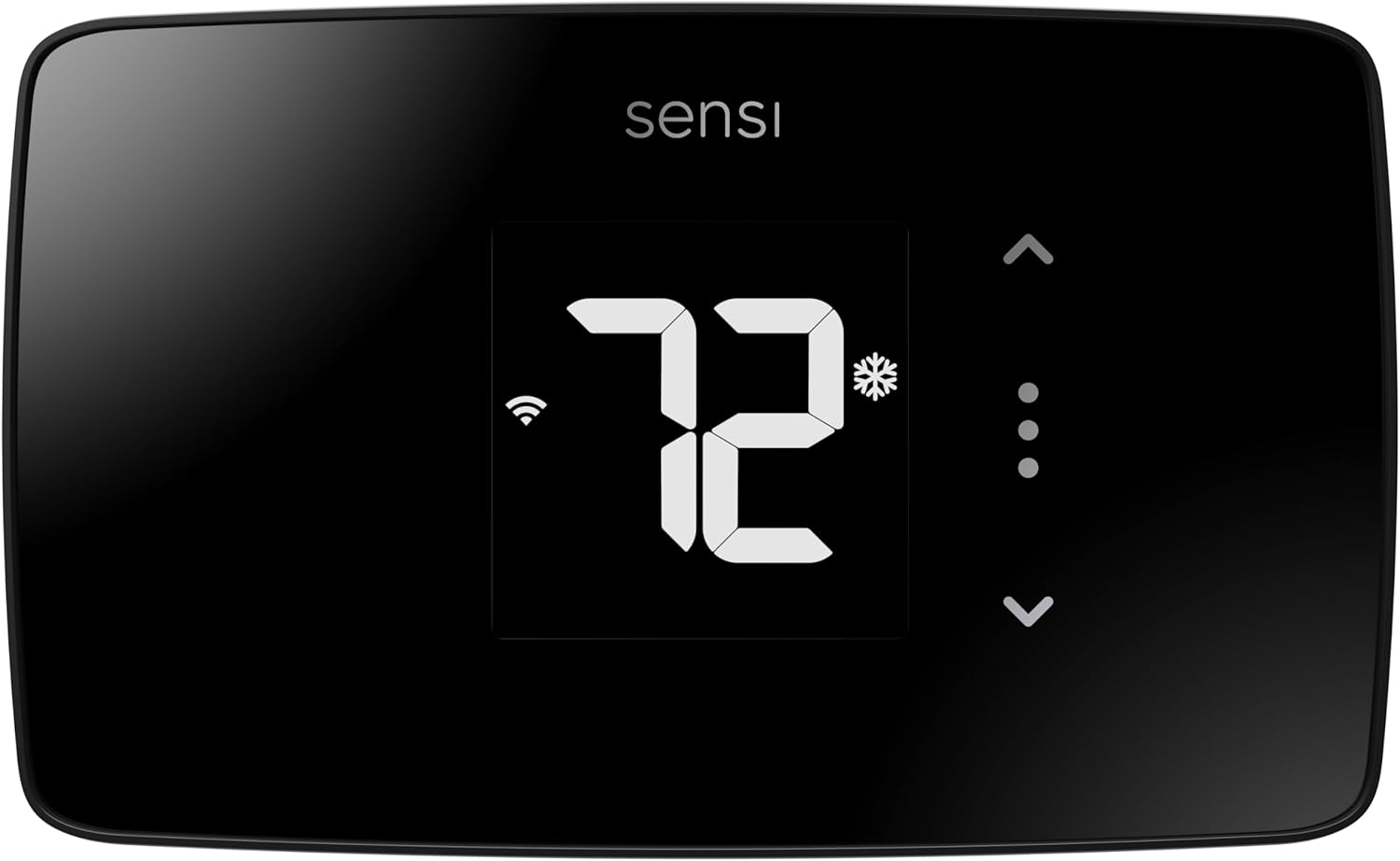
Sensi Lite Smart Thermostat ST25
| Connectivity Technology | Wi-Fi |
|---|---|
| Control Method | App, Touch, Voice |
| Specific Uses For Product | Air Conditioner, Boiler, Furnace, Heat Pump |
| Power Source | Battery or C-wire |
| Number of Batteries | 2 AAA (included) |
The Sensi Lite ST25 is a no-frills smart thermostat that lets you control home heating and cooling from the Sensi app, voice assistants, or the small LCD on the unit. It is designed for quick DIY wall mounting and works with most HVAC equipment including furnaces, heat pumps, boilers, and air conditioners; a C‑wire is only required on some systems. The thermostat connects over 2.4 GHz Wi‑Fi, supports scheduling, geofencing, and usage reports to help trim energy use, and includes basic privacy protections. Practical touches like included mounting hardware, wire labels, and step‑by‑step instructions make installation straightforward. Limits for a dual‑zone setup are that this is a single‑zone controller, so managing two separate zones requires a second unit or a zoning system that accepts multiple thermostats; it also lacks advanced multistage or zoning-specific controls found on higher-end models. For buyers who want an affordable, energy‑star certified smart controller to pair with another thermostat for a two‑zone home, the Sensi Lite provides reliable core features without complexity.
Best for: Buyers who want a straightforward, energy‑focused smart thermostat they can install themselves and pair as a second controller in a multi‑zone setup to keep costs and complexity low.
Less Ideal for: Homes needing a single controller to manage multiple zones or advanced staged systems should choose a thermostat designed specifically for zoning and multistage control instead.
- Easy DIY installation with included mounting hardware and wire labels
- Wi‑Fi connectivity with app, touch, and voice control via Alexa and Google Assistant
- Energy Star certified features like scheduling, geofencing, and usage reports to reduce HVAC energy use
- Includes batteries and clear instructions for a quick setup
- Single‑zone thermostat that does not include built‑in zoning or multistage zoning controls
- Requires a C‑wire for some system types, which may need extra wiring work
Verdict: A practical, Energy Star smart thermostat ideal for budget‑minded owners who want a simple, app‑controlled unit to use as part of a two‑zone arrangement.
Miuputake STN601 Thermostat

| Controller Type | Push Button |
|---|---|
| Temperature Control Type | Manual |
| Power Source | 24VAC or 2 AAA batteries |
| Display Type | LCD |
| Mounting Type | Wall Mount |
The Miuputake STN601 is a straightforward nonprogrammable thermostat that controls one heat and one cool stage on common forced‑air and heat‑only systems. It mounts to a standard wall plate and connects with a universal sub‑base, so DIY installs are typically quick for anyone familiar with thermostat wiring. The backlit LCD and simple button controls make temperature changes easy, and the unit supports adjustable temperature differential (swing), Celsius/Fahrenheit conversion, and a selectable compressor delay to protect equipment. It can run on 24VAC or two AAA batteries, which means it will keep working even without a C‑wire in most setups. Important limits include no scheduling features and incompatibility with systems that need auxiliary/emergency heat, multi‑stage heat pumps, line‑voltage baseboard heat, or mini‑splits, so it is not suitable for more complex zoning setups. For buyers wanting a low-cost, no‑frills wall thermostat to replace a basic factory unit, it provides the essential controls and a clear display without unnecessary extras.
Best for: Buyers who need an inexpensive, easy‑to‑install replacement thermostat for a basic single‑stage heating and cooling setup and prefer simple manual control over programmable features.
Less Ideal for: Homes that require multi‑stage, auxiliary/emergency heat support, line‑voltage baseboard control, mini‑split compatibility, or who want programmable or smart scheduling features.
- Wide compatibility with common single‑stage forced‑air and heat‑only systems
- Simple, quick DIY install with universal sub‑base and labeled terminals
- Backlit LCD and clear button controls for easy temperature adjustments
- Dual power options: 24VAC or two AAA batteries so no C‑wire is required for most systems
- Adjustable temperature differential and selectable compressor delay for basic system protection
- Nonprogrammable so it cannot automate daily schedules or reduce runtime automatically
- Not compatible with systems that require auxiliary/emergency heat, line‑voltage heating, or mini‑split setups
Verdict: A budget-friendly, no‑frills digital thermostat that replaces basic factory units and delivers reliable manual temperature control for single‑stage systems.
Sensi Smart Thermostat ST55

| Connectivity Technology | Wi‑Fi (2.4 GHz) |
|---|---|
| Control Method | App, Touch, Voice |
| Specific Uses For Product | Air Conditioner, Boiler, Furnace, Heat Pump |
| Power Source | Corded Electric |
| Number of Batteries | 2 AA batteries required (included) |
The Sensi ST55 is a wall‑mount smart thermostat that provides remote temperature control, scheduling, and energy reports through a dedicated mobile app and voice assistants. It connects over 2.4 GHz Wi‑Fi and supports common HVAC systems including furnaces, heat pumps, boilers, and air conditioners, and it is Energy Star certified to help reduce HVAC energy use. The unit is geared for a straightforward DIY swap with included mounting hardware, wire stickers, a built‑in level, and step‑by‑step app guidance, and it can operate with or without a common wire in many installations. Features such as usage reports, smart alerts, and a filter indicator make routine maintenance and monitoring easier. The ST55 uses button controls plus app, touch, and voice control options and includes two AA batteries and a clear LED display. Limitations to consider are that it uses 2.4 GHz Wi‑Fi only and the interface is more traditional button-based rather than a full color touchscreen, so users wanting advanced on‑device controls or multi-band Wi‑Fi support may look elsewhere.
Best for: Buyers who prioritize a reliable, easy‑to‑install smart thermostat that integrates with major voice assistants and focuses on energy savings and straightforward remote control.
Less Ideal for: Homes that require advanced on‑device controls or need 5 GHz Wi‑Fi support should consider models with touchscreens or dual‑band connectivity instead.
- Easy DIY installation with included hardware and app guidance
- Works with Alexa, Google Assistant, Apple HomeKit, SmartThings and Vera for voice and smart home integration
- Energy Star certified with remote scheduling and usage reports for energy savings
- Includes smart alerts and filter reminders to simplify maintenance
- No dual‑band Wi‑Fi support, limited to 2.4 GHz networks
- Uses button controls and LED display rather than a full color touchscreen
Verdict: Choose the Sensi ST55 when you want a dependable, Energy Star smart thermostat that is easy to install and integrates cleanly with major smart home platforms.
Amazon Smart Thermostat

| Works with | Alexa and Ring |
|---|---|
| C-wire | Required |
| Manufacturer tech | Honeywell Home technology |
| Price | USD 79.99 |
The Amazon Smart Thermostat replaces a traditional programmable thermostat with an Alexa-integrated unit designed for DIY installation where a C-wire is present. It provides app and voice control, lets you create home, away, and sleep schedules, and can participate in Alexa routines and presence-based adjustments when paired with compatible Alexa devices. The unit leans on Honeywell Home thermostat technology for core temperature sensing and control, and Amazon highlights potential energy savings and local rebate information after purchase. In practice it is straightforward to set up via the Alexa app and useful for remote temperature adjustments and automated routines, though it requires a C-wire for reliable power and depends on the Alexa ecosystem for advanced presence and multi-device features. The thermostat is best for households that want Alexa-driven scheduling and energy reports rather than specialty HVAC controls or professional integration.
Best for: Buyers who prioritize easy Alexa voice control, app scheduling, and practical energy savings and who prefer a DIY smart-thermostat setup with visible social proof.
Less Ideal for: People who need professional HVAC integrations, advanced multi-stage system controls, or who avoid voice assistants and smart-home ecosystems.
- Works with Alexa for voice control and routines.
- App-based remote control and scheduling via the Alexa app.
- Built on Honeywell Home thermostat technology for reliable temperature sensing.
- Designed for DIY installation with guided setup in the Alexa app.
- Energy-saving features and guidance for potential local rebates.
- Requires a C-wire for proper installation and reliable operation.
- Advanced features rely on being in the Alexa ecosystem and compatible devices.
Verdict: Choose this thermostat if you want a straightforward, Alexa-first smart thermostat that simplifies voice and app control while aiming to reduce energy use.
Choosing the Right Thermostat for Dual Zone: Key Factors to Consider
Compatibility With Your HVAC Zoning
Not all thermostats can manage two independent zones directly. Some units are designed to control two separate stages or two individual dampers, while others require an external zone control panel. Confirm whether the thermostat supports multiple heat or cool stages and whether it can accept inputs from separate temperature sensors for each zone. Choosing a thermostat that matches your existing zoning hardware avoids additional components and wiring complexity.
Compatibility also affects control modes. For example, heat-only, cool-only, or heat pump systems have different terminal requirements. Ensuring the thermostat supports the specific control signals and power arrangements of both zones prevents operational issues and limits the need for professional rework.
Sensor Placement and Support
Accurate two-zone control depends on reliable temperature sensing in each area. Some thermostats include or support multiple remote sensors; others rely on the primary device location and optional wired sensors. Consider whether sensors are wireless or wired, how they report temperature, and whether the thermostat can average or prioritize sensor readings. The ability to assign sensors to specific zones or rooms is important for preventing one zone from overpowering the other.
Also evaluate sensor calibration, response time, and mounting options. A thermostat that supports external sensors with flexible placement will better reflect actual room conditions and avoid comfort imbalances between zones.
Scheduling and Independent Zone Control
Dual zone setups are most useful when each area can follow its own schedule. Look for thermostats that allow separate daily or weekly schedules per zone, with easy overrides and temporary holds. Features like adaptive scheduling, setback periods, and per-zone climate presets minimize manual adjustments and can align comfort with occupancy patterns.
The scheduling interface should be straightforward both on-device and in any companion app. If you plan to use remote management, verify that schedules remain active even if cloud services are interrupted, and that local controls are preserved for immediate changes.
Installation and Wiring Requirements
Dual zone thermostats can be more complex to wire than single-zone units. Some systems require a dedicated common wire, extra sensor wiring, or connection to a zone controller. Before buying, map your existing wiring and confirm whether adapters or additional transformers are needed. Thermostats that include clear labeling, wiring diagrams, and installer tools reduce setup time and lower the chance of wiring errors.
If you intend to install the unit yourself, check for user-friendly mounting plates and step-by-step configuration guides. For professional installations, ensure the thermostat's configuration options are robust enough to handle typical zoning control panels and multi-stage equipment.
Connectivity and Remote Access
Remote access makes it easier to manage two zones from anywhere. Many thermostats offer Wi-Fi connectivity and companion apps that let you change setpoints, adjust schedules, and monitor zonal temperatures. When evaluating connectivity, consider the stability of the connection, support for local control if the cloud is down, and the clarity of app-based controls for managing multiple zones.
Also check network security features and whether accounts allow multiple users with controlled permissions. If you want voice control or home automation integration, verify compatibility and how zones are represented within those ecosystems.
Energy Reporting and Efficiency Features
Energy reporting can help you understand how dual zone control affects consumption. Thermostats that track per-zone usage, run-time reports, and setback effectiveness provide actionable insight. Look for features like adaptive recovery that learn how long it takes to reach setpoints for each zone so the system runs efficiently, and reminders for maintenance or filter changes.
While reports do not guarantee savings, they highlight opportunities to optimize schedules and minimize unnecessary heating or cooling across zones.
How Dual Zone Thermostats Work
Dual zone thermostats coordinate temperature control for two distinct areas by either accepting multiple sensor inputs or by communicating with a separate zone control panel. In one approach the thermostat itself manages setpoints for each zone and switches equipment accordingly. In another approach the thermostat works with a zoning controller that actuates dampers or valves while the thermostat supplies setpoints.
Understanding the control flow will help you decide whether you need a thermostat with built-in multi-sensor handling or a simpler controller that delegates zoning logic to a separate panel.
- Direct dual-zone control: thermostat accepts multiple sensors and handles independent setpoints.
- Panel-based zoning: thermostat provides setpoints while a separate controller operates dampers.
- Sensor-driven control: separate sensors report local temperatures to prevent cross-zone bias.
Wiring Tips for Dual Zone Installations
Before purchasing, document the wires at your current thermostat and at the equipment/zone panel. Common wire shortages are a frequent cause of installation delay. If your home lacks a C wire, look for thermostats with alternative power options or plan to add a common connection.
Label each wire during removal and photograph the existing setup. When routing additional sensor wiring, keep low-voltage sensor runs separate from high-voltage cables to avoid interference. If you are uncertain about multi-stage or heat-pump terminals, consult an installer to confirm compatibility.
- Verify the presence of a C wire or compatible power option.
- Keep sensor wiring on dedicated low-voltage runs.
- Label and photograph existing wiring before swapping thermostats.
Managing Schedules and Conflicting Setpoints
When two zones are adjacent, their setpoints can interact. For example, heating one zone may bleed into the other. Use schedule offsets, staging, or temperature differentials to minimize short-cycling and discomfort. Some thermostats let you define sensor priorities or deadband values to prevent rapid toggling between heat and cool calls.
If occupants share HVAC equipment, coordinate schedules so the system meets the most demanding zone without excessive runtime. Temporary holds and manual overrides are useful when occupancy changes, but persistent conflicts are best solved with sensor reassignment or slight schedule adjustments.
- Set a deadband to prevent rapid on/off cycles.
- Use sensor priority or averaging features when physical bleed-over occurs.
- Coordinate schedules to minimize simultaneous peak demands.
Integration With Home Automation
Many dual zone thermostats can integrate with broader home automation platforms to provide scene-based control or voice commands. When importing zones into a smart home system, ensure each zone appears as a distinct device so you can automate them independently. Automation can adjust setpoints based on occupancy sensors, time of day, or smart schedules.
Keep in mind that automations should have sensible fallbacks. If cloud services are temporarily unavailable, local control must still honor basic schedules and manual inputs to avoid a loss of comfort.
- Verify that zones are represented as separate devices in your smart home hub.
- Create automations that have local fallbacks where possible.
- Use occupancy or door sensors to trigger temporary setpoint changes.
Troubleshooting Common Dual Zone Issues
Common problems include wiring errors, inconsistent sensor readings, and control conflicts between zones. If one zone seems always colder or warmer, check sensor placement first and verify the thermostat is reading the correct sensor for that zone. Next, confirm wiring continuity and terminal mapping.
If the system short cycles when both zones call for different temperatures, review deadband and staging settings, and confirm the zoning hardware is correctly sized and configured. Many issues can be resolved by reassigning sensors or adjusting schedule offsets rather than replacing equipment.
- Check sensor placement and verify the thermostat reads the intended sensor.
- Confirm wiring continuity and correct terminal connections.
- Adjust deadband and staging to reduce short-cycling.
How We Chose the Best Thermostat for Dual Zone
We filtered candidates using criteria that reflect real dual zone installation and everyday use. First, compatibility with two-zone HVAC systems and support for separate temperature sensors were required. Units that could not manage two independent setpoints or lacked sensor inputs were excluded. Second, control features were evaluated, including independent scheduling per zone, manual and automatic setback options, and remote access capabilities. Third, installation flexibility mattered: wiring options, support for multi-stage systems, and clear installer documentation were considered. Fourth, user interface and usability were assessed for both in-person adjustments and app or cloud control. Fifth, reliability factors such as firmware update practices and local fallback behavior were weighed. We excluded single-zone-only thermostats and devices lacking documented support for zoning accessories or dual-sensor setups. The final list favors thermostats that balance installer-friendly wiring and configuration with intuitive zone management for occupants.
Our full evaluation process is outlined in our review methodology.
FAQ
Can I use a dual zone thermostat with an existing single-stage furnace?
Often yes. Many dual zone thermostats support single-stage equipment but require proper wiring to a zoning panel or dampers. Confirm the thermostat can send the correct control signals and that your zoning hardware accepts those signals.
Do I need wired sensors for two-zone control?
Not always. Some thermostats support wireless sensors, while others require wired inputs. Wired sensors tend to be more reliable and avoid battery maintenance, but wireless options simplify placement where running cable is difficult.
Will dual zone control save energy?
It can, depending on how you use it. Tailoring setpoints and schedules to occupancy reduces unnecessary conditioning of unoccupied areas. Savings vary by house layout, insulation, and occupant habits, so monitoring run times helps identify real gains.
How do I decide sensor placement for each zone?
Place sensors where they reflect typical room use and avoid direct sunlight, drafts, or heat sources. Mount at normal head height in the room's primary living area so readings represent occupant comfort rather than localized extremes.
What if the two zones keep fighting each other?
First check sensor locations and verify each sensor is assigned to the correct zone. Then adjust deadband or temperature differentials to reduce overlap. If problems persist, inspect the zoning hardware for correct damper operation or consult a technician for tuning.
Final Verdict
Choosing the right thermostat for dual zone control comes down to matching device capabilities to your zoning hardware and daily routines. Prioritize units that support the correct sensor configuration, offer independent scheduling per zone, and provide clear installation guidance. Expect tradeoffs between advanced cloud features and reliable local controls; favor thermostats that preserve core zone functions even if remote services are interrupted. Focus on compatibility, sensor strategy, and scheduling flexibility when making a final choice. Those priorities will ensure comfortable, predictable temperature control across both zones.