
Note: This article contains affiliate links. If you click on these links and make a purchase, we may earn a small commission at no extra cost to you. This helps support our research and content. Read our full affiliate disclosure here.
If you run a mini-split system, the right thermostat makes a big difference in comfort, energy use, and daily convenience. Mini-splits use different control signals and zoning logic than traditional central HVAC, so a generic thermostat may not communicate correctly with your indoor unit. This guide covers seven top-rated thermostats for mini-splits that we shortlisted for reliable compatibility, usable interfaces, and sensible control features. Below you will find products selected for different needs, plus the practical criteria we used to evaluate them so you can pick the thermostat that matches your installation and usage patterns.
Top Picks at a Glance
| Best Overall The best all-around choice for most situations | Cielo Breez Eco Smart AC Controller |  |
| Best Quality Built to a higher standard if you want something more solid | Mysa Smart Thermostat for Mini-Splits |  |
| Best Value The sweet spot between price and what you get | Sensibo Sky |  |
| Best Budget The cheapest option that still gets the job done reliably | WenzhiIoT WiFi Smart AC Controller |  |
| Top Rated A top-rated pick with lots of positive feedback | Cielo Breez Max |  |
| Most Popular A crowd favorite that many people choose with confidence | Google Nest Thermostat |  |
| Best Seller A high-volume bestseller chosen again and again | Riseem S3001 Nonprogrammable Thermostat |  |
Cielo Breez Eco Smart AC Controller

| Compatible AC Types | MiniSplit, Window, Portable AC |
|---|---|
| Display Type | LED |
| Power Option | 5V Adapter |
| Mounting Options | Table Stand/ Wall Mounting Kit |
The Cielo Breez Eco is a compact Wi‑Fi controller that makes mini‑split, window, and portable air conditioners smart by learning an AC's IR remote and offering phone, web, and voice control. It mounts on a table or wall and includes on‑device temperature and humidity sensors so the controller can trigger schedules, geofencing, and temperature/humidity based automations without relying solely on the AC unit. The free Cielo Home app provides 7‑day scheduling, usage history, location‑based on/off, and Comfy triggers to reduce wasted run time and help lower energy use. Setup is generally straightforward thanks to automatic remote detection, and there is a local power button if Wi‑Fi is unavailable. The main limitations are that it requires line‑of‑sight placement within a few feet of the AC for reliable IR control and it only works with units that use IR remotes, so hardwired or non‑IR mini‑splits are not supported.
Best for: Buyers who want a straightforward, feature‑rich way to add app and voice control plus automated schedules to an IR‑controlled mini‑split, window, or portable AC without professional installation.
Less Ideal for: People with hardwired or proprietary non‑IR HVAC systems or those who need a thermostat that integrates directly with non‑IR central HVAC wiring.
- Adds Wi‑Fi and voice control to IR‑remote mini‑split, window, and portable ACs
- On‑device temperature and humidity sensors enable local automations and more accurate room control
- App features include 7‑day schedules, geofencing, usage history, and smart triggers for energy savings
- DIY setup with automatic remote detection and included wall/table mounting accessories
- Requires line‑of‑sight placement near the AC for IR signaling
- Not compatible with ACs that do not use an IR remote
Verdict: A simple DIY solution to add Wi‑Fi, scheduling, and smart automations to IR‑remote mini‑split and room ACs for better comfort and energy savings.
Mysa Smart Thermostat for Mini-Splits
| Connectivity Technology | Wi-Fi |
|---|---|
| Controller Type | Amazon Alexa, Android, Apple HomeKit, Google Assistant, iOS |
| Temperature Control Type | Cooling and Heating |
| Power Source | Battery Powered |
| Control Method | App, Touch |
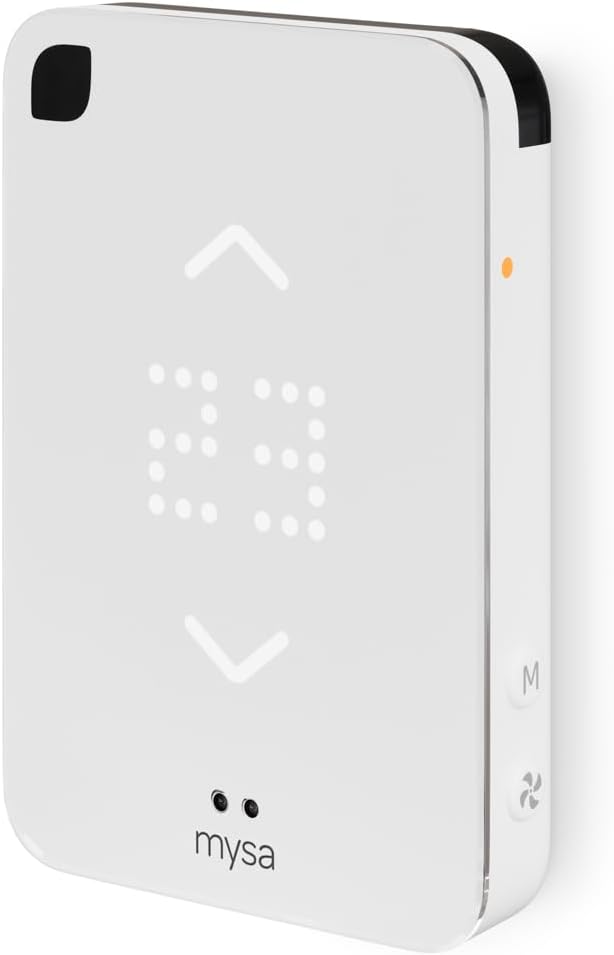
The Mysa Smart Thermostat replaces a mini-split or window AC remote with a wall- or tabletop-mounted controller that offers app-based scheduling, geofencing, and voice control via HomeKit, Alexa, and Google Assistant. It displays room temperature on an LED touch screen and lets you adjust temperature, fan speed, and modes locally or remotely over 2.4 GHz Wi‑Fi networks, while the Climate+ feature can automatically nudge the mini-split to reach the temperature the thermostat senses in the room. Setup includes a power adapter and optional wall mount and is supported by step-by-step guidance and in-app energy insights. For performance-focused users the thermostat gives tight remote control and useful automation to reduce runtime and energy use, though it relies on mini-split compatibility and the unit does not include the HVAC equipment itself. Battery-powered operation and a focus on 2.4 GHz Wi‑Fi help reliability, but advanced integration depends on correct installation and network setup.
Best for: Buyers who prioritize precise remote control and automation for ductless mini-split or window AC systems and want integrations with smart home platforms to trim runtime and energy use.
Less Ideal for: Those who need a universal HVAC controller for multiple system types or who cannot make network or wiring changes required for installation.
- Designed specifically for ductless mini-split heat pumps and portable/window AC units
- Works with HomeKit, Alexa, and Google Assistant for voice automation
- App features include scheduling, geofencing, energy insights, and Climate+ automatic adjustment
- At-unit LED touch display plus wall-mount or tabletop placement options
- Requires compatible mini-split or AC protocol to control all functions
- Optimized for 2.4 GHz Wi‑Fi which may require router adjustments
Verdict: Choose Mysa if you want a performance-focused smart controller that gives precise remote and voice control for ductless mini-split and window AC systems to improve comfort and cut runtime.
Sensibo Sky

| Control Method | App, Remote, Voice |
|---|---|
| Controller Type | App Control |
| Operating Mode | Cooling |
| Included Components | 1 x Sensibo Sky Device, 1 x Power Supply |
| Room Type | Multi-purpose / Portable |
Sensibo Sky converts a window, portable, or mini‑split AC into a smart unit you can control from smartphone apps, a web interface, or voice assistants like Google, Alexa and Siri. Installation is straightforward: plug the device in, pair your AC remote through the app, and connect to 2.4 GHz Wi‑Fi; Sensibo requires line of sight to the unit and works best within about 16 feet. The app offers geofencing, weekly scheduling, conditional rules, and a dual temperature‑humidity climate react feature that aims to keep rooms at a comfortable real‑feel setting. Because it pairs with the AC remote, you get on/off, mode and setpoint control without replacing the existing thermostat or wiring. Practical benefits include energy savings from smarter scheduling and remote access for pre‑cooling or turning the unit off when you forget. Limitations to note are the reliance on IR line of sight for some older units and the requirement for 2.4 GHz Wi‑Fi, which may complicate placement in homes with only 5 GHz networks.
Best for: Buyers who want a practical, low‑cost way to make a mini‑split or remote‑controlled AC smarter and reduce wasted runtime through scheduling and geofencing.
Less Ideal for: People who prefer a hardwired, full thermostat replacement or who cannot place a small IR device within direct line of sight of their indoor AC unit.
- Adds app and voice control to remote‑controlled ACs and mini‑splits without rewiring
- Geofencing and 7‑day scheduling for automated energy savings
- Compact, wall‑mountable design that is easy to install and set up
- Climate React uses temperature and humidity for a more accurate comfort profile
- Requires clear IR line of sight to the AC unit for reliable control
- Only supports 2.4 GHz Wi‑Fi, so may need network adjustments in some homes
Verdict: If you want a simple, no‑wiring way to add scheduling, geofencing, and voice control to a mini‑split, Sensibo Sky delivers practical smart control with minimal setup.
WenzhiIoT WiFi Smart AC Controller

| Controller Type | mobile app, voice control |
|---|---|
| Connectivity Technology | Wi-Fi |
| Power Source | USB Powered |
| Control Method | App, Voice |
| Additional Features | Programmable, Remote Access, Humidity Monitoring |
This compact Wi‑Fi controller converts IR‑controlled mini‑split, window, or portable AC units into a smart system you can operate from a phone or with voice assistants. Setup is handled by the app over 2.4 GHz Wi‑Fi and the unit can learn your AC remote via infrared, after which you can change temperature, fan speed, and mode remotely and build 7‑day schedules. Built‑in temperature and humidity sensors provide real‑time readings that can trigger automated scenes, and the USB power and small surface‑mount design make installation simple without rewiring. Practical benefits include remote access when away from home, hands‑free control with Alexa or Google, and programmable schedules that can reduce runtime and save energy. Limitations to note are reliance on IR control (so it will not work with ACs that lack IR remotes), a 2.4 GHz Wi‑Fi requirement, and the usual variability of third‑party app ecosystems which can affect reliability and integration depth.
Best for: Homeowners with IR‑controlled mini‑split, window, or portable ACs who want an inexpensive way to add remote control, voice commands, and scheduling without replacing the unit.
Less Ideal for: People whose ACs use proprietary wireless protocols or lack IR remotes, or buyers who need deep HVAC integration with factory‑grade controls.
- Adds smartphone and voice control to IR‑based AC units without replacing the appliance
- Built‑in temperature and humidity sensors enable real‑time monitoring and automated scenes
- Supports 7‑day customizable scheduling to preheat or precool and save energy
- Universal IR learning supports a wide range of AC brands
- USB powered and surface mountable for easy, noninvasive installation
- Only works with air conditioners that use IR remotes and a 2.4 GHz Wi‑Fi network
- Dependence on the vendor app may lead to occasional connectivity or compatibility quirks
Verdict: A low‑cost way to make an IR‑controlled mini‑split smart with app access, voice control, and scheduling.
Cielo Breez Max
| Controller Type | Touch Screen, App Control, Alexa, Google Assistant, Siri Shortcuts, IFTTT, SmartThings, Home Assistant |
|---|---|
| Connectivity Technology | Wi-Fi (2.4 GHz) |
| Power Source | USB Powered (5V) or 24V AC option |
| Display Type | LCD |
| Additional Features | Weekly Scheduling, Comfy Max, Geofencing, Usage History, Air Filter Notifications |
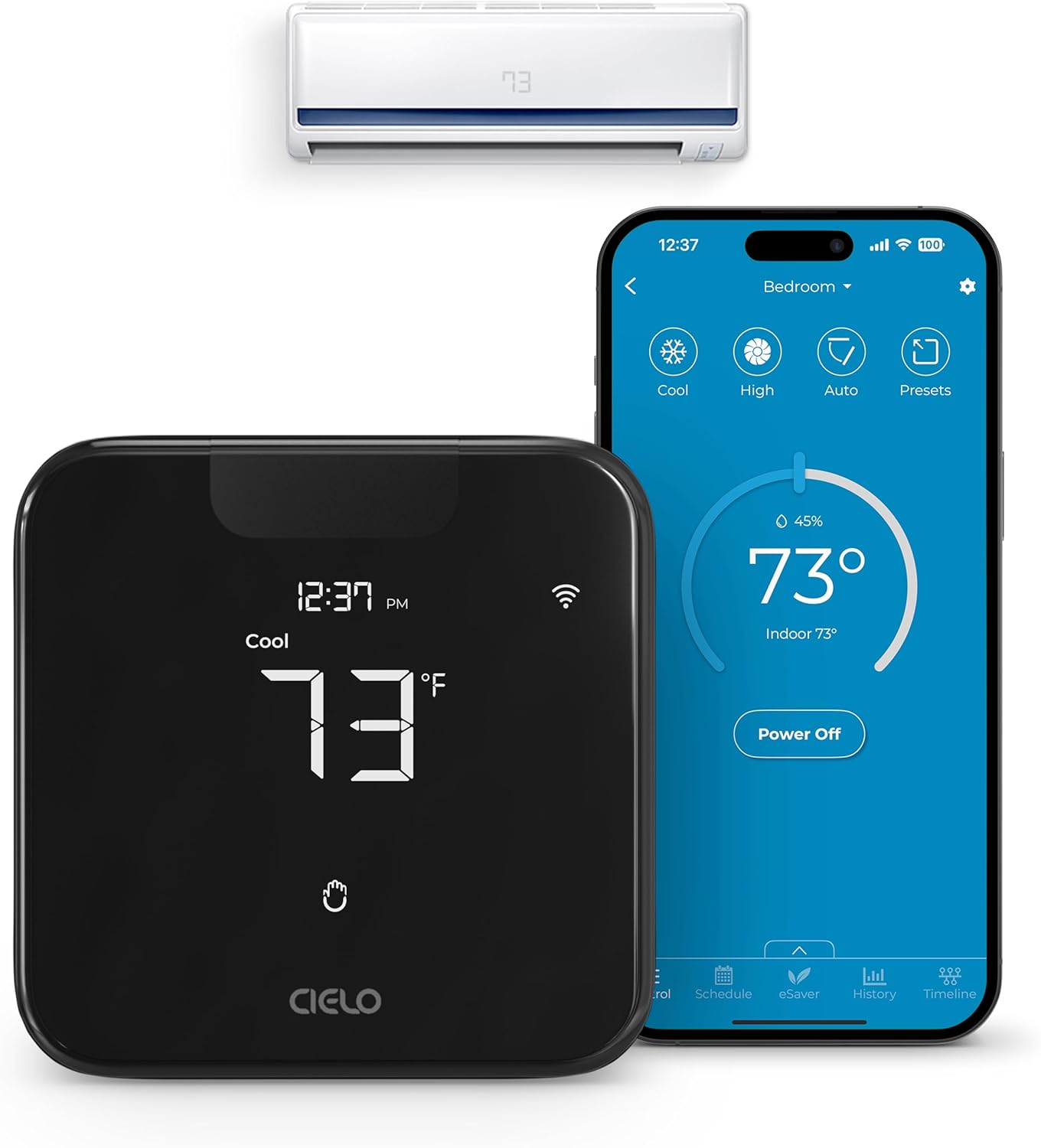
The Cielo Breez Max turns a room AC or mini-split with an IR remote into a full-featured smart thermostat you can control from the device or the free app. It pairs to 2.4 GHz Wi‑Fi and offers on-device touch controls plus app control, voice integration with Alexa, Google and Siri Shortcuts, and broad smart home support through IFTTT, SmartThings and Home Assistant. Notable features include AI-based Comfy Max to reduce overcooling and overheating, weekly scheduling that runs even if the internet drops, geofencing, usage history, and air filter notifications. Installation is DIY-friendly and the unit can be wall mounted or used on a table stand, with either a 5V USB adapter or 24V power in supported setups. The Breez Max is particularly useful for multi-zone mini-splits because it can coordinate mode settings across units to avoid conflicts. Expect reliable connectivity on 2.4 GHz networks and useful automation, but remember it relies on IR control so placement within line of sight of the AC is important and some obscure AC models may require customer support for compatibility.
Best for: Buyers who want a dependable, feature-rich way to convert a mini-split, window, or portable AC into a smart thermostat with reliable scheduling, automation, and voice control.
Less Ideal for: People who need hardwired integration with HVAC control systems or who cannot place a controller within line of sight of the unit should consider other solutions.
- Adds full smart control (app, touch, voice, and smart-home integrations) to IR-controlled room ACs and mini-splits
- AI-driven Comfy Max and scheduling features help prevent overcooling and save energy
- Works offline for scheduled routines so settings persist during temporary internet loss
- Supports multi-zone coordination to avoid mode conflicts between indoor units
- Requires line-of-sight placement because it communicates with the AC via infrared
- Only connects to 2.4 GHz Wi‑Fi networks, so dual-band setups may need configuration
Verdict: Choose the Cielo Breez Max if you want a reliable, smart upgrade for room ACs and mini-splits that delivers scheduling, automation, and multi-zone coordination.
Google Nest Thermostat

| Connectivity Technology | Bluetooth, Wi-Fi |
|---|---|
| Power Source | Battery Powered |
| Display Type | LCD |
| Control Type | Remote Control, Voice Control |
| Number of Batteries | 2 A batteries required. (included) |
The Google Nest Thermostat is a compact smart thermostat designed for easy self-install and remote control via the Google Home app. It connects over Wi‑Fi and Bluetooth, accepts voice control through compatible assistants, and can run on battery power without a C wire in many homes. In daily use it provides basic scheduling, an Eco temperature mode that reduces runtime when the house is empty, and Savings Finder suggestions in the app to highlight possible energy savings. The unit also monitors HVAC behavior and can send alerts if it detects unusual activity. Practical benefits include a quick 30‑minute install for typical systems, app-based remote adjustments, and simple touch-bar controls on the device itself. Important limitations: compatibility is not universal for every HVAC configuration and some mini-split or nonstandard systems may require a C wire or power accessory, and advanced learning features from higher-end Nest models are not available here. Voice control and remote alerts depend on working internet and a compatible smart speaker or phone.
Best for: Buyers who prioritize easy setup, remote control and energy-saving suggestions and who prefer a proven, widely used smart thermostat with visible user feedback and community trust.
Less Ideal for: Users with uncommon or proprietary mini-split systems or those who need advanced auto-learning algorithms and the most feature-rich Nest models.
- Wi‑Fi and Bluetooth connectivity for remote app and voice control
- Designed for user-friendly self-install with clear app guidance
- Energy-saving features like Eco Temperature and Savings Finder
- Monitors HVAC activity and sends alerts for potential issues
- Not compatible with every HVAC or mini-split configuration without checking compatibility
- Lacks the advanced learning and features found in higher-end Nest models
Verdict: A straightforward, easy-to-install smart thermostat that delivers app and voice control plus energy-saving features for buyers who want a reliable, well-supported option for standard mini-split and HVAC setups.
Riseem S3001 Nonprogrammable Thermostat

| Controller Type | Push Button |
|---|---|
| Temperature Control Type | Conventional Single Stage Systems |
| Power Source | 24VAC or 2 AA batteries |
| Display Type | LCD |
| Connectivity Technology | Wired |
The Riseem S3001 is a basic nonprogrammable thermostat designed to control conventional single-stage heating and cooling systems. It mounts to the wall on a universal sub-base and uses push-button controls plus a backlit LCD for straightforward temperature readout and adjustment. The unit accepts 24VAC power and will also run on two AA batteries for backup, which avoids needing a common wire on most systems and simplifies DIY installs. It supports separate heating and cooling swing settings to help reduce short cycling and can display room temperature within a one-degree accuracy band. Installation is intended to be quick using the large terminal blocks, but the base only accepts up to five wires so it will not fit systems with many conductors. The S3001 is not compatible with multi-stage systems, heat pumps, mini-splits, electric baseboard heat, or other specialized HVAC types, so its use is limited to standard single-stage gas, oil, or forced-air systems. For someone seeking a no-frills, reliable replacement for a simple single-stage system, it delivers clear controls and battery-backed power, but it is not suitable for mini-split applications or advanced thermostat features.
Best for: Buyers who want a straightforward, low-risk replacement thermostat for a conventional single-stage gas, oil, or forced-air system and value easy installation and dependable basic control.
Less Ideal for: Anyone using a mini-split, heat pump, multi-stage HVAC, or who needs scheduling, Wi-Fi, or smart-home integration should look elsewhere.
- Simple push-button controls and backlit LCD make daily use easy to read and adjust.
- Dual power options allow operation from 24VAC or two AA batteries so a C-wire is not required in most installs.
- Large terminal blocks and universal sub-base simplify DIY wall-mount installation.
- Separate heating and cooling swing setting helps reduce short cycling and stabilize comfort.
- Not compatible with mini-splits, heat pumps, multi-stage systems, or high-voltage electric baseboard heat.
- Nonprogrammable design lacks scheduling, remote access, or smart features.
Verdict: Choose the Riseem S3001 if you need a dependable, easy-to-install nonprogrammable thermostat for a standard single-stage heating or cooling system.
Choosing the Right Thermostat for Mini-Splits: Key Factors to Consider
Control Protocol and Compatibility
Mini-splits use a variety of control methods including infrared commands, dry-contact inputs, and manufacturer-specific communication buses. Choosing a thermostat that supports the correct protocol for your indoor unit is essential because an incompatible controller may not be able to change modes, set fan speeds, or enable heating correctly.
Before purchasing, verify the thermostat supports the same control method as your mini-split. If you plan to retrofit a thermostat into an existing setup, check the indoor unit wiring and the installer manual to confirm what signals are available. Compatibility affects whether the thermostat will provide full functionality or only limited on/off control.
Wiring and Installation Complexity
Some thermostats require only basic dry-contact wiring while others need a direct communication line or an infrared blaster positioned in line-of-sight of the indoor unit. Installation complexity affects who can fit the thermostat and how long it will take to commission.
If you are comfortable with low-voltage wiring, choose a controller with clear wiring diagrams and labeled terminals. For simpler installs, look for models that support wireless control or that can use the mini-split�s existing remote receiver. Professional installation may be warranted for communication-bus devices or when routing wiring through finished walls.
Control Features and Automation
Thermostats vary widely in scheduling flexibility, setback options, and zone control. Features like programmable schedules, vacation modes, adaptive setback, and humidity-aware control can improve comfort and reduce energy use over time.
Decide which features matter to you. If you need precision comfort or multiple daily routines, prioritize rich scheduling and setpoint limits. For simple on/off temperature control, a basic programmable thermostat may suffice. Consider whether the thermostat supports multiple zones or only single-zone operation depending on your home layout.
User Interface and Remote Access
A clear local interface simplifies everyday adjustments, while remote access lets you change settings from a phone or automation system. Look at screen readability, tactile buttons versus touch controls, and whether the device offers a companion app or integration with standard home automation hubs.
Remote access is helpful for pre-cooling or pre-heating and for monitoring system operation while away. Check whether remote features require a cloud account, whether local control is preserved if internet access is lost, and how updates to apps or firmware are handled.
Energy Management and Reporting
Thermostats that offer energy-saving features can lower operating costs over time. Look for adaptive schedules, setback options, and any reporting that helps you see runtime or temperature trends.
Energy reporting can guide behavior changes and make it easier to spot setup issues like overly aggressive setpoints or excessive fan runtime. If energy efficiency is a priority, choose a thermostat that provides clear, actionable feedback and supports setback or eco modes.
Types of Mini-Split Thermostats
Thermostats for mini-splits generally fall into a few practical classes: wired controllers that use dry contacts or dedicated communication lines, infrared-based remote controllers that emulate the handheld remote, and smart controllers that bridge the indoor unit to networked control and automation systems. Each approach has tradeoffs in installation complexity and the level of control provided.
Wired controllers typically offer the most reliable on-site control but require running low-voltage cable and correct terminal mapping. Infrared solutions are easy to retrofit but can be limited by line-of-sight and available command sets. Smart controllers add remote access and scheduling conveniences but may introduce an extra layer of setup involving a bridge or network configuration.
- Wired dry-contact thermostats: reliable basic control with straightforward wiring.
- Infrared blasters: retrofit-friendly but limited by signal range and available commands.
- Networked smart controllers: best for remote access and automation integration.
Preparing Your Mini-Split for a Thermostat
Before buying a thermostat, inspect the indoor unit and the existing wall control. Check whether the unit exposes dry-contact terminals, a communication bus, or only an infrared receiver. Look for an installer wiring diagram in the unit's service panel or manual to identify usable terminals.
If your mini-split only has an infrared remote, plan where an IR blaster can be mounted so it has clear access to the unit's sensor. For installations that require running new wiring, measure distances and plan routing paths to avoid unnecessary drywall work. Confirming these details ahead of time prevents compatibility surprises during installation.
- Locate the indoor unit's control terminal strip or IR window.
- Record which signals are available: dry contact, communication bus, or IR.
- Plan wiring routes and mounting locations before purchase.
Zoning and Multi-Room Considerations
Mini-split systems are often used for zoning. Decide whether you need individual thermostats for each indoor head or a centralized controller that can manage multiple zones. Each indoor unit typically requires its own dedicated control input for independent setpoint management.
If you want group control for several heads, check whether the thermostat supports multi-zone logic or if a combination of controllers and a central automation hub is necessary. Remember that consolidating controls can simplify operation but may reduce the ability to fine-tune comfort in individual rooms.
- Single-zone control gives precise room-level comfort.
- Multi-zone control requires compatible hardware or an automation hub.
- Plan for wiring and mounting for each indoor head you intend to control.
Maintenance, Updates, and Longevity
Thermostats are long-term fixtures, so consider durability and support. Devices with firmware update paths can receive fixes and feature additions, but they must be supported by a reliable developer or manufacturer. Check that the product documentation explains update procedures and backup options for settings.
For units that depend on cloud services, ask whether local control is maintained if the service is discontinued. Physical build quality and the quality of connectors also influence how long a thermostat will remain reliable in a wall-mounted installation.
- Look for clear documentation on firmware updates and backup procedures.
- Prefer controllers that maintain local control without mandatory cloud connectivity.
- Check terminal quality and enclosure robustness for long-term reliability.
Integrating with Home Automation
If you use a home automation system, check whether the thermostat offers local APIs, open integrations, or works with common automation hubs. Some smart controllers expose standard protocols that enable scenes, schedules, and energy reports within broader home automation setups.
When choosing a thermostat for automation, consider whether it supports local MQTT, REST APIs, or established automation platforms. This helps avoid dependence on a single cloud vendor and allows for more flexible automations tied to occupancy sensors, weather data, or whole-home energy management.
- Verify compatibility with your automation platform before purchase.
- Prefer devices that offer local integration options for reliability.
- Consider whether the thermostat can use external sensors or triggers for advanced automation.
How We Chose the Best Thermostat for Mini-Splits
We focused on attributes that matter specifically when pairing an external controller with a mini-split indoor unit. Compatibility with common mini-split control protocols and the ability to interface with single-zone and multi-zone setups were primary filters. We evaluated the clarity and completeness of wiring and installation documentation, and whether the device supports required control signals such as infrared, wired dry-contact, or dedicated communication buses. Usability was assessed by looking at interface design, scheduling flexibility, and remote access options. Energy and automation features were considered next: adaptive scheduling, setback modes, and compatibility with basic home automation standards. Finally, we checked durability and support factors like build quality, firmware update paths, and documentation clarity. We excluded devices that are strictly Wi-Fi remotes with no thermostat features or controllers that require proprietary cloud bridges not commonly accessible to typical installers. We also excluded units that do not provide necessary control modes for standard mini-split functions such as heat, cool, and fan-only, or that cannot be configured for single-zone operation. The result is a set of controllers that meet practical installation needs and deliver usable control and energy management for mini-split systems.
Our full evaluation process is outlined in our review methodology.
FAQ
Can a standard thermostat control a mini-split?
Often a standard thermostat cannot directly control a mini-split because many mini-splits use proprietary communication or IR commands. You need a controller that supports the mini-split's control method, such as dry-contact wiring, IR bridging, or the unit's communication bus.
Do I need a professional to install a thermostat for a mini-split?
It depends. Simple IR blaster controllers are often DIY-friendly, while wired communication-bus controllers or installations requiring new low-voltage wiring are best handled by a professional to ensure correct terminal mapping and secure connections.
Will a smart thermostat save energy on a mini-split system?
A smart thermostat can reduce runtime through better scheduling and setback features, which often lowers energy use. Actual savings depend on usage patterns, thermostat configuration, and how well schedules match occupancy and comfort needs.
Can one thermostat control multiple indoor heads?
Some controllers support grouped or multi-zone management, but most mini-split setups require individual control inputs per indoor head for truly independent temperature control. Confirm whether the controller and your indoor units support multi-zone commands.
What should I do if my thermostat loses Wi-Fi or cloud access?
Choose a thermostat that retains basic local control when network access is lost. If remote features go offline, local schedules and manual controls should continue to operate so comfort and basic automation remain unaffected.
Final Verdict
Choose a thermostat that matches the mini-split's control method and the level of control you want. Prioritize compatibility and clear installation documentation first, then consider scheduling features, remote access, and automation capabilities. Recognize the tradeoff between simple retrofit options and more capable networked controllers: simpler solutions are easier to install, while smarter controllers provide better automation and reporting. Focus on the dimensions that matter most for your home: correct protocol support, installation effort, and whether you need multi-zone coordination. That approach will help you select a reliable thermostat setup that improves comfort without causing unnecessary installation headaches.