
Note: This article contains affiliate links. If you click on these links and make a purchase, we may earn a small commission at no extra cost to you. This helps support our research and content. Read our full affiliate disclosure here.
If you want doorbell video recording without recurring fees, choosing a video doorbell without a subscription changes how recordings are stored, how alerts work, and how much control you have over your data. You need solutions that provide reliable local or one-time-pay storage, solid daytime and nighttime image quality, and straightforward setup so the device actually protects your home. This guide spotlights seven shortlisted video doorbells built for subscription-free use. We evaluated options based on storage flexibility, video and motion performance, power and connectivity choices, and privacy controls. Read on to find the features that matter most so you can pick a subscription-free doorbell that fits your setup and security priorities.
Top Picks at a Glance
| Best Overall The best all-around choice for most situations | eufy Security Video Doorbell E340 |  |
| Best Quality Built to a higher standard if you want something more solid | REOLINK Video Doorbell PoE | 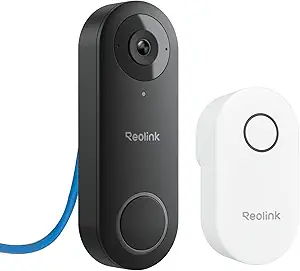 |
| Best Value The sweet spot between price and what you get | Tapo 2K Wireless Video Doorbell D210 |  |
| Best Budget The cheapest option that still gets the job done reliably | KyraNexo Doorbell Camera P52 |  |
| Top Rated A top-rated pick with lots of positive feedback | aosu Video Doorbell Ultra V8S |  |
| Most Popular A crowd favorite that many people choose with confidence | Blink Video Doorbell |  |
| Best Seller A high-volume bestseller chosen again and again | Ring Battery Doorbell 2K |  |
eufy Security Video Doorbell E340

| Video Capture Resolution | 2k |
|---|---|
| Field of view | 160 degrees |
| Power Source | Battery Powered and Wired |
| Night Vision Range | 16 feet |
| Memory Storage Capacity | 128 GB |
The eufy E340 is a hybrid battery/wired doorbell that pairs a 2K main camera with a secondary downward camera so you get head-to-toe video plus a clear view of packages on the porch. It records locally to built-in 8GB eMMC and supports expandable HomeBase storage so you keep footage without a monthly fee. The unit delivers wide 160 degree coverage, two-way talk, color night vision to about 16 feet, and AI motion/parcel detection to reduce false alerts. Install options are flexible: mount it as a wireless quick-release battery doorbell or wire it to 16–24V for continuous charging and pre-record functionality. Practical limits to note are 2.4 GHz Wi-Fi only and relatively small on-device storage, which makes adding a HomeBase or regular offload advisable for longer retention. For everyday use it handles deliveries and visitor checks well, gives clear daytime detail with 2K resolution, and the dual-cam setup is especially useful for package monitoring.
Best for: Buyers who want a no-subscription doorbell that captures clear, full-door and package views and value flexible battery or wired installation for varied homes.
Less Ideal for: Users who require 5 GHz Wi-Fi support or long on-device cloud-style retention without adding a HomeBase or local storage expansion should consider other options.
- Dual-camera setup gives head-to-toe coverage plus a downward view for packages
- 2K resolution provides more detail than 1080p for identifying visitors
- Local 8GB storage and expandable HomeBase storage eliminate mandatory subscription fees
- Flexible power: removable rechargeable battery for wireless mounting or wired 16–24V hookup for continuous power
- Color night vision and 160° field of view improve low-light visibility and area coverage
- Only supports 2.4 GHz Wi-Fi, so it will not connect to 5 GHz networks
- Built-in 8GB eMMC offers limited on-device retention without a HomeBase or offload
Verdict: If you want a subscription-free doorbell that combines 2K clarity with a dual-camera package view and flexible battery or wired installation, the E340 is a strong choice.
REOLINK Video Doorbell PoE
| Power Source | Power over Ethernet |
|---|---|
| Video Capture Resolution | 2k |
| Frame Rate | 20fps |
| Viewing Angle | 180 degrees |
| Night Vision Range | 100 feet |
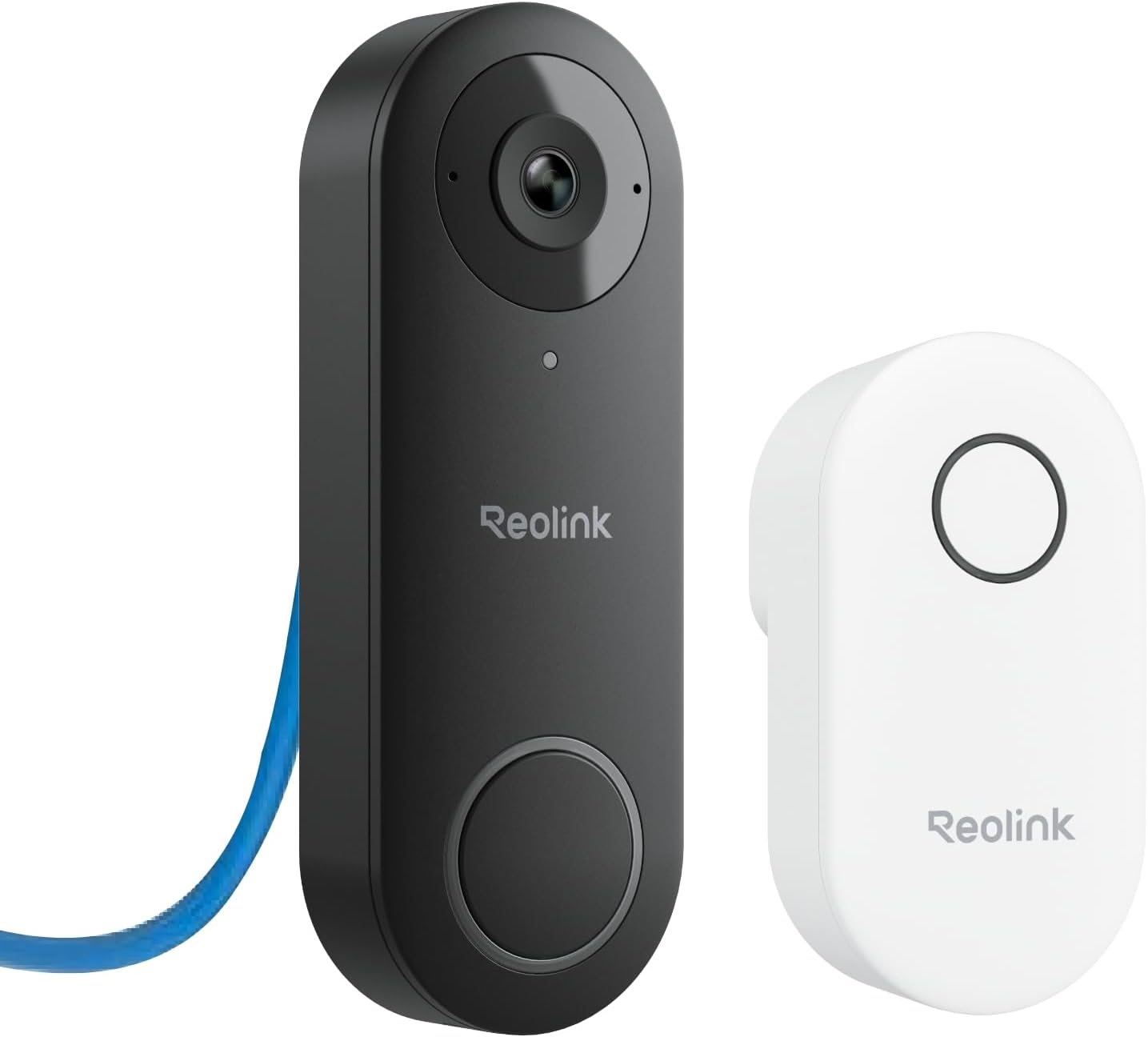
The REOLINK Video Doorbell PoE is a performance-focused wired doorbell camera that uses Power over Ethernet for stable 24/7 recording and 2K video clarity. It captures a wide 4:3 field of view (135° horizontal, 100° vertical, 180° diagonal) with HDR and 3D DNR to preserve detail in bright and low-light scenes, and delivers color night vision up to long range. Setup is straightforward for anyone with PoE infrastructure and the package includes a plug-in Chime V2 so you get audible alerts inside the house immediately. The camera supports pre-motion recording that saves six seconds before an event, local microSD or Reolink NVR storage, and lifetime app access with no subscription. Smart features include humanoid detection and custom motion zones to reduce false alerts, plus two-way talk and preset voice replies. Limitations are that it does not support Wi‑Fi and requires a PoE switch/injector or compatible wiring and a separate 24V power source if PoE is not used, which adds installation overhead for some users.
Best for: Buyers who prioritize reliable, high-quality wired video and subscription-free local storage and are comfortable wiring PoE or using a compatible power source.
Less Ideal for: Users who need a purely wireless, easy plug-and-play doorbell or who cannot run Ethernet or dedicated doorbell power to their entryway.
- Stable PoE power and data for continuous 24/7 recording without relying on Wi‑Fi
- 2K resolution with HDR and 3D DNR for clear daytime and low-light images
- Humanoid detection and custom motion zones reduce false alerts
- Includes plug-in Chime V2 for indoor audible alerts and preset voice replies
- Multiple local storage options (microSD, Reolink NVR, FTP/NAS) with no monthly fee
- No Wi‑Fi support so installation requires PoE hardware or wired power
- Frame rate is limited to 20 fps which may show less fluid motion compared with higher-frame cameras
Verdict: Choose this PoE doorbell if you want subscription-free, high-resolution wired video with reliable local recording and smart detection.
Tapo 2K Wireless Video Doorbell D210

| Video Capture Resolution | 2k |
|---|---|
| Viewing Angle | 160 degrees |
| Power Source | Battery Powered |
| Memory Storage Capacity | 512 GB |
| Waterproof Rating | IP65 |
The Tapo D210 is a subscription-free focused video doorbell that aims to deliver clear footage and simple day-to-day security. It records at 2K capture with an effective 1080p still resolution and a 160° diagonal field of view, which makes it easy to see faces and head-to-toe activity at most doorways. The unit runs on a 6400 mAh rechargeable battery with on-device spotlights that enable full color night vision and help identify subjects after dark. Setup and routine use rely on Wi-Fi and the Tapo app where you can set custom activity zones, enable free AI person detection to reduce false alerts, and save footage locally to a microSD card (up to 512 GB) without mandatory cloud fees; Tapo Care cloud backups are optional. The package includes a wired-style indoor chime and an angled wedge for flexible mounting, and it supports two-way talk and voice display integration with Alexa and Google Assistant. Expect straightforward installation and solid image clarity, while battery dependence and reliance on 2.4 GHz Wi-Fi mean periodic recharging and potential range considerations for some homes.
Best for: Buyers who want solid image quality and practical, subscription-free storage options for everyday front-door security and who prefer easy setup with included mounting accessories.
Less Ideal for: People who need continuous wired power or who have poor 2.4 GHz Wi-Fi coverage at their front door without options to improve signal strength.
- 2K video capture with 160° diagonal field of view for broad, detailed coverage
- Full color night vision with built-in spotlight for improved low-light visibility
- Free on-device person detection and custom activity zones to limit false alerts
- Supports local microSD storage up to 512 GB so you can avoid recurring cloud fees
- Includes indoor chime and mounting wedge for flexible installation out of the box
- Battery-powered design requires periodic recharging depending on usage
- Connects only to Wi-Fi which may limit placement if your router signal is weak
Verdict: Choose the Tapo D210 if you want sharp 2K footage and reliable, subscription-free local storage for practical, no-frills doorstep security.
KyraNexo Doorbell Camera P52

| Power Source | Battery Powered |
|---|---|
| Video Capture Resolution | 1080p |
| Connectivity Protocol | Wi-Fi (2.4GHz only) |
| Other Special Features | 2-Way Audio, Motion Sensor, Night Vision |
The KyraNexo P52 is a straightforward battery-powered doorbell camera designed for basic smart entry monitoring. It captures 1080p video, uses AI human detection to cut down on irrelevant motion alerts, and offers clear two-way audio so you can speak with visitors from the mobile app. Night vision and H.264 video format make it capable of recording in low light, and encrypted cloud storage is available for playback if you subscribe. Setup requires a 2.4GHz Wi‑Fi network and Bluetooth enabled on your phone during setup, and the camera is meant to be installed within about 33 feet of the router for reliable connectivity. The camera is managed solely through a smartphone app and supports sharing access with other users. The most important limits are 2.4GHz-only Wi‑Fi support and the subscription requirement to use cloud live view and playback features, which reduces its out-of-the-box functionality for long-term recording without subscribing. For buyers who want simple live alerts, two-way talk, and good night visibility on a budget, it covers the essentials cleanly.
Best for: Buyers looking for an inexpensive, easy-to-install doorbell camera that delivers basic live alerts, two-way talk, and reliable night visibility without complex setup.
Less Ideal for: Users who need local continuous recording without a subscription, desktop or multi-device management beyond the smartphone app, or those who require 5GHz Wi‑Fi support for high-bandwidth networks.
- 1080p video with infrared night vision for clear day and low-light monitoring
- AI human detection reduces false alerts from pets and environmental motion
- Built-in two-way audio enables real-time communication with visitors
- Battery powered design allows flexible installation without wiring
- Live view and playback require a separate subscription for cloud storage
- Supports only 2.4GHz Wi‑Fi, no 5GHz network compatibility
Verdict: A budget-friendly, battery doorbell camera that delivers essential 1080p monitoring, night vision, and AI human detection for buyers who prioritize low-cost, simple installation and live alerts.
aosu Video Doorbell Ultra V8S

| Effective Video Resolution | 5 MP (3K) |
|---|---|
| Field of View | 166 degrees |
| Storage | 8GB local, 60-day loop recording |
| Power Source | Battery or wired powered |
| Waterproof Rating | IP65 |
The aosu Video Doorbell Ultra V8S is a dual-power doorbell camera that records high-resolution 5MP (3K) video with a very wide 166° field of view and a vertical 4:3 frame to capture head-to-toe views and packages on the ground. It uses a triple-sensor system—radar, PIR infrared, and AI human detection—to cut down false alerts while offering customizable detection zones. The doorbell includes an 8GB local base for up to 60 days of loop recording, so you can view clips without a subscription, and it supports dual-band Wi-Fi for more stable connections. Night color imaging, two-way audio, and Alexa/Google Assistant integration make it useful for daily monitoring and smart home setups. Expect practical limitations typical of battery devices: motion sensors use an energy-saving wake-up that can introduce slight alert delays, and long-term battery capacity will slowly decline. The unit is weather-rated for outdoor use and offers both wired and battery installation to suit fixed or flexible mounting needs.
Best for: Buyers who want a subscription-free, dependable doorbell that prioritizes accurate detection and clear, local recordings for everyday home security.
Less Ideal for: Users who need near-instant motion alerts at all times or who require large off-site cloud archives as the built-in storage and battery wake behavior may not meet those demands.
- High 5MP/3K effective resolution for clearer identification
- 166° wide field of view with 4:3 framing for head-to-toe coverage
- Triple detection (radar + PIR + AI) reduces false motion alerts
- Built-in 8GB local storage with 60-day loop recording—no subscription required
- Dual power options (battery or wired) for flexible installation
- Battery-powered mode can cause brief wake-up delays for motion alerts
- Built-in storage capacity is limited compared with paid cloud plans
Verdict: Choose this doorbell if you want clear 5MP video and reliable, subscription-free local recording with smart detection to minimize false alerts.
Blink Video Doorbell

| Power source | 3 AA Energizer lithium batteries |
|---|---|
| Video | Head-to-toe HD with infrared night vision |
| Compatibility | Works with Alexa |
The Blink Video Doorbell is a wire-free doorbell camera designed to give a broad HD view of your entryway while minimizing maintenance. It runs on three AA Energizer lithium batteries and Blink claims up to two years of battery life, which makes it practical for users who want long stretches between recharges or battery swaps. Installation is straightforward: you can mount it as a battery device or connect to existing doorbell wiring to trigger the chime inside the home. The camera captures day and night video with infrared night vision and supports two-way talk through the Blink app so you can speak with visitors or delivery drivers. Clips can be saved to Blink cloud storage under a subscription, and the doorbell also integrates with Alexa for voice answering. Important practical notes are that a Blink Sync Module is required for some features and sold separately, and advanced person-detection and stitched clips are gated behind Blink subscription services, so local-only users should plan accordingly.
Best for: Buyers who want a low-maintenance, battery-first doorbell camera with a broad view and simple setup, and who value social proof from a well-known product line when choosing a straightforward security device.
Less Ideal for: People who insist on full-featured local storage and advanced AI alerts without any cloud subscription or those who need an all-in-one package that includes a Sync Module.
- Long claimed battery life with three included AA Energizer lithium batteries
- Wide head-to-toe HD field of view captures packages and full visitors
- Infrared night vision for usable footage after dark
- Flexible installation: wire-free or connect to existing doorbell wiring
- Alexa integration for voice-based answering and smart home control
- Key features like person alerts and stitched Moments require a Blink subscription
- Sync Module needed for some functionality is sold separately
Verdict: Choose this Blink doorbell if you want a simple, low-maintenance battery camera with a wide HD view and proven real-world adoption even if you avoid subscription features.
Ring Battery Doorbell 2K

| Video resolution | Retinal 2K |
|---|---|
| Zoom | Up to 6x Enhanced Zoom |
| Power | Built-in rechargeable battery |
| Connectivity | Works with Alexa |
The Ring Battery Doorbell 2K is a wireless doorbell camera designed for straightforward home monitoring without wired installation. It captures higher-resolution Retinal 2K video for clearer wide-angle views and lets you zoom in up to 6x to inspect distant details. Use it for live monitoring, two-way talk with visitors, and receiving motion alerts on your phone in real time. The unit has a removable, rechargeable built-in battery that detaches for USB-C charging, which simplifies upkeep but means you will need to recharge periodically. It integrates with Alexa for voice notifications and Echo Show video viewing, and additional features such as video history and AI-powered event labeling require a compatible cloud subscription. The device is easy to mount and suits homeowners who want a reliable, higher-resolution wireless camera, but expect ongoing subscription options for advanced cloud services and no included charging cable.
Best for: Practical homeowners who want a higher-resolution, battery-powered doorbell that is easy to install and provides real-time alerts and two-way talk without needing wired power.
Less Ideal for: Buyers who want all cloud recording and advanced AI features without any subscription or those wanting a fully wired, maintenance-free solution with no battery recharging.
- Retinal 2K video delivers clearer wide-angle footage than typical 1080p doorbells
- Up to 6x enhanced zoom for inspecting faces or distant details
- Rechargeable built-in battery with USB-C removal makes recharging simple
- Real-time motion alerts and two-way talk for immediate interaction
- Works with Alexa for hands-free alerts and Echo Show video
- Advanced features like video history and AI alerts require a paid Ring Protect subscription
- No charging cable included with the unit
Verdict: Choose this if you want an easy-to-install battery doorbell with sharper 2K video and useful live interaction features while accepting optional cloud subscription extras.
Choosing the Right Video Doorbell Without a Subscription: Key Factors to Consider
Storage Method and Capacity
How and where a doorbell stores video is central when avoiding subscriptions. Local microSD slots, on-device storage, or the ability to save directly to a local NAS each has tradeoffs. On-device microSD keeps recordings on the doorbell but can be limited by capacity and is vulnerable if the unit is stolen. NAS or local NVR storage centralizes footage and can offer larger capacity and redundancy, but requires a home network capable of handling continuous uploads.
Consider how much continuous or event-based footage you expect to keep, whether the system supports overwriting policies, and whether video is stored in an easily exportable format. Also confirm whether the device requires periodic manual maintenance to preserve footage or supports automated circular recording to manage space.
Video Resolution and Night Performance
Higher resolution improves the chance of identifying faces and details but increases storage needs. Evaluate typical daytime resolution and whether it drops significantly at night. Infrared illumination, color night vision, and dynamic range handling of backlit scenes all affect usefulness in real-world porch and entryway conditions.
If you rely on local storage, balance resolution against how much footage you want to archive. A doorbell that records crisp 1080p or better daytime video and retains usable monochrome or color detail at night will be more reliable for security events.
Motion Detection and Alert Control
A subscription-free doorbell must get motion detection right to avoid filling local storage with false positives. Look for tunable detection zones, adjustable sensitivity settings, and human or vehicle detection filters that work locally. Devices that offload motion processing to cloud servers may not offer full functionality without a subscription, so prefer models that do reliable local processing.
Also check how alerts are delivered. Local push notifications should be timely and offer quick access to recorded clips. Some systems allow scheduled or geo-fenced notifications to reduce unnecessary alerts while you are home.
Power and Connectivity Options
How the doorbell is powered and connects to your network determines installation flexibility and reliability. Hardwired models can offer continuous power for constant readiness and easier chime integration, while battery models simplify retrofits but require maintenance and can limit continuous recording. Some designs support both wired and battery operation for hybrid use.
Connectivity choices matter too. Robust Wi-Fi performance or the option for wired Ethernet via a separate module reduces dropouts that can interrupt recording. If using local NAS, ensure the doorbell supports the necessary network protocols and can maintain a stable connection during heavy network traffic.
Privacy Controls and Data Ownership
The whole point of skipping subscriptions is often to retain control over your footage. Confirm how much control the device gives you over encryption, access credentials, and local versus cloud backups. Devices with end-to-end encryption for local storage or the ability to run on a closed home network reduce exposure.
Also review how firmware updates are applied and whether account sign-in is required for basic features. The ideal subscription-free doorbell minimizes third-party access and lets you export or back up footage without routing it through an external service.
Software Usability and Firmware Support
User interface quality affects how easy it is to configure local storage, set motion zones, and retrieve clips. An unintuitive app can make a subscription-free system feel clunky and increase the chance of misconfiguration. Evaluate whether the device provides clear local playback, simple export tools, and stable notifications.
Ongoing firmware support is also important for security and feature improvements. Devices that receive regular updates and document changes clearly are safer and more likely to remain usable without forcing users toward a subscription model for new features.
Local-Only Vs Hybrid Storage Workflows
There are two common approaches for subscription-free recording: purely local storage and hybrid workflows that give you local control but optionally support cloud upload. Pure local setups use microSD or a local NVR and keep all footage within your home network. Hybrid systems may store events locally but can upload selected clips to an optional cloud if you choose a one-time backup or occasional remote access.
Pure local setups maximize privacy and minimize ongoing costs, but they depend on reliable home network and storage maintenance. Hybrid designs can provide remote viewing convenience while still letting you avoid a continuous subscription by using local-first policies or one-time export options.
- Local storage: best for privacy and fixed storage costs
- Hybrid storage: useful when occasional remote access is needed
- Consider export and backup options if local storage is vulnerable to theft
Installation and Power Considerations
Decide whether you want a battery or wired install. Battery models simplify placement and avoid wiring but may limit continuous recording and require recharging. Wired models support continuous power and seamless mechanical chime integration but need compatibility with existing doorbell wiring and may require minor electrical work.
Some units offer a chime adapter or in-home base that powers advanced features. If you plan to use an in-home hub or NAS, plan the layout so network cables and power sources are reliable and hidden where possible.
- Battery units: easiest to install, need periodic charging
- Wired units: continuous power, better for uninterrupted recording
- Hybrid options: allow both wired and battery modes for flexibility
Network and Home Integration
A dependable Wi-Fi connection or wired Ethernet is essential for crisp live view and reliable clip transfers. If your router is distant from the door, consider a mesh node or an access point near the entry to reduce packet loss and latency. For NAS-based setups, prioritize devices that support common protocols such as SMB or RTSP for compatibility.
Think about smart home integration only if you want convenience features like in-home chime announcements or automations. Avoid systems that lock basic features behind cloud accounts if you intend to keep everything local.
- Use a nearby access point for stable connectivity
- Prefer open network protocols for NAS or local NVR compatibility
- Check whether basic features require an online account
Reliable Motion Detection Without Cloud Processing
Motion detection that runs locally is a must for subscription-free setups because cloud-based analytics often come behind paywalls. Look for devices that advertise on-device person detection or configurable detection zones. Local analytics help keep false alerts down and reduce unnecessary writes to local storage.
Test settings after installation to tune sensitivity and zone placement. Properly tuned detection means fewer missed events and less wasted storage space.
- Prefer tunable local detection over cloud-only analytics
- Use detection zones to exclude sidewalks or busy streets
- Adjust sensitivity after several days of real-world use
Exporting and Backing Up Footage
Plan how you will export and back up important clips. Even with local storage, you may need offsite copies in case of theft or damage. Look for export features that produce common file formats and allow quick transfer to a phone, USB drive, or network share.
Some devices offer scheduled backups to a local NAS or a manual export workflow. Make sure the export process is straightforward and that clips retain their timestamps and event metadata.
- Prefer straightforward clip export to common formats
- Schedule regular backups if using a single on-device microSD
- Confirm timestamps and metadata remain intact during export
How We Chose the Best Video Doorbell Without a Subscription
We focused on the specific needs of buyers who want a video doorbell without a subscription and applied practical filters to assemble the shortlist. Primary evaluation criteria included storage flexibility, video quality and low-light performance, local network reliability, and privacy controls. We prioritized devices that offer local microSD or network-attached storage, or one-time-purchase local hub options, rather than mandatory cloud plans. Other criteria covered motion detection accuracy and configurability, since frequent false alerts undermine a no-subscription setup, and power and connectivity options, because wired, battery, and hybrid power affect installation and continuous recording capability. We also assessed software usability and update policies to ensure owners can maintain device security without signing up for a service. Excluded from consideration were devices that require an ongoing subscription for basic recording or to access any recorded video, products with no local-storage option, and devices with consistently poor firmware update records. The shortlist favors units that let owners control where footage is stored, customize alerts, and keep access on their home network.
Our full evaluation process is outlined in our review methodology.
FAQ
Can I use a video doorbell without any cloud account at all?
Often you can; many models support local storage and local-only operation. However, some devices still require a user account for initial setup or firmware updates even if recordings stay local. Check the device requirements before purchasing.
How long will footage stay on local storage?
Retention depends on storage capacity and recording settings. Continuous or high-resolution recording fills space faster, but many devices use loop recording to overwrite the oldest footage. You can extend retention by lowering resolution, reducing clip length, or using larger local storage.
Will I still get motion alerts without a subscription?
Yes, many subscription-free configurations send local push notifications. The speed and richness of alerts depend on whether motion processing is done on the device or via a cloud service. Prefer units with on-device motion detection for reliable alerts without a plan.
Is local storage safe if the doorbell is stolen?
On-device storage can be lost if the unit is stolen. To mitigate this, use a NAS or regular offsite backups, enable account-level encryption for saved clips when available, and consider devices with tamper alerts that send critical clips to remote storage immediately.
Do battery doorbells support continuous recording without a subscription?
Continuous recording on battery models is often limited to conserve power. Some battery designs record only on motion or use low-power standby modes. If you need constant recording, a wired model or a hybrid solution is usually better.
Final Verdict
Choosing a video doorbell without a subscription means balancing privacy, storage, and convenience. Prioritize how you want footage stored, whether locally on a microSD, on a home NAS, or via a local NVR, and match those needs to the doorbell's power and connectivity features. Tune motion detection and plan for regular backups to protect important clips. Focus on devices that provide clear local storage options, reliable on-device motion detection, and straightforward export tools. That approach lets you avoid ongoing fees while maintaining a dependable doorbell security system tailored to your home.