
Note: This article contains affiliate links. If you click on these links and make a purchase, we may earn a small commission at no extra cost to you. This helps support our research and content. Read our full affiliate disclosure here.
If you want to boost front-door security without overspending, a Wi-Fi video doorbell on a budget is one of the fastest upgrades you can make. These devices combine motion alerts, two-way talk, and recorded clips so you can see and respond to visitors from your phone. Choosing the right budget-friendly model matters because cheaper units vary widely in video quality, motion detection reliability, storage options, and how easy they are to install and maintain. This guide shortlists seven top picks across the affordable range and evaluates them on core homeowner priorities such as video resolution, installation simplicity, connectivity stability, and cloud or local storage options. Read on for practical buying factors, buyer-focused explanations, and clear decision guidance before you pick the best fit for your doorway. Next up: the curated list of our top budget picks and what each excels at.
Top Picks at a Glance
| Best Overall The best all-around choice for most situations | Tapo 2K Video Doorbell D210 |  |
| Best Quality Built to a higher standard if you want something more solid | WYZE Video Doorbell v2 |  |
| Best Value The sweet spot between price and what you get | BOIFUN 2K Video Doorbell | 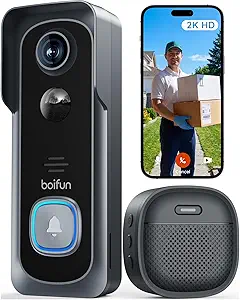 |
| Best Budget The cheapest option that still gets the job done reliably | KyraNexo Doorbell Camera P52 |  |
| Top Rated A top-rated pick with lots of positive feedback | CBAOOO 2K Wireless Doorbell Camera |  |
| Most Popular A crowd favorite that many people choose with confidence | Orbitell M52 Video Doorbell |  |
| Best Seller A high-volume bestseller chosen again and again | Ring Battery Doorbell Retinal 2K |  |
Tapo 2K Video Doorbell D210

| Video Capture Resolution | 2k |
|---|---|
| Effective Video Resolution | 1080 pixels |
| Viewing Angle | 160 degrees |
| Power Source | Battery Powered |
| Waterproof Rating | IP65 |
The Tapo D210 is a battery-powered Wi-Fi video doorbell designed for flexible installation and day-to-night monitoring. It captures video at 2K resolution and uses a 160° diagonal field of view to show head-to-toe coverage of an entryway, while built-in spotlights enable full color night vision. The unit supports two-way audio, person-only AI detection, customizable activity zones, local microSD storage up to 512 GB, and an included indoor chime so you get audible alerts inside the house without extra purchases. Setup runs through the Tapo app and integrates with Alexa and Google Assistant for voice viewing. The large rechargeable battery claims long intervals between charges and the package includes angled wedges and mounting hardware for tricky door placements. Limitations to consider are reliance on 2.4 GHz Wi-Fi only and that cloud storage requires a paid Tapo Care subscription for extended history, while high-capacity microSD cards are sold separately.
Best for: Buyers who want a budget-friendly, easy-to-install wireless doorbell that prioritizes clear video and reliable motion/person alerts for everyday home security.
Less Ideal for: Users who need wired continuous power or who require built-in cloud storage without any subscription fees should consider alternate wired models or services that include cloud history.
- 2K capture with 160° field of view for wide, detailed coverage
- Color night vision with adjustable spotlight for clearer low-light recording
- Person-only AI detection and activity zones reduce false alerts
- Includes indoor chime and mounting accessories for out-of-the-box use
- Supports local microSD storage up to 512 GB and voice assistant integration
- Requires 2.4 GHz Wi-Fi which may limit placement in some networks
- Cloud storage and some features require a paid Tapo Care subscription
Verdict: A budget-friendly wireless doorbell that delivers wide 2K video and color night vision with practical local storage and simple setup.
WYZE Video Doorbell v2

| Video resolution | 2K |
|---|---|
| Weather rating | IP65 |
| Power | Wired, 16-24V AC >=10VA |
| Local storage | MicroSD card (24/7 recording) |
The Wyze Video Doorbell v2 is a wired doorbell camera built for continuous, budget-minded home monitoring. It captures 2K head-to-toe video with an award-winning starlight sensor for color night vision, and it supports two-way audio through the Wyze app so you can speak with visitors or delivery drivers. The unit needs to be hardwired to existing doorbell wiring and an indoor chime for constant power, and it meets IP65 weatherproofing for year-round outdoor use. Smart notifications, optional voice deterrence that tells visitors they are being recorded, and compatibility with Alexa and Google Assistant make it useful as a day-to-day security tool. For storage you can use a microSD card for 24/7 local recording so there is no required monthly plan, though cloud features may be limited compared with higher-end subscriptions. Installation requires basic wiring and a compatible transformer, so DIYers comfortable with household wiring will find setup straightforward while others may prefer pro help.
Best for: Buyers who want high-resolution, always-on video capture and local recording without recurring fees and who are comfortable installing a wired doorbell.
Less Ideal for: People who need a battery-powered or completely wire-free doorbell, or those who prefer cloud-only services and simple plug-and-play installation.
- 2K resolution with starlight sensor for clearer daytime and color night images
- Supports 24/7 local recording to microSD so you can avoid monthly fees
- Two-way audio and app notifications let you interact with visitors remotely
- IP65 weatherproof rating for reliable outdoor operation
- Works with Alexa and Google Assistant for voice integration
- Requires existing doorbell wiring and a compatible transformer so it is not battery-powered
- MicroSD sold separately and continuous recording depends on card capacity
Verdict: If you want high-resolution, always-on local video on a tight budget and can hardwire the unit, the Wyze Video Doorbell v2 delivers the best value.
BOIFUN 2K Video Doorbell
| Video Capture Resolution | 2k |
|---|---|
| Viewing Angle | 166 degrees |
| Battery Power | 5200 milliamp_hours |
| Connectivity Protocol | 2.4 GHz Wi‑Fi Only |
| Flash Memory Supported Size Maximum | 128 GB |
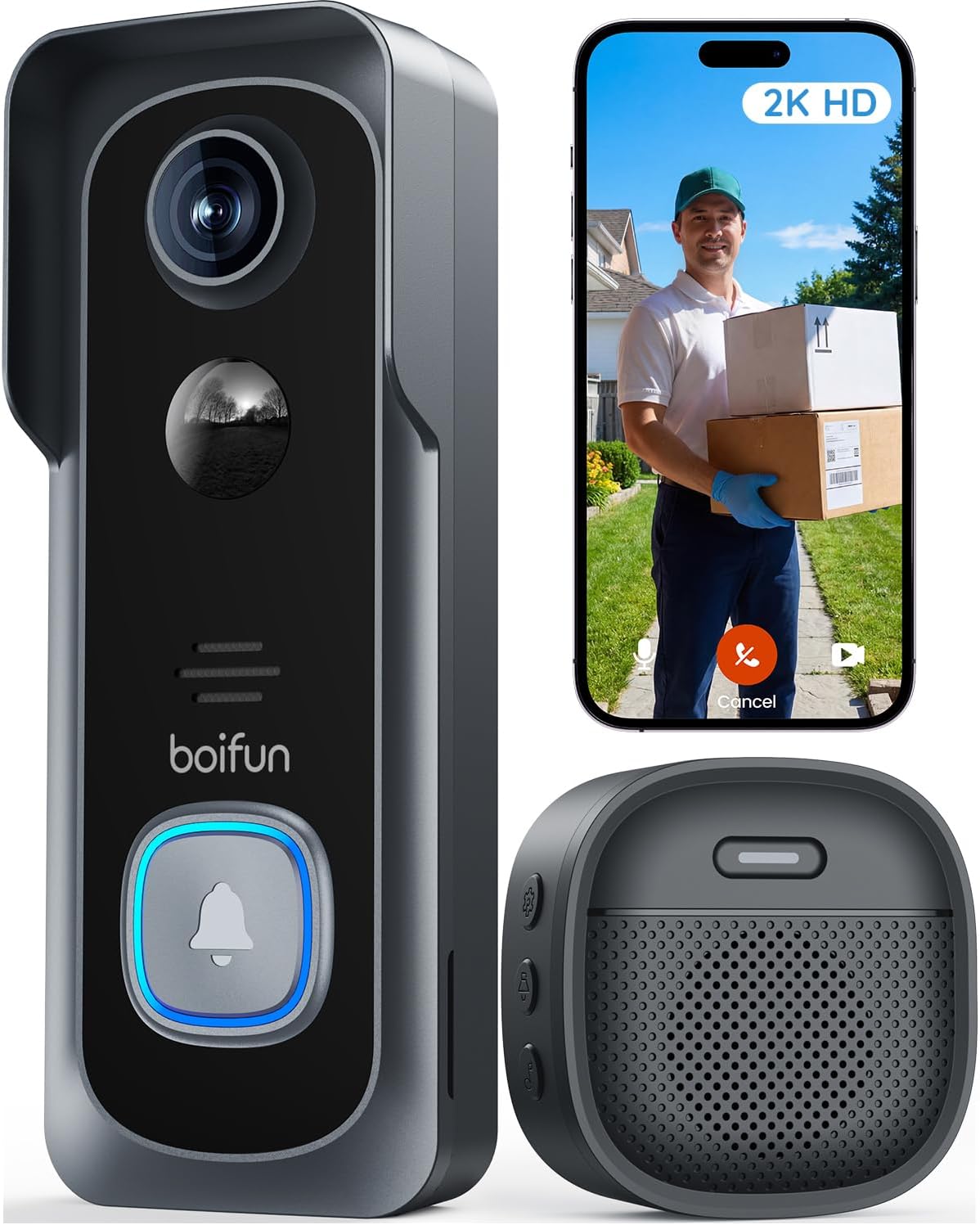
The BOIFUN 2K Video Doorbell is a budget-friendly wireless doorbell camera designed for straightforward perimeter monitoring without a required subscription. It records 2K video with a wide 166 degree view and HDR night vision so faces and package areas are usually clear day or night, and the built-in AI helps filter human motion to reduce false triggers. The unit runs on a non-removable rechargeable 5200 mAh battery for wire-free installation and connects on 2.4 GHz Wi‑Fi only, with live view and two-way talk through the BoifunCam app. Practical touches include local microSD recording up to 128 GB, multi-user sharing, an indoor chime, and a tamper alarm. Expect battery life to vary with frequent live view or many motion events, and note some delays in alerts or audio when Wi‑Fi is weak. For buyers prioritizing no-monthly-fee essential features, clear daytime and night footage, and easy installation, this doorbell delivers solid capability for the price.
Best for: Buyers who want a practical, low-cost doorbell camera that provides clear video, essential smart alerts, and local storage without committing to ongoing subscription fees.
Less Ideal for: Users who need 5 GHz Wi‑Fi support, continuous wired power, or enterprise-grade cloud analytics should look at higher-end wired models or subscription-based systems.
- 2K video with 166° field of view and HDR night vision for clearer day and night monitoring
- No subscription required for live view, human detection, two-way audio, and basic playback
- Built-in 5200 mAh rechargeable battery enables wire-free installation
- Supports local microSD storage up to 128 GB and multi-user sharing
- Only supports 2.4 GHz Wi‑Fi which can limit placement if signal is weak
- Battery is non-removable so charging requires removing the unit or using the provided method
Verdict: A feature-rich, budget-friendly wireless doorbell that gives clear 2K monitoring and essential smart alerts without mandatory subscription fees.
KyraNexo Doorbell Camera P52

| Power Source | Battery Powered |
|---|---|
| Video Resolution | 1080p |
| Connectivity Protocol | Wi‑Fi (2.4GHz only) |
| Special Features | 2‑Way Audio, Motion Sensor, Night Vision |
The KyraNexo P52 is a budget-friendly battery doorbell camera that records 1080p video, detects humans with AI, and offers two-way audio and infrared night vision for basic round-the-clock monitoring. It is set up and managed through a smartphone app and requires a 2.4GHz Wi‑Fi network and an optional cloud subscription for live view and recorded playback. Typical use is front-door monitoring: you get motion alerts, quick live checks from your phone, and the ability to speak with visitors from anywhere. Practical benefits include reduced false alerts thanks to the human-detection algorithm, encrypted cloud storage for secure footage, and simple installation without hardwiring. Important limitations are support for 2.4GHz Wi‑Fi only, no desktop access, and that continuous local recording is not offered without the cloud plan, so long-term footage retention depends on a paid subscription. The camera also recommends being within about 33 feet of your router for reliable connectivity, which matters for homes with distant entryways.
Best for: Buyers looking for an affordable, easy-to-install smart doorbell that provides clear video, two-way talk, and fewer false alerts via AI detection for everyday front-door monitoring.
Less Ideal for: Users who need 5GHz Wi‑Fi support, local continuous recording without a subscription, or desktop-based camera management should consider other options.
- 1080p video with infrared night vision for clear day and low-light monitoring
- AI human detection reduces nuisance alerts from pets or moving foliage
- Built-in two-way audio for live communication with visitors
- Battery-powered design enables easy installation without wiring
- Encrypted cloud storage option for secure playback and backups
- Requires separate subscription for live view playback and cloud storage
- Supports only 2.4GHz Wi‑Fi and no computer access for management
Verdict: A wallet-friendly smart doorbell that delivers clear 1080p video, AI human detection, and two-way audio for basic, dependable front‑door security.
CBAOOO 2K Wireless Doorbell Camera

| Power Source | Battery Powered |
|---|---|
| Battery Capacity | 4500 milliamp_hours |
| Battery Life | 40 days |
| Video Capture Resolution | 2k |
| Waterproof Rating | IP65 |
This battery-powered doorbell camera delivers 2K video, human detection alerts, two-way audio, and up to 40 days of standby per charge, making it a straightforward pick for basic home monitoring. It connects only to 2.4 GHz Wi-Fi and streams H.264 video at 15 fps to a smartphone app where clips can be stored with a paid, 128-bit encrypted cloud subscription. Installation is flexible with either screw mounting or traceless 3M adhesive and an anti-theft bracket is included for outdoor placement. The unit is rated IP65 for weather resistance and offers color night vision out to about 10 feet; motion-triggered push alerts should reduce false alarms thanks to human-detection processing. Expect modest frame rates and a lower effective resolution for fast motion because the camera records at 15 fps, and cloud features require a subscription for playback and backup. For budget-minded buyers who want encrypted cloud options, long battery life, and simple outdoor installation, this model covers core needs without extra smart-home complexity.
Best for: Buyers who prioritize a dependable, no-frills outdoor doorbell camera with long battery life and secure cloud backup on a tight budget.
Less Ideal for: Users who need high-frame-rate video, wired power, or deep smart-home integrations should look at higher-end models instead.
- 2K capture with color night vision for clearer day and low-light video
- Long battery standby up to 40 days on a single charge
- Human detection reduces false motion alerts
- Encrypted 128-bit cloud storage option for secure remote playback
- IP65 weather rating and included anti-theft bracket for outdoor use
- Only supports 2.4 GHz Wi-Fi and records at 15 fps which may limit smoothness
- Cloud storage requires a subscription to access playback and backups
Verdict: A budget-friendly outdoor video doorbell that prioritizes long battery life, encrypted cloud storage, and reliable human-detection alerts.
Orbitell M52 Video Doorbell
| Connectivity Technology | Wi-Fi (2.4GHz only) |
|---|---|
| Effective Video Resolution | 1080p |
| Other Special Features | 2-Way Audio, Motion Sensor, Night Vision |
| Indoor Outdoor Usage | Indoor, Outdoor |
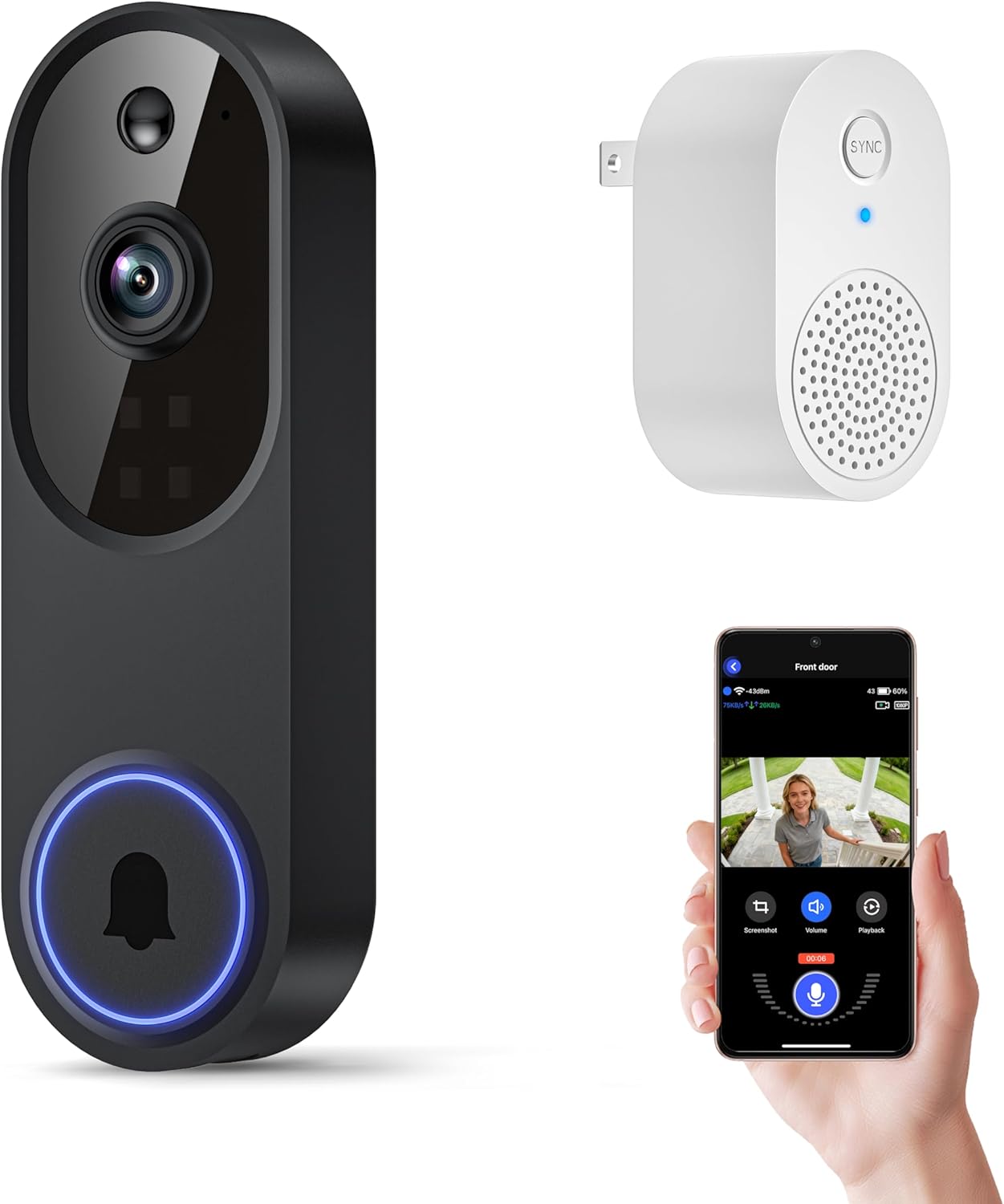
The Orbitell M52 is a budget-oriented wireless video doorbell that delivers core doorbell camera features without frills. It streams 1080p video to your smartphone over 2.4GHz Wi-Fi, sends instant motion and doorbell alerts, and supports two-way audio so you can speak with visitors from the app. The camera uses AI-based motion filtering to reduce false alarms from cars and animals, and its four infrared LEDs plus an upgraded sensor provide color-capable night footage in low light. Setup is typical for consumer doorbells: charge the device via micro-USB, add it in the companion app, and position it within recommended range of your router. Videos require a cloud subscription for storage since there is no local SD recording. Practical limitations include 2.4GHz-only connectivity and dependence on the vendor cloud for recordings, but for buyers seeking a low-cost, weather-resistant option with decent AI motion filtering and night performance, the M52 covers the essentials reliably.
Best for: Buyers who want an affordable, weatherproof doorbell that prioritizes reliable person-focused alerts and simple smartphone monitoring without premium ecosystem features.
Less Ideal for: Users who need local recording or 5GHz Wi-Fi support, or who prefer deep integration with a specific smart home platform.
- AI motion detection that reduces false alerts by distinguishing people from vehicles and animals
- Two-way audio for live conversations with visitors through the app
- Color-capable night vision and four infrared LEDs for clearer low-light footage
- Weather-resistant IP65 design suitable for outdoor installation
- Connects only to 2.4GHz Wi-Fi and will not join 5GHz networks
- No local SD card recording; video storage requires a cloud subscription
Verdict: A budget-friendly, weatherproof 1080p doorbell that emphasizes person-focused AI alerts and clear night footage for buyers wanting straightforward smart doorbell protection.
Ring Battery Doorbell Retinal 2K

| Resolution | 2K |
|---|---|
| Zoom | Up to 6x Enhanced Zoom |
| Power | Built-in rechargeable battery |
| Recharge | USB-C (cable not included) |
The Ring Battery Doorbell Retinal 2K is a battery-powered smart doorbell designed for straightforward home monitoring. It captures wider views and clearer detail with 2K resolution and offers up to 6x enhanced zoom for inspecting faces or distant activity. You can view live video, speak through two-way talk, and receive motion alerts on your phone, and the unit integrates with Alexa for hands-free viewing on Echo devices. The built-in battery is removable and recharges via USB-C, which makes installation and periodic charging simpler than hardwiring for some users, though a cable is not included. Many advanced features, including event history and AI-powered alerts, require a Ring Protect subscription to unlock their full value. In everyday use this doorbell is convenient for renters or homeowners who want clear daytime footage, easy setup, and basic smart home integration, while buyers who expect fully unlocked advanced features should plan for the optional subscription.
Best for: Practical buyers who want an easy-to-install battery doorbell with higher-resolution video and basic smart home integration and who prefer a low-friction setup over hardwiring.
Less Ideal for: Users who need every advanced feature without a subscription or who require always-on wired power and cloud history included at purchase.
- 2K Retinal video provides clearer, wider footage than standard 1080p
- Up to 6x enhanced zoom for inspecting details at a distance
- Removable rechargeable battery with USB-C recharging simplifies installation
- Two-way talk and real-time motion alerts let you respond remotely
- Works with Alexa for hands-free viewing on Echo Show and voice notifications
- Some key features and event history require a paid Ring Protect subscription
- USB-C cable for charging is not included
Verdict: Choose this Ring battery doorbell if you want clear 2K video, easy battery-powered installation, and simple Alexa integration on a budget.
Choosing the Right Wi-Fi Video Doorbell on a Budget: Key Factors to Consider
Video Resolution and Night Performance
Video clarity directly affects whether you can identify faces, read license plates, or confirm package deliveries from recorded clips. Higher resolution and good low-light performance make footage more useful for security incidents and for reducing false positives when object detail matters.
On budget models, assess whether the doorbell offers true 1080p or lower-resolution streaming and whether night vision is passive infrared or color-enhanced. Poor night performance can render an otherwise decent device less useful after dusk, so consider where the doorbell will face and the typical lighting at night.
Installation Method and Ease
Budget doorbells include wired swap-in models that reuse existing doorbell wiring and battery-powered units that avoid wiring entirely. Wired models offer continuous power and fewer downtime concerns, while battery options provide flexible placement and simpler DIY installation.
Evaluate how each model mounts, whether it requires a doorbell transformer, the typical tools and time for installation, and if a chime adapter is necessary for indoor alerts. Easy-to-follow instructions and common mounting hardware are especially important if you plan to install without professional help.
Connectivity and App Reliability
A Wi-Fi video doorbell depends on wireless connection quality to deliver live view, notifications, and clip uploads. Check the device's 2.4 GHz versus 5 GHz support, expected Wi-Fi range, and whether the manufacturer provides robust mobile apps with timely push notifications.
App reliability matters because delayed alerts or dropped live feeds reduce the usefulness of the system. Also consider whether the app allows multiple user accounts, shared access for family members, and simple firmware updates to keep the device secure.
Motion Detection and Alert Controls
Motion detection determines how often you are notified and how many recordings are saved. Accurate detection with adjustable sensitivity and activity zones reduces nuisance alerts from street traffic, shadows, or passing pets.
On budget units, look for customizable detection zones, person-only alerts if available, and options for scheduling or do-not-disturb periods. These controls help tailor notifications to your daily routine and reduce the time spent sorting through irrelevant clips.
Storage Options and Data Access
Storage impacts both how long footage is retained and how you access it. Budget doorbells typically offer cloud subscription plans, free limited-duration cloud storage, or local storage via microSD or a base station. Each approach has trade-offs for privacy, convenience, and ongoing cost.
Consider whether the device offers downloadable clips, automatic clip deletion policies, and whether local storage requires additional hardware. If you prefer not to pay a subscription, prioritize models with reliable local storage options or free rolling cloud storage.
Power Life and Maintenance
Battery life and maintenance requirements affect how often you must recharge or service the device. Battery-powered doorbells vary widely in how long they last between charges depending on motion frequency and recording settings.
For wired models, consider how firmware updates and occasional resets are handled and whether the device requires periodic attention to lens cleaning or hardware checks. Selecting the right power approach reduces the chance of missed events due to drained batteries or connectivity interruptions.
Battery Vs Wired: Choosing the Right Power Approach
Battery-powered doorbells are convenient for renters and homes without existing doorbell wiring because they eliminate the need to access a transformer or chime wiring. They are easy to install and reposition but require periodic recharging or battery swaps, which will depend on activity level and recording settings.
Wired doorbells provide continuous power and generally support more frequent recordings without battery concerns. They can integrate with existing mechanical or digital chimes, but installation may need a basic electrical swap or the assistance of someone comfortable with low-voltage wiring. Consider the trade-off between hands-off power and the flexibility of cordless placement.
- Battery units: simple install, portable, periodic charging
- Wired units: constant power, fewer interruptions, may need transformer
- Choose based on whether you can access wiring and how often you want to recharge
Managing Alerts and Reducing Nuisance Notifications
Excessive alerts are a common frustration with budget video doorbells. Look for devices that let you tune motion sensitivity and draw exclusion zones so trees, roads, and sidewalks do not trigger constant notifications. Scheduling quiet hours or geofencing-based quiet modes can further reduce interruptions.
If person detection or package alerts are available on a budget model, they can significantly cut down on false alarms. Even basic solutions that allow sensitivity adjustment and zone control will make daily use much less noisy and more actionable.
- Set detection zones away from busy streets
- Lower sensitivity during predictable high-traffic times
- Use scheduling features to silence alerts overnight if desired
Privacy, Local Storage, and Data Handling
Privacy considerations are important even for inexpensive doorbells. Review whether footage is encrypted in transit and how long cloud clips are stored. Some budget models rely solely on cloud storage with subscription fees, while others provide local microSD or base-station options that keep footage on-site.
If keeping data local is a priority, prioritize models that support local recording and straightforward export of clips. Also consider whether account authentication and two-factor options exist in the mobile app to protect access to recorded video.
- Cloud storage: convenient but may require a subscription
- Local storage: better privacy, may need manual backups
- Check app security features and encryption statements
Optimizing Placement and Field of View
Placement affects detection accuracy and the usefulness of recorded video. Mount the doorbell at the recommended height and angle so faces are captured clearly during typical approach paths. Avoid pointing directly into bright light sources to reduce glare and silhouette effects.
Some budget doorbells have wide-angle lenses that capture more context but can introduce distortion. Consider whether you prefer a tighter field that focuses on arrival paths or a wider view that captures approaching delivery vehicles and surrounding areas.
- Mount at eye level for better face capture
- Avoid backlighting and direct sun at common approach times
- Use included angle mounts if available to fine-tune the view
Integrations and Smart Home Compatibility
Even on a budget, some doorbells offer compatibility with broader smart home ecosystems or basic voice assistant notifications. Determine whether you need integrations such as smart chime support, routine triggers, or shared user access for family members.
If you use other smart devices, check whether the doorbell can trigger routines or forward events to a central hub. Keep in mind that deeper integrations are more common in higher-end models, but basic notification forwarding is available in many affordable options.
- Look for shared account access for family members
- Verify compatibility with your existing smart chime or hub if needed
- Expect more limited integration features in budget models
How We Chose the Best Wi-Fi Video Doorbell on a Budget
We selected budget Wi-Fi video doorbells using criteria that reflect real homeowner needs when adding affordable entryway security. Priority was given to video resolution and night performance because clear images determine whether a clip is useful for identification. Installation simplicity was another critical filter since many buyers install these themselves; we evaluated whether the device supports battery-only operation or simple wired swap-ins and whether clear mounting instructions are typical. Connectivity reliability and range were considered to ensure the doorbell maintains a stable feed across common home Wi-Fi setups. Storage flexibility was important, including available cloud plans, free trial lengths, and whether local storage is supported. Motion detection accuracy and configurable zones were also factored because false alerts can quickly negate the convenience of a smart doorbell. We excluded premium or pro-grade systems whose typical new purchase price is well above the budget range and devices that require complex professional setup. Our editorial focus filtered out models lacking any form of video recording. Final selections represent a mix of battery and wired options, different storage approaches, and straightforward installation paths to serve varied budgets and site conditions.
Our full evaluation process is outlined in our review methodology.
FAQ
Do budget Wi-Fi doorbells require a paid subscription to record video?
It depends. Many budget models offer limited free cloud storage or trial periods but require a subscription for extended retention. Some devices support local storage so you can avoid ongoing fees.
Will a Wi-Fi video doorbell work on my existing doorbell wiring?
Often yes, if your existing transformer provides standard low-voltage power. Battery-powered options avoid wiring entirely. Check the installation requirements for the specific unit to confirm compatibility with your chime and transformer.
How long do batteries typically last in affordable wireless doorbells?
Battery life varies widely based on motion frequency, recording length, and resolution settings. In typical residential use, expect anywhere from a few weeks to several months between charges. Reducing recording length and motion sensitivity can extend battery life.
Can I view live video from outside my home network?
Yes. Most Wi-Fi video doorbells stream live video over the internet so you can view it from a mobile app while away. Reliable remote viewing depends on stable home upload speeds and the device's app performance.
Are budget doorbells weather-resistant?
Many budget doorbells are rated for outdoor use with weather-resistant housings, but ratings vary. Check the device's ingress protection or weather-resistance claims to ensure it can handle your local climate conditions.
Final Verdict
When choosing a Wi-Fi video doorbell on a budget, prioritize the features that matter most for how you will use it. If continuous power and low maintenance are important, favor wired options. If simple DIY installation and flexible placement matter more, a battery-powered unit may be a better fit. Balance video clarity, motion detection controls, and storage approach against ongoing costs such as subscriptions or battery upkeep. Focus on a device that offers reliable connectivity, adjustable alert settings, and a storage method that meets your privacy preferences. By weighing these trade-offs you can pick an affordable doorbell that delivers meaningful security and convenience without unnecessary extras.