
Note: This article contains affiliate links. If you click on these links and make a purchase, we may earn a small commission at no extra cost to you. This helps support our research and content. Read our full affiliate disclosure here.
If you regularly print spreadsheets, posters, or design proofs, an 11×17 printer can save time and deliver the larger pages those projects require. Picking the right model matters because wide-format printers differ in speed, color accuracy, and the types of media they handle. This guide shortlists the top options and explains the most important tradeoffs so you can match a printer to your typical workload and finishing needs. Below you will find our curated picks for the best 11×17 printers, plus clear buying criteria and practical tips for using and maintaining these machines.
Top Picks at a Glance
| Best Overall The best all-around choice for most situations | Brother INKvestment MFC-J6960DW |  |
| Best Quality Built to a higher standard if you want something more solid | Epson EcoTank ET-15000 |  |
| Best Value The sweet spot between price and what you get | Brother INKvestment MFC-J6560DW |  |
| Best Budget The cheapest option that still gets the job done reliably | Canon PIXMA iX6820 |  |
| Top Rated A top-rated pick with lots of positive feedback | Canon imagePROGRAF PRO-1100 |  |
| Most Popular A crowd favorite that many people choose with confidence | Epson EcoTank Photo ET-8550 |  |
| Best Seller A high-volume bestseller chosen again and again | HP OfficeJet Pro 9730 |  |
Brother INKvestment MFC-J6960DW

| Maximum Media Size | Ledger (17 x 11 inches) |
|---|---|
| Maximum Sheet Capacity | 500 |
| ADF Capacity | Up to 50 sheets |
| Print Speed (B&W) | Up to 31 ppm |
| Print Speed (Color) | Up to 30 ppm |
The Brother INKvestment MFC-J6960DW is an 11×17-capable color inkjet all-in-one built for small offices that need wide-format output without a dedicated copier. It prints, copies, scans and faxes ledger-size pages, supports single-pass duplex scanning and a 50-sheet ADF, and holds up to 500 sheets across two trays plus a 100-sheet multipurpose tray for mixed media. Connectivity includes Ethernet, USB and dual-band wireless with Wi-Fi Direct and mobile printing through Brother Mobile Connect, while a 3.5-inch color touchscreen simplifies setup and on-device tasks. Brother ships extended-yield starter ink and the printer works with LC506 series cartridges and optional Refresh subscription for automatic replenishment. Practical strengths are the fast ISO print speeds, robust paper handling for jobs and the ability to produce borderless 11×17 prints useful for posters or proposals. Expect the usual inkjet caveats: color vibrancy and long-term running costs depend on using genuine high-yield cartridges, and the unit is a sizable desktop footprint better suited to offices than tight home desks.
Best for: Buyers who need a balanced office printer that handles larger 11×17 layouts, steady monthly volume, and a mix of networked and mobile printing without stepping up to a commercial copier.
Less Ideal for: People who have very limited desk space or those who rarely print wide-format pages and would prefer a smaller, more budget-focused home printer.
- Prints, copies, scans and faxes up to 11×17 ledger size for larger-format documents
- High paper capacity with two trays plus 100-sheet multipurpose tray for long print runs
- Single-pass duplex ADF for two-sided scanning and copying up to 50 sheets
- Fast ISO print speeds (up to 31 ppm B&W, 30 ppm color) for productivity-focused use
- Multiple connectivity options including Ethernet, USB, dual-band Wi-Fi and Wi‑Fi Direct
- Large physical footprint and weight may not fit small home workspaces
- Ongoing ink costs depend on using Brother genuine high-yield cartridges for best value
Verdict: Choose this printer if you need reliable, high-capacity 11×17 printing with fast speeds and flexible connectivity for a busy small office.
Epson EcoTank ET-15000

| Maximum Media Size | 11 x 17 inch |
|---|---|
| Maximum Sheet Capacity | 250 |
| Maximum print Resolution Color | 4800 x 1200 |
| Printer Connectivity Type | Wi-Fi |
| Duplex | auto |
The Epson EcoTank ET-15000 is a wide-format all-in-one designed for heavy-duty home office or small business use. It replaces cartridges with large refillable ink tanks, and the included bottles are rated to print thousands of pages, which substantially lowers running costs for frequent color and document printing. The ET-15000 supports borderless photos and documents up to 13 x 19 inches through the rear feed while the 250-sheet front tray and automatic document feeder keep multi-page jobs moving. Connectivity includes Wi-Fi, Ethernet, and a USB port, and a 2.7-inch color touchscreen plus hands-free voice printing simplify day-to-day operation. Print quality is strong thanks to high optical resolution and up to 4800 x 1200 color resolution, though color photo speed trails text throughput and high-volume photo jobs can be slower. The unit is relatively large and heavier than consumer desktop models, so it is best suited to a dedicated workspace. If you prioritize low-cost, high-volume color printing and occasional wide-format output, the ET-15000 delivers practical performance and flexible paper handling.
Best for: Buyers who need a reliable printer for frequent color and large-format printing and want to minimize ongoing ink costs while keeping productive paper handling for office workflows.
Less Ideal for: Casual home users with minimal print volume or people who need a compact, lightweight desktop printer for tight spaces.
- Very low running cost with large refillable EcoTank ink bottles
- Wide-format printing up to 13 x 19 inches and borderless photo support
- 250-sheet front tray plus rear specialty feed and ADF for productive workflows
- Built-in Ethernet, Wi-Fi, and a color touchscreen for easy connectivity and control
- Large footprint and weight make it less suitable for small desks
- Photo print speeds are modest compared with text printing
Verdict: Choose the ET-15000 if you need low-cost, high-volume color and wide-format printing with robust paper handling for office-level productivity.
Brother INKvestment MFC-J6560DW

| Printer Type | Inkjet |
|---|---|
| Maximum Media Size | Ledger (17 x 11 inches) |
| Maximum Sheet Capacity | 250 |
| Color Pages per Minute | 30 pages_per_minute |
| Printer Connectivity Type | Ethernet, USB, Wi-Fi |
The Brother INKvestment MFC-J6560DW is an 11×17-capable all-in-one designed for small offices and design shops that need larger-format output without a dedicated copier. It prints, copies, scans, and faxes ledger/tabloid media and uses a 250-sheet tray plus a 50-sheet single-sided ADF for routine multi-page jobs. Brother bundles reasonably high-yield starter cartridges and supports high-capacity replacement inks for lower running costs, while MAXIDRIVE and PerfectPrint aim to keep prints consistent at rated speeds around 30–31 ppm. Connectivity options include Wi‑Fi (dual band and Wi‑Fi Direct), Ethernet, USB, and cloud printing via the Brother Mobile Connect app, which also simplifies setup and mobile scanning. Key practical benefits are true 11×17 borderless printing, automatic duplexing for two-sided ledger documents, and subscription ink options to avoid downtime. Limitations include its relatively large footprint and reliance on Brother LC506 replacement cartridges for optimal results, which may be a consideration if you favor third-party tanks or extremely low-cost consumables.
Best for: Buyers who need true 11×17 printing from a single office device and prioritize productivity, reliable color output, and lower long-term ink cost over the smallest footprint.
Less Ideal for: Home users with only occasional letter-size printing needs or buyers who require a compact, lightweight desktop printer.
- Prints up to 11×17 (ledger) including borderless output for larger documents
- Automatic duplexing and a 50-sheet ADF speed multi-page workflows
- Fast rated print speeds (~30–31 ppm) for color and mono office output
- Includes starter high-yield cartridges and supports high-capacity replacement inks to lower running costs
- Multiple connectivity options including dual-band Wi‑Fi, Wi‑Fi Direct, Ethernet, USB, and cloud printing via mobile app
- Unit is relatively heavy and large for tight workspaces
- Optimal print quality and yield depend on Brother genuine LC506 cartridges
Verdict: Choose this Brother if you need dependable, productivity-focused 11×17 printing with built-in duplexing and manageable ink costs for a small office.
Canon PIXMA iX6820
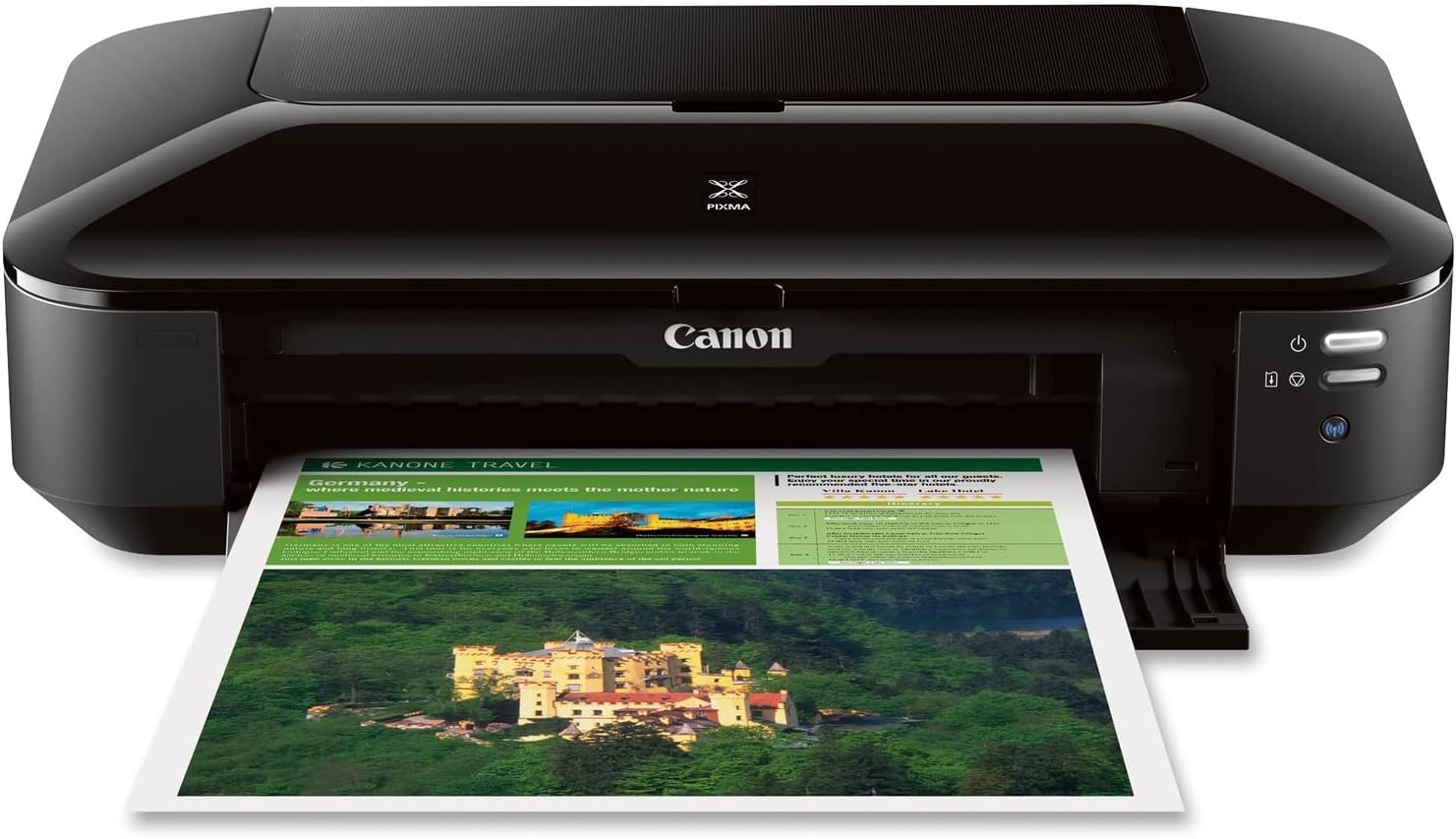
| Printer Type | Inkjet |
|---|---|
| Maximum Media Size | 13 x 19 inch |
| Maximum print Resolution Color | 9600 x 2400 dpi |
| Printer Connectivity Type | Wireless;Ethernet; USB |
| Color Pages per Minute | 15 pages_per_minute |
The Canon PIXMA iX6820 is a single-function inkjet built for oversized prints and basic office photo work, capable of producing borderless output up to 13 x 19 inches at a maximum 9600 x 2400 dpi. It uses a five-ink system with an RGB dye set plus pigment black so text looks sharp while photos show richer color, and the individual ink tanks mean you only replace the color that runs out. Connectivity includes Wi-Fi, Ethernet and USB, and it supports AirPrint, Google Cloud Print and Canon mobile apps for straightforward printing from phones and tablets. The printer is designed for simple, fast document and photo output rather than scanning or duplexing, with a modest sheet feeder and quiet mode for less disruption. If you need high-resolution large-format prints or occasional 11 x 17 pages for presentations, the iX6820 delivers good image quality for the class, but it lacks duplex printing and is a print-only device, so functions like scanning or copying require a separate machine.
Best for: Small businesses or home users who need occasional high-resolution 11 x 17 or larger prints and prioritize image quality and simple wireless printing over multifunction features.
Less Ideal for: Users who require automatic duplexing, heavy paper-handling for high-volume office printing, or an all-in-one device with scanning and copying.
- Supports large-format borderless printing up to 13 x 19 inches suitable for posters and presentations
- High maximum resolution (9600 x 2400 dpi) for detailed photo and graphic output
- Five individual ink tanks let you replace only the color that runs out
- Multiple connectivity options including wireless, Ethernet, AirPrint and USB for flexible setups
- No duplex (automatic two-sided) printing
- Print-only design with no built-in scanner or copier
Verdict: Choose the iX6820 when you want an affordable single-function printer that produces high-resolution 11 x 17 and larger borderless prints with flexible wireless connectivity.
Canon imagePROGRAF PRO-1100
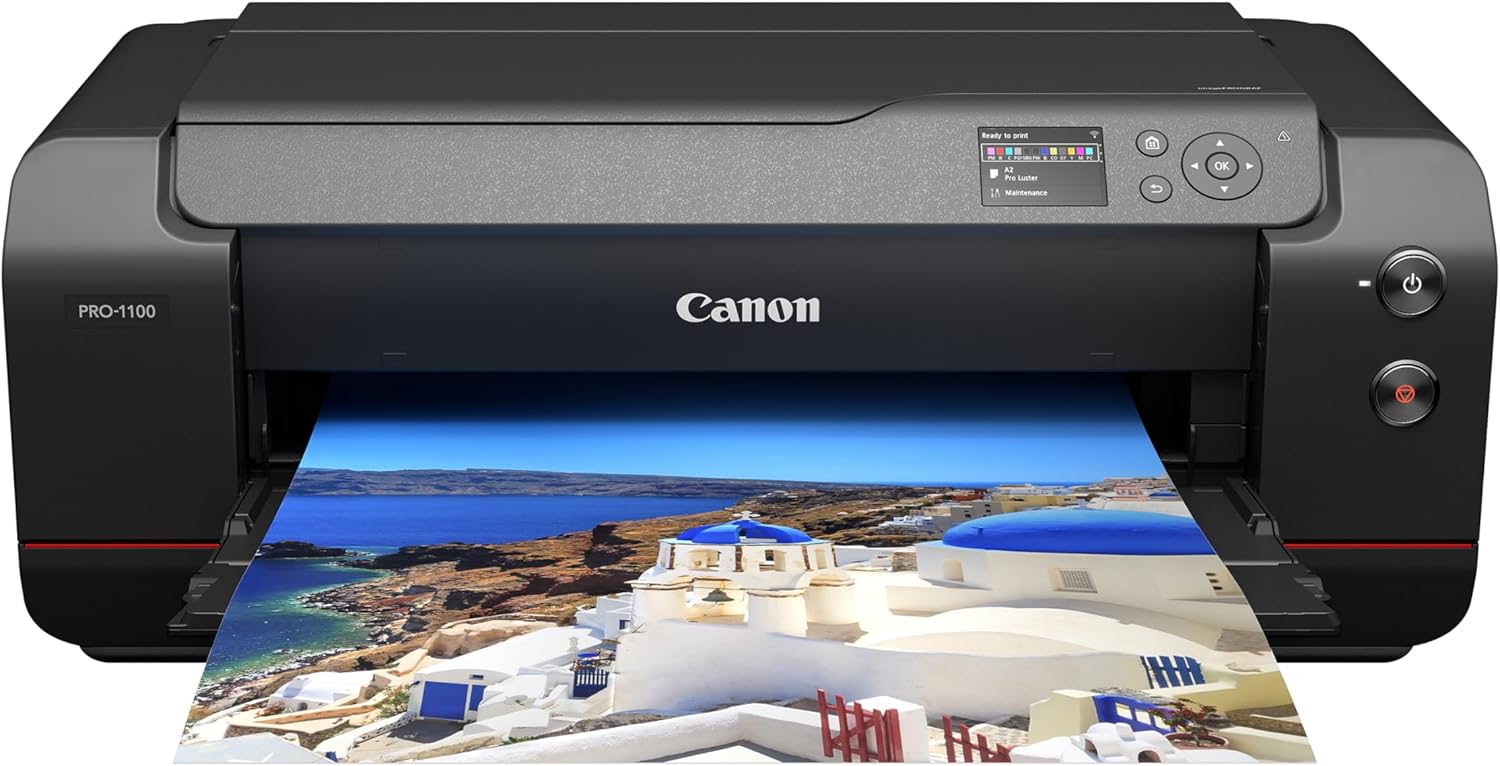
| Printer Type | Inkjet |
|---|---|
| Maximum Media Size | 17 X 22 Inch |
| Ink System | 11 pigment-based inks + Chroma Optimizer |
| Connectivity | USB, Wi-Fi |
| Maximum print Resolution Color | 2400×1200 dpi |
The Canon imagePROGRAF PRO-1100 is a 17-inch wide format photo printer built for professional image quality and reliable day-to-day production. It uses an 11-color pigment-based LUCIA PRO II ink set plus a Chroma Optimizer to deliver a wide color gamut, smooth gloss uniformity and deep, detailed blacks, and it accepts a broad range of photo and fine art media up to 17 x 22 inches. Canon pairs the inks with a FINE print head, anti-clogging measures and an air feeding system to reduce skewing and clog-related downtime, while L-COA PRO processing and bundled professional print/layout software simplify large files and color management. Paper handling supports a 250-sheet capacity and automatic duplex, making it practical for batch jobs as well as single fine-art prints. The trade-offs are speed and footprint: it is designed for image quality rather than fast office throughput and is a substantial unit that needs dedicated space and maintenance for multiple pigment tanks.
Best for: Photographers and studios that prioritize consistent, gallery-quality 17 x 22 prints and predictable color management for production and client work.
Less Ideal for: Casual users or small offices that need fast, high-volume document printing or a compact desktop device.
- 11-color pigment ink with Chroma Optimizer for wide color gamut and uniform gloss
- Supports up to 17 x 22 inch media and many photo paper sizes
- Anti-clogging FINE print head and air feeding system reduce misfeeds and maintenance
- Automatic duplex printing and 250-sheet capacity for practical batch jobs
- Includes professional print and layout software plus color management tools
- Relatively slow page throughput focused on image quality rather than speed
- Large and heavy footprint requiring dedicated space and handling
Verdict: Choose the PRO-1100 when you need dependable, museum-quality 17 x 22 prints and robust color control for professional photography work.
Epson EcoTank Photo ET-8550

| Printer Type | Inkjet |
|---|---|
| Print media | Glossy photo paper |
| Color Pages per Minute | 12 pages_per_minute |
| B&W Pages per Minute | 16 pages_per_minute |
| Maximum Media Size | 13 x 19 inch |
The Epson EcoTank Photo ET-8550 is a wide-format inkjet all-in-one that focuses on photo-quality output and low ongoing ink cost. It uses a six-color refillable EcoTank system and MicroPiezo printhead to deliver high-resolution color prints, borderless photos up to 13 x 19 inches, and scan/copy functionality. In practice it works well for creators and home studios that print batches of photos or mixed media projects because the large ink bottles dramatically reduce how often you need to replace supplies and lower cost per print. The printer supports mobile and USB connectivity, automatic duplexing, and a touch/app control scheme for everyday convenience. Trade-offs are that the unit is relatively large and heavier than desktop models and that its strengths are centered on photo and color document quality rather than raw office speed, so it is not ideal if you need high-volume text-only throughput or a compact footprint.
Best for: Buyers who prioritize low long-term ink cost and high-quality, wide-format photo and color prints for home studios or creative projects and who value reliable real-world performance backed by many user reviews.
Less Ideal for: Users who need a compact desktop printer for tight workspaces or require the fastest black-and-white office printing and highest sheet-per-minute throughput.
- Cartridge-free EcoTank system with six-color Claria ET inks for low running costs and high-quality photo color
- Wide-format support up to 13 x 19 inches and borderless printing for lab-quality photos and creative projects
- High maximum print resolution for detailed photos and graphics
- Includes scanner and copier functions for an all-in-one home studio workflow
- Automatic duplexing and mobile/app control simplify everyday use
- Large and relatively heavy compared with smaller photo printers
- Not optimized for fastest monochrome/page-per-minute office throughput
Verdict: Choose the ET-8550 if you want lab-quality wide-format photos and dramatically lower ink costs for a home studio or creative workflow.
HP OfficeJet Pro 9730

| Printer Type | Inkjet |
|---|---|
| Color Pages per Minute | 18 pages_per_minute |
| B&W Pages per Minute | 22 pages_per_minute |
| Maximum print Resolution Color | 4800 x 1200 dots_per_inch |
| Printer Connectivity Type | Wi-Fi |
The HP OfficeJet Pro 9730 is a wide-format all-in-one designed for small offices that need 11×17 prints, copies, scans and faxes without stepping up to a plotter. It prints color and black-and-white pages at manufacturer-rated speeds (about 18 ppm color, 22 ppm black), supports automatic two-sided printing and single-pass duplex scanning via the ADF, and holds paper across two 250-sheet trays for higher daily capacity. The 4.3-inch touchscreen and HP app make common tasks and mobile printing straightforward, and built-in security features help protect networked devices. Photo-quality color is bolstered by a high maximum resolution and P3 color support for a wider gamut than standard sRGB. Practical downsides for risk-averse buyers are typical inkjet considerations: ongoing ink replacement and subscription-managed Instant Ink if you choose that service, and the unit is fairly large and heavier than basic office printers. For offices that need wide-format color output and reliable networked features, the 9730 covers most workflows well.
Best for: Small offices or professionals who need reliable wide-format color printing, duplex scanning and straightforward mobile control without managing a production press.
Less Ideal for: Users who only need occasional standard letter printing or want a compact desktop device should consider smaller, lighter printers instead.
- Wide-format printing up to 11 x 17 inches for spreadsheets, layouts and large documents
- Automatic duplex printing and single-pass duplex ADF for two-sided workflows
- Two 250-sheet input trays plus 500-sheet maximum sheet capacity for higher paper handling
- High maximum color resolution and P3 color support for more accurate color prints
- 4.3-inch color touchscreen and HP app enable easy local and mobile operation
- Inkjet-based operation means ongoing cartridge replacements and variable running costs
- Physically large and relatively heavy compared with standard office printers
Verdict: Pick the OfficeJet Pro 9730 when you need dependable 11×17 color and two-sided scanning in a network-ready office printer.
Choosing the Right 11X17 Printer: Key Factors to Consider
Print Speed on Tabloid Media
Print speed determines how quickly you can turn around large-format jobs. On 11×17 media, larger page size and heavier stocks slow many printers compared with letter-size runs. If you frequently produce batches of spreadsheets, CAD drawings, or marketing posters, prioritize models with higher tabloid-page-per-minute ratings and consistent duplexing performance.
Faster speeds reduce waiting and increase throughput, but top speed figures are often published under ideal conditions. Look for verified 11×17 speed specs and consider whether your typical jobs use color, which usually prints slower than black-and-white.
Color Accuracy and Gamut
Accurate color reproduction matters when you use 11×17 printers for client proofs, photos, or marketing materials. Printers vary in color gamut and the precision of their color management. Machines with expanded ink sets or better color profiling tools produce truer tones and smoother gradations across large pages.
If color-critical work is a priority, check for support for ICC profiles, custom color calibration, and soft-proofing workflows. These features help you match screen colors to printed output and reduce reprints caused by unexpected color shifts.
Media Handling and Feed Reliability
Wide-format jobs often use heavier paper, coated stocks, or thicker poster boards. A printer that accepts a range of media weights and offers straight-through feeding or a rear tray will handle these substrates with fewer jams and deformation issues.
Also consider maximum sheet size support, whether the printer can do duplex on tabloid sheets, and how it stores and aligns larger paper. Good media handling reduces waste and ensures consistent edge registration across a large print run.
Duty Cycle and Long-Term Durability
Duty cycle indicates the monthly volume a printer is built to handle. For frequent tabloid printing, choose a model with a duty cycle and recommended monthly volume that exceed your average demand. Under-sized machines can show premature wear, increased maintenance, and more frequent part replacements.
Durability also ties to component quality, such as robust paper paths, replaceable rollers, and accessible maintenance panels. Those features reduce downtime and service costs for small offices or studios with steady wide-format workloads.
Connectivity and Driver Support
Reliable connectivity affects daily usability. Look for printers offering wired Ethernet, stable Wi-Fi, and modern USB options to accommodate varied setups. Mobile printing protocols and network-friendly drivers make sharing a tabloid printer across a home office or studio easier.
Equally important is up-to-date driver and firmware support for your operating system. Good driver support reduces formatting surprises when printing complex layouts or large PDFs on 11×17 sheets.
When to Choose a Dedicated 11X17 Printer
If your projects regularly require true tabloid-sized pages, a dedicated 11×17 printer saves time and preserves layout fidelity. Smaller printers that only accept larger pages through manual feeding often produce uneven margins and higher jam rates when used for frequent wide-format work.
- Consistent margins and registration for multi-page spreads
- Better duplexing and edge-to-edge options on true tabloid machines
- Built-in media trays that accept larger sheet stacks without manual handling
Paper Types and How They Affect Output
Paper selection influences color saturation, drying time, and curl on 11×17 prints. Coated papers boost color vibrancy but may need longer drying times or special inks to avoid smudging. Heavier cardstock and bond papers give a professional feel but require printers with straight-through feeds to prevent creases.
- Matte vs glossy coatings change perceived color and glare
- Weight and thickness determine whether a rear straight path is necessary
- Specialty papers may require different ink settings or profiles
Finishing Options: Trimming, Mounting, and Laminating
Think beyond the print itself and plan for finishing. Large prints often need trimming, mounting, or lamination. Choose a printer that outputs with predictable edge alignment to simplify trimming and reduce material waste. If you plan to laminate or mount, allow for the added thickness when choosing media and printer feed options.
- Leave bleed and crop marks for accurate trimming
- Account for additional thickness when laminating or mounting
- Consider whether your workflow requires a professional trimmer or in-house finishing equipment
Maintenance Tips to Keep Wide-Format Prints Consistent
Regular maintenance preserves color consistency and reduces downtime. Clean feed rollers and perform scheduled printhead alignments to maintain registration on large pages. Keep a stock of recommended maintenance kits and replaceable rollers if you run frequent tabloid jobs. Store paper flat and in a humidity-controlled environment to avoid curl and jams. For color-critical work, reprofile the printer after routine head replacements or significant color shifts.
- Run periodic nozzle checks and cleaning cycles
- Use recommended cleaning kits for feed rollers and platen areas
- Store oversized paper flat and avoid humid storage environments
How We Chose the Best 11X17 Printer
We focused on machines that reliably produce accurate 11×17 output and handle typical large-format workflows for home offices, studios, and small print jobs. Selection emphasized measurable performance and real-world usability rather than marketing claims. Key evaluation criteria included print speed on 11×17 media, color accuracy for photos and proofs, media handling for heavier stocks and tabloid sizes, Durability and duty cycle for steady monthly volumes, and connectivity and driver support for common operating systems. We excluded devices that only support 11×17 via awkward workarounds or require proprietary accessory packs to print edge-to-edge on tabloid paper. Also excluded were printers intended only for specialty industrial substrates that do not match home or small-office needs. The final list balances speed, color fidelity, and robust media handling so buyers can choose based on the dimensions that matter for their workflows.
Our full evaluation process is outlined in our review methodology.
FAQ
Can I print edge-to-edge on 11×17 paper with most printers?
Edge-to-edge printing depends on the printer design. Some wide-format models offer borderless tabloid printing, but many cannot print entirely to the edge due to mechanical limits. Check the printer's maximum printable area for 11×17 sheets.
Will printing 11×17 use more ink than letter-size printing?
Yes, larger pages generally consume more ink because they cover more surface area. Color images and high-density graphics increase ink usage further. Estimate consumable needs based on typical page coverage rather than page count alone.
Do I need special drivers to print 11×17 from my computer?
Most modern printer drivers include tabloid paper size as an option. Ensure you install the correct driver for your operating system and select 11×17 or tabloid in the page setup to avoid unexpected scaling or cropping.
Is duplex printing common on 11×17 printers?
Some tabloid-capable printers offer automatic duplexing for 11×17 sheets, but not all. Automatic duplex on larger sheets requires sturdier feed and reversing mechanisms, so verify duplex support for tabloid size if double-sided printing is important.
How should I store unused 11×17 paper to prevent problems?
Store oversized paper flat in its original packaging or on a flat shelf to avoid curling. Keep it in a cool, low-humidity area away from direct sunlight to prevent moisture absorption and dimensional changes.
Final Verdict
Choose an 11×17 printer that matches the volume and type of wide-format work you do. Prioritize tabloid-speed ratings and dependable media handling if you run batch jobs, and focus on color management and expanded ink options for proofing or photographic prints. Balance duty cycle and maintenance accessibility against your expected monthly output to reduce downtime. By weighing print speed, color accuracy, and media handling together, you can pick a machine that delivers the right combination of throughput and output quality for your studio or small office needs.