
Note: This article contains affiliate links. If you click on these links and make a purchase, we may earn a small commission at no extra cost to you. This helps support our research and content. Read our full affiliate disclosure here.
Working with carbon-fiber-reinforced filaments changes the requirements for a desktop 3D printer. You need equipment that tolerates higher extrusion temperatures, resists abrasion, and produces stable dimensional results so parts keep their strength and fit. This guide highlights the top shortlisted 3D printers for carbon fiber, chosen for their heated build environments, hardened hotends, and filament handling systems. Below we summarize the features that matter most when printing with carbon-fiber composites and explain how each shortlisted printer performs against those practical criteria.
Top Picks at a Glance
| Best Overall The best all-around choice for most situations | Snapmaker U1 3D Printer |  |
| Best Quality Built to a higher standard if you want something more solid | QIDI Q2 3D Printer |  |
| Best Value The sweet spot between price and what you get | Creality Ender 3 V3 SE |  |
| Best Budget The cheapest option that still gets the job done reliably | FLASHFORGE Adventurer 5M |  |
| Top Rated A top-rated pick with lots of positive feedback | Bambu Lab P1S Combo |  |
| Most Popular A crowd favorite that many people choose with confidence | Creality K1C 3D Printer |  |
| Best Seller A high-volume bestseller chosen again and again | FLASHFORGE AD5X 3D Printer |  |
Snapmaker U1 3D Printer

| Build volume | 270 x 270 x 270 mm |
|---|---|
| Max speed | 500 mm/s |
| Toolheads | 4 independent heads with SnapSwap changer |
| Compatible materials | PLA, PVA, TPU, PETG, PCTG, ABS, ASA, PA, PC |
The Snapmaker U1 is a CoreXY 3D printer built around a four-toolhead automatic changer that lets you swap preloaded, preheated extruders in about five seconds. It is designed for mixed-material and multi-color prints, so you can combine rigid filaments, flexible TPU and soluble supports in a single job without the long purging cycles of single-nozzle systems. The machine uses a rigid frame and carbon-fiber X rails to support high-speed printing up to 500 mm/s across a 270 × 270 × 270 mm build area, and includes automatic toolhead offset calibration, vibration compensation and AI print monitoring to reduce fiddling and failed prints. Practical benefits are faster multi-material workflows, much lower filament waste during color changes, and a smoother setup experience via a built-in model library and Snapmaker Orca slicer. Limitations include the complexity and cost of maintaining four hot ends and potential material-compatibility management when printing exotic filaments like carbon-filled nylons, which still require careful drying and tuning for best results.
Best for: Buyers who want a balanced, all-purpose machine for fast multi-color and multi-material prototyping and small-batch production that reduces filament waste and speeds up workflows.
Less Ideal for: Users who only need simple single-material prints, or makers who prefer the lowest upfront complexity and maintenance over multi-tool capability.
- Four independent preheated toolheads with a 5‑second SnapSwap changer for quick multi-color and multi-material prints
- Significant reduction in filament waste compared with purge-based multi-color methods
- High-speed CoreXY motion system capable of up to 500 mm/s for faster throughput
- Automatic calibration and vibration compensation that improve first-layer reliability and dimensional accuracy
- Managing and maintaining four toolheads is more complex than a single-nozzle printer
- Carbon-fiber and other abrasive filaments may still require hardened nozzles and careful material handling not included out of the box
Verdict: Choose the Snapmaker U1 if you want faster, low-waste multi-material and multi-color printing in a single balanced machine.
QIDI Q2 3D Printer

| Build volume | 270×270×256 mm |
|---|---|
| Max nozzle temperature | ≤370°C |
| Chamber temperature | ≤65℃ |
| Max toolhead speed | ≤600 mm/s |
| Filament diameter | 1.75 mm |
The QIDI Q2 is a CoreXY desktop printer built for high‑speed, material‑versatile printing that targets makers and small labs working with engineering filaments. It pairs a metal CoreXY frame and linear rails with a 370°C multi‑metal nozzle and a 65°C active heated chamber to reduce warping and let you print PA, PC, and carbon‑fiber composites that need high extrusion temperatures and stable ambient heat. Practical touches include an auto‑leveling nozzle sensor for consistent first layers, filament run‑out and tangle detection when used with the QIDI Box, an AI camera for remote monitoring, and a triple filtration system to capture fumes and particles during engineering‑grade prints. The machine is rated for high head speeds up to 600 mm/s, so prints can be completed faster when tuned, but achieving the best surface finish with abrasive materials requires hardened nozzles and periodic maintenance. Connectivity options include Wi‑Fi, Ethernet, cloud, and USB drive printing. At this performance level buyers should expect occasional setup and tuning for composite filaments and higher consumable wear from abrasive fibers.
Best for: Buyers who prioritize printing strong, high‑temperature and carbon‑fiber composite parts and want a desktop printer designed for material flexibility and speed rather than a purely plug‑and‑play hobby machine.
Less Ideal for: Casual hobbyists who want zero tuning or users who need a maintenance‑free printer for only PLA models should consider simpler, lower‑maintenance machines.
- 370°C high‑temp nozzle enables printing high‑temperature and composite filaments
- 65°C active heated chamber reduces warping for engineering materials
- CoreXY metal frame and linear rails for stable, high‑speed movement
- Triple filtration system (G3 pre‑filter + H12 HEPA + activated carbon) for cleaner indoor use
- Auto‑leveling nozzle sensor and AI camera simplify first layers and remote monitoring
- Abrasive carbon‑fiber filaments will accelerate nozzle and part wear without hardened nozzles or hardened extruder parts
- High‑speed capability requires tuning to balance speed and surface quality
Verdict: If you need a desktop printer that can handle carbon‑fiber and other high‑temperature engineering filaments with chamber heating and high‑temp extrusion, the QIDI Q2 is built for that purpose.
Creality Ender 3 V3 SE
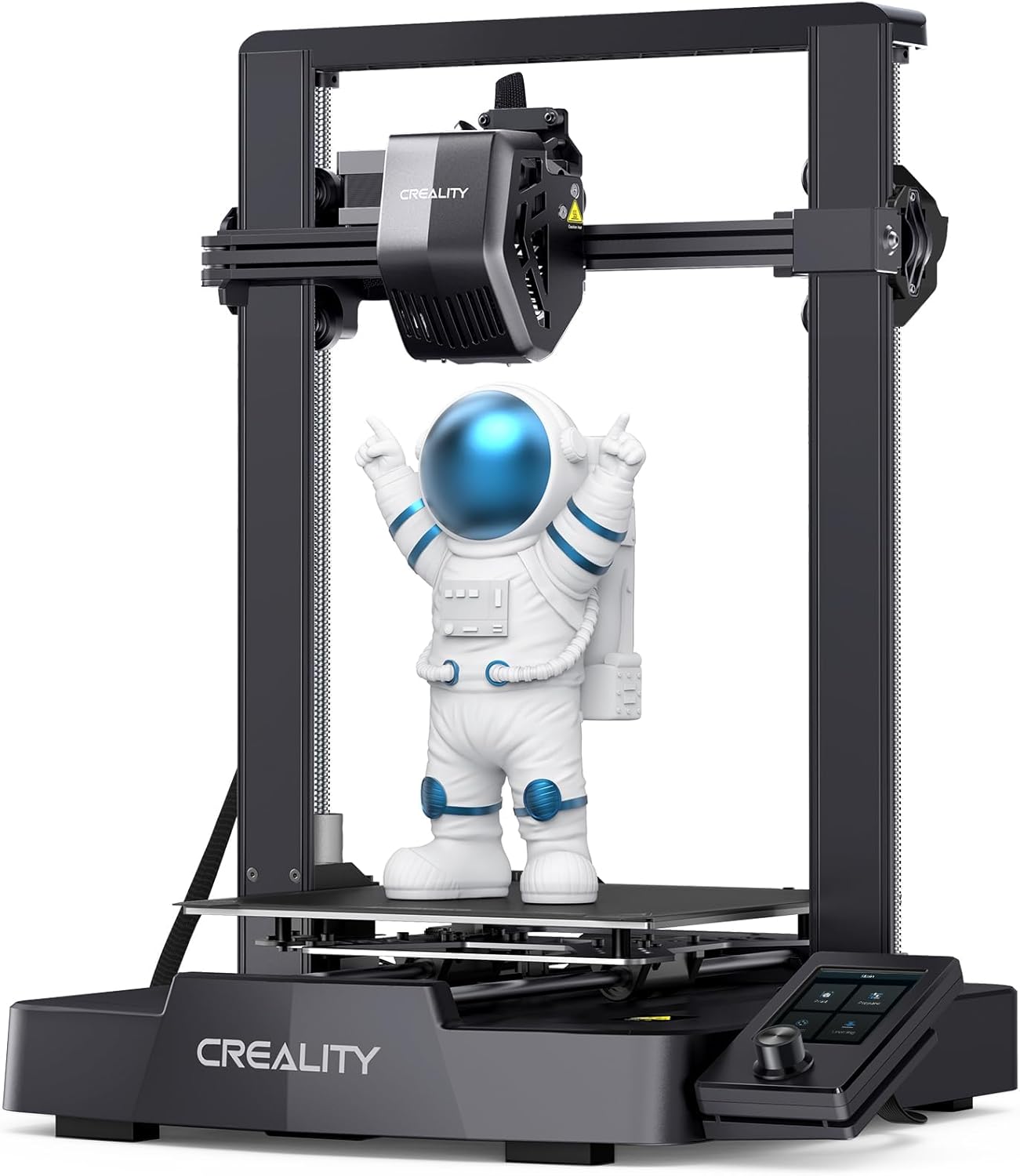
| Max printing speed | 250 mm/s |
|---|---|
| Supported filaments | PLA, PETG, ABS, TPU (95A) |
| Extruder type | Full-metal dual-gear direct (Sprite) |
| Auto-leveling | CR Touch with strain sensor |
The Ender 3 V3 SE is an updated Ender-series FDM printer that aims to speed up desktop printing while keeping setup simple. It ships partly preassembled and can be put together in a few steps, then uses a full-metal Sprite dual-gear direct extruder that provides stronger, more consistent filament push for flexible and abrasive materials. The printer includes CR Touch auto-leveling with a strain sensor for automatic Z-offset, dual Z lead screws and dual Y-axis linear shafts to reduce wobble, and an auto filament load/unload function that makes filament swaps less fiddly. Creality claims a top speed of 250 mm/s and higher acceleration for shorter print times, though high-speed prints still require careful tuning to preserve detail and layer adhesion. For abrasive filaments like carbon-fiber-filled PLA or PETG, the direct metal extruder helps feeding, but users should fit a hardened steel or similar abrasion-resistant nozzle and tune temperatures and retraction to avoid wear and stringing. The V3 SE is practical for makers who want faster prototyping with room to upgrade for abrasive materials, while users seeking out-of-the-box carbon-fiber specialty features will need a few hardware tweaks.
Best for: A practical buyer who wants a quick-to-assemble, mod-friendly desktop printer for faster prototyping and who plans to upgrade small parts for consistent results with abrasive or filled filaments.
Less Ideal for: Those who need a factory-ready system for heavy, continuous carbon-fiber printing without performing nozzle or feed-path upgrades should consider more industrial or specialty machines instead.
- Preassembled for quick setup and first print within minutes
- Sprite full-metal dual-gear direct extruder improves filament feeding, including flexible and filled materials
- CR Touch auto-leveling plus strain sensor simplifies bed leveling and Z-offset adjustments
- Dual Z lead screws and robust Y-axis shafts increase stability and reduce Z-wobble
- Auto filament loading and unloading makes filament changes easier
- No hardened nozzle installed by default, so abrasive carbon-fiber filaments will wear a standard brass nozzle
- High advertised speeds require tuning to maintain print quality, especially for composite filaments
Verdict: A fast, easy-to-assemble Ender that is a sensible, upgrade-friendly choice for makers who want to experiment with carbon-fiber-filled filaments after adding a hardened nozzle and tuning.
FLASHFORGE Adventurer 5M

| Build Volume | 220 x 220 x 220 mm |
|---|---|
| Extruder Max Temp | 280°C |
| Travel Speed | 600 mm/s |
| Structure | All-metal Core XY Structure |
| Platform Type | Double-Sided PEI Platform |
The FLASHFORGE Adventurer 5M is a CoreXY desktop printer built around speed and convenience for engineering and composite materials printing. It uses a 280°C direct extruder, quick 3-second detachable nozzles, and a high-flow 32 mm3/s nozzle to push filament faster, while the CoreXY frame and high acceleration support travel speeds up to 600 mm/s for rapid prototyping. The machine ships with a double-sided PEI platform for easier part removal and one-button automatic bed leveling to cut setup time. It supports a wide range of filaments including PLA, ABS, PETG, ASA, TPU and carbon-fiber blends, and the Flash Maker app enables remote monitoring. Practical benefits include shorter cycle times for iterative prints and tool-free nozzle swaps for experimenting with different diameters. Important limitations are that working with carbon-fiber filled materials still requires abrasive-resistant nozzles for long-term reliability and you should follow regular maintenance routines for the high-speed extrusion system; as delivered the standard nozzle and wear parts may not be optimized for abrasive composites. For buyers focused on printing carbon-fiber blends, plan to budget for hardened nozzles and routine nozzle maintenance to preserve performance.
Best for: Buyers who need fast iteration and the ability to print engineering and composite filaments on a compact desktop machine and are willing to perform basic maintenance or swap in hardened nozzles.
Less Ideal for: Those who want a completely maintenance-free system or who will print abrasive composite materials continuously without upgrading to hardened tooling and wear parts.
- CoreXY all-metal structure for higher speed and accuracy
- 280°C direct extruder with quick, tool-free nozzle changes
- Supports common engineering filaments including carbon-fiber blends
- One-button automatic bed leveling reduces setup and first-layer failures
- Dual-sided PEI platform makes part removal easier
- Standard nozzle is not abrasion-resistant so hardened nozzles are recommended for carbon-fiber filaments
- High-speed settings increase maintenance needs on the extruder and nozzle
Verdict: If you want a compact, speed-focused desktop printer that can handle carbon-fiber blends with the addition of hardened nozzles, the Adventurer 5M is a practical, budget-minded choice.
Bambu Lab P1S Combo

| Build Volume | 256*256*256 mm³ |
|---|---|
| Max Speed | 500 mm/s |
| Max Acceleration | 20 m/s² |
| Supported Filaments | PLA, PETG, TPU, PVA, PET, ABS, ASA |
The P1S Combo pairs a fast CoreXY motion system with an integrated AMS to deliver multi-color and multi-material prints without lengthy manual filament swaps. It targets quick, consistent printing with top speeds up to 500 mm/s and high acceleration for shorter print times, while the enclosed chassis and automatic bed leveling improve first-layer adhesion and reduce warping on tougher filaments. Setup is straightforward and the printer supports a wide range of common filaments including PLA, PETG, TPU, PVA, ABS and ASA, with limited capability for engineering materials like PA and PC. The AMS expands creative options by enabling up to 16-color jobs when connected, but note that the multi-color feature depends on adding the AMS and that strongly reinforced composites are not recommended. For users prioritizing dependable, high-throughput output the P1S Combo balances speed, automation, and enclosure benefits, though those needing certified carbon fiber or heavily filled composite printing should consider a purpose-built industrial system.
Best for: Buyers who need a fast, reliable desktop printer that automates bed leveling and filament management to produce consistent results for iterative prototyping and multi-color projects.
Less Ideal for: Users whose priority is printing heavily reinforced carbon fiber or abrasive composite filaments for structural parts should choose a dedicated industrial printer with hardened hardware and abrasive-resistant extrusion.
- Very high top speed (500 mm/s) and strong acceleration for shorter print times
- Enclosed design and auto bed leveling improve print consistency and reduce warping
- Supports a broad set of filaments including PLA, PETG, TPU, ABS and ASA
- AMS compatibility enables multi-color and multi-material prints without manual swapping
- Not recommended for carbon/glass fiber reinforced filaments or heavily filled composites
- Multi-color capability requires connecting the AMS accessory
Verdict: Choose the P1S Combo if you want a fast, enclosed desktop printer that reliably automates multi-color and multi-material prints for rapid prototyping and creative projects.
Creality K1C 3D Printer

| Max nozzle temp | 300°C |
|---|---|
| Supported materials | PLA, PLA-CF, PET-CF, ASA, ABS, TPU |
| Build volume | 8.66 × 8.66 × 9.84 inch |
| Print speed (max) | 600 mm/s |
| Acceleration | 20000 mm/s² |
The Creality K1C is a plug-and-play desktop FDM printer that targets faster prototyping and carbon-fiber-compatible parts. It ships mostly assembled and boots like a consumer device, so you can start printing within minutes; auto Z offset, auto leveling, and input-shaping reduce the fiddly setup work. The machine uses a clog-free direct extruder with a steel-tipped copper nozzle and titanium-alloy heatbreak, enabling high-temperature printing up to 300°C and support for PLA-CF and PET-CF as well as PLA, ASA, ABS, and TPU. An AI camera offers basic print monitoring and detection of common failures, and an upgraded three-fan cooling arrangement helps with part cooling, bridging, and string reduction. The high acceleration and advertised 600 mm/s top speed make it useful for rapid iterations, though real-world speeds for detailed carbon-fiber prints will be lower to preserve quality. The printer's workspace is moderate, suited to small to medium parts. Expect to tune print settings for optimal strength and surface finish when using abrasive carbon-fiber blends and plan for appropriate nozzle wear management over time.
Best for: Someone who wants a fast, mostly hands-off printer that can handle carbon-fiber blends for functional prototypes and small structural parts while relying on built-in automation to reduce tuning time.
Less Ideal for: Users needing a large build volume for big carbon-fiber parts or those who want a fully hardened-steel nozzle and heavy-duty industrial abrasion handling without aftermarket upgrades.
- Ready-to-print out of the box with auto Z offset and auto leveling for quick setup
- Direct clog-free extruder and titanium heatbreak that support 300°C printing and carbon-fiber filaments
- AI camera for basic failure detection and time-lapse monitoring
- Multi-fan cooling design improves layer adhesion, reduces stringing, and aids bridges
- Advertised top speed is unlikely for fine-detailed carbon-fiber parts and practical print speeds will be lower
- Carbon-fiber filaments are abrasive and will accelerate nozzle wear without hardened nozzles
Verdict: Buy this if you want a compact, fast desktop printer that is ready to run and capable of printing carbon-fiber blends for quick functional prototypes.
FLASHFORGE AD5X 3D Printer

| Build volume | 220 x 220 x 220 mm |
|---|---|
| Extruder max temp | 300°C |
| Structure | Open, Core XY |
| Multi-color | Up to 4 colors |
| Travel speed | 600 mm/s |
The FLASHFORGE AD5X is a CoreXY desktop machine aimed at faster, production-style printing while still being usable by cautious users. It prints up to four colors and supports a wide range of filaments including PLA, ABS, PETG, TPU and carbon-fiber-reinforced materials thanks to a 300°C direct-drive extruder and multiple nozzle size options from 0.25mm to 0.8mm. Key conveniences include one-click auto leveling, automatic filament feeding/retraction and resume-print after power loss, which reduce setup and failure risk for less technical operators. High travel speeds (up to 600mm/s with strong acceleration) plus a vibration compensation system cut cycle times for batch parts, and the quick-detach nozzle and selectable nozzles let you balance speed versus detail. The printer is open-structure, so printing abrasive carbon-fiber filaments will require a hardened nozzle and tighter maintenance compared with non-abrasive filaments, and the expandable camera/chamber lighting suggests some features require add-ons. For cautious buyers wanting factory-style features and multi-material versatility, the AD5X delivers accessible performance with practical safeguards.
Best for: Buyers who prioritize reliable, factory-style features and multi-material flexibility but prefer a machine that minimizes setup and failed prints through automation and safety nets.
Less Ideal for: Those who need a fully enclosed, ready-for-abrasive-filament production cell out of the box or buyers wanting a plug-and-play, maintenance-free carbon-fiber printing solution.
- 300°C direct-drive extruder supports higher-temp and composite filaments
- CoreXY design with up to 600mm/s travel and high acceleration for faster prints
- One-click auto leveling and resume-print reduce failed prints and setup hassle
- Multiple nozzle sizes and 30s quick-detach nozzle let you switch between fine detail and faster extrusion
- Open-frame design means abrasive carbon-fiber filaments will need a hardened nozzle and more maintenance
- Some convenience features such as camera and chamber lighting require optional expansion
Verdict: If you want a faster CoreXY desktop printer that handles carbon-fiber composites with factory-style convenience and safety features, the AD5X is a practical choice when paired with hardened nozzles and routine maintenance.
Choosing the Right 3D Printer for Carbon Fiber: Key Factors to Consider
Nozzle Temperature and Hotend Materials
Carbon-fiber-filled filaments typically need higher extrusion temperatures than plain thermoplastics. Hotend assemblies must safely reach and sustain those temperatures without degrading internal components.
Equally important is hotend material and wear resistance. Hardened steel or replaceable abrasion-resistant nozzles prevent rapid wear from carbon fibers. Consider whether the printer supports easy nozzle swaps and if the heater cartridge and thermistor can handle peak temperatures recommended by filament manufacturers.
Filament Drive and Feeding System
Consistent filament feeding reduces chatter, under-extrusion, and filament grinding when printing abrasive carbon blends. Direct-drive systems can give better control for short-path extrusion of fiber-filled filaments, while robust geared extruders increase torque for stiffer or coiled spools.
Look for extruders with solid bearing support, adjustable tension, and compatibility with various spool mounts. Filament path design matters: constrained, short paths minimize buckling and help maintain consistent flow during long composite prints.
Build Chamber Temperature and Enclosure
Carbon-fiber composites bonded to thermoplastic matrices can be sensitive to thermal gradients. An enclosed or heated chamber helps reduce warping and layer separation by keeping the part at a consistent temperature during printing.
Assess whether the printer offers active chamber heating, or whether an enclosure can be fitted. For larger parts or engineering-grade filaments, stable ambient chamber temperatures often lead to better interlayer adhesion and reduced residual stress.
Bed Adhesion and Build Surface Options
Strong bed adhesion prevents part lifting during long prints, which is crucial for structural carbon-fiber parts. Some build surfaces bond better to composite blends; others allow easier part removal without damage.
Check that the printer supports a range of surfaces and adjustable bed leveling. Consider removable build plates or magnetically attached surfaces to simplify part removal and surface finishing once prints are complete.
Mechanical Rigidity and Motion System
Dimensional accuracy and repeatability for strength-critical parts depend on a rigid frame and precise motion components. Any play or flex can reduce mechanical properties by causing layer misalignment.
Evaluate frame construction, rail or lead-screw quality, and whether the printer uses damped stepper drivers or belt tensioners that maintain consistent motion. A sturdier motion platform yields cleaner fiber orientation and more predictable mechanical behavior in printed composites.
Maintenance and Consumables Accessibility
Carbon-fiber filaments increase wear on nozzles and hotends, so consider how easy it is to service the printer. Access to replacement nozzles, PTFE liners, and extruder parts affects operating downtime.
Also assess firmware support and the availability of routine maintenance procedures like cold pulls, nozzle swaps, and drive train adjustments. A machine that makes these tasks straightforward will keep printing longer with less unexpected downtime.
Preparing Your Workflow for Composite Filaments
Establish a repeatable printing workflow before attempting long or critical composite parts. Start with smaller test prints to dial in temperature, retraction, and print speed while watching for under-extrusion or nozzle wear.
Store carbon-fiber blends in dry boxes or sealed containers with desiccant. These filaments often absorb moisture, which causes bubbling and weak spots during extrusion.
- Run a temperature tower to find the best extrusion range
- Adjust retraction to prevent grinding but limit stringing
- Keep spare hardened nozzles on hand for quick swaps
Tuning Slicer Settings for Fiber Orientation
Slicer choices influence part strength through toolpaths and layer orientation. For anisotropic prints, plan toolpaths so the fibers align with load paths where possible. That might mean using specific infill patterns, altering shell counts, or manipulating print direction.
Control cooling carefully. Excessive part cooling can reduce layer bonding, while no cooling can cause overhang droop. Balance cooling settings based on part geometry and the filament's recommended profile.
- Increase shell count for better surface fiber continuity
- Use linear or concentric infill for load-critical sections
- Avoid aggressive bridging without sufficient layer support
Safety and Ventilation
Printing with fiber-filled materials can produce ultrafine particles and fumes. Ensure good ventilation in the workspace and consider filtration to reduce airborne particulates. Use a certified enclosure with an appropriate filter if you frequently print composites.
Wear gloves when handling freshly printed parts if post-processing involves sanding or cutting, as particulates can embed in skin. Follow material safety data sheet recommendations for handling and disposal.
- Run an extraction fan or HEPA/activated carbon filter for prolonged prints
- Avoid sanding indoors without protection
- Store waste material in sealed containers
Post-Processing Composite Prints
After printing, composite parts often need cleanup to achieve finished surfaces. Use cautious sanding with proper PPE since carbon fibers are abrasive and can damage tools. For improved surface finish and strength, consider light annealing where compatible with the filament's thermoplastic matrix.
If bonding or secondary operations are required, choose adhesives and machining methods proven for fiber-reinforced thermoplastics to retain structural performance.
- Test adhesives on scrap pieces before full assembly
- Use carbide or diamond-coated tools for machining
- Consider vapor smoothing only when compatible with the polymer matrix
Material Selection: Short Fiber Vs Continuous Fiber
Short carbon-fiber-filled filaments add stiffness and abrasion but still print on standard fused filament systems with hardened tooling. They offer improved modulus while remaining printable on most high-temperature setups. Continuous fiber systems are a different class and require dedicated hardware for fiber placement.
Decide whether you need short-fiber blends for general stiffness gains or a workflow that supports continuous fiber reinforcement for maximum strength. That decision will affect printer choice, accessories, and the overall process complexity.
- Short-fiber blends work with hardened nozzles and standard extrusion setups
- Continuous fiber requires specialized feeders and placement heads
- Balance desired mechanical properties against process complexity
How We Chose the Best 3D Printer for Carbon Fiber
We selected printers based on technical capability for carbon-fiber-reinforced filaments and real-world durability in composite printing workflows. Primary filters included high-temperature extrusion capability, hardened or replaceable wear-resistant hotend components, and a heated build chamber or effective enclosure to control warping. We also prioritized reliable filament feeding systems that reduce grinding when printing abrasive blends, and stable motion platforms that preserve dimensional accuracy for strength-critical parts. Secondary screening covered part-bed adhesion options and compatibility with common composite-friendly build surfaces. We excluded printers lacking documented temperature range or that require extensive modification to accept abrasive filaments. Our editorial framework focused on measurable specs and user-facing durability: maximum nozzle and chamber temperatures, use of hardened toolings, filament drive design, and mechanical rigidity. These dimensions align with the scoring criteria used to evaluate each shortlisted unit.
Our full evaluation process is outlined in our review methodology.
FAQ
Do I need a hardened nozzle to print carbon-fiber filaments?
Often yes. Carbon fibers are abrasive and can wear standard brass nozzles quickly. Hardened steel or coated nozzles last longer and maintain dimensional accuracy over many prints.
Can I print carbon-fiber filaments on any high-temperature printer?
Not always. A printer also needs a filament drive that resists grinding and a stable motion system. Without proper feeding and abrasion-resistant components, high temperatures alone do not guarantee reliable composite prints.
How important is an enclosure for carbon-fiber composites?
An enclosure helps control thermal gradients and reduces warping, especially on larger engineering parts. For small items, good bed adhesion and tuned cooling may be sufficient, but enclosures are recommended for consistent results.
What maintenance should I expect when printing with carbon-fiber blends?
Expect more frequent nozzle replacements, regular inspection of extruder gears, and occasional hotend cleaning. Keeping spare wear parts and a maintenance schedule reduces downtime and maintains print quality.
Are there health risks when printing carbon-fiber-filled filaments?
There can be. Printing may emit ultrafine particles and fumes depending on the polymer matrix. Use ventilation, filtration, and PPE when sanding or machining prints to reduce exposure.
Final Verdict
Prioritize printers that combine high-temperature capability with abrasion-resistant toolpaths and reliable filament feeding when you plan to print carbon-fiber composites. Tradeoffs include ease of maintenance versus out-of-the-box readiness; more robust hardware reduces long-term cost but may require a slightly higher initial setup effort. Choose a machine that matches the composite workflows you intend to run: if you need repeatable structural parts, favor hardened hotends, a stable enclosure, and a strong filament drive. Those choices will yield more predictable strength and dimensional performance for carbon-fiber prints.