
Note: This article contains affiliate links. If you click on these links and make a purchase, we may earn a small commission at no extra cost to you. This helps support our research and content. Read our full affiliate disclosure here.
If you plan to print custom cookie cutters, picking the right 3D printer matters more than you might expect. You need a machine that produces clean edges, holds fine details for intricate shapes, and is compatible with food-safe or easily sanitized materials. Whether you want simple shapes, detailed novelty cutters, or repeats for a small bakery, the right printer makes the process faster and less frustrating. This guide shortlists the top 3D printers for cookie cutters and explains the practical tradeoffs we considered, including accuracy, bed size, and material compatibility. Use the evaluation notes to match a printer to your typical cutter sizes and production volume.
Top Picks at a Glance
| Best Overall The best all-around choice for most situations | Bambu Lab A1 mini 3D Printer |  |
| Best Quality Built to a higher standard if you want something more solid | Snapmaker U1 3D Printer |  |
| Best Value The sweet spot between price and what you get | Creality K2 SE 3D Printer | 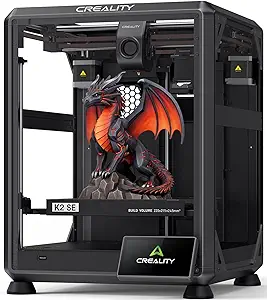 |
| Best Budget The cheapest option that still gets the job done reliably | Creality Ender 3 V3 SE |  |
| Top Rated A top-rated pick with lots of positive feedback | ELEGOO Neptune 3 Pro |  |
| Most Popular A crowd favorite that many people choose with confidence | FLASHFORGE Adventurer 5M |  |
| Best Seller A high-volume bestseller chosen again and again | Bambu Lab P1S 3D Printer |  |
Bambu Lab A1 mini 3D Printer
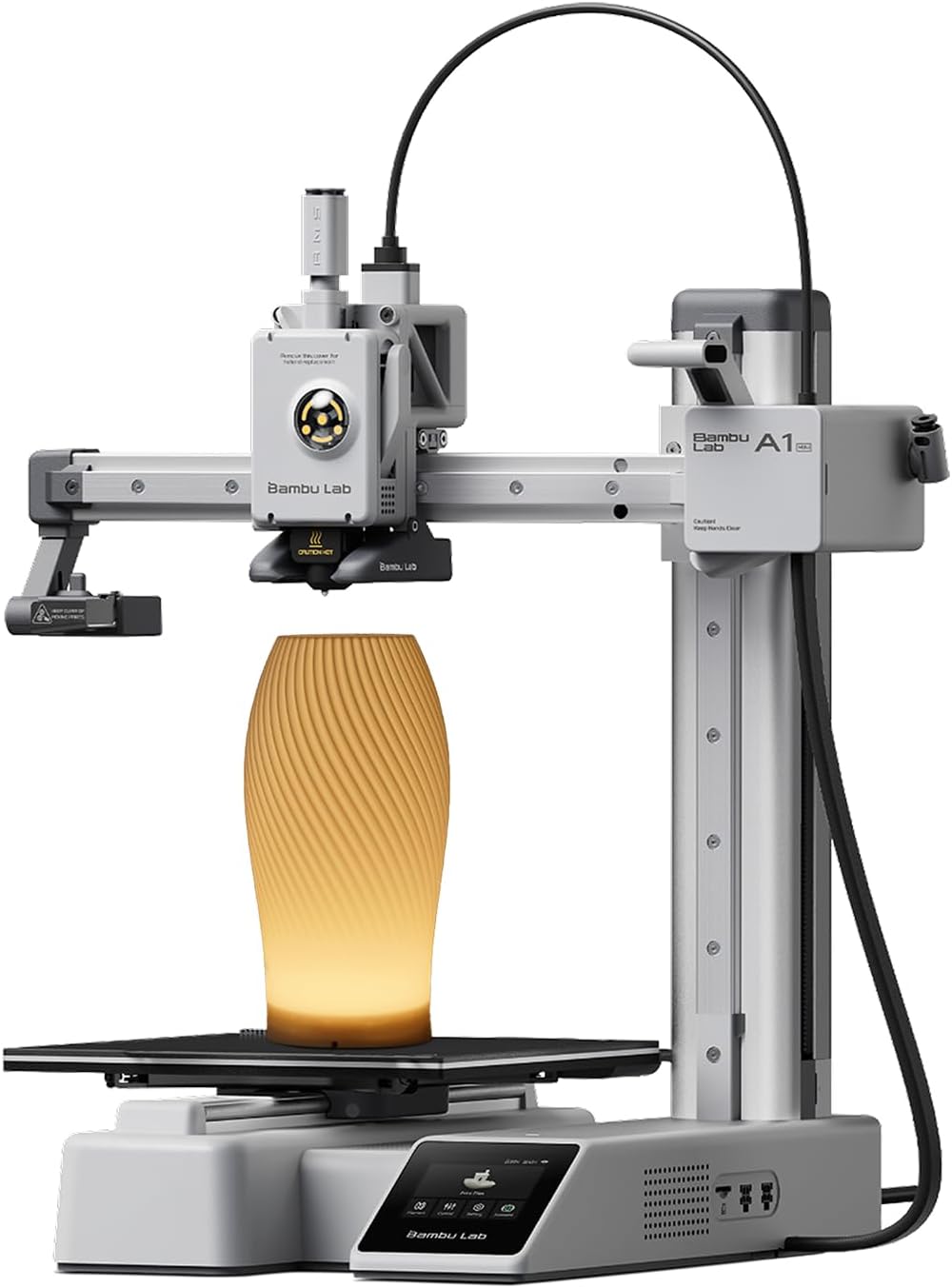
| Item model number | PF002-M-EU |
|---|---|
| Item Weight | 12.1 pounds |
| Build Volume | 180*180*180 mm³ |
| Max Speed | 500mm/s |
The Bambu Lab A1 mini is a compact, ready-to-use desktop 3D printer aimed at beginners and hobbyists who want fast, low-fuss prints. It ships as a kit with an LED lamp accessory for decorative lamp projects and connects to the Bambu ecosystem and MakerWorld model library for easy access to print files and app-based job management. Key conveniences include full auto leveling and active flow rate compensation to reduce calibration and extrusion tuning, and a design tuned for quiet operation so it can sit in a home or small workshop. The printer supports typical consumer filaments like PLA and TPU and delivers good quality at higher speeds for small to medium prints such as cookie cutter prototypes and decorative molds. Limitations include a relatively small build volume compared with larger hobby printers and a mostly open-frame layout, so printing heat-sensitive or multi-material parts may be constrained and users should plan for enclosure needs if printing low-warp materials. For makers focused on quick, reliable single-color cookie cutter designs and easy setup, the A1 mini is a practical choice.
Best for: A practical pick for hobbyists and home bakers who want a plug-and-play printer to rapidly prototype single-color cookie cutters, decorative molds, and small kitchen gadgets without wrestling with calibration.
Less Ideal for: Not the best choice for users who need large build volume, multi-material color mixing, or factory-level enclosed printing for high-temperature filaments.
- Beginner-friendly full auto calibration and flow rate compensation reduce setup and tuning time
- Access to MakerWorld library and app control streamlines finding and managing print files
- Compact footprint and quiet operation suitable for home use or small studios
- Includes LED lamp kit for easy decorative lighting projects and creative applications
- Small build volume limits larger cookie cutter templates or multi-part assemblies
- Open frame design offers less temperature control for materials that require an enclosure
Verdict: If you want a compact, quiet, and easy-to-use printer for fast, reliable single-color cookie cutter and small kitchen-project prints, the A1 mini delivers that experience.
Snapmaker U1 3D Printer

| Build volume | 270 × 270 × 270 mm |
|---|---|
| Max printing speed | 500 mm/s |
| Toolheads | 4 independent toolheads with SnapSwap changer |
| Supported materials | PLA, PVA, TPU, PETG, ABS, ASA, PA, PC, and more |
The Snapmaker U1 is built around a four-toolhead SnapSwap system that swaps preloaded, preheated toolheads in about five seconds, letting you print true multi-color and multi-material parts without long purging cycles. It uses a rigid CoreXY motion system with carbon fiber rails for speeds up to 500 mm/s and a 270 × 270 × 270 mm build volume, so prints complete much faster than on typical hobby machines. Automated toolhead offset calibration, vibration compensation, and fine-tuned extrusion aim to keep dimensional accuracy consistent even at higher speeds. Practical benefits include large time savings on multi-color cookie cutter designs and sharply reduced filament waste compared with filament-purge color changes, plus support for flexible and soluble filaments for more complex shapes. The printer includes a touchscreen, remote app control, an integrated model library, and Snapmaker Orca slicer to simplify workflow. Downsides to note are the machine size and weight, and the added complexity of a multi-toolhead system that may require learning and occasional maintenance; high-speed printing also demands tuned slicer settings to avoid ringing on delicate decorative details.
Best for: Bakers and makers who prioritize fast, multi-color or multi-material production of cookie cutters and decorative molds and who value reduced filament waste and higher throughput.
Less Ideal for: Casual hobbyists who only print simple single-color cutters occasionally or users who need a compact, lightweight desktop printer for tight spaces.
- Four independent preheated toolheads enable near-instant color and material swaps with minimal purging
- CoreXY motion and carbon fiber X-axis rails support high-speed printing up to 500 mm/s
- Automatic calibration and vibration compensation improve first-layer reliability and dimensional accuracy
- Compatible with a wide range of filaments including TPU and soluble supports for complex cookie cutter geometries
- Large, heavy footprint that requires dedicated bench or workspace
- Multi-toolhead system adds mechanical complexity and may need occasional maintenance
Verdict: If you need fast, low-waste multi-color and multi-material prints for high-throughput cookie cutter production, the Snapmaker U1 is built to deliver.
Creality K2 SE 3D Printer
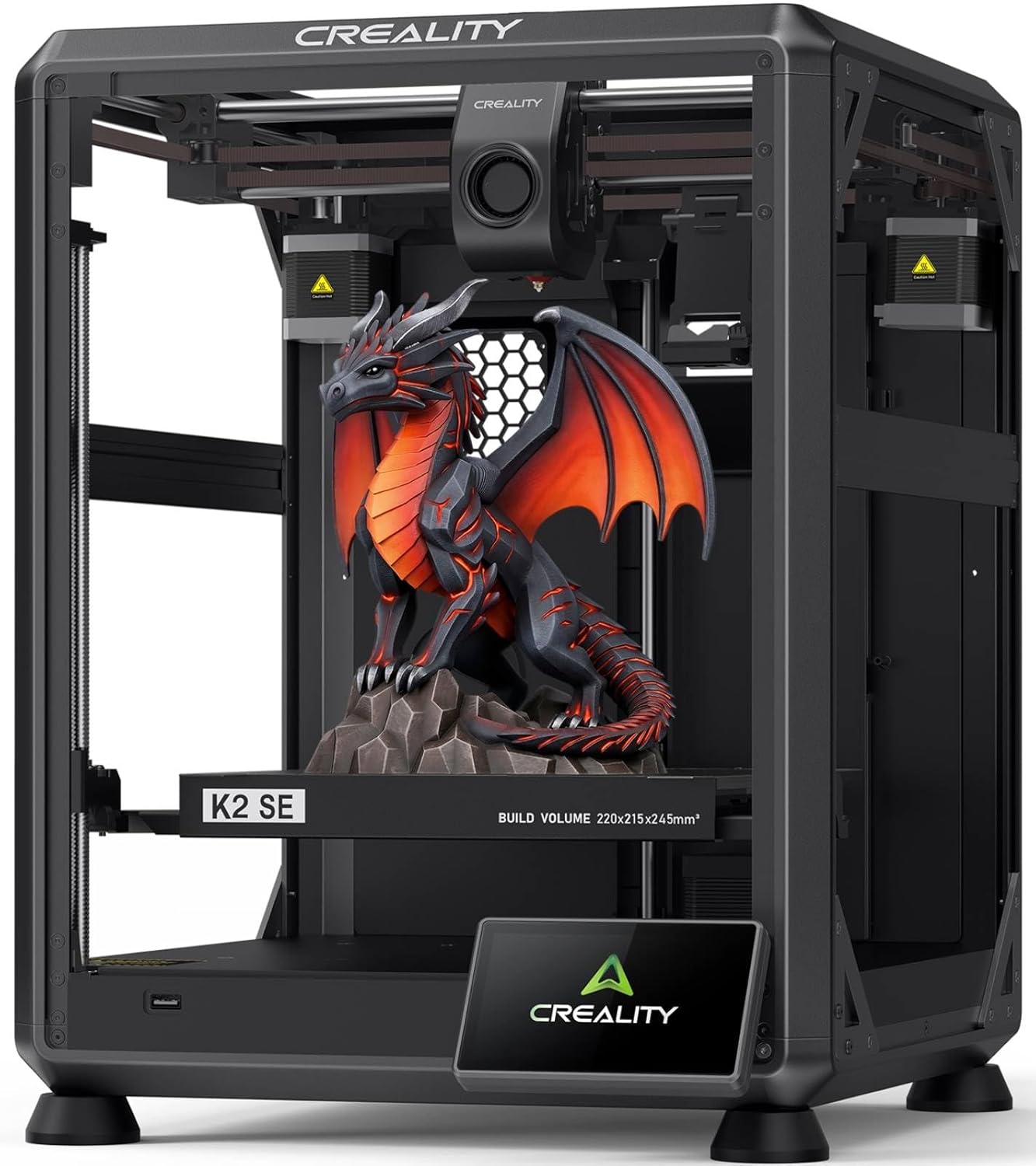
| Build Volume | 220×215×245mm |
|---|---|
| Max Printing Speed | 500mm/s |
| Extruder | Dual‑gear Direct Drive |
| Nozzle | Quick‑swap nozzle |
| Filaments Supported | PLA, PETG, TPU(95A), ABS, PLA‑CF |
The Creality K2 SE is a CoreXY desktop 3D printer aimed at faster, reliable printing for hobbyists and small‑scale makers. It uses a rigid die‑cast aluminum frame and dual‑side crossbeams to reduce vibration, and Creality pairs that hardware with input shaping and a vibration sensor so you can push print speeds up to 500mm/s while still getting cleaner walls and finer detail than typical budget machines. The modular direct‑drive extruder has hardened dual‑gear feeding, a quick‑swap nozzle, and a filament run‑out sensor, which helps when printing many repeat items like cookie cutter designs or multi‑part batches. Automatic one‑tap bed leveling and a touchscreen quick guide simplify setup and first‑layer tuning, so you can get consistent prints with minimal fiddling. The K2 SE is compatible with Creality's CFS multicolor system if you later want multicolor cookie cutters or accent details. Limitations to note are the relatively modest build volume for very large cutters and that achieving the absolute best surface finish may still require tuning when running at very high speeds.
Best for: Practical makers who value fast, repeatable prints and minimal setup time for small to medium cookie cutter batches and frequent prototyping.
Less Ideal for: Users who need single‑piece prints larger than the stated build area or who prioritize the absolute finest surface finish without investing time in tuning.
- Sturdy die‑cast aluminum CoreXY frame for reduced vibration and consistent dimensional accuracy
- High top speed (up to 500mm/s) with input shaping for faster batch production
- Modular direct‑drive extruder with hardened dual‑gear feeding and quick‑swap nozzle for reliable filament control
- One‑tap automatic bed leveling and touchscreen guided setup reduce setup time and failed first layers
- Compatible with Creality CFS multicolor system for future multicolor or multi‑filament work
- Build volume is limited compared with larger format printers if you need one‑piece very large cutters
- High‑speed printing may still require calibration to match the best surface finish quality
Verdict: Choose the K2 SE if you want a fast, stable, beginner‑friendly CoreXY printer that streamlines repeat production of small to medium cookie cutters.
Creality Ender 3 V3 SE
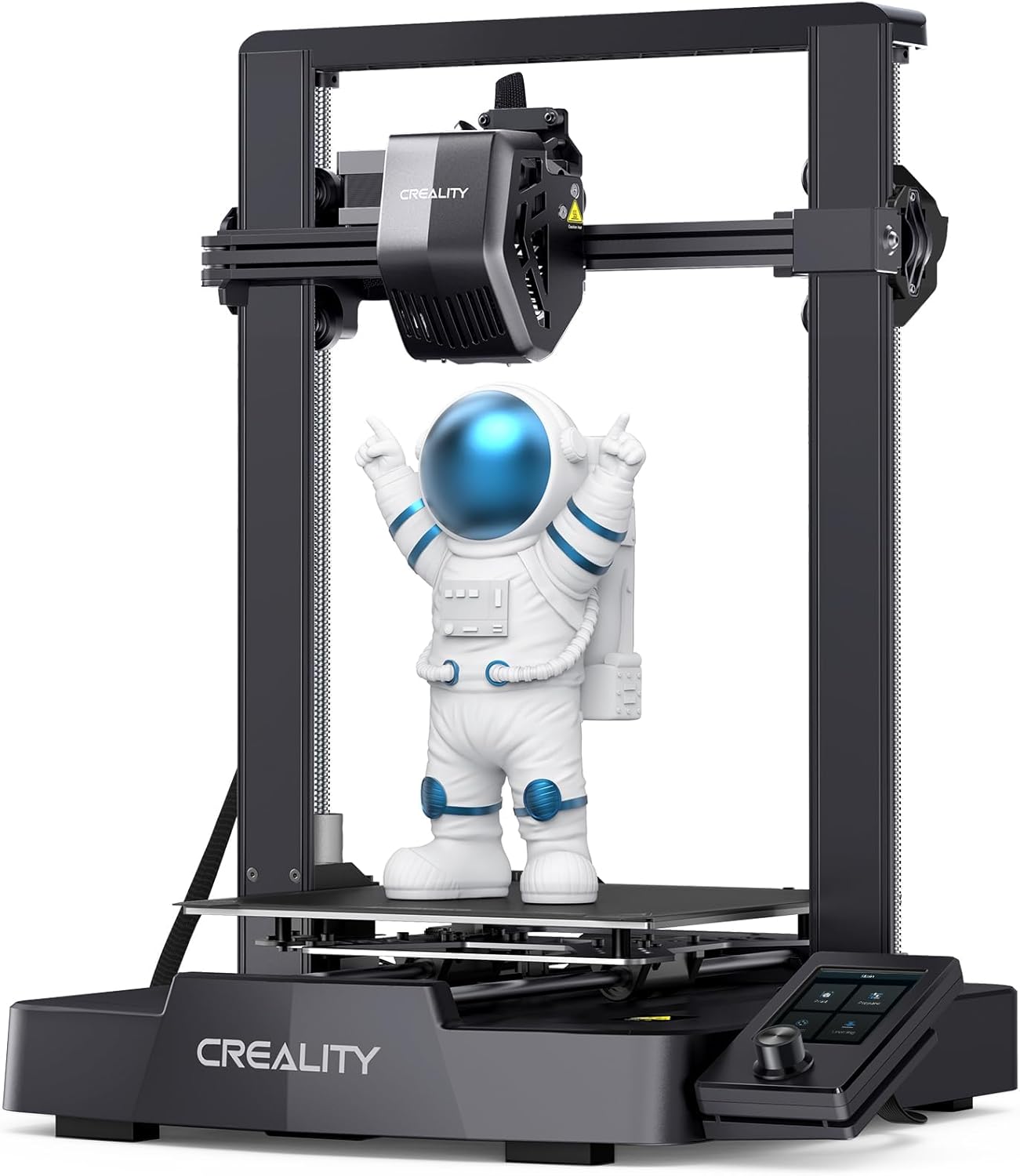
| Max printing speed | 250 mm/s |
|---|---|
| Supported filaments | PLA, PETG, TPU |
| Auto leveling | CR Touch with strain sensor |
| Extruder type | Sprite full-metal dual-gear direct extruder |
The Ender 3 V3 SE is a budget-friendly desktop FDM printer aimed at fast, user-friendly printing for hobbyists and makers. It ships partially preassembled so you can go from box to first print in roughly 20 minutes using a three-step setup. The Sprite full-metal dual-gear direct extruder improves filament feeding for PLA, PETG and flexible TPU, while CR Touch auto-leveling and a strain sensor handle bed leveling and Z-offset automatically. Dual Z-leadscrews and dual Y-axis linear shafts reduce wobble for cleaner layer alignment, and built-in auto filament load/unload plus a simple UI make material changes straightforward. Creality advertises up to 250 mm/s top speed with high acceleration, which shortens print time for many small parts like cookie cutters, though real-world print quality at top speed will depend on slicing settings. At this price point you get strong practicality and convenience, but advanced users seeking industrial-grade precision or larger build volumes may find limitations in maximum build size and fine-detail tuning compared with higher-end models.
Best for: A budget-focused home baker or hobbyist who needs a straightforward, fast printer for small to medium cookie-cutter runs and values quick setup and easy filament handling.
Less Ideal for: Professionals or users who need very large single-piece prints or the absolute finest surface detail at high throughput should consider larger or higher-precision machines instead.
- Fast advertised top speed (up to 250 mm/s) for quicker prints of small production runs.
- Sprite full-metal dual-gear direct extruder improves feeding for PLA, PETG and flexible filaments.
- CR Touch auto-leveling and strain sensor simplify setup and reduce failed first layers.
- Dual Z-axis and robust Y-axis linear shafts increase stability and reduce Z-wobble.
- Preassembly and auto filament load/unload cut setup time so you can start printing quickly.
- Build volume is modest compared with larger machines, limiting size of single cookie-cutter pieces.
- Maximum advertised speed may require dialing slicer settings to maintain fine detail at high speeds.
Verdict: A cost-conscious choice that delivers fast, easy-to-use desktop printing ideal for making cookie cutters and small production runs.
ELEGOO Neptune 3 Pro

| Build volume | 225×225×280 mm |
|---|---|
| Nozzle compatibility | Supports PLA, TPU, PETG, ABS |
| Extruder type | Dual-gear direct drive |
| Auto leveling | 36-point auto bed leveling |
| Noise level | Around 47 dB |
The ELEGOO Neptune 3 Pro is a ready-to-print FDM machine designed for dependable, everyday use. It arrives with major subassemblies pre-assembled and a toolkit, so you can be printing simple parts like cookie cutter prototypes quickly. The printer uses a dual-gear direct-drive extruder and a titanium throat plus brass nozzle, which together cut down on filament slips and clogs and make flexible materials like TPU easier to handle. Reliability-focused features include a 36-point auto bed leveling system, filament-runout detection, and power-loss resume so long prints survive interruptions. Motion is driven by an STM32 motherboard, silent stepper motors, dual Z lead screws and POM V-guide wheels for steadier, quieter movement around the build area. The PEI magnetic flexible build plate simplifies part removal for delicate cookie-cutter shapes. Trade-offs are the modest 225×225×280 mm build volume, which limits very large cutters, and some assembly and tuning will still be needed to get consistently perfect first layers for fine details. For straightforward, repeatable prints that need durability and minimal interruptions, it performs well.
Best for: Someone who prioritizes dependable, uninterrupted printing for small to medium cookie-cutting runs and wants features that reduce failed prints and maintenance time.
Less Ideal for: If you need to print very large cookie cutters in a single piece or want a completely out-of-the-box, zero-setup machine, look at larger or fully enclosed turnkey models instead.
- Dual-gear direct-drive extruder reduces filament slips and improves flexible filament handling
- 36-point auto bed leveling simplifies first-layer setup and improves consistency
- Filament runout sensor and power-loss resume protect long prints from interruptions
- Quiet stepper motors and stable dual Z lead screws produce smoother, lower-noise operation
- PEI magnetic flexible build plate makes part removal easier for thin cookie-cutter walls
- Build volume is relatively small for very large single-piece cookie cutters
- Some assembly and calibration still required to dial in fine-detail prints
Verdict: A compact, reliability-minded FDM printer with direct drive feeding and fail-safes that make it a solid choice for producing consistent cookie-cutter prints.
FLASHFORGE Adventurer 5M
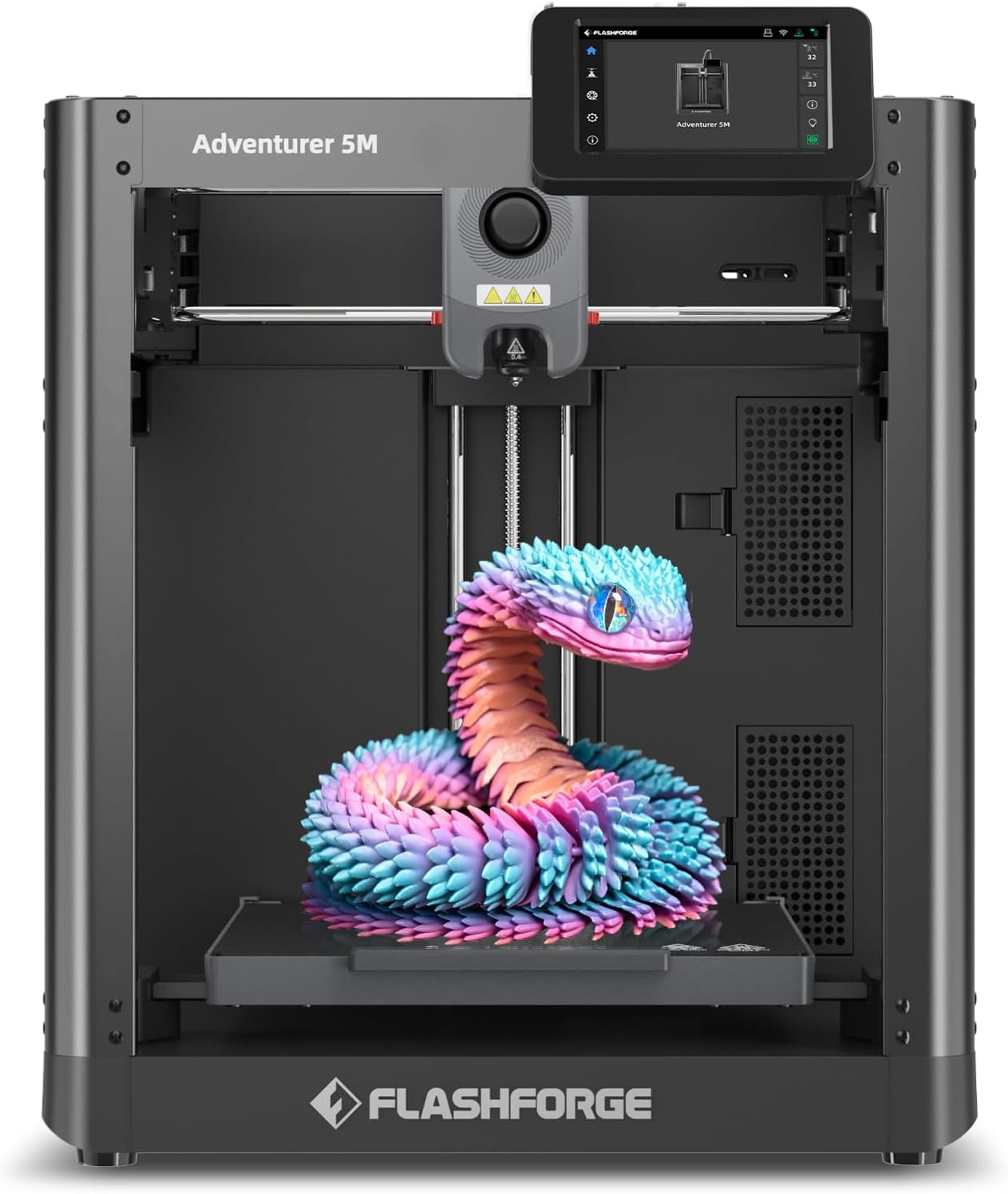
| Build Volume | 220 x 220 x 220 mm |
|---|---|
| Leveling Type | One-Button Auto Leveling |
| Travel Speed | 600 mm/s |
| Extruder Max Temp | 280°C Direct Drive |
| Platform Type | Double-Sided PEI Platform |
The Adventurer 5M is a CoreXY desktop 3D printer built around speed and convenience. It uses an all-metal CoreXY structure, a 280°C direct-drive extruder, and a double-sided PEI platform to handle common filaments like PLA, PETG, TPU and ABS while offering quick part removal. The printer emphasizes throughput with a 600 mm/s travel speed, high acceleration, a high-flow nozzle and a 3-second detachable nozzle system to shorten setup and swap times. One-button automatic bed leveling and a fast warm-up make first prints easier for less experienced users, and the Flash Maker mobile app enables remote monitoring during long prints. For making cookie cutters this model's fast PLA printing and reliable platform simplify iterative design and small-batch runs, though the focus on speed means dialing in print settings may be necessary to remove visible layer lines on very thin walls. The Adventurer 5M suits makers who want quick prototyping and frequent printing, but expect some tuning to balance speed with the finest cosmetic detail.
Best for: Designers and hobbyists who make small production runs and iterative cookie-cutter prototypes and prioritize fast, repeatable prints with minimal manual bed adjustments.
Less Ideal for: Users seeking the absolute smoothest cosmetic finish straight off the printer or those who need built-in multi-color printing without add-ons should consider other options.
- CoreXY all-metal structure for stable, high-speed motion
- One-button automatic bed leveling simplifies first-layer setup
- 280°C direct-drive extruder and quick-change nozzle support a range of engineering filaments
- Double-sided PEI platform for easy part removal and good adhesion
- Mobile app and camera options allow remote monitoring of prints
- High-speed focus may require tuning to get the smoothest surfaces on thin cookie-cutter walls
- No built-in multi-color head on this specific model for two-tone designs
Verdict: Choose the Adventurer 5M when you need a fast, easy-to-use printer for rapid prototyping and frequent small-batch cookie-cutter production.
Bambu Lab P1S 3D Printer
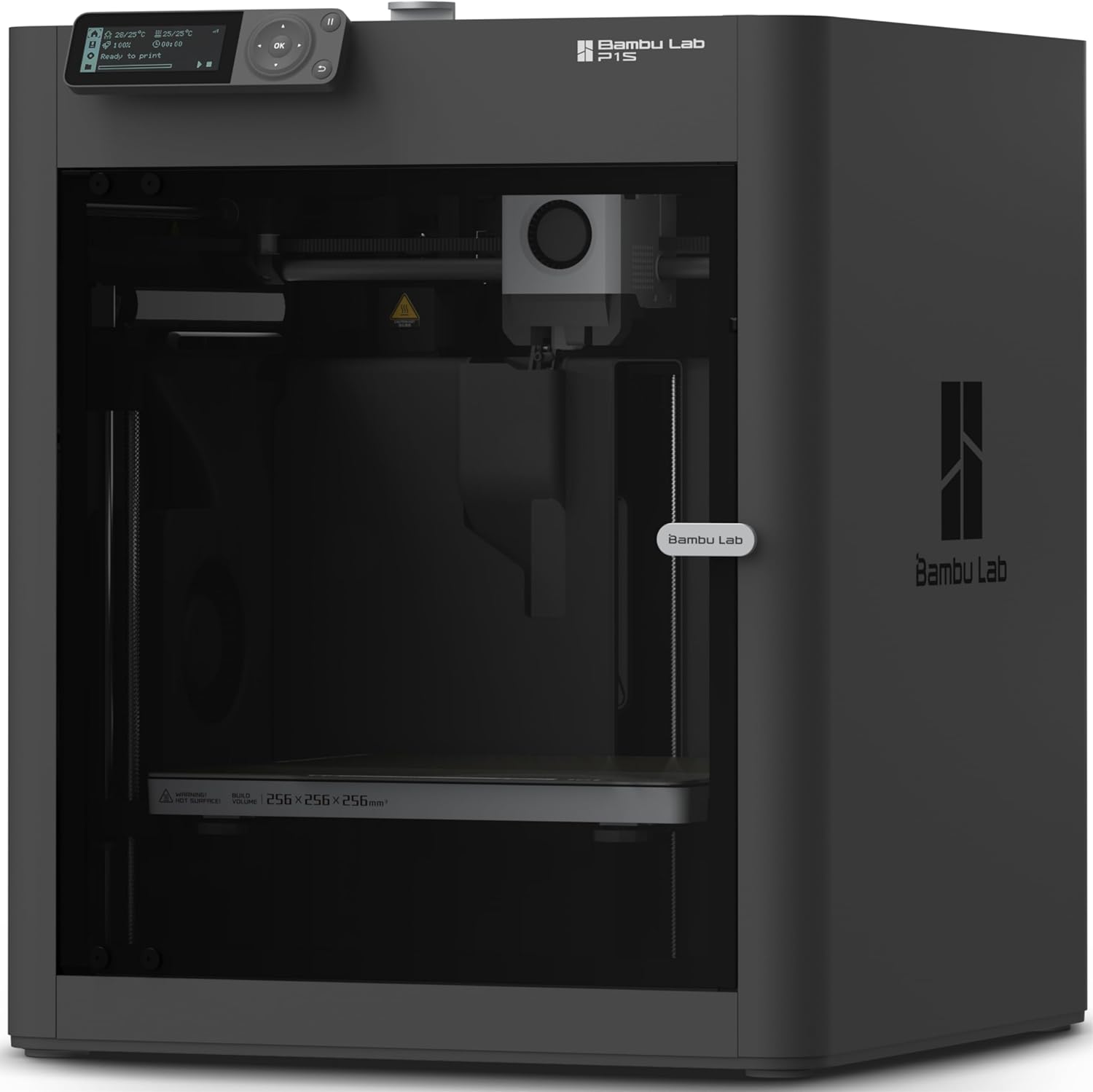
| Build Volume | 256×256×256 mm³ |
|---|---|
| Max Speed | 500 mm/s |
| Max Acceleration | 20000 mm/s² |
| Supported Filaments | PLA, PETG, TPU, PVA, PET, ABS, ASA |
The Bambu Lab P1S is an enclosed CoreXY FDM printer aimed at fast, dependable desktop printing. It ships ready to use and connects to Bambu Lab's MakerWorld model library, which makes finding and printing simple designs like cookie cutters straightforward for nonexperts. The printer supports common filaments including PLA, PETG and TPU, and its direct-drive extruder expands material compatibility to flexible filaments useful for snap-together or flexible cookie cutter designs. Auto bed leveling and a guided setup reduce the usual fiddliness of first-time calibration, and the enclosed body helps with more consistent results when printing small, flat parts. The P1S targets high throughput with advertised top speeds and high acceleration, so prints finish quickly, though extreme speed settings may require tuning for the thinnest wall details. Multi-color printing is possible using an external AMS accessory, but that requires an additional purchase and setup. For risk-averse users the straightforward setup, automated leveling and broad filament support make the P1S a practical machine for reliable cookie cutter production at home.
Best for: Someone who wants a low-hassle, reliable printer that produces consistent, ready-to-print parts and prefers guided setup and automated features over manual tuning.
Less Ideal for: Users who need built-in multi-color printing out of the box or who want to print highly reinforced composite filaments like carbon- or glass-filled materials.
- Enclosed CoreXY design for stable, consistent prints
- Auto bed leveling and quick 15-minute setup for low-friction first prints
- Direct-drive extruder supports flexible filaments like TPU
- Supports common filaments (PLA, PETG, TPU, PVA, ABS, ASA) for versatile cookie cutter materials
- Access to MakerWorld library simplifies finding printable designs
- Multi-color/multi-material printing requires purchasing and connecting the AMS accessory
- High top-speed capability may need tuning to preserve fine thin-wall details
Verdict: The P1S is a beginner-friendly, enclosed desktop printer that delivers fast, reliable single-color prints with minimal setup, making it a solid choice for producing cookie cutters at home.
Choosing the Right 3D Printer for Cookie Cutters: Key Factors to Consider
Print Accuracy and Layer Resolution
Edge crispness and small decorative details make or break a cutter design. Higher resolution settings and precise extrusion produce cleaner rims that cut dough evenly and release shapes predictably.
When evaluating accuracy, consider nozzle diameter, minimum layer height, and how well the printer maintains dimensional tolerances over larger runs. Accurate printers reduce the need for post-processing and ensure identical results across multiple prints.
Build Volume and Print Bed Size
The maximum printable area dictates the largest single cutter you can produce and how many small cutters fit in one print. Larger beds let you print full-size novelty cutters or batches of cutters in the same run, improving efficiency.
Also check usable bed surface and leveling method. A flat, reliably leveled bed prevents first-layer adhesion issues that can warp thin-walled cutter rims, which is especially important for larger or more intricate cutters.
Material Compatibility and Food Contact Considerations
Not all filament types are suitable for items that touch food. PLA is commonly used because it prints cleanly and is easy to post-process, but it is porous and can harbor bacteria unless sealed. PETG is tougher and less brittle, and some users prefer it for cutters that will see frequent use.
Consider whether the printer reliably extrudes the filaments you intend to use and whether the printer supports direct-extrusion or multi-extrusion setups if you plan to print a sacrificial inner surface or use soluble supports for complex shapes.
Ease of Use and Reliability
Frequent calibration, nozzle clogs, and adhesion failures add time and frustration. For hobbyists or small-batch bakers, a printer that is easy to set up, has stable temperatures, and includes good leveling aids saves time.
Also consider firmware maturity and community support. Well-documented machines and active user forums make troubleshooting easier and shorten the learning curve when dialing in small-wall prints like cookie cutters.
Print Speed and Batch Throughput
If you plan to produce multiple cutters or run small batches, print speed affects how many cutters you can produce per day. Faster travel moves and higher extrusion rates shorten individual part times, but may sacrifice fine detail if pushed too far.
Balance speed with layer height and wall thickness settings; often the best throughput comes from optimizing slicer profiles rather than just selecting the fastest machine.
Slicing Settings That Matter for Cookie Cutters
Slicer settings have an outsize effect on final cutter quality. Wall thickness, top and bottom layer counts, and infill type determine the rigidity and edge definition of a cutter. For most cutters, a single solid perimeter with modest infill or even a solid shell is preferable to avoid gaps where dough could tear.
Pay attention to retraction and travel moves to avoid stringing across fine interior cuts. Slowing print speed for intricate areas and increasing cooling for small layers will improve edge quality without changing hardware.
- Use a nozzle diameter and layer height combination that preserves detail but prints reliably.
- Set at least two or three perimeters for stronger rims.
- Enable coasting or combing to reduce blobs on edges.
- Adjust cooling to solidify thin walls quickly and prevent deformation.
Post-Processing and Making Cutters Safe
Because many filaments are porous, some post-processing is recommended for food contact. Light sanding to remove visible layer lines, followed by a food-safe sealant or coating, reduces places where residue or bacteria can accumulate. Alternatively, use a dedicated food-safe filament and replace cutters regularly.
Be realistic about food-safety claims. Heat-resistant, nonporous finishes and careful cleaning practices help, but printed plastics do not match nonporous stamped metal cutters for long-term hygiene without proper care.
- Sand sharp edges and fill gaps before sealing.
- Use food-safe epoxy or a certified sealant if direct dough contact is intended.
- Label cutters intended for raw dough versus decorative fondant to avoid cross-contamination.
Design Tips for Durable Cookie Cutters
Design choices influence durability and cutting performance. Thicker rims and a reinforcing lip add strength and help with repeated pressing into stiff dough. A comfortable grip or thumb rest on larger cutters improves control and reduces hand fatigue during batch work.
Include small radii on internal corners to prevent stress concentrations that can snap thin walls. For push-out designs, add a shallow ejector recess so the cutter can be emptied without bending or damaging the rim.
- Aim for wall thicknesses that balance stiffness and print time.
- Reinforce corners and thin sections with fillets.
- Design for easy cleaning by avoiding enclosed cavities where dough can get trapped.
Maintenance and Upkeep for Consistent Prints
Regular maintenance keeps prints consistent. Clean the build plate and check for proper adhesion before every batch. Replace nozzle tips or keep a spare on hand to minimize downtime from clogs or wear.
Calibrating extrusion and checking belt tension ensures dimensional accuracy for repeatable cutter sizes. Document your preferred slicer profiles so you can reproduce settings quickly for recurring designs.
- Wipe and relevel the bed regularly.
- Run test cubes or single perimeter prints when changing materials.
- Keep firmware and slicer software up to date for improved printer behavior.
How We Chose the Best 3D Printer for Cookie Cutters
We focused on attributes that directly affect cookie-cutter printing and everyday usability. Accuracy and layer resolution determine how clean cutter edges and small decorative details print. Bed size and build volume matter for cutter dimensions and whether you can print multiple cutters in one run. Material compatibility was a top filter because many buyers prefer PLA or PETG variants that can be cleaned and, when finished correctly, are safer for contact with dough. We also weighed reliability and ease of use since frequent nozzle clogs, adhesion failures, or complex calibration steps slow production. Print speed was considered where it impacts throughput for small batches. Finally, we evaluated the firmware and ecosystem for slicing compatibility and community support, which matter for adjusting wall thickness and skirt settings for cookie cutters. Excluded from consideration were specialty industrial machines designed for metal or resin parts not suited to basic food-contact cutter production, and printers that lack a minimum practical heated bed or consistent extrusion reliability. The shortlist reflects devices that balance print fidelity, repeatable results, and materials commonly used when making cookie cutters.
Our full evaluation process is outlined in our review methodology.
FAQ
Can I print cookie cutters that are safe to use with raw dough?
Often, yes with caveats. Many users print cutters from PLA or PETG and then sand and seal them with a food-safe coating. Printed plastics are porous, so regular replacement and careful cleaning are important if you intend to contact raw dough frequently.
What filament is best for durability and ease of cleaning?
PETG is a common choice for toughness and lower brittleness compared with PLA. PLA prints more easily at lower temperatures and finishes clean, but PETG resists wear better. Either requires post-processing to be fully nonporous for long-term food contact.
Do I need a heated bed to print cookie cutters?
A heated bed is helpful but not strictly required for small PLA cutters. It improves first-layer adhesion for larger parts and when printing with PETG or other materials that benefit from a heated surface.
What build volume should I look for?
Choose a bed size that comfortably fits your largest expected cutter plus clearance. For occasional novelty cutters, a modest bed is fine. If you plan to print batches or large single cutters, a wider bed reduces the need to split designs into multiple prints.
How thick should cutter walls be?
Wall thickness depends on cutter size and dough type but usually ranges from 1.5 to 3.0 mm for a good balance of strength and cutting edge definition. Thicker walls add rigidity but increase print time and material use.
Final Verdict
For printing cookie cutters, prioritize machines that deliver consistent dimensional accuracy, support the filaments you plan to use, and offer a bed large enough for the cutter sizes you want to make. Ease of use and reliable extrusion reduce wasted prints and speed up batch production. Balance speed against fine-detail settings and plan for post-processing if you intend cutters to contact food. With a focus on accuracy, material compatibility, and repeatable performance, you can pick a printer that reliably produces durable, usable cookie cutters.