
Note: This article contains affiliate links. If you click on these links and make a purchase, we may earn a small commission at no extra cost to you. This helps support our research and content. Read our full affiliate disclosure here.
If you plan to make wearable armor pieces, the right 3D printer makes the difference between fragile props and durable, fit-for-wear components. For cosplay armor you need machines that can print large sections or reliable seam-friendly parts, handle impact-resistant filaments, and reproduce detail for embellishments. This guide shortlists the top 3D printers for cosplay armor that meet those needs and explains the tradeoffs in build volume, material support, and post-print finishing. Below are our top picks with criteria used to evaluate them and practical advice to help you pick the best machine for your workshop.
Top Picks at a Glance
| Best Overall The best all-around choice for most situations | QIDI Q2 3D Printer |  |
| Best Quality Built to a higher standard if you want something more solid | Original Prusa CORE One |  |
| Best Value The sweet spot between price and what you get | ELEGOO Centauri Carbon |  |
| Best Budget The cheapest option that still gets the job done reliably | ELEGOO Neptune 3 Pro |  |
| Top Rated A top-rated pick with lots of positive feedback | Anycubic Kobra X |  |
| Most Popular A crowd favorite that many people choose with confidence | FLASHFORGE Adventurer 5M |  |
| Best Seller A high-volume bestseller chosen again and again | FLASHFORGE AD5X 3D Printer | 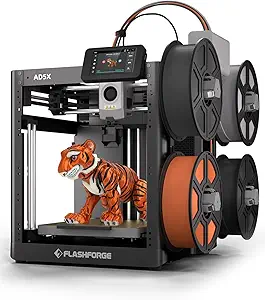 |
QIDI Q2 3D Printer

| Build Volume | 270×270×256 mm |
|---|---|
| Chamber Temperature | ≤65℃ |
| Print Head Temperature | ≤370°C |
| Speed of Tool Head | ≤600 mm/s |
The QIDI Q2 is a feature-rich CoreXY desktop printer aimed at makers who want a step up from hobby machines without moving to industrial equipment. It uses a full‑metal CoreXY frame and linear guide rails for stable, high‑speed motion (up to 600 mm/s) and a nozzle rated to 370°C so you can print engineering filaments and fiber-reinforced composites useful for strong cosplay parts. The second‑generation PTC heated chamber (up to 65°C), integrated auto‑leveling nozzle sensor, and closed‑loop temperature controls reduce warping on larger ABS and PA prints, which helps when producing armor panels. Practical touches include filament run‑out and tangle detection (with the QIDI Box multi‑material unit), power‑loss recovery, AI camera monitoring, and a triple filtration system to cut odors and particles for safer indoor use. Trade‑offs are its weight and physical footprint compared with small hobby printers and that advanced materials and multi‑color setups are best used with the optional QIDI Box and some tuning of slicer profiles.
Best for: Cosplayers and prop makers who need a reliable desktop printer capable of printing strong engineering plastics and larger armor pieces while minimizing warping and indoor emissions.
Less Ideal for: If you need a very small, lightweight printer for casual PLA prints or want ready‑to‑use multi‑color prints without accessories, a simpler consumer model is a better fit.
- Sturdy CoreXY metal frame and linear rails for stable, high‑speed printing
- 370°C nozzle supports engineering and composite filaments for durable parts
- 65°C heated chamber reduces warping on ABS, PA, and larger prints
- Integrated auto‑leveling nozzle sensor and power‑loss recovery for reliable first layers
- Triple filtration (G3+H12 HEPA+activated carbon) improves indoor air safety
- Large and relatively heavy compared with compact hobby printers
- Full multi‑color/multi‑material capability requires the optional QIDI Box and extra setup
Verdict: Choose the QIDI Q2 when you want a stable, higher‑temperature desktop printer that makes durable, low‑warp cosplay armor parts possible with real engineering materials.
Original Prusa CORE One

| Build Volume | 250 x 220 x 270 mm |
|---|---|
| Filament diameter | 1.75 mm |
| Layer height | 0.05-0.30 mm |
| Max nozzle temperature | 290 °C / 554 °F |
| Max chamber temperature | 55 °C / 131 °F |
The CORE One is a ready-to-use, enclosed CoreXY printer built for speed and consistent dimensional accuracy. It arrives assembled and needs only a one-time calibration to start printing, and its Nextruder direct-drive system with a high-flow 0.4 mm Prusa nozzle plus 360° cooling supports steep overhangs and smooth bridging. Active chamber temperature control (up to 55 °C), a heated bed to 120 °C, and dual filament sensors make it suited to printing PLA, PETG and many engineering filaments like ASA, ABS and nylon without excessive warping. With Input Shaper and factory-tuned profiles for 200+ filaments, you can push faster print speeds without a major hit to quality. The printer's all-steel exoskeleton and compact footprint help with stability and repeatable results, and offline operation keeps prints private. Expect a robust machine that favors reliability and throughput for extended runs, with the main caveat being its professional focus — it is heavier and more industrially minded than hobbyist consumer models.
Best for: Serious makers and costume builders who prioritize print speed, repeatable dimensional accuracy, and reliable multi-material printing for large cosplay armor parts.
Less Ideal for: Casual hobbyists wanting a lightweight, ultra-compact printer for occasional small prints or those on a strict budget should consider simpler consumer models instead.
- Enclosed CoreXY design with active chamber control for better results on engineering filaments
- Factory-tuned profiles and Input Shaper enable faster prints with maintained dimensional accuracy
- Direct-drive Nextruder plus 360° cooling improves overhangs and fine detail
- Sturdy all-steel exoskeleton built for long-term reliability and easy maintenance
- Includes filament sensors and one-click/plug-and-print setup for quick start
- Larger, heavier professional chassis that is less portable than consumer desktop printers
- Focused on performance and durability so it may be more than needed for casual, occasional prints
Verdict: Choose the CORE One if you need a robust, high-speed enclosed printer that reliably handles large cosplay armor parts and advanced materials.
ELEGOO Centauri Carbon

| Build Volume | 256 × 256 × 256 mm |
|---|---|
| Max Printing Speed | 500 mm/s |
| Max Hot End Temp. | 320 °C |
| Supported Filament | Carbon/Glass Fiber Reinforced Filaments/PLA/PETG/ABS/ASA/TPU/PET/PC/PA |
| Connectivity | USB & Wi-Fi |
The ELEGOO Centauri Carbon is a ready-to-run, enclosed CoreXY FDM printer aimed at fast, durable parts and advanced materials. It ships assembled with auto bed leveling and touchscreen controls so you can start printing quickly, and the 256×256×256 mm build volume handles medium-size cosplay armor pieces and prop components. The CoreXY motion, high-flow hotend and 320°C maximum nozzle temperature let it print carbon or glass fiber reinforced filaments as well as PLA, PETG and ABS, while the hardened steel dual-gear direct extruder and brass-hardened nozzle resist abrasive filaments. A rigid die-cast frame plus vibration compensation and pressure advance help maintain surface quality even at high speeds, and the enclosed metal-and-glass chamber with a camera and dual lighting makes monitoring and time-lapses easy. Trade-offs include a focus on speed that may require tuning for the best surface finish on complex organic shapes and the need to source optional nozzle sizes for very fine or very large extrusion widths. For costume builders who want faster, stronger prints without heavy assembly, it is a practical, material-capable choice.
Best for: Cosplay builders who prioritize faster production and the ability to print strong, heat-resistant parts from advanced filaments while minimizing setup time.
Less Ideal for: Hobbyists who need the absolute finest surface finish out of the box for intricate organic sculptures or those unwilling to tune high-speed printers should consider slower, finer-resolution machines instead.
- Ready-to-print out of the box with auto-leveling and touchscreen controls
- CoreXY mechanics with up to 500 mm/s and high acceleration for much faster prints
- 320°C all-metal hotend and hardened steel extruder for abrasive and high-temp filaments
- Enclosed metal-and-glass chamber with built-in camera and dual lighting for monitoring
- Die-cast frame with vibration compensation and pressure advance for improved stability and layer quality
- High-speed default settings may need tuning to optimize surface finish on detailed armor parts
- Optional nozzle sizes are not all included and must be purchased separately
Verdict: A fast, enclosed CoreXY printer built for cosplay makers who want strong, heat-resistant parts and minimal setup time.
ELEGOO Neptune 3 Pro

| Build volume | 225×225×280 mm |
|---|---|
| Extruder type | Dual‑gear direct drive |
| Nozzle assembly | Titanium throat + brass nozzle |
| Auto leveling | 36‑point one‑click |
| Noise level | ~47 dB |
The ELEGOO Neptune 3 Pro is a user‑friendly FDM printer aimed at hobbyists and makers who need dependable prints without a steep learning curve. It ships partially assembled with an 8.85×8.85×11 inch build volume that fits many cosplay parts and armor panels, and one‑click 36‑point auto bed leveling reduces fiddly first‑layer adjustments. A dual‑gear stainless steel direct‑drive extruder and upgraded nozzle throat with improved heat dissipation help feed flexible filaments like TPU and handle PLA, PETG, and ABS with fewer jams. Practical features such as filament runout detection and power‑loss resume save long prints from common interruptions, while dual lead screws and POM V‑guide wheels stabilize Z movement for cleaner layer alignment. The machine is relatively quiet thanks to silent stepper motors, and the PEI magnetic platform makes part removal easier. Limitations: build area is mid‑range rather than large format, and while the unit is convenient for beginners the printer still benefits from some tuning for large armor pieces and heavy engineering filaments.
Best for: Cosplay makers on a budget who want a mostly turn‑key printer that can produce reliable parts for armor and props with minimal setup and interruptions.
Less Ideal for: Professionals needing very large single‑piece prints or repeatable industrial throughput should consider larger format or enclosed printers designed for heavy engineering materials.
- Convenient 36‑point auto bed leveling for reliable first layers
- Dual‑gear direct‑drive extruder reduces clogs and handles flexible filaments
- Filament runout sensor and power‑loss resume protect long prints
- Sturdy Z‑axis with dual lead screws for improved layer accuracy
- PEI magnetic build plate simplifies part removal
- Build volume is mid‑sized and may require printing large armor in multiple pieces
- Not a fully enclosed design so some filaments may need an external enclosure to print optimally
Verdict: A budget‑minded, beginner‑friendly printer that reliably produces cosplay armor parts at a mid‑range build size with helpful features to protect long prints.
Anycubic Kobra X

| Print volume | 260×260×260mm³ |
|---|---|
| Max hotend temp | 300C |
| Recommended filaments | PLA, PETG, TPU, PVA, ABS |
| Auto leveling | LeviQ 3.0 49-point |
The Anycubic Kobra X is a beginner-friendly FDM printer that stretches into multicolor and higher-speed workflows while keeping setup simple. It ships with LeviQ 3.0 automatic 49-point bed leveling, a 720p camera with AI monitoring, and sensors for power-loss and filament runout, so long prints are protected and interruptions are minimized. Multicolor output is handled by ACE GEN2/ACE 2 Pro accessories that let the system expand from native 4-color to up to 19 colors, and the hardened steel hotend reaches temperatures up to 300C for PLA, PETG, TPU, PVA and ABS-like materials. The machine targets speed with claimed up to 600 mm/s performance and vibration compensation to preserve detail. For cosplay armor that needs durable shells and layered color, the Kobra X handles tougher filaments and long runs reliably, and the active drying and humidity sensing in the ACE 2 Pro help prevent filament issues. Expect some complexity when configuring true multicolor hubs and a learning curve tuning advanced multicolor prints, but for robust single- and multi-material armor parts the Kobra X offers useful reliability and monitoring features.
Best for: Builders who prioritize dependable long prints and automated safeguards for producing large cosplay armor parts and want a printer that eases first-time setup and monitoring.
Less Ideal for: Buyers who need out-of-the-box full multicolor capability without extra modules or those wanting a fully enclosed industrial system for very large or high-temperature engineering materials.
- Automatic 49-point LeviQ leveling reduces failed first layers
- Hardened steel hotend to 300C supports a wide range of filaments
- Power-loss recovery and filament runout sensors protect long prints
- Built-in camera and AI detection provide real-time monitoring and error alerts
- Native multicolor requires additional ACE modules and setup to reach expanded color counts
- High advertised speeds may require tuning to maintain print quality on large armor pieces
Verdict: Choose the Kobra X when you need a reliable, monitored 3D printer that minimizes failed long prints and supports durable cosplay materials with straightforward setup.
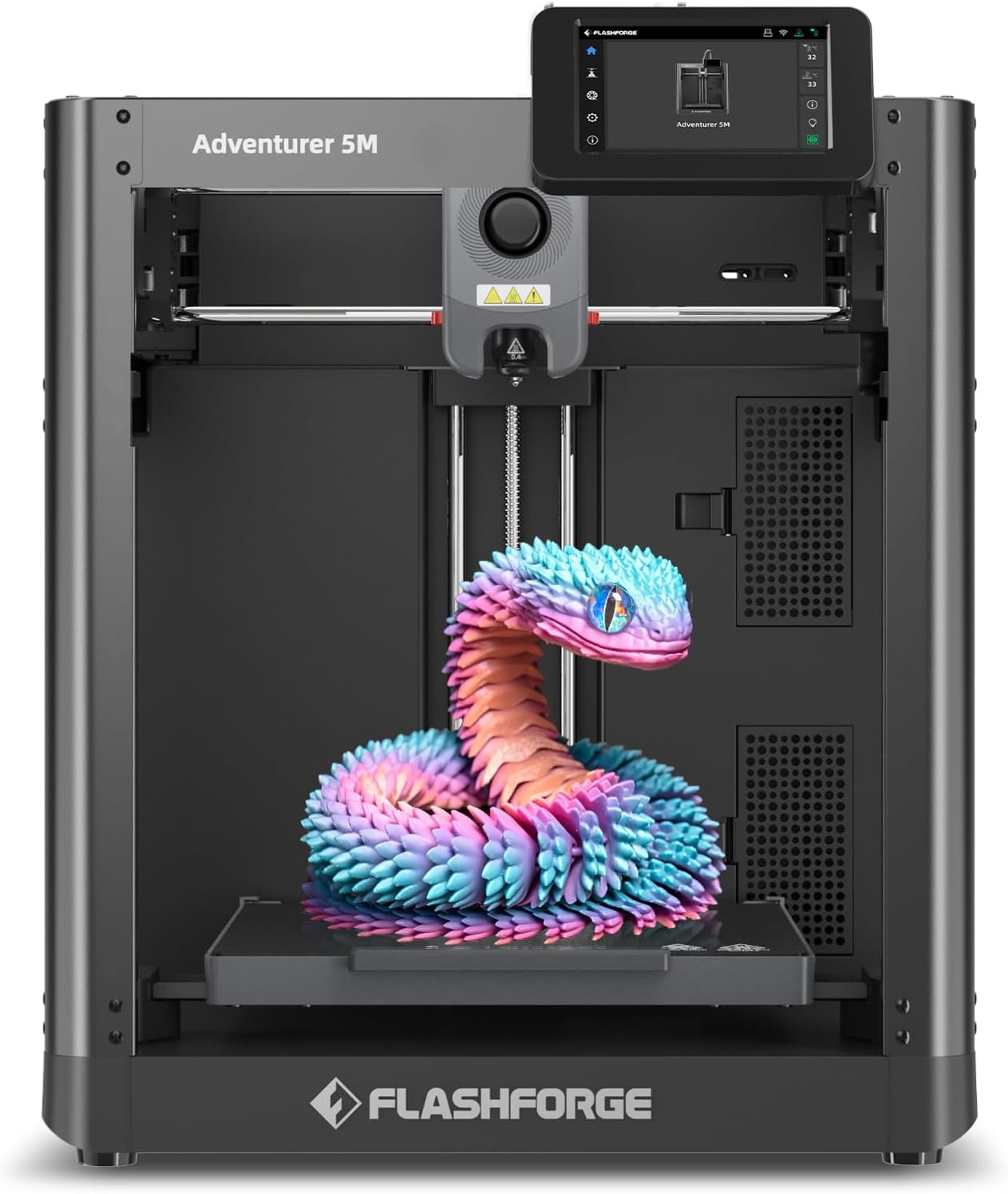
FLASHFORGE Adventurer 5M
| Build Volume | 220 x 220 x 220 mm |
|---|---|
| Extruder Max Temp | 280°C |
| Travel Speed | 600 mm/s |
| Platform Type | Double-Sided PEI Platform |
| Structure | All-metal Core XY Structure |
The Flashforge Adventurer 5M targets makers who need faster turnarounds without sacrificing reliable first layers. It uses an all-metal CoreXY structure and a 280°C direct extruder with a high-flow nozzle for quick, consistent extrusion, while one-button automatic bed leveling and a dual-sided PEI platform simplify setup and part removal. The AD5M pushes travel speeds up to 600 mm/s and high acceleration for much shorter print cycles, which helps when producing large cosplay armor panels or many small connectors. Practical touches like a 3-second detachable nozzle, multiple nozzle sizes, and mobile app monitoring make multi-part jobs easier to manage. Expect good surface quality for PLA and PETG and workable results with engineering filaments, though printing large, highly detailed armor pieces may still require slower passes or slicing tuned for strength to avoid artifacts at very high speeds. Overall this printer leans toward speed and convenience, making it a solid option when you need to prototype and iterate costume components quickly.
Best for: Cosplayers and prop makers who prioritize fast iteration and frequent prototyping of costume panels and fittings and want a plug-and-play machine that minimizes leveling and setup time.
Less Ideal for: Users seeking the absolute finest surface finish at the slowest print speeds or those who need an open-frame, heavily modifiable machine for experimental multi-material or specialty filament work.
- High travel speed and acceleration (600 mm/s and 20,000 mm/s²) cuts print time for large panels
- One-button automatic bed leveling reduces setup time and improves first-layer consistency
- 280°C direct extruder and high-flow nozzle support a range of filaments including PETG and some engineering materials
- Dual-sided PEI platform enables easy part removal and repeatable adhesion
- Quick 3-second detachable nozzle and multiple nozzle sizes speed maintenance and nozzle swapping
- Very high advertised speeds may require tuning and slower print settings for best detail and strength
- Not all advanced engineering filaments or multi-material workflows are supported out of the box
Verdict: If you need rapid, repeatable prints for cosplay armor prototypes and want a mostly turnkey printer that trades some fine-detail patience for much faster production, the Adventurer 5M is a strong choice.
FLASHFORGE AD5X 3D Printer

| Build volume | 220×220×220 mm |
|---|---|
| Extruder max temp | 300°C |
| Structure | Open, Core XY |
| Supported filaments | PLA/ABS/PETG/TPU/CF/etc. |
| Max travel speed | 600 mm/s |
The AD5X targets hobbyists and small-scale makers who need faster, reliable prints for props and armor parts. It uses a Core XY frame and a 300°C direct-drive extruder to handle PLA, ABS, PETG and flexible filaments, and supports up to four-color simultaneous printing for layered or multi-material details. Practical features include one-click auto bed leveling, automatic filament feeding/retraction, a quick-detach nozzle system, and resume-after-power-loss so long prints survive interruptions. The printer's selectable nozzle sizes (0.25–0.8 mm) let you choose fine detail or faster, stronger shells for larger armor panels. Flash Maker app connectivity and an expandable camera/lighting option make remote monitoring straightforward. Expect faster throughput thanks to claimed travel speeds up to 600 mm/s, but achieving top acceleration and top speeds will require tuning and suited profiles for quality versus speed. The AD5X is an open-frame machine, so users building cosplay pieces should plan for enclosure or post-processing when printing temperature-sensitive filaments or large parts.
Best for: A maker who prioritizes dependable, feature-rich printing for costume parts and wants a machine that reduces setup friction with auto-leveling and filament management.
Less Ideal for: If you need an enclosed, ultra-quiet printer for printing large ABS parts straight out of the box or you prefer a plug-and-play machine with minimal tuning, look at fully enclosed turnkey models instead.
- Core XY structure for higher speed and better motion stability
- 300°C direct-drive extruder supports a wide range of filaments including flexible materials
- One-click auto bed leveling and resume-after-power-loss reduce failed prints
- Four-color multi-material printing expands finish and detail options for armor pieces
- Open-frame design without built-in enclosure may require an aftermarket enclosure for ABS or temperature-sensitive prints
- Real-world print quality at top speeds requires careful tuning and may not match slower high-resolution settings
Verdict: Choose the AD5X when you want a faster, versatile Core XY printer with multi-color capability and user-friendly features that cut down failed prints for cosplay armor production.
Choosing the Right 3D Printer for Cosplay Armor: Key Factors to Consider
Build Volume and Printable Envelope
Large, uninterrupted build volume reduces the need to split armor into many smaller parts, which simplifies assembly and improves strength at seams. Consider not only maximum dimensions but also usable height and bed flatness because warped beds limit the effective print area.
If your workflow involves casting or sandwiching printed shells, aim for a printer that can handle full chest plates or long greaves in single pieces. For modular armor, a mid-size bed that supports common panel dimensions may be sufficient and easier to manage in a small workspace.
Material Support and Hot-End Capability
Armor pieces often require tougher materials than standard PLA. Look for printers with a heated bed and durable hot end that reach temperatures needed for materials like PETG, ASA, or certain high-adhesion blends. All-metal hot ends and reliable thermistors improve consistency when printing abrasive or high-temp filaments.
Also consider filament feed systems and compatibility with flexible or fiber-filled filaments if you plan to print shock-absorbing layers or reinforced parts. Machines that allow third-party filament and easy filament path adjustments reduce costs and broaden material options.
Print Reliability and Long-Print Stability
Large armor components often require long print times where failures are costly. Sturdy frames, well-tuned motion systems, and stable thermal control reduce layer shift, ghosting, and extrusion hiccups on multi-hour prints. Look for printers with active cooling designs, reliable stepper drivers, and a history of sustained uptime.
Features such as filament runout detection and power-loss recovery are important for long jobs. They do not guarantee success but can significantly increase the chance a long armor piece completes without intervention.
Dimensional Accuracy and Repeatability
Armor needs to fit the wearer and mate cleanly at seams. Tight tolerances and repeatable positioning let you design interlocking tabs, alignment pins, and mounting points that work on the first try. Precision motion components, good lead screws or belts with minimal backlash, and well-calibrated slicer profiles improve fitment.
Consistent layer height control and predictable shrinkage behavior help when matching multiple parts printed at different times. Pay attention to community or manufacturer guidance on calibration routines to maintain accuracy.
Surface Finish and Ease of Post-Processing
Most cosplay armor requires sanding, filling, and painting. Printers that produce smooth first layers, consistent surface texture, and minimal visible layer steps reduce finishing time. Consider machines that support variable layer heights and finer nozzle sizes for decorative sections.
Also evaluate how easy it is to remove parts from the bed without damage, and whether the printer supports common finishing workflows such as vapor smoothing or chemical priming for compatible plastics.
Workspace and Noise Considerations
Large printers can dominate a workshop and generate noise during long prints. Consider the physical footprint, enclosure options, and ventilation needs if you print indoors. Enclosures improve temperature stability for higher-temp materials and reduce odor, but they add bulk.
If you plan to print overnight or in shared spaces, factor in fan noise and motor noise. Some printers offer quieter stepper drivers and better vibration isolation, which improves both user comfort and print quality.
Preparing 3D Models for Wearable Armor
Designing for wearability changes how you model parts compared with static props. Plan for human contours, movement joints, and overlap zones where straps or fasteners will sit. Add modest tolerances to mating surfaces and incorporate alignment features to simplify assembly.
Break large shapes into panels that follow natural body lines. When parts must be split, use tongue-and-groove joints or keyed tabs to ensure correct alignment during gluing or bolting. Consider internal cavities for weight reduction and places to hide attachment hardware.
- Add 1–2 mm clearance for wearable seams
- Design mounting points for straps and rivets
- Use internal honeycombs or lattices to cut weight
Best Filaments and Treatments for Durable Armor
Choose filaments that balance stiffness and impact resistance. PETG and ASA are common choices for wearable armor because they resist impact better than standard PLA and tolerate sanding and paints well. For flexible impact zones, TPU blends can provide shock absorption.
Post-print treatments like epoxy or surface primers significantly increase durability and allow seamless painting. A thin coat of epoxy resin can reinforce layer bonds and create a smooth surface ready for filler and paint.
- Use PETG or ASA for structural panels
- Reserve TPU for flexible trim or padding
- Apply epoxy or automotive primer for strength and finish
Finishing Techniques That Save Time
Organize finishing steps to minimize rework. Start with light sanding to remove layer lines, fill gaps with flexible fillers where movement is expected, and then progress to higher-grit sanding before priming. Work on multiple pieces in parallel so waiting times for drying or curing overlap.
When painting, use adhesion-promoting primers and multiple light coats rather than a few heavy ones. Masking and pre-painted inserts can speed up repetitive detailing and preserve fine printed textures where needed.
- Sand progressively from 120 to 400 grit
- Use flexible filler on joints subject to movement
- Spray multiple thin primer coats for even coverage
Workshop Setup for Large-Format Printing
Give large printers a stable surface and room to access the print from all sides. Enclosures help with temperature control when printing heat-sensitive filaments and reduce drafts that can cause warping. Ensure adequate ventilation if you print materials that emit fumes.
Organize filament storage near the printer and consider a dry box or controlled environment for hygroscopic materials. Keep a toolkit for common maintenance tasks like belt tensioning, nozzle swaps, and bed leveling to minimize downtime.
- Provide a stable, level table with clearance
- Use an enclosure for high-temperature materials
- Store filaments in dry conditions to avoid print defects
Scaling Up: When to Use Modular Builds
Even with large beds, some armor shapes benefit from a modular approach. Modular builds let you print complex curves without specialized equipment and make transport and fitting easier. Plan seams where they will be least visible and reinforce them internally.
Modularity also helps with iterative fitting. You can reprint a single panel for fit adjustments rather than reprinting an entire costume piece, which saves time and filament.
- Design panels for easy alignment and reinforcement
- Keep repeated panels identical to simplify production
- Label pieces and maintain a digital parts inventory for reprints
How We Chose the Best 3D Printer for Cosplay Armor
We focused on practical, workshop-ready criteria that directly affect the ability to produce wearable cosplay armor. Primary evaluation factors included build volume and usable print envelope, because larger printable areas reduce the need to segment armor into many small panels. Material compatibility and heated-bed/ hot-end capability were weighted heavily to ensure reliable printing of impact-resistant filaments and specialty blends useful for wearable parts. Print reliability and consistent layer adhesion were assessed through user-reported uptime and community feedback on long prints. Dimensional accuracy and detail resolution matter for decorative elements and seam matching, so we prioritized machines with known precision and stable motion systems. Ease of post-print finishing and availability of removable print surfaces were considered, since sanding, filling, and bonding are routine in armor work. We excluded machines intended strictly for tiny desktop models, single-use novelty printing, or printers that lack an active user base for troubleshooting. Machines with poor or undocumented material support, severely limited build volumes, or unreliable thermal control were filtered out. The result is a list of printers that balance size, material versatility, and dependable real-world performance for producing cosplay armor.
Our full evaluation process is outlined in our review methodology.
FAQ
What build volume do I need for full chest plates?
It depends on the chest plate design, but a tall bed with at least 300 mm of usable height and wide X/Y dimensions lets you print many chest or back pieces in single or two-piece layouts. If your designs exceed the bed, plan for clean-seam joints.
Which filament is easiest to finish for painting?
PETG and ASA sand and take primers well, making them good choices for painted armor. PLA can also be finished but is more brittle and less heat-resistant, so it is best for decorative elements rather than structural panels.
How do I prevent warping on long prints?
Use an enclosure to maintain ambient temperature, set appropriate bed adhesion aids, and tune your first layer. Slower print speeds and reduced cooling for the first few layers also help adhesion on large cross-sections.
Can I print flexible joints on the same printer as rigid panels?
Often yes, as long as the printer supports the filament types you need. You may need to swap nozzle sizes, adjust retraction and print temperatures, and ensure the filament path handles flexible spools without excessive tension.
Is an enclosure necessary for cosplay materials?
An enclosure is highly recommended when printing high-temperature or warp-prone materials because it stabilizes the print environment and reduces failed prints. For PLA-only workflows an enclosure is less critical but still helpful for consistent results.
Final Verdict
Selecting a 3D printer for cosplay armor is a balance between printable volume, material flexibility, and real-world reliability. Prioritize a machine with enough build space for the largest pieces you intend to make, and ensure it supports the filaments and temperatures required for durable, wearable parts. Reliability and accuracy will save you time in reprints and finishing. Focus on the tradeoffs that matter for your process: larger beds add complexity but reduce seam work, while stronger material support increases longevity but may require an enclosure and more tuning. Use the evaluation criteria above to match a printer to your workshop and production goals so you can produce armor that fits, endures, and looks the part.