
Note: This article contains affiliate links. If you click on these links and make a purchase, we may earn a small commission at no extra cost to you. This helps support our research and content. Read our full affiliate disclosure here.
If you are bringing additive manufacturing into a production workflow, choosing the right 3D printer for manufacturing affects throughput, part quality, and material choices. You need systems that deliver consistent dimensional accuracy, handle engineering-grade materials, and integrate into factory workflows. This guide highlights the top shortlisted 3D printers for manufacturing use, covering machines suited to prototyping, low-volume production, and tooling parts. We evaluate each pick on durability, material support, and integration-ready features. Read on for a clear set of criteria and practical advice to match a machine to your production needs.
Top Picks at a Glance
| Best Overall The best all-around choice for most situations | Snapmaker U1 3D Printer |  |
| Best Quality Built to a higher standard if you want something more solid | Raise3D Pro3 Plus HS |  |
| Best Value The sweet spot between price and what you get | QIDI Max4 Combo 3D Printer |  |
| Best Budget The cheapest option that still gets the job done reliably | Creality Ender 3 V3 SE |  |
| Top Rated A top-rated pick with lots of positive feedback | Original Prusa XL 2-Toolhead |  |
| Most Popular A crowd favorite that many people choose with confidence | Bambu Lab A1 Combo |  |
| Best Seller A high-volume bestseller chosen again and again | FLASHFORGE AD5X 3D Printer |  |
Snapmaker U1 3D Printer

| Build volume | 270 × 270 × 270 mm |
|---|---|
| Top speed | Up to 500 mm/s |
| Toolheads | 4 independent preheated toolheads with SnapSwap |
| Supported materials | PLA, PETG, TPU, PVA, ABS, ASA, PA, PC |
The Snapmaker U1 is designed for fast, multi-color and multi-material production runs by using four independent, preheated toolheads and a 5-second SnapSwap tool changer. It runs on a rigid CoreXY system with carbon-fiber X-axis rails that support high-speed printing up to 500 mm/s across a 270 × 270 × 270 mm build volume, and smart calibration features that automate toolhead offsets, vibration compensation, extrusion tuning, and first-layer setup. In practice the U1 reduces filament waste and downtime because it swaps complete toolheads rather than purging filament, which makes multi-color prints quicker and more material-efficient. The printer supports a wide range of materials including PLA, PETG, TPU, PVA, ABS and engineering plastics, enabling mixed-material parts and soluble supports in one job. Usability is boosted by a 3.5-inch touchscreen, bundled Orca slicing software, automatic filament management and remote app monitoring. Consider that a multi-tool system adds mechanical complexity and that the larger ecosystem (filaments, replacement toolheads, and accessories) affects total operating cost and maintenance planning.
Best for: Buyers who need a balanced, production-capable desktop printer that speeds multi-color and mixed-material workflows while minimizing material waste and setup time.
Less Ideal for: Those who only need occasional single-color hobby prints or want the simplest, lowest-maintenance printer should consider simpler single-extruder models instead.
- Four independent preheated toolheads with 5-second automatic swapping for fast multi-color and multi-material prints.
- Significant reduction in filament waste compared with purge-based color changes.
- High-speed CoreXY motion with carbon-fiber X-axis rails for faster throughput while maintaining accuracy.
- Smart calibration (toolhead offsets, vibration compensation, extrusion tuning) that reduces setup and tuning time.
- Supports a wide range of filaments including flexible and engineering-grade materials for functional parts.
- Multi-toolhead mechanics increase system complexity and may require more maintenance than single-nozzle printers.
- Operating costs depend on proprietary toolheads and compatible consumables which can add recurring expense.
Verdict: For makers and small manufacturers who prioritize fast, low-waste multi-color and mixed-material prints, the U1 delivers production-focused speed and flexibility in a desktop package.
Raise3D Pro3 Plus HS

| Max nozzle temperature | 320ºC |
|---|---|
| Max build plate temperature | 120ºC |
| Printing speed | Up to 500 mm/s |
| Build volume (single) | 11.8 × 11.8 × 23.8 inches |
The Raise3D Pro3 Plus HS is built for industrial throughput, combining a large build volume with Hyper FFF high-speed printing and a dual extruder for complex or multi-material parts. It targets production workflows: speeds up to 500 mm/s (standard high-speed ranges 200–300 mm/s for high-performance composites) and a closed-loop stepper system improve motion control and reduce missed steps during fast prints. The machine handles a wide range of materials with a maximum nozzle temperature of 320ºC and a heated build plate up to 120ºC, letting you print everything from PLA and ABS to nylon, carbon/glass-filled composites and metal/wood fills. Practical touches include an all-metal frame, flexible steel build plate with BuildTak, automatic mesh leveling and door sensors that pause prints, plus connectivity and a live camera for remote monitoring. The emphasis is on reliability for long runs, but the printer is large and heavy and expects an experienced operator to dial in materials and process parameters for repeatable results.
Best for: Engineers and small manufacturers who need a high-speed, production-capable printer that can run demanding composite and engineering materials for end-use parts.
Less Ideal for: Hobbyists or casual users looking for a compact, plug-and-play desktop printer or those with limited workshop space or handling resources.
- High-speed Hyper FFF system supporting up to 500 mm/s peak and 200–300 mm/s for high-performance composites
- Wide material compatibility including high-temperature filaments and fiber-filled composites (nozzle to 320ºC)
- Closed-loop stepper motors and robust all-metal frame for improved precision at speed
- Dual extruder and large build volume for multi-material or larger production parts
- Enclosed chamber with air flow management, auto mesh leveling, live camera and network connectivity for production monitoring
- Very large and heavy footprint that requires a dedicated shop space and handling
- Designed for experienced users; achieving consistent production-quality results requires process tuning
Verdict: Choose the Pro3 Plus HS when you need industrial-level print speeds and material versatility for production-grade composite and engineering parts.
QIDI Max4 Combo 3D Printer

| Build volume | 390×390×340 mm |
|---|---|
| Hotend max temp | 370°C |
| Chamber temp | ≤65°C |
| Max tool head speed | ≤800 mm/s |
| Supported materials | PLA, PETG, ABS, ASA, TPU, PA, PC, PPS-CF, carbon-fiber composites |
The QIDI Max4 Combo targets users who need a large build area and the capability to print engineering-grade materials. It delivers a 390×390×340mm build volume inside an actively heated chamber up to 65°C and a hotend rated to 370°C, allowing stable prints of PC, Nylon, PPS-CF and carbon-fiber composites. The machine uses closed-loop motors and dual Z lead screws for steadier motion, a full-surface silicone heated bed for even first-layer adhesion, and a high-flow tool head advertised to reach up to 800mm/s (actual speeds depend on material and tuning). Built-in AI camera monitoring, a 5-inch touch screen, and multiple connectivity options including Wi‑Fi, Ethernet and cloud control make it practical for shop workflows. The printer is clearly engineered for demanding parts, but its size and industrial focus mean it requires dedicated workspace, ventilation and tuning for abrasive or high-temp filaments; accessories like the Polar Cooler for improved part cooling are optional and sold separately.
Best for: Engineers, small-scale manufacturers, and makers who prioritize printing large, functional prototypes or end-use parts from engineering materials and need a machine built for stable, high-temperature workflows.
Less Ideal for: Hobbyists or casual users who lack space, ventilation, or experience tuning high-temperature and abrasive filaments should consider smaller, simpler printers instead.
- Very large 390×390×340mm build volume for single-piece large parts or tooling
- 65°C heated chamber and 370°C hotend enable printing engineering and high-temperature materials
- Closed-loop motors and dual Z lead screws improve positional stability and surface quality
- Full-surface silicone heated bed reduces warping and improves first-layer adhesion
- Multiple connectivity options and AI camera monitoring support remote supervision and shop integration
- Polar Cooler for enhanced part cooling is not included and must be purchased separately
- High-speed capability and high-temperature printing require careful tuning and a suitable workspace
Verdict: Buy this if you need a factory-capable large-format printer that reliably handles engineering materials and integrates into a production workflow.
Creality Ender 3 V3 SE
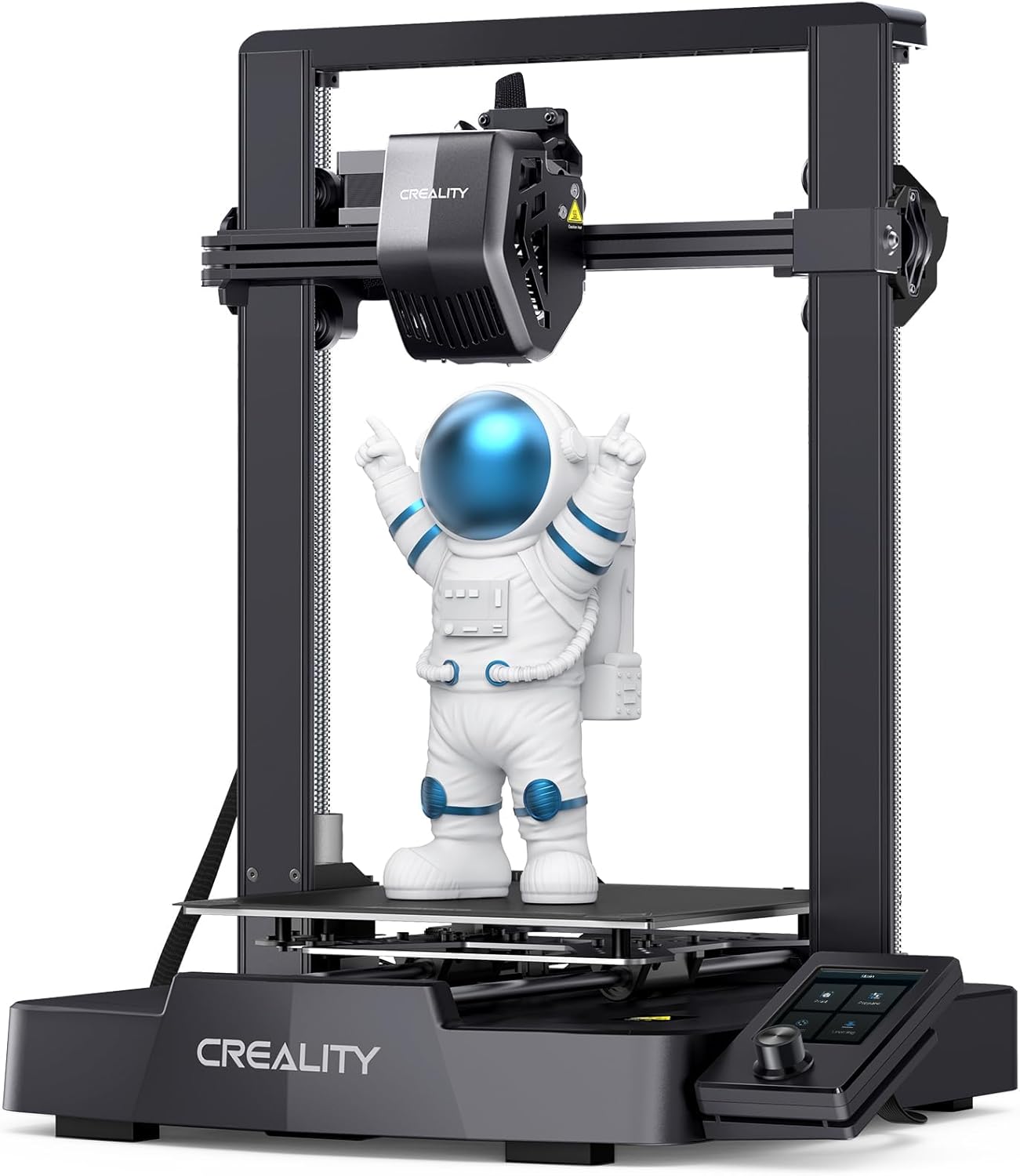
| Max printing speed | 250 mm/s |
|---|---|
| Print volume | 220×220×250 mm |
| Extruder | Sprite full-metal dual-gear direct extruder |
| Auto leveling | CR Touch + strain sensor |
| Manufacturer | Creality 3D |
The Ender 3 V3 SE is a budget-focused desktop FDM printer that upgrades the Ender 3 line with a full-metal Sprite dual-gear direct extruder, CR Touch auto-leveling, dual Z-axis leadscrews, and automatic filament loading. It is sold partly on its fast 250 mm/s top speed and high acceleration, but in typical workshop use you will more often run slower settings for reliable surface quality and layer adhesion. The Sprite extruder improves filament feeding for flexible and abrasive materials, and the CR Touch plus strain sensor makes bed leveling and Z-offset setup largely hands-off, which helps save time during repeated production runs. Dual Z and reinforced Y-axis linear shafts reduce wobble for taller parts. Preassembly and a simple three-step setup make it approachable for teams that need a quick first print, while resume-print and quiet operation are convenient for longer jobs. Important limits are the modest build volume (220×220×250 mm) and that real-world high-speed printing still requires tuned profiles to avoid artifacts, so manufacturers should plan on tuning and occasional maintenance to keep throughput consistent.
Best for: Manufacturing teams and small shops that need an affordable, upgrade-focused desktop printer for quick prototyping and short production runs and who prioritize easy setup and reliable filament handling.
Less Ideal for: Operations that require large-build-volume production or out-of-the-box ultra-high-speed printing without time invested in tuning and workflow integration should consider larger industrial printers instead.
- Full-metal Sprite dual-gear direct extruder for smoother filament feeding and better handling of TPU and PETG
- CR Touch auto-leveling and strain sensor make Z-offset and first-layer setup quicker and less error-prone
- Dual Z-axis lead screws and Y-axis linear shafts improve stability and reduce Z-wobble on taller prints
- Preassembled design and 3-step setup let you go from box to first print in about 20 minutes
- Auto filament load/unload and resume-print reduce manual intervention during multi-part runs
- Claimed 250 mm/s top speed is marketing; reliable, high-quality prints at that speed require careful tuning
- Build volume is limited for larger production parts
Verdict: For budget-conscious manufacturers who want a ready-to-run desktop printer with better filament feeding and hands-off bed leveling, the Ender 3 V3 SE delivers strong value and fast setup.
Original Prusa XL 2-Toolhead

| Build volume | 14.17×14.17×14.17 in |
|---|---|
| Tooling | Dual-tool (2-toolhead) Nextruder system |
| Motion system | CoreXY |
| Controller | 32-bit with Input Shaper and Pressure Advance |
| Included material | 1 kg Prusament PLA |
The Prusa XL 2-Toolhead is a large-format CoreXY printer designed for professional prototyping and light production workloads. It combines a dual-tool Nextruder system with a loadcell sensor and segmented heated bed to improve first-layer reliability and reduce warping on big parts, while intelligent tool switching and reduced purge workflows cut material waste for multi-material jobs. Native support for Input Shaper and Pressure Advance on a 32-bit controller lets the machine run at higher speeds without losing dimensional accuracy, and it can be integrated with PrusaSlicer and Printables.com or used offline. The unit ships with a Satin print sheet and 1 kg of PLA and is intended for environments where repeatable quality and uptime matter. Buyers should note this is a heavy, large machine that requires some assembly of shipped components and a dedicated workspace, and its complexity means service or setup time may be higher than desktop hobby printers.
Best for: Engineers, small production teams, and advanced makers who prioritize consistent, repeatable output and need a machine capable of multi-material and large-format prototyping.
Less Ideal for: Hobbyists or casual users who need a compact, turnkey desktop printer or who prefer minimal setup and low maintenance.
- Large 14.17×14.17×14.17 in build volume for sizable prototypes and parts
- Dual-tool Nextruder with loadcell enables reliable multi-material printing and consistent first layers
- Segmented heated bed reduces warping and improves energy efficiency on large prints
- 32-bit controller with Input Shaper and Pressure Advance allows higher-speed prints with maintained accuracy
- Includes Satin print sheet and 1 kg Prusament PLA to get started and integrates with PrusaSlicer/Printables.com
- Physically large and heavy, requiring a dedicated workspace and handling for installation
- More complex setup and maintenance compared with consumer desktop printers
Verdict: Buy this if you need a reliable, large-format CoreXY machine that delivers repeatable multi-material prototypes and production-ready parts.
Bambu Lab A1 Combo

| Build volume | 256×256×256 mm³ |
|---|---|
| Max speed | 500 mm/s |
| Max acceleration | 10 m/s² |
| Ideal supported filaments | PLA, PETG, TPU, PVA |
The Bambu Lab A1 Combo is built for users who want fast, reliable FDM printing with minimal setup. It automates calibration tasks such as Z-offset, bed leveling, resonance and nozzle pressure so prints start with fewer manual adjustments, and active flow rate compensation helps keep extrusion consistent. Equipped to accept the AMS lite multi-spool module, the A1 can produce multi-color parts without extensive tuning, and the included LED lamp kit makes it easy to convert printed models into functional illuminated projects. The printer emphasizes speed and precision through low-drag linear rails, a capable motion control system, and sensors for print monitoring, while quiet motor noise canceling helps keep workshops more pleasant. Practical limits include filament compatibility focused on common materials like PLA, PETG and TPU rather than heavy engineering plastics, and the open-frame design offers less thermal control than enclosed industrial printers. For manufacturing-focused use, its rapid throughput and automated workflow features make it a strong entry-level production tool for small runs and prototyping, though part materials and enclosure needs should be evaluated for end-use performance.
Best for: Buyers who want a fast, mostly hands-off 3D printer for prototyping and short production runs and who value print reliability backed by visible customer adoption.
Less Ideal for: Users needing a heavily enclosed, high-temperature production printer for long runs of ABS or other engineering thermoplastics or those who require certified industrial environmental controls.
- Full-auto calibration reduces setup and per-job tuning time
- Supports AMS lite for reliable multi-color printing without manual filament profiling
- High-speed motion system and sensors deliver faster prints with consistent detail
- Active flow rate compensation improves extrusion consistency across prints
- Comprehensive print monitoring and quiet motor noise canceling for cleaner workshop operation
- Open-frame design provides less thermal enclosure for ABS-class materials
- Filament support emphasizes PLA/PETG/TPU rather than high-temperature engineering polymers
Verdict: The A1 Combo is a fast, user-friendly printer that brings automated calibration and reliable multi-color capability to small-scale manufacturing and prototyping.
FLASHFORGE AD5X 3D Printer

| Build volume | 220×220×220 mm |
|---|---|
| Max nozzle temp | 300°C |
| Structure | Open Core XY |
| Travel speed | 600 mm/s |
| Filament compatibility | PLA/ABS/PETG/TPU/CF |
The FLASHFORGE AD5X is a Core XY FDM printer built for speed and flexible material use, featuring up to four-color printing and a 220×220×220 mm build volume. It uses a 300°C direct-drive extruder with quick-detach nozzles (0.25–0.8 mm) so you can switch between fine-detail and high-speed, coarse prints, and a one-click auto leveling system reduces setup fuss. The AD5X targets faster workflows with travel speeds up to 600 mm/s and high acceleration, plus vibration compensation and dual-channel cooling to preserve print quality at higher speeds. Practical touches include resume-after-power-loss, automatic filament feeding/retraction, and app-based remote monitoring. For cautious buyers the open-frame design and expandable camera/lighting options mean workshop integration is straightforward, though the emphasis on very high speed may require calibration to get the best surface finish on delicate models. This unit is most useful for rapid prototyping and small-batch production where throughput and material versatility matter more than having a fully enclosed chamber or factory-level isolation.
Best for: Buyers who prioritize predictable, higher-throughput prototyping and small-batch manufacturing and want a machine that reduces setup time and recoverability concerns.
Less Ideal for: Those who need a fully enclosed, temperature-controlled chamber for consistent high-temperature engineering plastics or users who prioritize out-of-the-box ultra-fine surface finish without calibration.
- Supports up to four-color printing for multi-material or multi-color parts
- High-speed Core XY motion with 600 mm/s travel and strong acceleration for faster cycle times
- 300°C direct-drive extruder with multiple nozzle sizes for material versatility and detail control
- One-click auto leveling and automatic filament feed/retract simplify setup and reduce failed prints
- Resume-after-power-loss and app monitoring add reliability for longer jobs
- Open Core XY frame offers less thermal enclosure for ABS-like materials compared with enclosed printers
- Very high speeds may require tuning to avoid surface artifacts on delicate prints
Verdict: Pick the AD5X when you need a fast, dependable Core XY printer that shortens prototyping and small-batch cycles while supporting multiple colors and a wide range of filaments.
Choosing the Right 3D Printer for Manufacturing: Key Factors to Consider
Build Volume and Part Size
Build volume determines the maximum size of single-part prints and the number of parts you can nest per build. Larger build volumes let you print bigger components or multiple parts in one run, improving throughput for small-batch production.
When choosing a machine consider both the maximum envelope and the usable build area after fixturing and supports. If you expect mostly small parts, a smaller, stiffer gantry may yield better repeatability than an oversized platform that introduces vibration.
Material Support and Ecosystem
Material support affects final part properties such as strength, heat resistance, and surface finish. Manufacturing uses often demand engineering thermoplastics, high-strength resins, or composite-filled filaments that require controlled extruder temperatures and heated chambers.
A mature material ecosystem—validated profiles, manufacturer guidelines, and available post-processing—reduces trial time and improves predictability. Consider whether a machine is open to third-party materials or restricted to a closed cartridge system, and how that impacts cost and qualification.
Dimensional Accuracy and Repeatability
Dimensional accuracy is critical when parts must meet tolerances or fit with other components. Repeatability measures whether successive runs produce the same dimensions and surface quality.
Look for features that improve geometry control such as rigid frames, high-resolution motion components, auto-bed leveling, and closed-loop stepper or servo systems. Calibration tools and documented procedures also make it simpler to maintain accuracy across production cycles.
Throughput, Speed, and Workflow Integration
Throughput is about more than raw print speed. It includes setup time, build scheduling, post-processing, and how well the printer integrates with factory systems like MES or ERP. Machines that support nested builds, automated part removal, and remote job queuing will reduce overall cycle time.
Assess the full workflow: how long a build truly takes from file to finished part, how post-print operations are handled, and whether multiple printers can be networked for load balancing. Automation features and reliable software help scale from prototyping to small-batch production.
Thermal Management and Part Consistency
Thermal control in the build chamber and extrusion system influences layer adhesion, warping, and interlayer strength—especially with high-temperature engineering plastics. Consistent part properties require stable ambient conditions and accurate temperature regulation.
Evaluate whether the printer provides a heated or enclosed chamber, precise nozzle temperature control, and cooling strategies that match your intended materials. Good thermal management reduces scrap rates and improves first-pass yield.
Serviceability and Long-Term Support
Manufacturing environments demand predictable uptime and straightforward maintenance. Serviceability covers how easy it is to access wear parts, replace nozzles or belts, and perform routine calibration. Long-term support includes availability of spare parts, documentation, and technical assistance.
Choose systems with modular components, clear maintenance schedules, and a supplier or channel that provides replacement parts and technical resources. Machines that simplify routine service allow in-house technicians to restore operations faster and reduce downtime impact.
Matching Printer Type to Production Use
Different 3D printing technologies suit different production roles. Fused filament fabrication can be ideal for functional prototypes and some end-use thermoplastic parts, while resin-based systems excel at fine detail and surface finish. Select the technology that aligns with the mechanical properties and finish required for your parts.
Consider whether you need a machine primarily for prototyping, for jigs and fixtures, or for low-volume end-use parts. Prototype-focused machines emphasize speed and flexibility, whereas production-focused systems prioritize repeatability, material certification, and easier integration into production lines.
- Use filament systems for tough engineering plastics and functional parts.
- Choose resin processes for high-detail parts and fine surface finishes.
- Assess post-processing needs early; some workflows require significant finishing time.
Calibration, Qualification, and Part Validation
A manufacturing-grade workflow requires repeatable calibration and a plan for part qualification. Establish baseline test prints to validate dimensional accuracy, mechanical properties, and surface quality before moving to production runs.
Documented qualification protocols and access to traceable test results simplify acceptance in production. Include metrics for dimensional tolerances, mechanical testing when needed, and environmental conditioning if parts must operate under specific temperature or humidity.
- Run a set of standard calibration prints when commissioning a machine.
- Maintain logs of maintenance and calibration to track long-term drift.
- Include destructive and non-destructive tests for parts that will be safety-critical.
Scaling Production with Multiple Machines
Scaling additive manufacturing often means adding multiple printers rather than relying on one oversized unit. A distributed fleet reduces risk from single-machine failures and allows parallelization of builds to increase throughput.
Standardize on machine settings, material lots, and post-processing procedures across units to minimize variability. Centralized job management software and consistent maintenance practices make it easier to scale without multiplying quality issues.
- Plan floor layout for part handling and post-processing flow.
- Use networked scheduling and remote monitoring for job distribution.
- Train technicians on a single maintenance routine to keep consistency.
Post-Processing and Finishing Considerations
Post-processing can be the time-consuming part of a manufacturing workflow. Tasks like support removal, sanding, curing, and surface treatments affect lead time and per-part labor costs.
Factor the required finishing into machine selection and throughput estimates. Some printers produce parts that need minimal finishing, while others require substantial manual or automated post-processing to reach production-ready quality.
- Estimate labor and equipment needs for typical finishing steps.
- Consider vendor or third-party services for high-volume finishing tasks.
- Design parts with printing and finishing constraints in mind to minimize rework.
Environmental and Safety Requirements
Manufacturing-grade materials and processes may emit fumes, particulates, or require ventilation and filtration. Enclosed chambers with filtration systems help manage emissions from high-temperature plastics and resins.
Assess local safety regulations and provide proper extraction, PPE, and waste handling procedures. Safe storage of materials and documented handling practices reduce risk and compliance issues.
- Install appropriate ventilation and filtration for the materials you will use.
- Provide training and PPE for operators handling powders, resins, or hot components.
- Follow manufacturer guidance for disposal of chemical waste and used containers.
How We Chose the Best 3D Printer for Manufacturing
To build this list we focused on attributes that matter in production environments rather than hobby or desktop use. We prioritized machines with proven build reliability, measured part repeatability, and compatibility with engineering materials commonly used in manufacturing. Key evaluation criteria included mechanical stability and calibration systems, available build volume and repeatable dimensional accuracy, supported materials and open or controlled material ecosystems, and integration features such as network management and automation options. We also considered maintainability factors like ease of service, availability of replacement parts, and common spare workflows. We excluded desktop hobby machines and units lacking clear documentation for industrial use or limited to resin/filament types unsuitable for end-use parts. Units without durable motion systems, inadequate thermal control, or poor service access were filtered out. The resulting shortlist reflects machines that balance consistent part quality, material flexibility, and factory-ready features.
Our full evaluation process is outlined in our review methodology.
FAQ
What print resolution do I need for manufacturing parts?
Required resolution depends on part function and mating features. For functional fittings and mechanical parts, prioritize dimensional accuracy and surface planing rather than the finest layer height. For cosmetic or detailed components, choose higher resolution and consider post-processing to meet finish requirements.
Can I use engineering-grade plastics on most manufacturing printers?
Many production-oriented machines support engineering plastics, but material use depends on nozzle, hot end, and chamber temperature capability. Confirm that the printer offers the required temperature control and an enclosed build environment for high-temperature materials.
How should I validate parts produced on a 3D printer for manufacturing?
Validate parts with a combination of dimensional inspection, mechanical testing, and functional trials. Establish acceptance criteria tied to intended use, and run qualification builds after any major maintenance or material lot changes to ensure consistency.
What maintenance tasks keep a manufacturing printer reliable?
Regular tasks include calibrating motion systems, checking belt tensions, replacing worn nozzles or bearings, cleaning material paths, and updating firmware. Follow a scheduled maintenance plan and keep spare parts on hand to minimize downtime.
How do I estimate throughput for small-batch production?
Estimate throughput by combining average build time, the number of parts per build, post-processing time, and expected machine uptime. Account for setup and inspection time to get a realistic per-part production rate.
Final Verdict
Choosing a 3D printer for manufacturing comes down to balancing build reliability, material capability, and how the machine fits into your production workflow. Prioritize systems that provide consistent dimensional accuracy, support the engineering materials you need, and offer maintainable serviceability. Consider the total workflow from print to finished part, including post-processing and environmental controls. With those priorities clear, you can select a solution that delivers dependable, scalable results for prototyping and small-batch production.