
Note: This article contains affiliate links. If you click on these links and make a purchase, we may earn a small commission at no extra cost to you. This helps support our research and content. Read our full affiliate disclosure here.
If you want crisp, tabletop-ready miniatures, choosing the right 3D printer matters more than you might think. Small layer heights, consistent resin or filament flow, and a stable build platform determine whether your models come out with sharp faces, clean edges, and minimal post-print cleanup. This guide walks through the top shortlisted 3D printers for miniatures, explaining the technical tradeoffs and practical features that affect print quality, speed, and ongoing maintenance. We evaluate each pick against print detail, reliability, ease of finishing, and workflow compatibility so you can match a printer to your hobby goals. Read on to find the best option for high-detail miniature work and the criteria that matter most.
Top Picks at a Glance
| Best Overall The best all-around choice for most situations | ELEGOO Mars 5 Ultra |  |
| Best Quality Built to a higher standard if you want something more solid | phrozen Sonic Mini 8K S |  |
| Best Value The sweet spot between price and what you get | ANYCUBIC Photon Mono 4 |  |
| Best Budget The cheapest option that still gets the job done reliably | phrozen Sonic Mighty 4K |  |
| Top Rated A top-rated pick with lots of positive feedback | Bambu Lab A1 3D Printer |  |
| Most Popular A crowd favorite that many people choose with confidence | FLASHFORGE Adventurer 5M |  |
| Best Seller A high-volume bestseller chosen again and again | ELEGOO Neptune 3 Pro |  |
ELEGOO Mars 5 Ultra

| LCD resolution | 9K mono |
|---|---|
| XY resolution | 18μm |
| Print speed | Max. 150mm/h |
| Connection | USB, Wi‑Fi |
| Automatic leveling | Yes |
The ELEGOO Mars 5 Ultra is a desktop MSLA resin printer aimed at high-detail work like miniatures. It uses a 7" 9K mono LCD with about 18 μm XY resolution to capture fine surface detail and texture, and a COB light source and fast exposure system that supports printing speeds up to 150 mm/h. Practical features include automatic self-check and automatic leveling for easier setup, an AI camera that watches prints for common failures, resin residue and shortage detection to protect the LCD, and Wi‑Fi cluster printing for managing multiple machines. Tilt-release technology helps peel prints from the FEP quickly, which can speed post-processing and reduce peel stresses on delicate parts. The machine is best used with standard MSLA resins and benefits modelers who need crisp detail and repeatable results; however, AI detection and other smart functions can vary with resin type and environment, and you should still expect the usual resin workflow of cleaning and curing. Build volume is small compared with larger-format machines, so it is optimized for small high-resolution parts rather than large prototypes.
Best for: Hobbyists and miniature painters who prioritize top-tier surface detail and a streamlined, mostly plug-and-play resin workflow for small parts.
Less Ideal for: Users who need large-format printing or a printer for big functional prototypes should look at larger-volume machines instead.
- Very high XY resolution (9K mono LCD) for fine miniature detail
- Automatic leveling and self-check reduce setup time and calibration fuss
- AI camera and residue/shortage detection help catch common print failures early
- Fast peel and printing speeds with tilt-release innovation improve throughput
- Wi‑Fi cluster printing lets you control multiple units from one device
- Small build volume limits larger models and multi-piece layouts
- Smart detection accuracy can vary by resin and environment
Verdict: If you want a compact resin printer that delivers exceptional miniature-level detail with smart features to simplify setup and monitoring, the Mars 5 Ultra is a strong choice.
phrozen Sonic Mini 8K S

| XY Resolution | 22 µm |
|---|---|
| Printing Volume | 6.5 x 2.8 x 6.7 Inch |
| Connectivity | USB, Wifi |
The phrozen Sonic Mini 8K S is a tabletop resin printer built for high-detail miniature and model work, using an 8K monochrome LCD and 22 micron XY resolution to capture fine features. Typical use is printing small models, miniatures, and prototypes where surface detail and crisp edges matter; prints are prepared with common slicers like Lychee or ChiTuBox and transferred via USB or Wi-Fi. Notable features include the high-resolution 8K mono screen for faster layer curing, precise Z-axis calibration for consistent layer accuracy, and an open-source friendly workflow that supports popular slicers. The compact build volume keeps the printer footprint small while providing enough room for multiple miniatures per run. Practical benefits are exceptional surface detail, quicker print times versus older color LCDs, and broad slicer compatibility that suits hobbyists upgrading from entry-level machines. Limitations are the modest build volume for larger pieces and the usual post-processing needs of resin printing such as washing and curing, which add time and require safety precautions and consumables.
Best for: Detail-focused hobbyists and miniature painters who prioritize surface fidelity and crisp small features when printing models for display or gaming.
Less Ideal for: Users who need to print large parts or high-volume batches without frequent post-processing should consider larger or different printer types.
- 22 µm XY resolution and 8K monochrome LCD deliver excellent fine-detail fidelity for miniatures
- Monochrome screen shortens cure times and speeds up printing compared with color LCDs
- Open-source friendly with support for popular slicers like Lychee and ChiTuBox
- Precise Z-axis calibration improves layer consistency and repeatability
- Small build volume limits larger models or very high batch throughput
- As a resin printer it requires post-processing gear and consumables for finishing
Verdict: Buy this printer if you want a compact resin machine that delivers top-tier detail for miniatures thanks to its 8K monochrome screen and 22 µm XY resolution.
ANYCUBIC Photon Mono 4

| LCD Type | 7'' Mono LCD |
|---|---|
| XY Resolution | 9024×5120 (10K) |
| Build Area | 6.04" x 3.42" x 6.49" |
| Max Printing Speed | 70mm/h or 50mm/h |
The Photon Mono 4 is a resin LCD printer built around a 7" 10K mono LCD and Anycubic's LighTurbo matrix light source to deliver very fine XY detail for miniature work. It prints on a laser-engraved platform that improves adhesion and uses a four-point leveling routine intended to simplify setup for newcomers. The unit supports resins at typical 405nm wavelengths and offers a build area large enough for multiple miniatures in a single run. Practical features include power-resume after outages and a user-replaceable FEP vat film, while the manufacturer recommends Photon Workshop for slicing and PM4N export. Limitations to expect are the modest single-machine build volume compared with larger printers and the finite LCD lifespan (about 2000 hours), which means long-term users will need to plan for eventual screen replacement and FEP maintenance. The printer balances high-resolution output with straightforward, beginner-friendly workflows, making it a solid option for hobbyists focusing on finely detailed miniatures rather than large-scale production.
Best for: Someone who prioritizes high-detail miniature prints and straightforward, reliable setup and wants a printer that produces sharp surface detail with minimal fiddling.
Less Ideal for: Users who need to print large single-piece models or run continuous high-hour production without planning for periodic LCD and FEP replacements.
- 10K 7" monochrome LCD for very high XY resolution suitable for fine detail
- LighTurbo matrix light source promotes uniform exposure and smoother surfaces
- Laser-engraved build platform improves adhesion while easing part removal
- Power-resume function reduces waste from unexpected outages
- Beginner-friendly 4-point leveling and pre-calibrated assembly out of the box
- LCD rated for roughly 2000 hours so heavy users should budget for replacement
- Build volume is limited compared with larger resin printers, restricting very large models
Verdict: If you want a compact resin printer that maximizes surface detail for miniatures with easy setup and reliable exposure, the Photon Mono 4 is a strong practical choice.
phrozen Sonic Mighty 4K

| XY Resolution | 52 µm |
|---|---|
| Printing Volume | 7.9 x 4.9 x 8.7 in |
| Display | 9.3" monochrome LCD |
| Connectivity | USB |
The phrozen Sonic Mighty 4K is a compact resin printer aimed at hobbyists who need high-detail tabletop prints. It uses a 9.3" monochrome LCD and a 52µm XY resolution to reproduce fine details useful for miniatures, mini-prototypes, and small figurines, while the 7.9 x 4.9 x 8.7-inch build area keeps the machine footprint small. Reinforced dual linear rails improve Z-axis stability, which helps layer alignment and reduces artifacts on tall, detailed parts. Setup and everyday use are straightforward for newcomers: the printer accepts standard 405nm resins, works with many third-party formulations, and connects by USB. The practical trade-offs are its limited build volume, which means larger models must be printed in pieces, and the typical resin workflow that requires post-wash and curing steps and safe handling. For detail-focused miniature printing in a hobby workspace, the Sonic Mighty 4K delivers reliable, sharp results without needing a large dedicated shop.
Best for: Hobbyists and miniature painters who want a budget-friendly resin printer that prioritizes surface detail and part accuracy for tabletop models.
Less Ideal for: People who need to print large one-piece models, large production runs, or want a fully plug-and-play system that eliminates post-processing steps.
- High 52µm XY resolution produces crisp detail for miniatures and fine models
- 9.3" monochrome LCD shortens exposure times and improves durability versus color screens
- Dual linear rails provide better Z-axis stability and smoother layer registration
- Compatible with common 405nm resins including standard and engineering formulations
- Small build volume limits single-piece prints to small minis and parts
- Resin printing requires post-processing (washing and curing) and careful handling
Verdict: A compact, detail-focused resin printer that gives hobby miniaturists high-resolution results without needing a large workspace.
Bambu Lab A1 3D Printer

| Build volume | 256×256×256 mm |
|---|---|
| Calibration | Full-auto (Z, bed, vibration, nozzle pressure) |
| Noise | ≤48 dB |
| Supported filaments | PLA, PETG, TPU, PVA |
The Bambu Lab A1 is an entry-level FDM printer that prioritizes ease of use and consistent results. It automates Z-offset, bed leveling, vibration resonance, and nozzle pressure calibration so beginners can start printing without manual tuning, and its active flow rate compensation helps maintain smooth extrusion across prints. The A1 supports multi-color printing when paired with the AMS lite accessory and offers a relatively large 256 mm cube build volume for an entry model. High-speed motion hardware and sensors are designed to deliver repeatable prints, and onboard monitoring plus LAN/cloud options let you watch jobs remotely while preserving privacy with LAN-only mode. Practical benefits include quick setup, low-noise operation with motor noise canceling, and a one-clip swap nozzle for simple maintenance. Limitations for miniature-focused users are the open-frame design and typical FDM surface finish compared with resin printers, which may require more post-processing to reach fine miniature detail; multi-color capability also requires buying or using the AMS lite. For hobbyists seeking reliable, hassle-free FDM printing at scale, the A1 is a strong pick, but those needing ultra-fine miniature detail should consider resin alternatives.
Best for: Hobbyists and beginners who value reliable, repeatable FDM prints and want a low-maintenance machine that just works without manual calibration.
Less Ideal for: Collectors and painters who need the absolute finest surface detail and layer resolution for single-piece miniatures should consider resin printers instead.
- Full-auto calibration handles Z-offset, bed leveling, and nozzle pressure for consistent first layers
- Active flow rate compensation improves extrusion consistency across prints
- Large 256×256×256 mm build volume gives room for bigger models or multiple miniatures per job
- Quiet operation with motor noise canceling makes long prints less intrusive
- LAN and cloud connectivity with LAN-only option for private remote monitoring
- Open-frame FDM design yields coarser surface detail than resin printers preferred for miniatures
- Multi-color printing requires purchasing the AMS lite accessory separately
Verdict: Buy the A1 if you want a beginner-friendly, highly automated FDM printer that delivers dependable, low-effort prints for hobby production.
FLASHFORGE Adventurer 5M
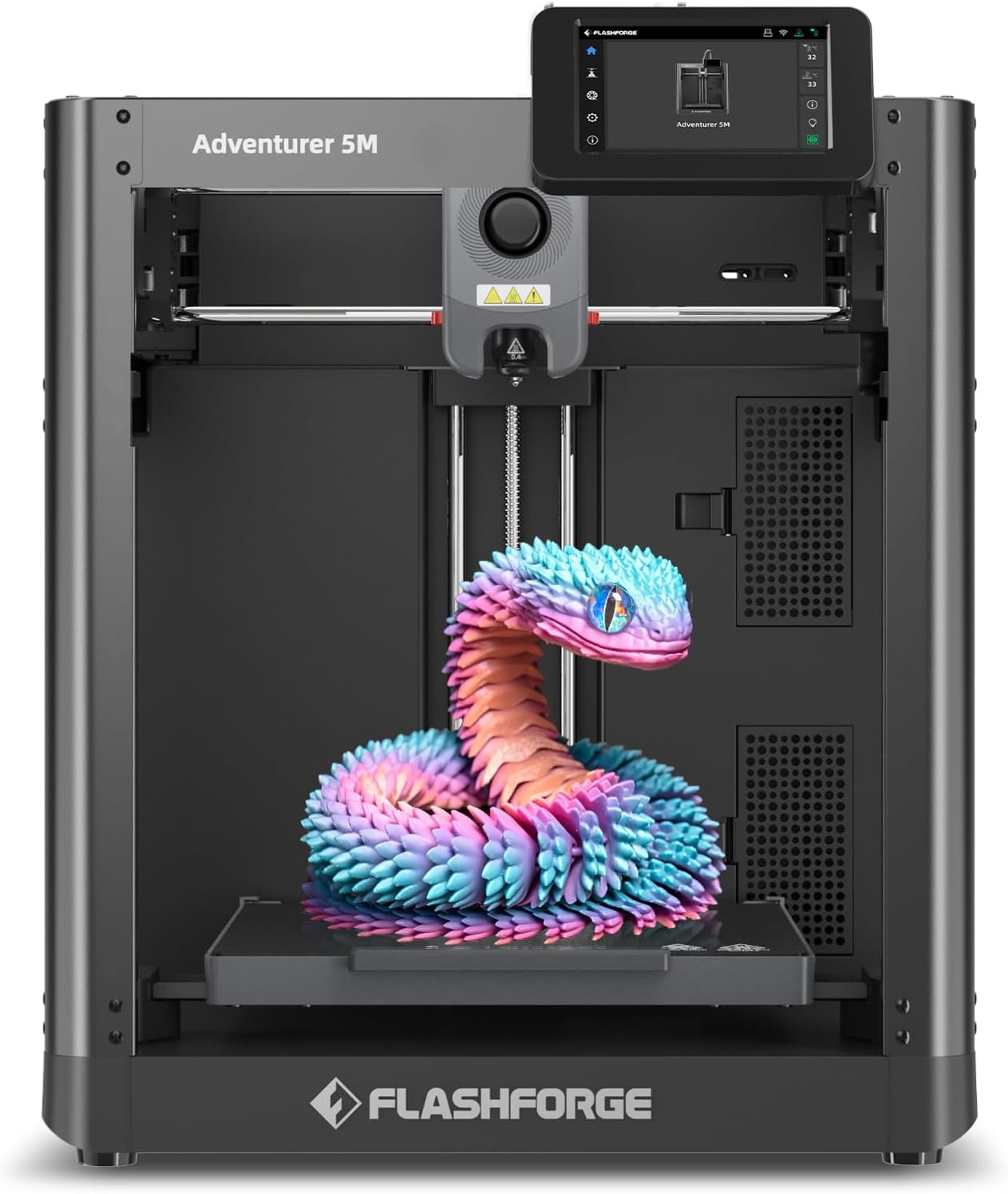
| Build Volume | 220 x 220 x 220 mm |
|---|---|
| Extruder Max Temp | 280°C |
| Travel Speed | 600 mm/s |
| Leveling Type | One-Button Auto Leveling |
| Platform Type | Double-Sided PEI Platform |
The FLASHFORGE Adventurer 5M is a CoreXY desktop machine aimed at faster prototyping and productive small-batch printing. It uses a 280°C direct-drive extruder, quick-change nozzles, and a double-sided PEI platform to handle common filaments such as PLA, ABS, PETG and flexible materials, while the one-click automatic bed leveling simplifies first-layer setup. The printer emphasizes speed with a 600 mm/s travel spec and aggressive acceleration, plus vibration compensation and multiple nozzle sizes to tune detail vs throughput. Practical benefits include fast warm-up, an easy removal platform and mobile app monitoring for remote job checks. For miniature printing you can achieve good results with the finer nozzles, but the machine's speed-focused tuning may require dialing in slower print profiles and careful cooling to get the finest surface detail. Expect routine maintenance like nozzle cleaning and occasional profile adjustments when printing very small, high-detail miniatures.
Best for: Buyers who want a robust, faster CoreXY printer that simplifies setup with auto leveling and supports a broad range of filaments, and who are comfortable tuning profiles for print quality.
Less Ideal for: Users seeking a plug-and-play machine optimized for the absolute finest miniature detail out of the box or those who need built-in multi-color printing without add-ons.
- CoreXY all-metal structure for stable, high-speed motion
- One-button automatic bed leveling reduces setup time
- Direct-drive extruder rated to 280°C supports a wide range of filaments
- Double-sided PEI platform for easy part removal and good adhesion
- Quick-change nozzle system and multiple nozzle sizes for tuning detail
- Factory tuning prioritizes speed, so achieving ultra-fine miniature detail may require manual profile tuning
- No built-in multi-color system on this model
- High travel speeds can amplify cooling and ringing issues if not carefully dialed in
Verdict: Choose the Adventurer 5M if you want a fast, CoreXY desktop printer with easy auto-leveling and flexible filament support that can be tuned to produce high-quality miniatures.
ELEGOO Neptune 3 Pro

| Build volume | 225×225×280 mm (8.85×8.85×11 in) |
|---|---|
| Supported filament | PLA, TPU, PETG, ABS |
| Extruder type | Dual-gear direct drive |
| Auto leveling | 36-point auto bed leveling |
| Noise level | As low as 47 dB |
The ELEGOO Neptune 3 Pro is a consumer FDM printer built for straightforward, repeatable printing of small to medium parts. It ships with most main parts preassembled and a toolkit for quick setup, and the 36-point auto bed leveling plus PEI magnetic build plate reduce the fiddly manual adjustments that often scare off newcomers. The dual-gear direct-drive extruder (stainless steel gears and a titanium throat) and widened heat sink help steady filament feeding for pliable filaments like TPU as well as PLA and PETG, while a filament runout sensor and power-loss resume protect long jobs from simple interruptions. Dual Z lead screws and POM guide wheels keep the Z motion stable for finer layer consistency, and the machine runs relatively quietly thanks to silent stepper motors. Limitations include a modest build volume that restricts larger miniatures in one piece and the printer is FDM-based, so it will not match the ultra-fine detail of resin printers preferred for the smallest tabletop miniatures. For hobbyists wanting dependable, low-hassle FDM printing for bases, parts, and larger miniatures, this is a solid choice.
Best for: Buyers who prioritize dependable, low-maintenance FDM printing for hobby projects and miniatures components and who want features that minimize setup and print failures.
Less Ideal for: Collectors or painters seeking the highest possible fine-detail surface finish for tiny scale miniatures should consider a resin printer instead.
- 36-point auto bed leveling and PEI magnetic plate for easier first-layer adhesion and removal
- Dual-gear direct-drive extruder with titanium throat to reduce clogs and improve flexible filament handling
- Filament runout sensor and power-loss resume for safer long prints
- Dual lead screws and POM V-guide wheels for stable Z-axis motion and consistent layer accuracy
- Quiet stepper motors for lower noise during prints
- Build volume is limited compared with larger printers, restricting single-piece prints for bigger miniatures
- FDM technology cannot achieve the ultra-fine surface detail of resin printers for very small tabletop miniatures
Verdict: A risk-averse hobbyist-friendly FDM printer that prioritizes reliable, low-hassle printing for miniature parts and larger tabletop models.
Choosing the Right 3D Printer for Miniatures: Key Factors to Consider
XY Resolution and Layer Height
Micro-detail depends on the printer's native XY resolution and minimum layer height. For miniatures, smaller XY pixel sizes and thinner layers capture facial features, cloth folds, and sculpted textures more accurately. A lower layer height increases print time but reduces visible stepping on curved surfaces.
When evaluating printers, look for specifications that list XY pixel size for masked or LCD-based resin systems or nozzle and motion precision for filament-based machines. Consider if the printer supports high-quality modes that trade speed for detail when you need ultra-fine results.
Resin or Filament Handling
Consistent material flow and predictable curing or extrusion are crucial. For resin printers, uniform exposure and a stable vat minimize layer artifacts and adhesion failures. For filament printers used with specialty resins or high-detail filaments, steady extrusion and reliable temperature control reduce stringing and layer mismatch.
Material handling also affects post-processing. Some resins cure to a harder finish and require different wash and cure times; others remain tacky and need more attention. Choose a printer whose material handling matches the kinds of resins or filaments you prefer to use for miniatures.
Build Platform and Z-Axis Rigidity
Even tiny wobble or Z-banding shows up at miniature scale. A rigid build platform and precise Z-axis mechanics reduce layer shifting and Z-banding, keeping smooth vertical surfaces clean. The method of platform attachment and leveling ease are also important; easier leveling reduces failed prints and frustration.
Consider how the machine secures the build plate and whether it includes anti-backlash leadscrews, linear rails, or similar features that improve repeatability. A firm, vibration-resistant frame will produce more consistent fine-detail prints.
Support Generation and Removal
Supports are unavoidable for many miniature poses. Good support generation tools create points that hold models securely during printing but break away cleanly without damaging fine details. The ability to precisely place, customize, or thin supports in the slicing software saves cleanup time and preserves sculpted surfaces.
Ease of support removal also depends on part orientation and surface finish. Printers that allow precise control over support density, touchpoint size, and placement help you balance reliable printing with minimal post-print patching.
Post-Processing Workflow
Miniatures require washing, curing, and sometimes sanding or filling. Consider how a printer's workflow integrates with post-processing steps. Faster cure times, compatible wash setups, and support-friendly orientation options speed finishing. A printer that produces parts with less surface tack or fewer micro-defects reduces sanding and gap-filling.
Also think about the typical scale of items you print. Smaller builds allow denser packing on the plate, but you will still need a workflow for cleaning multiple parts effectively without damaging details.
Software Features and Community Support
Accessible slicing software with fine-grain exposure, support, and anti-aliasing controls makes dialing in high-detail prints much easier. A strong user community provides profiles, tips, and troubleshooting for miniature-specific settings, which shortens the learning curve.
Look for printers supported by actively maintained slicers or that provide exportable profiles. Regular firmware updates and readily available documentation also help when you are optimizing settings for complex miniatures.
Resin Vs Filament for Miniatures
Both resin and filament approaches can produce miniatures, but they differ in typical surface quality and workflow. Resin printers, especially LCD or MSLA types, are often favored for tabletop miniatures because they can achieve much finer XY detail and smoother surfaces out of the printer. Filament printers can produce durable proofs or larger-scale figures but generally need more post-processing to reach the same fine level of detail.
- Resin: higher native XY resolution, smoother surfaces, more post-wash and cure steps
- Filament: generally tougher parts, easier handling and less chemical clean-up
- Choose resin for the finest detail and filament for durability or simpler finishing requirements.
Optimizing Print Orientation and Supports
Orientation is one of the biggest levers for print quality. Angling a miniature slightly can reduce the number of supports on visible faces and distribute layer lines across less noticeable surfaces. Small changes in angle often eliminate long unsupported spans that cause sagging or stringing.
- Rotate faces with intricate detail away from support contact points
- Raise small features slightly off the build plate to avoid flattening
- Use denser supports at narrow attachment points to prevent part sagging
Layer Height, Exposure, and Anti-Aliasing Tradeoffs
Finer layer heights and conservative exposure settings improve surface fidelity but increase print time. Anti-aliasing features smooth stair-stepping on sloped surfaces without forcing ultra-thin layers, but they can add complexity to slicing settings. Balance your need for speed versus finish quality by reserving the finest settings for display pieces and faster modes for test prints or mass production.
- Use ultra-fine layers for display minis and coarser layers for practice or bulk runs
- Enable anti-aliasing where available to reduce visible steps without excessive time penalties
- Adjust exposure gradually when changing resins, as different formulations cure differently
Safe Handling and Workspace Setup
Working with resin or specialty filaments requires a clean, well-ventilated workspace. Use disposable gloves when handling uncured resin and follow recommended wash and cure steps to avoid soft or tacky finishes. Keep cleaning tools and containers organized to avoid cross-contamination of resins or solvents. Consider dedicated racks for curing and separate trays for used solvents. Proper ventilation and storage of materials extend their usable life and keep your prints consistent.
- Set up a dedicated wash and cure area away from food prep zones
- Maintain organized trays and labeled containers for different resins or solvents
- Use gloves and eye protection when handling uncured materials
Scaling, Batch Printing, and Plate Utilization
Miniatures are small, so efficient plate arrangement can dramatically increase throughput. Plan orientations and supports so you can pack multiple figures on the build plate without compromising support quality. Batch printing also affects post-processing time since multiple parts will need simultaneous washing and curing. If you print armies or large sets, evaluate how easy it is to duplicate a layout and whether the printer's software supports multi-copy placement. Reliable bed adhesion and consistent first-layer performance are essential when running large batches to avoid a single failed model spoiling the whole plate.
- Use consistent orientations for identical parts to streamline post-processing
- Check that the printer's software allows efficient duplication and spacing
- Ensure initial layer adhesion is strong to prevent batch failures
How We Chose the Best 3D Printer for Miniatures
Our selection focused on machines that deliver consistently high detail at small layer heights and practical handling for hobbyists who print miniatures regularly. We prioritized printers that reliably reproduce fine features such as facial details, armor trim, and thin overlapping elements, because fidelity at small scales is the primary concern for miniature work. Key evaluation criteria included achievable XY resolution and minimum layer height, resin or filament handling stability, mechanical robustness of the build platform and Z axis, and effective post-processing workflow support. We also considered software ecosystem and slicing options because accessible settings for supports, anti-aliasing, and exposure control affect final results. Durability and ease of maintenance were factored in, with attention to how straightforward routine tasks like bed leveling, vat cleaning, and part removal are. Excluded from the shortlist were machines intended solely for large-format printing or printers lacking community resources for miniature optimization. We did not include experimental prototypes or printers without sufficient reliability data. The resulting picks emphasize reproducible fine-detail output, dependable day-to-day operation, and straightforward finishing for tabletop-quality miniatures.
Our full evaluation process is outlined in our review methodology.
FAQ
Which printer type gives the smoothest surfaces for small details?
Resin systems typically deliver the smoothest surfaces and finest XY detail for miniatures. They reproduce small features more reliably than filament printers, though they need more wash and cure steps.
How important is layer height for tabletop models?
Layer height matters a lot for display-quality miniatures. Thinner layers reduce visible stepping and preserve sculpted curves. For test prints you can use thicker layers to save time before committing to a final high-resolution print.
Can I print miniatures without supports?
Some models with simple geometry or flat bases can print without supports, but most dynamic poses and overhangs require supports to avoid sagging. Good orientation and careful support placement reduce cleanup while keeping details intact.
How do I prevent Z-banding and layer artifacts?
Z-banding often stems from Z-axis play, uneven leadscrews, or inconsistent layer curing. Use a rigid frame, check for loose components, and ensure the build plate is flat and properly secured. Fine-tuning exposure and mechanical maintenance help reduce these artifacts.
What post-processing is required after printing resin miniatures?
Resin prints usually need a wash to remove uncured resin, followed by a UV cure to fully harden surfaces. After curing, you may sand, fill, and prime parts before painting. The exact steps and times depend on the resin used.
Final Verdict
Choose the 3D printer that matches the level of detail you need and the workflow you want to maintain. Prioritize high XY resolution and a rigid Z-axis if your goal is display-quality miniatures, and factor in how much time you are willing to spend on post-processing. If you regularly produce large batches, emphasize stable first layers and software that supports efficient plate layouts. Balancing print fidelity, material handling, and day-to-day reliability will get you the best results. Focus on the criteria discussed here to confidently pick a machine that meets your miniature printing goals.