
Note: This article contains affiliate links. If you click on these links and make a purchase, we may earn a small commission at no extra cost to you. This helps support our research and content. Read our full affiliate disclosure here.
If you are shopping for a 3D printer for a teenager, you want a machine that balances safety, simplicity, and real learning potential. Teen users need equipment that is forgiving of mistakes, easy to set up, and supported by clear software and learning resources. This guide covers a curated shortlist of top picks that fit those needs and highlights the features that matter most for young makers. Below you will find our top choices along with the evaluation criteria we used to assess safety, usability, and long-term learning value.
Top Picks at a Glance
| Best Overall The best all-around choice for most situations | Creality K1C 3D Printer |  |
| Best Quality Built to a higher standard if you want something more solid | Bambu Lab A1 Mini Combo |  |
| Best Value The sweet spot between price and what you get | ELEGOO Neptune 3 Pro |  |
| Best Budget The cheapest option that still gets the job done reliably | HEPHi3D TINA2S 3D Printer |  |
| Top Rated A top-rated pick with lots of positive feedback | Creality Ender 3 V3 SE |  |
| Most Popular A crowd favorite that many people choose with confidence | FLASHFORGE Adventurer 5M |  |
| Best Seller A high-volume bestseller chosen again and again | FLASHFORGE AD5X 3D Printer | 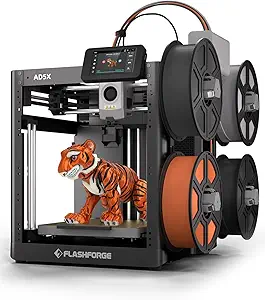 |
Creality K1C 3D Printer

| Print system | CoreXY |
|---|---|
| Maximum speed | 600 mm/s |
| Extruder | Direct extruder with tri-metal nozzle |
| Monitoring | Built-in AI camera |
| Noise | Silent mode ≤45 dB |
The Creality K1C is a CoreXY desktop machine built for fast, everyday 3D printing and learning. It uses a high-speed motion system rated up to 600 mm/s with strong acceleration for quicker prints, while the enhanced direct extruder and tri-metal nozzle make it easier to run higher-temperature materials such as carbon fiber blends. One-tap auto calibration and dynamically balanced fans reduce setup fuss and layer artifacts, and the built-in AI camera provides real-time monitoring and time-lapse recording for remote oversight or troubleshooting. An activated carbon filtration system and a quiet mode that drops noise to around 45 dB keep operation livable in a shared bedroom or classroom. Practical limitations are typical for high-speed printers: beginners may need time to dial in slicer settings for the fastest speeds, and advanced materials still require attention to print environment and post-processing. For a balanced user who wants speed, monitoring, and the option to experiment with tougher filaments, the K1C is a compelling classroom- or hobby-ready choice.
Best for: Teenagers or parents looking for a fast, feature-rich printer that balances ease of use with the ability to explore tougher materials and remote monitoring.
Less Ideal for: Users who want a completely hands-off plug-and-play toy printer or those unwilling to learn slicer tuning and filament handling.
- High-speed CoreXY motion system for much faster print times than typical hobby printers
- Direct extruder with tri-metal nozzle supports higher-temperature filaments including carbon fiber blends
- One-tap auto leveling and balanced fans simplify setup and reduce print artifacts
- Built-in AI camera enables live monitoring, error detection, and time-lapse capture
- Effective filtration and quiet mode make it suitable for shared spaces
- Achieving the fastest speeds requires careful slicer tuning and may be challenging for beginners
- Advanced filaments still need controlled printing conditions and occasional maintenance
Verdict: A fast, classroom-ready CoreXY printer that pairs high-speed printing and AI monitoring with easy auto-calibration, making it a strong choice for teenagers who want to learn and experiment.
Bambu Lab A1 Mini Combo

| Build Volume | 180×180×180 mm³ |
|---|---|
| Max Speed | 500 mm/s |
| Max Acceleration | 10 m/s² |
| Ideal Supported Filaments | PLA, PETG, TPU, PVA |
The Bambu Lab A1 Mini Combo is a compact, ready-to-use 3D printer package aimed at fast, accurate desktop printing and easy multi-color output when paired with the included AMS lite. It prints at high acceleration and top speeds while using active flow rate compensation and full-auto calibration to reduce tuning time, so teens can spend more time printing models from the MakerWorld library than fiddling with settings. Setup is straightforward thanks to a pre-assembled frame, touchscreen controls, and a 1-Clip quick-swap nozzle for simple maintenance. Noise is managed with active motor noise cancellation for quieter operation during long prints. The main limits are the small build volume compared with larger hobby printers and the need for the AMS lite module to do multi-color jobs, so intricate, large-scale or industrial parts are not the target. For classroom or home use where speed, ease of use, and multi-color capability matter most, the A1 Mini Combo balances performance and accessibility well.
Best for: A teen or parent who values fast, plug-and-play printing with reliable auto-calibration and wants to experiment with multi-color models without deep technical setup.
Less Ideal for: Users who need large-format builds, industrial-grade materials, or a printer for heavy-duty production should consider larger desktop or professional models instead.
- High acceleration and speed for fast prints and short turnaround times
- Full-auto calibration reduces setup and tuning for beginners
- AMS lite enables straightforward multi-color printing
- Active flow rate compensation improves extrusion consistency
- Pre-assembled design and quick-swap nozzle make maintenance simple
- Relatively small build volume limits large or tall prints
- Multi-color printing requires the AMS lite module
Verdict: A speedy, beginner-friendly combo that delivers high-performance prints and easy multi-color capability ideal for teenagers learning and creating.
ELEGOO Neptune 3 Pro

| Build volume | 225 x 225 x 280 mm |
|---|---|
| Noise level | 47 dB |
| Filament diameter | 1.75 mm |
| Extruder type | Dual‑gear direct drive |
The ELEGOO Neptune 3 Pro is a compact FDM machine aimed at hobbyists who want reliable prints without a steep learning curve. It ships partly preassembled with a toolkit and uses a dual‑gear direct drive extruder to feed common filaments like PLA, TPU, PETG and ABS with reduced clog risk. Auto bed leveling across 36 points, a PEI magnetic removable platform, filament runout detection and power‑loss resume make setup and interrupted prints easier to manage. The printer's upgraded nozzle assembly (titanium throat, brass nozzle) and widened heatsink plus a front cooling fan help with heat control during longer jobs, while dual Z lead screws and durable guides improve layer stability. Noise is modest at about 47 dB thanks to the STM32 board and silent stepper motors. Tradeoffs are the modest 225 x 225 x 280 mm build volume—good for school projects and miniatures but limiting for larger pieces—and some users will want to tune slicer settings to get the best surface finish. For teens learning CAD and printing, it balances helpful automation with parts and features that support hands‑on tinkering.
Best for: Teen learners and practical hobbyists who want a near‑ready machine with helpful automation and forgiving filament handling so they can focus on designing and printing projects rather than constant tweaking.
Less Ideal for: Users who need to print very large parts or require an industrial enclosed system for high‑temperature engineering materials should consider larger or enclosed models.
- Dual‑gear direct‑drive extruder for consistent filament feeding and fewer clogs
- 36‑point auto bed leveling simplifies first‑layer setup
- PEI magnetic removable build plate makes part removal fast
- Filament runout sensor and power‑loss resume protect long prints
- Dual Z lead screws and POM V‑guide wheels improve Z stability
- Build volume is limited compared with larger hobby printers
Verdict: A teen‑friendly, practical 3D printer that speeds up setup and reduces common printing headaches while still leaving room to learn tuning and maintenance.
HEPHi3D TINA2S 3D Printer

| Connectivity | WiFi, TF card, USB |
|---|---|
| Filament diameter | 1.75 mm |
| Supported materials | PLA, PLA Pro, TPU |
| Noise level | 40–50 dB |
The HEPHi3D TINA2S is a small, beginner-friendly FDM printer designed for quick setup and family or classroom use. It arrives fully assembled and claims to be ready to print in minutes, with auto bed leveling, a filament sensor, and power-loss resume to reduce failed prints. The built-in WiFi app and access to a large online model library make it easy for teens to browse and start prints from a phone or tablet, and the printer is compatible with common slicers like Cura and PrusaSlicer for when users want more control. Practical benefits include a compact, semi-enclosed design that saves desk space, a magnetic flexible build plate for easy part removal, and a quiet motherboard meant to keep noise levels low during long prints. Limitations to expect are the small build volume implied by its compact footprint and the focus on PLA/PLA Pro/TPU filaments only, which keeps material options simple but restricts advanced hobbyists who want high-temperature materials. For a first printer that prioritizes ease of use and classroom-friendly features, the TINA2S covers the essentials well.
Best for: Teenagers and families looking for an easy, low-friction introduction to 3D printing who value quick setup, app control, and classroom-friendly safety features.
Less Ideal for: Serious hobbyists who need a large build volume or want to print high-temperature engineering filaments for advanced projects.
- Arrives fully assembled with auto bed leveling for minimal setup
- WiFi app access and a 3,000+ model library for one-tap wireless printing
- Filament sensor and power-loss resume reduce failed prints and material waste
- Quiet operation and compact, semi-enclosed design suitable for home or classroom
- Small desktop footprint implies a limited build volume for larger projects
- Material support limited to PLA, PLA Pro, and TPU without high-temperature capability
Verdict: A compact, budget-friendly first printer that makes it easy for teens to start printing with minimal setup and phone-based controls.
Creality Ender 3 V3 SE

| Printing speed | Up to 250 mm/s |
|---|---|
| Build plate | PC spring steel flexible plate |
| Extruder type | Sprite direct extruder |
| Mainboard | 32-bit silent mainboard |
The Ender 3 V3 SE is a desktop FDM printer designed to get beginners printing fast while maintaining respectable print quality. It uses a Sprite direct extruder that handles PLA, PETG and flexible filaments more reliably than a Bowden setup, and features CR Touch auto leveling plus a strain sensor for one-tap Z offset so first-layer setup is simpler. The printer's dual Z-axis and twin Y-axis linear shafts give a stable motion system that reduces Z wobble on taller prints, and a 32-bit silent mainboard keeps noise and stepper vibration low during long jobs. Practical conveniences include an easy-to-remove spring steel build plate and one-touch filament load/unload. Limits to expect are a relatively small build area compared with larger hobby printers and that faster top speeds may still require tuning to preserve fine detail. Assembly is quick and approachable, making it a sensible choice for supervised teens learning 3D printing fundamentals.
Best for: Teen makers or parents who prioritize a reliable, low-noise printer that is easy to start with and handles a range of filament types for learning and small projects.
Less Ideal for: Users who need a large-format printer for big prototypes or professionals requiring industrial-grade throughput and very large build volumes.
- Sprite direct extruder for better feeding of PLA, PETG and TPU
- CR Touch auto leveling and strain sensor simplify first-layer setup
- Dual Z-axis and robust Y-axis shafts improve stability and reduce wobble
- 32-bit silent mainboard reduces printing noise
- Spring steel build plate makes part removal easier
- Smaller build volume may limit larger projects
- Achieving highest print speed without quality loss can require tuning
Verdict: A beginner-friendly, stable 3D printer that delivers dependable, low-noise prints and easy setup—great for teens learning to print.
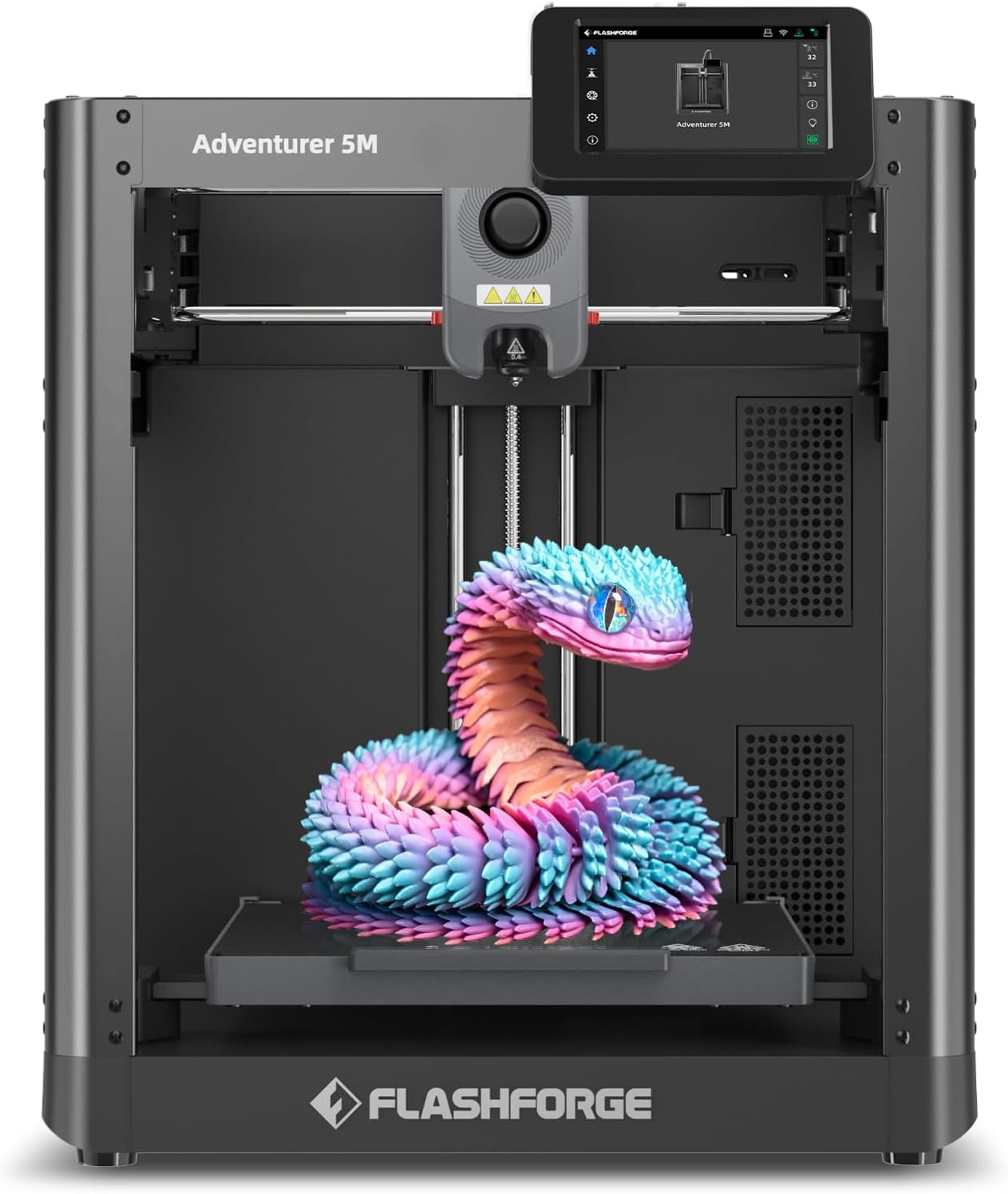
FLASHFORGE Adventurer 5M
| Build Volume | 220 x 220 x 220 mm |
|---|---|
| Extruder Max Temp | 280°C |
| Travel Speed | 600 mm/s |
| Platform Type | Double-Sided PEI Platform |
The Flashforge Adventurer 5M is a CoreXY desktop printer designed for faster prototyping and classroom or hobby use. It uses one-click automatic bed leveling and a double-sided PEI platform to simplify setup and improve first-layer adhesion, while a 280°C direct-drive extruder and quick-change nozzle support a wide range of filaments including PLA, ABS, PETG, TPU, and carbon-fiber blends. The AD5M targets speed with a claimed 600 mm/s travel and high acceleration, plus vibration compensation and multiple nozzle sizes for tuning quality versus speed. Practical benefits include a compact enclosed design that helps with temperature-sensitive materials, a user-friendly workflow with mobile app monitoring, and quick warm-up times to get prints started. Limitations to note are that extreme top speeds are difficult to realize without careful tuning and possibly upgraded slicer settings, and some advanced materials may still require enclosure upgrades or more experienced filament handling. For teens and beginners, the auto-leveling and app monitoring reduce frustration, but expect a learning curve to get the fastest print settings dialed in reliably.
Best for: Teen makers and classrooms looking for a user-friendly, relatively fast desktop printer that minimizes setup hassles while still allowing experimentation with a range of filaments.
Less Ideal for: Users who want out-of-the-box industrial reliability for continuous heavy production or those needing a printer pre-tuned to extreme high-speed settings without manual calibration.
- One-click automatic bed leveling simplifies first-layer setup
- CoreXY all-metal structure for faster travel and improved precision
- 280°C direct-drive extruder with quick 3-second nozzle changes supports many filament types
- Double-sided PEI platform makes part removal and adhesion easier
- Mobile app support and remote monitoring for convenient supervision
- Claimed top travel speeds require careful tuning and may not reflect everyday print throughput
- Some engineering filaments may need enclosure mods or extra handling for reliable results
Verdict: A user-friendly CoreXY printer that gives teens a fast, feature-rich platform for learning and experimenting with many filament types while keeping setup simple.
FLASHFORGE AD5X 3D Printer

| Build volume | 220×220×220mm |
|---|---|
| Extruder max temp | 300°C |
| Travel speed | Up to 600mm/s |
| Nozzle sizes | 0.25 / 0.4 / 0.6 / 0.8mm |
| Filament compatibility | PLA, ABS, PETG, TPU, CF blends |
The FLASHFORGE AD5X is a CoreXY FDM printer aimed at fast, versatile desktop printing. It ships with a 0.4mm nozzle and supports four-color printing, an automatic one-click bed leveling system, and an automatic filament feed and retract system to simplify setup. The 300°C direct-drive extruder broadens material options to include PLA, ABS, PETG, TPU and carbon-fiber blends, while quick-detach nozzles and selectable 0.25–0.8mm sizes let you trade fine detail for speed. The AD5X is built for rapid work with claimed travel speeds up to 600mm/s and large acceleration, which helps with quick prototypes and batch prints; cooling and vibration compensation support print quality at speed. Practical conveniences include resume-after-power-loss and app-based remote monitoring. For a risk-averse buyer the strong set of automation features reduces fiddly calibration, but high top speeds and multi-color printing add complexity versus simpler starter machines, and advanced settings may require learning to get the best results.
Best for: Teen makers and hobbyists who want a fast, capable machine with automation features that reduce routine calibration and let them experiment with multi-color and higher-temperature filaments.
Less Ideal for: Younger teens or guardians seeking an extremely simple, plug-and-play classroom printer with minimal tuning needs or a fully enclosed safety-focused unit.
- One-click auto bed leveling simplifies setup and reduces failed first layers.
- 300°C direct-drive extruder expands usable filament types beyond PLA.
- Supports up to four-color printing for more creative prints.
- Quick-detach nozzles and multiple nozzle sizes for flexibility between detail and speed.
- Resume printing and automatic filament feed reduce print interruptions.
- High stated travel speeds increase setup and tuning complexity compared with basic beginner printers.
- Open-frame CoreXY design may be noisier and less enclosed for temperature-sensitive materials.
Verdict: Choose the AD5X if you want a feature-rich, fast CoreXY printer that reduces calibration work while letting teens explore multi-color and higher-temperature materials.
Choosing the Right 3D Printer for Teenagers: Key Factors to Consider
Safety Features
Physical protections such as enclosed frames, covered heated beds, and filament guards reduce burn and pinch risks for younger users. Emergency stop buttons or easy-access power switches let a supervisor quickly halt a print if something goes wrong.
Electrical and thermal safety also matters. Look for printers with reliable thermal runaway protection and clear wiring paths. These features lower the chance of hardware faults turning into safety issues while teens are learning and experimenting.
Ease of Setup and Use
A gentle onboarding experience keeps teenagers engaged. Printers that arrive partially assembled or with guided first-print wizards reduce early frustration. Simple bed-leveling procedures, automatic calibration, or assisted leveling remove a steep technical barrier and let users focus on designing and printing.
Control interfaces and slicer software should be intuitive and well-documented. Bundled starter profiles, an easy file transfer workflow, and basic presets for common filament types help teens get consistent results without advanced tuning.
Software and Learning Resources
Good software ecosystems accelerate learning. A slicer with friendly presets, clear error messages, and built-in tutorials helps teens understand what to change and why. Cloud or local libraries of beginner projects, templates, and lesson plans make it easy to start crafting immediately.
Active communities, manufacturer tutorials, and third-party lesson sets expand what a teenager can do beyond basic prints. Access to step-by-step guides and troubleshooting articles reduces downtime and builds confidence over time.
Print Reliability and Maintenance
Consistent print results are critical for motivation. Printers that produce repeatable parts with minimal daily maintenance let teenagers complete projects and iterate quickly. Features such as filament runout detection and power-loss recovery prevent lost prints and wasted material.
Routine upkeep should be straightforward. Replaceable nozzles, clear instructions for bed care, and easily accessible components simplify maintenance tasks so teen users and supervising adults can keep the machine running without specialist tools.
Build Volume and Material Flexibility
Consider the size of projects a teenager will tackle. Larger build volumes support bigger sculptures or multi-part assemblies, while compact printers fit small workspaces and are often easier to supervise. Think about an appropriate balance for the maker's typical projects.
Material flexibility affects what a teen can make. PLA is the easiest filament for beginners, but access to PETG or TPU support allows more advanced projects later. Ensure the printer's hotend and bed support the filament types you anticipate using, and be realistic about venting and enclosure needs for higher-temperature materials.
Durability and Upgrade Path
A durable chassis and quality mechanical parts reduce downtime and build confidence. Teen-focused machines should tolerate occasional mistakes and frequent short prints without rapid wear. Metal frames, reliable belts, and robust linear motion components extend useful life.
Also consider upgradeability. A clear path to add features such as improved beds, better extruders, or more advanced firmware keeps the printer relevant as skills advance, letting a teenager grow into more capable projects rather than needing a complete replacement.
Setting Up a Teen-Friendly 3D Printing Space
Designate a well-ventilated, stable work area with enough room for filament spools, tools, and finished parts. Keep the printer on a level surface away from high-traffic zones to prevent accidental bumps during prints.
Establish simple safety rules: supervised first prints, no touching moving parts during operation, and cooling time for freshly printed items. Store filament in sealed containers with desiccant to preserve print quality and reduce jam risks.
- Use a dedicated work mat or tray to catch filament scraps and protect the surface.
- Keep basic tools handy: scraper, flush cutters, glue stick or hairspray for bed adhesion.
- Label filament types and recommended print settings to avoid confusion.
Choosing Filaments and Consumables for Beginners
PLA is the best starting filament because it prints at lower temperatures, is less prone to warping, and emits minimal odor. For classroom or home use, standard PLA is safe and predictable for early projects.
As skills grow, materials like PETG and flexible TPU offer new possibilities. These filaments require slightly different slicer settings and sometimes a different bed surface, so introduce them after the user is comfortable with PLA.
- Start with PLA before experimenting with PETG or TPU.
- Store filaments dry and labeled to maintain printability.
- Keep spare nozzles and a filament guide to reduce feeding issues.
Encouraging Learning with Projects and Challenges
Project-driven learning accelerates skill development. Start with simple functional prints like phone stands or small toys, then introduce design tasks that require dimensioning and fit, such as puzzle pieces or snap-fit enclosures.
Challenge-based prompts, such as designing a custom keychain or repairing a household item, teach practical problem-solving. Incorporate lessons on measuring, tolerances, and iterative testing to build engineering thinking.
- Use short, achievable projects to maintain momentum.
- Document each print and note settings for repeatability.
- Encourage modification of existing models to learn CAD basics.
Basic Troubleshooting Tips Teens Should Know
Common issues include poor bed adhesion, stringing, and layer shifting. Teach a few core fixes: level the bed, clean the nozzle, and check belt tension. Many problems resolve with small mechanical adjustments or slicer setting tweaks.
Keep a simple checklist for print failures: verify filament feed, confirm bed temperature and leveling, ensure the nozzle is not clogged, and inspect for loose belts or rollers. This empowers teens to diagnose problems independently.
- Run a test print after any mechanical adjustment to confirm the fix.
- Keep a log of error symptoms and successful remedies for future reference.
- Seek community guides and video tutorials when an issue persists.
Supervision and Skill Progression for Teenage Makers
Initial supervision is important for safety and learning. Walk through the first prints together, demonstrate safe handling of hot parts, and explain why calibration matters. After a few supervised sessions, gradually increase independent work as competence grows.
Set goals that expand capability, such as mastering slicer settings, learning a simple CAD tool, or completing a multi-part assembly. Balanced guidance helps teens become confident makers without removing the opportunity to learn from mistakes.
- Use checklists for power-on, filament loading, and print start procedures.
- Encourage documenting failures as learning moments.
- Plan periodic reviews of maintenance tasks with a supervising adult.
How We Chose the Best 3D Printer for Teenagers
Our shortlist focuses on machines that blend safe hardware, approachable software, and reliable print results for teenage makers. We prioritized printers with enclosed or semi-enclosed frames, accessible filament handling, and power-loss or resume features that reduce frustration during prints. Ease of use was evaluated by looking for intuitive setup workflows, preconfigured slicer profiles, and helpful on-device controls that minimize the need for advanced tweaking. We also weighed build volume and print quality against the learning curve so that printers remain useful as skills progress. Durable construction and accessible community or manufacturer support were important for troubleshooting and project ideas. Finally, we filtered out machines intended strictly for industrial use, devices lacking basic safety protections, and units with poorly documented software. The resulting list favors models that are safe for supervised teen operation, encourage experimentation, and offer clear upgrade paths as skills improve.
Our full evaluation process is outlined in our review methodology.
FAQ
Is a fully enclosed printer necessary for a teenager?
Not always. Enclosures add a layer of safety and help with higher-temperature materials, but many open-frame printers are safe for supervised use. Prioritize thermal protection and clear safety rules if choosing an open design.
What filament should a beginner start with?
PLA is the recommended starting filament because it prints at lower temperatures, is easy to work with, and produces few fumes. Move to PETG or TPU once the user is comfortable with basic settings.
How much supervision does a teen need when using a 3D printer?
Supervision is important during initial setup and the first several prints. After demonstrating safe practices and basic troubleshooting, many teens can operate the printer with periodic checks, depending on their maturity and experience.
How do I reduce failed prints for a beginner?
Start with small, well-calibrated prints and use proven slicer presets. Ensure the bed is level, the nozzle is clean, and filament is dry. Features like filament runout detection and power-loss recovery also reduce failed prints.
Can teens learn CAD and design their own models?
Yes. Many simple CAD tools are beginner-friendly and teach basic design concepts. Start with block-based or entry-level parametric editors and progress to more advanced software as skills develop.
Final Verdict
Choose a 3D printer that matches both the teenager's current skill level and the projects they want to tackle. Prioritize safety features and ease of use early on, then consider build volume and material flexibility as the user gains experience. Focus on machines with clear software, reliable prints, and straightforward maintenance so a teen can learn confidently and grow into more advanced projects.