
Note: This article contains affiliate links. If you click on these links and make a purchase, we may earn a small commission at no extra cost to you. This helps support our research and content. Read our full affiliate disclosure here.
Picking a 3D printer on a budget means balancing print quality, reliability, and long-term running costs. For hobbyists, makers, and learners, a lower upfront price is useful only if the machine can consistently produce usable parts and is not costly or difficult to maintain. This guide covers the top shortlisted budget 3D printers that meet those expectations. We evaluated machines for build consistency, ease of setup, and operating costs so you can pick the right option for rapid prototyping, functional prints, or learning the workflow. Read on to see which budget choices made the list and why they might fit your workshop.
Top Picks at a Glance
| Best Overall The best all-around choice for most situations | Bambu Lab A1 3D Printer |  |
| Best Quality Built to a higher standard if you want something more solid | FLASHFORGE Adventurer 5M |  |
| Best Value The sweet spot between price and what you get | Creality Ender 3 V3 SE |  |
| Best Budget The cheapest option that still gets the job done reliably | SainSmart PrintyGo PrintyGo |  |
| Top Rated A top-rated pick with lots of positive feedback | Creality Ender 3 V3 SE |  |
| Most Popular A crowd favorite that many people choose with confidence | FLASHFORGE Adventurer 5M |  |
| Best Seller A high-volume bestseller chosen again and again | Bambu Lab A1 mini |  |
Bambu Lab A1 3D Printer

| Build volume | 256 × 256 × 256 mm |
|---|---|
| Acceleration | 10 m/s² |
| Supported filaments | PLA, PETG, TPU, PVA |
| Auto calibration | Full-auto (Z-offset, bed-level, resonance, nozzle pressure) |
The Bambu Lab A1 is a ready-to-use FDM printer aimed at people who want fast, reliable prints without a lot of manual setup. It handles full-auto calibration for Z-offset, bed leveling, resonance and nozzle pressure, so you can start prints with minimal tinkering, and it includes active flow-rate compensation to keep extrusion consistent. The open-frame A1 offers a 256 × 256 × 256 mm build volume, a high-speed motion system with strong acceleration, and optional AMS lite for multi-color printing and RFID-synced filament profiles. Connectivity options include Bambu Cloud or a LAN-only mode for privacy-conscious users, and built-in monitoring helps catch print issues early. Practical limits are its open-frame design, which is less suited to high-temperature materials, and the AMS lite is an extra purchase unless you buy a combo; noise is reduced by active motor noise canceling but high-speed jobs may still produce noticeable vibration. For buyers focused on an easy first experience and fast, detailed prints, the A1 balances automation and performance well.
Best for: Buyers who want a mostly hassle-free first 3D printer that prints quickly and reliably with minimal tuning and grows into multi-color work if they add the AMS lite.
Less Ideal for: Users who need an enclosed, high-temperature machine for ABS/engineering plastics or those who want multi-color printing without buying additional hardware.
- Full-auto calibration that minimizes manual setup
- Active flow-rate compensation for consistent extrusion
- Relatively large 256×256×256 mm build volume for its class
- Optional AMS lite support for reliable multi-color printing
- Multiple connectivity options including LAN-only mode for privacy
- Open-frame design limits printing of high-temperature materials
- AMS lite for multi-color requires separate purchase unless buying a combo
Verdict: If you want a fast, beginner-friendly printer that minimizes setup and can expand to multi-color printing, the Bambu Lab A1 is a strong budget-minded choice.
FLASHFORGE Adventurer 5M

| Build volume | 220 x 220 x 220 mm |
|---|---|
| Nozzle options | 0.25/0.4/0.6/0.8 mm |
| Leveling method | Full-Auto One-Click Leveling |
| Travel speed | 600 mm/s and 20,000 mm/s² |
| Connectivity | Wi-Fi; Ethernet; USB; Cloud |
The FLASHFORGE Adventurer 5M is a performance-minded desktop printer that brings fast CoreXY motion and automated setup to hobbyists and small workshops. It prints in a 220×220×220 mm volume and uses a fully automatic one-click leveling system to reduce the time spent on calibration, while a quick-release nozzle system (0.25/0.4/0.6/0.8 mm) makes swapping for finer detail or faster throughput straightforward. Flashforge advertises travel speeds up to 600 mm/s and high acceleration for shorter print times, and the dual-texture PEI plate and resume-after-power-loss feature help protect prints and simplify part removal. Connectivity includes Wi‑Fi, Ethernet, USB, and cloud control plus an app and slicer for remote monitoring and batch job management. The printer supports common filaments such as PLA, PETG, TPU, ABS, ASA, and carbon-fiber blends. Expect strong speed and convenience for prototyping and iterative design, but note that features like enclosure, camera monitoring, and advanced filtration are available on Pro variants rather than this base model, so printing high-temperature or odor-prone materials may require extra accessories or a different configuration.
Best for: Buyers who prioritize fast, repeatable prints and want a desktop machine that minimizes setup time while supporting a variety of materials for prototyping and iterative design.
Less Ideal for: Users who need a fully enclosed, temperature-controlled build chamber, integrated camera monitoring, or built-in filtration for frequent high-temperature or odorous materials should consider a different configuration or add-ons.
- CoreXY all-metal motion for higher speed and stability
- Fully automatic one-click bed leveling simplifies setup and improves first-layer reliability
- Quick-detach nozzles in multiple diameters for fast swaps between precision and speed
- Wide filament compatibility including PLA, ABS, PETG, TPU and carbon-fiber blends
- Networked connectivity and app/slicer support for remote monitoring and batch printing
- Base model lacks enclosure, camera monitoring, and active air filtration found on higher-tier versions
Verdict: If you want a budget-friendly, performance-focused desktop printer that speeds up setup and prototyping, the Adventurer 5M delivers high-speed CoreXY printing and tool-free nozzle swaps for rapid iteration.
Creality Ender 3 V3 SE
| Max printing speed | 250 mm/s |
|---|---|
| Build volume | 220×220×250 mm |
| Extruder type | Sprite full-metal dual-gear direct extruder |
| Auto leveling | CR Touch auto leveling with strain sensor |
| Supported filaments | PLA, PETG, ABS, TPU 95A |
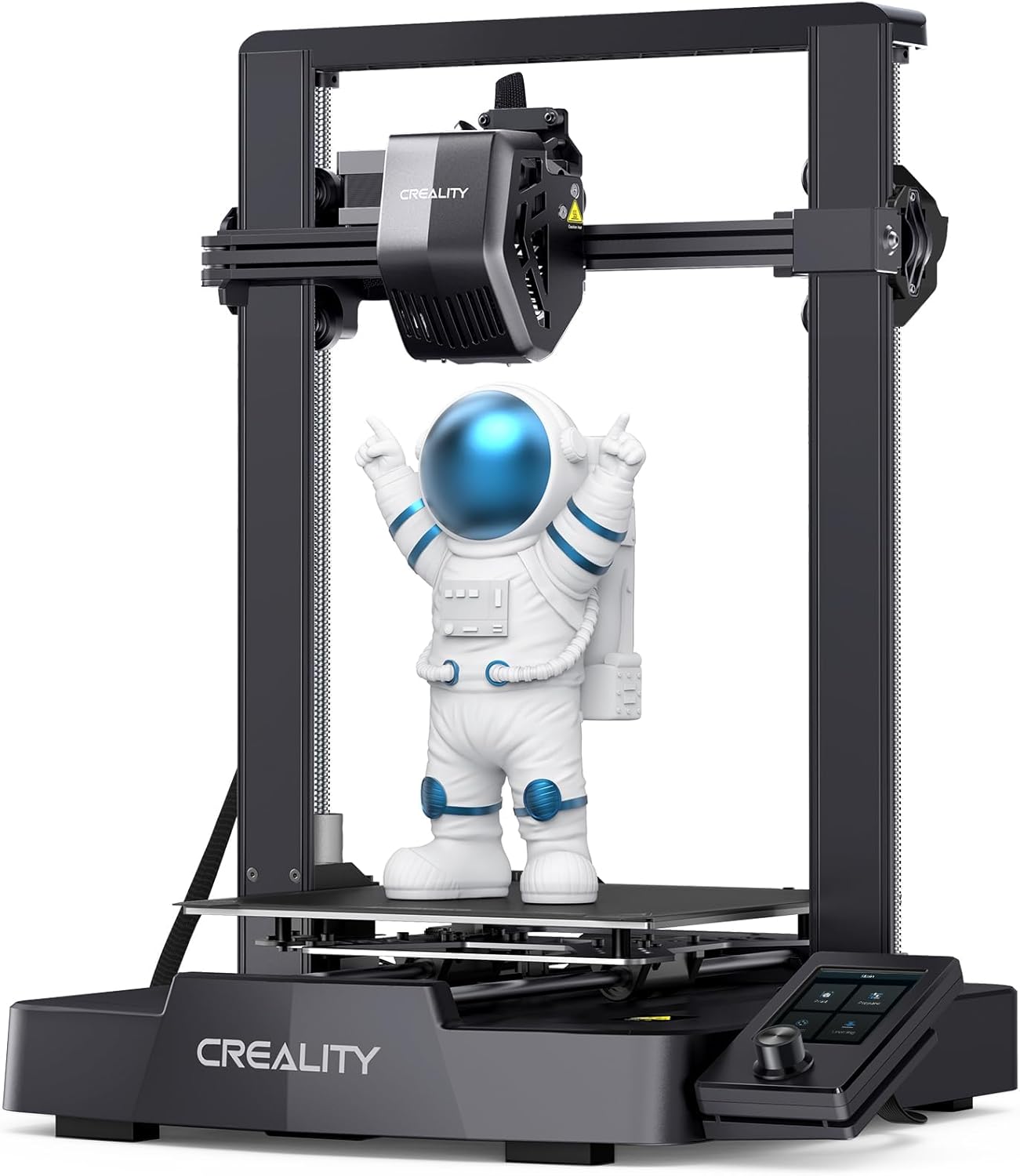
The Ender 3 V3 SE is a budget-oriented desktop FDM printer that aims to speed up basic prototyping without demanding a long setup. It ships largely preassembled and claims a three-step build that gets you to first print in roughly 20 minutes, which makes it practical for hobbyists who want to start quickly. Notable hardware upgrades include a full-metal Sprite dual-gear direct extruder for more reliable feeding of PLA, TPU and PETG, dual Z-axis screws and Y-axis linear shafts for improved stability, and a CR-Touch auto-leveling plus strain sensor to reduce manual bed tramming. The UI has been refreshed and the unit supports auto filament loading and resume printing after power loss. Expect faster prints thanks to a higher top speed and stronger acceleration, though pushing higher speeds will still require dial-in of slicer settings and good filament to keep surface quality. At this price the machine trades advanced connectivity and some premium convenience features for core mechanical improvements that reduce common beginner frustrations.
Best for: Buyers who want a capable, affordable printer that minimizes setup time and common mechanical hassles so they can focus on printing prototypes and hobby parts quickly.
Less Ideal for: Users who need factory-grade multi-material, large-volume, or fully networked printers for professional production should look at higher-end models.
- Mostly preassembled for quick first print setup
- Sprite full-metal dual-gear direct extruder improves filament feeding and supports flexible filaments
- CR-Touch auto leveling and strain sensor reduce manual bed adjustments
- Dual Z-axis and reinforced Y-axis linear shafts for steadier, more accurate prints
- Auto filament loading/unloading and resume-printing after power loss
- Top advertised speed requires careful tuning to maintain print quality
- Does not list advanced wireless/cloud connectivity in product details
Verdict: If you want a fast, no-fuss desktop printer on a budget that fixes common beginner pain points like bed leveling and filament feeding, the Ender 3 V3 SE is a solid pick.
SainSmart PrintyGo PrintyGo
| Supported filaments | PLA, PLA+, PETG |
|---|---|
| Touchscreen | 5-inch |
| Print library | 1,500+ ready models |
| Safety features | Child lock, automatic stop when door opens |
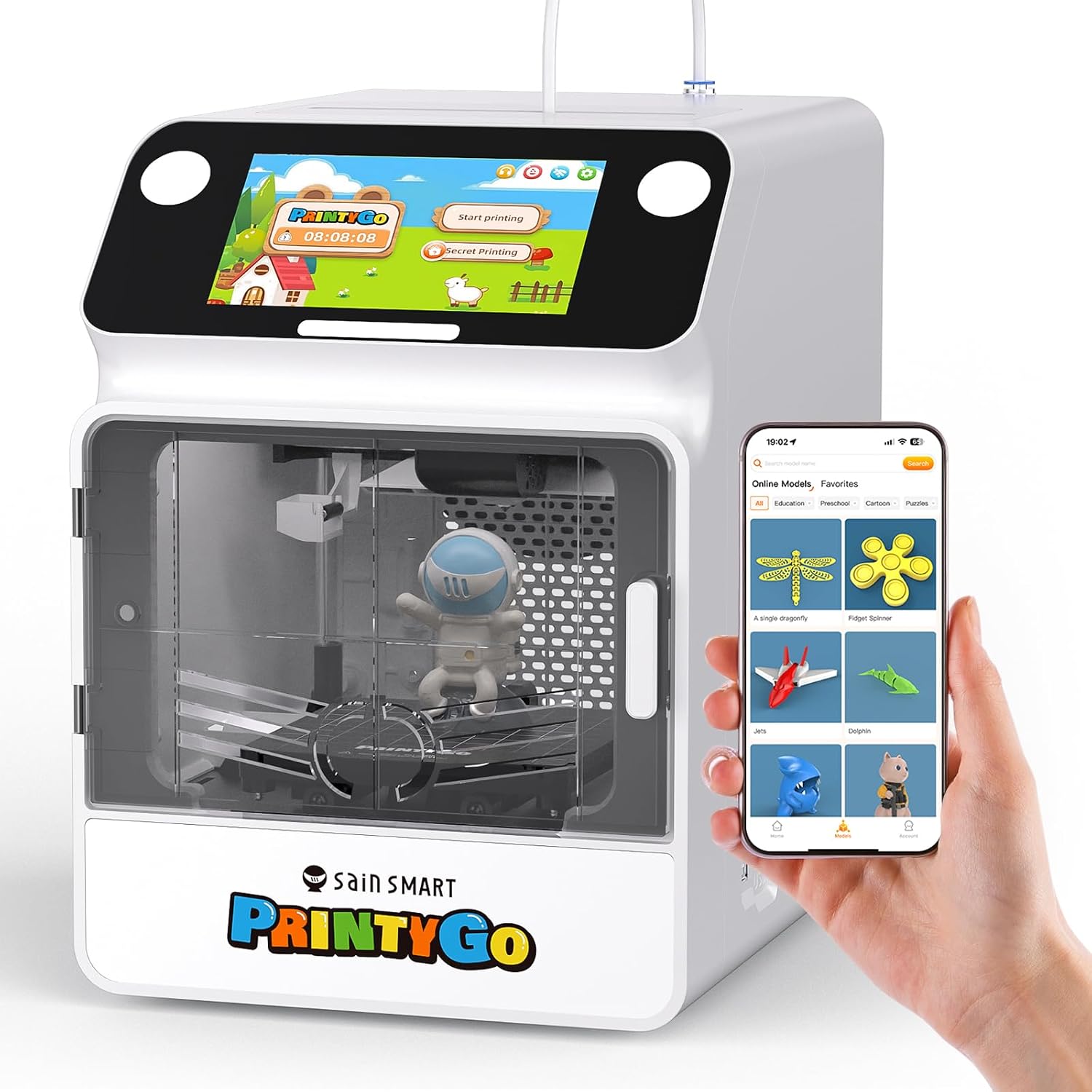
The SainSmart PrintyGo is a beginner-friendly, fully enclosed 3D printer aimed at kids and classrooms that arrives pre-assembled and ready to print. It offers a small printable volume and supports PLA, PLA+, and PETG while providing safety features such as a child lock that pauses printing when the door opens and automatic stopping to prevent access to hot or moving parts. PrintyGo is controlled from a 5-inch touchscreen or via an optional app and includes a library of more than 1,500 ready-to-print models so children can start projects without learning slicing software. Practical benefits include a compact footprint for desktops, quick out-of-box setup, and bundled accessories like filament, bed glue, and basic tools. Expect limitations in build volume for larger parts and a recommendation to avoid TPU filaments, so more advanced makers may outgrow it; also high-speed claims are aspirational for small hobby prints. For low-cost STEM education and simple toy or model printing, PrintyGo delivers accessible, safe printing with minimal setup.
Best for: Buyers seeking an affordable, plug-and-play 3D printer for kids or classroom STEM use who want a safe, low-maintenance machine that works out of the box.
Less Ideal for: Serious hobbyists or makers who need a larger build area, advanced material support, or high-precision printing for detailed functional parts should consider more capable desktop printers.
- Fully enclosed design with child lock and automatic stop when the door opens for safer operation
- Pre-assembled and easy to use with a 5-inch touchscreen so kids can print without a computer
- Includes a large, regularly updated library of 1,500+ ready-to-print models to jumpstart projects
- Bundle includes filament and basic accessories so you can start printing right away
- Small maximum build volume limits larger projects
- Not recommended for TPU and other flexible filaments, reducing material versatility
- Performance and claimed high speeds may not match more capable hobbyist printers
Verdict: A budget-friendly, safe, and ready-to-use 3D printer that makes it easy for kids and classrooms to start printing without technical setup.
Creality Ender 3 V3 SE

| Printing speed | up to 250 mm/s |
|---|---|
| Acceleration | 2500 mm/s² |
| Extruder type | Sprite direct extruder |
| Mainboard | 32-bit silent mainboard |
The Creality Ender 3 V3 SE is a budget-focused FDM printer built for fast, reliable everyday printing. It combines a Sprite direct extruder that handles PLA, PETG and TPU with auto filament load/unload and a CR Touch auto-leveling sensor, which makes getting a good first layer straightforward for beginners and repeatable for regular use. The machine uses a dual Z-axis with synced belt and robust Y-axis linear shafts to reduce wobble and keep layer quality steady, and a 32-bit silent mainboard helps keep noise and vibration down during longer prints. Its spring steel build plate is sticky in use but bends to release parts easily. The V3 SE is quick to assemble and intended for users who want usable prints without deep tuning, though it is still a basic desktop printer and does not offer advanced enclosure, very large build volume, or high-end motion systems found on pricier models. For buyers prioritizing dependable, low-friction day-to-day printing at a low price, it delivers solid value.
Best for: Buyers who want a dependable, easy-to-start 3D printer for regular hobby or light workshop use and value features that reduce setup and filament hassles.
Less Ideal for: Those who need very large build volumes, enclosed heated chambers for high-temperature materials, or precision industrial features should look at higher-end models.
- Auto leveling with CR Touch and strain sensor simplifies getting a reliable first layer
- Sprite direct extruder supports a range of filaments including flexible TPU
- Dual Z-axis and sturdy Y-axis linear shafts reduce Z wobble for steadier prints
- Auto filament load/unload and flexible spring steel build plate speed routine use and part removal
- Build volume is modest compared with larger desktop machines
- Lacks enclosure and some advanced motion features found on higher-end printers
Verdict: A budget-minded, reliability-focused desktop printer that makes consistent, low-hassle prints easy for beginners and regular users.
FLASHFORGE Adventurer 5M

| Build Volume | 220 x 220 x 220 mm |
|---|---|
| Nozzle Temperature | Max 280°C |
| Travel Speed | 600 mm/s |
| Platform Type | Double-Sided PEI Platform |
| Structure | All-metal Core XY Structure |
The FLASHFORGE Adventurer 5M is a CoreXY desktop printer aimed at faster, reliable FDM printing. It uses a 280°C direct-drive extruder with several nozzle sizes and a dual-sided PEI platform, and it ships with one-button automatic bed leveling so you can get flat first layers without fiddling. The CoreXY frame, 600mm/s travel speed and high acceleration are built to cut print time for prototypes and small production runs, while quick-change nozzles and a 35-second warm-up improve workflow. The printer supports common filaments including PLA, ABS, PETG, TPU and carbon-fiber blends, and the Flash Maker app adds remote monitoring for longer jobs. Expect strong out-of-the-box convenience and faster cycle times, but know this model targets speed and workflow rather than ultra-fine micro-detail compared with slower, tuned machines; some users may need to tune slicer settings and part cooling for the best surface finish. Regular nozzle and bed maintenance is recommended to keep the high-speed features consistent.
Best for: Buyers who want a fast, user-friendly desktop printer for rapid prototyping or short production runs and who value easy setup and remote monitoring to reduce hands-on time.
Less Ideal for: Anyone whose top priority is the absolute finest surface finish or who needs a printer optimized for large-format parts should look at slower, high-precision alternatives.
- CoreXY all-metal structure for higher travel speeds and reduced print time
- One-button automatic bed leveling for easier first-layer setup
- 280°C direct extruder with quick 3-second nozzle changes for material versatility and fast swaps
- Dual-sided PEI platform for easier part removal and reliable adhesion
- Mobile app support for remote monitoring and job control
- Designed for speed so extremely fine surface detail may require tuning and slower print profiles
- High acceleration and speed can amplify issues if filament quality or cooling is inconsistent
Verdict: Choose the Adventurer 5M if you need a fast, turnkey CoreXY desktop printer that reduces print cycles and simplifies setup for budget-conscious prototyping.
Bambu Lab A1 mini
| Item model number | PF002-M-EU |
|---|---|
| Item Weight | 12.1 pounds |
| Customer Reviews | 4.4 out of 5 stars |
| Manufacturer | Shenzhen Tuozhu Technology Co., Ltd |
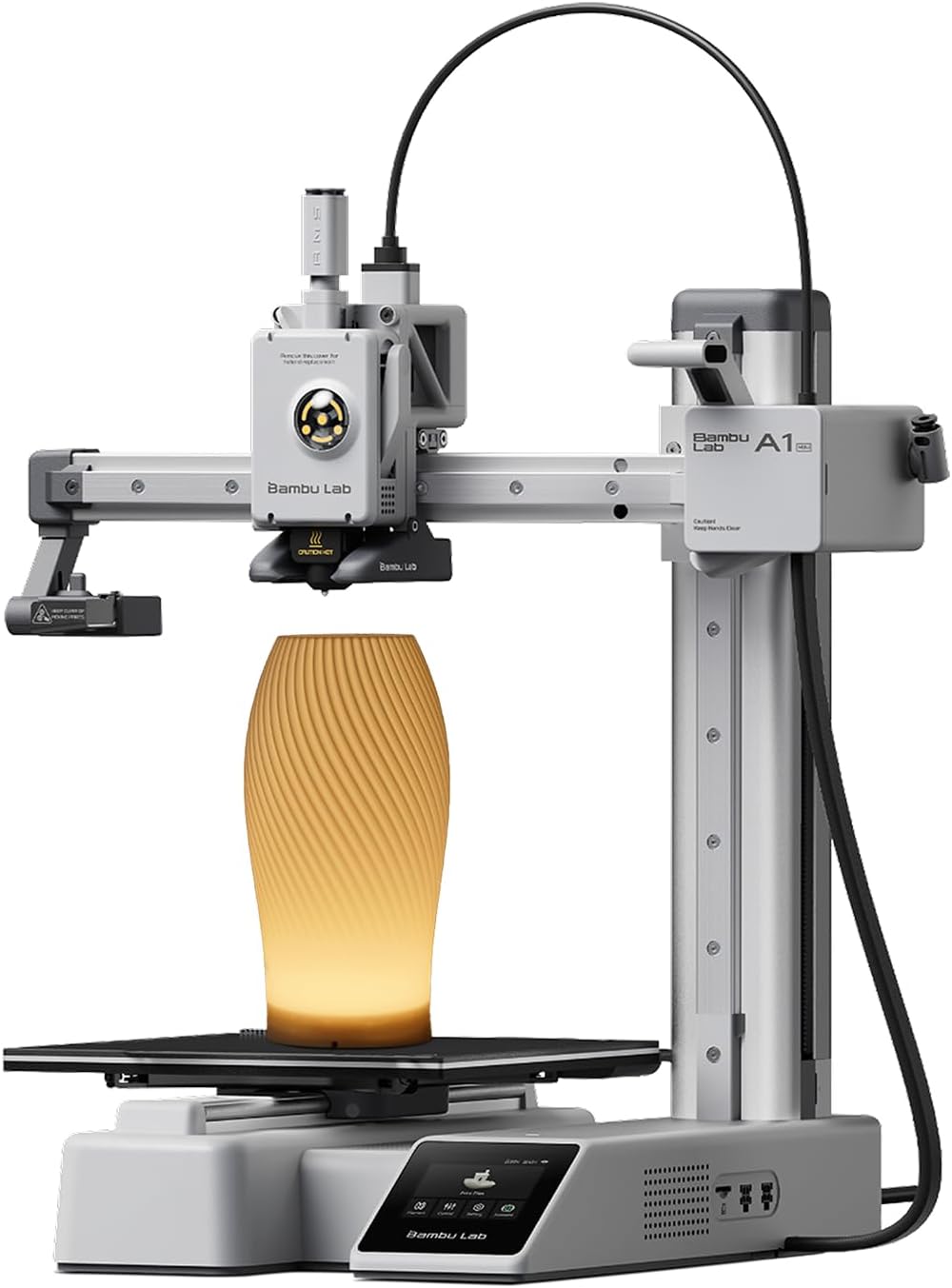
The Bambu Lab A1 mini is a small, user-friendly FDM printer aimed at beginners who want a quick path to usable prints. It ships as a ready-to-use kit with an LED lamp add-on for printing decorative light projects, and it emphasizes plug-and-play setup with full-auto calibration and active flow rate compensation to reduce fiddling. The printer targets everyday prints like toys, décor, and simple functional parts and integrates with Bambu Lab's MakerWorld library and the Bambu Handy app for easy model access and print management. Notable strengths are its compact footprint, relatively quiet operation listed under 48 dB, and features that automate common setup headaches so new users spend less time troubleshooting. Limits include a smaller build volume compared with larger desktop machines and an open-frame design that is less suited to very high-temperature or industrial filaments. For cautious buyers wanting a reliable, low-hassle starter machine, the A1 mini balances convenience and print quality in a compact package.
Best for: Buyers who want a low-stress entry into 3D printing and prioritize an easy setup, quiet operation, and a guided ecosystem over tinkering with hardware.
Less Ideal for: Users who need large build capacity, frequent high-temperature engineering material printing, or a fully enclosed industrial-level machine.
- Full-auto calibration and active flow rate compensation reduce setup and tuning time
- Compact, quiet operation suitable for home or small workspaces
- Includes LED lamp kit for creative, ready-made lamp projects
- Integration with MakerWorld and mobile app simplifies finding and managing prints
- Smaller build volume limits large or multi-part prints
- Open-frame design is not ideal for printing high-temperature engineering filaments
Verdict: A compact, beginner-oriented printer that minimizes setup friction and lets cautious buyers start printing reliably right away.
Choosing the Right 3D Printer on a Budget: Key Factors to Consider
Print Quality & Tolerances
How a budget 3D printer handles fine details and maintains dimensional accuracy determines whether your prints are functional or merely decorative. Layer adhesion, the precision of axis movement, and how well the extruder manages filament feed all affect part strength and surface finish.
Consider which filament types and layer heights you will use most often. Some budget machines perform well at coarser layers but struggle with finer tolerances. If you plan to print mechanical parts or assemblies with tight fits, prioritize models known for consistent dimensional accuracy and minimal warping.
Ease of Setup and Initial Calibration
A painless out-of-the-box experience saves time and reduces frustration, especially if you are new to 3D printing. Setup includes bed leveling, filament loading, and basic firmware or slicer configuration. Printers that offer guided leveling, clear documentation, or pre-calibrated profiles will get you printing faster.
Complex initial calibration or the need for aftermarket adjustments can negate a low purchase price. Factor in the learning curve and whether you are comfortable performing manual tuning versus preferring automated aids like assisted bed leveling or built-in calibration wizards.
Reliability and Long-Term Consistency
Reliability covers how often prints succeed without failure and how stable the machine is over repeated use. Look for solid frame construction, dependable motion systems, and a robust extruder design that resists clogging. A reliable printer reduces wasted filament and repair time.
Think about expected weekly print volume. If you plan frequent printing, a machine with proven longevity and consistent performance is more valuable than one that requires frequent tweaks or replacement parts.
Parts Availability and Serviceability
Even budget printers need occasional maintenance. Readily available replacement parts, modular components, and a community or documentation presence make repairs and upgrades easier. Check whether common wear items like nozzles, belts, and beds follow standard dimensions or require proprietary parts.
Serviceability also includes how easy it is to access and replace parts, the clarity of maintenance steps, and whether firmware updates or simple troubleshooting guides are provided. Lower long-term support costs matter when operating on a budget.
Operating Costs and Filament Compatibility
A low initial cost can be offset by high ongoing expenses. Consider the types of filaments the printer supports and whether it accepts widely available rolls. Print temperatures and bed requirements influence the range of materials you can use and the associated cost of filament and consumables.
Also account for energy consumption, the longevity of consumable parts, and the cost of upgrades or accessories needed to achieve acceptable results. Choosing a machine compatible with common, affordable filaments keeps running costs predictable.
Build Volume Versus Workspace Needs
The printable envelope sets what you can produce without splitting models. Larger build volumes offer flexibility but often increase footprint and heat management requirements. Match the printer's build area to the typical size of the objects you plan to make to avoid unnecessary expense or workspace crowding.
If you plan to print small parts frequently, a compact but precise printer may be preferable. For occasional larger prints, consider whether subdividing models or using scaling strategies will be acceptable.
Preparing Your Workspace
A stable, level surface and proper ventilation are basic prerequisites for successful 3D printing. Position the printer on a firm table away from drafts and direct sunlight to avoid temperature fluctuations that cause warping or layer inconsistencies.
Allocate space for filament storage, post-processing tools, and a small toolkit. Good lighting and a magnifying loupe help when inspecting prints and troubleshooting fine details. If you will print higher-temperature materials, ensure the area can handle the extra heat and odors.
- Keep filament dry in sealed containers with desiccant.
- Reserve an area for supports removal and sanding.
- Ensure access to a computer or network for slicer profiles and firmware updates
Slicer Settings That Matter Most
Understanding a few key slicer parameters has a bigger impact on results than many hardware upgrades. Layer height, print speed, and extrusion multiplier directly affect surface finish and dimensional accuracy. Start with conservative settings and only increase speeds after validating part quality.
Retraction, cooling, and print temperature settings influence stringing and overhang performance. Use manufacturer or community profiles as starting points, then tweak settings incrementally while documenting changes so you can reproduce reliable results.
- Begin with standard PLA profiles: 0.2 mm layer, moderate speed, active cooling.
- Tune retraction in small increments to reduce stringing without causing under-extrusion.
Basic Maintenance Tasks to Extend Life
Routine maintenance keeps a budget printer printing reliably. Regular tasks include cleaning the build surface, checking belt tension, lubricating smooth rods if applicable, and inspecting the hotend for partial clogs. Establish a simple checklist after the first few months of ownership.
Replacing consumables like the nozzle or build surface is normal. Keeping spares on hand avoids long downtimes. Periodically re-level the bed and confirm the Z-offset after any transport or major print failures to maintain first-layer reliability.
- Clean nozzle and hotend monthly or after prolonged filament changes.
- Check and tighten belts and fasteners quarterly.
- Keep a spare nozzle and adhesives for the build plate
Upgrades Worth Considering
Some low-cost upgrades yield outsized benefits. A better build surface or textured sheet can improve first-layer adhesion and part removal. Upgrading to a hardened nozzle can increase lifespan when printing abrasive blends.
Consider a part cooling duct redesign or a more robust extruder drive if you encounter under-extrusion or filament slippage. Firmware and slicer profile tuning often provide more immediate improvement than hardware swaps.
- Focus on upgrades that reduce recurring maintenance or expand usable materials.
- Avoid high-cost mods that introduce complexity beyond your skill level
Material Choices for Budget Builds
PLA is the most forgiving and affordable starting material, suitable for prototypes, models, and many functional parts that do not require heat resistance. PETG offers more toughness and better temperature tolerance at a modest cost increase. ABS and specialty filaments demand more from the printer and may require an enclosed build area.
Match filament to part requirements and the printer's capabilities. If you need stronger or temperature-resistant parts, confirm the machine can reach and maintain the required nozzle and bed temperatures before attempting those materials.
- Store filament properly to prevent moisture absorption.
- Start with PLA, then move to PETG once profiles are dialed in
How We Chose the Best 3D Printer on a Budget
We selected models that deliver dependable everyday printing on a tightened budget while avoiding options that trade durability or basic performance for a low sticker price. Our primary filters were consistent print quality, straightforward user setup, accessible spare parts, and reasonable running costs including common filament compatibility. Concrete evaluation criteria included repeatability on standard test prints, the clarity and completeness of out-of-the-box instructions, physical build quality and rigidity, the availability and cost of consumables, and how easy routine maintenance and calibration are. We excluded experimental kits that require extensive custom fabrication, machines with limited filament format support, and very small or toy-class printers that cannot produce functional parts. We prioritized machines that an average home user can operate without specialized tools or advanced tuning. Units that passed our filters demonstrate a balance of print fidelity, reliable mechanics, and manageable upkeep for first-time owners and hobbyists alike.
Our full evaluation process is outlined in our review methodology.
FAQ
Can a budget 3D printer produce functional parts for prototypes?
Often yes. Many budget printers can make functional prototypes with reasonable strength, especially when using PETG or optimized PLA. Success depends on calibration, print orientation, and part design rather than price alone.
How much time will setup and tuning require when I first get a printer?
It usually takes a few hours spread over several sessions to unpack, level, and dial in basic slicer settings. Expect additional time for iterative tuning if you want precise tolerances or to print challenging geometries.
What maintenance should I expect to perform regularly?
Regular tasks include cleaning the build surface, checking belt tension, inspecting the hotend for clogs, and re-leveling the bed as needed. Replacing nozzles and adhesive surfaces is normal after extended use.
Are budget printers compatible with common filaments?
Most budget printers accept standard 1.75 mm filament and work well with PLA and PETG. Higher-temperature or specialty filaments may be possible but often require additional upgrades or an enclosed chamber.
How important is community support and documentation?
Very important. Strong community resources and clear documentation speed troubleshooting and provide tested slicer profiles. They also make it easier to find replacement parts and tuning advice for common issues.
Final Verdict
When choosing a 3D printer on a budget, prioritize consistent print quality, straightforward setup, and access to common replacement parts. These factors minimize wasted filament and reduce the time you spend troubleshooting. Balance build volume with the types of parts you plan to print, and factor in running costs like filament and consumables. If you accept modest tradeoffs in convenience for a lower price, you can still get a capable machine that serves learning, prototyping, and hobby needs reliably.