
Note: This article contains affiliate links. If you click on these links and make a purchase, we may earn a small commission at no extra cost to you. This helps support our research and content. Read our full affiliate disclosure here.
If you regularly ship packages, organize inventory, or need large-format labels for storage, a 4×6 label maker can save time and give a professional look to your items. The right unit produces crisp, scannable barcodes, resists smudging, and fits standard 4-by-6-inch label rolls so you do not waste supplies. This guide covers the top shortlisted 4×6 label makers across common home and small-business workflows. We tested for print clarity, feed reliability, connectivity options, and how easy the devices are to set up and maintain. Read on to find the models that match your workflow and label volume, followed by practical buying guidance and answers to common user questions.
Top Picks at a Glance
| Best Overall The best all-around choice for most situations | Rollo USB Shipping Label Printer |  |
| Best Quality Built to a higher standard if you want something more solid | MUNBYN RealWriter 941 |  |
| Best Value The sweet spot between price and what you get | JADENS 4×6 Thermal Label Printer JD268BT |  |
| Best Budget The cheapest option that still gets the job done reliably | Rongta RP425 Thermal Label Printer |  |
| Top Rated A top-rated pick with lots of positive feedback | Westinghouse WHTP203e Thermal Label Printer |  |
| Most Popular A crowd favorite that many people choose with confidence | NULLTONEX Y813 4×6 Thermal Label Printer |  |
| Best Seller A high-volume bestseller chosen again and again | KNAON Y813BT Thermal Label Printer |  |
Rollo USB Shipping Label Printer

| Printer Type | Thermal |
|---|---|
| Print Resolution | 203 x 203 DPI |
| Paper Size | 4 inch x 6 inches |
| Printer Connectivity Type | wired |
| Hardware Interface | USB |
The Rollo USB Shipping Label Printer is a compact direct-thermal printer built for high-volume 4×6 shipping and product label tasks. It connects by USB to Windows and Mac computers and uses inkless thermal printing to produce crisp 203 DPI monochrome labels at roughly one 4×6 label per second, which suits packing stations and small business shipping counters. The unit supports automatic label detection and accepts label widths from about 1.57 to 4.1 inches, so it handles standard 4×6 shipping labels plus smaller barcode or sticker sizes. Setup is straightforward using the Rollo drivers and the company offers a Rollo Ship app for simplified postage and shipping workflow. Practical benefits include low ongoing consumable cost since no ink is required, fast throughput for batches, and clear, scannable output for carriers and inventory systems. Limitations are that it is a USB-wired model rather than Wi-Fi out of the box and it prints only monochrome thermal labels, so it is not suitable when color printing or wireless convenience is required.
Best for: Small businesses and sellers who need a reliable, fast, low-cost printer for high-volume 4×6 shipping labels and barcode stickers and prefer a straightforward wired setup.
Less Ideal for: Buyers who need color label printing, native Wi-Fi or mobile-first printing without a connected PC, or occasional home users who want a multi-function desktop printer.
- Direct thermal printing requires no ink or toner, lowering ongoing costs
- High print speed capable of about one 4×6 label per second for fast throughput
- 203 DPI resolution produces clear, scannable barcodes and shipping labels
- Auto label detection and support for multiple label widths improves workflow flexibility
- Wired USB connectivity only on this model limits wireless or mobile printing
- Monochrome-only output cannot produce color labels or graphics
Verdict: Choose the Rollo USB printer when you want a fast, cost-effective, factory-quality thermal printer dedicated to high-volume 4×6 shipping and barcode labels.
MUNBYN RealWriter 941

| Printer Type | Thermal |
|---|---|
| Maximum Media Size | 4 x 6 inch |
| Resolution | 203 x 203 DPI |
| Printer Connectivity Type | USB |
| Print Speed | 150 mm/s (approx) |
The MUNBYN RealWriter 941 is a direct thermal 4×6 label printer designed for small business and home shipping workflows. It connects over USB and prints without ink or toner, using a 203 dpi print head and a high-speed mechanism (around 150 mm/s) to produce clear barcodes and address labels. Setup is straightforward with a Chrome one-click installer and the unit auto-detects label width from about 1.57" to 4.3" so you can switch paper sizes without fiddling with settings. The printer ships with necessary cables and supports common selling platforms and shipping tools, which makes batch printing from Etsy, eBay, Shopify, and major carriers simple. Practical benefits include low running costs from inkless printing, fast output for high-volume label queues, and automatic label feeding to reduce misfeeds. Limitations are the USB-only connectivity on this version, which means no built-in Bluetooth or Wi-Fi for mobile or networked printing, and the 203 dpi resolution is standard for shipping labels but not suited for very fine graphic prints.
Best for: Buyers who need fast, reliable 4×6 shipping label output for a performance-focused shipping station and value low operating costs and easy batch printing.
Less Ideal for: Shops that require wireless/multi-user network printing or that need higher-resolution label artwork should consider networked or higher-DPI models instead.
- Inkless thermal printing cuts recurring ink or toner costs
- Auto-detects label width and auto-feeds to reduce setup and waste
- Compact footprint with included power and USB cables for plug-and-play use
- High-speed print mechanism suitable for batch shipping workflows
- Compatible with major shipping platforms and Chrome-based batch printing tools
- USB-only model lacks Bluetooth or Wi‑Fi for wireless or mobile printing
- 203 dpi resolution is adequate for barcodes but not for high-detail graphics
Verdict: Choose the RealWriter 941 when you want a fast, low-cost 4×6 thermal printer optimized for high-volume shipping label production.
JADENS 4×6 Thermal Label Printer JD268BT

| Printer Type | Thermal |
|---|---|
| Resolution | 203 x 203 DPI |
| Maximum Media Size | 4 x 6 inches |
| Printer Connectivity Type | Bluetooth |
| Total Usb Ports | 1 |
The JADENS JD268BT is a compact thermal 4×6 shipping label printer intended for small business and office use. It prints monochrome labels using a 203 x 203 DPI thermal head so there is no ink or toner to replace, and it accepts both fanfold and roll media in multiple sizes up to 4 x 6 inches. Connectivity is primarily Bluetooth for wireless printing and there is a USB port for Windows and Mac connections, while mobile printing on Android and iOS uses the vendor app. Setup is straightforward and the printer ships with test labels, a USB cable, and basic drivers, making it quick to integrate with common shipping platforms. Practical benefits include low running cost, support for common label sizes, and a small footprint for a packing station. Limitations to note are simple monochrome output only, a modest internal sheet capacity, and reliance on the vendor app for phone printing which can add steps compared with native AirPrint or standard Bluetooth printer profiles.
Best for: Buyers who want an affordable, space-saving 4×6 shipping label printer that minimizes consumable costs and integrates with common shipping platforms for regular small-batch fulfillment.
Less Ideal for: People who need high-resolution graphics, color labels, large daily print volumes, or seamless native mobile printing without a vendor app.
- Thermal printing requires no ink or toner, lowering running costs
- Supports standard 4 x 6 shipping labels plus multiple other label sizes
- Bluetooth and USB connectivity let you print from desktop and mobile (via app)
- Compact design and included test labels and cable make setup fast
- Monochrome 203 x 203 DPI limits graphic detail and grayscale quality
- Mobile printing requires the vendor app on Android and iOS rather than native phone printing
Verdict: A compact, low-cost 4×6 thermal label printer that removes ink expenses and handles common shipping label needs for small businesses.
Rongta RP425 Thermal Label Printer

| Printer Type | Thermal |
|---|---|
| Resolution | 203 x 203 dpi |
| Paper Size | 4*6 inches |
| Printer Connectivity Type | Bluetooth, USB |
The Rongta RP425 is a budget-minded 4×6 direct thermal label printer aimed at shipping and small business label tasks. It prints monochrome 4×6 labels at 203 x 203 dpi and connects via Bluetooth for phone/tablet printing or USB for PC and Mac after installing the driver. Typical use is printing shipping labels, address or barcode stickers from laptops or mobile devices using the RONGTA app or a compatible driver. The printer is inkless, so running costs are limited to thermal labels and it supports rolled or fan-fold media sized up to 4×6 inches. Setup requires driver download for desktop platforms and pairing codes are provided for Bluetooth, so there is some initial configuration. It does not print in color and the resolution and print speed are modest, but for low- to mid-volume shipping runs it delivers clear, serviceable labels at a low price and small footprint.
Best for: Buyers prioritizing an affordable, compact 4×6 label printer for shipping and simple sticker tasks who want wireless phone printing and low consumable costs.
Less Ideal for: Users who need color printing, high-resolution graphics, or a plug-and-play desktop experience without driver installs should consider other options.
- Bluetooth and USB connectivity for phones, tablets, and computers
- Inkless thermal printing reduces ongoing ink costs
- Accepts standard 4×6 label media and roll or fan-fold formats
- Compact footprint suitable for small workspaces
- Requires driver installation for desktop use which adds setup steps
- Monochrome-only with 203 x 203 dpi resolution, not suited for high-detail or color labels
Verdict: A low-cost, compact 4×6 thermal printer that delivers reliable monochrome shipping labels with Bluetooth and USB for budget-conscious small businesses.
Westinghouse WHTP203e Thermal Label Printer

| Maximum Media Size | 4 x 6 inch |
|---|---|
| Resolution | 203 x 203 DPI |
| Printer Connectivity Type | Ethernet, USB |
| Printer Type | Thermal |
| B&W Pages per Minute | 60 |
The Westinghouse WHTP203e is a direct thermal 4×6 label printer built for shipping and e-commerce workflows. It prints monochrome labels at up to 6 inches per second with 203 DPI resolution, so addresses, barcodes, and simple graphics come out sharp enough for carrier scanners. Setup includes a USB flash drive with drivers and it supports USB and Ethernet connections for desktop and networked use; it also works with Windows, macOS, and Linux and accepts ZPL-compatible software. The printer accepts rolls or fanfold media up to 4.6 inches wide and ships with starter labels and a label holder, making it ready for small-business or warehouse stations out of the box. Because it is direct thermal, it does not require ribbons or ink which reduces consumable complexity but means labels can fade over time if exposed to heat or sunlight. Overall this unit emphasizes dependable, high-speed printing and durable construction for daily shipping volumes, though it lacks Bluetooth or advanced mobile-only controls.
Best for: Buyers who need a reliable, high-throughput 4×6 label printer for shipping or e-commerce stations and prioritize consistent daily performance over wireless convenience.
Less Ideal for: Users who need long-term UV-resistant labels or mobile-only wireless printing should consider printers with thermal-transfer capability or built-in Wi-Fi or Bluetooth.
- Fast 6 in/s top print speed for quick label throughput
- 203 DPI resolution suitable for clear addresses and barcode scanning
- USB and Ethernet connectivity for local and networked setups
- Ships with starter labels, USB flash drive, and necessary cables for immediate use
- Direct thermal design removes need for ink ribbons or toners
- Direct thermal prints can fade with heat or sunlight over time
- No Bluetooth or wireless printing options included
- Ethernet/router speed limited to under 1 GHz per documentation
Verdict: Choose the WHTP203e when you want a durable, no-fuss 4×6 thermal label printer that delivers fast, reliable shipping labels for daily business use.
NULLTONEX Y813 4×6 Thermal Label Printer

| Printer Type | Thermal |
|---|---|
| Maximum Media Size | 4 X 6 Inches |
| Resolution | 203 x 203 dpi |
| Printer Connectivity Type | Bluetooth, USB, wireless |
| Power Consumption | 24 watts |
The NULLTONEX Y813 is a straightforward 4×6 direct thermal label printer built for small business shipping and high-volume label runs. It prints monochrome labels at a 203 dpi resolution and is sold with a starter roll of 4×6 thermal labels, so you can set it up quickly. Connectivity includes Bluetooth for mobile printing through the FlashLabel Pro app and USB for a direct PC connection, which makes switching between phone-based label design and steady desktop workflows easy. The unit is compact and energy efficient with built-in overheat protection, and the app offers many templates and basic editing tools for addresses, barcodes, and waybills. Limitations to note are monochrome-only output and a modest native resolution compared with higher-end thermal models, which may affect very small barcode or graphics clarity, and some users report driver and Bluetooth pairing steps that require following the setup instructions closely. For most small shippers who need reliable 4×6 labels without ink, it covers the essentials well.
Best for: Small businesses and home sellers who need a ready-to-use 4×6 label printer for shipping and barcode labels and want both mobile and PC printing options with a simple setup.
Less Ideal for: Users who need color labels, photo-quality prints, or the highest resolution thermal printing for dense graphics should consider higher-end label printers.
- Direct thermal printing requires no ink or toner, lowering operating costs
- Bluetooth plus USB connectivity supports mobile and desktop workflows
- Ships with starter thermal labels so it is ready to use out of the box
- Compact, energy-efficient design with overheat protection for long runs
- Prints only in monochrome which limits logos or colored labels
- 203 dpi resolution is adequate for text and most barcodes but not for fine graphics
Verdict: A compact, no-ink 4×6 thermal printer that gives small shippers reliable Bluetooth and USB printing with minimal setup.
KNAON Y813BT Thermal Label Printer
| Printer Type | Thermal |
|---|---|
| Maximum Print Resolution | 203 dpi |
| Maximum Media Size | 4.2 inches |
| Printer Connectivity Type | Bluetooth |
| Compatible Devices | Laptops, PC, Smartphones, Tablets |
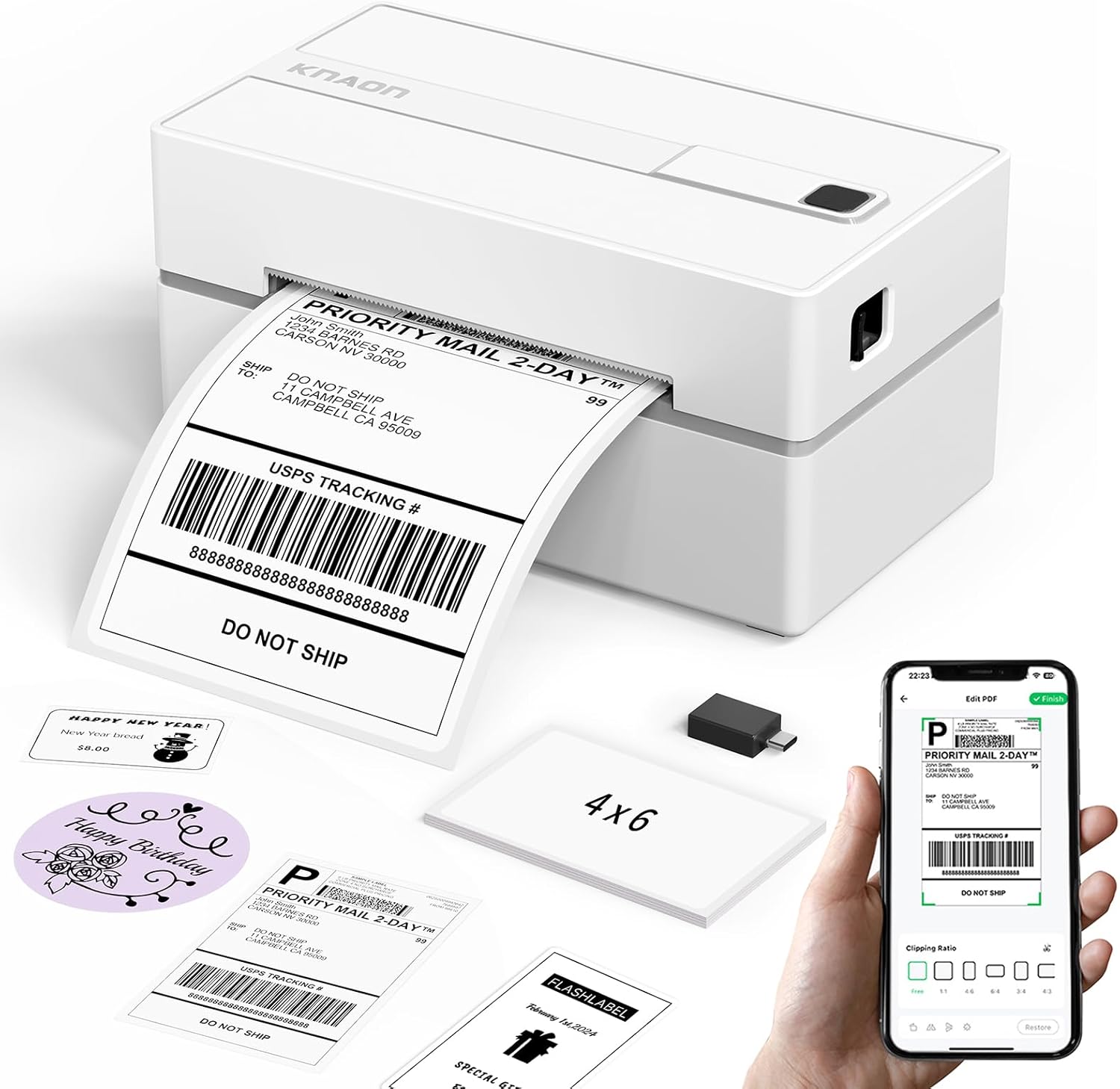
The KNAON Y813BT is a small Bluetooth-capable thermal label printer aimed at sellers and home offices that need fast 4×6 shipping labels and a variety of small labels. It connects via Bluetooth or USB and works with the vendor FlashLabel Pro app for iPhone, Android, Windows, macOS and ChromeOS, with drivers and tutorials provided on a built-in USB drive for easier setup. The printer handles paper widths from about 1.5 to 4.2 inches and prints at a practical thermal resolution (203 dpi) and a high claimed speed for its class, making batch shipping label runs and barcode or price tag printing straightforward. The unit is lightweight and portable and ships with starter label paper and adapters. Limitations to expect are reliance on the vendor app for mobile printing and an app-centric workflow that can require extra steps to import saved PDFs from shipping sites, and the 203 dpi resolution is standard for shipping labels but not ideal for very fine graphics or photo-quality prints.
Best for: Buyers who want a reliable, compact 4×6 thermal printer for regular shipping label and barcode printing and prefer a product with bundled drivers and setup guidance to reduce setup risk.
Less Ideal for: Those who need photo-quality printing, a completely app-free desktop workflow, or enterprise-scale label management should consider higher-resolution or networked label printers instead.
- Bluetooth and USB connectivity for flexible mobile or desktop setups
- Supports common label widths up to 4.2 inches for standard 4×6 shipping labels
- Comes with drivers, tutorial videos and starter label paper for quicker setup
- Compact, lightweight design suitable for small workspaces or portable use
- Printing depends on the FlashLabel Pro app workflow which can add steps when printing saved PDF labels
- 203 dpi thermal resolution is adequate for shipping labels but not for high-detail graphics
Verdict: A compact, easy-to-set-up 4×6 thermal printer that reliably handles shipping labels and small batch labeling with Bluetooth and USB convenience.
Choosing the Right 4X6 Label Maker: Key Factors to Consider
Print Quality and Resolution
High print resolution matters because it affects barcode readability and the sharpness of text and logos. If you print shipping labels or asset tags that will be scanned, poor resolution can lead to scanning errors or rejected shipments.
Consider resolution specs but also real-world tests: how crisp the smallest text prints and whether fine barcode bars reproduce cleanly. Higher DPI is helpful for logos and small type, but media and printhead condition also influence results.
Feed Mechanism and Jam Resistance
A consistent feed mechanism reduces wasted labels and keeps batch jobs moving. Look for features like straight-path paper paths, sturdy rollers, and clear roll guides that minimize misalignment when loading 4×6 rolls.
Jam-resistant designs and easy jam clearing are important if you print many labels at once. Units with visible media paths or tool-free access simplify recovery and reduce downtime during busy shipping days.
Connectivity and Workflow Integration
Connectivity determines how you slot the label maker into your workflow. USB or direct computer connections are reliable for single-station setups, while Ethernet and Wi-Fi let multiple users or networked workstations print without swapping cables.
Mobile printing support or cloud integration can speed label printing from phones or tablets, which is useful for on-the-go packing or quick label runs. Check compatibility with the shipping or inventory software you use to avoid workflow friction.
Media Support and Compatibility
Ensure the device supports standard 4×6 label rolls and common adhesive types used for shipping, storage, or freezer conditions. Some units work only with specific core sizes or proprietary rolls, which can limit choices and increase hassle.
Also consider whether the printer accepts pre-perforated rolls, continuous media, or linerless options if your use case requires them. Wider media compatibility keeps running costs predictable and lets you source labels easily.
Ease of Setup and Daily Use
A straightforward setup saves time when you first add the printer to your workspace. Clear instructions, simple roll-loading, and intuitive control panels reduce the learning curve for occasional users.
Daily-use features like a front-access roll bay, audible alerts for low media, and clear status indicators improve usability during routine operations. Maintenance tasks such as cleaning the printhead should be easy to perform without specialized tools.
Duty Cycle and Speed
Match the printer's rated daily or monthly duty cycle to your expected label volume. A device that handles light use may overheat or wear prematurely under heavier workloads.
Print speed matters for batch processing of shipments. Faster throughput reduces labor during packing runs, but higher speed should not come at the cost of print accuracy or reliability.
Choosing the Right Resolution for Your Labels
Resolution choices affect how text, barcodes, and small graphics appear on a 4×6 label. For simple shipping addresses and standard barcode formats, a midrange resolution usually suffices. If you require small-font product labels, intricate logos, or dense barcodes, prioritize higher DPI settings.
Remember that higher resolution can slow printing slightly and may use more processing time from your host device. Balance the need for detail with the speed expectations of your workflow.
- Low DPI: adequate for large text and simple barcodes
- Mid DPI: reliable for most shipping and inventory labels
- High DPI: best for small type, logos, and dense barcode layouts
Integrating a 4X6 Label Printer Into Shipping Workflows
Think through where the printer will sit in your packing area and how it connects to order software. A networked printer can serve multiple packing stations, while a USB connection is fine for a single dedicated workstation.
Also verify the label formatting options in your shipping platform. Some systems output native 4×6 files, while others require template adjustments. Test a few sample labels to confirm alignment and barcode readability before committing to a high-volume run.
- Place the printer where the operator can easily load rolls and see status lights
- Verify software templates match the physical label dimensions
- Use networked printing for multi-user environments
Maintenance Tips to Keep Prints Consistent
Regular cleaning extends printhead life and preserves clarity. Use manufacturer-recommended cleaning swabs or isopropyl wipes to remove adhesive residue and dust from the platen and rollers.
Schedule spot checks of barcode readability and alignment, especially after roll changes. Replace worn rollers or guides to prevent shifting that causes misprints or jams.
- Clean the printhead on a regular cadence based on volume
- Inspect and replace consumable rollers when print alignment drifts
- Store unused label rolls in a cool, dry place to prevent adhesive failure
Choosing Between Direct Thermal and Thermal Transfer
Direct thermal printers use heat-sensitive media and are simple to run because they need no ribbons. They are ideal for short-term labels such as shipping labels and many storage tags. However, direct thermal labels can fade over time when exposed to heat or sunlight.
Thermal transfer systems use a ribbon to transfer ink to the label and produce more durable, long-lasting labels suitable for long-term asset tagging or outdoor exposure. Consider whether your labels need longevity or resistance to solvents when deciding between the two technologies.
- Direct thermal: no ribbon required, lower maintenance, best for short-term labeling
- Thermal transfer: uses ribbon, better for durability and outdoor exposure
Power and Portability Considerations
Most 4×6 label makers are tabletop units that require AC power. If you need portability for pop-up events or off-site shipping, look for models with optional battery operation or compact footprint that is easy to transport.
Consider how power options affect placement. Hard-to-reach outlets may necessitate a longer cable or a location change in your packing area. Keep power needs in mind when planning a multi-station setup.
- Tabletop models: stable and suited for permanent packing stations
- Portable options: useful for occasional off-site printing or mobile operations
How We Chose the Best 4X6 Label Maker
We prioritized devices that reliably print standard 4-by-6-inch labels with consistent alignment and legible barcodes. Print quality and resolution were essential for scanning accuracy and professional appearance, so we favored mechanisms and print engines known to produce sharp text and clear barcode edges. Reliability under typical home and small-business loads was another filter. We evaluated feed mechanisms, jam resistance, and build features that reduce downtime during batches of labels. Connectivity options were assessed to reflect real workflows: USB, Ethernet, Wi-Fi, and direct mobile printing compatibility matter depending on whether you print from a desktop, network, or smartphone. Ease of use was measured by setup time, spool loading, and software or app usability. We looked at label roll compatibility and how straightforward it is to change rolls or adjust settings. Consumable availability and standard media formats were also considered to avoid niche supplies. We excluded specialty industrial printers that require dedicated thermal transfer ribbons or nonstandard media sizes outside 4×6 work. Products with inconsistent feed systems or minimal connectivity options were removed from contention. Overall, the list favors printers that balance dependable 4×6 output, usable interfaces, and connectivity choices for both low- and moderate-volume users.
Our full evaluation process is outlined in our review methodology.
FAQ
Can a 4×6 label maker print barcode labels that scanners will read reliably?
Often yes. Reliable barcode scanning depends on print resolution, media quality, and proper barcode formatting. Using standard barcode sizes and good contrast on high-quality label stock increases read rates.
Do all 4×6 label makers use the same label rolls?
Not always. Many support common 4×6 rolls with standard core sizes, but some models require proprietary cores or specific roll widths. Check media compatibility to ensure you can source labels easily.
Is Wi-Fi necessary for a 4×6 label printer?
It depends on your workflow. Wi-Fi or Ethernet is useful for shared or multi-user environments, while USB is fine for a single dedicated workstation. Mobile printing support is helpful if you operate from tablets or phones.
How often should I clean the printhead?
Usually clean the printhead after every few rolls in high-volume settings, or whenever you notice print degradation. Regular cleaning prevents residue buildup that causes streaks and reduces barcode clarity.
Are thermal transfer labels better for outdoor use?
Usually yes. Thermal transfer labels printed with the appropriate ribbon are more resistant to fading, abrasion, and solvents, making them a better choice for long-term outdoor or harsh-environment labeling.
Final Verdict
Prioritize the factors that match your volume and environment when choosing a 4×6 label maker. If you print many shipping labels, focus on a reliable feed path, fast throughput, and network connectivity. For longer-lasting asset tags, consider printers and consumables that support thermal transfer and higher-resolution output. Balancing print quality, media compatibility, and ease of maintenance will yield the most dependable solution for home or small-business labeling tasks. Focus on the workflow fits described here and you can confidently choose the unit that keeps labels moving without frequent interruptions.