
Note: This article contains affiliate links. If you click on these links and make a purchase, we may earn a small commission at no extra cost to you. This helps support our research and content. Read our full affiliate disclosure here.
If you ship packages regularly but need to control startup and ongoing costs, a shipping label maker on a budget can make a big difference. The right low-cost label solution helps you print clear, scannable labels fast, reduces mislabels, and keeps per-label expenses predictable. This guide covers seven shortlisted shipping label makers that balance affordability with the core features small businesses and occasional shippers need. We evaluated options across print quality, media cost, connectivity, and ease of use to surface the best choices for low-budget shipping workflows. Read on to find the label maker that fits your volume, connection preferences, and label format needs.
Top Picks at a Glance
| Best Overall The best all-around choice for most situations | Nelko PL70E Bluetooth Label Printer |  |
| Best Quality Built to a higher standard if you want something more solid | MUNBYN RealWriter 130B Thermal Printer |  |
| Best Value The sweet spot between price and what you get | KNAON Y813BT Thermal Label Printer |  |
| Best Budget The cheapest option that still gets the job done reliably | TATTMUSE 2411bt Thermal Label Printer |  |
| Top Rated A top-rated pick with lots of positive feedback | HKHKPI N40 Label Printer |  |
| Most Popular A crowd favorite that many people choose with confidence | JADENS JD268BT Thermal Label Printer |  |
| Best Seller A high-volume bestseller chosen again and again | NULLTONEX Y813 Thermal Label Printer |  |
Nelko PL70E Bluetooth Label Printer

| Printer Type | Thermal |
|---|---|
| Maximum Media Size | 4 x 6 inch |
| Resolution | 203 x 203 DPI |
| Printer Connectivity Type | Bluetooth, USB |
| B&W Pages per Minute | 72 |
The Nelko PL70E is a direct thermal 4×6 label printer designed for small shipping operations and home businesses that need a compact, no-ink solution. It prints monochrome labels at a reported 150 mm/s (about 72 4×6 labels per minute) with 203 x 203 DPI resolution, and accepts common label sizes from roughly 1.54" to 4.1" including 4×6 shipping labels. You can print from iOS/Android phones using the Nelko app over Bluetooth or connect via USB to Windows, Mac and Chrome OS systems where supported. The unit ships with a USB and power cable and a starter pack of 50 4×6 labels, and its fan-fold or roll compatibility makes switching media simple. Practical benefits include fast, quiet printing and low running costs since thermal labels require no ink or toner. Limitations to be aware of are the modest 203 DPI resolution compared with higher-end models, and reliance on the vendor app for mobile Bluetooth printing which may add setup steps for some platforms and workflows.
Best for: Buyers who want an affordable, space-saving desktop label printer for regular shipping and inventory labels and prefer a no-ink, fast-printing solution that works with phones and computers.
Less Ideal for: Users who require very high-resolution labels for detailed graphics or who need seamless plug-and-play integration with specialized shipping platforms without using vendor software.
- Direct thermal printing eliminates ink or toner costs
- Bluetooth and USB connectivity for phone and computer printing
- Accepts common label widths including 4×6 shipping labels and various smaller formats
- Fast print speed suitable for higher-volume shipping needs
- Print resolution is 203 x 203 DPI which is lower than some desktop thermal printers
- Mobile Bluetooth printing requires use of the Nelko app which may need extra setup
Verdict: A budget-friendly, compact thermal printer that delivers fast, no-ink 4×6 shipping labels for small businesses and home shippers.
MUNBYN RealWriter 130B Thermal Printer
| Printer Type | Thermal |
|---|---|
| Maximum Media Size | 4 x 6 inch |
| Resolution | 203 x 300 dpi |
| Printer Connectivity Type | Bluetooth |
| Hardware Interface | USB |
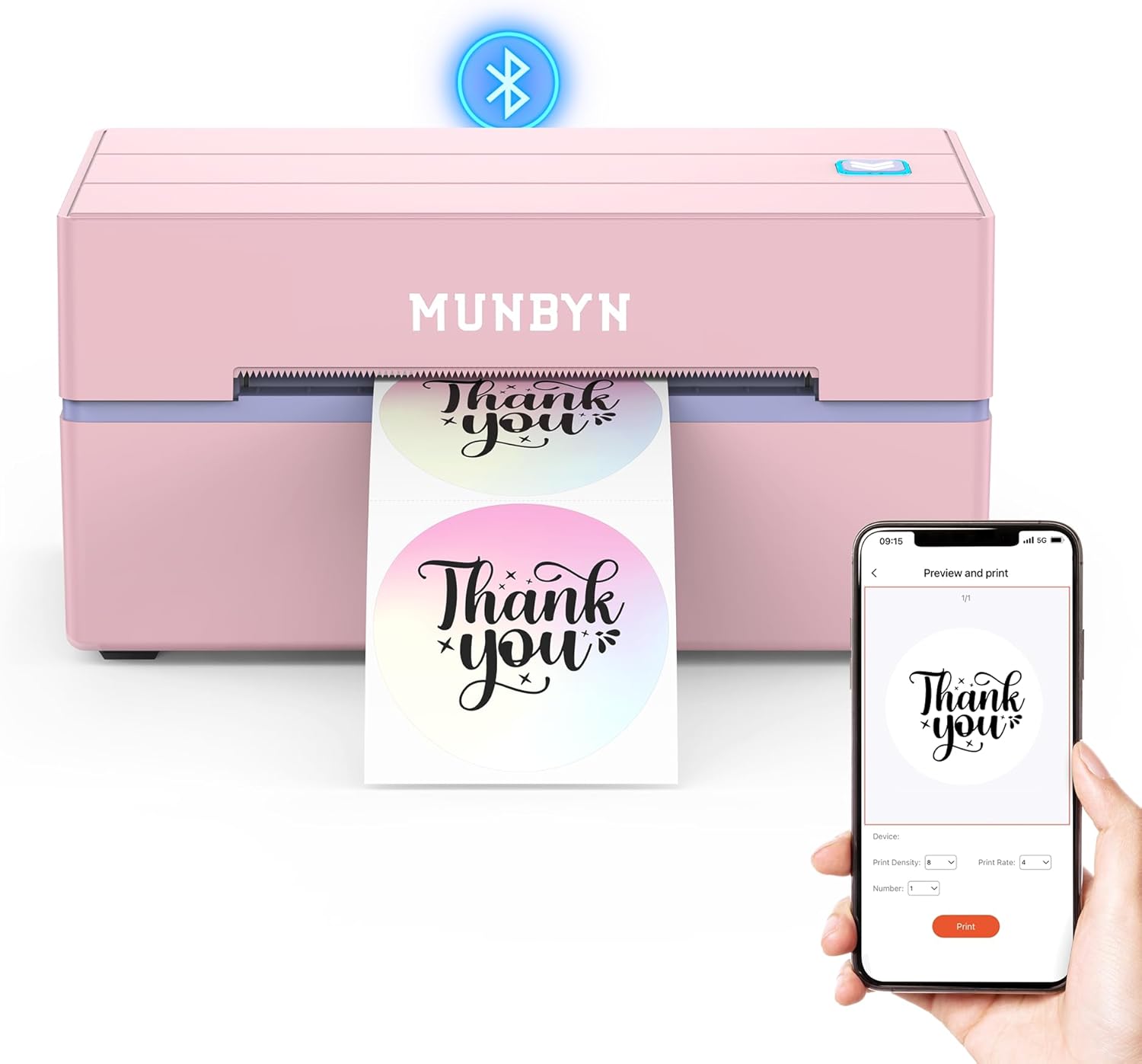
The MUNBYN RealWriter 130B is a small, inkless thermal label printer aimed at quick 4×6 shipping label and general label printing for home businesses and offices. It connects over Bluetooth to iOS and Android via the MUNBYN Print app and can also be used from a PC through the Munbyn Editor in Chrome or directly by USB, so setup and daily use are straightforward. The unit prints at 203 dpi and supports common shipping platforms and label widths up to 4 x 6 inches, which covers standard carrier labels and many specialty sizes offered by the brand. Its app ecosystem includes templates, fonts, and OCR import tools that speed up batch label creation and customization. Because it uses thermal media, there is no ink to replace, but optimal results rely on MUNBYN thermal labels for best longevity and compatibility; the listing notes potential issues with some UPS thermal papers. The printer is compact and portable for a small workspace, though 203 dpi limits the finest graphical detail compared with higher-resolution models. For sellers needing reliable, fast 4×6 shipping labels without ink maintenance, this is a practical budget pick.
Best for: Small sellers and home-office users who prioritize fast, reliable 4×6 shipping label printing and easy mobile-to-desktop workflows to keep packing and shipping moving efficiently.
Less Ideal for: Design-heavy users who need very high-resolution logo or photo labels, or teams requiring enterprise printer management features and higher print resolutions.
- Bluetooth and USB connectivity for mobile and desktop printing
- Inkless thermal printing eliminates ink replacement
- Supports standard 4 x 6 shipping labels and several specialty sizes
- Includes app/editor with templates, fonts, and OCR to speed label creation
- 203 dpi resolution limits the sharpness of detailed graphics
- Manufacturer recommends using its own labels for best results
Verdict: A compact, budget-friendly thermal printer that delivers reliable 4×6 shipping labels with simple Bluetooth and USB workflows.
KNAON Y813BT Thermal Label Printer
| Print Resolution | 203 dpi |
|---|---|
| Printer Type | Thermal |
| Maximum Media Size | 4.2 inches |
| Connectivity | Bluetooth, USB |
| Print Speed | 60 pages_per_minute |
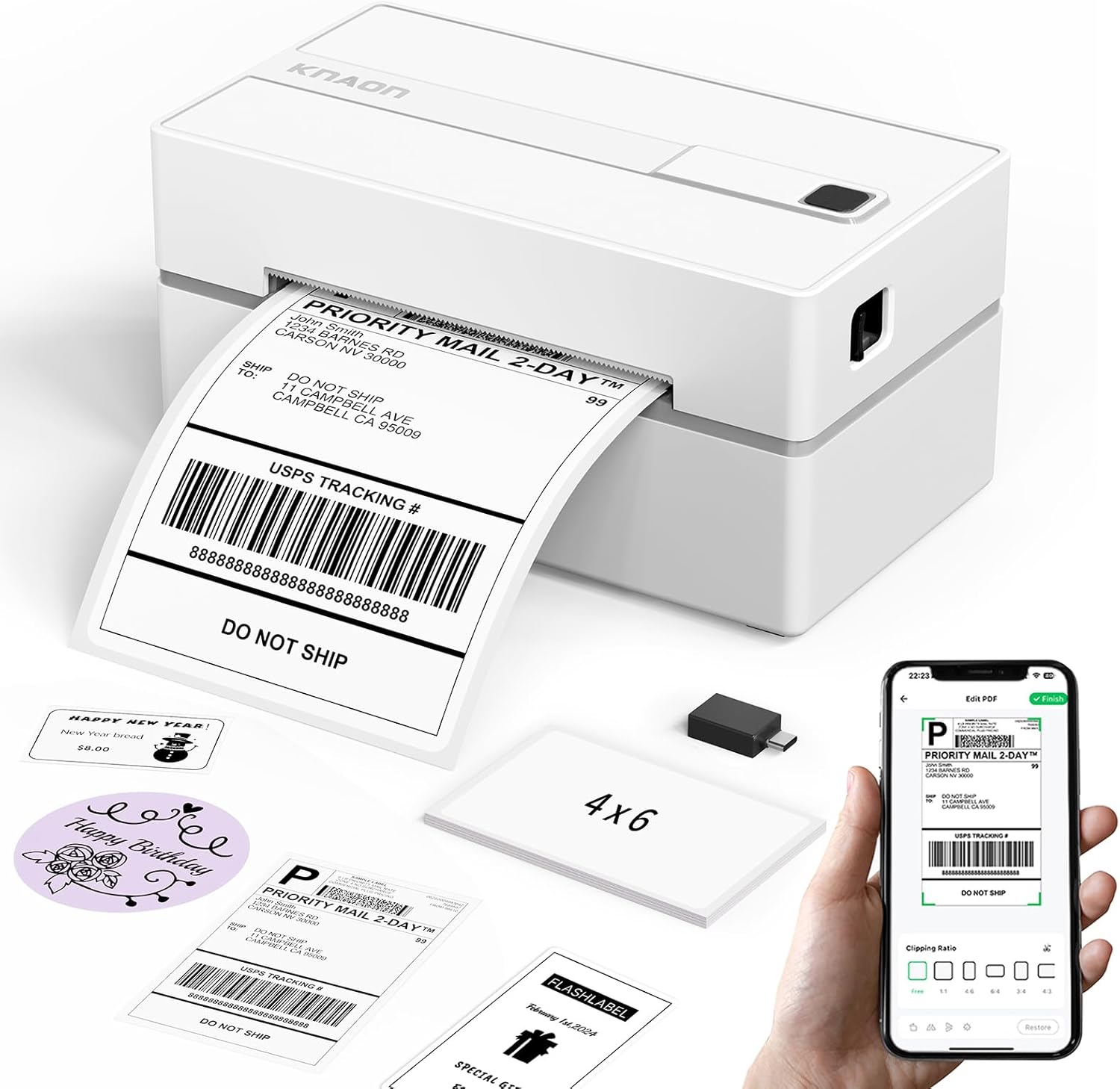
The KNAON Y813BT is a small, inkless thermal label printer built for printing 4×6 shipping labels and a range of smaller label sizes from phones, tablets, or computers. It pairs over Bluetooth and also supports USB connection with drivers and a companion app for Android, iPhone, Windows, macOS, ChromeOS, and Linux, making it useful for Etsy, Shopify, and common carrier labels after importing saved PDFs. The printer ships with starter label papers and a USB cable and offers a fast print speed (listed up to 180 mm/s or 60 pages per minute) and 203 dpi output, which is fine for barcodes and address labels. Its compact footprint makes it easy to tuck into a busy packing station, and the app includes templates, icons, and fonts for quick DIY designs. Limitations to note are the modest print resolution compared with high-end label printers, the requirement to use the FlashLabel Pro app for mobile Bluetooth printing, and reliance on thermal media so no ink or toner options are available.
Best for: Buyers who want an affordable, compact label printer to streamline shipping and small-batch labeling workflows and value quick wireless printing from mobile devices or a PC.
Less Ideal for: Users who need very high-resolution graphic printing, full enterprise-scale throughput, or preference for ink/toner-based printers should consider other options.
- Bluetooth and USB connectivity for printing from phones, tablets, and computers
- Fast thermal printing speed suitable for shipping labels and barcode tags
- Includes starter label papers and a USB cable for quick setup
- Companion app with thousands of templates, icons, and fonts for DIY label design
- 203 dpi resolution is adequate for shipping but not for high-detail graphics
- Mobile Bluetooth printing requires using the vendor app and importing saved PDFs
Verdict: A budget-friendly, portable thermal printer that delivers fast, wireless 4×6 shipping labels for small businesses and home sellers.
TATTMUSE 2411bt Thermal Label Printer

| Print Resolution | 203 dpi |
|---|---|
| Maximum Media Size | 4 x 6 inches |
| Printer Connectivity Type | Bluetooth |
| Hardware Interface | USB |
| Maximum Sheet Capacity | 500 |
The TATTMUSE 2411bt is a compact thermal label printer designed for small businesses and home-shipping setups that need basic 4×6 and smaller labels. It connects over Bluetooth for phone/tablet printing via the Labelife app and also supports USB connection to Windows and macOS with a driver, making it usable from mobile or desktop workflows. The printer uses direct thermal printing at 203 dpi, which produces clear, scannable barcodes and address text for carriers and ecommerce platforms. Its automatic calibration and anti-jam adapters help reduce misfeeds and wasted labels, and the unit is lightweight and small enough to tuck on a desk or pack for pop-up shipping. Limitations to note are monochrome-only output and a modest 203 dpi resolution, which is fine for shipping and inventory labels but not for high-detail graphics or color tags. Setup requires installing the app or drivers and pairing through the app for Bluetooth, which can add a short initial learning step for some users.
Best for: Buyers who need an affordable, no-frills shipping label printer to streamline small-batch ecommerce or home shipping and prioritize low running costs and simple mobile-to-desktop workflows.
Less Ideal for: Customers who require color printing, very high-resolution graphics, or heavy industrial throughput should consider higher-end or color-capable alternatives.
- Prints standard 4×6 shipping labels and common smaller sizes for ecommerce and inventory
- Bluetooth wireless printing from phones and tablets via the Labelife app plus USB for computers
- 203 dpi thermal print head delivers clear, scannable barcodes and addresses
- Automatic calibration and anti-jam adapters reduce misalignment and label waste
- Compact, lightweight design suited to small workspaces or mobile setups
- Monochrome thermal printing only, no color or photo output
- 203 dpi resolution is adequate for labels but not for fine graphic detail
Verdict: A budget-friendly, portable thermal printer that delivers reliable 4×6 shipping labels and simple Bluetooth-to-USB workflows for small sellers.
HKHKPI N40 Label Printer

| Printer Type | Thermal |
|---|---|
| Maximum Media Size | 4 x 6 inches |
| Resolution | 203 x 203 dpi |
| Printer Connectivity Type | Bluetooth |
| Hardware Interface | USB |
The HKHKPI N40 is a compact direct thermal label printer designed for printing 4×6 shipping labels for small businesses and home shippers. It connects over Bluetooth for mobile printing via the Nada Print app and includes USB/Type-C for desktop use and driver installation on Windows, macOS, and Linux. The printer uses direct thermal media so no ink, toner, or ribbons are required and its 203 dpi print head produces crisp barcodes and text at a claimed speed up to 150 mm/s. Practical features include automatic calibration, smart paper ejection to reduce jams, and support for both roll and fanfold labels from about 1 to 4.2 inches wide. The unit ships with a small starter pack of 4×6 labels and the basic cables you need to get started. Expect reliable everyday shipping-label performance for low- to moderate-volume use, though it is a simple print-only device without advanced workflow software or high-duty-cycle durability of larger commercial units.
Best for: Buyers who need a dependable, no-fuss shipping label printer for small business or home shipping and prefer simple Bluetooth or USB setup and maintenance.
Less Ideal for: Large-volume shipping operations that require hardened commercial hardware, built-in networking, or advanced label workflow and management features.
- Bluetooth and USB connectivity for mobile and desktop printing
- Direct thermal printing requires no ink, toner, or ribbons
- Automatic calibration and smart ejection reduce label jams and waste
- Supports standard 4×6 shipping labels and common widths up to 4.2 inches
- Print-only device with no built-in advanced label management or networking
- 203 dpi resolution and compact build are not intended for very high-volume commercial use
Verdict: A compact, reliable thermal 4×6 label printer that delivers straightforward Bluetooth and USB shipping-label printing for budget-conscious small shippers.
JADENS JD268BT Thermal Label Printer

| Printer Type | Thermal |
|---|---|
| Resolution | 203 x 203 DPI |
| Maximum Media Size | 4 x 6 inches |
| Printer Connectivity Type | Bluetooth |
| Total Usb Ports | 1 |
The JADENS JD268BT is a no-ink thermal label printer designed for small shipping workflows and basic office labeling. It prints monochrome labels up to 4×6 inches using a 203 x 203 DPI thermal head, so labels are crisp enough for shipping barcodes and address blocks without ink or toner to replace. You can connect by Bluetooth for wireless printing or by USB to Windows and Mac machines, and the unit accepts both roll and fanfold labels with a simple feed/calibration step when sizes change. Setup is straightforward with drivers and an app provided for mobile printing; it includes a test roll and basic cables in the box. Practical benefits include quiet, low-maintenance operation and support for common label sizes used by online sellers and shipping platforms. Limitations are modest print resolution compared with higher-end models and reliance on the vendor app for phone printing on some platforms, which can add a learning step for multi-device shops. Overall it suits budget-conscious sellers who need reliable, inkless 4×6 shipping labels without advanced network features.
Best for: Small online sellers or home-office users who prioritize a low-cost, low-maintenance way to print standard shipping labels quickly and without ink.
Less Ideal for: Businesses that need high-resolution label graphics, enterprise networked printing, or seamless native mobile printing across all phone platforms should consider more advanced models.
- Thermal printing requires no ink or toner, lowering ongoing costs and mess
- Supports standard 4×6 shipping labels and several smaller common label sizes
- Bluetooth and USB connectivity provide flexible connection options
- Includes test labels and necessary cables for quick out-of-box setup
- 203 x 203 DPI resolution is adequate for shipping but not ideal for fine graphics or very small text
- Mobile Bluetooth printing requires the vendor app and may not work natively with all phones
Verdict: A budget-friendly, inkless 4×6 label printer that delivers reliable shipping labels for small sellers who value low operating cost and simple setup.
NULLTONEX Y813 Thermal Label Printer

| Printing technology | Thermal (direct thermal) |
|---|---|
| Maximum media size | 4 x 6 inches |
| Resolution | 203 x 203 dpi |
| Connectivity | Bluetooth, USB |
| Power consumption | 24 watts |
The NULLTONEX Y813 is a direct‑thermal shipping label printer built for small business and home shipping tasks. It prints monochrome 4×6 labels at 203 DPI using thermal media, so there is no ink or toner to buy and maintenance is minimal. Setup supports USB for a wired workstation or Bluetooth with the FlashLabel Pro app for phone and tablet printing, and the app includes many templates and editing tools for address, barcode, and waybill layouts. The unit is compact and energy efficient, and the bundled labels let you start printing out of the box. Expect reliable, fast output for routine shipping needs, though it prints only in black and white and depends on thermal label stock and occasional printhead cleaning to keep barcodes scannable. For buyers who need full-page, color, or duplex printing the Y813 is not suitable, but for straightforward high-volume label runs on a budget it covers the essentials well.
Best for: Buyers who want a simple, low‑cost shipping label solution that is easy to set up and maintain and who prioritize reliable barcode and address printing over color or advanced print features.
Less Ideal for: Those who need color labels, duplex or full‑page document printing, or a heavy industrial label printer for specialized large‑format applications should look elsewhere.
- Direct thermal printing requires no ink or toner, lowering ongoing costs.
- Bluetooth and USB connectivity support phones, tablets, and computers.
- 203 DPI resolution produces sharp barcodes and addresses for reliable scanning.
- Compact, energy‑efficient design with included starter labels and cables for quick setup.
- Prints only in monochrome so no color or label graphics.
- Relies on direct thermal labels and occasional printhead cleaning for best results.
Verdict: A budget‑friendly direct‑thermal 4×6 printer that delivers reliable monochrome shipping labels with simple Bluetooth or USB setup.
Choosing the Right Shipping Label Maker on a Budget: Key Factors to Consider
Print Clarity and Barcode Readability
Legible text and clean barcodes are fundamental for shipping labels because carriers scan barcodes repeatedly through conveyor systems. Poor print contrast, fuzzy edges, or low resolution can cause failed scans, delivery delays, and increased support overhead.
When evaluating low-cost label makers, check the printer resolution and whether it uses direct thermal technology or thermal transfer. Direct thermal is common and cost-effective for short-term labels, while thermal transfer offers longer-lasting prints but may require ribbon consumables. For most budget shipping needs, aim for consistent dark barcodes at the device's rated resolution to avoid scan errors.
Label Media Affordability and Availability
Ongoing media cost directly affects the total cost of ownership more than the initial device price. Budget-conscious buyers should confirm that the printer accepts widely available label sizes and roll formats rather than proprietary cartridges that raise per-label expense.
Also consider adhesive type and label durability relative to your shipping conditions. Standard direct thermal face-stock is cheapest and fine for typical shipments, but if packages face rough handling or long storage, slightly more durable stocks or thermal-transfer labels may be worth the extra cost. Check roll lengths and core sizes to ensure compatibility with your label supplier.
Connectivity and Integration Options
A low-cost label maker still needs reliable connectivity to your shipping workflow. USB-only printers are common and simple for single-desktop use, while Ethernet or Wi-Fi models allow printing from multiple workstations or cloud shipping platforms.
Consider the software ecosystem and driver support. Printers with broad OS support and compatibility with popular shipping platforms reduce friction. If you use a web-based shipping tool, confirm the device can be accessed from the host machine or supports cloud printing pathways to avoid manual label transfers.
Ease of Setup and Day-to-Day Use
Time spent setting up drivers, loading labels, or troubleshooting connectivity adds hidden costs. Budget models should offer intuitive label loading, clear LEDs or on-device messages, and minimal driver complexity.
Look for straightforward paper-path design and a visible supply window or roll holder that prevents jams. Simple label formatting and templates that match common shipping layouts will reduce manual adjustments and speed daily packing operations.
Speed and Duty Cycle for Your Volume
Printing speed matters when you process many orders. Even budget label makers can vary significantly in labels-per-minute performance. Match the device's rated speed and monthly duty cycle to your expected shipping volume to avoid bottlenecks or premature wear.
If your volume is seasonal, consider whether the unit can handle peak days without overheating. For steady low to moderate daily labels, prioritize consistent throughput over top speed.
Physical Size and Workspace Fit
A compact footprint reduces clutter in packing areas. Measure the available counter space and compare it to the device's dimensions to ensure a comfortable setup that allows easy label feeding and access for maintenance.
Also consider roll orientation and whether the unit's door swings into a walkway. Small, front-loading units are often easier to tuck into tight workspaces while still allowing quick media changes.
Thermal Vs Thermal-Transfer: Which Saves More Over Time
Budget label makers typically use direct thermal print technology because it eliminates ribbon costs and simplifies media stocking. Direct thermal is ideal for short-lived shipping labels that will be scanned within days or weeks.
Thermal-transfer printers use a ribbon that raises initial consumable costs but produces more durable labels that resist smudging and fading. If your shipments are exposed to sunlight, heat, or long storage, the slightly higher media cost may save money by reducing reprints and delivery issues.
- Direct thermal: lower media cost, simpler supplies, best for short-term labels
- Thermal-transfer: higher media cost, longer-lasting labels for harsh conditions
- Match label life expectancy to your shipping environment to choose the right tech
Connecting The Printer to Your Shipping Workflow
Decide whether you need a single-workstation USB printer or a networked device accessible by multiple systems. For small operations that print from one PC, USB is the simplest choice. If you print from tablets, laptops, or multiple stations, look for Wi-Fi or Ethernet support.
Check driver availability and whether your shipping software supports the printer natively. Some budget units rely on generic drivers that work adequately, but confirm label sizing and barcode encoding are preserved when printing from your shipping application.
- USB: easiest for single-computer setups
- Ethernet/Wi-Fi: better for multiple users and networked workflows
- Ensure compatible drivers and label templates for your shipping software
Label Sizes, Templates, and Formatting Tips
Most shipping labels use standard sizes such as 4 x 6 inches. Verify that the printer supports the common shipping label dimensions you use to avoid trimming or manual adjustment. The device should allow custom label templates so you can include return addresses, carrier barcodes, and packing lists as needed.
When setting up templates, choose fonts and barcode settings recommended for high scannability. Avoid tiny fonts or thin barcode bars. Test a few labels with your carriers' handheld scanners to confirm readability before committing to a single media supplier.
- Use standard 4 x 6 label support where possible
- Create templates that match carrier barcode and address layout
- Test printed barcodes with scanners to confirm readability
Maintenance and Troubleshooting Basics
Even budget printers benefit from simple routine maintenance. Keep the print head clean from adhesive buildup and dust, and store label rolls in a dry environment to prevent curling or adhesive degradation. Regular cleaning can extend the life of the printer and keep prints consistent.
Common troubleshooting steps include checking media orientation, ensuring drivers are current, and verifying that the label size matches the template. Familiarize yourself with the device's status indicators and error codes to resolve jams quickly and minimize downtime.
- Clean the print head periodically with approved wipes
- Store label rolls away from heat and humidity
- Confirm label size and driver settings after software updates
Scaling Up From a Budget Unit
If your shipping volume grows, your initial budget label maker might reach its limits on duty cycle or speed. Plan for future needs by selecting a model that offers slightly higher rated monthly volume or modular features such as an optional cutter or larger roll capacity.
Consider how the device integrates with barcoding or batch-print workflows so you can migrate to a higher-capacity unit without reworking templates and software integrations.
- Choose a budget model with a comfortable margin above your current label volume
- Prefer devices that use common media sizes to ease migration
- Look for firmware and driver continuity to simplify future upgrades
How We Chose the Best Shipping Label Maker on a Budget
We selected products that deliver reliable shipping labels while keeping upfront and ongoing cost low. Our editorial filters emphasized print durability and barcode scannability, because legible address and barcode printing is essential for carrier scanning. We prioritized devices that accept commonly available thermal or adhesive label media to keep supply costs predictable. Connectivity options were weighed for practical shipping setups, favoring USB and network-capable units for straightforward integration with desktop shipping software or cloud printing. Usability and setup time were key; we favored models with simple driver installation, clear status indicators, and straightforward label-loading. We also examined duty cycle and recommended monthly label volumes to ensure a budget unit can handle the intended workload without accelerated wear. Units with poor documentation, proprietary expensive media only, or unclear connectivity were excluded. The final list focuses on tangible, scoreable differences in print clarity, media cost, connectivity, build for light-to-moderate volumes, and ease of use.
Our full evaluation process is outlined in our review methodology.
FAQ
Are thermal label makers good for shipping?
Often yes. Direct thermal label makers are common for shipping because they print quickly and do not need ribbons. They are best when labels are used within a short time frame and are not exposed to harsh conditions.
How do I reduce per-label cost?
Choose printers that accept standard roll sizes and widely available media to avoid proprietary price premiums. Buying longer rolls and using direct thermal stock for short-lived labels typically lowers the per-label expense.
Do I need Wi-Fi or is USB enough?
It depends. USB is fine for a single workstation. If you print from multiple computers, tablets, or use cloud-based shipping software, a Wi-Fi or Ethernet-capable printer provides more flexibility and fewer manual steps.
How can I ensure carrier barcodes scan reliably?
Use high-contrast print settings, test barcodes with the carrier's scanner, and avoid very small barcode sizes. Regularly clean the print head and use media that lays flat to prevent distortion that can affect scans.
Will a budget label maker handle occasional high-volume days?
Usually budget units handle light-to-moderate daily volumes well, but sustained high-volume days may push the device toward its duty cycle limits. Choose a model with a headroom margin or consider temporary alternative printing arrangements for peak periods.
Final Verdict
For budget-conscious shippers, prioritize print clarity and media affordability over headline speed or extra features. A compact direct thermal label maker that accepts standard roll formats will minimize ongoing costs while delivering crisp, scannable labels for routine shipments. If your shipping needs include exposure to harsh conditions or rapid growth, weigh slightly more durable media or higher duty-cycle models as a tradeoff. Focus on matching connectivity to your workflow and confirming driver compatibility with your shipping software. That approach will help you choose a low-cost label maker that performs reliably day to day without surprise expenses.