
Note: This article contains affiliate links. If you click on these links and make a purchase, we may earn a small commission at no extra cost to you. This helps support our research and content. Read our full affiliate disclosure here.
A battery-operated smart thermostat can add programmable, remote-controlled comfort to homes without a C-wire or when hardwiring is impractical. Picking the right thermostat matters because runtime, connectivity, and ease of setup determine how much hands-off temperature control you actually get. This guide shortlists the top battery-operated smart thermostats available today, chosen for stable wireless connections, multi-day battery life, and practical controls for everyday use. Below you will find picks that suit different priorities and a clear explanation of the evaluation criteria used to select them.
Top Picks at a Glance
| Best Quality Built to a higher standard if you want something more solid | ecobee Smart Thermostat Essential |  |
| Best Value The sweet spot between price and what you get | Sensi Lite Smart Thermostat ST25 | 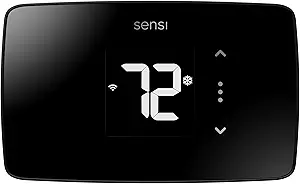 |
| Best Budget The cheapest option that still gets the job done reliably | Honeywell Home X2P Programmable Thermostat |  |
| Top Rated A top-rated pick with lots of positive feedback | Sensi Smart Thermostat ST55 |  |
| Most Popular A crowd favorite that many people choose with confidence | Google Nest Thermostat |  |
ecobee Smart Thermostat Essential

| Connectivity Technology | Wi-Fi |
|---|---|
| Power Source | Battery Powered |
| Display Type | LCD |
| Controller Type | Amazon Alexa, Android, Apple HomeKit, Google Assistant, iOS |
| Additional Features | Auto-Away Mode, Auto-Scheduling, Fan Control, Programmable, Temperature Display |
The ecobee Smart Thermostat Essential is a pared-down, battery-powered smart thermostat that gives you remote control and scheduling without requiring a C wire for many installs. It connects over Wi‑Fi and works with Siri, Alexa, Google Assistant, and Apple HomeKit so you can change temperature by voice or the ecobee app, and the 3.74-inch touchscreen provides simple local control. eco+ features and auto-scheduling aim to reduce heating and cooling costs while alerts and reminders help with maintenance. The unit is compatible with the majority of 24 VAC HVAC systems and ecobee's online compatibility checker and optional Power Extender Kit (PEK) help in edge cases. Practical downsides are the limited onboard sensing compared with ecobee's higher-end models and the need to buy SmartSensors or PEK separately if you want room-level detection or have no C wire. For buyers who want a straightforward, energy-focused smart thermostat on battery power, it delivers most core smart features in a compact, easy-to-install package.
Best for: Buyers who prioritize energy savings and simple smart control and want a battery-operated thermostat that is easy to install and integrates with major voice ecosystems.
Less Ideal for: People who need built-in room sensors, advanced air quality monitoring, or the most feature-rich ecobee model out of the box should consider other options.
- Battery powered design that simplifies installation in homes without a C wire
- Works with Alexa, Google Assistant, and Apple HomeKit for voice control and app access
- Auto-scheduling and eco+ features that help reduce heating and cooling costs
- 3.74-inch color touchscreen plus app control for easy local and remote adjustments
- Does not include SmartSensor or PEK, which are sold separately for room sensing and no‑C‑wire installs
- Fewer advanced sensors and features than higher-tier ecobee models
Verdict: A straightforward, battery-operated smart thermostat that brings app and voice control plus energy-saving automation to homes without a C wire.
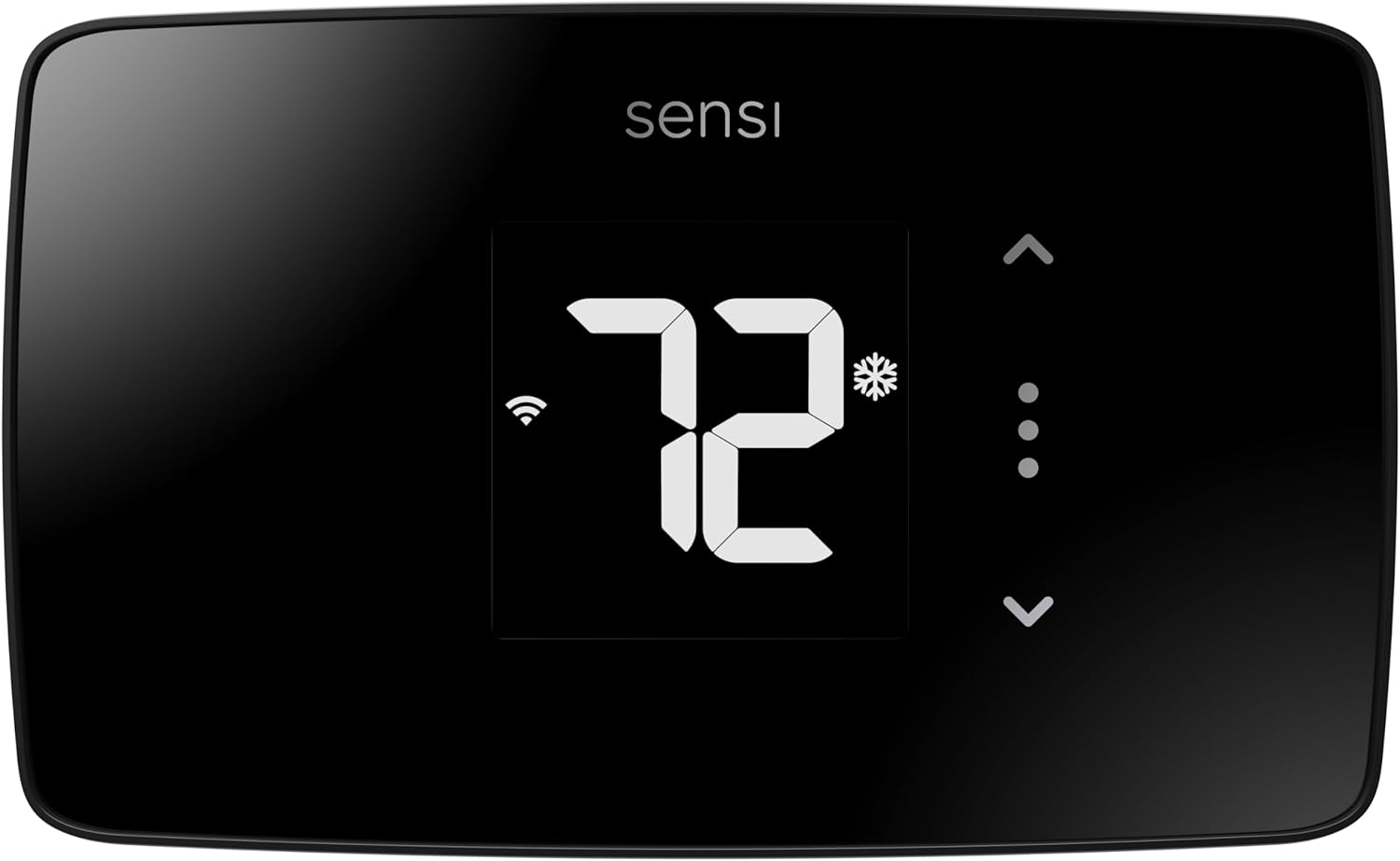
Sensi Lite Smart Thermostat ST25
| Connectivity Technology | Wi-Fi |
|---|---|
| Control Method | App, Touch, Voice |
| Power Source | Battery or C-wire |
| Number of Batteries | 2 AAA batteries required. (included) |
| Specific Uses For Product | Air Conditioner, Boiler, Furnace, Heat Pump |
The Sensi Lite is a straightforward, battery-operated smart thermostat designed for easy DIY upgrades to home HVAC control. It connects to 2.4 GHz Wi‑Fi and pairs with the Sensi mobile app and voice assistants so you can adjust temperature, set schedules, and use geofencing from anywhere. The unit supports common HVAC systems including heat pumps, furnaces, boilers, and air conditioners, and includes a built-in level, wire labels, and step-by-step instructions that make installation fast for most homes; a C-wire is only required on a few system types. The LCD display and app-focused controls keep the interface simple rather than feature-heavy, and Sensi emphasizes privacy by not selling usage data. Because it runs on two AAA batteries it is useful where running a constant 24V C-wire is difficult, though battery operation means occasional battery replacement and fewer on-device advanced features compared with mains-powered models. Good energy-saving tools and an Energy Star rating make it a practical choice for users who want remote control and basic automation without a complicated setup.
Best for: Buyers who want a simple, privacy-focused smart thermostat that is easy to install themselves and provides reliable remote control and scheduling with minimal fuss.
Less Ideal for: People who need advanced on-device controls, continuous power without battery changes, or deep HVAC integrations and sensors should consider more feature-rich, mains-powered models instead.
- Easy DIY installation with built-in level and clear wire labels
- Works on common HVAC systems including heat pumps, boilers, furnaces and AC
- Wi‑Fi connectivity with app control and voice assistant support
- Energy Star certified with scheduling, geofencing and usage reports to reduce energy use
- Includes batteries and mounting hardware for quick setup
- Runs on two AAA batteries so you will need periodic battery replacements
- Feature set is more basic compared with higher-end, mains-powered smart thermostats
Verdict: A practical, easy-to-install battery smart thermostat that delivers app control, voice support, and energy-saving scheduling for DIY-minded homeowners.
Honeywell Home X2P Programmable Thermostat

| Power Source | 2 AA batteries |
|---|---|
| Compatibility | Single-Stage, 1 Heat/1 Cool |
| Scheduling | 5-2 day (also 7 day, 5-1-1, 5-2, non-programmable) |
| Display Type | Backlit LCD |
The Honeywell Home X2P is a straightforward programmable thermostat designed for single-stage heating and cooling systems. It runs on two AA batteries and mounts to a standard wall plate, offering a large backlit LCD and touchpad controls for daily adjustments. The main appeal is flexible scheduling: you can set a 5-2 day program or choose simpler 7-day, 5-1-1, 5-2, or non-programmable modes to match routines. It also includes practical extras like change-filter reminders and an extended low-heat setpoint. Installation is simple for anyone swapping from a similar Honeywell model, and the UWP wall plate eases future upgrades. Limitations include lack of Wi-Fi smart features on this programmable model, and compatibility excludes electric baseboard heat (120-240V), so it is not universal for every home heating type. For buyers wanting a basic, battery-operated thermostat with reliable scheduling and a clear display, the X2P delivers solid functionality without extras that complicate setup.
Best for: Buyers who want an affordable, easy-to-install battery thermostat with dependable scheduling and a clear display for everyday temperature control.
Less Ideal for: Users seeking Wi-Fi connectivity, remote app control, or support for electric baseboard heating should look at connected or specialized alternatives.
- Simple 5-2 day scheduling plus other program options for routine control
- Large backlit LCD and clear fonts for easy reading and adjustment
- Battery powered so no C-wire required for basic installs
- Includes change-filter reminders and selectable display settings
- UWP wall plate simplifies installation and future upgrades
- No built-in Wi-Fi or remote smartphone control
- Not compatible with electric baseboard (120-240V) heating systems
Verdict: A budget-friendly, battery-operated programmable thermostat that gives reliable, easy scheduling and a clear display without smart features.
Sensi Smart Thermostat ST55

| Connectivity Technology | Wi-Fi |
|---|---|
| Controller Type | Amazon Alexa, Apple HomeKit, Google Assistant, SmartThings, Vera |
| Temperature Control Type | Programmable, Smart/Remote |
| Power Source | Corded Electric |
| Number of Batteries | 2 AA batteries required. (included) |
The Sensi ST55 is a straightforward smart thermostat that brings remote control, scheduling, and energy reports to typical HVAC systems while remaining easy to install for most DIYers. It connects over 2.4 GHz Wi‑Fi and integrates with Alexa, Google Assistant, Apple HomeKit, SmartThings, and Vera so you can control temperature by app or voice and view usage reports and alerts. The unit is Energy Star certified and includes features like filter reminders, programmable schedules, and basic touchscreen-like button controls with an LED display, plus battery backup using two AA cells. Practical benefits include simple placement that fits standard thermostat openings, a clear mobile app for setup and reports, and privacy-forward data handling. Important limitations are that it relies on 2.4 GHz Wi‑Fi only and uses button controls rather than a full color touchscreen, so advanced on-device interaction is limited compared with high-end models. For homeowners wanting reliable, energy-focused remote control without complicated setup, the ST55 delivers a balanced set of smart features.
Best for: Buyers who prioritize a dependable, easy-to-install smart thermostat that focuses on energy savings and straightforward remote control rather than advanced on-device features.
Less Ideal for: Users who want a full-color touchscreen interface, 5 GHz Wi‑Fi support, or extensive on-device customization should look at higher-end models.
- Works with major voice assistants and smart home platforms for remote control
- Energy Star certified with usage reports and energy-saving scheduling
- Easy DIY install with included mounting hardware and app-guided setup
- Includes two AA batteries for backup and fits standard thermostat openings
- Limited on-device interaction with button control and no color touchscreen
- Supports only 2.4 GHz Wi‑Fi, no 5 GHz compatibility
Verdict: Choose the Sensi ST55 if you want a reliable, energy-focused battery-backed smart thermostat that is simple to install and works with major smart home platforms.
Google Nest Thermostat

| Connectivity Technology | Bluetooth, Wi-Fi |
|---|---|
| Power Source | Battery Powered |
| Display Type | LCD |
| Control Type | Remote Control, Voice Control |
| Number of Batteries | 2 A batteries required (included) |
The Google Nest Thermostat is an entry-level smart thermostat designed for easy DIY installation and remote control through the Google Home app. It runs on two included A batteries and connects via Wi‑Fi and Bluetooth so you can change temperatures from your phone or with compatible voice assistants. The thermostat can create schedules with Quick Schedule, automatically set Eco Temperatures when it senses you are away, and offers Savings Finder suggestions to reduce energy use. It also provides simple HVAC monitoring and alerts that can flag potential issues. Setup is straightforward for most typical systems, and the thin rectangular LCD with side touch bar makes local adjustments quick. Limitations include dependency on Wi‑Fi for remote and voice features and potential need for a C wire or power accessory in some HVAC setups, and the feature set is more basic than higher-end learning models. For buyers who want a compact, app-controlled thermostat that helps trim energy use without a complex installation, it is a practical choice.
Best for: Buyers who want a straightforward, app-controlled smart thermostat that is easy to install and focuses on practical energy savings rather than advanced learning features.
Less Ideal for: Users who need a thermostat with extensive self-learning algorithms, professional-grade HVAC diagnostics, or who cannot maintain reliable Wi‑Fi for remote features.
- Battery powered with included A batteries for homes without a C wire
- Wi‑Fi and Bluetooth connectivity for remote control via the Google Home app
- Works with Google Assistant and Matter-certified voice assistants for hands-free control
- Energy-saving features like Eco Temperature and Savings Finder to suggest schedule tweaks
- Simple DIY installation that is typically completed in about 30 minutes
- Some HVAC systems may require a C wire or power accessory for reliable operation
- Lacks advanced learning capabilities found on higher-end Nest models
Verdict: A simple, battery-operated smart thermostat that gives easy app and voice control plus basic energy-saving features for homeowners who want convenience without complexity.
Choosing the Right Battery-Operated Smart Thermostat: Key Factors to Consider
Battery Life and Power Management
Battery life is one of the most visible ongoing costs with a battery-operated smart thermostat. Longer runtime reduces how often you need to replace AA or AAA cells and lowers the chance of the thermostat going offline when batteries run low. Power management features such as low-power modes, adaptive polling intervals, and efficient display usage extend service life.
When choosing a thermostat, look for realistic battery-life estimates based on common usage scenarios rather than optimistic lab figures. Consider whether the unit alerts you early about low battery and how graceful the device is when battery levels dip. Those behaviors affect reliability and convenience in everyday use.
Wireless Connectivity and Range
Wireless performance affects remote control, scheduling, and integration with other smart devices. Thermostats that use robust Wi-Fi implementations or compatible wireless hubs tend to maintain stable connections across a house. Features such as dual-band support, clear pairing instructions, and automatic reconnection improve day-to-day reliability.
If your router sits far from the thermostat location, consider signal strength and whether a neutral-wireless installation or a hub-based option is more suitable. Interference from other devices and building materials can degrade performance, so check signal requirements and whether the device can operate in a limited-connectivity mode.
HVAC System Compatibility
Not all thermostats support every heating or cooling configuration. Battery-operated smart thermostats must still be compatible with common system types such as single-stage and multi-stage furnaces, heat pumps, and conventional air conditioners. Confirming compatibility prevents installation headaches and ensures proper control of fan, heat, and cool calls.
Compatibility documentation should list supported terminal labels and any limitations like lack of support for two-stage compressors or electric baseboard heat. Knowing this up front helps you avoid purchasing a unit that cannot control your existing equipment.
Ease of Installation
Many buyers choose battery-operated models to avoid running a C-wire or performing complex wiring. Ease of installation therefore directly affects whether you can complete the swap yourself. Clear wiring diagrams, color-coded terminal labels, and good step-by-step app guidance reduce the time and uncertainty of installation.
Consider whether the thermostat offers built-in compatibility checks during setup and whether it ships with a mounting plate or template that fits typical wall boxes. Also check whether it requires a common-wire adapter or optional accessories that could add complexity.
User Interface and Scheduling Flexibility
A thermostat's controls and app determine how simple it is to program temperature schedules and make quick adjustments. Simple local controls are useful for guests and household members who do not use the mobile app. Robust scheduling features, such as multiple daily programs, geo-fencing, and temporary holds, let you balance comfort and energy savings.
Consider whether the app syncs reliably with the device, offers clear energy usage information, and supports remote overrides. The quality of the user interface shapes daily interaction and long-term satisfaction.
Installation Tips for Battery-Operated Units
Before you remove your old thermostat, take a clear photo of the existing wiring and terminal labels. That image will help confirm compatibility during setup. Turn off power at the breaker to avoid short circuits while changing wiring.
When mounting the new thermostat, use the included template or mounting plate to position screws level and ensure the device sits flush to the wall. If the new unit is thicker than the old one, use paintable wall plates to cover any gaps for a clean finish.
- Label each wire with the terminal letter before disconnecting.
- Compare the wiring photo to the new thermostat's compatibility list.
- Follow the app's step-by-step setup to pair wireless features after wiring.
Maximizing Battery Life in Real Use
Simple adjustments can extend battery life substantially. Lowering display brightness, shortening backlight timeout, and disabling unnecessary sensors reduce power draw. Enable any available low-power or eco modes when you will be away for extended periods.
Regular firmware updates sometimes include power-management improvements, so allow automatic updates if the manufacturer offers them. Set low-battery notifications to come well before batteries are fully depleted to avoid unexpected loss of control.
- Use alkaline or recommended battery types for best performance.
- Turn off extra sensors or advanced features if you need longer interval between changes.
- Check batteries seasonally rather than waiting for a low-battery alert.
Network and App Best Practices
Place your Wi-Fi router or a mesh node so the thermostat location has a strong, stable signal. For devices that support only 2.4 GHz networks, ensure your router broadcasts a compatible SSID and consider temporarily disabling band steering during setup.
Create a reliable account and enable two-factor authentication if available. Use the app to set schedules and away modes, and test remote control from off-site to confirm connectivity.
- Reserve a stable SSID name for the thermostat to avoid re-pairing after router changes.
- Document the device serial number and account login details securely.
- Test OTA updates during a period when you can monitor the device in case it needs re-pairing.
When to Consider a Wired Thermostat Instead
If you frequently run into low-battery events, have advanced HVAC features that need constant power, or want the least maintenance, a wired thermostat may be a better fit. Hardwired units avoid battery replacement and can support more power-hungry displays and sensors.
Also consider hardwiring if you plan complex integrations with whole-home energy management systems that require constant connectivity and power. For many homes where installing a C-wire is feasible, a wired smart thermostat reduces ongoing upkeep.
- Hardwiring is preferable when you need on-unit sensors or large color displays.
- Choose wired units for multi-stage heating and cooling that demand stable power.
Security and Privacy Considerations
Smart thermostats collect usage and scheduling data. Use strong, unique passwords for associated accounts and enable any offered security features like two-factor authentication. Check the privacy settings in the app to control data sharing and remove old device associations.
Limit third-party integrations if you prefer to reduce the surface area for potential data access. Regularly review connected accounts and revoke access that is no longer needed.
- Keep firmware and app software up to date for security fixes.
- Use a separate IoT VLAN or guest network for smart home devices when possible.
How We Chose the Best Battery-Operated Smart Thermostat
We focused on attributes that matter most for battery-operated smart thermostats in real homes. Key evaluation criteria included battery life and power efficiency, because longer runtime reduces maintenance and prevents unexpected outages; wireless connectivity and app reliability, since stable Wi-Fi or hub pairing is essential for remote control and scheduling; HVAC compatibility, to ensure the thermostat can control common heating and cooling systems without a C-wire; ease of installation and setup, important for DIY buyers who want a quick swap; and user interface and scheduling features, which determine how simple it is to program daily routines and energy-saving profiles. We excluded units that require permanent hardwiring or internal backup batteries only usable for short periods. We also filtered out devices lacking basic HVAC compatibility documentation or those that depend on discontinued hub platforms. Our focus was on practical, straightforward performance metrics and user-facing functionality rather than laboratory-only performance claims. The shortlisted thermostats met these filters and demonstrated balanced tradeoffs across battery life, connectivity, compatibility, setup, and usability.
Our full evaluation process is outlined in our review methodology.
FAQ
How long do batteries typically last in a battery-operated smart thermostat?
Battery life varies by model and usage but often ranges from several months to a couple of years. Features such as frequent remote polling, bright displays, and active sensors shorten runtime, while conservative polling and low-power modes extend it.
Can a battery-operated smart thermostat control a heat pump or multi-stage system?
Some battery-operated thermostats support heat pumps and multi-stage systems, but compatibility depends on terminal support and control logic. Always check the device's compatibility documentation against your system's terminal labels and control requirements.
Will a battery-operated thermostat work without Wi-Fi?
Yes, most battery-operated thermostats can run basic local control and onboard schedules without Wi-Fi, but remote control, cloud-based features, and app notifications require a network connection. Some functionality may be limited in offline mode.
What batteries should I use for the best performance?
Use the battery type recommended by the manufacturer, typically high-quality alkaline or specific rechargeable cells if supported. Avoid mixing old and new batteries or different chemistries to prevent leakage and maintain consistent voltage.
How can I tell if my thermostat needs a C-wire instead of batteries?
If the thermostat frequently loses power, requires a lot of firmware activity, or manufacturers advise a common wire for reliable smart features, a C-wire is likely the more stable option. Review installation documentation and your HVAC control board for an unused common terminal.
Final Verdict
When choosing a battery-operated smart thermostat, prioritize battery life, reliable wireless connectivity, and confirmed HVAC compatibility. Ease of installation and a clear, dependable app experience will determine how convenient the device is to live with. Expect tradeoffs between low maintenance and advanced features; units that conserve power tend to offer simpler displays or fewer always-on sensors. Focus on the criteria that match your household habits and wiring situation to select a thermostat that provides steady, automated comfort with minimal upkeep.