
Note: This article contains affiliate links. If you click on these links and make a purchase, we may earn a small commission at no extra cost to you. This helps support our research and content. Read our full affiliate disclosure here.
If you want consistent, high-quality photo prints without dealing with cables or a computer, a wireless photo printer can make the process fast and flexible. You likely care about color accuracy, print speed, and how easily the printer connects to your phone or camera. This guide shortlists the top wireless photo printers for everyday home use and on-the-go printing, focusing on models that balance image quality with ease of use. Below we cover the practical strengths of each shortlisted option and the tests and criteria used to evaluate them, so you can pick a printer that fits your workflow and display needs.
Top Picks at a Glance
| Best Overall The best all-around choice for most situations | Liene 4×6 Photo Printer DHP513 |  |
| Best Quality Built to a higher standard if you want something more solid | Epson Expression Photo HD XP-15000 |  |
| Best Value The sweet spot between price and what you get | Canon IVY 2 Mini Photo Printer |  |
| Best Budget The cheapest option that still gets the job done reliably | Nelko PP01 Photo Printer |  |
| Top Rated A top-rated pick with lots of positive feedback | KODAK Step Instant Photo Printer |  |
| Most Popular A crowd favorite that many people choose with confidence | HP Sprocket 2×3 Printer |  |
| Best Seller A high-volume bestseller chosen again and again | Epson EcoTank ET-2800 |  |
Liene 4×6 Photo Printer DHP513

| Printer Type | Dye Sublimation |
|---|---|
| Maximum Media Size | 4 x 6 inch |
| Print Resolution | 300 x 300 dpi |
| Connectivity | USB, Wi-Fi |
| Maximum Sheet Capacity | 20 |
The Liene DHP513 is a small desktop dye-sublimation photo printer aimed at printing 4×6 borderless color photos directly from smartphones, tablets, and computers. It connects via built-in Wi‑Fi (including its own hotspot) or USB‑C and is controlled through the Liene app or by printing from the device photo album. The printer uses proprietary cartridges and glossy photo paper and produces laminated, water- and scratch-resistant prints at 300 x 300 dpi, with a first-page time of about one minute and a 20-sheet cassette capacity. In daily use it is straightforward to set up: load paper and a cartridge, turn the unit on, connect, then print via the app where basic editing and filters are available. The small footprint and included starter media make it convenient for occasional home use, events, or quick prints for scrapbooks. Limitations include modest print resolution by modern photo-printer standards, a relatively slow per‑page speed, and dependence on proprietary cartridges and paper which add recurring cost and require keeping spares for larger print runs.
Best for: Buyers who want a simple wireless desktop printer for occasional high-quality 4×6 photos, events, and memory-keeping where portability and easy phone printing matter more than top-tier lab resolution.
Less Ideal for: Professional photographers or users who need fast, high-volume printing or the highest possible print resolution should look at larger, faster photo printers or lab services instead.
- Dye-sublimation printing yields laminated, water- and scratch-resistant 4×6 photos
- Built-in Wi‑Fi hotspot plus USB‑C lets phones and computers connect without a router
- Includes starter cartridge and photo paper so printer is ready to use out of the box
- Compact design and single-tray paper cassette make it easy to store and transport
- 300 x 300 dpi resolution and ~1 minute per print are slower and lower-resolution than some higher-end photo printers
- Uses proprietary cartridges and paper, creating ongoing supply costs and limited third-party options
Verdict: A compact wireless 4×6 dye-sublimation printer that makes easy, durable phone-to-print photos for home use and small events.
Epson Expression Photo HD XP-15000

| Maximum print Resolution Color | 5760 x 1440 dpi |
|---|---|
| Maximum Media Size | 13 x 19 inch |
| Printer Connectivity Type | wired, wireless |
| Duplex | Automatic |
The Epson Expression Photo HD XP-15000 is a wide-format photo printer aimed at photographers and home studios who need larger-than-standard prints and strong color fidelity. It uses a six-color Claria Photo HD ink set, including red and gray inks, to expand gamut and improve black-and-white tones, and delivers high resolution up to 5760 x 1440 dpi for detailed output. The printer supports borderless prints up to 13 x 19 inches, a 50-sheet rear specialty tray for cardstock and specialty paper, and a 200-sheet front tray for everyday document runs. Connectivity includes wireless printing from mobile devices plus Ethernet and USB, and it offers automatic duplexing for two-sided documents. Practical benefits are pro-quality large-format photos without a lab, relatively compact footprint for an A3+ device, and simple app-based control. Limitations to consider are the requirement to use genuine Epson cartridges for reliable operation and potential ongoing ink cost for six individual inks, and while document speeds are reasonable, photo printing at top quality remains slower than draft document rates.
Best for: Photographers and small studio owners who prioritize print quality and wider color gamut for large borderless photos and want a compact A3+ printer for in-house production.
Less Ideal for: Users who need the lowest possible cost-per-page or the fastest photo throughput for high-volume commercial photo labs should consider different solutions.
- Six-color Claria Photo HD inks (includes red and gray) for wide color gamut and improved black-and-white prints
- Supports borderless wide-format printing up to 13 x 19 inches for larger photo projects
- Wireless plus Ethernet and USB connectivity for easy mobile and network printing
- 50-sheet rear specialty tray and 200-sheet front tray accommodate cardstock and higher-volume document runs
- Requires genuine Epson cartridges for guaranteed functionality which can increase operating cost
- Photo printing at maximum quality is slower than document print speeds
Verdict: Choose the XP-15000 when you want pro-quality, wide-gamut borderless photos up to 13 x 19 inches from a compact wireless wide-format printer.
Canon IVY 2 Mini Photo Printer

| Printer Type | Zink Technology |
|---|---|
| Maximum Media Size | 2 x 3 in |
| Maximum Sheet Capacity | 10 |
| Connectivity | Bluetooth |
| Print Resolution | 313×512 dpi |
The Canon IVY 2 is a pocket-sized ZINK photo printer designed for quick mobile printing from the Canon Mini Print app via Bluetooth 5.0. You load 2×3 inch ZINK paper with a built-in adhesive backing and print decorated photos, collages, or simple stickers without ink cartridges. The unit emphasizes portability and speed of setup: USB-C charging returns the battery to full in about 45 minutes and the app includes filters, frames, stickers, and text tools for quick customization. Print quality is tuned for improved contrast, skin tones, and sharpness compared with earlier IVY models, but resolution tops out at 313×512 dpi, so fine detail and large enlargements are not its strength. The paper tray holds up to ten sheets and prints take around 50 seconds each, which is fine for casual sharing but slow for high-volume events. Simple Bluetooth connectivity and no-ink operation keep ongoing maintenance minimal, though costs depend on proprietary ZINK paper packs. Its small footprint and sticker-backed output make it great for scrapbooks, parties, and on-the-go creativity, while buyers expecting lab-quality photo enlargements should look elsewhere.
Best for: Buyers who prioritize a compact, low-maintenance mobile printer for instant sticker photos, casual crafting, and sharing at events where convenience and creative app tools matter more than professional print quality.
Less Ideal for: Photographers or users who need large prints, high-resolution photo lab quality, or fast bulk printing for high-volume events should choose a different photo printer.
- Truly portable pocket form factor for printing anywhere
- Peel-and-stick 2×3 prints for easy decorating and display
- ZINK zero-ink technology eliminates cartridges
- Bluetooth 5.0 pairing with Canon Mini Print app and built-in editing tools
- Fast USB-C charging and 10-sheet paper capacity for quick sessions
- Limited print resolution (313×512 dpi) so fine detail is muted
- Single small paper size (2×3 inches) and relatively slow ~50s print time per photo
Verdict: A pocketable, zero-ink Bluetooth printer that is ideal for instant peel-and-stick 2×3 photos when portability and low upkeep matter most.
Nelko PP01 Photo Printer

| Printer Type | Inkjet |
|---|---|
| Print media | Glossy photo paper |
| Paper Size | 52x90mm (2×3") |
| Printer Connectivity Type | Bluetooth |
| Resolution | 600 x 600 |
The Nelko PP01 is a pocket-sized Bluetooth inkjet designed to print 2×3-inch sticky-backed photos directly from iOS and Android phones using the Nelko app. It uses a single color cartridge set (CMYK) and glossy 2×3 paper to deliver 600 DPI prints with vibrant colors and a small margin at the bottom of each image. Setup is straightforward: load the paper, install the cartridge, pair over Bluetooth, edit in the app and print; a USB charging cable and 20 sheets plus one cartridge are included. The app adds value with framing, stickers, text and basic AI editing, which makes it handy for scrapbooks, party favors and travel journals. Limitations are the small print size and slow throughput—prints take up to about 90 seconds and the device holds only a handful of sheets at once—so it is best for casual, low-volume use rather than mass event printing. Users should also follow the app guidance to avoid paper jams and perform occasional cartridge head cleaning to keep colors consistent.
Best for: Buyers wanting an inexpensive, portable printer to make instant 2×3 photos from their phone for scrapbooks, parties, or travel keepsakes and who prioritize simplicity and convenience over large prints.
Less Ideal for: People who need larger prints, high-volume event printing, or fast continuous throughput should choose a different solution.
- True 600 DPI inkjet output for detailed 2×3 prints
- Bluetooth connection for direct smartphone printing with a dedicated app
- Prints on sticky-backed glossy photo paper suitable for scrapbooks and labels
- Includes starter supplies: one cartridge, 20 sheets and USB charging cable
- App offers built-in editing, frames and AI tools for quick personalization
- Small 2×3 print size limits framing and large-format uses
- Single-sheet throughput and ~90 second print speed make it slow for high volumes
Verdict: A compact, budget-friendly Bluetooth pocket inkjet that makes high-resolution 2×3 sticky-backed photos from your phone for casual, low-volume use.
KODAK Step Instant Photo Printer
| Print media | Glossy photo paper |
|---|---|
| Maximum Media Size | 2×3 inches |
| Maximum Sheet Capacity | 10 |
| Print Resolution | 313 x 400 dpi (color) |
| Connectivity | Bluetooth, NFC |
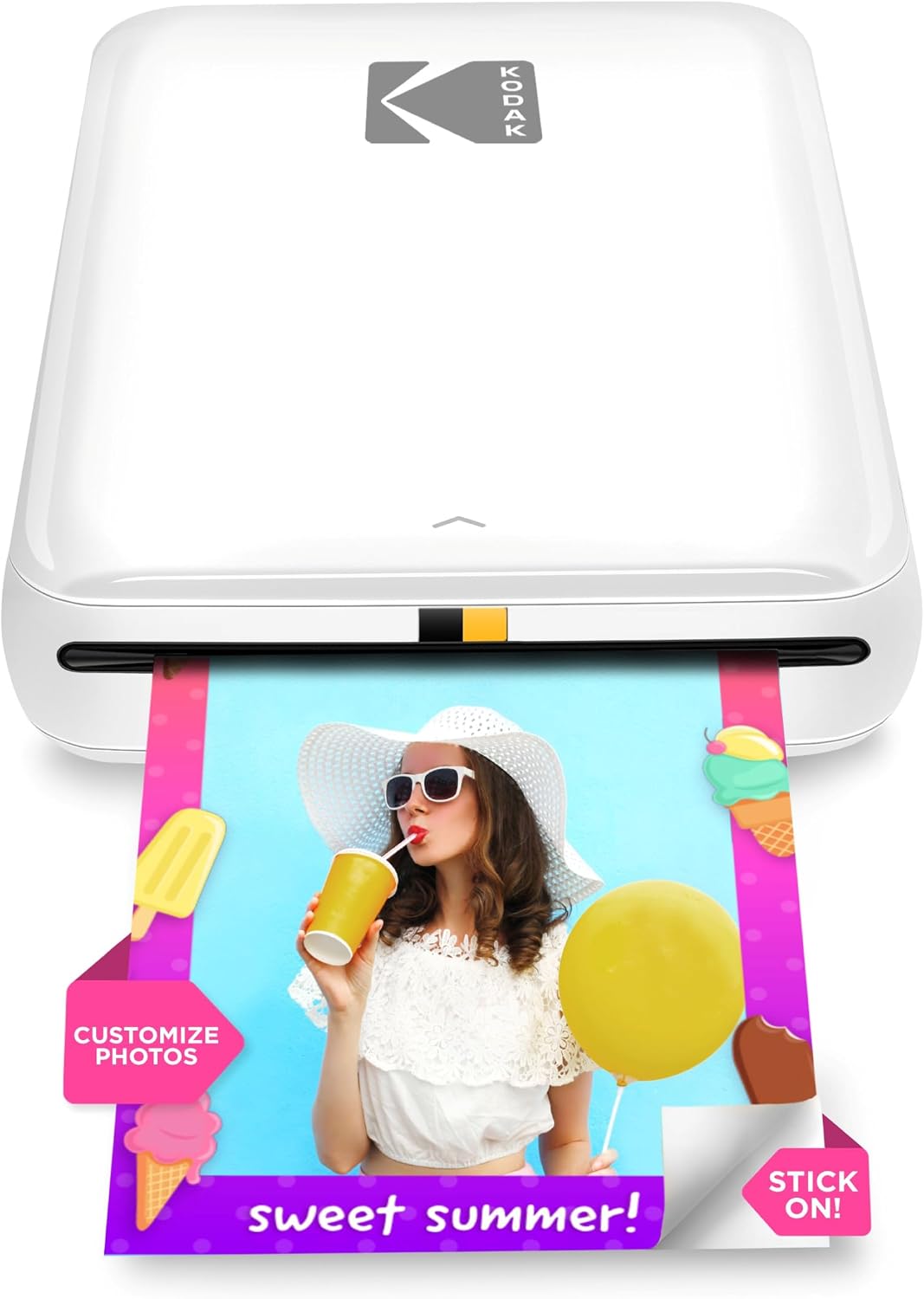
The KODAK Step is a compact, battery-powered mobile photo printer designed to turn phone photos into 2×3-inch sticky-backed prints without ink. You pair it to your iOS or Android device via Bluetooth or NFC, use the KODAK STEP PRINTS app to edit, add filters, collages or stickers, and print a single photo in about a minute. It uses ZINK zero-ink paper so there are no cartridges to replace and each sheet includes a protective coating that resists smudges and water. The built-in rechargeable battery supports roughly 25 prints per charge and the paper tray holds up to 10 sheets for short sessions. Image resolution and color depth are reasonable for social prints, but the small 2×3 size and ZINK color rendition mean it is best for casual prints, scrapbooking, and stickers rather than archival or large-format photography. Setup and daily use are straightforward, and the lack of ink reduces maintenance, making it a low-fuss choice for dependable on-the-go printing.
Best for: Buyers who want a reliable, low-maintenance way to get quick, physical copies of phone photos for scrapbooks, parties, or on-the-go sharing and value simple setup and consistent prints.
Less Ideal for: If you need large, gallery-quality prints or precise color accuracy for professional work, this pocket ZINK printer is not suitable.
- Truly portable with built-in rechargeable battery for on-the-go use
- ZINK zero-ink printing eliminates cartridges and lowers maintenance
- Bluetooth and NFC pairing with a dedicated app for editing and collages
- Sticky-backed 2×3 prints are protected against smudges, water, and tears
- Paper tray holds up to 10 sheets so you can print multiple photos without reloading immediately
- Small 2×3 print size limits use to casual snaps and crafts rather than display prints
- Print quality and color fidelity are constrained by ZINK technology compared with ink-based photo printers
Verdict: A dependable, low-maintenance pocket printer that reliably turns phone photos into durable 2×3 sticky-backed prints for casual, on-the-go use.
HP Sprocket 2×3 Printer

| Print media | Glossy photo paper |
|---|---|
| Maximum Media Size | 2 x 3 |
| Maximum Sheet Capacity | 10 |
| Maximum print Resolution Color | 313 x 400 DPI |
| Printer Connectivity Type | wireless |
The HP Sprocket 2×3 is a portable smartphone photo printer that produces 2" x 3" full-color sticky-backed prints without ink using ZINK zero-ink paper. It connects over Bluetooth (upgraded to Bluetooth 5.x) and prints directly from the HP Sprocket app where you can apply filters, stickers, borders, and multi-user sharing features. The rechargeable design is genuinely pocketable and claims about 35 prints per charge, making it convenient for parties, trips, and scrapbooking. Print quality is good for small snapshots with a quoted 313 x 400 DPI color resolution and durable, smudge-resistant glossy paper that does not require cartridges or ribbons. Limitations are the small print size and single-tray 10-sheet capacity, so it is not suited for larger prints or long high-volume jobs, and color fidelity and fine detail are modest compared with full-size photo printers. If you want instant, fun prints from your phone with minimal fuss, the Sprocket delivers a simple, reliable experience.
Best for: Buyers who want a compact, easy-to-use printer for on-the-spot 2×3 photo keepsakes, social gatherings, and creative scrapbooking where portability and no-ink operation matter most.
Less Ideal for: People who need larger-format, high-resolution photo prints or a printer for frequent high-volume printing should look at full-size photo printers instead.
- True pocket portability with rechargeable battery and compact footprint
- ZINK zero-ink prints that are smudge- and tear-resistant and have sticky backs
- Bluetooth app control with editing tools, filters, and multi-user printing
- Reasonable print yield per charge (around 35 prints) and simple setup
- Prints are limited to 2 x 3 inches and not suitable for larger photos
- Small 10-sheet tray and modest print speed make high-volume printing inconvenient
Verdict: A compact, no-ink pocket printer that makes instant 2×3 sticky-backed photos for social moments and craft projects.
Epson EcoTank ET-2800

| Printer Type | Inkjet |
|---|---|
| Printer Connectivity Type | USB, Wi-Fi |
| Maximum print Resolution Color | 5760 x 1440 dpi |
| Color Pages per Minute | 5 pages_per_minute |
| B&W Pages per Minute | 10 |
The Epson EcoTank ET-2800 is a cartridge-free wireless all-in-one that focuses on low running costs and straightforward home printing. It uses high-capacity refillable ink tanks and ships with enough ink to cover many months of typical photo and document printing, which reduces interruptions for replacements. Setup and everyday use center on Wi-Fi and mobile printing plus voice-activated options, and the built-in flatbed scanner and LCD make copying and scanning simple. Print quality is aided by Epson PrecisionCore/Micro Piezo technology, producing sharp text and respectable color photo output at a high maximum resolution. Speed is modest for color photos at about 5 ppm and up to 10 ppm for black-and-white pages, so it handles family photo projects and schoolwork without being optimized for heavy photo-lab throughput. The ET-2800 lacks automatic duplexing and an automatic document feeder, and its photo output, while good for casual prints, will not match higher-end photo-dedicated printers. For buyers prioritizing low-cost ink and reliable home photo and document printing, it is a practical choice.
Best for: Buyers who want low ongoing ink costs and reliable wireless home printing for documents and casual photos and value simplicity over pro-level photo features.
Less Ideal for: Users who need fast duplex printing, high-volume photo lab output, or top-tier photographic color accuracy should consider a dedicated photo printer instead.
- Cartridge-free EcoTank system with high-capacity refillable ink tanks lowers long-term ink costs
- Wireless and mobile printing with voice-activated options for easy setup and everyday use
- High maximum print resolution for detailed document and photo prints
- Includes flatbed scanner and LCD for basic copy and scan tasks
- Ships with substantial starter ink, reducing near-term ink purchases
- No automatic duplex printing (manual simplex only)
- Modest color print speed compared with faster photo-capable models
Verdict: Choose the ET-2800 if you want a low-maintenance wireless home printer with cartridge-free EcoTank ink that cuts running costs while still delivering solid photo and document prints.
Choosing the Right Wireless Photo Printer: Key Factors to Consider
Photo Print Quality and Color Accuracy
Image sharpness, color gamut, and tonal gradation directly affect how your photos look on paper. Higher native print resolution and more fine-grained ink systems produce smoother gradients and better detail in faces and landscapes. Color management features such as dedicated photo modes, ICC profile support, or basic color adjustment controls let you correct warm or cool casts before printing.
If you plan to enlarge images or frame prints, prioritize printers known for richer blacks and subtle shadow detail. For casual snapshots, a balanced dye-ink system can yield pleasing color at lower cost. Consider how much post-processing you will do and whether the printer supports photo-specific settings that preserve those edits.
Wireless Connectivity and Mobile Printing
Reliable wireless performance is central to the point of a wireless photo printer. Look for printers that support multiple connection options such as 2.4 GHz Wi-Fi with stable local network printing, plus direct modes like Wi-Fi Direct or Bluetooth for quick phone-to-printer sessions. Mobile printing apps and standards (AirPrint, Mopria, or manufacturer apps) affect how easily you can print from phones and tablets.
Connection stability matters when printing multiple photos or large files. If you frequently move between networks or print from different devices, choose a system with straightforward setup, clear status indicators, and options to reconnect without factory resets.
Paper Size, Paper Handling, and Finish Options
Photo projects vary from small 2×3 prints to 8×10 framed photos. Confirm the maximum supported paper size and whether the printer accepts common photo formats on dedicated trays or multi-purpose feeders. Some printers include rear feed slots or removable trays for thicker photo paper and specialty media like card stock.
Finish options—gloss, semi-gloss, luster, or matte—change the final look and are important if you plan to frame or sell prints. A printer that accommodates multiple finishes gives you creative flexibility. Also consider sheet count and whether the device supports borderless printing for edge-to-edge photos.
Consumables and Ongoing Operating Costs
Ink or dye-sublimation consumables are a recurring expense that affects long-term satisfaction. Printers using multiple small cartridges may allow partial replacements, which can reduce waste but sometimes increase per-page costs. Dye-sublimation systems often use ribbon and paper packs sold together, which simplifies supply management but may change per-print economics.
Evaluate estimated yields and how easy cartridges or packs are to source. Consider whether the device supports high-capacity options or third-party supplies if minimizing cost is a priority. Also think about whether the printer has user-replaceable parts that influence maintenance costs.
Print Speed and Workflow Efficiency
Print speed matters when you are producing several images at once or hosting an event with instant prints. Look beyond single-photo speed to the sustained throughput for batches of photos, as some devices are optimized for one-at-a-time quality rather than volume. Warm-up time, app upload and processing, and time to first print all shape real-world workflow.
If you use the printer for occasional snapshots, high throughput may be less important than image quality. For parties or events, prioritize devices with fast warm-up, short per-photo times, and straightforward batch sending from mobile devices.
Portability, Size, and Setup Convenience
Where the printer will live affects your choice. A compact, lightweight unit is ideal for travel, dorms, or small desks, while a larger model may have better paper handling or higher capacity. Consider how easy it is to set up and move, whether it needs external power, and how the footprint fits into your workspace.
If you plan to carry the printer to events, check whether it has a durable build and secure paper handling. For a home studio, prioritize stable placement, unobtrusive controls, and tidy cable management to keep the area organized.
Choosing the Right Print Size for Your Project
Different projects require different print sizes and handling. Wallet-sized or 2×3 prints are excellent for informal sharing and instant prints, while 4×6 and 5×7 are the most common for everyday photo albums. Larger 8×10 or A4 prints work better for framing and display. Ensure the printer supports the sizes you use most and that it can handle borderless printing if that is important for framing.
Think about how you plan to display photos. For digital scrapbooking or small gifts, smaller sizes are economical and fast. For gallery-style prints, prioritize devices with higher resolution and better paper handling to avoid curling or jamming thicker stock.
- Confirm maximum and minimum supported paper sizes
- Check for borderless printing capability
- Look for rear feed or dedicated photo trays for thicker media
Mobile Apps and Editing Tools
The mobile app experience shapes how quickly you can go from photo to print. A well-designed app should provide crop, color correction, and preset templates while keeping the connection stable. Features like simple collages, print layout previews, and direct access to your camera roll reduce friction when printing on the fly.
Also look for apps that store recent settings or let you queue multiple prints. If you rely on third-party editing apps, ensure the printer accepts standard image formats and that the mobile workflow preserves image quality rather than compressing files aggressively.
- Prefer apps with built-in editing and layout previews
- Verify support for common mobile printing standards
- Check whether the app preserves resolution and color profiles
Maintenance and Common Troubleshooting
Regular maintenance can prevent print defects and extend the device lifespan. Simple tasks include cleaning printheads if streaks appear, running calibration routines for color shifts, and keeping paper paths free of dust. Some printers provide automated maintenance cycles; others require manual intervention.
Know the typical warning signs: banding, color casts, or paper jams. Understanding basic troubleshooting steps such as running nozzle checks, aligning cartridges, and using the app to diagnose connectivity issues will save time. Keep spare paper and at least one replacement consumable on hand if you print frequently.
- Run nozzle checks and alignments periodically
- Follow recommended paper storage to avoid humidity damage
- Keep firmware and app software updated for reliability
Creative Uses Beyond Standard Prints
Wireless photo printers are useful for more than just framed photos. You can produce stickers, labels, greeting cards, and small art prints depending on media support. Some printers accept adhesive-backed paper or specialty card stock for crafts and gifts.
Explore printing multiple images in contact-sheet style, making collages for scrapbooks, or producing wallet sheets for quick distribution. If creative projects matter, check the printer's media thickness range and whether it offers templates for common craft sizes.
- Check for compatibility with specialty media
- Use collage and layout templates for gift projects
- Consider adhesive or thicker card stock for craft applications
Color Management Basics for Better Prints
To get predictable color on paper, pay attention to color space and profile handling. Some mobile apps or printers let you choose sRGB or enable basic profile support which can improve consistency with what you see on your screen. If exact color matching matters, shoot in a color space that your workflow supports and use app previews to check tones before printing.
Lighting when you view prints also affects perceived color. Compare prints under neutral lighting and use app adjustments to nudge saturation and exposure rather than relying solely on on-device auto settings.
- Prefer sRGB-compatible workflows for mobile-first printing
- Use app previews and small test prints before large batches
- Adjust brightness and saturation conservatively to avoid banding
How We Chose the Best Wireless Photo Printer
We selected printers that prioritize photographic output and wireless convenience. Primary filters included native photo print resolution and color handling, since these determine sharpness and tonal accuracy for prints. Connectivity was a key criterion: we favored devices offering robust Wi-Fi and direct mobile printing via common standards to minimize pairing issues and improve reliability. Portability and physical footprint were considered for buyers who need a compact solution for travel or small spaces. We also evaluated media flexibility, checking support for multiple photo paper sizes and finishes because real-world photo use often requires different formats. Print speed and consumables efficiency were included to reflect ongoing usability and operating cost considerations. Devices lacking dedicated photo printing modes or that restrict wireless sharing and mobile workflows were excluded. Final selections balance image quality, wireless performance, media options, and day-to-day practicality.
Our full evaluation process is outlined in our review methodology.
FAQ
Can I print directly from my phone without a computer?
Yes, most wireless photo printers support direct mobile printing through Wi-Fi, Wi-Fi Direct, Bluetooth, or mobile printing standards. Use the printer's mobile app or a compatible mobile printing protocol to send photos from your phone.
What is the difference between dye-sublimation and inkjet photo printing?
Dye-sublimation systems transfer dye onto paper in layers for smooth gradients and are often optimized for consistent photo output. Inkjet printers spray liquid inks and can offer higher resolution and more flexible media support. The best choice depends on your priorities for color rendition, media thickness, and long-term consumable costs.
How important is borderless printing for photos?
Borderless printing is valuable for framed or display photos because it eliminates white margins and allows edge-to-edge images. If you plan to frame prints or produce gallery-style pieces, choose a printer that supports borderless printing at the sizes you need.
How do I keep prints from fading over time?
Longevity depends on the ink and paper combination and storage conditions. Use archival-grade photo paper and store prints away from direct sunlight and humidity. Some printing systems produce more fade-resistant results than others, so consider paper and display environment to preserve color.
Is setup difficult on a home wireless network?
Setup complexity varies but most modern wireless photo printers offer guided setup via a mobile app with clear steps for joining your home network. If you have a complex network setup, using Wi-Fi Direct or a temporary hotspot can simplify initial pairing before switching to the main network.
Final Verdict
When choosing a wireless photo printer, prioritize the attributes that match how you will use the device: image quality for displayed photos, reliable wireless connectivity for phone-to-print convenience, and media flexibility for the sizes and finishes you want. Balance print speed and consumable costs against the level of image fidelity you need. Decide which tradeoffs you can accept and use the evaluation criteria here to narrow the field. Focus on a printer that delivers the print size support, mobile workflow, and color handling that suit your projects for consistently satisfying results.