
Note: This article contains affiliate links. If you click on these links and make a purchase, we may earn a small commission at no extra cost to you. This helps support our research and content. Read our full affiliate disclosure here.
Choosing the right color laser printer for a small business affects day-to-day productivity, monthly operating cost, and the professionalism of client-facing materials. You need a machine that balances print quality, speed, and predictable running expenses without adding unnecessary complexity to your workflow. This guide shortlists the top options for small offices and evaluates them against the needs most businesses face, including duty cycle, consumable cost, and network features. Below are our top picks and the evaluation framework used to compare them, so you can match a printer to your office volume and workflow.
Top Picks at a Glance
| Best Quality Built to a higher standard if you want something more solid | Lexmark CX331adwe Color Laser Printer |  |
| Best Value The sweet spot between price and what you get | Canon imageCLASS MF652Cw |  |
| Best Budget The cheapest option that still gets the job done reliably | Canon imageCLASS LBP646Cdw |  |
| Top Rated A top-rated pick with lots of positive feedback | Brother HL-L8360CDW |  |
| Most Popular A crowd favorite that many people choose with confidence | HP Color LaserJet Pro 3301sdw |  |
| Best Seller A high-volume bestseller chosen again and again | Brother MFC-L3720CDW |  |
Lexmark CX331adwe Color Laser Printer

| Print speed (Color) | 26 pages_per_minute |
|---|---|
| Print speed (B&W) | 26 pages_per_minute |
| Resolution | 600 x 600 |
| Duplex | Automatic |
| Connectivity | Ethernet, USB, Wireless |
The Lexmark CX331adwe is a compact color laser multifunction designed for small-business workloads that need reliable, office-grade output without a large footprint. It prints and copies in color or black at up to 26 pages per minute, offers automatic two-sided printing, and includes copy and scan functions accessed through a simple touch interface. Connectivity covers Ethernet, USB and built-in Wi‑Fi so you can print from desktops, mobile devices or a network, and Lexmark's mobile app simplifies direct printing. Paper handling is geared to modest office stacks with a single tray and a listed maximum sheet capacity of 26, and the 600 x 600 dpi engine produces sharp text and reasonable color for business documents and marketing flyers. The unit is built around a sturdy frame for continuous use and includes basic security features for networked offices. Limitations include the modest input capacity and basic 600 dpi resolution, which means it is better suited to business documents and internal color print jobs than high-resolution photo or graphics work.
Best for: Small-business buyers who prioritize dependable, office-grade color printing and multifunction capability in a compact, network-ready device for everyday documents and client handouts.
Less Ideal for: Workflows that require high-volume input capacity, professional photo printing, or very high-resolution color graphics should consider larger-format or higher-resolution alternatives.
- All-in-one functionality with print, copy and scan in one compact unit
- Consistent 26 ppm print speed for color and mono documents
- Automatic duplexing saves paper on two-sided jobs
- Multiple connectivity options including Ethernet, USB and Wi‑Fi for mobile and networked printing
- Single input tray with a relatively small listed sheet capacity
- 600 x 600 dpi resolution is adequate for documents but not for high-detail photo work
Verdict: A compact, network-ready color laser MFP that delivers reliable 26 ppm color and duplex printing for small businesses needing office-grade output.
Canon imageCLASS MF652Cw

| Printer Type | Laser |
|---|---|
| Print Speed | 22 ppm (color and B&W) |
| Maximum Media Size | 8.5 x 14 inches |
| Paper Capacity | 250-sheet cassette + 1-sheet MP tray |
| Connectivity | Wi-Fi, Ethernet, USB |
The Canon imageCLASS MF652Cw is a 3-in-1 color laser printer built for small business workflows, combining printing, scanning and copying with wireless and Ethernet connectivity. It delivers consistent color and black-and-white output at up to 22 pages per minute with a quick first-page-out time, and prints up to legal size (8.5 x 14). A 5" color touchscreen simplifies everyday tasks and setup, while a 250-sheet main cassette plus a one-sheet multipurpose tray handle common office volumes and media types like envelopes and banners. The MF652Cw supports mobile printing through Canon apps and is Chromebook compatible, and it uses Canon Genuine Toner 067/067 H for expected yield and color fidelity. Practical benefits include ENERGY STAR and EPEAT Silver efficiency and a three-year limited warranty for reduced maintenance worry. Trade-offs to consider are that duplexing is simplex only, so automatic two-sided printing is not supported, and the unit is relatively heavy and takes floor or dedicated-counter space compared with compact desktop models.
Best for: Small business owners seeking a dependable, networked color multifunction printer that balances speed, media versatility, and low-maintenance operation.
Less Ideal for: Teams that require built-in automatic two-sided printing or extremely compact desktop units for very tight workspaces should consider other options.
- Reliable 22 ppm color and mono output with fast first-page time
- 5" color touchscreen for easy local control and customization
- 250-sheet cassette plus multi-purpose tray for varied media and decent paper capacity
- Wireless, Ethernet and USB connectivity with mobile printing and Chromebook compatibility
- ENERGY STAR and EPEAT Silver certified for lower operating energy
- No automatic duplex printing since duplex is simplex only
- Relatively heavy unit that needs a dedicated surface or floor space
Verdict: A practical, network-ready color multifunction laser that delivers dependable 22 ppm performance and media flexibility for small business workflows.
Canon imageCLASS LBP646Cdw
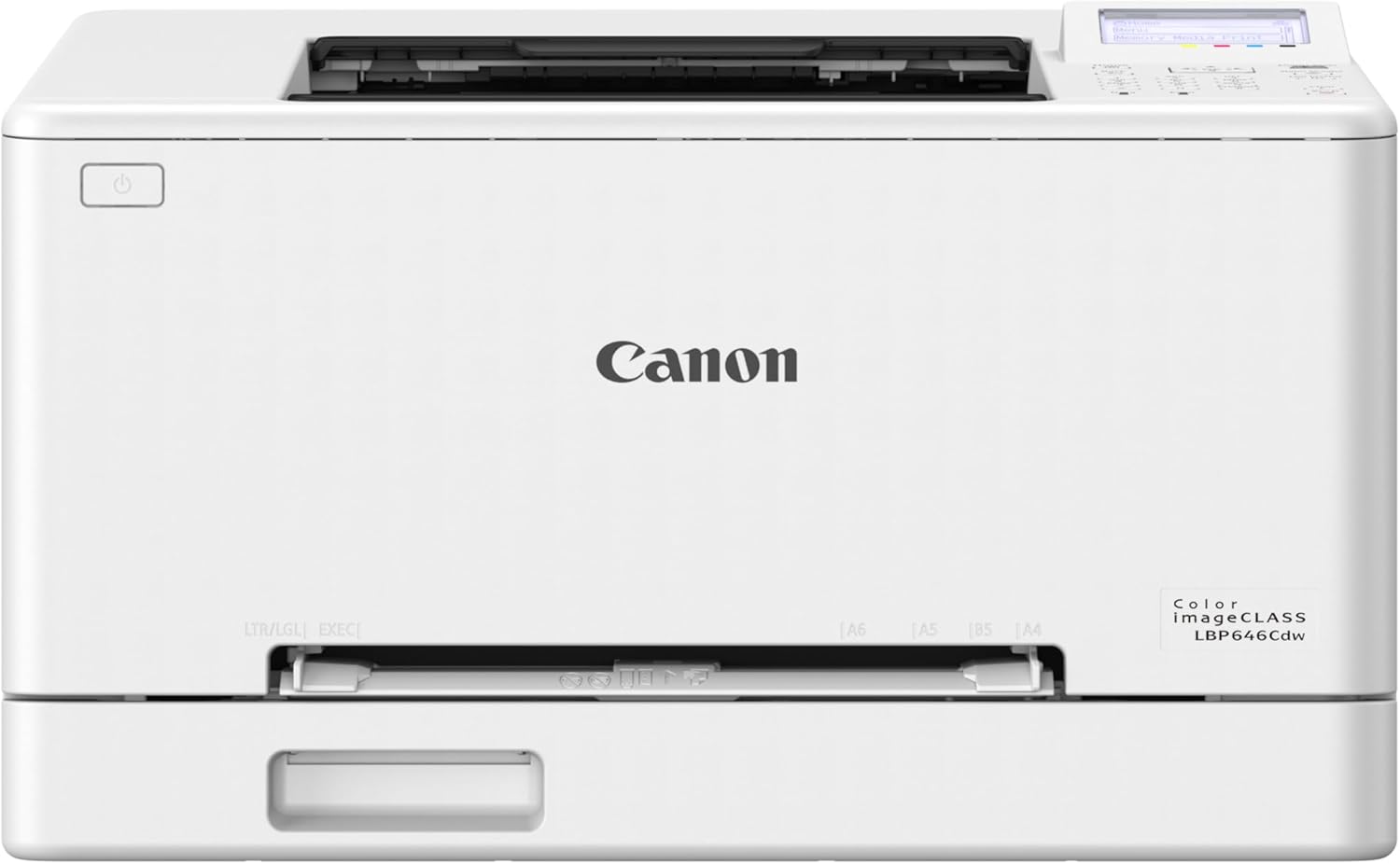
| Printer Type | Laser |
|---|---|
| Print Speed | 26 pages_per_minute |
| Duplex | Automatic |
| Printer Connectivity Type | USB, Wi-Fi |
| Compatible Cartridge | Canon Genuine Toner 075 |
The Canon imageCLASS LBP646Cdw is a print-only color laser built for small office and hybrid work settings where fast, consistent output matters more than multifunction features. It prints up to 26 ppm in color or black and white with a roughly 10.3 second first page time, supports automatic two-sided printing, and connects via Wi‑Fi, USB or Ethernet for mobile and desktop workflows. The 250-sheet cassette plus a one-sheet multipurpose tray handle typical office runs without constant refills, and Canon Genuine Toner 075 cartridges are specified for reliable, high-quality color. A 5-line LCD makes basic setup and status checks straightforward, and ENERGY STAR / EPEAT Silver ratings keep energy use in check. Limitations: it is print-only so you will need a separate scanner or MFP if copying or scanning is required, and its physical footprint and power draw reflect a laser engine so it is larger and more power hungry than small inkjets. For budget-minded small businesses, it balances speed and page capacity against the added cost and space of a laser device.
Best for: Small businesses or home offices that prioritize reliable, speedy color print output and regular page volumes over multifunction features, and who prefer a straightforward, networked printer.
Less Ideal for: Users who need scanning, copying, or an all-in-one device or those seeking the smallest, lowest-power countertop printer should consider alternatives.
- Fast color and black-and-white printing up to 26 ppm for short job turnaround
- Automatic duplex printing reduces paper use and manual handling
- 250-sheet standard cassette plus a multipurpose feed for typical office volumes
- Multiple connectivity options including Wi‑Fi, Ethernet and USB for mobile and desktop printing
- Uses Canon Genuine Toner 075 for consistent, factory-quality output and high yields
- Print-only design with no built-in scanning or copying functions
- Relatively high power consumption and larger footprint compared with compact inkjet printers
Verdict: Choose the imageCLASS LBP646Cdw when you need fast, dependable color laser printing and higher paper capacity for small business workflows without multifunction extras.
Brother HL-L8360CDW
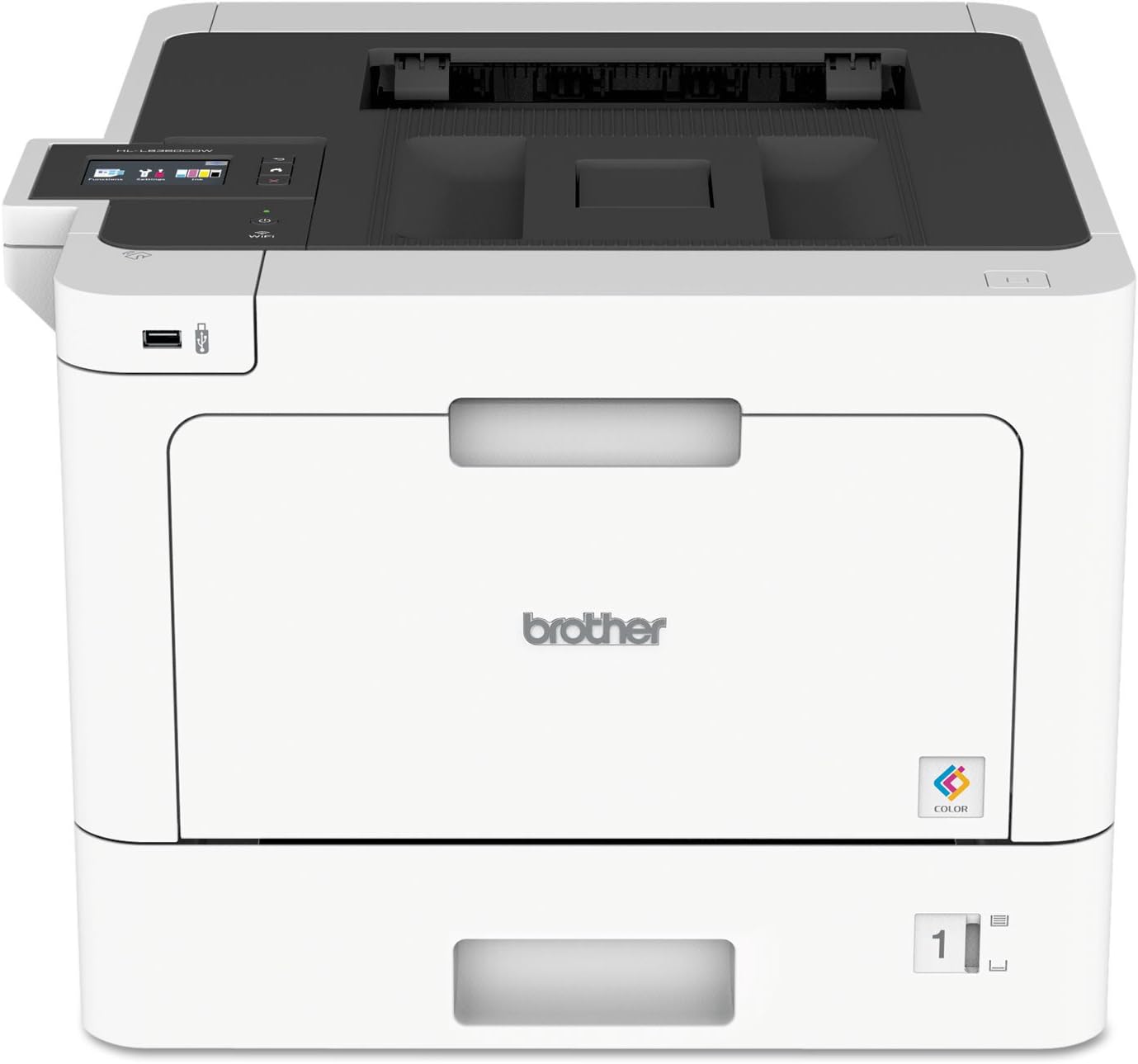
| Printer Type | Laser |
|---|---|
| Print Speed | 33 ppm |
| Print Resolution | 2400 x 600 dpi |
| Connectivity | Ethernet, USB, Wi-Fi |
| Duplex | Automatic |
The Brother HL-L8360CDW is a business color laser printer designed for steady office use, producing color and monochrome output at up to 33 ppm. It connects over Wi-Fi or Gigabit Ethernet and includes a 2.7" color touchscreen for direct cloud and mobile printing, plus NFC for badge authentication. The printer supports automatic duplexing and a 250-sheet tray with optional expansion to handle higher paper demands, and it accepts Brother high-yield toners for lower running costs. Security features such as Active Directory support and layered device/network protections make it practical for shared workgroups, and Dash Replenishment can automate toner reorders. On the downside, it is a relatively heavy, single-tray device that requires space and optional accessories to reach maximum capacity, and power draw can be notable during heavy use. For everyday office documents, reports, and marketing materials it offers reliable speed and consistent color output, but shops needing integrated scanning/faxing or a smaller footprint should consider all-in-one options instead.
Best for: Small business buyers who prioritize dependable, secure networked printing and low running costs and need a robust standalone color printer that can handle sustained daily workloads.
Less Ideal for: Users who need an all-in-one scanner/copier/fax or a very compact desktop unit for tight spaces should look at multifunction or smaller models instead.
- Fast 33 ppm color and black-and-white printing suitable for busy small offices
- Multiple connectivity: Wi-Fi, Gigabit Ethernet, USB and mobile/cloud printing via touchscreen
- Automatic duplexing reduces paper use and manual intervention
- Supports high-yield replacement toner for lower cost per page and less frequent cartridge changes
- Built-in security features including NFC badge authentication and Active Directory support
- Single standard paper tray limits out-of-box input capacity without optional trays
- No built-in scanner or fax in this model so multi-function needs require a different device
- Relatively high power consumption under load compared with smaller office printers
Verdict: A dependable, secure color laser built for small offices that need fast, consistent networked printing and low ongoing toner costs.
HP Color LaserJet Pro 3301sdw

| Printer Type | Laser |
|---|---|
| Print Speed (Color) | 30 ppm |
| Print Speed (B&W) | 30 ppm |
| Duplex | Automatic |
| Connectivity | USB, Wi-Fi, Ethernet |
The HP Color LaserJet Pro MFP 3301sdw is a compact office-focused all-in-one that handles printing, scanning and copying with business-ready features. It delivers fast output—HP lists up to 30 pages per minute for both color and black and white—and includes an automatic document feeder and two paper trays for longer runs without constant refilling. Print quality is solid for reports and presentations thanks to laser toner and 600×600 dpi copy/print resolution, while built-in Wi-Fi, Ethernet and USB let teams print from workstations and smartphones via the HP app. Security features such as HP Wolf Pro and app-based control help protect document workflows in a shared environment. Practical limitations include a relatively modest 250-sheet maximum capacity and the unit's reliance on HP 218A/218X toner cartridges, which enforces use of HP chips and may raise ongoing consumable costs. For small teams that need dependable, speedy color output with office management features, the 3301sdw is a sensible choice.
Best for: Small business buyers who prioritize reliable, fast color document printing and integrated scanning/copying with secure network features and straightforward app control.
Less Ideal for: Users who need photo-grade color prints or very high monthly page capacity should consider alternative solutions better suited for large-volume or photographic output.
- Fast print speeds up to 30 ppm for color and black and white
- All-in-one functions with ADF, flatbed scanner and automatic duplexing
- Multiple connectivity options including Wi-Fi, Ethernet and USB plus smartphone support via the HP app
- Two paper trays and 250-sheet capacity reduce frequent paper reloads
- Requires HP 218A/218X toner cartridges with chips which can increase long-term consumable cost
- Print resolution listed at 600×600 dpi may not match photo-quality inkjet output
Verdict: A fast, secure all-in-one color laser built for small offices that need dependable, networked color printing and integrated scan/copy features.
Brother MFC-L3720CDW

| Printer Type | Laser |
|---|---|
| Printer Output Type | Color |
| Maximum Sheet Capacity | 250 |
| Color Pages per Minute | 19 pages_per_minute |
| Duplex | Automatic |
The Brother MFC-L3720CDW is a compact color laser all-in-one built for small office use, offering print, copy, scan and fax capabilities with automatic duplex printing and a 50-sheet automatic document feeder. It typically sits on a workroom counter or shared office and connects via Wi-Fi or USB so multiple users can print from laptops and mobile devices; the 3.5-inch color touchscreen makes common tasks and cloud access straightforward. Print speed is rated up to 19 ppm for color and black, and print resolution supports sharp laser-quality output suitable for business documents and simple marketing materials. Practical benefits include a 250-sheet input tray to reduce refills, Energy Star compliance and eco modes to lower running costs, and support for Brother Refresh subscription for automated toner delivery. Limitations are its moderate speed compared with higher-volume business lasers and modest onboard resolution for high-detail photo printing, and replacement toners are proprietary which affects running cost planning.
Best for: Small business buyers who want a reliable, easy-to-manage color laser AIO that handles everyday office documents, occasional multi-page scans, and modest print volumes without complicated setup.
Less Ideal for: Organizations needing high-volume production printing or photographic-quality color should consider faster, higher-capacity laser models or dedicated photo printers.
- All-in-one functions: print, copy, scan and fax in one compact unit.
- Automatic duplexing and a 50-sheet ADF streamline two-sided jobs and multi-page scanning.
- 250-sheet adjustable paper tray reduces how often you refill during busy printing days.
- 3.5-inch color touchscreen with app and cloud integration simplifies common workflows.
- Wi-Fi and USB connectivity let multiple users print from desktops and mobile devices.
- Print speed (19 ppm) is modest for larger workgroups with heavy daily volume.
- Uses Brother-specific toner cartridges which increases the need to plan consumable costs and supply ordering.
Verdict: A practical, dependable color laser all-in-one for small offices that need straightforward networked printing, scanning and duplexing with low setup fuss.
Choosing the Right Color Laser Printer for Small Businesses: Key Factors to Consider
Print Speed and Daily Volume
How fast a printer can produce pages matters when multiple people share a single device. Measured in pages per minute, print speed affects perceived responsiveness during busy periods and impacts how long jobs occupy the device. Businesses that print invoices, proposals, or multi-page reports daily should prioritize higher throughput to avoid bottlenecks.
Beyond raw ppm, consider the device's warm-up time and first-page-out time for small jobs. A unit with quick first-page response can feel faster in mixed workflows even if its rated ppm is similar to slower machines.
Cost Per Page and Consumables
Toner cost, yield, and the availability of higher-yield cartridges drive long-term operating expense. Calculate cost per page using genuine consumable yields and factor in staple or duplex module replacements if used frequently. For color printing, account for how often full-color jobs use multiple toners, which raises per-page cost compared with monochrome output.
Also check whether the printer supports high-yield or XL cartridges and whether it offers an integrated drum or separate drum and toner system. These design choices affect both waste and the frequency of replacement parts.
Color Accuracy and Media Handling
Small businesses often produce client-facing materials where color fidelity and paper handling matter. Look for printers that offer good color consistency, support for heavier paper stocks, and reliable duplexing for two-sided marketing pieces. If your business produces presentations or small runs of brochures, verify the supported media weights and tray capacities.
Some devices include basic color calibration tools or built-in profiles that improve consistency across jobs. For occasional photo-quality prints, expect limitations compared with dedicated photo printers, but many color laser models deliver sharp text and vibrant graphics suitable for most office needs.
Network Connectivity and Security
Network features determine how easily staff can print from desktops, laptops, or mobile devices. Standard wired Ethernet and dual-band Wi-Fi are useful for small offices; mobile printing protocols and cloud printing connectors can simplify printing from phones and tablets. Administrative controls, user authentication, and encrypted data transfer protect sensitive documents and help meet basic office security requirements.
Also consider remote management capabilities that let an IT person monitor toner levels, job logs, and error conditions. A printer with robust management options reduces downtime and helps enforce usage policies.
Reliability and Supportability
Durable components and a reasonable duty cycle are essential for minimizing service interruptions. Duty cycle ratings indicate the maximum suggested monthly volume a printer can tolerate, which helps match a device to your business workload. Choose a printer with a duty cycle comfortably above your typical monthly page count to avoid premature wear.
Serviceability matters too. Easy access to replaceable parts, clear error messaging, and a straightforward paper path reduce the time spent troubleshooting. Consider whether the device offers on-site service options or simple return-for-repair workflows that fit your business continuity needs.
Understanding Monthly Duty Cycle
Monthly duty cycle is a ceiling for how many pages a printer can handle in a month. For small businesses, the important figure is not the maximum cycle but a realistic expectation of sustained monthly volume. Aim for a printer with a rated duty cycle at least 20 to 50 percent higher than your typical monthly output to ensure longevity.
Regularly exceeding the recommended duty cycle increases wear on the fuser, rollers, and imaging drums. If your office has seasonal spikes, choose a model with higher headroom or plan to distribute heavy jobs across multiple devices or outside print runs.
- Match duty cycle to average monthly pages plus headroom for peaks
- Higher duty cycles reduce the risk of frequent maintenance
- Consider workload distribution for irregular high-volume months
Balancing Speed Vs. Quality
High-speed printers reduce wait time for bulk jobs but can sacrifice subtle color rendering. For transactional printing and text-heavy documents, prioritize speed and reliable duplexing. For marketing collateral and client proposals, pick models that emphasize color accuracy and smoother gradients.
Print drivers often include presets that trade quality for speed. Use these settings to optimize each job type rather than running all jobs at maximum quality.
- Use draft mode for internal documents to save toner
- Reserve high-quality color modes for client-facing materials
- Adjust resolution and color profiles per job to control output
Reducing Operational Costs
Operational cost is driven by consumable replacement frequency and service needs. Track cost per page across typical mixed jobs and consider purchasing or stocking high-yield toner if your printer supports it. Duplexing and two-sided printing reduce paper spend and can lower per-document costs.
Energy efficiency and sleep modes also matter. A device that wakes quickly and uses lower idle power reduces electricity costs over time, especially in offices with centralized printing.
- Estimate monthly consumable spend using expected page mix
- Choose duplexing and toner-saving defaults where appropriate
- Monitor energy use and enable smart sleep settings
Deployment and Network Setup Tips
Plan physical placement for ventilation and easy access to paper trays and consumables. Ensure the printer has adequate Ethernet or Wi-Fi signal strength and a stable network segment. Assign a static IP or reserve an address for reliable printing in managed environments.
Use centralized print management or built-in web admin tools to configure user access, set quotas, and manage firmware updates. Document the setup process so it can be replicated if you add more devices.
- Place printers where users can reach them without blocking traffic
- Reserve IP addresses for business printers
- Enable firmware updates during low-traffic hours
Paper Types and Finishing Options
Check supported media weights and sizes if you plan to print folders, labels, or card stock. Not all color laser printers handle heavy media reliably, and some require special trays for heavier stock. Finishing options like stapling, hole punching, or booklet folding can save manual labor for frequent multipage documents.
Consider whether you need an automatic duplexer for two-sided printing and whether optional finishing modules fit your workflow. Built-in stapling and sorting are helpful for small teams that produce collated packets regularly.
- Verify media weight range for intended print jobs
- Look for built-in duplexing and optional finishers
- Test a sample print on your chosen paper before large runs
How We Chose the Best Color Laser Printer for Small Businesses
We focused on features and specifications that directly affect small business workflows and operating budgets. Core evaluation criteria included print speed and throughput for common office workloads, cost-per-page and consumable availability to estimate ongoing expenses, and color quality and media handling for client-facing documents and marketing materials. We also assessed network and mobile connectivity options, driver stability, and security features important to business environments. Duty cycle and build durability were examined to ensure each model can handle routine monthly volumes without accelerated wear. We excluded consumer-grade single-function devices and printers with consumables or service models unsuitable for predictable budgeting. Products with very limited network features or lacking basic security controls were not considered. The final list favors machines that combine dependable mechanical design, sensible operating costs, and networking features that simplify deployment and management in small office settings.
Our full evaluation process is outlined in our review methodology.
FAQ
How do I estimate the right print volume for my office?
Track your current monthly page counts for a representative period, including color and monochrome pages. Add a 20 to 50 percent buffer for growth and occasional spikes, then choose a printer with a duty cycle above that adjusted number.
Are color laser printers more expensive to run than monochrome models?
Color models usually have higher consumable costs because they use multiple toners for color jobs. Running mostly black-and-white documents on a color device can still be economical if you use high-yield cartridges and set monochrome defaults for everyday printing.
What connectivity should a small business prioritize?
Wired Ethernet offers the most reliable office connectivity. Dual-band Wi-Fi and mobile printing support are useful for flexible devices and guest access. Also prioritize printers with simple web-based administration and support for common authentication methods.
How often should I replace toner and maintenance kits?
Replace toner when levels become low to avoid print quality issues. Maintenance kits and parts like the fuser or rollers have separate lifespans—follow the manufacturer's recommended intervals based on pages printed rather than time alone to avoid unexpected failures.
Can I use third-party toners to save cost?
Third-party toners can reduce per-page cost but may vary in yield and consistency. They can also affect warranty or service terms, so weigh potential savings against risk and test compatibility before relying on them for regular use.
Final Verdict
For small businesses, the right color laser printer balances predictable running costs, adequate throughput, and the color quality needed for client-facing materials. Prioritize devices with a duty cycle that exceeds your adjusted monthly volume, good consumable yields, and network features that simplify administration. Trade-offs are inevitable: higher speed and finishing options increase upfront complexity, while smaller desktop models can save space but may cost more per page. Decide whether monthly operating cost or maximum throughput is the primary concern, then choose a model that aligns with that priority. With attention to duty cycle, consumable strategy, and network setup, you can select a color laser printer that supports professional output and dependable day-to-day performance.