
Note: This article contains affiliate links. If you click on these links and make a purchase, we may earn a small commission at no extra cost to you. This helps support our research and content. Read our full affiliate disclosure here.
Choosing the right color laser printer for a small office matters because printing needs are different from home use. You need reliable duty cycles, manageable running costs, and consistent color output for client documents and internal workflows. This guide shortlists seven top-performing color laser printers for small offices and highlights the features that help them succeed in busy work environments. We evaluated options across practical criteria like print speed, monthly duty cycle, consumable costs, connectivity, and maintenance demands. Read on to see which features matter most for small office workflows and which machines excel in specific use cases.
Top Picks at a Glance
| Best Overall The best all-around choice for most situations | HP Color LaserJet Enterprise M554dn |  |
| Best Quality Built to a higher standard if you want something more solid | Canon imageCLASS MF753Cdw II |  |
| Best Value The sweet spot between price and what you get | Brother HL-L3280CDW Color Laser Printer |  |
| Best Budget The cheapest option that still gets the job done reliably | Canon imageCLASS LBP646Cdw |  |
| Top Rated A top-rated pick with lots of positive feedback | Xerox C245 Color Multifunction Printer |  |
| Most Popular A crowd favorite that many people choose with confidence | HP Color LaserJet Pro 3301sdw |  |
| Best Seller A high-volume bestseller chosen again and again | Brother MFC-L3720CDW color laser |  |
HP Color LaserJet Enterprise M554dn

| Print speed (color/B&W) | 33 pages per minute |
|---|---|
| Automatic duplex | Yes |
| Input capacity | 550-sheet + 100-sheet multipurpose |
| Max print resolution | 1200 dpi (B&W) / 600×600 dpi (color) |
| Connectivity | Ethernet, USB |
The HP Color LaserJet Enterprise M554dn is a network-ready color duplex laser printer built for busy office workflows. It prints color and black-and-white documents at up to the mid-30s pages per minute, supports automatic two-sided printing, and includes a large paper capacity with a 550-sheet tray plus a 100-sheet multipurpose tray to handle mixed media like envelopes and labels. Security features such as HP Wolf Enterprise protections and centralized management via HP Web JetAdmin make it suitable for environments that need to protect sensitive documents and simplify IT control. The printer ships with preinstalled toner cartridges for immediate use and uses HP LaserJet toner with JetIntelligence for consistent text and color output; resolution tops out at 1200 dpi for mono and 600×600 dpi for color. Trade-offs include its substantial physical weight and footprint typical of enterprise-class laser devices and limited built-in wireless unless optional Wi-Fi is added, so installation is usually on a wired Ethernet network. For teams that need reliable, secure, high-volume color printing, this model delivers predictable performance without consumer-grade frills.
Best for: Small office teams and IT managers who need a secure, high-throughput color laser printer that centralizes control and keeps print workflows moving with minimal intervention.
Less Ideal for: Solo users or very small home offices that prioritize compact size, low weight, or integrated wireless over enterprise features and high monthly volume.
- Fast color and mono printing around 33 ppm for quick high-volume jobs
- Automatic duplexing reduces paper use and speeds two-sided workflows
- Large input capacity (550-sheet main tray plus 100-sheet multipurpose tray) for fewer reloads
- Built-in enterprise security and centralized management with HP Wolf and Web JetAdmin
- Includes preinstalled toner cartridges to start printing out of the box
- No built-in dual-band Wi‑Fi by default; wireless is optional
- Heavier and larger than typical desktop printers, requiring dedicated space
Verdict: Choose the M554dn when your small office needs secure, high-capacity color printing and centralized management more than compact size or built-in wireless.
Canon imageCLASS MF753Cdw II

| Printer Type | Laser |
|---|---|
| Print Speed | 35 pages_per_minute |
| Maximum print Resolution Color | 1200 x 1200 dpi |
| Printer Connectivity Type | Ethernet, USB, Wi-Fi |
| Duplex | Automatic |
The Canon imageCLASS MF753Cdw II is a compact color laser all-in-one built for busy small offices that need reliable, fast printing plus scanning, copying and faxing. It prints up to 35 pages per minute in color or black and white and wakes to first page in about seven seconds, so short jobs and multi-page batches finish quickly. The 5" color touchscreen and one-pass duplex 50-sheet ADF simplify two-sided scanning and copying, while standard wireless, Ethernet and USB let you print from PCs and mobile devices without a cable. Standard paper handling includes a 250-sheet cassette plus a multipurpose tray and an optional cassette for higher capacity when volume grows. Canon Genuine Toner 069 yields and 1200 x 1200 dpi resolution produce crisp text and good color for reports, proposals and marketing handouts. Expect a moderately heavy footprint and reliance on proprietary toners, so placement and running costs are considerations for nonstop, high-volume use. For teams that need quick, networked color output with scanning and faxing in a single machine, this model covers the essentials well.
Best for: Buyers who prioritize fast, reliable color output and integrated scanning/copying for small office workflows and need networked printing that keeps pace with team demands.
Less Ideal for: Those who need a lightweight, low-cost-per-page solution for very high monthly volumes or who prefer inexpensive third-party toner alternatives.
- Fast 35 ppm color and B&W print speed for a small office workflow.
- One-pass duplex 50-sheet ADF and 5" color touchscreen streamline multi-page scanning and copying.
- Flexible connectivity with Wi‑Fi, Ethernet and USB plus mobile printing support.
- High 1200 x 1200 dpi resolution for crisp text and detailed color output.
- Standard 250-sheet cassette with expandable capacity via optional cassette.
- Uses Canon Genuine Toner 069 which can raise ongoing consumable costs.
- Relatively heavy and sizable compared with desktop inkjet alternatives.
Verdict: A speed-focused color laser all-in-one that delivers fast,-networked color output and robust scanning for small offices needing dependable daily performance.
Brother HL-L3280CDW Color Laser Printer

| Printer Type | Laser |
|---|---|
| Print Speed | 27 ppm (B&W/color) |
| Connectivity | Ethernet, USB, Wi-Fi |
| Duplex | Automatic |
| Maximum print Resolution Color | 2400 x 600 dpi |
The Brother HL-L3280CDW is a compact color laser built for steady everyday office use, delivering up to 27 pages per minute and laser-quality, smudge-resistant output. Its main controls are a 2.7-inch touchscreen and app/voice options, and it supports dual-band Wi-Fi, Ethernet and USB so multiple users can print from laptops or mobile devices. Automatic duplexing and a 250-sheet tray make batch jobs and two-sided reports straightforward, while Eco and Toner Save modes plus ENERGY STAR and EPEAT Silver ratings help lower operating impact. The printer accepts Brother TN229 series cartridges including high-yield options and works with Brother Refresh EZ subscription for automatic toner reordering. Downsides to consider are the physical footprint and weight for very tight workspaces and the cost considerations of color laser toner versus ink alternatives for infrequent color printing. For routine document, report, and marketing collateral printing in a small office, this unit balances speed, connectivity, and dependable color output.
Best for: Buyers who need a reliable, networked color laser that handles regular office print volumes and prioritizes speed, duplexing, and straightforward mobile/cloud printing workflows.
Less Ideal for: People who only print occasional color documents or need an ultra-compact, lightweight printer for very limited desk space should consider ink-based or smaller models instead.
- Consistent laser-quality color and black-and-white printing at up to 27 ppm
- Automatic duplexing and 250-sheet capacity for efficient two-sided and bulk jobs
- Dual-band Wi-Fi, Ethernet and USB plus mobile app support for flexible networked printing
- 2.7-inch touchscreen and app controls simplify daily use and cloud printing
- Relatively heavy and takes noticeable desktop space compared with small inkjets
- Color toner costs can be higher for occasional color printing compared with ink-based alternatives
Verdict: A dependable, fast color laser that suits small offices needing networked, two-sided printing and consistent professional-looking documents.
Canon imageCLASS LBP646Cdw
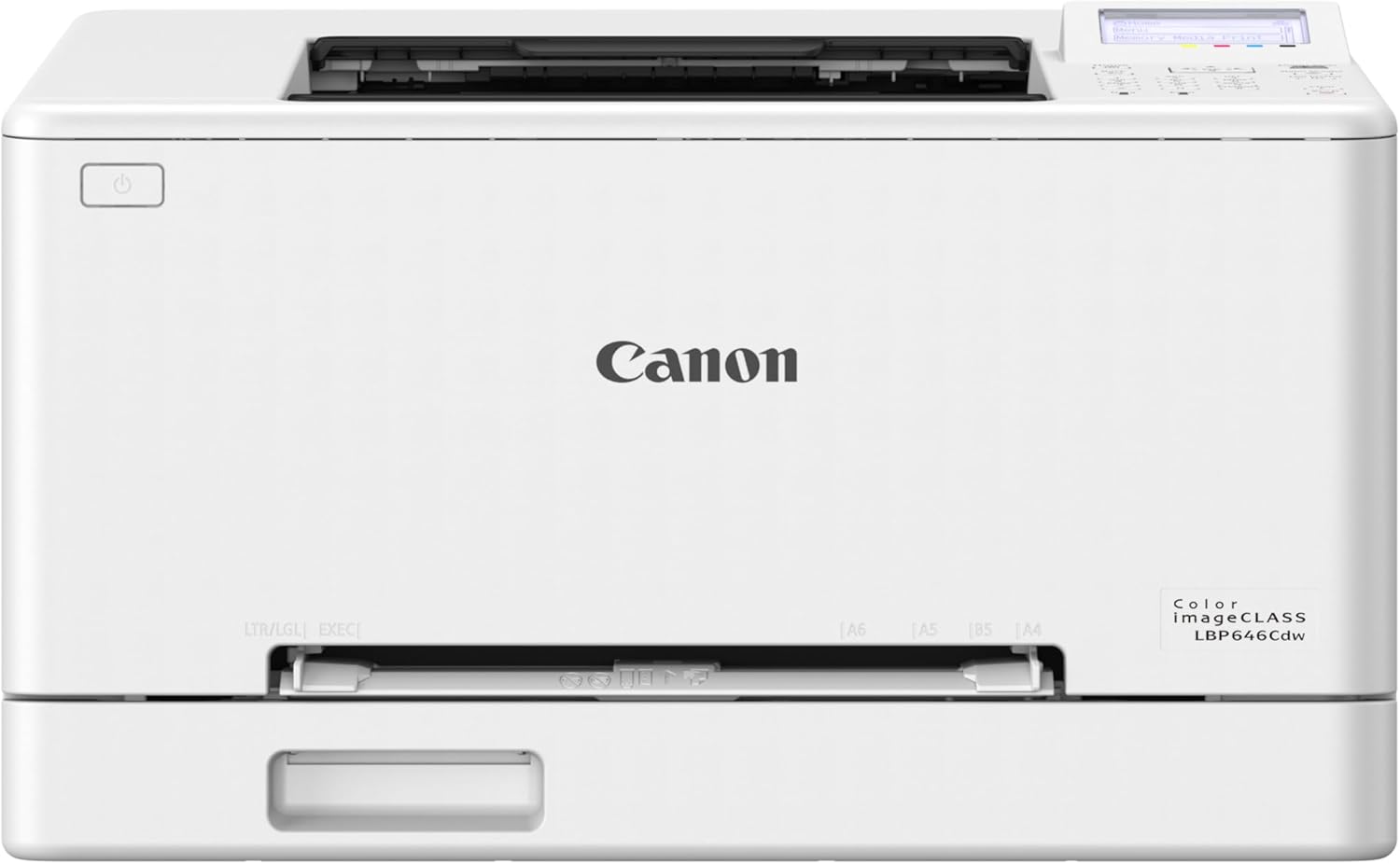
| Printer Type | Laser |
|---|---|
| Color | Color |
| Pages per Minute | 26 ppm |
| Duplex | Automatic |
| Connectivity | USB, Wi-Fi, Ethernet |
The Canon imageCLASS LBP646Cdw is a print-only color laser aimed at small and home office use where steady, relatively fast color output is required without multifunction extras. It prints up to 26 pages per minute in color and black, wakes to a first-page time near 10 seconds, and supports automatic two-sided printing to reduce paper use. Setup is straightforward with Wi-Fi, Ethernet and USB options plus mobile printing via the Canon PRINT app, AirPrint and Mopria, and the 5-line LCD makes basic menu navigation easy. Paper handling is practical for a small office with a 250-sheet cassette and a one-sheet multipurpose feed for envelopes or specialty sizes up to legal. Canon Genuine Toner 075 is the recommended consumable and high-yield starter cartridges are included for immediate use. Expect a printer optimized for steady document production rather than scanning or copying, and note that it does not include an automatic document feeder or scanner, so it is limited to print-only workflows.
Best for: Small office or home-office buyers who need reliable, fast color printing and want a straightforward printer focused on output rather than multifunction features.
Less Ideal for: Teams that require scanning, copying, or faxing or those who need an all-in-one device for digitizing documents should consider multifunction models instead.
- Consistent 26 ppm color and black print speed suitable for moderate office workloads
- Automatic duplexing saves paper and supports two-sided document workflows
- Multiple connectivity options including Wi-Fi, Ethernet, USB and mobile printing
- 250-sheet main cassette plus multipurpose feed reduces refill frequency
- Uses Canon Genuine Toner 075 with high-yield cartridges for longer runs
- Single-function design with no scanning or copying capability
- Relatively high power consumption listed compared with typical small printers
Verdict: Choose this printer if you want a compact, print-only color laser that delivers reliable 26 ppm output and automatic two-sided printing for small office document needs.
Xerox C245 Color Multifunction Printer

| Printer Type | Laser |
|---|---|
| Color Pages per Minute | 26 pages_per_minute |
| Printer Connectivity Type | Ethernet, USB, Wi-Fi |
| Duplex | Automatic |
| Maximum print Resolution Color | 2400×600 dots_per_inch |
The Xerox C245 is a small-footprint color laser multifunction designed for busy home offices and small teams. It handles print, scan, and copy tasks with a 50-sheet document feeder, an intuitive 2.8 inch color touchscreen, and wireless plus Ethernet connectivity so users can print from laptops and mobile devices using AirPrint or Mopria. At up to 26 pages per minute in color and monochrome and automatic two-sided printing, it keeps routine jobs moving while conserving paper. The printer produces high-resolution output (up to 2400×600 dpi) that suits reports and client materials, and Xerox supports easy setup via the Easy Assist app and offers high-yield toner options to lower operating cost. Practical limitations include a modest 50-sheet input capacity and a relatively compact tray, which means frequent refills in heavier workflows, and its 398 watt power draw under peak use is higher than some small-office ink alternatives. For teams that need dependable, professional-looking color output in a space-conscious package, the C245 delivers reliable performance and simple management.
Best for: Small offices, consultants, and home professionals who prioritize dependable color laser output and straightforward setup for regular document and client-facing print jobs.
Less Ideal for: High-volume print centers or departments that need large paper capacity and continuous heavy-duty printing without frequent media refills.
- 26 ppm color and black-and-white print speed for steady small-office throughput
- Automatic duplex printing reduces paper use and speeds two-sided jobs
- Wi-Fi, Ethernet, AirPrint, and Mopria support for flexible mobile and networked printing
- High print resolution (2400×600 dpi) for sharp text and vibrant graphics
- Guided smartphone setup and touchscreen make installation and daily use straightforward
- 50-sheet maximum sheet capacity is low for higher-volume offices
- Peak power consumption is relatively high compared with small inkjet models
Verdict: Choose the Xerox C245 when you need reliable, professional color laser printing and easy mobile setup in a compact small-office package.
HP Color LaserJet Pro 3301sdw

| Printer Type | Laser |
|---|---|
| Print Speed (Color) | 30 ppm |
| Duplex | Automatic |
| Number of Trays | 2 |
| Maximum Sheet Capacity | 250 |
The HP Color LaserJet Pro 3301sdw is an office-focused all-in-one laser that handles everyday print, copy and scan tasks with a focus on speed and reliability. In practice it sits on a small-office desk or credenza and serves workgroups that need fast color output, a 250-sheet input tray and an auto document feeder for multipage scanning and copying. It offers built-in Wi-Fi, an Ethernet port and mobile printing through the HP app, so users can send jobs from smartphones or networked computers. Automatic two-sided printing and next-generation TerraJet toner deliver crisp color for reports and client materials while keeping duty cycles reasonable. Expect professional-feeling prints at standard laser resolutions and a one-year limited warranty. Important downsides are its physical weight and footprint compared with compact home printers and the printer's restriction to HP chips in toner cartridges, which limits third-party cartridge options and can increase running costs for high-volume shops.
Best for: Small office managers or teams who prioritize reliable, fast color printing and networked mobile printing for regular client-facing documents and internal reports.
Less Ideal for: Individuals or home users who need a lightweight, space-saving printer or who want to rely on discounted third-party toner alternatives.
- Fast color and black-and-white output suitable for busy small offices
- Automatic duplexing and ADF for efficient two-sided copying and scanning
- Wired and wireless connectivity plus mobile printing via the HP app
- 250-sheet input capacity reduces frequent refilling during peak days
- Heavier and larger footprint than compact desktop printers
- Requires HP cartridges with chips which restricts third-party toner use
Verdict: A dependable, fast all-in-one color laser built for small offices that need professional color output and networked/mobile workflows.
Brother MFC-L3720CDW color laser

| Printer Type | Laser |
|---|---|
| Print Speed (B&W/Color) | 19 ppm / 19 ppm |
| Maximum Print Resolution Color | 2400 x 600 dpi |
| Maximum Sheet Capacity | 250 |
| Connectivity | USB, Wi-Fi |
The Brother MFC-L3720CDW is a small-office focused color laser all-in-one that handles everyday document workflows reliably. It prints up to 19 ppm in color and black, supports automatic two-sided printing and a 50-sheet ADF for multi-page scanning and copying, and offers a 3.5 inch color touchscreen with customizable shortcuts and cloud app access. Connectivity covers Wi-Fi (dual-band and Wi-Fi Direct) and USB, and Brother Mobile Connect lets you print and monitor supplies from a phone. Print quality is laser-sharp with a 2400 x 600 dpi color maximum and Brother recommends genuine TN229 toner options including high-yield variants to keep running costs predictable. The unit is relatively heavy and uses toners rather than ink, so upfront cost and replacement cartridges are higher than inkjets, and its 19 ppm speed is modest for larger teams. Security and energy-conscious features like Eco Mode and automatic duplexing are useful for office environments. For risk-averse buyers seeking a factory-supported, business-ready color laser that covers printing, scanning, copying, and faxing, this model is a practical choice.
Best for: Buyers who prioritize reliable, factory-supported performance and simple networked printing for a small office or home office will appreciate this printer. It suits teams that need consistent color documents, occasional multi-page scanning, and easy mobile management.
Less Ideal for: Not the best choice for high-volume departments that need faster throughput or the lowest per-page cost, or for users who prefer lower upfront printer cost and ink-based consumables.
- All-in-one functions: print, copy, scan, and fax in one device.
- Automatic duplex printing and 50-sheet ADF speed up multi-page jobs.
- 3.5 inch color touchscreen with customizable shortcuts and cloud app access.
- Dual-band Wi-Fi, Wi-Fi Direct, and USB connectivity plus mobile app management.
- Supports high-yield genuine Brother toners for predictable yields and supply options.
- Modest print speed at 19 ppm may limit productivity for larger teams.
- Laser toner system and replacement cartridges have higher upfront and ongoing costs than consumer inkjets.
Verdict: A dependable, factory-backed color laser all-in-one built for small offices that need consistent color output, duplexing, and straightforward mobile and networked printing.
Choosing the Right Color Laser Printer for Small Offices: Key Factors to Consider
Print Speed and Duty Cycle
Print speed affects how long users wait for documents during busy periods. In a small office, a faster pages-per-minute rate reduces queue time and improves productivity, especially when multiple people send jobs simultaneously.
Duty cycle is the manufacturer's maximum recommended monthly print volume. Choosing a printer with a duty cycle that comfortably exceeds your expected monthly pages helps avoid overworking the machine and reduces the risk of premature failures or frequent service needs.
Consumable Costs and Toner Yield
Toner cost per page is a major ongoing expense for color laser printers. Look for published toner yields and compare replacement toner pricing to estimate your real-world cost per color and black page.
High-yield toner cartridges often lower per-page costs, but they may have higher upfront costs. Factor in how many pages your office prints monthly to decide whether standard or high-yield consumables deliver better value for your workflow.
Color Accuracy and Print Quality
Consistent color and crisp text matter for client-facing documents and internal presentations. Check color rendering, resolution specifications, and whether the device supports color management features that help maintain accurate branding and charts.
For mixed-use offices that print both graphics and text, balance color quality with speed and consumable cost; the highest-fidelity color engines may increase running costs compared with more business-focused color profiles.
Connectivity and Network Features
Small offices need printers that integrate reliably into a shared network. Look for wired Ethernet for stable connections, plus robust Wi-Fi options if devices will print from mobile devices or laptops without wired access.
Security features such as user authentication, secure printing, and firmware update support are important to protect sensitive documents. Additional features like duplex printing, mobile printing protocols, and cloud-ready options can improve flexibility for modern workflows.
Paper Handling and Ease of Use
Paper handling affects how much manual intervention the printer requires. Features to consider include input tray capacity, multi-purpose trays for envelopes and labels, automatic duplexing, and reliable paper-feed mechanisms to minimize jams.
Simple front-access designs for changing toner and clearing jams reduce downtime. A clear control panel and easy-to-navigate menus help non-technical staff operate the printer efficiently.
Maintenance and Support
Routine maintenance tasks and available support options determine long-term ownership ease. Consider how simple it is to replace consumables, whether common parts are user-replaceable, and what warranty or service options are offered.
Look for models with straightforward diagnostics and access to firmware updates. Local or remote support channels and straightforward service documentation help get a printer back online quickly when issues arise.
Setting Print Expectations for Small Offices
Small offices typically have intermittent burst printing and steady baseline needs. Estimate average daily and monthly pages by tracking typical jobs for a week to define a realistic volume target before choosing a machine.
Also consider the mix of color and black-and-white jobs. If most documents are text-based, prioritize higher mono throughput and lower color consumable costs. If you regularly produce marketing materials or color reports, prioritize color consistency and higher-yield color toners.
- Track real usage for 7 to 14 days to estimate monthly volume
- Note common job sizes to understand duplex and paper capacity needs
- Balance color vs mono usage when calculating running costs
Network Setup and Security Best Practices
For small offices, a stable wired Ethernet connection for shared printers reduces printing errors and improves speed compared with ad hoc wireless setups. Use a static IP when possible to avoid reconfiguration after network changes.
Enable available security features such as secure printing with PIN release, user authentication, and encrypted data transport. Keep firmware up to date and restrict administrative access to authorized staff only.
- Configure static IPs or DHCP reservations for reliability
- Enable secure printing for sensitive documents
- Keep firmware updated and restrict admin access
Optimizing Consumable Costs
Calculate effective cost per page by dividing replacement toner cost by the published yield and including any maintenance parts that wear regularly. Use high-yield cartridges if your monthly volume justifies the higher upfront cost.
Use draft or economy color settings for internal documents where perfect color is not required, and reserve higher-quality color profiles for client-facing materials to save toner.
- Compare cost per page for both black and color consumables
- Use economy modes for internal prints to extend toner life
- Keep spare toner on hand if your office depends heavily on printing
Paper Choices and Finishing Options
Choosing the right paper stock affects print quality and reliability. Use paper weights and finishes supported by the printer to avoid jams and ensure crisp color reproduction. Match paper type to the job: heavier stock for presentations, standard office paper for day-to-day use.
Consider built-in finishing like stapling or optional trays and sorters only if your workflow regularly requires them. For most small offices, automatic duplexing and a high-capacity input tray are the most useful features.
- Use supported paper weights to reduce jams
- Reserve heavier paper for client-facing documents
- Automatic duplexing saves paper and streamlines multi-page jobs
Sizing a Printer for Your Workflow
Match the printer's recommended monthly volume to your estimates with a safety margin. Undersized printers may lead to frequent service calls, while oversized production machines can be more expensive to run and maintain.
Also consider physical footprint and noise. A fast color laser may produce more noise during operation, so place it in a shared but ventilated area rather than a quiet meeting room.
- Choose a duty cycle 25 to 50 percent above your estimated monthly pages
- Factor in physical space and noise when locating the device
- Balance throughput needs with ongoing consumable costs
How We Chose the Best Color Laser Printer for Small Offices
Our selection process prioritized practical, business-focused attributes that determine long-term satisfaction in small office settings. We focused on print speed and first-page-out times because fast output reduces bottlenecks during peak use. Monthly duty cycle and recommended monthly volume were used to ensure each machine can handle typical small office workloads without premature wear. We assessed consumable costs using published toner yields and replacement pricing to estimate total cost of ownership. Connectivity and network features were considered to confirm easy shared use, including wired networking and mobile printing support. Finally, we evaluated ease of maintenance, including toner replacement and paper handling reliability, since minimal downtime is essential for business users. We excluded very low-volume hobby or home-targeted models, ultra-large production printers, and devices lacking network or security features expected in business environments. The resulting shortlist emphasizes balanced choices that combine speed, reasonable running costs, and usable feature sets for small teams.
Our full evaluation process is outlined in our review methodology.
FAQ
How many pages per month should a small office printer handle?
It depends on your team size and typical workloads, but many small offices print between 1,000 and 5,000 pages monthly. Pick a printer with a duty cycle comfortably above your average monthly volume to avoid overuse.
Are color laser printers more expensive to run than inkjets for offices?
Color laser printers often have higher upfront and consumable costs, but they can offer lower cost per page for high-volume text printing and better longevity. The economics depends on your mix of color versus black pages and monthly volume.
Is duplexing important for a small office color laser printer?
Automatic duplexing saves paper and reduces manual work for double-sided documents. It is a valuable feature for offices that print reports or multi-page client materials regularly.
What connectivity should a small office prioritize?
Prioritize wired Ethernet for reliability in shared environments, but ensure the printer also supports secure Wi-Fi and mobile printing if users rely on laptops or phones. Network security features are important for protecting sensitive prints.
How can I reduce color toner consumption without losing necessary quality?
Use economy or draft modes for internal documents and reserve high-quality color profiles for client-facing materials. Selecting appropriate paper and using color management profiles can also improve perceived quality while saving toner.
Final Verdict
Focus on the balance between monthly volume, consumable costs, and the level of color quality you require. Prioritize printers with duty cycles above your expected monthly pages, predictable cost-per-page metrics, and reliable network features for shared use. Factor in paper handling, maintenance ease, and available security options to minimize downtime and protect documents. With those priorities in mind, choose the model that best matches your throughput and color needs rather than the fastest or most feature-packed unit. That approach will deliver the best long-term reliability and cost control for a small office environment.