
Note: This article contains affiliate links. If you click on these links and make a purchase, we may earn a small commission at no extra cost to you. This helps support our research and content. Read our full affiliate disclosure here.
Picking the right Color Laser Printer affects daily productivity, print quality, and operating cost. Whether you need crisp marketing materials, sharp spreadsheets, or reliable photo-capable output, the wrong choice can mean frequent toner changes, slow jobs, or inconsistent color. This guide highlights seven shortlisted Color Laser Printers that meet common needs for home and small-office environments. We evaluated each option across print quality, speed, and running costs so you can match features to your workflow. Read on for the evaluation criteria and practical notes to help you pick the best fit.
Top Picks at a Glance
| Best Overall The best all-around choice for most situations | Brother HL-L3220CDW Color Laser Printer |  |
| Best Quality Built to a higher standard if you want something more solid | Canon imageCLASS MF753Cdw II |  |
| Best Value The sweet spot between price and what you get | HP Color LaserJet Pro 3201dw |  |
| Best Budget The cheapest option that still gets the job done reliably | Canon imageCLASS LBP646Cdw |  |
| Top Rated A top-rated pick with lots of positive feedback | Xerox C240 Color Laser Printer |  |
| Most Popular A crowd favorite that many people choose with confidence | HP Color LaserJet Pro MFP 3301sdw |  |
| Best Seller A high-volume bestseller chosen again and again | Brother MFC-L3720CDW |  |
Brother HL-L3220CDW Color Laser Printer

| Printer Type | Laser |
|---|---|
| Printer Output Type | Color |
| Maximum Pages per Minute | 19 ppm |
| Paper Tray Capacity | 250 sheets |
| Print Resolution | 2400 x 600 dpi |
The Brother HL-L3220CDW is a single-function color laser printer aimed at small offices and home workspaces that need reliable, professional-looking prints. It prints at up to 19 pages per minute in color and black and white, with a first page out in under 15 seconds, so it handles typical document workflows quickly. The 250-sheet input tray and manual feed slot let you run larger jobs and switch to envelopes or labels without frequent refills. Built-in Wi‑Fi and USB connectivity plus mobile printing support make sending jobs from laptops, tablets, or phones straightforward, and automatic duplexing reduces paper use for two-sided reports. Print quality is strong for text and business graphics with a 2400 x 600 dpi resolution, though it is a print-only device so scanning or copying require a separate machine. Toner comes in standard and high-yield Brother TN229 variants; using genuine toner and the optional Refresh subscription can simplify supplies management but replacement toner is an ongoing cost to budget for. The HL-L3220CDW balances speed, capacity, and color output for users who prioritize dependable document printing over multifunction features.
Best for: Buyers who want a straightforward, dependable color laser dedicated to producing professional documents for a home office or small team and who value fast, two-sided printing with easy mobile connectivity.
Less Ideal for: Those who need an all-in-one device with scanning or copying, or users who prioritize the lowest possible ongoing consumable costs over print quality and convenience.
- Reliable 19 ppm color and mono print speed for everyday office documents
- Automatic duplexing saves time and paper for two-sided jobs
- 250-sheet main tray reduces refill frequency for medium-volume printing
- Wireless and USB connectivity plus mobile printing support for flexible workflows
- High-resolution output (2400 x 600 dpi) for crisp text and business graphics
- Print-only design with no scanning, copying, or faxing functionality
- Toner replacement is a recurring expense and genuine cartridges are recommended
Verdict: Choose the HL-L3220CDW if you want a compact, reliable color laser that delivers fast, high-quality two-sided documents for a home office or small workgroup.
Canon imageCLASS MF753Cdw II

| Printer Type | Laser |
|---|---|
| Print Speed | 35 pages per minute |
| Resolution | 1200 x 1200 dpi |
| Connectivity | Ethernet, USB, Wi-Fi |
| Duplex | Automatic |
The Canon imageCLASS MF753Cdw II is a fast color laser all-in-one that handles printing, scanning, copying and faxing for small office workflows. It prints up to 35 ppm in color and black, wakes to first-page-out in about 7 seconds, and uses Canon Genuine Toner 069 for consistent color output at 1200 x 1200 dpi. Typical use cases are daily office documents, short runs of posters or signage using Poster Artist Online, and two-sided scanning with the 50-sheet duplex ADF to speed multi-page jobs. Setup and mobile printing are straightforward via Wi‑Fi and the 5" color touchscreen, while a 250-sheet cassette plus an MP tray gives reasonable paper capacity and optional expansion up to 850 sheets for larger workloads. Practical limits include the device size and weight for cramped spaces and reliance on OEM toners for best color; heavy photo production or very large print farms may need a higher-capacity device. For performance-focused small offices, it balances speed, color quality, and useful multifunction features.
Best for: Buyers who prioritize fast, reliable color output and multifunction capabilities for a small office or hybrid work environment and need an intuitive touchscreen and mobile connectivity.
Less Ideal for: Users needing a compact, lightweight home desktop printer or very high-volume production environments should consider smaller home models or higher-capacity production printers instead.
- Fast 35 ppm color and mono printing for quick turnaround on office jobs
- High 1200 x 1200 dpi resolution delivers sharp text and detailed color documents
- 50-sheet duplex automatic document feeder speeds two-sided scanning and copying
- Wi‑Fi, Ethernet and USB connectivity plus mobile printing options for flexible workflows
- 250-sheet standard cassette with expandable capacity up to 850 sheets for growing needs
- Relatively large and heavy compared with compact desktop printers
- Best color results depend on Canon Genuine Toner 069 which adds operating cost
Verdict: Choose this Canon if you need fast, high-resolution color printing and full multifunction features for a performance-focused small office.
HP Color LaserJet Pro 3201dw

| Printer Type | Laser |
|---|---|
| Print Speed | 26 ppm |
| Duplex | Automatic |
| Maximum Media Size | 8.5 x 14 inch |
| Printer Connectivity Type | Ethernet, USB, Wi-Fi |
The HP Color LaserJet Pro 3201dw is a small-office color laser printer that focuses on fast, reliable document production rather than photo-grade output. It prints up to 26 pages per minute in color or mono, supports automatic two-sided printing and holds up to 250 sheets in its single input tray, which makes it a good daily workhorse for reports, presentations, and envelopes. Scanner and app control add convenience for basic all-in-one tasks and smartphone printing via Wi‑Fi is straightforward, while Ethernet provides stable wired network access. Print resolution is modest at 600 x 600 dpi, so fine photographic detail will not match an inkjet, but text and business graphics come out crisp and consistent. HP emphasizes security features and the HP app for setup and management, though the printer requires genuine HP toner cartridges with original chips which limits third-party cartridge use. For teams needing fast, dependable color document printing and duplex capability, the 3201dw covers the essentials with minimal desk footprint.
Best for: Buyers who need a compact, fast color laser for frequent business documents and duplexed reports and prefer a dependable networked printer managed from an app.
Less Ideal for: Photographers or users who need high-resolution photo printing or those seeking flexibility to use third-party toner options.
- Fast print speed up to 26 ppm for both color and black-and-white
- Automatic duplexing for two-sided printing
- 250-sheet input capacity reduces refill frequency
- Multiple connectivity options including Wi‑Fi and Ethernet plus smartphone printing
- Maximum print resolution of 600 x 600 dpi limits fine photo detail
- Requires genuine HP cartridges with original chips, restricting third-party toner use
Verdict: Choose the HP Color LaserJet Pro 3201dw when you want a fast, compact color laser that reliably produces two-sided business documents on a network.
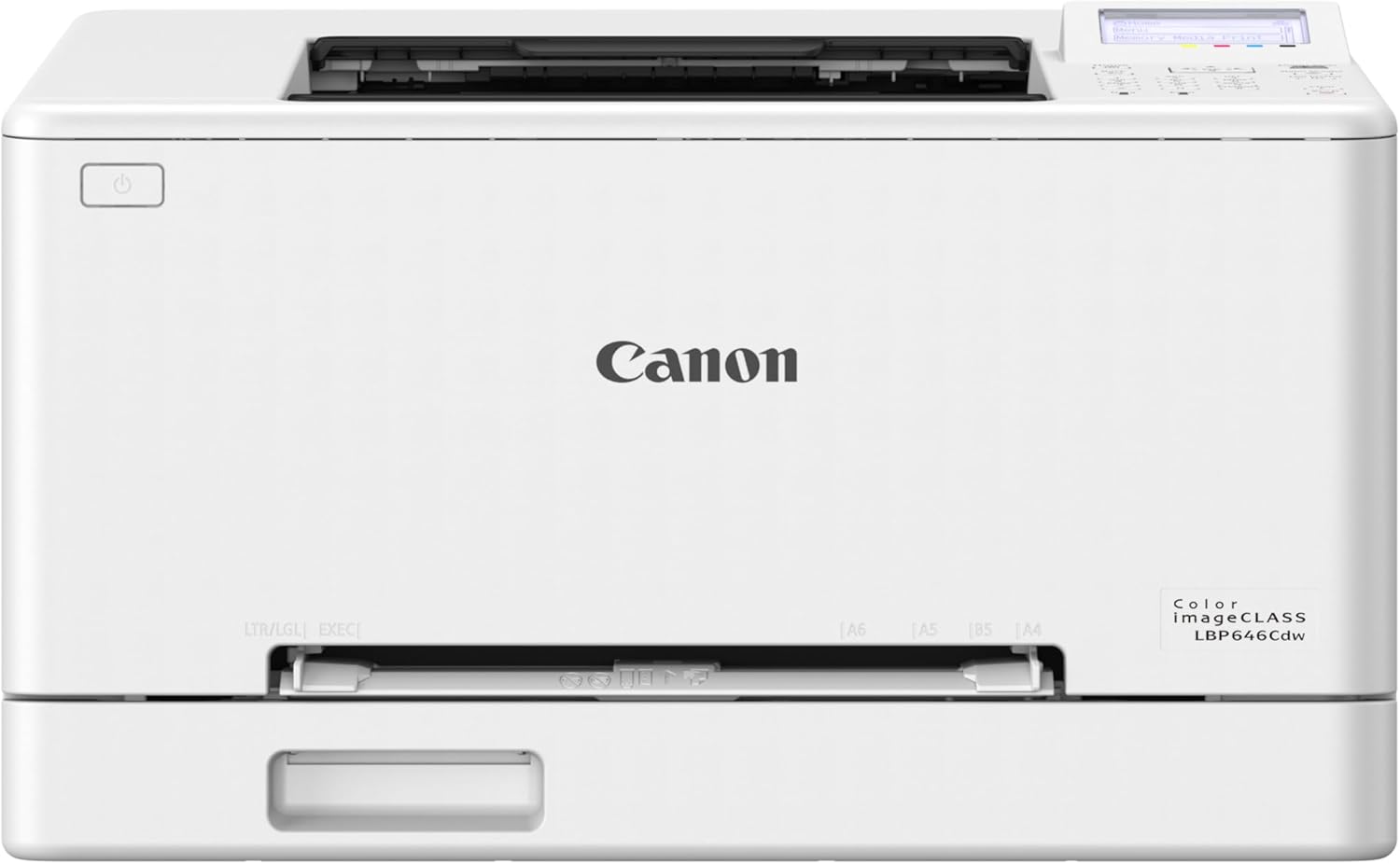
Canon imageCLASS LBP646Cdw
| Printer Type | Laser |
|---|---|
| Print Speed | 26 pages_per_minute |
| Duplex | Automatic |
| Connectivity | USB, Wi-Fi, Ethernet |
| Compatible Cartridge | Canon Genuine Toner 075 |
The Canon imageCLASS LBP646Cdw is a print-only color laser built for small and home-office workflows where speed and low maintenance matter. It prints up to 26 pages per minute in color or black and delivers a first-page-out in roughly 10 seconds, making it useful for frequent document runs, brochures, and basic signage. The printer supports automatic duplexing, a 250-sheet standard cassette plus a manual feed slot, and multiple connection options including Wi‑Fi, Ethernet, and USB for mobile and desktop printing via Canon PRINT, AirPrint, or Mopria. Image quality is solid for office graphics thanks to Canon Genuine Toner 075 and up to 1200 x 1200 dpi color resolution. Expect a compact footprint and an easy setup experience with the 5-line LCD. Limitations include no scanning or copying functions and modest print resolution for very fine photo work, so this is best as a dedicated office color printer rather than an all-in-one or photo-grade device.
Best for: Someone buying an affordable dedicated color laser for a small or home office who values fast, low-maintenance printing and straightforward wireless/mobile setup.
Less Ideal for: Users who need an all-in-one scanner/copier or who prioritize photo-quality prints should look at multifunction or photo-focused models instead.
- Fast 26 ppm color and monochrome printing for quick document turnaround
- Automatic duplexing and 250-sheet cassette reduce paper handling and refill frequency
- Multiple connectivity options including Wi‑Fi, Ethernet and mobile printing support
- Uses Canon Genuine Toner 075 for consistent color and reliable yields
- Print-only device with no scanning or copying capability
- Not intended for high-end photo printing or fine art graphics
Verdict: Buy this if you want a budget-friendly, fast color laser that handles daily office print volumes reliably without extra multifunction features.
Xerox C240 Color Laser Printer

| Print speed | 26 pages_per_minute |
|---|---|
| Maximum print resolution | 2400×600 dots_per_inch |
| Connectivity | Ethernet, USB, Wi-Fi |
| Duplex | Automatic |
| Power Consumption | 398 watts |
The Xerox C240 is a compact color laser built for steady everyday use in home offices and small teams. It prints at 26 pages per minute in color or black and white, offers a high maximum resolution of 2400×600 dpi for crisp text and bright graphics, and supports automatic two-sided printing to save paper. Connectivity includes dual-band Wi-Fi plus Ethernet and USB, and mobile printing via AirPrint and Mopria makes it easy to send jobs from phones and tablets. Setup is straightforward with the Xerox Easy Assist App and a 2.8" color touchscreen simplifies on-device controls. The printer is designed for low running costs thanks to high-yield toner options and Energy Star efficiency, but it is a print-only device so scanning or copying requires a separate machine. Its stated monthly duty suggestions fit moderate volumes up to around 1,500 pages per month, so it is best where reliable, regular output is more important than high-volume throughput or multifunction features.
Best for: Buyers who prioritize dependable, business-quality color prints for a small office or home workspace and want straightforward wireless setup and low ongoing ink costs.
Less Ideal for: Teams that need an all-in-one scanner/copier or very high monthly page volumes should consider multifunction or higher-capacity models instead.
- Consistent 26 ppm color and B&W output for steady day-to-day work
- High maximum print resolution (2400×600 dpi) for sharp text and graphics
- Dual-band Wi-Fi plus Ethernet and USB for flexible network and mobile printing
- Automatic duplexing reduces paper use and speeds two-sided jobs
- Supports high-yield toner to lower running costs
- Single-function print-only design lacks scanning or copying capabilities
- Power draw listed is relatively high at 398 watts during operation
Verdict: Choose the Xerox C240 when you need reliable, high-quality color printing with easy mobile setup and low running costs for a small office or home workspace.
HP Color LaserJet Pro MFP 3301sdw

| Printer Type | Laser |
|---|---|
| Duplex | Automatic |
| Print Speed (Color) | 30 ppm |
| Maximum Media Size | 8.5 x 14 inch |
| Connectivity | USB, Wi-Fi, Ethernet |
The HP Color LaserJet Pro MFP 3301sdw is a compact office-focused all-in-one laser that handles printing, scanning and copying with an automatic document feeder and two paper trays. In day-to-day use it delivers fast output—HP lists up to 30 ppm for both color and black—and supports duplex printing and a 250-sheet input capacity so it keeps up with small-team workloads. Built-in Wi-Fi, an Ethernet port and smartphone app support make remote printing and scanning convenient, and HP Wolf Pro security features aim to protect networked documents. Image quality is typical for a business color laser with 600 x 600 dpi print resolution and TerraJet toner tuned for more vivid color on plain paper. Expect the usual laser tradeoffs: heavier unit footprint, ongoing toner costs, and limited photo-detail compared with inkjet photo printers. Also note HP enforces use of cartridges with HP chips and may block non-HP supplies via firmware updates, which affects aftermarket toner options.
Best for: Buyers who prioritize dependable, fast color printing and secure networked features for a small office or team and want a single device for print, scan and copy tasks.
Less Ideal for: Home users who print infrequently, buyers on a tight consumables budget, or those wanting the highest photo print quality should consider alternatives.
- Fast listed print speed for office workflows (up to 30 ppm color and B&W).
- Automatic duplex and 250-sheet input reduce manual handling for multi-page jobs.
- Built-in Wi-Fi, Ethernet and smartphone app support for flexible connectivity and remote printing.
- All-in-one functions with flatbed scanner and ADF streamline scanning and copying tasks.
- Requires HP-original cartridges with proprietary chips, limiting aftermarket toner choices.
- Higher purchase and consumable costs compared with comparable inkjet models.
Verdict: A fast, secure all-in-one color laser built for small offices that need reliable, high-volume color output and networked workflows.
Brother MFC-L3720CDW

| Printer Type | Laser |
|---|---|
| Print Speed (B&W/Color) | 19 ppm / 19 ppm |
| Paper Capacity | 250-sheet maximum |
| Connectivity | USB, Wi-Fi |
| ADF Capacity | 50 sheets |
The Brother MFC-L3720CDW is a compact color laser multifunction printer aimed at small offices that need reliable everyday color output. It handles printing, copying, scanning and faxing, with a 50-sheet automatic document feeder and a 250-sheet adjustable tray for steady job flow, and automatic duplex printing to save paper. The 3.5-inch color touchscreen and Brother Mobile Connect app make setup, scanning to cloud services, and monitoring toner straightforward, while Wi-Fi and USB connectivity let multiple users print from laptops or mobile devices. Print speeds are modest at up to 19 ppm in color and black, and the laser engine produces sharp text and good color for business documents; scan speeds are competitive for office use. Considerations include a relatively low default resolution for basic tasks and the ongoing cost of genuine TN229 series toner if you print color heavily, though high-yield toner options are available. Built-in security features and ENERGY STAR compliance make it a practical, low-risk choice for typical small-business workflows.
Best for: Buyers who prioritize reliable, turn-key color laser performance for a small office or home office and prefer a supported, easy-to-manage device with basic security and mobile/cloud features.
Less Ideal for: High-volume print environments or teams that need faster throughput and the lowest cost per page should consider a faster, higher-capacity model instead.
- All-in-one functionality (print, copy, scan, fax) with a 50-sheet ADF for multi-page tasks
- Automatic duplex printing and a 250-sheet adjustable tray support continuous office use
- 3.5-inch color touchscreen plus mobile app for easy setup, cloud scanning, and toner monitoring
- Wireless and USB connectivity including Wi-Fi Direct for flexible device printing
- Print speed is 19 ppm which is modest for larger teams with heavy throughput
- Color printing and replacement toner can be relatively costly without high-yield cartridges
Verdict: A dependable, easy-to-manage color laser all-in-one built for small offices that need consistent, feature-rich printing with straightforward mobile and cloud integration.
Choosing the Right Color Laser Printer: Key Factors to Consider
Print Quality and Color Accuracy
Print quality determines whether your documents and marketing materials look professional. For color laser models, color accuracy matters for logos, charts, and color-critical prints. Look for consistent saturation across cyan, magenta, yellow, and black and crisp edge definition for small text and fine lines.
A printer that reproduces colors predictably reduces wasted reprints. Pay attention to how the device handles gradients and flesh tones if you plan to print photos or client-facing materials. Calibration options and color management features help align output with expectations.
Print Speed and Duty Cycle
Speed affects productivity when multiple users or large jobs are involved. Print speed, usually quoted as pages per minute, influences how fast large documents complete and whether the printer becomes a bottleneck in a busy workspace.
Duty cycle indicates how many pages the printer is designed to handle monthly. Choose a unit whose duty cycle comfortably exceeds your average monthly volume to avoid premature wear and increased maintenance.
Operating Costs and Toner Yield
Long-term expense depends heavily on toner yield and replacement costs. Toner cartridges with higher yield reduce the frequency of changes and lower cost per page, which is crucial for moderate to heavy users.
Consider whether the printer supports high-yield cartridges or consolidated toner systems. Also factor in additional consumables such as imaging drums or maintenance kits, since these can be periodic but significant costs over the product lifetime.
Connectivity and Mobile Printing
Modern workspaces need flexible connectivity. Built-in Ethernet, reliable Wi-Fi, and mobile printing standards let multiple users send jobs from desktops, laptops, or phones. A printer that supports standard protocols and has easy setup reduces IT time.
Look for features like USB host for direct printing, cloud printing interfaces if you use online storage, and support for printing from mobile devices without complicated driver installs.
Paper Handling and Media Support
Paper capacity and the range of supported media types affect convenience and versatility. A larger input tray and an automatic duplexer reduce manual intervention and are useful for high-volume or two-sided tasks.
If you print on heavier cardstock, envelopes, or labels, confirm the printer supports those weights and has a reliable feed mechanism. Adjustable trays and optional paper-feed accessories improve flexibility for varied workloads.
Maintenance, Reliability, and Support
Ease of maintenance reduces downtime. Accessible toner access, clear status reporting, and user-replaceable parts make routine tasks straightforward. Reliability is reflected in consistent paper feed, minimal jams, and durable internal components.
Consider warranty length and the availability of service or replacement parts in your area. Printers designed for office environments often offer easier serviceability and longer usable lifespans.
Balancing Speed and Quality
Faster printers are helpful when you routinely print large runs, but the fastest models sometimes trade a bit of color depth for throughput. If your primary need is crisp charts and text, prioritize models with higher rated ppm and good first-page-out times. For client-facing color work, lean toward devices that emphasize color consistency even if they print slightly slower.
Assess how your typical jobs break down between single-page color documents and multi-page black-and-white reports. That mix determines whether speed or color fidelity should receive more weight in your decision.
- Measure average daily or weekly page counts to match speed to demand
- Check first-page-out time for quick single-page jobs
- Consider dual-mode priorities: fast black-and-white vs. moderate color speed
Choosing the Right Paper Capacity
Paper trays and capacity reduce the need for frequent refills. For small teams, a standard input tray may suffice, but larger offices will benefit from multi-tray configurations or optional feeders. Look for models that allow easy switching between paper types without constant adjustment.
If you print seasonal materials or varied media, choose a printer that supports quick tray swaps and offers a reliable manual feed for specialty stocks.
- Higher tray capacity minimizes interruptions for big jobs
- Separate trays help keep different paper sizes or media ready
- Manual feed or multipurpose trays simplify printing envelopes and cardstock
Workflow Features That Save Time
Built-in duplexing, scanning, and simple user interfaces reduce repetitive tasks. Features such as job scheduling, secure release printing, and touchscreen menus can streamline everyday workflows. Prioritize features that match how your team actually prints rather than every available option.
On-device scanning and basic finishing options like stapling or hole-punching can eliminate extra steps in document preparation for small offices with light finishing needs.
- Automatic duplexing halves paper use for two-sided documents
- Integrated scanning expands the printer into an all-in-one hub
- Security features prevent unauthorized access to sensitive prints
Toner Types and Replacement Considerations
Toner chemistry and cartridge design affect both yield and print consistency. High-yield cartridges reduce replacements but check whether the printer requires separate imaging drums or other periodic parts. Some designs consolidate consumables for simpler upkeep.
Also consider how easy it is to replace cartridges and whether the printer reports toner at a granular level. Clear indicators and user-replaceable parts reduce service calls and downtime.
- Confirm whether drums or maintenance kits are required separately
- Look for easy cartridge access and clear status panels
- Factor in typical shipment timing for replacement consumables
Environmental and Space Considerations
Color laser printers vary in size, heat output, and power consumption. For home or small offices with limited desk space, consider footprint and ventilation needs. Energy-saving modes and low-heat fusing technologies help reduce operating costs and heat in tight spaces.
Also think about noise levels during high-speed jobs if the unit will be located near workstations or in open-plan areas.
- Check dimensions to ensure a good fit in your workspace
- Evaluate energy-saving settings and typical power draw
- Consider acoustic performance if noise is a concern
How We Chose the Best Color Laser Printer
We focused on attributes that matter most to everyday users of Color Laser Printers. Primary evaluation criteria included print quality, expressed by color accuracy and sharpness for text and graphics; print speed, measured as pages per minute under normal office settings; and operating cost, which considered toner yield and typical cost per page. We also weighed connectivity and workflow features such as duplexing, network support, and mobile printing options, plus build quality and ease of maintenance for durability. Excluded from consideration were specialty devices that prioritize wide-format, photographic-only output or industrial production presses. We also filtered out units that lack basic office features like automatic duplexing or wired networking when those features are expected by small businesses. Final selections favored printers that balance print fidelity, throughput, and predictable running costs so buyers can choose depending on whether they prioritize image quality, speed, or low operating expense.
Our full evaluation process is outlined in our review methodology.
FAQ
How often will I need to replace toner cartridges?
Frequency depends on your monthly print volume and the yield of the cartridges you choose. Light home use may only require replacements a few times per year, while higher-volume offices can expect more frequent changes. Choosing high-yield cartridges lengthens intervals between replacements.
Are Color Laser Printers good for photo printing?
Laser printers can produce decent photos for marketing and proof prints, but they generally do not match the color range and subtle tonal gradation of dedicated photo inkjet printers. For casual photos and business graphics, many color lasers deliver acceptable results.
Do I need a printer with duplexing?
Automatic duplexing is useful for reducing paper use and producing professional two-sided documents. If you print a lot of reports or manuals, duplexing saves time and supplies. For occasional two-sided needs, manual duplexing is possible but less convenient.
What connectivity should I prioritize?
Choose connectivity based on how you and your team print. Ethernet is essential for shared office use, Wi-Fi adds flexibility for mobile devices, and USB is useful for direct local connections. Mobile printing standards and cloud integration are helpful for remote or BYOD workflows.
How do I estimate cost per page?
Calculate cost per page by dividing the replacement cartridge cost by its rated page yield, and include periodic maintenance parts like drums if they are required. For accurate budgeting, use realistic yield figures rather than small-test samples, and account for both color and black usage in typical jobs.
Final Verdict
Prioritize the factors that map to how you use a Color Laser Printer. If you produce frequent color marketing materials, emphasize color accuracy and higher-yield toners. If throughput matters, focus on rated speed and duty cycle. For shared office environments, connectivity, paper handling, and maintenance access become decisive. Weigh tradeoffs between up-front features and ongoing operating costs. Choose a model whose capacity and consumable strategy match your monthly volume so you get reliable performance without unexpected downtime or excessive expense.