
Note: This article contains affiliate links. If you click on these links and make a purchase, we may earn a small commission at no extra cost to you. This helps support our research and content. Read our full affiliate disclosure here.
If you need consistent, high-quality color output without exceeding a significant budget cap, choosing the right color printer matters. Whether you run a busy in-house print shop, a marketing department that produces promotional materials, or a graphic design studio that requires accurate color reproduction, the right machine affects speed, per-page cost, and maintenance workload. This guide presents six shortlisted color printers selected for their balance of throughput, color fidelity, and total cost of ownership, with clear notes on where each type of buyer will get the most value. Below we explain the evaluation criteria and practical tradeoffs to help you match a printer to your production needs.
Top Picks at a Glance
| Best Quality Built to a higher standard if you want something more solid | Brother MFC-L8930CDW |  |
| Best Value The sweet spot between price and what you get | Canon PIXMA MegaTank G3270 |  |
| Best Budget The cheapest option that still gets the job done reliably | Canon PIXMA TS3720 | 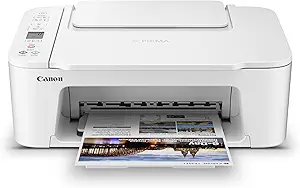 |
| Top Rated A top-rated pick with lots of positive feedback | Xerox C245 Color Multifunction Printer |  |
| Most Popular A crowd favorite that many people choose with confidence | HP DeskJet 2855e |  |
| Best Seller A high-volume bestseller chosen again and again | Epson EcoTank ET-2800 |  |
Brother MFC-L8930CDW

| Printer Type | Laser |
|---|---|
| Print Speed (Color/B&W) | 33 ppm / 33 ppm |
| ADF Capacity | 80 pages |
| Print Resolution | 2400 x 600 dpi |
| Connectivity | Ethernet, USB, Wi-Fi |
The Brother MFC-L8930CDW is a business color laser all‑in‑one designed for busy offices that need fast, reliable output and robust scanning. It prints and copies at up to 33 ppm in color and black, offers automatic duplex printing and a 7" color touchscreen for job setup and shortcuts, and includes an 80-sheet single-pass duplex auto document feeder for high-speed two-sided scanning to cloud or email. Flexible connectivity includes dual-band Wi‑Fi, Gigabit Ethernet, USB and mobile printing, and the unit supports high-yield Brother toner options to lower running costs. Triple layer security and an integrated NFC card reader help protect documents and control access in shared environments. Trade-offs are its large physical footprint and relatively high power draw, and like most color lasers it has a higher upfront cost than consumer inkjets and may not match photo-quality inkjet color for photographic prints. For teams prioritizing speed, security, and low-cost per page color output, this model delivers practical business-class performance.
Best for: Buyers who need robust, business‑class color printing and fast two‑sided scanning for team workflows and who prioritize throughput and document security.
Less Ideal for: Home users who print infrequently or photographers who need top-tier photo color and glossy photo output.
- Fast print and copy speeds up to 33 ppm in both color and black
- Automatic duplex printing and single-pass duplex ADF for efficient two-sided workflows
- Flexible connectivity with dual-band Wi‑Fi, Gigabit Ethernet and USB for office networks
- Supports high-yield Brother toner cartridges to lower cost per page
- 7" color touchscreen with customizable shortcuts simplifies frequent tasks
- Large, heavy unit that requires dedicated space and higher power consumption
- Not ideal for high-fidelity photographic prints compared with dedicated inkjet photo printers
Verdict: A performance-focused color laser all‑in‑one that delivers fast, secure, and cost‑efficient color printing for busy office teams.
Canon PIXMA MegaTank G3270

| Printer Type | Inkjet |
|---|---|
| Print functions | Print, Copy, Scan |
| Connectivity | USB, Wi-Fi |
| Maximum print Resolution Color | 4800 x 1200 dots_per_inch |
| Output sheet capacity | 100 |
The Canon PIXMA MegaTank G3270 is a refillable ink tank all-in-one that handles everyday color and black-and-white printing alongside basic scanning and copying. Setup is straightforward and the built-in 1.35" LCD and Wi-Fi make mobile printing and app control easy for households and small home offices. The MegaTank system ships with refill bottles that Canon rates for very high yields, which cuts ongoing ink cost dramatically compared with cartridge-based models, and the printer supports borderless photo sizes plus a rear feed for longer media. Print quality is strong for photos and documents at its price point thanks to 4800 x 1200 dpi capability, while speeds are modest (about 11 ppm black, 6 ppm color) so it is better suited to moderate daily use than heavy production runs. Paper capacity is limited to a single 100-sheet tray and duplexing is only simplex, so you will need to flip pages manually for two-sided jobs. Power draw is low at 16 watts. For buyers who prioritize low running costs and versatile media handling in a compact footprint, this is a practical, cost-conscious choice.
Best for: Buyers who want a low-cost-per-page color printer for home or small home-office use and value refillable ink and mobile printing control.
Less Ideal for: Users who need fast, high-volume two-sided production or larger paper capacity for frequent heavy printing tasks should consider a more robust office printer.
- Refillable MegaTank ink system with very high page yields to lower per-page cost
- Wireless and mobile printing with app control and a 1.35" LCD for easy setup and operation
- High maximum print resolution (4800 x 1200 dpi) for good photo and document detail
- Supports borderless printing and a variety of media sizes, including rear feed for long prints
- Low power consumption at 16 watts
- No automatic duplex printing; only single-sided output is supported
- 100-sheet tray limits paper capacity for heavier print volumes
- Print speeds are modest, especially for color jobs (about 6 ppm)
Verdict: Choose the PIXMA G3270 if your top priority is very low running costs and flexible media handling in a compact home-friendly color all-in-one.
Canon PIXMA TS3720

| Printer Type | Inkjet |
|---|---|
| Connectivity | USB, Wi-Fi |
| Print Speed (B&W) | 7.7 pages per minute |
| Print Speed (Color) | 4 pages per minute |
| Compatible Cartridge | Canon CL-276, Canon PG-275 |
The PIXMA TS3720 is a small, budget-oriented all-in-one inkjet that covers everyday home printing needs. It prints documents and photos using a two-cartridge hybrid ink system that pairs pigment black for sharp text with dye-based color inks for brighter photos, and it supports borderless photo printing up to 5 x 7 inches and media up to 8.5 x 14 inches. Setup and mobile printing are simple thanks to the Canon PRINT app, AirPrint, Mopria support, and dual-band Wi-Fi, while a rear tray holds up to 60 sheets for casual use. Print speeds are modest — about 7.7 ppm black and 4 ppm color — so it is better suited to occasional document and photo tasks than high-volume jobs. The simple 1.5-inch LCD and two-cartridge design keep operation and ink replacement straightforward, but duplexing is not automatic and there are only basic front-panel controls. For buyers who need an inexpensive, space-saving home printer with decent photo capability and easy mobile setup, the TS3720 is a practical pick; heavy users or those needing automatic double-sided printing will want a different model.
Best for: Buyers looking for an affordable, compact all-in-one for occasional home documents and photos who prioritize easy mobile setup and simple operation.
Less Ideal for: Users who print large volumes, need automatic duplexing, or require the lowest long-term ink costs should consider more feature-rich or high-capacity models.
- Compact footprint that fits small home desks or shelves
- Easy wireless and mobile printing via Canon PRINT, AirPrint, and Mopria
- Two-cartridge hybrid ink system for clear black text and vivid color photos
- Supports borderless photo printing and a variety of media up to legal size
- Simple setup and low-maintenance operation with a 1.5-inch LCD
- No automatic duplex printing; only single-sided printing supported
- Modest print speeds make it unsuitable for high-volume jobs
- Two-cartridge system can be less cost-efficient than printers with separate color tanks
Verdict: A budget-friendly, compact all-in-one that delivers easy wireless printing and solid photo-capable output for casual home use.
Xerox C245 Color Multifunction Printer

| Printer Type | Laser |
|---|---|
| Color Pages per Minute | 26 pages_per_minute |
| Printer Connectivity Type | Ethernet, USB, Wi-Fi |
| Duplex | Automatic |
| Maximum print Resolution Color | 2400×600 dots_per_inch |
The Xerox C245 is a compact color laser multifunction designed for small offices and home professionals who need dependable everyday printing, scanning, and copying. It delivers 26 pages per minute in color and black and white, automatic two-sided printing, and a 50-sheet document feeder for light batch jobs. Built-in Wi‑Fi, Ethernet, USB, AirPrint, and Mopria make mobile and networked printing straightforward, while a 2.8-inch color touchscreen and the Xerox Easy Assist App simplify setup and routine tasks. Toner options include high-yield cartridges to lower running costs and energy-saving modes help reduce power draw. The printer emphasizes reliability and security features suitable for business documents, and it produces professional-looking color at a native 2400×600 dpi. Trade-offs are its modest paper capacity and 398-watt power draw, so it is best for small teams rather than heavy production environments, and larger offices will want a higher-capacity model.
Best for: Buyers who prioritize a reliable, office-grade color laser that handles everyday business documents and mobile printing without complex IT setup.
Less Ideal for: Not a good fit for high-volume print centers or teams that need large paper capacity and heavy daily throughput.
- Consistent 26 ppm color and B&W output for everyday office tasks
- Automatic duplexing and 50-sheet feeder speed common multi-page jobs
- Multiple connectivity options including dual-band Wi‑Fi, Ethernet, USB, AirPrint, and Mopria
- High-resolution 2400×600 dpi color output for sharp business graphics and text
- Guided smartphone setup with Xerox Easy Assist and an intuitive touchscreen
- Small maximum sheet capacity limits large print runs
- Relatively high power consumption compared with smaller inkjet alternatives
Verdict: Choose the Xerox C245 when you want a compact, business-ready color laser that reliably delivers professional print quality and easy mobile setup for small teams.
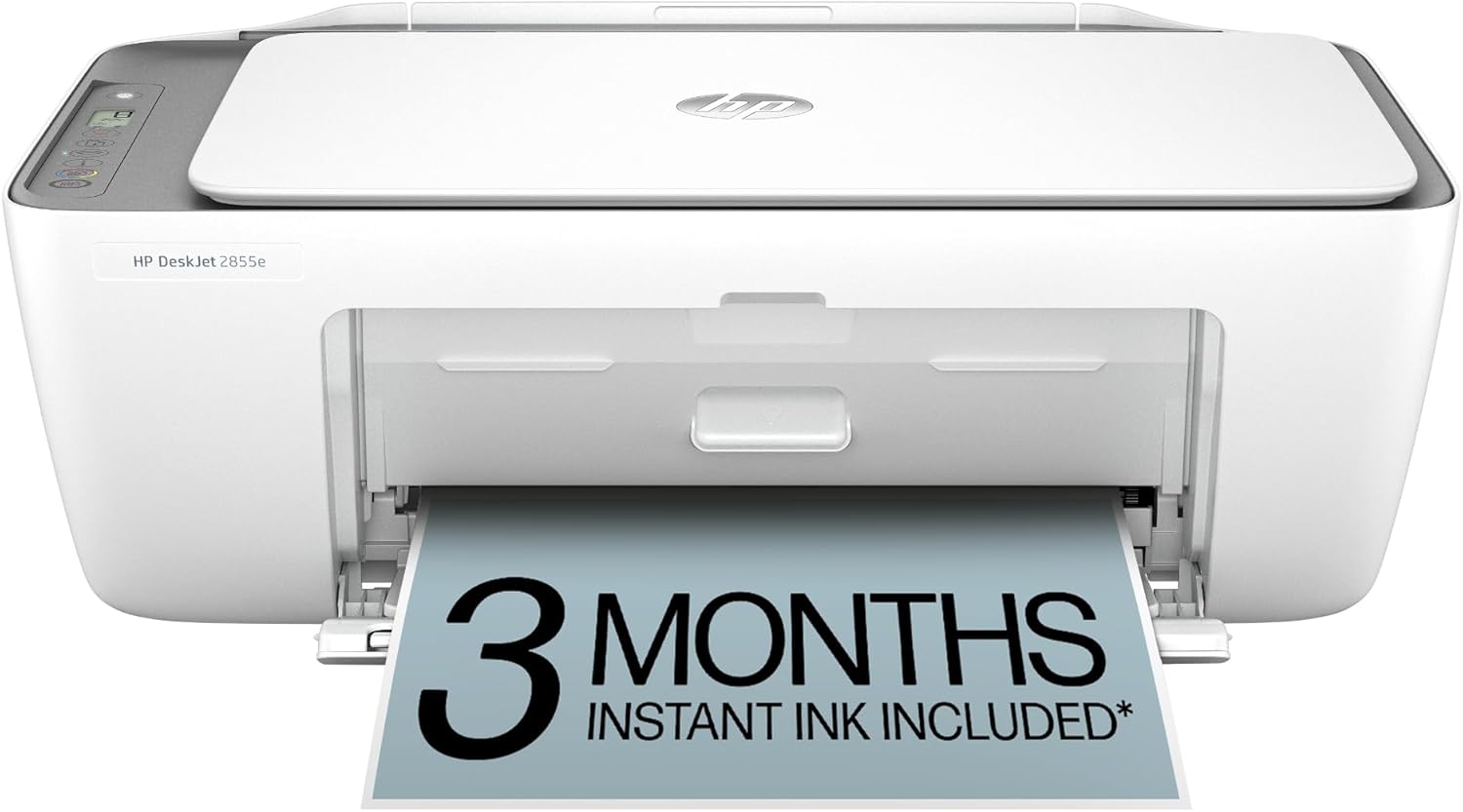
HP DeskJet 2855e
| Printer Type | Inkjet |
|---|---|
| Printer Output Type | Color |
| Maximum print Resolution Color | 4800 x 1200 dpi |
| Color Pages per Minute | 5.5 pages_per_minute |
| Printer Connectivity Type | single band wi-fi (2.4ghz only) |
The HP DeskJet 2855e is a small, budget-focused all-in-one that handles basic home and small-office tasks like printing letters, schoolwork and occasional photos. It prints color documents at up to 5.5 ppm and black at 7.5 ppm, and includes a flatbed scanner and copy function for simple multi-page jobs. The 60-sheet input tray and HP app support make it straightforward to print from smartphones and set up wireless printing, though it only supports 2.4 GHz Wi‑Fi and manual duplexing for double-sided pages. The printer arrives with starter HP 67 cartridges and can enroll in HP Instant Ink for automatic supply delivery, which helps avoid unexpected ink runs but becomes a subscription cost after three months. Image and text resolution are good for everyday documents, but the modest sheet capacity and slower color speed mean this is best for light to moderate use rather than heavy daily workloads.
Best for: Buyers who want an inexpensive, space-saving multifunction printer for home or light office use and who value simple mobile setup and automatic ink delivery options.
Less Ideal for: Users who need high-volume daily printing, fast color throughput, or built-in automatic duplexing should consider more robust office models.
- Compact all-in-one design with print, scan and copy in one unit
- Easy mobile printing and setup via the HP app
- Includes 3 months of Instant Ink with HP+ activation to simplify ink replenishment
- Decent print resolution for everyday documents and photos (4800 x 1200 dpi color)
- Supports only single-band 2.4 GHz Wi‑Fi and manual duplexing
Verdict: A compact, budget-friendly all-in-one that delivers reliable everyday color printing and easy mobile setup, ideal for light home or small-office use.
Epson EcoTank ET-2800

| Printer Type | Inkjet |
|---|---|
| Print Resolution | 5760 x 1440 dpi |
| B&W Pages per Minute | 10 |
| Printer Connectivity Type | USB, Wi-Fi |
| Maximum Sheet Capacity | 100 |
The Epson EcoTank ET-2800 is a home-focused all-in-one inkjet that replaces cartridges with refillable ink tanks so you can print longer between refills. It prints, scans and copies with a flatbed scanner and supports wireless and USB connectivity plus voice-activated printing for hands-free jobs. The high-capacity EcoFit ink bottles included in the box are equivalent to many cartridge sets, reducing how often you change supplies and lowering ongoing costs. Print quality is driven by Epson's PrecisionCore/Micro Piezo heat-free technology for sharp text and good color photos at a max resolution of 5760 x 1440 dpi, and it manages modest batches at up to 10 ISO pages per minute. The interface is straightforward with an LCD and app control, and paper handling supports common photo sizes and up to 100 sheets. Trade-offs are typical for a compact home model: no automatic duplexing, a single tray and relatively modest color speed compared with higher-end office machines. For cautious buyers who prioritize reliability and lower running costs, the ET-2800 offers a simple, economical alternative to cartridge printers.
Best for: Buyers who want a worry-free home color printer with low ongoing ink costs and reliable, easy operation for family documents and photos.
Less Ideal for: Users who need fast two-sided printing, large paper capacity, or heavy office throughput should consider larger office-focused models instead.
- Cartridge-free high-capacity refillable ink tanks reduce frequency of replacements
- Includes ink bottles equivalent to many cartridges for lower running costs
- Wireless, USB and voice-activated printing for flexible connectivity
- High maximum print resolution for sharp text and detailed color prints
- Simple app control and LCD make everyday use straightforward
- No automatic duplex (two-sided) printing
- Single paper tray with modest 100-sheet capacity
Verdict: Choose the ET-2800 if you want a simple, reliable home color all-in-one that slashes cartridge hassle and ongoing ink costs.
Choosing the Right Color Printer: Key Factors to Consider
Print Speed and Throughput
Print speed determines how much your operation can produce in a workday. Higher pages-per-minute metrics matter when you run batch jobs, produce client deliverables on deadline, or need quick turnaround for promotional materials.
Speed figures are useful but should be interpreted with job mix in mind. Duplex, high-resolution, and heavy paper stocks slow effective throughput. Look at warm-up time, first-page-out time, and monthly duty cycle to match the printer to realistic daily or weekly output so you do not overload the device.
Color Quality and Reproduction
Color accuracy affects client satisfaction for marketing collateral, proofs, and photographic prints. Consider color gamut, support for CMYK and extended color sets, ICC profile compatibility, and whether the device supports RIP software or advanced color management workflows.
Paper handling and pigment versus dye-based ink chemistry also influence color depth, longevity, and finish. Buyers who need critical color matching should prioritize devices with robust profiling tools and stable output across different media types.
Running Costs and Consumables
Initial purchase price is only part of the cost picture. Toner and ink yield, cartridge or tank sizes, and the availability of high-yield consumables influence per-page cost over time. Also account for items such as transfer belts, fusers, maintenance kits, and developer units in service schedules.
Calculate expected monthly pages and estimate annual consumable expenses to compare machines on a total cost of ownership basis. Machines with slightly higher upfront costs can be cheaper long-term if they use efficient high-yield consumables.
Duty Cycle and Reliability
Monthly duty cycle and recommended monthly volume indicate how well a printer handles sustained workloads. Devices rated for higher duty cycles have heavier-duty components and are less likely to experience wear-related failures under constant use.
Also review manufacturer-recommended maintenance intervals and what routine tasks are user-serviceable. Reliable hardware reduces downtime and the administrative overhead of managing repairs and replacement parts.
Connectivity and Workflow Integration
How a printer connects to your network and workflow affects productivity. Support for wired Ethernet, secure printing, and modern driver stacks matters for multi-user environments. Look for printers that integrate with common print servers, have robust driver support for major operating systems, and offer optional RIP or finishing integrations.
Additional features such as mobile printing, cloud job submission, and user authentication can be important in shared environments where access control and job accounting are required.
Media Handling and Finishing Options
Media capacity, maximum paper size, supported paper weights, and optional finishing modules determine what kinds of jobs you can produce in-house. If you plan to print brochures, postcards, or saddle-stitched booklets, ensure the printer supports the paper sizes, weights, and finishing accessories you need.
Expandable trays, high-capacity feeders, and inline finishing reduce manual intervention and speed throughput for larger runs. Verify whether specialty media like coated stocks, envelopes, or heavy cardstock are supported at the resolutions you require.
Estimating Your Actual Print Volumes
Estimate typical daily and monthly page counts before picking a machine. Count the average pages per job and number of jobs per day, then add a buffer for peak periods. This practical volume estimate helps you choose a printer with an appropriate duty cycle and avoids chronic overloads that shorten device life.
Also consider job mix. High-resolution photo jobs and heavy paper reduce effective throughput compared with simple office-style documents. Match your expected job mix to the printer's recommended monthly volume and media handling to ensure consistent performance.
- Track typical job sizes for two weeks to build an accurate average.
- Include expected growth for upcoming campaigns or seasonal spikes.
- Factor in reprints and proofing needs when estimating daily load.
Paper Stocks, Finishes, and Color Consistency
Different paper stocks absorb ink or toner differently, which affects color appearance and drying time. Test common stocks you will use to confirm color fidelity. Heavier and coated papers often produce richer colors but may need longer drying times or special feed paths.
If consistent output across multiple printers or shifts is important, establish a standard profile and paper list. Use ICC profiles and, when available, hardware calibration utilities to minimize color drift over time.
- Keep a trunk of approved papers to limit variability.
- Label stock types and store them in controlled humidity to avoid curl and jams.
Managing Consumables and Reducing Downtime
Set up a consumables inventory and reorder schedule tied to your monthly page estimates. Replace preventive-maintenance parts before they fail and keep spares of high-use items such as fusers or belts if your workflow cannot tolerate downtime.
Use maintenance logs to track part replacement intervals and service calls. Many environments benefit from service contracts or on-site support options to ensure rapid repairs and minimize lost production hours.
- Record cartridge yields and real-world pages to refine future cost estimates.
- Schedule periodic cleaning and alignment tasks during low-use windows.
Security and Network Considerations
In multi-user environments, secure printing and access controls prevent unauthorized use and protect sensitive documents. Look for network security features such as user authentication, encrypted job transfer, and firmware-update controls.
Ensure the device firmware and drivers are kept up to date and that the printer can be integrated into your existing network security policies. Consider segmentation or VLANs for print traffic in larger networks to limit exposure.
- Require user authentication for high-volume or confidential print jobs.
- Restrict administrative access and log firmware updates.
Finishing Options That Save Time
Inline finishing such as stapling, hole punching, saddle stitching, and booklet folding reduces manual post-processing and speeds delivery of final pieces. Evaluate whether the printer supports necessary finishing modules and whether they maintain rated throughput.
If you plan to produce variable-sized booklets or marketing materials, test finishing options with the media and thicknesses you will use to ensure reliable operation.
- Confirm finishing capacity and staple ranges for your typical job sizes.
- Factor finishing maintenance into total service planning.
How We Chose the Best Color Printer
We shortlisted printers that meet two practical goals: true professional color output and total acquisition cost under $15,000. We focused on hardware and consumable characteristics that matter most for sustained use in medium- to high-volume environments. Key evaluation criteria included print speed at common resolutions, per-page running cost using OEM consumables, color accuracy and print quality for both photos and graphics, monthly duty cycle and recommended monthly volume, and ease of maintenance and serviceability. Connectivity and driver support were also assessed for common workflows, including networked environments and RIP software compatibility. We excluded devices intended solely for home or light-office use, single-function devices with no color capability, and specialty wide-format or textile printers that have fundamentally different supply needs. Our selection emphasizes machines with practical service access and predictable consumable pricing so buyers can forecast operating budgets. The scoring focused on measurable specifications and real-world operational concerns rather than marketing claims.
Our full evaluation process is outlined in our review methodology.
FAQ
How do I calculate the real cost per page for color printing?
Estimate cost per page by dividing the annual cost of consumables and maintenance by the annual printed pages. Include toner or ink, maintenance kits, and typical service parts. Use actual yields under your job mix rather than manufacturer maximums for a realistic figure.
Is pigment ink better than dye for long-term color prints?
Pigment inks usually offer better longevity and resistance to fading, while dye inks can produce more vivid colors and smoother gradients. The best choice depends on whether archival longevity or vibrancy is more important for your output.
How often should I run maintenance cycles on a high-volume color printer?
Follow the manufacturer's recommended maintenance schedule, but also monitor print quality. Heavy use often requires more frequent preventive maintenance such as cleaning, calibration, and replacing wear items to avoid quality degradation and downtime.
Can I rely on default printer drivers for professional color work?
Default drivers may be sufficient for general office color printing, but professional color workflows usually benefit from RIP software or advanced driver options that provide better color management, trapping, and screening controls.
What should I consider when choosing finishing options?
Consider the final product formats you need, such as booklets, stapled sets, or folded brochures, and ensure the finishing module supports the media weight and capacity. Also check how finishing affects throughput and whether it adds additional maintenance considerations.
Final Verdict
When choosing a color printer under $15,000, prioritize the mix of print speed, color fidelity, and predictable running costs that matches your daily output. Higher throughput machines reduce turnaround time but often have higher consumable yields; printers optimized for color accuracy will support profiling and RIP workflows but can require more maintenance. Balance initial acquisition within your budget against ongoing consumable and service expenses. Focus on duty cycle alignment, media support, and serviceability to minimize downtime. With those tradeoffs in mind, you can select a machine that delivers consistent, professional color output while keeping operating costs manageable.