
Note: This article contains affiliate links. If you click on these links and make a purchase, we may earn a small commission at no extra cost to you. This helps support our research and content. Read our full affiliate disclosure here.
If you need tidy, long-lasting labels for home, office, or storage, the right handheld label maker can save time and reduce mistakes. A compact handheld label maker puts label creation in your hand for on-the-spot needs like pantry jars, cable IDs, shelf tags, and file labeling. We shortlisted the most practical options so you can pick a device that balances print durability, tape compatibility, and simple operation. Below you will find our top picks and the exact evaluation criteria used to compare them, so you can quickly match a label maker to how you plan to use it.
Top Picks at a Glance
| Best Overall The best all-around choice for most situations | Brother P-touch PTD610BT |  |
| Best Quality Built to a higher standard if you want something more solid | Brady M210 Handheld Label Maker |  |
| Best Value The sweet spot between price and what you get | SUPVAN E11 Label Maker |  |
| Best Budget The cheapest option that still gets the job done reliably | NDYIN N12 Label Maker |  |
| Top Rated A top-rated pick with lots of positive feedback | Brother P-touch PTD210 | 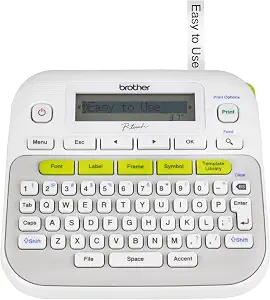 |
| Most Popular A crowd favorite that many people choose with confidence | DYMO LetraTag 100H Plus |  |
| Best Seller A high-volume bestseller chosen again and again | Nelko P21 Label Maker |  |
Brother P-touch PTD610BT

| Printer Type | Thermal |
|---|---|
| Maximum tape width | 24mm (~1") |
| Resolution | 180 x 360 dpi |
| Connectivity | USB, Bluetooth |
| Display Type | Full-color backlit LCD |
The PT-D610BT is a business-focused label maker that connects via Bluetooth or USB so you can design labels from a smartphone, tablet, or PC and print durable laminated TZe tapes up to 1 inch wide. It has a full-color, backlit 20-character two-line LCD for previewing designs, a QWERTY keyboard and one-touch formatting keys for quick on-device jobs, and supports the Brother P-touch Editor and iPrint&Label apps for more complex layouts, logos, barcodes and QR codes. The unit stores frequently used labels and includes 175 preset templates that speed common tasks like asset tagging, inventory and pricing. Practical benefits include crisp 180 x 360 dpi printing for clear barcodes and an automatic cutter that streamlines batch jobs. Trade-offs are typical for a business desktop unit: it is larger and heavier than pocket handhelds and relies on Brother TZe tapes rather than roll blanks, which adds ongoing media cost but delivers weather-resistant durability.
Best for: Buyers who need a reliable, business-capable labeler for inventory, asset tagging, retail pricing, and frequent batch printing where durable, professional-looking labels and mobile/PC design integration matter.
Less Ideal for: If you need a pocket-size, ultra-portable unit for occasional home labeling or want the lowest-cost consumables, a compact handheld model or basic desktop without TZe tape dependence is a better choice.
- Bluetooth and USB connectivity for mobile and PC design workflows
- Full-color backlit LCD with print preview reduces waste and errors
- High-resolution thermal printing suitable for crisp barcodes and logos
- Automatic cutter and on-device memory speed repetitive or high-volume jobs
- Larger footprint and weight compared with pocket handheld labelers
- Uses proprietary TZe tapes which cost more than generic label rolls
Verdict: Choose the PT-D610BT when you want a business-grade label maker that combines mobile/PC design, a full-color preview screen, and durable Brother TZe tapes for professional, high-volume labeling.
Brady M210 Handheld Label Maker

| Printer Type | Thermal |
|---|---|
| Maximum Media Size | 0.75 inch |
| Resolution | 203 x 203 dpi |
| Control Method | App |
| Compatible Cartridge | M21-750-499 |
The Brady M210 is a handheld thermal label printer built for on-the-job identifications and safety marking. It prints monochrome labels up to 0.75 inch wide using Brady-compatible cartridges and is controlled through a smartphone app for layout and text entry. The unit is ruggedized for jobsite use, with a drop resistance rating up to 6 feet and a clear LCD for basic on-device feedback. Print quality is 203 dpi, which is sharp enough for barcodes, small text, and durable asset tags, and the printer handles short runs quickly with an app-driven workflow and USB connectivity for occasional wired use. Limitations include a slow page-per-minute rate by office printer standards and a single-width media path, so it is best for targeted label runs rather than bulk printing; it also prints only in black on a yellow/black shell so color coding options depend on cartridge choices rather than native full-color printing. For professionals who need a rugged, portable label solution that pairs with a phone, the M210 is a practical, field-ready choice.
Best for: Professionals who need a durable, portable label printer for on-site safety, asset, and identification labels and who prioritize reliable print quality and ruggedness over high-volume throughput.
Less Ideal for: Users who need high-volume or full-color desktop label production or who require a wide variety of media sizes for bulk printing.
- Rugged design with 6-foot drop resistance for jobsite durability
- 203 dpi thermal print resolution suitable for barcodes and small text
- Smartphone app control simplifies on-site label creation and formatting
- Compatible with Brady M21 cartridges for professional-grade label materials
- Monochrome-only output limits color coding to available label stocks
- Slow nominal print speed not intended for high-volume printing
Verdict: Buy this if you want a rugged, smartphone-controlled handheld label maker that delivers crisp, professional monochrome labels for field work.
SUPVAN E11 Label Maker

| Printer Type | Thermal |
|---|---|
| Connectivity | Bluetooth |
| Print Resolution | 203 dpi |
| Wattage | 10 watts |
| Battery | 1200 mAh (rechargeable) |
The SUPVAN E11 is a small thermal label printer with a QWERTY keyboard for quick on-device typing and Bluetooth app support for more complex designs. It prints monochrome laminated labels from either continuous or die-cut tape, and the app gives access to dozens of fonts, frames and icons plus QR/barcode options for organized projects. The unit is rechargeable via USB-C and the built-in 1200 mAh battery claims long use between charges, which keeps it handy for home, office, classroom and light garage tasks. Notable practical touches include minimal 0.2" margins to reduce tape waste and an LCD for basic status and formatting feedback. Limitations are typical of compact thermal makers: print is single-color at 203 dpi and the device relies on SUPVAN label tape for full compatibility, so you will need to buy replacement tapes and stick to the supported widths and types for best results.
Best for: Buyers who want a compact, no-fuss handheld label maker that balances quick keyboard printing with deeper app customization for home and small office organization.
Less Ideal for: If you need full-color labels, very high-resolution graphics, or a heavy-duty industrial labeler, this consumer thermal unit is not the right choice.
- Physical QWERTY keyboard for fast standalone typing and printing
- Bluetooth app with 30+ fonts, 50+ frames and 660+ icons for advanced label design
- Rechargeable 1200 mAh battery and USB-C charging for portable, cordless use
- Supports continuous and die-cut laminated tapes with minimal 0.2" margins to reduce waste
- Prints only in monochrome at 203 dpi so graphics are basic
- Best compatibility with genuine SUPVAN label tapes which requires buying brand-specific consumables
Verdict: A compact, rechargeable handheld that pairs fast keyboard printing with a flexible design app, ideal for streamlined home and small-office labeling.
NDYIN N12 Label Maker
| Printer Type | Thermal |
|---|---|
| Connectivity | Bluetooth |
| Resolution | 203 x 203 dpi |
| Built-In Media | 1 pre-cut roll (14×40mm) included |
| Warranty Description | 2 Year |
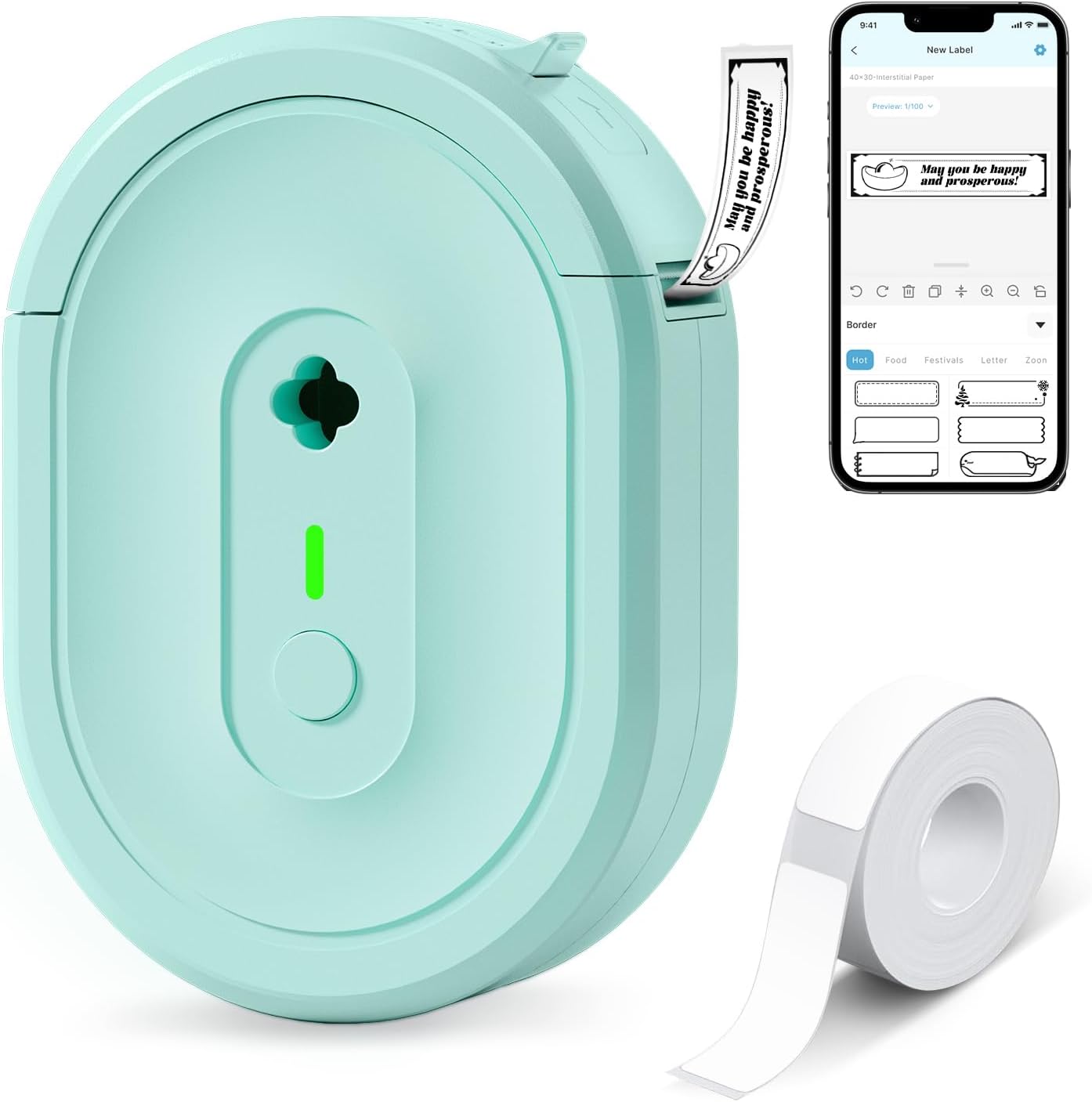
The N12 is a small, battery-powered thermal label printer that connects over Bluetooth to iOS and Android devices via the Nada Print app. It prints black-on-white adhesive labels using direct thermal rolls so you do not need ink, toner, or ribbons, and it ships with a pre-cut roll and a charging cable. In practice it is useful for quick home and office tasks like pantry and spice labels, cable tags, price tags for small items, and school name tags; the companion app offers many templates, fonts, frames, and symbols to speed design. The printer is genuinely portable and simple to use, and the fixed label widths support common sizes used for stickers and tags. Limitations include monochrome-only output and reliance on the app for sizing and layout, plus label length options are fixed by the supplied media sizes, so it is not suitable where variable-width continuous labels or full-color printing are required.
Best for: Buyers who need an inexpensive, portable label printer for basic home, office, or school organization and prioritize low ongoing cost and simple mobile printing.
Less Ideal for: People who need full-color labels, continuous variable-width label rolls, or industrial high-volume label production should look at more capable desktop or thermal-transfer models.
- Direct thermal printing eliminates ink, toner, and ribbons
- Bluetooth connectivity for iOS and Android devices
- Compact, rechargeable and portable design with included pre-cut labels
- App provides many templates, fonts, frames, and symbols for fast label creation
- Prints only black-on-white (no color)
- Fixed label widths require matching media and app size selection
Verdict: A budget-friendly, pocketable thermal label printer that keeps running costs low and makes simple mobile label tasks fast and easy.
Brother P-touch PTD210

| Print media | Labels |
|---|---|
| Paper Size | 12 millimeters |
| Printer Connectivity Type | USB |
| Display Type | LCD |
| Print Resolution | 300 dpi |
The Brother P-touch PTD210 is a handheld thermal label maker intended for quick home and small office labeling tasks. It prints monochrome labels up to 12 mm wide and offers one-touch keys, 27 templates, 14 fonts, 97 frames and over 600 symbols to speed up common jobs like file, storage, and craft labeling. The built-in LCD previews text before printing to reduce wasted tape, and the unit runs on AAA batteries or an AC adapter, making it portable for use around the house or at a desk. Connectivity is limited to USB for PC use, so advanced computer-driven workflows are basic, but for everyday standalone labeling the device is straightforward and efficient. Print resolution and speed are suitable for clear, legible text on laminated tapes, and the starter TZe tape included gets you printing right away. If you want a rugged, no-frills handheld that focuses on reliable, easy label creation rather than networked features, the PTD210 fits that role well.
Best for: Buyers who prioritize dependable, easy-to-use handheld labeling for home or small office tasks and want a simple, portable device that produces clear, consistent labels without extra network features.
Less Ideal for: Users who need wireless mobile printing, multi-width label support, or advanced PC integration for batch label creation should consider other models.
- Easy one-touch keys and 27 built-in templates speed up common labeling tasks
- Large symbol and frame library (over 600 symbols, 97 frames) for customization
- Portable design with battery or AC adapter power options
- Preview on the LCD reduces wasted tape and typing errors
- No Wi-Fi or Bluetooth connectivity for mobile printing
- Limited to monochrome labels and single tape width (12 mm)
Verdict: A straightforward, portable label maker that delivers reliable, easy standalone labeling for home and small office use.
DYMO LetraTag 100H Plus

| Printer Type | Thermal |
|---|---|
| Print Resolution | 300 dpi |
| Printer Connectivity Type | USB |
| Paper Size | 1/2" |
| Model Series | LetraTag 100H |
The DYMO LetraTag 100H Plus is a small, battery-powered handheld label maker for quick organization jobs around the house or small office. You type on the built-in keyboard, preview formatting on the graphical LCD, then print on 1/2" LetraTag label cassettes; the package includes two tapes and a magnetic holder. It offers five font sizes, multiple print and box styles, and simple thermal printing so there is no ink to replace. The unit is light and portable, making it convenient for labeling pantry jars, storage bins, file folders, cables and kids' items, and its auto-off feature helps preserve battery life. Limitations are its basic monochrome thermal output and modest print speed, so it is not suited for high-volume professional labeling, and it requires proprietary cassettes for best results. For buyers who value straightforward on-device editing and a clear preview before printing, the LetraTag 100H Plus is easy to use and dependable for everyday labeling tasks.
Best for: Buyers who want a simple, low-friction label maker for home and small office organization that shows exactly what will print before they hit go and prefers proven products with strong user feedback.
Less Ideal for: Users who need fast, high-volume commercial labeling or full-color, weatherproof industrial labels should consider more heavy-duty solutions.
- Compact, lightweight design for easy portability and handheld use
- Graphical LCD preview reduces wasted labels by showing font effects before printing
- Multiple formatting options including five font sizes, print styles and box styles
- Thermal printing needs no ink or toner and includes two label cassettes plus a magnetic holder
- Monochrome thermal output limits appearance and durability compared with industrial printers
- Slow print speed not ideal for large batch labeling
Verdict: A compact, easy-to-use handheld label maker that delivers clear on-device previews and reliable thermal prints for everyday home and small-office organization.
Nelko P21 Label Maker
| Printer Type | Thermal |
|---|---|
| Print Resolution | 203 DPI |
| Connectivity | Bluetooth |
| Hardware Interface | USB Type C |
| Print media | Labels (14x40mm, 14x50mm, 14x75mm, others listed) |
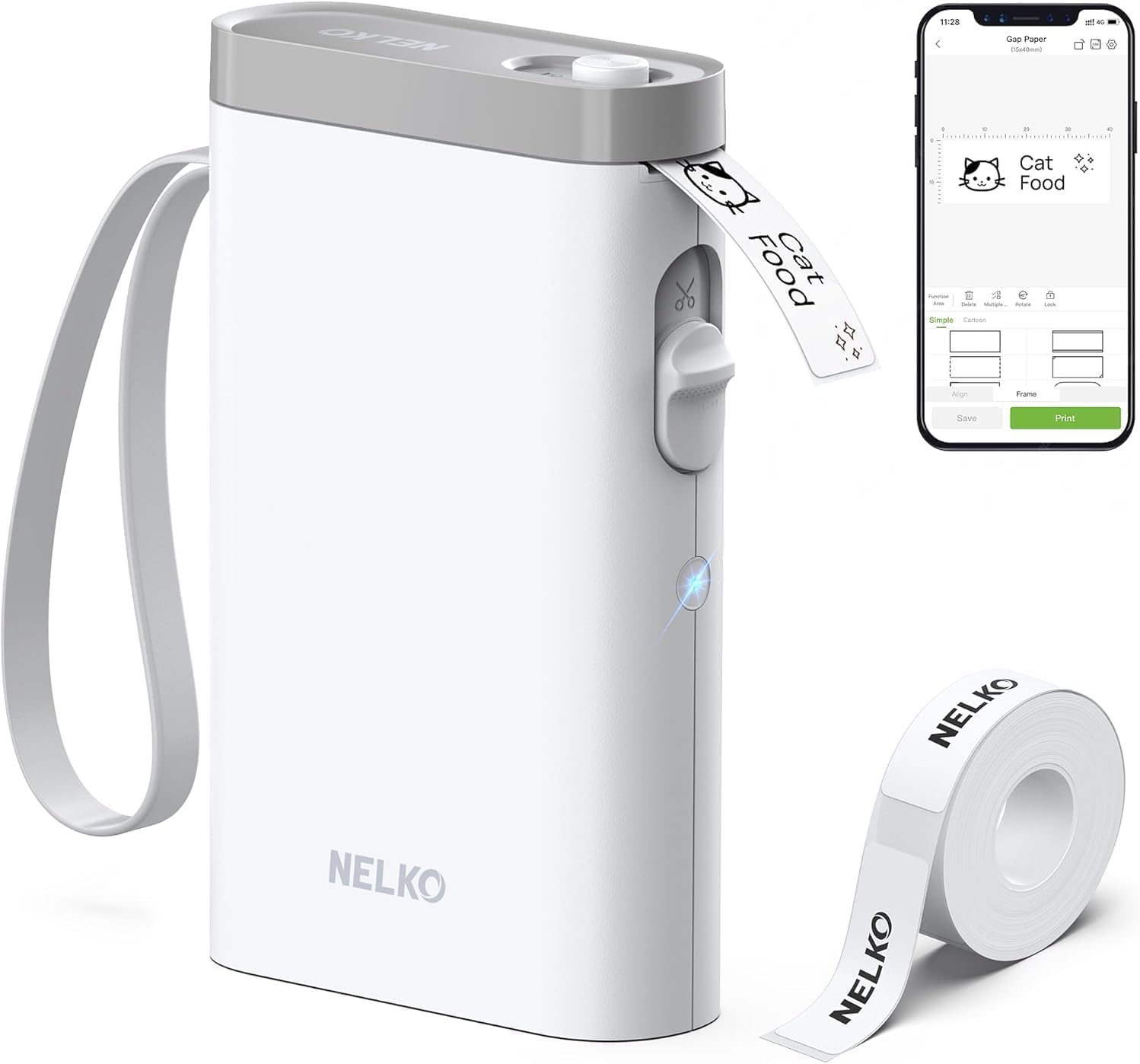
The Nelko P21 is a pocketable thermal label maker that pairs with the Nelko mobile app to design and print small adhesive labels without ink. It is used by installing a supported roll of Nelko tape, connecting over Bluetooth from an iOS or Android phone, choosing a template in the app and sending simple monochrome prints to the device. Notable features include a 203 DPI thermal print engine for clear text, a built-in rechargeable battery, USB-C charging, an integrated cutter, and an app library of templates, icons and borders for quick customization. In practice the P21 is handy for sorting pantry containers, labeling classroom bins, price tags for small business items, and quick name tags; its compact size makes it easy to carry or tuck in a drawer. Limitations include monochrome-only output and reliance on the Nelko app for connectivity and design, plus restricted tape sizes and a caution that Android 14 phones may be incompatible, so expect to use it primarily with supported smartphones and genuine tape for best results.
Best for: Buyers who want a simple, portable label maker to organize home, classroom, or small-business items and who prefer app-driven templates and low-maintenance thermal printing.
Less Ideal for: Users who need full-color labels, want a computer-connected printer, or must support the latest Android builds without checking compatibility should consider other options.
- Compact, lightweight design that is easy to carry and store
- Thermal printing at 203 DPI produces clear, inkless monochrome labels
- Bluetooth app control with many templates, icons, and borders for fast customization
- Built-in rechargeable battery and USB-C charging for convenient portability
- Requires the Nelko app for design and printing rather than working as a standalone device
- Not compatible with all phones (noted Android 14 incompatibility) and limited to specific tape sizes
Verdict: If you want a pocketable, app-driven thermal label maker for clear monochrome labels and easy on-the-go organization, the Nelko P21 is a practical pick.
Choosing the Right Handheld Label Maker: Key Factors to Consider
Print Quality & Typefaces
Print clarity determines whether a label remains readable at a glance. Handheld label makers vary in resolution and available fonts; higher resolution and clearer default fonts improve legibility on narrow tape and at distance.
Consider how small or large the text needs to be and whether the device supports bold, underline, or scalable fonts. If you rely on color contrasts for readability, ensure the label maker has compatible tape colors and toner or thermal capabilities that produce crisp edges.
Tape Compatibility and Materials
Different jobs need different tape. Vinyl and laminated tapes resist moisture and abrasion, while paper tapes are suitable for short-term, low-cost needs. Check supported tape widths and whether the device accepts common cartridge formats to keep running costs predictable.
Some handheld models support specialty tapes, such as reflective, heat-resistant, or extra-strong adhesive varieties, which matter for outdoor or industrial labeling. Matching tape material to the surface and expected lifespan of the label reduces rework and improves organization consistency.
Power and Portability
Handheld label makers are valued for mobility, so battery life and power options matter. Battery-powered units let you label on ladders, in storage rooms, or at events. Rechargeable units reduce long-term battery cost but require charging management.
If you plan to use the device for long labeling sessions, look for models with replaceable batteries or a USB charging option. Weight and grip also affect how comfortable the device is during extended use.
Ease Of Use And Workflow
A fast, intuitive workflow speeds labeling tasks and reduces errors. Good handheld label makers have responsive keyboards, clear on-device editing, and simple formatting controls. Models with templates, auto-formatting, or frequently used symbol shortcuts cut setup time.
Consider whether you need feel-based keys for blind typing or a larger display for previewing text. If you will label many similar items, look for memory or repeat-print features to minimize retyping.
Durability And Build Quality
A handheld label maker must withstand drops, knocks, and regular handling. Robust construction extends service life and keeps calibration consistent. Check for a solid-feeling chassis, protected display, and a reliable tape cutter mechanism.
Durability matters most if the device will travel between job sites or be used in workshops or busy offices. Long-term reliability reduces downtime and the need to replace the unit prematurely.
Label Customization And Extra Features
Beyond basic text, the ability to add symbols, frames, barcodes, or simple graphics can make labels more useful. Some handheld models include preset templates for common tasks like file labeling, cable markers, or asset tags.
Connectivity options such as smartphone pairing or PC software broaden customization possibilities. Consider whether extra features align with your labeling needs or just add complexity you will not use.
Best Uses For Handheld Label Makers
Handheld label makers excel at quick, on-site labeling where portability and speed are essential. They are ideal for organizing kitchen and pantry items, labeling storage bins, marking cables and cords, and creating temporary signage or tags.
Because they are compact and usually battery-operated, handheld devices let you label awkwardly placed items without moving them to a workstation. If you frequently label small batches in different locations, a handheld model is the most efficient choice.
- Pantry and kitchen organization
- Cable management and wire identification
- Small office file and shelf labeling
- Temporary event or classroom signage
Tape Types And When To Use Them
Selecting the right tape material is as important as choosing the device. Laminated tapes resist moisture and abrasion, making them the best option for high-traffic areas and outdoor use. Vinyl tapes are flexible and stick well to curved surfaces like cords and pipes.
Paper tapes are low-cost and suitable for short-term tasks such as moving labels or temporary signs. Specialty tapes like heat-resistant or reflective options serve niche needs in workshops or safety applications. Match the tape width to your desired text size to avoid cramped output.
- Laminated: durable, moisture-resistant
- Vinyl: flexible, good adhesion on curves
- Paper: economical for temporary labels
- Specialty: reflective or heat-resistant for specific environments
Setting Up Efficient Labeling Workflows
Organize label templates and reuse saved formats to speed repetitive tasks. If your label maker supports memory slots or templates, store commonly used text like room names, cable IDs, or SKU prefixes so you can print with minimal typing.
Pre-plan tape sizes and fonts for each task type to maintain consistency across labels. For large projects, test one tape and layout first to verify legibility and adhesive performance before printing dozens of copies.
- Create templates for repeating label types
- Test one sample before bulk printing
- Keep spare tape cartridges and batteries on hand
Maintenance And Troubleshooting Tips
Keep the label cutter and tape path clear of debris to avoid jams and ragged edges. Replace worn blades if the device offers a replaceable cutter or seek professional service for sealed units. Regularly inspect printed edges for signs of fading or peeling which indicate tape or print issues.
For battery-powered units, carry spare batteries or a charging cable. If labels print faintly, check battery level and ensure tape cartridges are seated correctly. Consult the manual for common error codes and reset procedures.
- Clean tape path and cutter regularly
- Carry spare power or batteries
- Test print after changing tape or power source
When To Consider Smartphone Or PC Connectivity
Connectivity to a phone or computer unlocks more complex label designs and larger symbol libraries. If you need barcodes, longer custom text, or frequent updates from a spreadsheet, a connected workflow saves time and reduces typing errors on small device keyboards.
However, connectivity adds steps and may make spontaneous labeling less convenient. Choose a connected handheld only if the extra design flexibility is worth the occasional setup tradeoff.
- Use connectivity for barcodes and complex layouts
- Connected workflows reduce typing on small keyboards
- Maintain both connected and standalone options for flexibility
How We Chose the Best Handheld Label Maker
We focused on attributes that matter when you are buying a handheld label maker for everyday organization tasks. Primary evaluation criteria included print quality and text clarity, because readable output is the core function. Tape compatibility and variety was assessed to ensure the device supports common tape widths and materials for different durability needs. Battery life and power options were evaluated to reflect portability and real-world use away from a power outlet. Ease of use covered keyboard ergonomics, on-device editing, and setup speed. Durability and build quality were considered for frequent use in busy environments. Finally, additional features such as label templates, symbol sets, connectivity options, and cut methods were included to judge flexibility. We excluded specialty industrial thermal printers and desktop-only units that require a computer to operate. The shortlist prioritizes handheld units that produce ready-to-apply labels without external hardware. Products were filtered for consistent tape format support and documented print specs so buyers can compare expected output and running costs.
Our full evaluation process is outlined in our review methodology.
FAQ
What tape width should I choose for general-purpose labeling?
A mid-range width around 12 mm is versatile for most household and office labels. It allows readable text without taking up excessive space and fits common uses like jars, shelves, and cables.
How long do labels from handheld label makers usually last?
Laminated and vinyl tapes can last years indoors with normal handling, while paper tapes are best for short-term use. Longevity depends on surface, exposure to moisture or sunlight, and adhesive quality.
Are rechargeable handheld label makers worth it?
Rechargeable models reduce battery waste and are convenient for frequent users. They are worth considering if you label in bursts or travel with the device. For occasional use, replaceable batteries may be simpler.
Can I print barcodes or graphics with a handheld label maker?
Some handheld models support simple barcodes or limited graphics, often via a connected app. If you need complex or high-density barcodes, check the device specifications or consider a connected workflow.
How can I make labels more durable for outdoor use?
Choose laminated or weather-resistant vinyl tapes and ensure proper adhesion by cleaning the surface before applying. Avoid direct prolonged sunlight when possible, since UV exposure can fade some inks over time.
What should I do if the tape jams or prints crookedly?
Turn off the device, remove the tape cartridge, and inspect the tape path for debris or misalignment. Reseat the cartridge carefully and run a test print. If problems persist, consult the manual for troubleshooting steps.
Final Verdict
Prioritize print quality, tape compatibility, and ease of use when choosing a handheld label maker. Tradeoffs are typical: the most feature-rich models add complexity, while the simplest units offer speed and straightforward operation. Think about the environments you will label in most often and pick a device that supports the tape materials and battery options you need. Focus on a unit that delivers clear, durable labels and fits comfortably in your hand for the expected workload. That approach will give you reliable results without unnecessary bells and whistles, so you can organize faster and keep labels consistent across your spaces.