
Note: This article contains affiliate links. If you click on these links and make a purchase, we may earn a small commission at no extra cost to you. This helps support our research and content. Read our full affiliate disclosure here.
If you ship packages regularly, the right shipping label maker can speed packing, reduce address errors, and keep fulfillment consistent. You want a device that produces legible, durable labels and integrates cleanly with order systems or mobile devices. This guide covers seven shortlisted shipping label makers that match common small-business and home-shipping needs. We focused on print reliability, connectivity, media handling, and operating costs to surface practical options for different workflows. Read on to find the workflows and features that fit your packing table and shipping volume.
Top Picks at a Glance
| Best Overall The best all-around choice for most situations | MUNBYN RealWriter ITPP130B |  |
| Best Quality Built to a higher standard if you want something more solid | Rollo USB Shipping Label Printer X1038 |  |
| Best Value The sweet spot between price and what you get | Rongta RP425 Thermal Label Printer |  |
| Best Budget The cheapest option that still gets the job done reliably | Yonigata Thermal 4×6 Label Printer |  |
| Top Rated A top-rated pick with lots of positive feedback | HKHKPI N40 Label Printer |  |
| Most Popular A crowd favorite that many people choose with confidence | JADENS JD268BT Thermal Label Printer |  |
| Best Seller A high-volume bestseller chosen again and again | KNAON Y813BT Thermal Label Printer |  |
MUNBYN RealWriter ITPP130B

| Printer Type | Thermal |
|---|---|
| Maximum Media Size | 4 x 6 inch |
| Resolution | 203 x 203 dpi |
| Printer Connectivity Type | Bluetooth |
| Hardware Interface | USB |
The MUNBYN RealWriter ITPP130B is a small direct-thermal label printer aimed at home businesses and office shipping tasks. It connects over Bluetooth to iOS and Android devices via the MUNBYN Print app and can also print from Chrome on desktop or by USB when Bluetooth is not available. The unit prints monochrome labels at 203 dpi and a stated speed equivalent to 72 pages per minute, handling media up to 4 x 6 inches, which covers standard shipping labels. Setup is straightforward: install the app or use the web editor, choose from templates or import PDFs, then print. Because it is thermal, there is no ink or toner to buy and prints are smudge- and fade-resistant when used with recommended labels, but performance is best with the maker's own media. The printer is portable and simple to operate, though resolution and feature set are basic compared with higher-end desktop thermal models, and a note from the brand warns of possible issues with some UPS thermal paper. For everyday shipping label printing for small-scale sellers, it offers a practical, low-maintenance solution.
Best for: Small sellers and office users who need a simple, portable shipping label printer that works wirelessly with phones and tablets and minimizes ongoing consumable costs.
Less Ideal for: High-volume shippers or users who need high-resolution labels or advanced industrial features should consider a more robust desktop thermal printer.
- Bluetooth and USB connectivity for printing from phones, tablets, and desktops
- Direct thermal printing eliminates ink or toner purchases
- Supports standard 4 x 6 inch shipping labels and many templates/fonts via app
- Compact and portable design suitable for small business or home use
- 203 dpi resolution is sufficient for shipping labels but lower than premium models
- Best results reported with the manufacturer's labels and may have issues with some UPS thermal paper
Verdict: A compact, app-driven thermal label printer that makes consistent 4×6 shipping labels without ink, ideal for small businesses and home shippers.
Rollo USB Shipping Label Printer X1038

| Print resolution | 203 x 203 DPI |
|---|---|
| Maximum media size | 4.1 Inch Width |
| Paper size | 4 inch x 6 inches |
| Printer connectivity type | wired (USB) |
| Warranty Type | Limited 1 Year |
The Rollo USB Shipping Label Printer is a compact direct-thermal desktop printer built for fast, high-volume label work without ink or toner. It connects over USB to Windows or macOS and handles labels from about 1.57 to 4.1 inches wide, making it primarily useful for 4×6 shipping labels but also barcodes and sticker labels. Its 203 dpi print head produces clear, scannable barcodes and text and the unit is rated to spit out a standard 4×6 label roughly once per second, which keeps packing lines moving. Setup is straightforward: install the Rollo drivers, load roll or fan-fold labels, and print from shipping platforms or the Rollo Ship app. Because it is direct thermal, you avoid ink costs but labels will fade with heat or long-term exposure, so use thermal-compatible label stock and avoid storing printed labels in hot environments. The printer is USB-only (no built-in Wi-Fi on this model) and offers one USB port, so it best fits a single workstation setup rather than a shared network. If you need fast, reliable, no-ink shipping labels at a single packing station, this is a practical choice.
Best for: Buyers who prioritize fast, reliable label throughput at a single workstation and want to eliminate ink costs for shipping, barcode, or product-label workflows.
Less Ideal for: Teams needing a networked printer shared by multiple users or anyone who requires long-term archival labels that must resist heat and sunlight exposure.
- Direct thermal printing eliminates ink and toner purchases
- High throughput with roughly one 4×6 label per second print speed
- 203 dpi head produces crisp, scannable barcodes and text
- Supports a wide label width range (1.57" to 4.1") for shipping and product labels
- Simple USB connection and broad compatibility with Windows and Mac
- No built-in Wi-Fi or Ethernet for networked printing
- Direct thermal prints can fade with heat or long-term storage
Verdict: Choose the Rollo USB if you need a fast, no-ink 4×6 label printer for a single packing station where high throughput and clear barcodes matter most.
Rongta RP425 Thermal Label Printer

| Printer Type | Thermal |
|---|---|
| Resolution | 203 x 203 dpi |
| Maximum Media Size | 4 x 6 inches |
| Printer Connectivity Type | Bluetooth, USB |
The Rongta RP425 is a straightforward thermal label printer designed for producing 4×6 shipping labels without ink. It connects via Bluetooth for phone/tablet printing and USB for PC or Mac when you install the driver, so it fits mixed workflows in small business or home-shipping setups. Print quality is standard direct-thermal at 203 x 203 dpi, which yields clear barcodes and address text for carrier scanners but not photographic output. The unit handles rolled or fan-fold labels and supports common label sizes up to 4 x 6 inches, while being lightweight and easy to position on a packing table. Setup requires downloading drivers for desktop use and pairing codes may be needed for Bluetooth, so there is a small setup step for Mac users. There is no color printing and the printer is simplex only, but those are expected for this class. For sellers who need reliable, affordable thermal label printing without ink, the RP425 covers the essentials with flexible connectivity and simple operation.
Best for: Small-business owners and frequent shippers who want a no-frills, inkless 4×6 label printer that works with phones and computers and emphasizes reliable, low-cost label output.
Less Ideal for: Users who need color printing, high-resolution graphics, or industrial heavy-duty throughput should look at higher-end thermal or industrial label printers.
- Wireless Bluetooth and USB connections let you print from phones, tablets, and computers
- Direct thermal printing removes the need for ink or toner
- Supports standard 4 x 6 shipping labels used by major carriers
- Compact and lightweight footprint that fits on a packing bench or small desk
- 203 x 203 dpi resolution is adequate for barcodes but not for detailed graphics
- Requires driver installation for desktop/macos use and occasional Bluetooth pairing codes
Verdict: A budget-friendly, inkless 4×6 thermal printer that delivers reliable shipping labels with both Bluetooth and USB connectivity.
Yonigata Thermal 4×6 Label Printer
| Printer Type | Thermal |
|---|---|
| Connectivity | Bluetooth, USB |
| Maximum Media Size | 4 x 6 inches |
| Resolution | 203 dpi |
| Printing speed | 160 mm/s (max) |
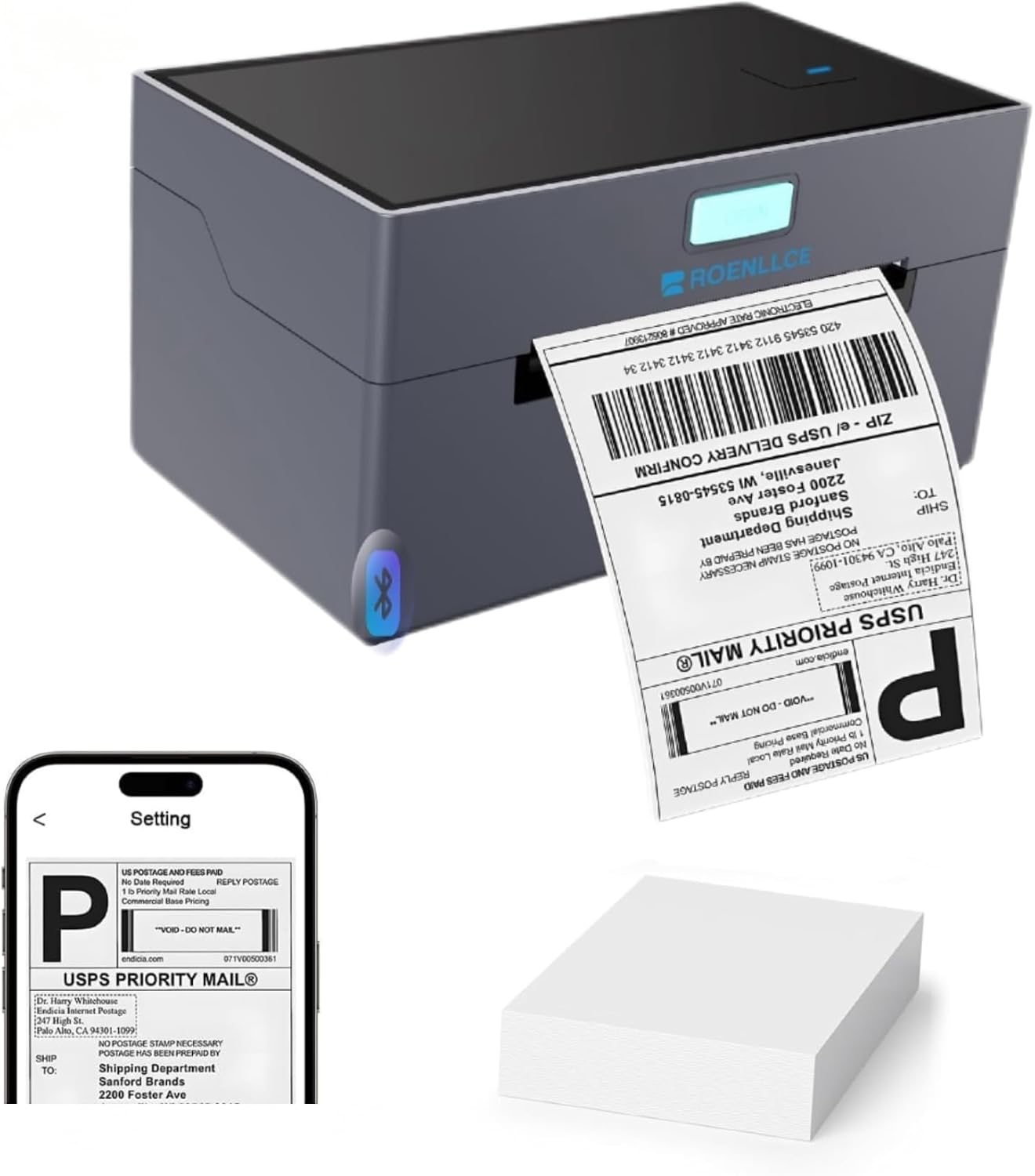
This compact thermal label printer prints 4×6 shipping labels using direct thermal media, so you do not need ink, toner, or ribbons. It connects by USB to Windows and Mac computers and via Bluetooth to Android and iOS devices, which makes it handy for desktop packing stations and mobile order fulfillment. The unit offers 203 dpi resolution and a claimed top speed of 160 mm/s, enough for fast batch printing of courier labels, and a paper sensor helps align print registration for gap or notch labels. Setup requires installing the driver on a computer and allowing Bluetooth and location access on phones, and the device does not support Wi-Fi so you must be near the host device or use USB for PC printing. It handles label widths from roughly 0.8 to 4.1 inches and accepts roll or fanfold media, making it versatile for common shipping formats. The practical benefits are low running cost and simple connectivity, while limitations include lack of Wi-Fi, reliance on USB for PC printing, and modest 203 dpi resolution compared with higher-end thermal models.
Best for: Small businesses and side hustles looking for a low-cost, no-fuss label printer to produce standard shipping labels quickly from a phone or computer.
Less Ideal for: Operations that need networked Wi-Fi printing, high-resolution label output for tiny text, or large-scale multi-station warehouse setups should consider a more capable model.
- Direct thermal printing requires no ink, toner, or ribbons
- Supports both Bluetooth (mobile) and USB (PC/Mac) connectivity
- Fast print speed up to 160 mm/s for quick batch label production
- Accepts common 4×6 labels and a wide width range including roll and fanfold media
- 203 dpi resolution produces clear, courier-compatible shipping labels
- No Wi-Fi support so wireless printing is limited to Bluetooth on mobile devices
- USB is required for PC/Mac printing which reduces flexibility in multi-station setups
- 203 dpi is lower than some premium label printers for very small barcode/text detail
Verdict: A budget-friendly thermal 4×6 printer that delivers fast, ink-free shipping labels for small businesses that print from phones or a single workstation.
HKHKPI N40 Label Printer

| Printer Type | Thermal |
|---|---|
| Maximum Media Size | 4 x 6 inches |
| Resolution | 203 x 203 dpi |
| Printer Connectivity Type | Bluetooth |
| Hardware Interface | USB |
The HKHKPI N40 is a compact thermal label printer built for shipping and small-business use, offering both Bluetooth and USB connections to print standard 4×6 labels. It uses direct thermal technology so no ink, toner, or ribbons are required, and the 203 dpi print head delivers crisp address and barcode output suitable for common carriers. Setup is straightforward: pair over Bluetooth with the Nada Print app for quick mobile printing or connect via the included Type-C cable and drivers for Windows, macOS, or Linux. The unit includes automatic label calibration and smart paper ejection to reduce jams, and the bundle ships with a small starter pack of 4×6 labels. Practical limits are the single-color thermal printing and modest sheet capacity, so heavy continuous printing will require frequent label restocking; Windows users also need to download the driver from the vendor site for USB operation. For reliability-focused buyers the N40 provides a simple, no-frills printing workflow and factory-tested prints that make it easy to add consistent shipping labels to a small business workflow.
Best for: Buyers who need a reliable, compact printer to generate crisp 4×6 shipping labels from phones or computers and value straightforward setup and low-maintenance thermal printing.
Less Ideal for: High-volume shipping operations that need continuous, high-speed throughput or color label printing should consider heavier-duty commercial printers instead.
- Direct thermal printing requires no ink, toner, or ribbons
- Bluetooth and USB connectivity for mobile and desktop workflows
- Automatic calibration and smart paper ejection reduce label jams and waste
- Compact footprint suitable for small workspaces and shipping stations
- Monochrome 203 dpi output only, so no color printing or higher resolutions
- Small included label supply and 100-sheet capacity means frequent refills for high-volume use
Verdict: A compact, reliable direct-thermal 4×6 label printer that delivers easy Bluetooth and USB printing for small businesses needing consistent shipping labels.
JADENS JD268BT Thermal Label Printer

| Printer Type | Thermal |
|---|---|
| Resolution | 203 x 203 DPI |
| Maximum Media Size | 4 x 6 inches |
| Printer Connectivity Type | Bluetooth |
| Maximum Sheet Capacity | 50 |
The JADENS JD268BT is a compact thermal label printer built for printing 4×6 shipping labels and a variety of smaller label sizes without ink or toner. It connects via Bluetooth for wireless printing from Windows and macOS, and uses the vendor app for Android and iOS phone printing, while USB works for desktop systems. The 203 x 203 DPI thermal head delivers clear monochrome output suitable for carrier barcodes and address labels, and the unit accepts both roll and fan-fold media with a stated maximum sheet capacity of 50. Setup is straightforward and the package includes a USB cable and 50 test labels, making it ready for light to moderate shipping workflows. Expect reliable, mess-free printing and lower running costs because it is thermal; however phone printing requires the specific app and label calibration each time labels are changed, which adds a small setup step for mobile-first users. The printer is best suited to small sellers or home offices that need a simple, economical 4×6 shipping label solution rather than a heavy-duty commercial printer.
Best for: Buyers who want an affordable, easy-to-set-up printer for routine shipping labels and occasional mobile printing and who value low running costs and simple operation backed by strong user feedback.
Less Ideal for: Businesses that need high-volume industrial throughput or very high-resolution label printing should choose a more robust commercial printer.
- Thermal inkless printing for clean, low-cost labels
- Supports standard 4×6 shipping labels and multiple small label sizes
- Bluetooth and USB connectivity for flexible desktop and mobile use
- Includes test labels and USB cable to start printing quickly
- Mobile printing requires the vendor app and extra calibration when changing label rolls
- 203 x 203 DPI is adequate for shipping but not for high-resolution graphics
Verdict: A budget-friendly thermal 4×6 label printer that delivers clean, reliable shipping labels for small sellers and home offices.
KNAON Y813BT Thermal Label Printer
| Printer Type | Thermal |
|---|---|
| Printer Connectivity Type | Bluetooth |
| Maximum Print Resolution Black and White | 203 dpi |
| Maximum Media Size | 4.2 inches |
| Built-In Media | 10 Shipping Label Papers |
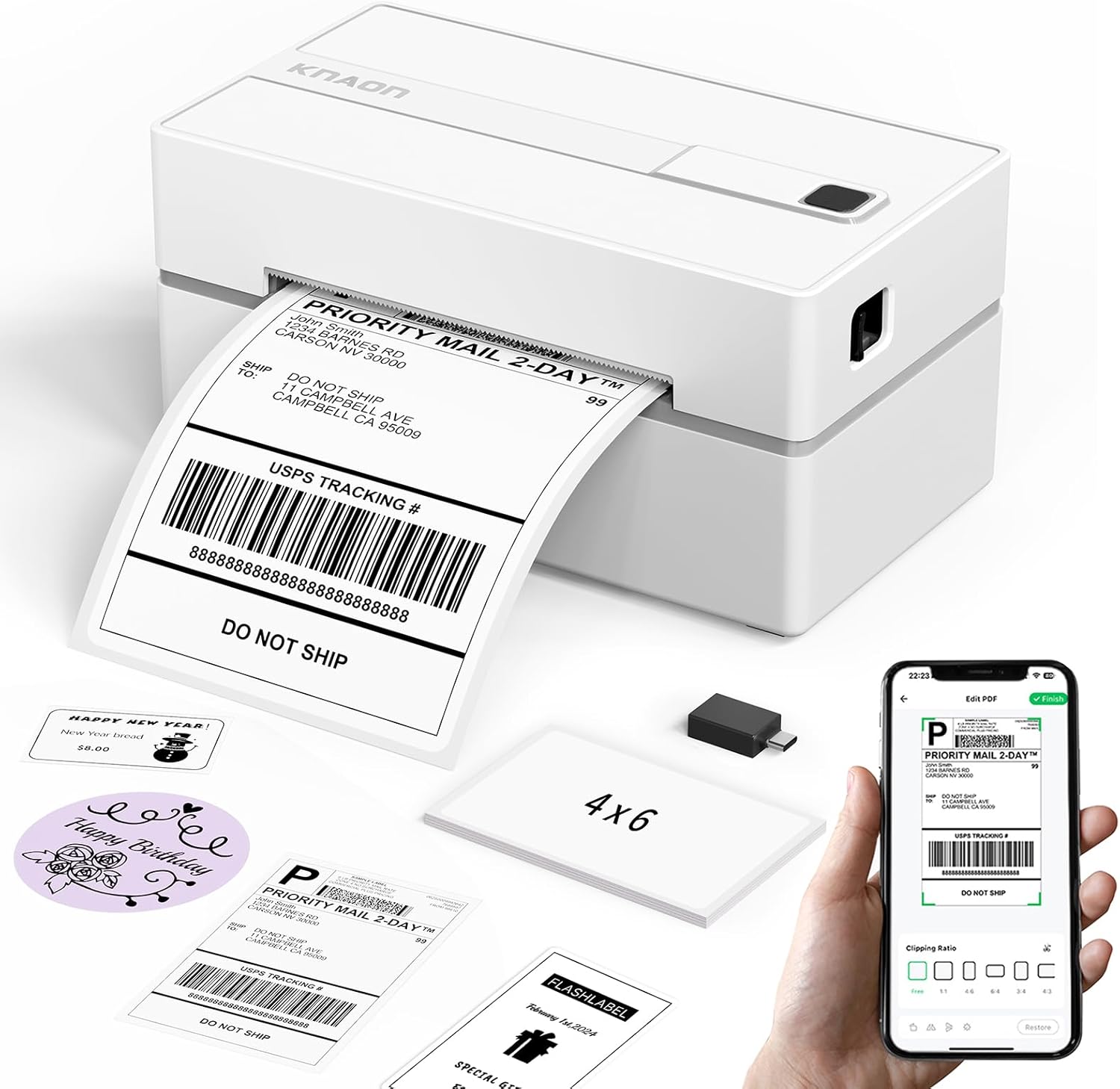
The KNAON Y813BT is a small, portable thermal label printer built for printing shipping and utility labels without ink. It connects over Bluetooth or USB and works with a companion app (FlashLabel Pro) for iPhone, Android, Windows, macOS and ChromeOS, letting you print saved PDFs or create labels from templates. In practice the printer handles 1.5–4.2 inch media and turns out 4×6 shipping labels quickly thanks to a fast-rated print speed and 203 dpi thermal resolution that is adequate for barcodes and address labels. The box includes starter label rolls, a USB cable, and a power adapter so you can set up right away, and KNAON supplies drivers and video guides for common platforms. Expect a simple, print-only workflow without advanced finishing or duplexing, and note that Bluetooth printing requires use of the vendor app rather than appearing as a native system printer on all devices. For buyers who prefer straightforward, app-driven shipping label printing, this is a practical compact option.
Best for: Buyers who want a fuss-free, app-driven label printer for regular shipping and small-business labeling and who prefer a ready-to-run, low-maintenance solution.
Less Ideal for: Users who need high-resolution graphic printing, advanced finishing features, or a networked printer that appears as a native system printer across all devices.
- Inkless thermal printing eliminates ink costs and maintenance
- Bluetooth and USB connectivity support mobile phones and desktop platforms
- Includes starter media and necessary cables for immediate setup
- Fast print speed suitable for shipping labels and barcode printing
- Companion app offers many templates, icons and fonts for quick label design
- Bluetooth printing requires the vendor app and may not appear as a native printer on all devices
- Print resolution is modest at 203 dpi, not ideal for very fine graphics
Verdict: A compact, ready-to-use thermal label printer that makes reliable, low-maintenance shipping and barcode labels for small businesses and home sellers.
Choosing the Right Shipping Label Maker: Key Factors to Consider
Print Speed and Resolution
Print speed affects how quickly you can process outgoing orders, which matters when packing multiple parcels. Faster throughput reduces bottlenecks during peak periods and lowers labor time per package. Resolution determines how crisp barcodes and small text appear; poor resolution can lead to unreadable barcodes and scanning errors that slow down carriers.
Consider a balance between speed and clarity for your typical parcel sizes. If you print many labels per hour, prioritize higher speeds and proven thermal mechanisms to avoid jams and reprints.
Connectivity and Software Integration
How a label maker connects to your computer or mobile device determines how easily it fits into your workflow. Options commonly include USB, Ethernet, Wi-Fi, Bluetooth, and direct mobile printing. Native support for popular shipping platforms or a reliable driver and SDK can save time when printing batch orders.
Also review the device's software for features like template saving, address verification, and batch import. Devices with stable mobile apps are advantageous for mobile shipping setups or when packing from a tablet or phone.
Supported Label Sizes and Media Handling
Shipping workflows use specific label sizes and roll types. Ensure the label maker supports common shipping label dimensions and can handle the roll diameter you prefer. A device that accepts standard thermal rolls avoids the need for specialty media and makes stocking easier.
Pay attention to how the printer loads media and whether it supports continuous or pre-perf labels. Simple roll loading and reliable media sensors reduce misfeeds and downtime.
Operating Cost and Consumables Availability
Thermal label makers remove the need for ink, but media cost and availability still affect total operating expense. Choose a model that accepts widely available thermal label rolls to keep per-label costs predictable and to avoid supply disruptions. Compatibility with lower-cost third-party media can be a major long-term saving.
Also consider how often you will need to replace components like platen rollers or cutters. Models with easy-to-service parts help minimize maintenance costs and downtime.
Ease of Use and Maintenance
A shipping-label device should be straightforward to set up and operate under a packing-station rhythm. Clear status indicators, easy paper loading, and an intuitive control panel or app reduce mistakes and training time for new users. Quick access to the print head and easy cleaning procedures also prolong device life.
Regular maintenance tasks should be simple and infrequent. Devices that require specialized tools or complicated disassembly for routine cleaning are less suited to fast-moving shipping environments.
Build Quality and Durability
Shipping areas can be busy and occasionally rough on equipment. A sturdily built label maker with strong chassis components and reliable feed mechanisms will last longer when used multiple times per day. Metal gears or reinforced rollers usually withstand heavy use better than all-plastic internals.
Consider duty cycle specs if you print large volumes. Higher-rated devices may cost more upfront but reduce replacements and service interruptions over time.
Thermal Vs Thermal-Transfer for Shipping Labels
Most shipping label makers use direct thermal printing, which produces crisp addresses and barcodes without ink or ribbon. Direct thermal is fast and low maintenance, but labels can fade if exposed to heat or sunlight for long periods. For typical parcel shipping, direct thermal is usually sufficient and easiest to manage.
Thermal-transfer models use a ribbon and deliver more durable, fade-resistant labels. Choose thermal-transfer only if packages will sit in harsh environments or require archival quality labels because they introduce ribbon handling and slightly higher operating complexity.
- Direct thermal: simple, no ribbon, ideal for everyday shipping
- Thermal-transfer: ribbon required, more durable labels for special cases
- Check media specs to confirm compatibility with your chosen method
Setting Up Batch Printing Workflows
For moderate-to-high shipping volumes, batching labels can save significant time. Look for label makers with reliable drivers or app features that accept CSV or spreadsheet imports so you can print multiple addresses with minimal manual intervention.
Test small batches first to validate label alignment, template layout, and barcode scannability. Adjust margins and printer density settings before moving to full batches to avoid wasting media and to ensure carrier scanners read labels consistently.
- Use CSV import to minimize manual entry
- Validate barcode readability with a handheld scanner
- Keep a test sheet before large runs to check alignment
Optimizing Label Layout and Legibility
Label templates affect postage placement, carrier barcode placement, and human readability. Use clear fonts, adequate margins, and bold barcode bars where needed. Avoid crowding the label with unnecessary graphics that can confuse automated scanners.
If you include return addresses or handling icons, position them to avoid interference with carrier barcode regions. Many shipping apps provide preconfigured templates that match carrier requirements; use them when possible to reduce formatting errors.
- Prefer sans-serif fonts at readable sizes for addresses
- Avoid full-bleed images that overlap barcode areas
- Reserve clear space around barcodes for reliable scanning
Maintenance Tips to Keep Printing Consistent
Regularly clean the print head with recommended cleaning swabs or isopropyl wipes to prevent streaks and missing bars. Remove dust and adhesive residue from rollers and feed paths to maintain consistent media movement.
Keep a small stock of spare parts like cutters or platen rollers if your volume justifies it. Schedule brief daily checks for label alignment and sensor function to catch small issues before they cause a jam or misprint.
- Clean print head weekly for heavy use
- Inspect rollers for adhesive buildup
- Replace worn cutters before they tear labels
Choosing the Right Size and Placement for Your Packing Station
Match the physical footprint of the label maker to your table layout. Some models are compact enough for a tight packing bench while others require more clearance for roll loading. Ensure there is room for label output and for staff to peel or apply labels efficiently.
Consider mounting options or stands if you need hands-free dispensing. Position the device so operators can access controls and view status lights without interrupting the packing flow.
- Measure table depth and clearance for roll loading
- Plan label output path to an easy peel area
- Use stands or mount brackets for fixed packing stations
How We Chose the Best Shipping Label Maker
We prioritized features that directly affect day-to-day shipping operations. Key evaluation criteria included print speed and resolution to ensure clear, scannable addresses; connectivity options such as USB, Wi-Fi, and mobile app support so devices fit existing workflows; supported label sizes and roll handling to reduce changeovers; and long-term cost factors like media availability and efficiency. We also checked device durability and ease of use for repeated daily operation, plus software compatibility for address formatting and batch printing. We excluded devices that do not support standard thermal shipping label media or that require proprietary, hard-to-find consumables. Products that lacked reliable connectivity or had consistently poor print quality were removed. Our short list reflects units that balance throughput, compatibility, and predictable operating costs, and that are suitable for both home-based sellers and light commercial shipping stations.
Our full evaluation process is outlined in our review methodology.
FAQ
Can I use standard shipping label rolls in any shipping label maker?
Often, but not always. Many shipping label makers accept standard thermal rolls, but you should check supported label widths, core diameter, and maximum roll diameter. Confirming these specs prevents buying incompatible media.
Do shipping label makers require ink or toner?
Most shipping label makers use direct thermal technology and do not require ink or toner. A minority use thermal-transfer ribbons, which do require a consumable ribbon. Choose the technology based on durability needs.
Is wireless printing reliable for batch shipments?
Wireless printing can be reliable if your network is stable and the device has strong firmware support. For large batches, wired Ethernet or USB connections reduce the chance of interruptions during high-volume printing.
How often should I clean the print head?
For regular daily use, cleaning the print head every week is a good starting point. Heavy daily printing may require more frequent cleaning. Clean whenever you notice streaks, faded bars, or intermittent print defects.
Can I print carrier barcodes and postage with a label maker?
Yes. Shipping label makers can print carrier barcodes and postage provided your shipping software formats the label correctly. Ensure your label templates meet carrier size and barcode placement requirements.
Final Verdict
When choosing a shipping label maker, prioritize the factors that match your shipping volume and workflow. Print speed and media compatibility matter most if you handle many packages daily; connectivity and software integration matter when you need smooth, low-friction batch printing. Factor in long-term operating costs, ease of maintenance, and build quality to avoid interruptions. Balance immediate throughput needs with foreseeable growth. Picking a model that fits your current packing station and offers reliable connectivity will keep labels scannable and shipments moving efficiently.