
Note: This article contains affiliate links. If you click on these links and make a purchase, we may earn a small commission at no extra cost to you. This helps support our research and content. Read our full affiliate disclosure here.
A good label maker turns a messy drawer, chaotic pantry, or shared office space into an orderly system you can maintain. Whether you need address labels, cable tags, or pantry organizers, the right unit saves time and produces labels that last through handling and heat. This guide shortlists the top label makers built for home and office use and explains the practical differences that matter. We evaluated options for ease of setup, tape and font flexibility, and label durability, then shortlisted the best units in common use cases. Read on to find the label maker that fits how you work and where you plan to use it.
Top Picks at a Glance
| Best Overall The best all-around choice for most situations | Brother P-touch PTD220 Label Maker |  |
| Best Quality Built to a higher standard if you want something more solid | Brother P-touch PTD610BT |  |
| Best Value The sweet spot between price and what you get | SUPVAN E10 Label Maker |  |
| Best Budget The cheapest option that still gets the job done reliably | NDYIN N12 Label Maker |  |
| Top Rated A top-rated pick with lots of positive feedback | DYMO LetraTag 100H Label Maker |  |
| Most Popular A crowd favorite that many people choose with confidence | Nelko P21 Label Maker |  |
| Best Seller A high-volume bestseller chosen again and again | Phomemo D30 Label Maker |  |
Brother P-touch PTD220 Label Maker

| Print resolution | 180 dpi |
|---|---|
| Maximum tape width | 12mm |
| Lines | Up to 2 lines |
| Memory | Stores 30 labels |
| Connectivity | USB (wired) |
The Brother P-touch PT-D220 is a compact, battery-powered label maker aimed at home and small office organization. It uses Brother TZe laminated tapes up to 12mm (about 1/2 inch) and prints one or two lines of text at 180 dpi for clear, durable labels that stick to common surfaces. The unit's QWERTY keyboard plus one-touch formatting and 25 templates make label creation quick, and you can save up to 30 frequently used labels for fast reprints. The 15-character display lets you preview text before printing, and the machine supports 14 fonts, 11 styles, 99 frames, and hundreds of symbols for customization. Connectivity is limited to USB for PC compatibility if you need to design longer labels on a computer, and the cutter is manual which keeps the device simple and portable. For everyday sorting, file labeling, pantry and cable management, the PT-D220 balances ease of use with durable output, though it is confined to narrower 12mm tape widths and lacks wireless features found on higher-end models.
Best for: Buyers who want a straightforward, easy-to-use label maker for everyday home and small office organization and who value portability and quick, repeatable labeling workflows.
Less Ideal for: Users who need wide-format labels, advanced connectivity like Bluetooth or Wi-Fi, or a machine for heavy commercial printing should look at higher-end connected models.
- Compact, portable design runs on AAA batteries for cordless use
- Familiar QWERTY keyboard and one-touch formatting speed up label creation
- Stores up to 30 frequently used labels for quick reprinting
- Prints durable laminated TZe tapes that resist water and wear
- Wide customization: multiple fonts, styles, frames, and symbols
- Prints only up to 12mm (1/2") tape width so larger labels are not possible
- No Bluetooth or Wi-Fi for mobile printing
Verdict: A simple, reliable handheld label maker that delivers durable 12mm laminated labels quickly for everyday home and small office organization.
Brother P-touch PTD610BT

| Printer Type | Thermal |
|---|---|
| Maximum tape width | ~1" (24mm) |
| Resolution | 180 x 360 dpi |
| Connectivity | USB, wireless |
| Display Type | Full color, backlit |
The Brother P-touch PTD610BT is a business-focused label maker that prints high-resolution monochrome labels up to about 1 inch wide using durable Brother TZe laminated tapes. It connects via Bluetooth or USB to smartphones, tablets, and computers so multiple users can design labels in the Brother iPrint&Label app or P-touch Editor software, and it stores up to 90 custom labels for quick reprints. The large two-line color LCD with preview, built-in QWERTY keyboard, automatic cutter, and 175 preset templates speed up common tasks like inventory tags, barcodes, cable IDs, and signage. It also supports barcodes, QR codes, logos, and up to seven lines of text for complex labels. On the downside it is a single-function thermal label printer that only prints monochrome and relies on Brother TZe consumables, so ongoing tape costs and supply compatibility matter for heavy users. For teams that need fast, accurate, durable labels and easy mobile connectivity, the PTD610BT delivers a professional, efficient workflow.
Best for: Buyers who prioritize professional print quality, fast workflow, and mobile connectivity for inventory, retail, or asset tracking in business environments.
Less Ideal for: Casual home users who need occasional multicolor labels or the lowest upfront cost should consider simpler handheld labelers or color-capable alternatives.
- Bluetooth and USB connectivity for mobile and PC-based label design
- Full-color backlit LCD with preview for accurate label creation
- Prints durable laminated Brother TZe tapes up to 24mm for long-lasting outdoor and industrial use
- Automatic cutter and QWERTY keyboard speed up high-volume labeling
- Supports barcodes, QR codes, logos and up to seven lines of text for complex labels
- Prints only in monochrome so multi-color labels require different supplies or workarounds
- Depends on proprietary Brother TZe tape cartridges which add recurring cost
Verdict: Get the PTD610BT if you need a fast, mobile-ready label maker that produces durable, high-resolution business labels and handles barcodes and templates with ease.
SUPVAN E10 Label Maker
| Printer Type | Thermal |
|---|---|
| Connectivity | Bluetooth |
| Control Method | App (Android / iOS) |
| Print Resolution | 203 dpi |
| Hardware Interface | USB Type C |
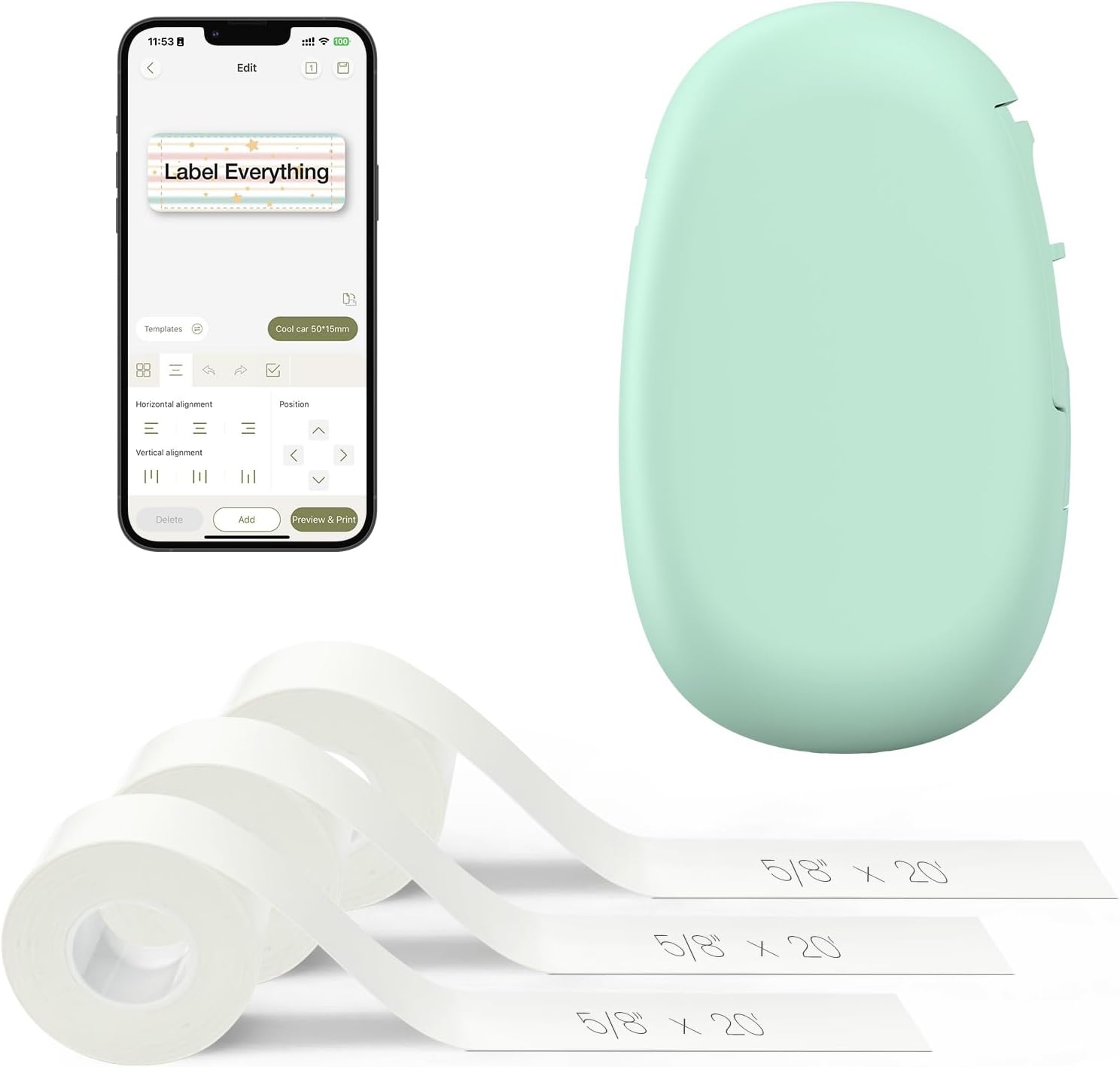
The SUPVAN E10 is a small rechargeable thermal label printer that pairs with a free mobile app to design and print laminated labels without ink. Typical uses include organizing storage bins, labeling cables, marking pantry items, and producing name tags or classroom labels; you edit on your phone, send the job over Bluetooth, and the built-in cutter gives a clean finish. Notable features are app control with many fonts and icons, support for both continuous and die-cut E-series tapes, a USB‑C charging port, and durable laminated labels that resist water, oil, scratches, and heat. The unit prints at a 203 dpi resolution and is intended for quick monochrome text and simple graphics rather than photo-quality output. Limitations include a single-color thermal printhead and reliance on SUPVAN tapes for full compatibility, so costs and tape selection depend on that ecosystem, and very small maximum media width restricts large-format labels.
Best for: Buyers who want a compact, app-driven label printer to streamline home, office, or school organization and prefer quick, durable monochrome labels over full-color printing.
Less Ideal for: People who need color labels, wide-format printing, or a printer that accepts third-party tape standards without vendor dependence should look elsewhere.
- App-based Bluetooth control with many fonts, frames, and icons for fast customization
- Prints waterproof, oil-proof laminated labels suitable for kitchen, bathroom, and outdoor use
- Rechargeable battery with USB‑C charging for cordless use
- Works with both continuous and die-cut E-series label tapes for flexible lengths
- Monochrome thermal printing only, so no color labels or photographic detail
- Requires SUPVAN E-series tapes for guaranteed compatibility which affects long-term supply options
Verdict: A small, app-controlled thermal label maker that delivers durable monochrome laminated labels quickly for everyday organization tasks.
NDYIN N12 Label Maker
| Printer Type | Thermal |
|---|---|
| Printer Connectivity Type | Bluetooth |
| Resolution | 203 x 203 dpi |
| Built-In Media | 1*180 Pre-cut white labels (14x40mm) |
| Specific Uses For Product | Home, Office, School |
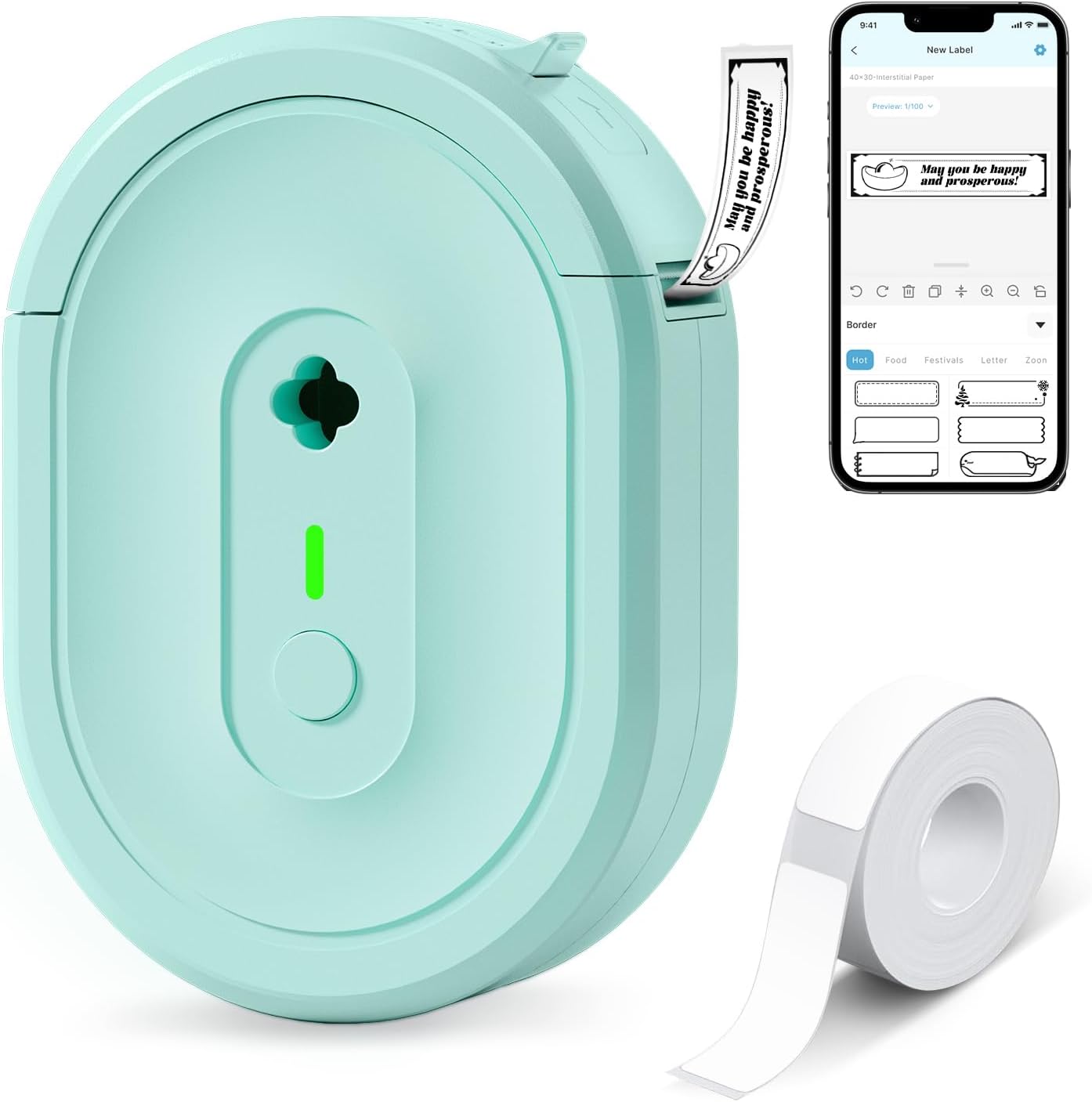
The NDYIN N12 is a pocketable thermal label maker that connects over Bluetooth to iOS and Android devices using the free "Nada Print" app. It prints direct-thermal black text onto pre-cut label rolls, so you do not need ink, toner, or ribbons, and the built-in rechargeable battery keeps operating costs low. The app offers many templates, fonts, frames, and symbols for quick organization tasks, and the device ships with a roll of pre-cut labels and a charging cable. Print resolution is modest at 203 dpi, which is fine for text, barcodes, and basic graphics but not for high-detail images. Label widths are fixed to supported sizes, so you need the correct roll sizes for different uses. Its small footprint and Bluetooth convenience make it handy for kitchen, office, school, and small business labeling, though users wanting full-color output or professional-grade resolution should look elsewhere.
Best for: Buyers on a tight budget who need a simple, portable label maker for household, classroom, or small-business tagging and prefer low ongoing costs over advanced print quality.
Less Ideal for: Users who need color labels, photo-quality printing, or flexible full-width roll handling should consider higher-end label printers.
- Direct thermal printing requires no ink, toner, or ribbons, lowering ongoing costs
- Built-in rechargeable battery for portable, cordless use
- Bluetooth connectivity and mobile app with many templates and fonts simplifies label design
- Includes a starter roll of pre-cut labels and charging cable out of the box
- Prints only monochrome at 203 dpi, so fine detail and color are not supported
- Requires using the vendor app and selecting the correct label size before printing
Verdict: Choose the N12 if you want an inexpensive, portable Bluetooth thermal label maker that minimizes ongoing costs while handling everyday labeling needs.
DYMO LetraTag 100H Label Maker

| Printer Type | Thermal |
|---|---|
| Print Resolution | 300 dpi |
| Print media | Labels |
| Printer Connectivity Type | USB |
| Display Type | LCD |
The DYMO LetraTag 100H is a small, battery-powered handheld label maker meant for quick labeling tasks around the house or office. It uses thermal printing with dedicated LetraTag cassettes to produce wipeable plastic, paper, and iron-on fabric labels in a half-inch width, and the graphical LCD previews font styles and effects before you print. You get five font sizes, several print and box styles, and basic icons, which makes it easy to create consistent pantry, file, and storage labels without a computer. The unit is portable and auto-off conserves power when idle, and the included magnetic holder keeps it handy on metal surfaces. Limitations are its monochrome, single-width output and modest print speed, so it is best for occasional to moderate labeling rather than high-volume commercial use, and it requires proprietary cassettes rather than generic rolls.
Best for: Buyers who want a dependable, easy-to-use label maker for home or small office organization and value a device that consistently produces durable, easy-to-read labels.
Less Ideal for: People who need high-volume, diverse-size labeling or full color/multi-width output should look at higher-capacity desktop label printers or thermal printers that accept generic rolls.
- Compact, lightweight handheld design for portability
- Graphical LCD preview shows font effects before printing
- Works with a variety of LetraTag tapes including paper, plastic, and iron-on fabric
- Multiple font sizes, print styles, box styles, and icons for simple formatting
- Auto-off power saving and magnetic holder for convenient storage
- Prints only 1/2" wide monochrome labels so formatting options and sizes are limited
- Relies on proprietary LetraTag cassettes rather than generic media
Verdict: A reliable, portable LetraTag label maker that makes consistent half-inch labels quickly for everyday home and office organization.
Nelko P21 Label Maker
| Printer Type | Thermal |
|---|---|
| Printer Output Type | Monochrome |
| Resolution | 203 x 203 DPI |
| Printer Connectivity Type | Bluetooth |
| Hardware Interface | USB Type C |
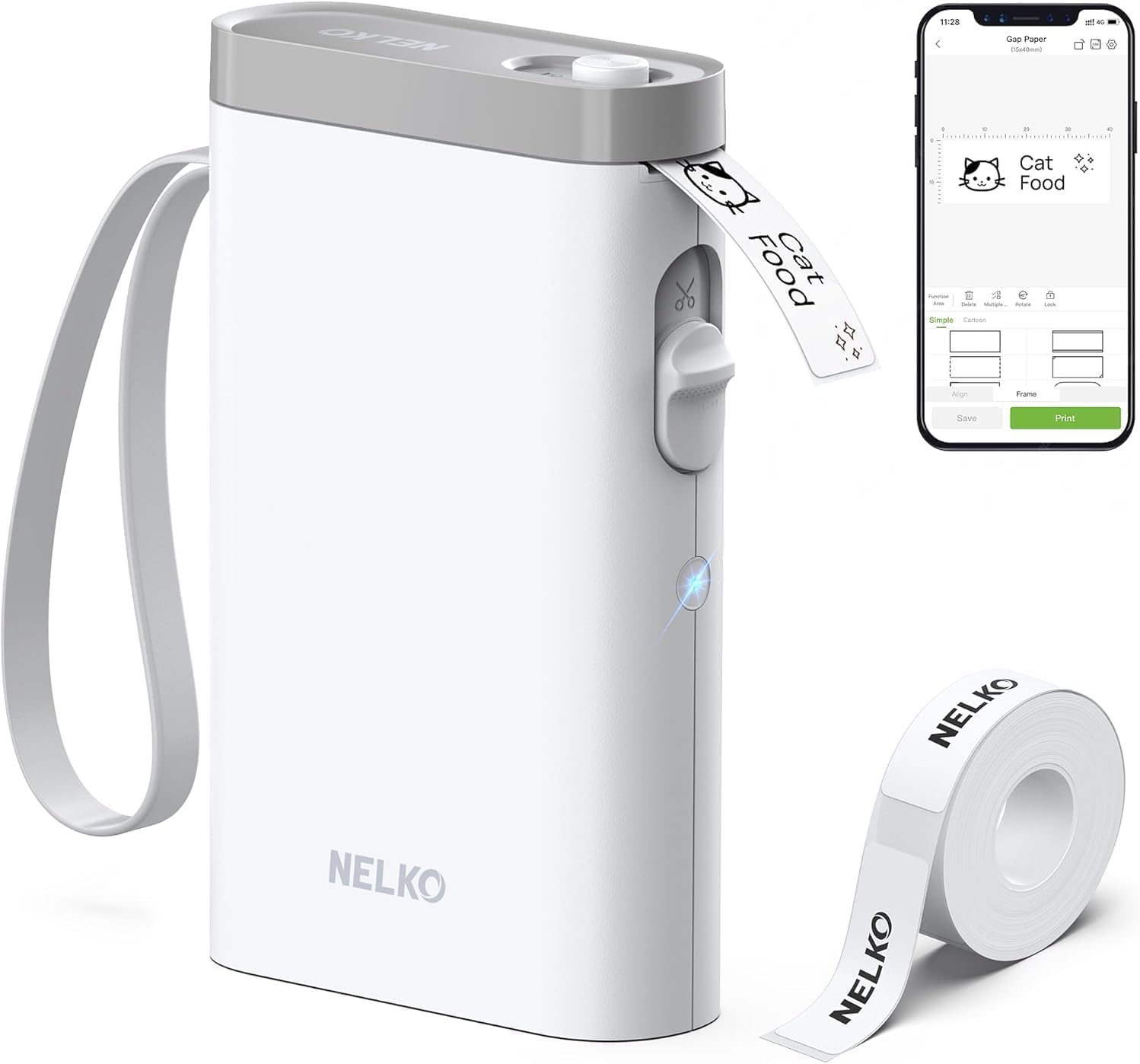
The Nelko P21 is a pocketable thermal label maker that connects over Bluetooth to the Nelko mobile app so you can design labels on a phone and print without ink. It is intended for quick home, classroom, and small-business labeling tasks and ships with a roll of white label tape plus a USB‑C charging cable. The app provides many templates, icons, borders and barcode/QR options, and the P21's 203 DPI thermal engine produces crisp black text on supported tapes. The built‑in rechargeable battery and compact size make it easy to carry and print on the go, and the device includes a built‑in cutter for clean edges. Important limits are that it prints only monochrome thermal labels, requires the Nelko app to pair (iOS 13+ supported; Android 14 not compatible), and works only with supported roll sizes and genuine label paper for best results.
Best for: Buyers who want an easy, app-driven label maker for home, classroom, or small-business organization and value portability and template options over advanced printing features.
Less Ideal for: Users who need full-color printing, computer connectivity, or broad Android 14 support should consider other label printers or solutions.
- Portable, pocketable design for on-the-go labeling
- Bluetooth pairing with a mobile app that offers many templates, icons, and borders
- 203 DPI thermal printing for clear monochrome text without ink
- Built-in rechargeable battery and USB‑C charging for easy power
- Includes a cutter and a starter roll of label tape in the box
- Monochrome-only thermal printing so no native color printing
- Requires the Nelko app for pairing and design; not compatible with Android 14 or computers
Verdict: Choose the Nelko P21 when you want a highly portable, app-driven thermal label maker that delivers crisp monochrome labels and many ready-made templates.
Phomemo D30 Label Maker

| Printer Type | Thermal |
|---|---|
| Printer Connectivity Type | Bluetooth |
| Hardware Interface | Bluetooth 4.0, USB Type C |
| Maximum Print Resolution Black and White | 203 dots_per_inch |
| Print media | Labels |
The Phomemo D30 is a pocketable thermal label printer that connects via Bluetooth to the Print Master app on Android or iOS and produces black-on-pattern or plain labels without ink or ribbons. You design labels in the app using templates, icons, fonts, barcodes, QR codes or imported images, then send jobs to the D30 for on-demand printing of continuous or pre-cut tape. Its lightweight rechargeable design and USB‑C charging make it convenient for quick household, classroom or small-business tasks like bin labeling, name tags, price stickers and cable identification. Print quality is good for a thermal unit thanks to a 203 dpi print head, and using patterned label rolls lets you add color without a color printer. Expect occasional setup quirks such as selecting the correct tape size in the app and the need to clean the print head if clarity drops, and remember it prints only black text so colorful results depend on tape choice rather than color printing.
Best for: Buyers who want a low-maintenance, pocketable label maker for home, classroom, or small-business labeling and who prefer a simple Bluetooth app workflow over a built-in keyboard.
Less Ideal for: Anyone who needs full color printing, heavy-duty industrial labeling, or a standalone keyboard-driven labeler should look at other models.
- Portable, lightweight design with USB‑C rechargeable battery for easy on‑the‑go use
- Inkless thermal printing cuts ongoing costs and uses patterned tapes for color effects
- Works with a smartphone app that includes many templates, icons, fonts and batch import
- 203 dpi thermal head provides clear black text suitable for labels, barcodes and QR codes
- Prints only black text so you must rely on patterned tapes for color
- Requires the app for most controls and correct tape-size selection to avoid offset prints
Verdict: A compact, cost-effective thermal labeler that is ideal for mainstream buyers who want convenient app-driven labeling without ink or ribbons.
Choosing the Right Label Maker: Key Factors to Consider
Input Method and Workflow
How you type and format labels affects speed and accuracy. Units with a full keyboard or a clear on-device display let you compose labels quickly without a phone, while models that pair with smartphone apps can offer advanced templates and bulk import. Consider whether you will create single labels on the fly or produce many labels in sequence. If you plan to label dozens of items, ergonomics and batch features matter.
Also think about saved templates and memory. The ability to store common label formats, reuse recent entries, or transfer a list from a computer cuts repetitive work and reduces errors.
Tape Widths and Material Options
Different projects need different tape widths and materials. Narrow tapes work well for cables and small containers, while wider tapes suit files, jars, and shelving. Material options such as laminated polyester, cloth, and writable paper affect how a label looks and how long it lasts. Laminated and polyester tapes resist moisture and abrasion better, while cloth or fabric tapes bend and conform to uneven surfaces.
Check whether the model supports multiple widths and whether supplies are commonly available. A wider selection of compatible tapes means more flexibility for various household and office tasks.
Adhesive Strength and Surface Compatibility
A label is only useful if it stays attached. Adhesive formulations vary from standard permanent adhesives to removable or repositionable options. Strong adhesives are essential for plastics, metal, or outdoor-exposed surfaces, while removable tapes protect painted walls and temporary storage bins. Surface texture matters too: low-adhesion paints, textured plastics, and fabrics may need special tapes.
Consider how frequently you plan to remove or replace labels. For items that change often, removable or low-tack tapes reduce damage and cleanup. For long-term labeling, look for tapes rated for high adhesion and resistance to humidity and temperature changes.
Print Legibility and Customization
Font size, contrast, and print resolution determine how easily a label can be read at a glance. Devices that offer multiple font sizes, bolding, box borders, and symbol libraries let you emphasize categories and improve scannability. High-contrast combinations and clear edge-to-edge printing make labels easier to see on shelves or in low light.
Customization also includes alignment, multi-line layouts, and barcode or QR code support when applicable. Think about whether you need simple text labels or more complex layouts for inventory and asset tracking.
Power Options and Portability
Where you plan to use a label maker affects the importance of battery life and portability. Battery-powered or USB-rechargeable units let you label on ladders, at workbenches, or outdoors. Mains-only models can be fine for desk use but limit mobility. Consider availability of replacement batteries and whether the device offers a power-saver mode.
Weight and size matter if you move around while labeling. Lighter, compact devices are easier to carry for short tasks, while heavier desktop-style units often provide larger keyboards and more robust printing capabilities.
Supply Availability and Cost Over Time
Label makers are only useful when you can replenish tapes and adhesives. Common tape formats are easier to source and often come in a range of widths and colors. Proprietary or uncommon cartridges can limit choices and increase long-term cost. Assess how easy it is to find replacements and whether compatible third-party supplies exist.
Also consider how frequently you will print. Heavy use may favor higher-capacity tapes or bulk supply options to keep ongoing costs reasonable and minimize downtime between refills.
Best Labeling Practices for Home and Office
Start with a consistent naming scheme to keep labels meaningful and searchable. Use simple, descriptive text and avoid abbreviations unless they are part of a documented taxonomy that others will understand.
Group similar items with the same color or tape style to make visual scanning faster. For example, use one color for kitchen items and another for office supplies. Include dates on containers when applicable to track contents.
- Use all-caps or larger fonts for high-visibility labels.
- Reserve narrow tapes for cables and wider tapes for shelving.
- Test adhesive on an inconspicuous surface before committing to a permanent label.
Label Materials and Where to Use Them
Laminated polyester tapes are the go-to for spill-prone areas and items that see frequent handling. They resist water, oils, and abrasion better than plain paper tapes.
Paper-based and writable tapes are useful for temporary storage and quick notes, but they will deteriorate faster in humid or high-traffic locations.
- Plastic bins and metal shelves: permanent laminated tapes.
- Cloth or fabric tags: cloth-compatible tapes or sewn labels.
- Temporary event labeling: removable or low-tack tapes.
Using Apps and Software with Label Makers
Many modern label makers offer smartphone or desktop apps that expand formatting options and allow importing lists or spreadsheets. These apps can save templates, support advanced symbols, and enable faster batch printing.
If you plan to use barcodes or QR codes, verify that the app can generate and scale codes accurately. Keep in mind that reliance on an app adds a software maintenance step, so ensure the app is supported on your devices.
- Look for apps with template libraries.
- Confirm file import options for bulk lists.
- Check app update frequency and platform compatibility.
Maintenance and Care for Longevity
Clean the print head and paper path periodically to avoid streaks and jams. Dust and adhesive residue can degrade print quality over time.
Store unused tapes in a dry, cool place to preserve adhesive performance and prevent curling. Follow the manufacturer or supply guidelines for optimal storage conditions.
- Run a test print after replacing tape to ensure alignment.
- Avoid extreme temperatures that can warp plastics or affect adhesives.
Accessibility and Ergonomics
Consider font legibility and tactile controls if multiple people with varying vision or dexterity will use the device. Larger keys, backlit displays, or voice-assisted apps can help users create labels more easily.
Position the label maker on a stable surface when composing longer entries, and use a stand or clip if the unit supports hands-free printing for repetitive tasks.
- Prefer larger key spacing for frequent typists.
- Use high-contrast tapes for users with low vision.
How We Chose the Best Label Maker
We focused on features and real-world usability that matter when you want reliable, readable labels over time. Our editorial filters prioritized ease of setup and daily use, the availability and variety of label tapes and adhesives, print legibility and font/format options, and physical durability for repeated handling. Battery life and power options were included for portability, along with software or keyboard ergonomics that affect speed during batch labeling. We excluded devices with severely limited tape widths, headlining gimmicks but poor build quality, or those that lack replaceable supplies. We also filtered out units that do not support commonly used tape materials or adhesives suitable for household and office surfaces. The final picks balance practical factors buyers face: speed and input method, tape compatibility and adhesive performance, print clarity and customization, and overall build and portability.
Our full evaluation process is outlined in our review methodology.
FAQ
What tape material lasts longest on kitchen containers?
Laminated polyester tapes typically last the longest in kitchen environments. They resist moisture, heat from dishwashers or stovetops, and abrasion from repeated handling better than paper-based tapes.
Can I use a label maker for fabric and clothing tags?
Some label tapes are specifically made for fabric and conform better to textured surfaces. Cloth-compatible tapes or woven labels are preferable for clothing tags to avoid peeling and to withstand laundering when specified by the tape maker.
Is a smartphone app necessary to get advanced label layouts?
An app is helpful for advanced layouts, bulk imports, and barcode generation, but many devices provide sufficient on-device formatting for basic to intermediate labeling tasks. Choose based on how complex your layouts and batch needs are.
How do I remove a permanent label without damaging a painted surface?
Warm the adhesive with low heat from a hair dryer and peel slowly at a low angle. If residue remains, use a gentle adhesive remover safe for painted finishes and test it on an inconspicuous area first.
What power option is best for occasional versus heavy use?
For occasional use, battery-powered or AAA/AA models offer convenience and mobility. For heavy or frequent desktop use, a mains-powered or rechargeable unit provides consistent performance and avoids frequent battery changes.
Final Verdict
Choosing the right label maker means balancing how you work with the environments where labels must perform. Prioritize tape material and adhesive for longevity, pick an input method that matches your labeling volume, and consider portability if you move around while labeling. Keep supply availability in mind to avoid interruptions. Focus on the tradeoffs between customization and simplicity. If you want durable, long-term labels for storage and assets, choose models that support laminated tapes and strong adhesives. For temporary or frequently changing labels, favor removable tapes and quick, app-assisted workflows.