
Note: This article contains affiliate links. If you click on these links and make a purchase, we may earn a small commission at no extra cost to you. This helps support our research and content. Read our full affiliate disclosure here.
If you need versatile printing at home, the right inkjet all-in-one printer makes everyday tasks faster and keeps photo projects looking good. Home users often juggle documents, schoolwork, occasional photos, and basic scanning or copying. Choosing a printer that balances print quality, cost of ink, and compact size matters for countertop or small office setups. This guide covers six shortlisted inkjet all-in-one printers for home use chosen for reliability, ease of use, and operating cost. We evaluate print quality, speed, connectivity, and ongoing ink expenses so you can pick a model that fits your routine. Read on for what to expect and the factors that should determine your purchase.
Top Picks at a Glance
| Best Quality Built to a higher standard if you want something more solid | Epson EcoTank Pro ET-5150 |  |
| Best Value The sweet spot between price and what you get | HP Smart Tank 5101 |  |
| Best Budget The cheapest option that still gets the job done reliably | Canon PIXMA TS3720 | 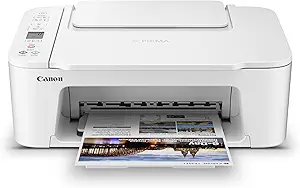 |
| Top Rated A top-rated pick with lots of positive feedback | Canon PIXMA TS6520 |  |
| Most Popular A crowd favorite that many people choose with confidence | HP DeskJet 2855e |  |
| Best Seller A high-volume bestseller chosen again and again | Epson EcoTank ET-2800 | 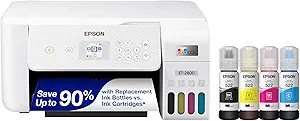 |
Epson EcoTank Pro ET-5150

| Printer Type | Inkjet |
|---|---|
| Printer Output Type | Color |
| Maximum print Resolution Color | 4800 x 1200 dpi |
| Color Pages per Minute | 9.5 pages_per_minute |
| B&W Pages per Minute | 17 |
The Epson EcoTank Pro ET-5150 is a fast, cartridge-free all-in-one that combines printing, scanning, copying and an auto document feeder in a compact footprint for home offices that need professional output. It uses high-yield refillable ink bottles and a permanent PrecisionCore printhead to deliver vibrant pigment-based color and sharp black text, with factory auto duplexing and a face-down output for privacy. Practical benefits include low running costs — the included bottles are rated for thousands of pages — plus a 250-sheet capacity and Ethernet/USB connectivity for steady job handling. You also get a color touchscreen, voice control, and sheetfed scanning suitable for contracts and multi-page jobs. Limitations to consider are its larger physical footprint compared with basic home printers and the initial setup of the ink tanks, which is more involved than swapping cartridges; color photo speeds are moderate compared with dedicated photo printers. For buyers prioritizing sustained high-volume printing and low per-page cost, the ET-5150 performs like a small office workhorse in a home setting.
Best for: Home office users who need reliable, professional-quality documents and high monthly print volumes while keeping running costs low.
Less Ideal for: Casual home users who print infrequently or buyers who need a compact, entry-level printer primarily for occasional photos and simple documents.
- Very low running cost using high-yield refillable ink bottles
- Fast black and reasonable color ISO print speeds for office work
- Auto duplex printing and 250-sheet capacity reduce intervention for multi-page jobs
- Pigment DURABrite inks and 4800 x 1200 dpi resolution produce sharp text and professional documents
- Larger footprint and more complex initial ink setup compared with basic home printers
- Not optimized for high-speed photo printing compared with dedicated photo printers
Verdict: Choose the ET-5150 if you want an affordable, cartridge-free all-in-one that delivers fast, professional document printing and very low long-term ink costs for a busy home office.
HP Smart Tank 5101

| Printer Type | HP Thermal Inkjet |
|---|---|
| Print Resolution (Color) | 4800 x 1200 dpi |
| Print Resolution (B&W) | 1200 x 1200 dpi |
| Connectivity | Wireless, USB 2.0 |
| Maximum Sheet Capacity | 100 |
The HP Smart Tank 5101 is a cartridge-free all-in-one printer that targets everyday home printing by combining refillable ink tanks with wireless printing, scanning, and copying. Setup is straightforward using the HP Smart app or wireless standards like AirPrint and Mopria, and the included ink bottles are rated to supply up to two years of printing, which makes running costs low for high-volume households. Print quality is good for documents and occasional photos with up to 4800 x 1200 optimized color resolution and reliable text at 1200 x 1200 dpi, and the flatbed scanner handles single-page scans at up to 1200 dpi optical. Notable conveniences include borderless printing, an LCD control, and a 100-sheet input capacity, but there is no automatic duplex or document feeder, so multi-page workflows require manual page handling. Color output is modestly slower than some higher-end models, and this unit is best for families or home offices that prioritize low ink cost and simple wireless printing over advanced office features.
Best for: Buyers who want a low-running-cost home all-in-one that makes frequent color and black-and-white printing inexpensive and simple, and who value easy mobile connectivity and straightforward maintenance.
Less Ideal for: People who need fast duplex printing, heavy multi-page scanning, or advanced office workflows should consider models with an automatic duplexer and document feeder instead.
- Refillable ink tank with up to two years of included original HP ink for low long-term cost
- Wireless printing support including HP Smart app, Apple AirPrint, and Mopria for easy mobile printing
- High optimized color resolution (4800 x 1200) for better photo and color document quality
- Flatbed scanner with up to 1200 dpi optical resolution for good single-page scans
- No automatic duplexing so double-sided prints require manual flipping
- No automatic document feeder, which slows multi-page scanning and copying
Verdict: Choose the HP Smart Tank 5101 if you want a budget-friendly, cartridge-free home AIO that dramatically reduces ink costs while delivering reliable wireless printing and decent photo-capable output.
Canon PIXMA TS3720

| Printer Type | Inkjet |
|---|---|
| Print Resolution | 4800 x 1200 dpi |
| Color Pages per Minute | 4 pages_per_minute |
| B&W Pages per Minute | 7.7 pages_per_minute |
| Connectivity | USB, Wi-Fi |
The Canon PIXMA TS3720 is a small, budget-focused all-in-one that handles everyday home printing, copying and flatbed scanning. It uses a two-cartridge hybrid ink system with pigment black for sharp text and dye-based color for photos, so you can print documents and casual snapshots without a complicated cartridge lineup. Setup is straightforward using USB or Wi-Fi and the Canon PRINT app, and the rear tray holds up to 60 plain sheets while supporting photo sizes and borderless prints up to 5” x 7”. Print speeds are modest — about 7.7 ppm black and 4 ppm color — and it prints single-sided only. Notable conveniences include mobile printing via AirPrint and Mopria, a simple 1.5” LCD for basic control, and compatibility with Chromebooks. The trade-offs for the low price are limited paper capacity, no automatic duplexing, and relatively slow color output compared with higher-end models, but for light household use and schoolwork it delivers reliable, easy-to-use performance at an economical entry point.
Best for: Buyers seeking an affordable, easy-to-use home inkjet that covers printing, scanning and copying for occasional documents, schoolwork and casual photos.
Less Ideal for: People who need high-volume printing, automatic double-sided prints, or faster color/photo throughput should look at more capable models.
- Compact footprint suitable for small desks or counters
- Simple two-cartridge hybrid ink system that is easy to replace
- Wireless and mobile printing support including Canon PRINT, AirPrint and Mopria
- Accepts a variety of media including borderless photos up to 5” x 7” and legal-size documents
- Single-sided printing only with no automatic duplex
- Plain paper tray capacity is limited to 60 sheets
Verdict: A straightforward, budget-friendly all-in-one that gives reliable home printing and mobile convenience for light everyday use.
Canon PIXMA TS6520

| Printer Type | Inkjet |
|---|---|
| Printer Connectivity Type | USB, Wi-Fi |
| Duplex | Automatic |
| Display Type | OLED |
| Color Pages per Minute | 9 pages_per_minute |
The Canon PIXMA TS6520 is a small, user-friendly all-in-one designed for everyday home use. It prints color documents and photos with its two-cartridge hybrid ink system, scans on a flatbed glass, and copies without fuss using the intuitive 1.42-inch OLED panel and simple controls. Dual-band Wi-Fi and mobile printing via the Canon app, AirPrint, or Mopria make it straightforward to print from phones and laptops, and automatic two-sided printing helps cut paper use. Print speeds are modest for a home model but adequate for occasional tasks, and the single paper tray and low sheet capacity mean it is best for light to moderate workloads rather than heavy daily printing. Setup is quick and connectivity proved reliable in testing, but the TS6520 lacks an automatic document feeder and uses a basic two-cartridge system that may require more frequent replacement with heavy photo printing. For buyers wanting a compact, reliable printer for homework, recipes, and occasional photos, the PIXMA TS6520 covers the essentials without extra complexity.
Best for: Home users and families who prioritize a dependable, easy-to-use printer for light to moderate everyday tasks like schoolwork, documents, and occasional photos.
Less Ideal for: People who need high-volume daily printing, multi-page scanning, or advanced office workflows should consider models with larger paper capacity and an automatic document feeder.
- Compact all-in-one design fits small home workspaces
- Automatic duplex printing saves paper and speeds two-sided jobs
- Reliable dual-band Wi-Fi and mobile printing support (Canon app, AirPrint, Mopria)
- Intuitive 1.42-inch OLED display simplifies status checks and basic settings
- Single paper tray with very low sheet capacity limits larger print runs
- No automatic document feeder for multi-page scanning or copying
- Two-cartridge ink system can mean more frequent replacements under heavy photo use
Verdict: Pick the PIXMA TS6520 if you want a compact, reliable all-in-one that handles everyday home printing and mobile workflows simply and dependably.
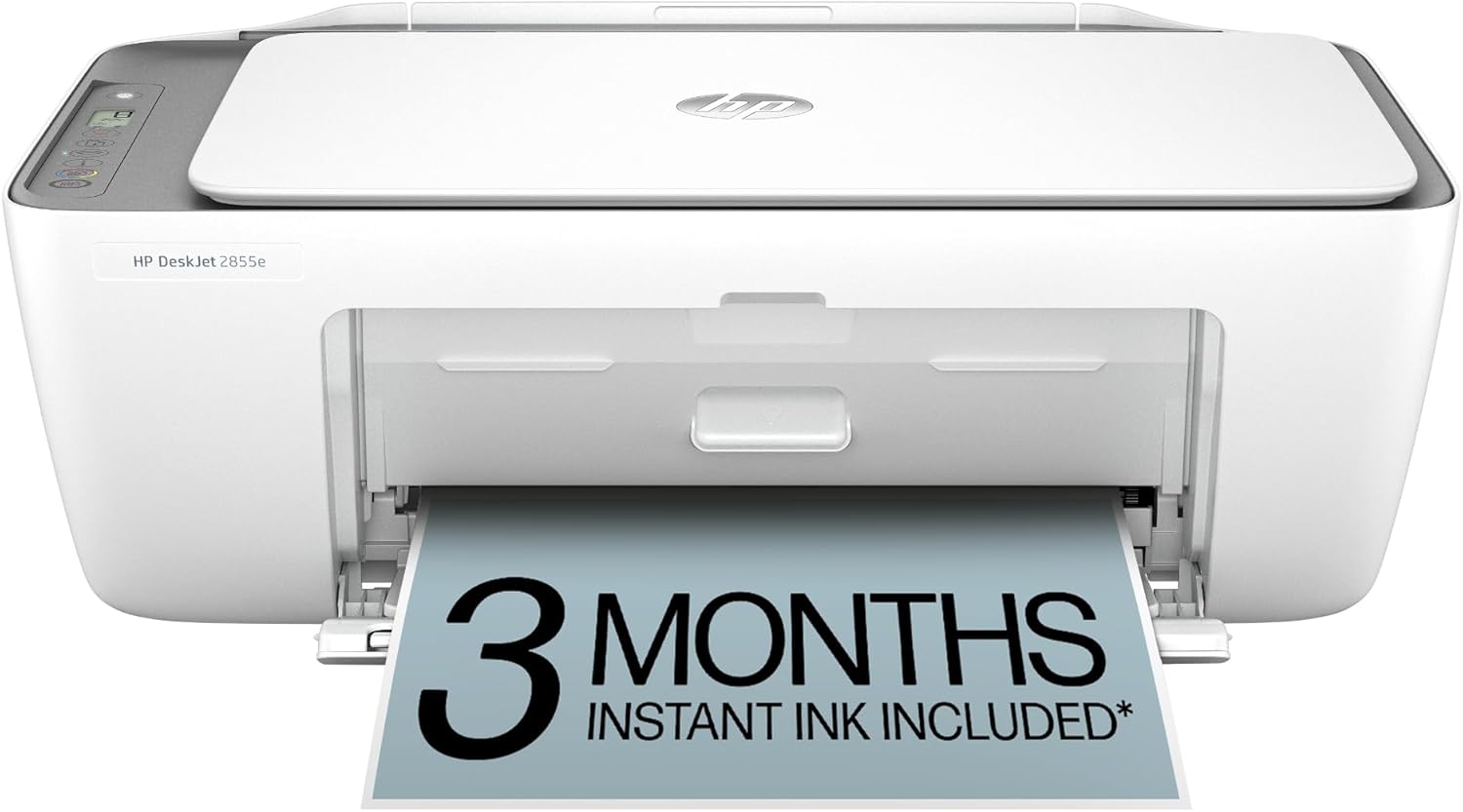
HP DeskJet 2855e
| Printer Type | Inkjet |
|---|---|
| Print Resolution (Color) | 4800 x 1200 dpi |
| Color Pages per Minute | 5.5 pages_per_minute |
| B&W Pages per Minute | 7.5 pages_per_minute |
| Printer Connectivity Type | single band wi-fi (2.4ghz only) |
The HP DeskJet 2855e is a small, straightforward all-in-one for home use that handles printing, scanning and copying without a lot of fuss. It connects over 2.4 GHz Wi-Fi or USB, and the HP app lets you print from phones and tablets and start scans remotely. Print quality is fine for text, flyers and casual color documents thanks to a quoted 4800 x 1200 dpi color resolution, while speeds are modest at about 5.5 ppm color and 7.5 ppm black. The 60-sheet input tray and flatbed scanner make everyday tasks convenient, and HP includes a three-month Instant Ink trial to simplify cartridge replacement. Setup is typical for consumer HP printers and includes AI-driven formatting that can trim unneeded web content before printing. Expect limitations if you need fast volume printing, automatic duplexing, or heavy photo work since duplex is manual and the sheet capacity and speed suit light home volumes rather than an office workload.
Best for: Buyers who want an affordable, compact all-in-one for occasional home printing, scanning and copying and who value easy mobile setup and maintenance over office-level speed.
Less Ideal for: Users who need fast, high-volume printing, automatic double-sided printing, or heavy photo production should look at more capable models.
- Includes print, scan and copy in a compact footprint suitable for home desks
- Wi-Fi and HP app support for easy mobile printing and scanning
- High quoted color resolution for good-looking text and casual color documents
- Three-month Instant Ink trial helps avoid running out of cartridges initially
- Only single-band 2.4 GHz Wi-Fi and no automatic duplexing
- Modest print speeds and 60-sheet capacity limit high-volume use
Verdict: A compact, app-friendly all-in-one that fits light home printing and scanning needs while including an Instant Ink trial to simplify early cartridge replacement.
Epson EcoTank ET-2800

| Printer Type | Inkjet |
|---|---|
| Print Speed B&W | 10 pages_per_minute |
| Print Speed Color | 5 pages_per_minute |
| Maximum Print Resolution Color | 5760 x 1440 dots_per_inch |
| Connectivity | wired, wireless |
The Epson EcoTank ET-2800 replaces disposable cartridges with high-capacity refillable ink tanks, making it well suited for everyday home printing, copying and scanning. Setup typically involves filling the visible front tanks with the included ink bottles, connecting via Wi-Fi or USB, and using the small color LCD or Epson app for basic controls and voice-activated printing. Print quality is sharp for text and reasonably good for photos thanks to Epson's Micro Piezo heat-free print technology and high maximum resolution, and the scanner is a useful flatbed for documents and photos. The ET-2800 prints at up to 10 ppm in black and 5 ppm in color, and the bundled ink yields thousands of pages before replacement, which cuts ongoing costs and cartridge waste. Limitations include manual duplexing only and a modest paper tray capacity, so heavy duplex workflows or large daily volumes will be less convenient. The product favors buyers who value low ink expense and easy refills over advanced features like automatic double-sided printing or large input trays.
Best for: Home users who prioritize low long-term ink cost and easy refillable tanks and want a straightforward all‑in‑one for everyday documents, photos, and schoolwork.
Less Ideal for: Users who need heavy daily throughput, fully automatic duplexing, or large paper trays for frequent batch printing should consider higher-capacity office models instead.
- Cartridge-free refillable ink tanks greatly reduce cartridge waste and lower ongoing ink cost
- Includes starter ink bottles that print thousands of pages before replacement
- Wireless and app control with voice-activated printing for easy home use
- High print resolution and Micro Piezo technology deliver sharp text and good color prints
- Built-in flatbed scanner and copier add basic multifunction capability
- Duplex printing is manual rather than automatic
- Paper input/output capacities are modest for higher-volume households
Verdict: Choose the ET-2800 if you want an easy, low-cost, cartridge-free home all‑in‑one that dramatically reduces ink refill frequency and waste.
Choosing the Right Inkjet All-in-One Printer for Home: Key Factors to Consider
Print Quality and Color Accuracy
How a printer renders text and photos determines whether it meets your household needs. For documents, crisp black text and consistent toner deposition matter for readability. For photos and graphics, look for printers that support multiple color inks and offer good color gamut and sharpness.
Higher resolution and better color management matter most when you print photos, greeting cards, or color-heavy school projects. If you mostly print drafts or black-and-white text, prioritizing absolute photo fidelity is less important. Consider the balance between photo capabilities and ink usage because machines tuned for richer color often consume more ink per page.
Ink Cost and Cartridge Options
Ongoing ink expense typically exceeds the initial purchase price for home printers. Evaluate estimated cost per page for black and color, and check whether the model supports high-capacity cartridges or ink-subscription services that lower per-page cost.
Also consider cartridge yield variability between text and photo modes. Some printers offer refillable tanks or separate color cartridges so you only replace the depleted color. Understanding the replacement cadence and whether third-party inks are supported can materially reduce long-term ownership costs.
Connectivity and Mobile Printing
Easy connection to phones, tablets, laptops, and home networks is essential for modern home use. Wireless standards, mobile printing protocols, and a usable companion app determine how quickly you can print from a camera or phone.
Look for reliable Wi-Fi performance, support for standard mobile printing frameworks, and intuitive setup processes. USB and Ethernet can still be useful for a direct wired connection. Features like automatic reconnection, Wi-Fi Direct, or an easy guest printing option improve daily convenience for households with multiple users.
Multifunction Features and Scan Quality
An all-in-one printer should provide scanning and copying that match your home tasks. Resolution, color depth, and scanning speed determine whether scanned photos or documents are usable for archives or digital sharing.
Automatic document feeders and duplex scanning save time when handling multi-page copies. Consider whether the scanner supports common file formats and straightforward workflows for saving or emailing scans directly from the device or companion app.
Physical Size, Placement, and Noise
Home printers must fit into limited spaces and not disrupt living areas. Check the printer footprint with trays extended, overall height for shelf placement, and whether it requires extra clearance for paper loading.
Noise levels during printing and scanning matter if you often work in the same room. Printers that advertise quiet modes or lower decibel operation are better for night or open-plan living areas. Portability is less important than compactness and a stable, low-noise operation for most households.
Home Print Workflows and Typical Use Cases
Home printing needs vary from occasional photo prints to daily homework sheets and bills. Understanding common workflows helps you pick a printer that matches the mix of tasks you actually perform. For example, families that print many school pages should prioritize fast black-and-white text speed and low-cost cartridges.
Photo enthusiasts who print occasionally should look for better color reproduction and higher resolution rather than the fastest page-per-minute specs. If you scan receipts or mail documents frequently, a reliable ADF and straightforward scan-to-email or cloud features will save time.
- Everyday documents: prioritize sharp text and affordable black ink
- Photos and crafts: prioritize color accuracy, photo paper handling, and higher DPI
- Scanning and archiving: prioritize scan resolution, duplex ADF, and easy file export
Paper Handling and Media Flexibility
Check supported paper sizes, tray capacity, and whether the printer accepts heavier media like cardstock or glossy photo paper. Small home printers sometimes have limited tray capacity that requires more frequent refilling for larger print jobs.
If you plan to print photos or craft projects, ensure the device allows manual feed for specialty stock and that the output path prevents smudging or curling. Some models include a rear feed specifically for thicker media which helps reduce jams and improves print quality on nonstandard sheets.
- Tray capacity affects how often you reload paper for larger jobs
- Manual rear feed is useful for photo paper and specialty media
- Duplex printing saves paper for double-sided documents
Maintenance, Reliability, and Warranty
Regular maintenance includes occasional printhead cleaning cycles and replacing cartridges. Some printers auto-maintain more effectively, reducing the frequency of manual intervention. Consider how easy it is to access consumables and whether the design minimizes ink waste during cleaning cycles.
Reliability for home use means a design that tolerates infrequent use without clogging. Warranty terms and customer support access are useful indicators of how the manufacturer stands behind the device, especially if the printer will be your primary home unit.
- Look for easy-to-replace cartridges and accessible maintenance panels
- Auto-clean routines can prevent nozzle clogs but may consume ink
- Warranty and support channels matter for long-term peace of mind
Using Mobile Apps and Cloud Services
Companion printing apps make it simpler to print photos and documents directly from mobile devices. Evaluate app features for scan-to-PDF, cloud integration, and basic photo editing. A well-designed app can dramatically shorten setup time and reduce frustration for nontechnical users.
Cloud and email printing options add convenience for remote submissions of print jobs. Confirm that the printer supports the cloud services you use and that its app provides reliable connectivity between devices and cloud accounts.
- Check for scan-to-cloud and scan-to-email functionality
- App-driven setup and troubleshooting speed up first-time configuration
- Onboard controls plus app features provide flexibility for less technical users
Environmental and Cost Tradeoffs
Some ink systems use refillable tanks or high-capacity cartridges that reduce waste and lower the per-page cost, while others rely on smaller cartridges that are cheaper upfront but more expensive over time. Think about your annual page volume before selecting a cartridge strategy.
Energy consumption and consumable recycling programs also affect long-term sustainability. If you print infrequently, a model with low standby power draw and less aggressive head-cleaning cycles will conserve ink and electricity.
- High-yield cartridges reduce waste and frequency of replacements
- Refillable tanks often lower operating costs but require care during refills
- Choose models with accessible recycling or take-back options if available
How We Chose the Best Inkjet All-in-One Printer for Home
We shortlisted models that deliver the core capabilities home users rely on and filtered out specialty or commercial machines that do not fit typical household workflows. Selection focused on real-world traits that affect daily use rather than marketing claims. Key evaluation criteria included print quality for both documents and photos, ink efficiency and typical running cost, ease of setup and wireless connectivity, multifunction usability for scanning and copying, and physical size and noise level for placement in living spaces. We also checked durability indicators such as monthly duty cycle recommendations and warranty coverage to assess how each model handles moderate home workloads. Exclusions included printers designed exclusively for heavy office use, thermal-only photo kiosks, and single-function devices that lack scanning or copying. The goal was to present compact, multipurpose inkjet all-in-one printers that balance long-term ownership costs with straightforward operation and good output across common home tasks.
Our full evaluation process is outlined in our review methodology.
FAQ
How often should I expect to replace ink cartridges in a home inkjet?
Replacement frequency depends on your monthly page volume and the types of documents you print. Households that print mostly black-and-white text may go longer between replacements. Photo printing and frequent color documents will shorten cartridge life, especially if you use high-quality photo modes.
Can I use third-party or refilled ink to save money?
Many printers accept third-party or refilled ink, but results vary by ink quality and printing habits. Third-party inks can reduce costs but sometimes cause color inconsistencies or clogging. If you consider third-party options, research compatibility and be prepared for potential tradeoffs in print reliability.
Is wireless printing reliable for a home environment?
Wireless printing is usually reliable if the printer and router are on the same stable network and the Wi-Fi signal is strong at the printer location. For best results, place the printer within good range of your router and use the manufacturer app or standard mobile printing protocols supported by your devices.
Do all all-in-one printers include an automatic document feeder?
Not all models include an automatic document feeder. ADFs are common on multifunction units but vary in capacity and duplex capability. If you scan or copy multi-page documents regularly, choose a model with a duplex ADF to save time.
What is the difference between dye and pigment inks for home use?
Dye inks generally produce more vivid colors and smoother photo gradations, while pigment inks offer better longevity and smudge resistance for text. The best choice depends on whether you prioritize photo vibrancy or document durability.
Final Verdict
When choosing an inkjet all-in-one printer for home use, prioritize the combination of print quality, ink economy, and the connectivity features that match how your household works. Tradeoffs are inevitable: machines optimized for vibrant photos often use more ink, while models focused on low-cost document printing may not excel at photo reproduction. Consider annual page volume and whether features like an ADF, duplexing, or a compact footprint matter for where you plan to place the unit. Focus on the criteria discussed earlier to select a balanced device that meets daily needs without unnecessary extras.