
Note: This article contains affiliate links. If you click on these links and make a purchase, we may earn a small commission at no extra cost to you. This helps support our research and content. Read our full affiliate disclosure here.
Picking the right inkjet printer on a budget matters because a low purchase price can be undone by high running costs or poor output. Whether you need crisp text for documents, decent photo prints, or a compact unit that fits a small workspace, the right choice reduces frustration and ongoing expense. This guide highlights seven shortlisted inkjet printers that strike sensible balances between initial cost, print quality, and ink economy. We evaluated each candidate against real-world concerns like monthly page yield, connectivity, and ease of maintenance so you can find a reliable low-cost option without surprises.
Top Picks at a Glance
| Best Overall The best all-around choice for most situations | HP Envy 6155 All-in-One Printer |  |
| Best Quality Built to a higher standard if you want something more solid | Epson WorkForce Pro WF-3823 |  |
| Best Value The sweet spot between price and what you get | Brother Work Smart 1360 MFC-J1360DW |  |
| Best Budget The cheapest option that still gets the job done reliably | Canon PIXMA TS3720 | 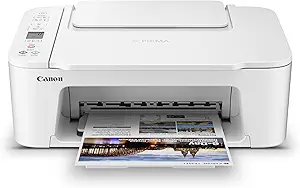 |
| Top Rated A top-rated pick with lots of positive feedback | Canon PIXMA TR7120 |  |
| Most Popular A crowd favorite that many people choose with confidence | HP OfficeJet 3830 |  |
| Best Seller A high-volume bestseller chosen again and again | Epson EcoTank ET-2800 |  |
HP Envy 6155 All-in-One Printer

| Printer Type | Inkjet |
|---|---|
| Print Speed B&W | 10 pages_per_minute |
| Print Speed Color | 7 pages_per_minute |
| Maximum print Resolution Color | 4800 x 1200 dots_per_inch |
| Printer Connectivity Type | Wi-Fi |
The HP Envy 6155 is a budget-minded all-in-one inkjet designed for home users who need color documents and occasional photos. It handles printing, scanning and copying from a small footprint and includes a 2.4" color touchscreen and app-based controls for easy mobile printing. Print speeds are modest at up to 10 ppm black and 7 ppm color, and automatic two-sided printing plus a 100-sheet tray make routine document jobs convenient. Photo-quality output benefits from a 4800 x 1200 dpi color resolution, while built-in Wi-Fi and a USB port cover common connectivity needs. The printer is sold with starter HP 68 setup cartridges and supports HP Instant Ink for subscription-based cartridge delivery. Limitations include average speed for heavy workloads and the usual manufacturer lock on non-HP cartridges, which may raise ongoing ink cost considerations for frequent users. For everyday home printing and occasional photos, it offers a sensible balance of features and ease of use.
Best for: Buyers wanting an affordable, easy-to-use home all-in-one that handles everyday documents and occasional photos with reliable wireless and touchscreen controls.
Less Ideal for: Users who need high-volume, fast printing for a home office or who want to use third-party refill cartridges to cut long-term ink costs.
- All-in-one functionality: print, scan, and copy in a compact unit
- Automatic duplex printing and 100-sheet input tray for routine document tasks
- High color resolution (4800 x 1200 dpi) suitable for vibrant photos and graphics
- Simple mobile and wireless printing via HP App and dual-band Wi-Fi
- Modest print speeds compared with higher-end models
- Requires original HP cartridges and may block non-HP chips, increasing ink costs
Verdict: A practical, budget-friendly home all-in-one that balances print quality, wireless convenience, and basic duplexing for everyday use.
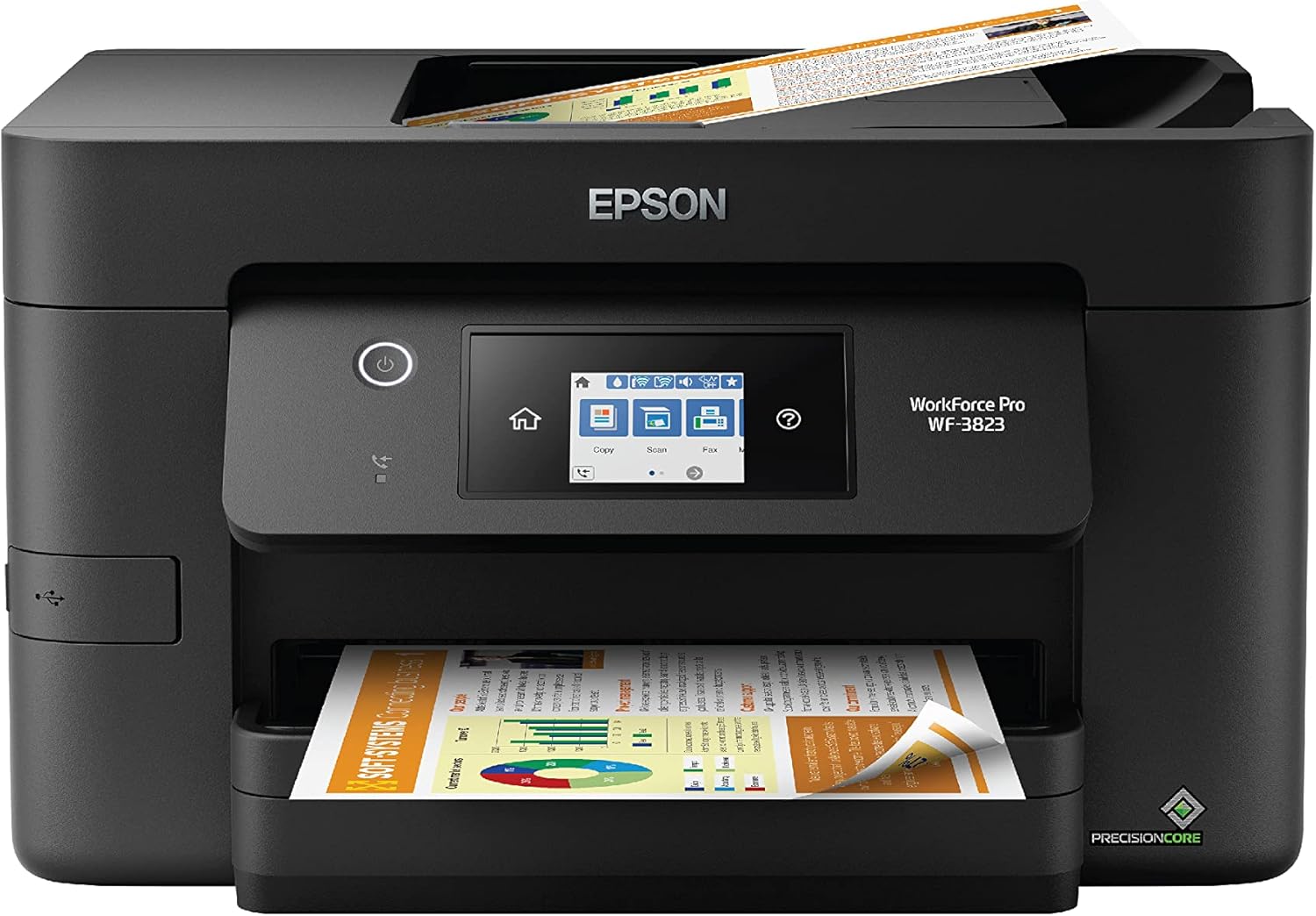
Epson WorkForce Pro WF-3823
| Printer Type | Inkjet |
|---|---|
| Print Speed B&W | 21 ppm |
| Print Speed Color | 11 ppm |
| Paper Capacity | 250-sheet tray |
| ADF Capacity | 35-sheet ADF |
The Epson WorkForce Pro WF-3823 is an all-in-one inkjet built around Epson's PrecisionCore heat-free print engine and DURABrite Ultra pigment inks to deliver crisp text and usable color at reasonably high speeds. It prints up to 21 ISO ppm black and 11 ppm color, supports automatic two-sided printing, and includes a 35-sheet ADF and a 250-sheet tray so it handles moderate batch jobs without constant refills. Built-in wired and wireless networking, an Ethernet port, a 2.7" color touchscreen and mobile setup via the Epson Smart Panel app make day-to-day operation straightforward. The PrecisionCore tech is engineered for reliability and quick first-page-out times, but the printer relies on genuine Epson T822 cartridges which means consumables are an ongoing cost and third-party refills are not supported. Image and photo quality are good for office use but not at the level of dedicated photo printers. For buyers after a fast, factory-quality replacement that balances speed, paper capacity and scanning convenience, this model is a practical choice.
Best for: Buyers who prioritize fast, reliable document printing and a practical all-in-one feature set for a home office or small workgroup and who value uptime and workflow efficiency.
Less Ideal for: Photographers or creatives who need gallery-quality photo prints or users seeking the lowest-cost third-party ink options should look elsewhere.
- Fast black-and-white ISO speed up to 21 ppm for quick document printing
- 250-sheet input tray plus 35-sheet ADF reduces interruptions for multi-page jobs
- Automatic two-sided printing and Ethernet plus wireless connectivity support office workflows
- PrecisionCore heat-free technology aims for reliability and fast first-page-out
- 2.7" color touchscreen and Epson Smart Panel app simplify setup and daily control
- Uses genuine Epson T822 cartridges only, increasing ongoing ink costs
- Photo quality is competent but not on par with dedicated photo printers
Verdict: Choose the WF-3823 when you need fast, reliable black-and-white printing and a roomy tray plus ADF in an affordable all-in-one package.
Brother Work Smart 1360 MFC-J1360DW

| Printer Type | Inkjet |
|---|---|
| Duplex | Automatic |
| Maximum Sheet Capacity | 150 |
| ADF Capacity | 20-sheet |
| Connectivity | USB, Wi-Fi |
The Brother Work Smart 1360 is a small all-in-one inkjet aimed at home and home-office tasks like reports, schoolwork, and occasional photo prints. It offers wireless and USB connectivity, a 20-sheet single-sided automatic document feeder for multi-page scans and copies, and automatic two-sided printing that helps reduce paper use. Print speeds are reasonable for the class at up to 16 ppm black and 9 ppm color, and the printer supports AirPrint and Mopria for easy mobile printing. Page Gauge and the Brother Mobile Connect app make ink monitoring and setup convenient, and the 150-sheet tray keeps desktop refills infrequent. Image resolution is high on paper for crisp text and decent color output, but this is a budget inkjet so photo-quality expectations should be modest and color speed lags behind black. Also, standard-yield starter cartridges mean you will replace ink sooner than with high-yield options. Its compact size and app-driven controls make it a practical, space-saving choice when you need everyday color printing without extras like large-format or high-volume enterprise features.
Best for: Buyers who want a compact, no-frills all-in-one that saves time on everyday home and small-office printing through duplexing, a simple app-driven workflow, and modest running capacity.
Less Ideal for: Users who need high-volume production, professional photo-quality color, or advanced business features like high-capacity trays and faster color throughput should look elsewhere.
- Automatic duplexing reduces paper use and saves steps for two-sided documents.
- 20-sheet ADF plus flatbed scanner handles multi-page scan and copy jobs without a separate scanner.
- Wireless, Wi‑Fi Direct, and USB connectivity with AirPrint and Mopria support easy mobile and computer printing.
- 150-sheet input tray lowers how often you need to reload paper and keeps the footprint compact.
- Page Gauge and Brother Mobile Connect app simplify ink monitoring and remote printing setup.
- Uses standard starter cartridges out of the box, so initial ink yields are limited compared with high-yield options.
- Color print speed and photo output are modest compared with higher-end color inkjets.
Verdict: A compact, budget-friendly all-in-one that delivers practical duplexing, wireless convenience, and straightforward ink management for everyday home or small-office printing.
Canon PIXMA TS3720

| Printer Type | Inkjet |
|---|---|
| Print Resolution | 4800 x 1200 dpi |
| Color Pages per Minute | 4 pages_per_minute |
| B&W Pages per Minute | 7.7 pages_per_minute |
| Printer Connectivity Type | USB, Wi-Fi |
The Canon PIXMA TS3720 is a small, budget-friendly all-in-one inkjet that handles printing, copying, and flatbed scanning for home use. It uses a two-cartridge hybrid ink system with pigment black for sharp text and dye-based color for photos, producing up to 4800 x 1200 dpi for detailed images and crisp documents. Setup is straightforward via USB or Dual Band Wi-Fi and it supports mobile printing through the Canon PRINT app, AirPrint, and Mopria, which makes printing from phones and Chromebooks simple. The rear tray holds up to 60 sheets and accepts a variety of media including envelopes, borderless photos up to 5 x 7, and legal-size paper up to 8.5 x 14. Print speed favors text over color, with about 7.7 ppm black and 4 ppm color, and it only prints single-sided. The 1.5 inch LCD and app control keep basic tasks easy, but expect higher per-page ink costs and slower photo throughput compared with higher-end models. For everyday home documents and occasional photo prints, the TS3720 delivers reliable, compact performance at a modest price.
Best for: Buyers seeking an inexpensive, easy-to-set-up home inkjet for everyday documents and occasional photo printing who prioritize compact size and wireless mobile printing.
Less Ideal for: Users who need automatic duplexing, high-volume office throughput, or the lowest long-term ink cost should consider other options.
- Compact all-in-one design fits small home workspaces
- Dual Band Wi-Fi and mobile printing via Canon PRINT, AirPrint, and Mopria
- Hybrid two-cartridge ink system for sharp black text and vivid color photos
- Accepts a variety of media including borderless photos and legal-size paper
- Single-sided printing only, no automatic duplex function
- Modest color print speed and potentially higher ink cost per page
Verdict: A compact, budget-friendly all-in-one that delivers reliable wireless home printing and decent photo quality for buyers prioritizing low upfront cost and simplicity.
Canon PIXMA TR7120

| Printer Type | Inkjet |
|---|---|
| Scanner Type | Flatbed/ADF,CIS |
| Connectivity | USB, Wi‑Fi |
| Maximum Media Size | Legal (8.5 x 14 inches) |
| Duplex | Automatic |
The PIXMA TR7120 is a small, feature-rich home inkjet designed for everyday document and photo tasks. It supports Wi‑Fi and USB printing, mobile printing via Canon PRINT, AirPrint and Mopria, and includes an auto document feeder for multi‑page scanning and copying. The two‑cartridge hybrid ink system produces sharp text and reasonably vivid photos, and the 1.42" OLED makes status and settings easy to check. Automatic two‑sided printing and a 100‑sheet capacity help reduce paper handling for routine chores. Print speeds are modest — about 9 ppm color and 14 ppm black and white — so it is better suited to periodic home or small‑office use rather than heavy daily volumes. Expect typical ink costs for an inkjet and occasional manual maintenance like printhead cleaning. Setup and wireless reliability are strong, and the compact footprint fits tight desks. If you want a reliable, capable budget multifunction printer that balances photo quality with document convenience, the TR7120 is a sensible pick with the usual inkjet upkeep requirements.
Best for: Buyers who prioritize a dependable, easy‑to‑use multifunction printer for home or hybrid work and want features like ADF and duplexing without a large footprint.
Less Ideal for: Users who need a high‑volume office workhorse or ultra‑low running costs per page should look at laser or high‑yield ink models instead.
- Auto document feeder for hands‑off scanning and copying of multi‑page jobs.
- Automatic duplex printing that saves paper and time for two‑sided documents.
- Wi‑Fi and mobile printing support including Canon PRINT, AirPrint, and Mopria for convenient wireless use.
- Compact footprint with an easy‑to-read OLED control that simplifies everyday operation.
- Uses a two‑cartridge hybrid ink system which can mean higher running costs compared with pigment or high‑yield cartridge setups.
- Not designed for high monthly page volumes; print speeds are average for its class.
Verdict: A compact, feature-packed budget all‑in‑one that delivers reliable wireless printing, ADF and duplexing for home users who value convenience and dependable everyday performance.
HP OfficeJet 3830

| Printer Type | Inkjet |
|---|---|
| Functions | Print, Scan, Copy, Fax |
| Auto Document Feeder | 35-sheet |
| Connectivity | USB, Wi-Fi |
| Print Speed B&W | 20 pages_per_minute |
The HP OfficeJet 3830 is a budget-friendly all‑in‑one designed for home and small‑office use, offering print, scan, copy, and fax in a compact package. It connects via Wi‑Fi or USB and supports mobile printing through HP apps and AirPrint, so you can print directly from smartphones and tablets without a PC. The 35-sheet automatic document feeder speeds up multipage scanning and copying, and the 2.2-inch display makes basic tasks and setup straightforward. Print quality is good for everyday documents and photos thanks to HP's color inks and a high color resolution spec, while black text prints faster than color. Important limitations for buyers are its manual duplexing and modest paper input capacity compared with larger models, and ink yield from standard cartridges is limited unless you use optional high‑yield cartridges or the Instant Ink program. For a low upfront cost it covers common home office workflows reliably, but expect ongoing ink costs to be the main operating expense.
Best for: Buyers seeking an inexpensive, space‑saving all‑in‑one that handles everyday home or small‑office printing and mobile workflows while prioritizing proven, widely used hardware.
Less Ideal for: Users who need automatic two‑sided printing, heavy monthly page volumes, or larger paper trays should consider higher‑capacity models instead.
- All‑in‑one functionality (print, scan, copy, fax) in a compact footprint
- 35‑sheet automatic document feeder for faster multipage scanning and copying
- Wireless and mobile printing support including AirPrint and HP mobile apps
- Supports optional high‑yield cartridges and HP Instant Ink enrollment to lower per‑page cost
- Duplex printing is manual rather than automatic
- Smaller paper input capacity and lower ink yields with standard cartridges
Verdict: A compact, budget all‑in‑one that delivers reliable basic printing and mobile convenience for home or small‑office buyers who value low upfront cost and wide user familiarity.
Epson EcoTank ET-2800

| Printer Type | Inkjet |
|---|---|
| Printer Connectivity Type | USB, Wi-Fi |
| Maximum print Resolution Color | 5760 x 1440 dpi |
| B&W Pages per Minute | 10 |
| Color Pages per Minute | 5 |
The Epson EcoTank ET-2800 is a home-focused all‑in‑one inkjet that replaces cartridges with high‑capacity refillable ink tanks to cut running costs and reduce interruptions. It prints, copies and scans with a flatbed scanner and connects via USB or Wi‑Fi for mobile and voice-activated printing. Expect modest office-style speeds — about 10 pages per minute for black and 5 ppm for color — and high resolution for photos and documents thanks to PrecisionCore and a 5760 x 1440 dpi maximum. The built‑in LCD and app control make everyday tasks straightforward, and the included ink provides thousands of pages before a refill is needed, which is handy for families and students. Limitations are its simplex-only output (no automatic duplexing) and single tray capacity, so heavy duplex workflows or large office volumes may be inconvenient. The unit favors lower long‑term ink costs over raw speed or advanced paper handling, making it a practical buy for budget-conscious home users who want reliable color prints without frequent cartridge purchases.
Best for: Buyers who prioritize low ongoing ink cost, simple home printing, and reliable color output over advanced office features or maximum speed.
Less Ideal for: Small businesses or heavy users who need automatic duplexing, large paper capacity, or the fastest commercial print speeds.
- Cartridge-free EcoTank system greatly reduces frequency of ink replacements
- Includes enough ink to print thousands of pages from the box
- Wireless and mobile printing with voice-activated support
- High optical print resolution for detailed photos and graphics
- Simple setup and app control with a clear LCD for basic tasks
- No automatic duplex (two-sided) printing
- Single tray and modest sheet capacity limit heavy print volumes
Verdict: Choose the ET-2800 if you want a budget-friendly home all‑in‑one that slashes ink costs with refillable EcoTank bottles while delivering reliable color prints.
Choosing the Right Inkjet Printer on a Budget: Key Factors to Consider
Ink Cost and Cartridge Yield
Ink cost per page determines the long-term expense of owning a budget inkjet. A low sticker price can be offset quickly by expensive cartridges or low-yield ink packs. Look for published page-yield figures and compare black and color yields separately.
Refillable ink tanks or high-yield cartridge options are often the best way to reduce running costs on budget printers. Consider whether the model supports economy or XL cartridges and factor in how often you expect to print each month to estimate annual ink spend.
Print Quality for Your Tasks
Budget inkjets vary widely in how well they render text, charts, and photos. If your primary need is sharp, readable documents, focus on models that emphasize crisp black text and consistent toner-like lines.
If occasional photo or color-graphic printing matters, check sample print specifications and user feedback on color fidelity and saturation. Note that inexpensive photo prints rarely match dedicated photo printers, but many budget inkjets can produce acceptable snapshots for casual use.
Speed and Duty Cycle
Print speed affects productivity, especially if you frequently print multipage documents. Manufacturers publish ISO speeds that offer a baseline, but real-world single-page and first-page-out times are also important for short jobs.
Duty cycle and recommended monthly page volume give a sense of how robust the printer is. Choose a model whose duty cycle comfortably exceeds your expected monthly pages to avoid premature wear or increased maintenance.
Connectivity and Mobile Printing
Modern budget printers should offer at least basic Wi-Fi and mobile printing support. Easy wireless setup, reliable connection stability, and compatibility with common mobile printing standards reduce friction when printing from phones, tablets, or laptops.
Also consider wired options like USB and whether the printer supports simple network sharing. Onboard controls and an intuitive app for scanning or direct printing can save time for nontechnical users.
Paper Handling and Media Support
Paper capacity, input tray design, and supported media sizes affect day-to-day convenience. A small input tray may be fine for occasional use, but frequent printing benefits from larger capacities and a straight-through path for heavier paper.
Check whether the printer accepts envelopes, labels, and different photo paper sizes. Having manual feed or a dedicated photo tray can make specialty prints easier without needing additional hardware.
Maintenance and Reliability
Maintenance includes routine tasks like nozzle checks, printhead alignment, and occasional cartridge replacement. Some budget inkjets require manual cleaning cycles more often than others, which affects uptime and convenience.
Consider ease of replacing consumables, availability of maintenance parts, and whether the model supports user-replaceable printheads. Simpler designs with clear access panels reduce the chance of user error during upkeep.
When an Entry-Level Inkjet Is the Right Choice
Entry-level inkjet printers make sense when purchase cost and compact size are priorities. They fit home offices, students, and households that print only occasionally and do not need heavy-duty reliability or professional photo quality.
These printers typically trade advanced finishing features for lower price and smaller footprint. If your printing is mostly documents, forms, or occasional photos, a budget inkjet can deliver acceptable results while keeping running costs reasonable when chosen carefully.
- Best for light to moderate monthly volume
- Compact designs save desk space
- Seamless mobile printing often included
How to Estimate Your True Cost of Ownership
The upfront price is only part of the picture. Multiply the cartridge cost by expected replacement frequency to estimate monthly ink expenses. Include occasional maintenance supplies and any specialty paper costs in your calculation.
If available, use manufacturer page-yield figures to convert cartridge price into cost per page. For mixed black-and-color use, create a blended cost estimate so you understand the impact of color printing versus text-only jobs.
- Calculate cost per page using cartridge price and yield
- Factor in likely monthly page volume to estimate annual spend
- Account for photo paper or specialty media separately
Tips for Getting the Best Print Quality on a Budget
Use manufacturer-recommended paper types and the correct paper settings in the print driver. Even inexpensive printers will perform noticeably better if the media and driver settings match the job.
Regular short test prints help keep nozzles conditioned and reduce the need for lengthy cleaning cycles. For color jobs, allow a brief warm-up and select a slightly higher quality setting when image fidelity matters.
- Match paper type to driver settings
- Run small test pages to prevent nozzle clogging
- Use the printer's recommended maintenance utilities sparingly
Connectivity and Setup Best Practices
For wireless use, place the printer within strong Wi-Fi coverage and use a dedicated 2.4 GHz or 5 GHz band based on the printer's capabilities. Avoid placing the printer behind large obstacles or inside metal cabinets that interfere with signals.
Register the printer on your preferred mobile printing service and update firmware during the initial setup to resolve early bugs. Keep the printer's administrative password or access code in a safe place to prevent accidental changes.
- Prefer wired setup for the most stable single-computer connection
- Use manufacturer apps for simplified mobile printing when available
- Update firmware and drivers during installation
Low-Cost Alternatives to Consider
If ink cost is the dominant concern, look for models that offer high-yield cartridges or integrated refillable tanks. These alternatives often lower long-term spend and can outperform cheap cartridges in total cost of ownership.
For very light use, a compact monochrome laser might be worth comparing outside this list because lasers can have lower per-page costs for text. However, this guide focuses on inkjet options that still fit a strict budget while offering color capability.
- High-yield cartridges reduce cartridge replacement frequency
- Refillable ink tanks offer excellent per-page savings
- Consider laser alternatives only if color printing is not required
How We Chose the Best Inkjet Printer on a Budget
We focused on practical, measurable criteria that matter when buying an inkjet printer on a budget. First, print cost per page and ink yield were primary filters because lower ongoing costs are the main reason buyers choose budget models. Second, print quality for text and mixed graphics was evaluated using manufacturer specifications and typical consumer expectations to ensure readable documents and acceptable images. Third, print speed for black and color pages matters for daily productivity, so machines with very slow real-world duty were excluded. Fourth, connectivity and setup simplicity were assessed to favor units that work easily with common home and small-office devices. Fifth, durability and recommended monthly duty cycles were considered to avoid models that will fail quickly under modest use. We excluded specialty wide-format or photo-centric printers that are priced or specced beyond budget use. Heavy-duty office models and any devices designed primarily for commercial production were also removed. The final list prioritizes machines that balance low upfront cost with manageable ink expenses, reliable basic features, and straightforward user experience.
Our full evaluation process is outlined in our review methodology.
FAQ
How much should I expect to spend on ink for a budget inkjet?
It depends on your monthly volume and whether the printer uses standard or high-yield cartridges. Expect a noticeable recurring cost; estimating cost per page using published yields gives the best forecast.
Are refillable ink tanks worth it for low-cost printers?
Often yes if you print frequently. Refillable tanks lower per-page costs substantially, though they can raise the initial unit cost. For moderate monthly volumes they typically pay back over time.
Will a budget inkjet handle occasional photo printing?
Many budget inkjets produce acceptable snapshots for casual use, but they will not match dedicated photo printers. Use quality photo paper and higher print settings for the best results.
How important is print speed on budget models?
Print speed matters if you regularly print multipage documents. For occasional single-page prints it is less critical, but very slow speeds can become frustrating even at low volumes.
Can I use third-party cartridges to save money?
Third-party cartridges can reduce costs but results vary. They may affect print quality or trigger maintenance cycles more often, so weigh savings against potential reliability tradeoffs.
Final Verdict
When choosing an inkjet printer on a budget, prioritize low ink cost per page and the print quality you need most, whether that is sharp black text or acceptable color output. Match the printer's duty cycle and paper handling to your expected monthly volume to avoid premature maintenance or high operating costs. Balance upfront savings against long-term expenses by estimating cartridge replacement frequency and factoring in any high-yield or refill options. With realistic expectations about photo quality and speed, you can confidently select a budget inkjet that meets daily needs without hidden surprises.