
Note: This article contains affiliate links. If you click on these links and make a purchase, we may earn a small commission at no extra cost to you. This helps support our research and content. Read our full affiliate disclosure here.
Picking the right label maker for crafting makes organizing supplies, templates, and finished projects faster and more reliable. Whether you are sorting tiny embellishments, labeling storage bins, or adding tidy tags to finished pieces, the right device saves time and keeps workspaces tidy. This guide covers seven shortlisted label makers built for crafting tasks and diverse formats, focusing on usability, label durability, print versatility, and portability. Read on to find a compact option for desk use or a heavy-duty unit for frequent printing that matches your workflow.
Top Picks at a Glance
| Best Overall The best all-around choice for most situations | Brother P-Touch PTD220 |  |
| Best Quality Built to a higher standard if you want something more solid | NIIMBOT M2 Thermal Transfer Label Maker |  |
| Best Value The sweet spot between price and what you get | SUPVAN E11 Label Maker |  |
| Best Budget The cheapest option that still gets the job done reliably | NDYIN N12 Label Maker |  |
| Top Rated A top-rated pick with lots of positive feedback | Brother P-touch PT-M95 |  |
| Most Popular A crowd favorite that many people choose with confidence | Phomemo D30 Label Maker |  |
| Best Seller A high-volume bestseller chosen again and again | Nelko P21 Label Maker |  |
Brother P-Touch PTD220

| Print resolution | 180 dpi |
|---|---|
| Maximum tape width | 12 mm |
| Lines of text | 2 |
| Memory | Stores up to 30 labels |
| Connectivity | USB (wired) |
The Brother P-Touch PTD220 is a handheld thermal label maker aimed at home and small office organization. It uses Brother TZe laminated tapes up to 12mm (~1/2 inch) and prints one or two lines at 180 dpi, letting you create durable, water-resistant labels for storage bins, craft supplies, shelves, and more. The built-in QWERTY keyboard, 15-character preview display, one-touch formatting keys, 25 preset templates, and a bank for up to 30 saved labels make it fast to design and reprint commonly used tags without a computer. A wide range of genuine TZe tape types and decorative fonts, frames, and symbols gives craft-minded users options for attractive, functional labels. The PTD220 runs on six AAA batteries or an optional AC adapter and connects only via USB for basic wired workflows. Expect straightforward, reliable printing and no advanced computer design features, so it is best when you want a simple, portable device for on-the-spot labeling rather than full desktop layout control.
Best for: Crafters and hobbyists who want a simple, portable label maker to produce durable, attractive labels quickly at the worktable or storage area and who value on-device speed and ease over desktop design tools.
Less Ideal for: People who need wider tape sizes, full desktop layout control, or wireless/mobile app printing for complex, design-heavy crafting tasks should consider a more advanced connected model.
- Prints durable laminated TZe tapes up to 12mm wide suitable for craft storage and labeling
- Familiar QWERTY keyboard and 15-character preview screen simplify on-device label creation
- Stores up to 30 frequently used labels for quick reprints
- Wide selection of fonts, frames, and symbols for decorative or functional labels
- Battery-powered portability with optional USB connectivity for basic wired use
- Limited to 12mm tape width and lacks advanced PC design features for complex craft projects
- No built-in Bluetooth or wireless app integration for mobile design and printing
Verdict: A compact, easy-to-use label maker that delivers durable 12mm laminated labels fast, ideal for crafters who prioritize portable, on-the-spot labeling.
NIIMBOT M2 Thermal Transfer Label Maker

| Printer Type | Thermal Transfer Tech |
|---|---|
| Resolution | 300 x 300 |
| Maximum Media Size | 2 INCH |
| Printer Connectivity Type | Bluetooth, USB |
| Controller Type | Android, iOS |
The NIIMBOT M2 is a portable thermal transfer label maker built for users who need durable, legible labels that endure harsh conditions. It connects to iOS and Android phones over Bluetooth and to a PC by USB, and the companion app offers templates, icons, barcodes and basic image support for quick label creation. The M2 prints at a factory-quality 300 dpi and uses thermal transfer ribbons so labels are waterproof, scratch-resistant and rated to last roughly 8–10 years and withstand wide temperature ranges. It auto-recognizes compatible NIIMBOT label rolls, adjusts print density, and can store print history when you sign into the app. Expect some mechanical noise during printing because the ribbon contacts the label surface, and the printer requires M2-series thermal transfer labels rather than standard thermal rolls, which limits media choices. For crafting this unit delivers sharp text, small graphics and weatherproof results, though hobbyists who want inexpensive disposable thermal stickers or third-party tape variety may find the ribbon-only system restrictive.
Best for: Crafters and makers who prioritize durable, high-resolution labels that survive outdoor, wet, or long-term storage conditions and want precise, professional-looking results from a smartphone or PC.
Less Ideal for: Casual hobbyists who prefer cheap, readily available direct thermal sticker rolls or those who need a wide variety of third-party label materials and finishes.
- High 300 dpi resolution for crisp text and small graphics.
- Thermal transfer printing yields water, oil, scratch and chemical resistant labels rated for long storage life.
- Bluetooth and USB connectivity with an app offering templates, barcodes and QR code support.
- Automatic label recognition and adaptive print density simplify setup and produce consistent results.
- Only compatible with M2 thermal transfer labels and ribbons, limiting media options.
- Produces noticeable mechanical noise during printing compared with direct thermal models.
Verdict: Buy this if you need a compact label maker that produces sharp, weatherproof, long-lasting labels for durable craft and outdoor projects.
SUPVAN E11 Label Maker

| Printer Type | Thermal |
|---|---|
| Resolution | 203 dpi |
| Connectivity | Bluetooth |
| Power | 10 watts |
The SUPVAN E11 is a compact thermal label maker that offers both on-device keyboard printing and Bluetooth app design for more complex labels. It is typically used for home and craft organization, pantry and tool labeling, and small batch or long-run labels thanks to support for continuous and die-cut tapes. Notable features include a full QWERTY keyboard, a rechargeable 1200 mAh battery, a USB-C port, an LCD, and an app with more than 30 fonts, 50 frames, and 660 icons for creative layouts. The E11 prints monochrome laminated labels that are waterproof, oil- and scratch-resistant, and it uses a fine 203 dpi resolution that keeps text and simple icons crisp for craft projects. Practical benefits include minimal 0.2 inch margins that reduce tape waste and the ability to save templates for repeat projects. Limitations are typical for compact thermal makers: monochrome output only, manual duplex if you need two-sided work, and dependence on SUPVAN-compatible tapes for guaranteed results.
Best for: Crafters and organizers who prioritize efficient, low-waste labeling and want a portable tool that combines quick keyboard entry with app-driven design flexibility.
Less Ideal for: Users who need full-color labels, heavy-duty industrial labeling, or automatic two-sided printing should look at other solutions.
- Two input methods: built-in QWERTY keyboard for quick labels and Bluetooth app for advanced designs.
- Supports both continuous and die-cut laminated tapes for long labels and batch jobs.
- Rechargeable 1200 mAh battery and USB-C charging for portable, low-maintenance use.
- Minimal 0.2 inch margin printing reduces tape waste and stretches supply.
- Large app library with 30+ fonts, 50+ frames, and 660+ icons for craft customization.
- Prints only in monochrome so no colored text.
- Requires SUPVAN genuine tapes for best compatibility and results.
- Manual duplex printing rather than automatic two-sided printing.
Verdict: Choose the SUPVAN E11 if you want a portable, low-waste label maker that blends quick keyboard printing with a feature-rich app for craft-focused customization.
NDYIN N12 Label Maker
| Printer Type | Thermal |
|---|---|
| Printer Connectivity Type | Bluetooth |
| Resolution | 203 x 203 dpi |
| Built-In Media | 1*180 Pre-cut white labels (14x40mm) |
| Specific Uses For Product | Home, Office, School |
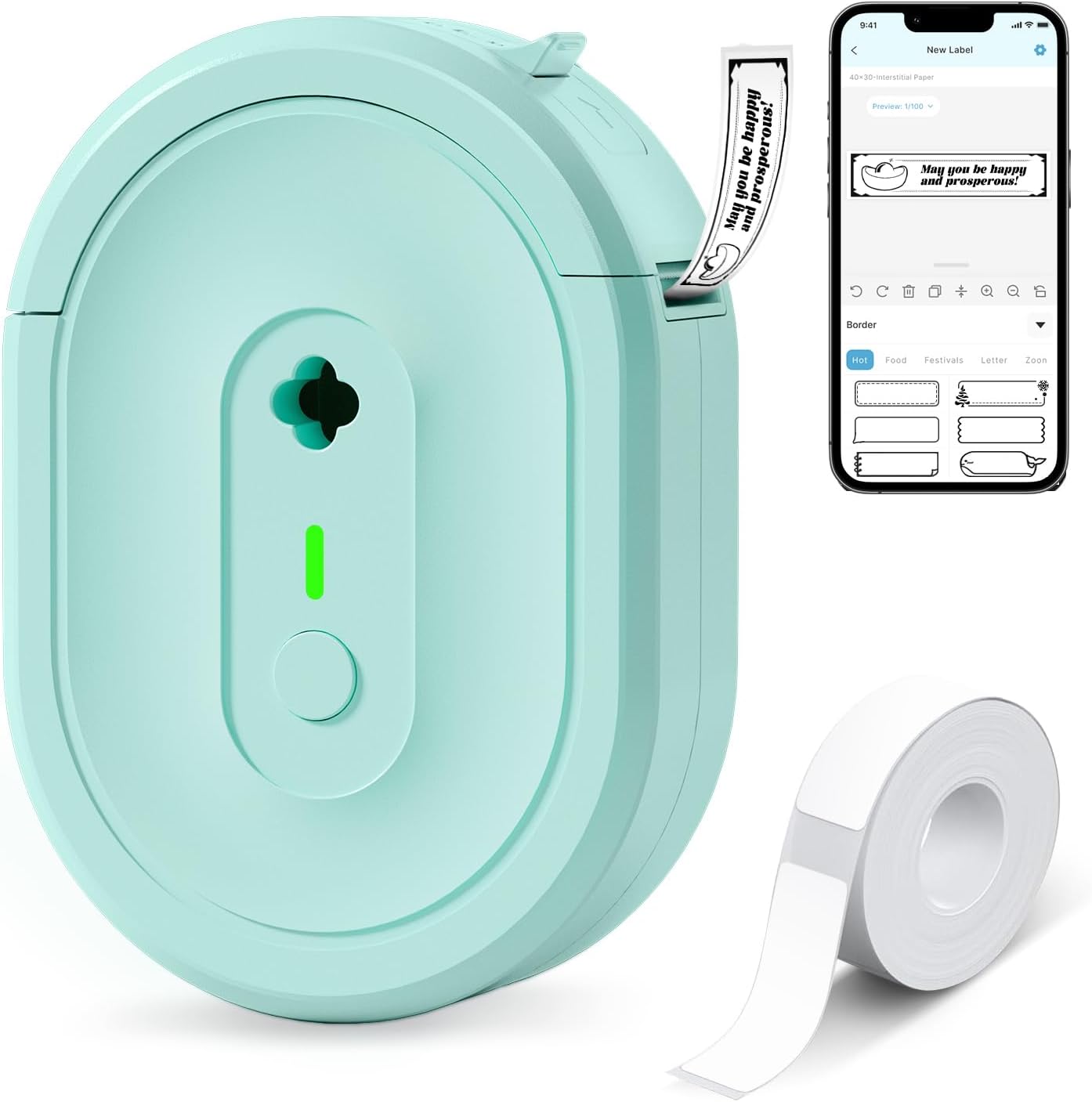
The NDYIN N12 is a pocketable thermal label maker that pairs over Bluetooth with the free Nada Print app to create custom monochrome labels for home, school, and small business tasks. It prints directly on thermal labels so no ink, toner, or ribbons are required, and a built-in rechargeable battery keeps it portable for on-the-go use. The app supplies hundreds of fonts, frames, and symbols so you can design tags for jars, cables, price tags, and craft projects; label lengths are fixed to common mini sizes like 12×40mm and 14×40mm. Print quality is typical for direct thermal at 203 dpi, fine for text and simple barcodes but not for high-resolution graphics. Setup is straightforward via Bluetooth, though you must use the app and select the correct label size before printing. If you need color output, wider media, or very high-resolution prints this unit will be limiting, but for budget-conscious crafters who want a small, app-driven thermal printer it delivers solid utility and very low ongoing costs.
Best for: Crafters and hobbyists on a tight budget who want a small, app-driven label printer for tags, jars, stickers, and basic craft labeling.
Less Ideal for: Designers needing color prints, high-resolution image labels, or anyone who requires wider label sizes beyond mini thermal rolls.
- Direct thermal printing requires no ink, toner, or ribbons, reducing ongoing costs
- Bluetooth pairing with the Nada Print app offers many templates, fonts, and symbols
- Built-in rechargeable battery makes it portable for mobile or craft use
- Compact, lightweight design is easy to store and carry
- Monochrome 203 dpi thermal output is not suitable for high-resolution graphics or color printing
- Label lengths and widths are fixed to small thermal sizes, limiting larger craft projects
Verdict: A budget-friendly, portable Bluetooth thermal label maker that gives crafters easy custom monochrome labels with minimal ongoing costs.
Brother P-touch PT-M95

| Print media | Labels |
|---|---|
| Paper Size | 12 millimeters |
| B&W Pages per Minute | 7.5 pages_per_minute |
| Printer Connectivity Type | wired |
| Control Method | Touch |
The Brother P-touch PT-M95 is a compact, portable label maker built around a QWERTY keyboard and a simple 12-character LCD preview display, making it quick to create tidy black-on-white labels for craft projects and organization. It prints on Brother M-series non-laminated tapes in 9mm and 12mm widths and includes four sample tapes in the bundle so you can start labeling right away. The PT-M95 offers a decent set of customization tools for a small unit — multiple fonts, frames, symbols, and deco patterns plus the ability to print one or two lines — which is handy for decorative craft labels and gift tags. It runs on AAA batteries for cordless use and connects via a single USB port if you prefer wired power or computer use. Limitations are modest: the display is small so long text requires scrolling, it only prints monochrome, and it lacks advanced connectivity or large-memory templates found on higher-end models. For straightforward, dependable label work around the house or crafting table, the PT-M95 gets the job done without complexity.
Best for: Crafters and home organizers who want a simple, reliable handheld labeler to produce consistent decorative and utility labels without fuss.
Less Ideal for: People who need full-color labels, large-format printing, extensive onboard memory, or advanced wireless app integration for complex crafting workflows.
- Portable, lightweight design for easy use at a craft table or on the go
- Full QWERTY keyboard and preview display speed up label creation
- Includes four M-series label tapes so you can start labeling immediately
- Multiple fonts, frames, symbols, and deco patterns for decorative labels
- Monochrome printing only, no color or laminated tape options in the included set
- Small 12-character display limits previewing long or complex labels
Verdict: A straightforward, dependable label maker that delivers portable, customizable monochrome labels ideal for crafting and home organization.
Phomemo D30 Label Maker

| Printer Type | Thermal |
|---|---|
| Printer Connectivity Type | Bluetooth |
| Hardware Interface | Bluetooth 4.0, USB Type C |
| Print Resolution | 203 dots_per_inch |
| Print media | Labels |
The Phomemo D30 is a palm‑sized thermal label printer designed for quick, app-driven labeling at home, school, or small craft projects. You connect it to the Print Master app on Android or iOS and choose from thousands of templates, icons, borders and fonts to compose labels; the D30 prints black text only, producing that text on patterned or colored thermal tapes for visual variety. Its thermal, inkless printing removes the need for ink or ribbons and the rechargeable battery plus USB‑C charging keeps it portable for on‑the‑go use. Practical features include barcode/QR generation, Excel batch import, OCR and voice input in the app, and support for continuous long tape or pre‑cut labels. Trade-offs are that prints are monochrome so color requires patterned tapes, and layout accuracy depends on selecting the correct paper size in the app; very small or highly detailed graphics may not reproduce sharply at the 203 dpi resolution. For crafting the D30 is convenient for tags, planner stickers, and organization labels, but it is less suitable when you need true color printing or very fine photographic detail.
Best for: Crafters and teachers who want an easy, creative labeling tool for tags, planner stickers, and organized storage and who value templates and app control over full‑color output.
Less Ideal for: People who need full‑color label printing or high‑resolution photo labels should look at color-capable printers instead.
- Portable, lightweight design with rechargeable battery and USB‑C charging
- Inkless thermal printing eliminates ink, toner, and ribbon costs
- Robust mobile app with many templates, icons, fonts, and batch import tools
- Supports continuous and pre‑cut tapes and can print barcodes and QR codes
- Prints only black text so color effects require patterned tapes
- 203 dpi thermal resolution limits fine photographic detail
Verdict: A lightweight, app-driven thermal label maker that excels at creative, monochrome tags and planner stickers for crafters who prioritize portability and template-driven design.
Nelko P21 Label Maker
| Printer Type | Thermal |
|---|---|
| Printer Output Type | Monochrome |
| Resolution | 203 x 203 DPI |
| Printer Connectivity Type | Bluetooth |
| Hardware Interface | USB Type C |
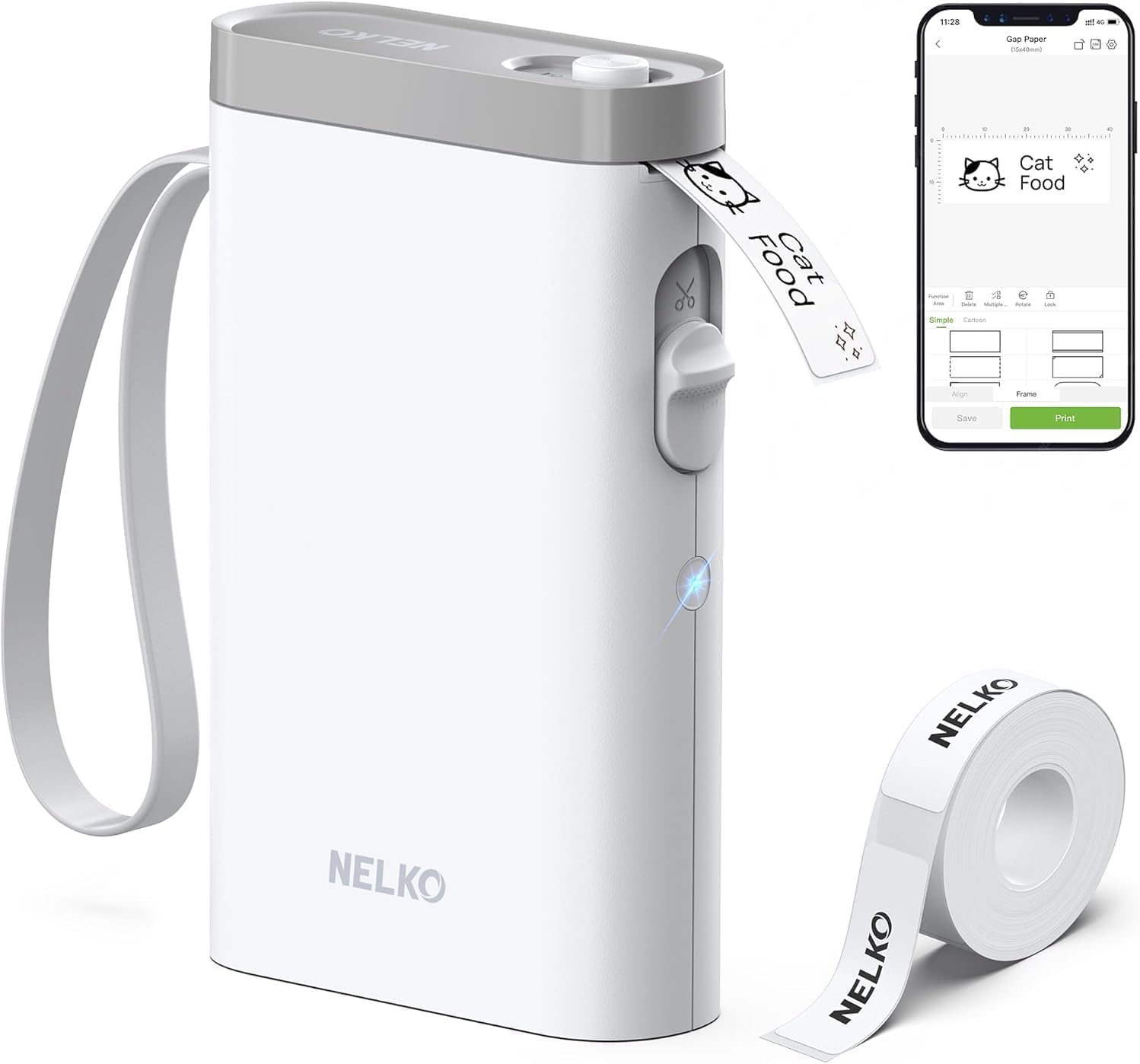
The Nelko P21 is a pocketable thermal label maker that pairs with the Nelko smartphone app to design and print monochrome labels on preformatted tape sizes. You build labels in the app using templates, icons, borders, barcodes or QR codes, send them over Bluetooth and the P21 cuts each label with its built-in cutter. Its 203 DPI thermal engine and included roll of white tape produce clear, readable text for classroom, craft, or home organization tasks, and the rechargeable battery makes it portable for printing on the go. The app offers many creative resources and templates, which is useful for crafting projects that need decorative borders or specialty materials, but the printer only supports fixed label widths and requires the proprietary-style label rolls for best results. Setup is phone-driven only (no PC support) and iOS users must use the updated Nelko app; Android 14 devices are noted as incompatible. For crafters who want an inexpensive, app-first label maker for tidy, consistent labels, the P21 is a practical, portable option with limited tape flexibility.
Best for: Crafters and classroom organizers who want a simple, portable label maker that emphasizes creative app-driven templates and reliable monochrome prints for tidy project labeling.
Less Ideal for: People who need full desktop or PC printing, wide continuous label lengths, or broad tape-size flexibility should consider other models with USB/PC support and more tape options.
- Very compact and lightweight for portable use
- 203 DPI thermal printing delivers sharp monochrome text
- Pairs with a feature-rich app offering templates, icons and QR/barcode support
- Built-in cutter and rechargeable battery for convenient on-the-go labeling
- Works only via the Nelko smartphone app and is not compatible with computers
- Limited to specific fixed label tape sizes and proprietary rolls
- Incompatibility note for some Android 14 phones may restrict some users
Verdict: Buy this if you want a pocketable, app-driven thermal label maker that produces crisp monochrome labels and plenty of creative templates for crafting and classroom use.
Choosing the Right Label Maker for Crafting: Key Factors to Consider
Tape and Print Media Options
Different craft tasks need different tape widths, finishes, and adhesive strengths. Wider tapes work well for large storage bins and visible signage, while narrow tapes suit small jars, ribbon edges, or planner tabs. Matte and glossy finishes affect the look of a finished project, and removable versus permanent adhesives determine whether labels can be repositioned without residue.
Also consider specialty media like fabric-friendly tape, iron-on label strips, or decorative patterned tapes. The ability to accept multiple tape sizes and types increases a label maker's usefulness across many craft projects and seasons.
Durability and Adhesion
Labels encounter glue, handling, sunlight, and frequent friction in craft environments. Durable label materials and strong adhesives prevent peeling and fading, keeping organization intact and projects looking professional. For items that may be washed or exposed to moisture, waterproof or laminated label options are important.
Adhesion should match the surface: textured paper, plastic bins, fabric, and painted wood each demand different tack levels. Look for tapes with demonstrated resistance to smudging and wear when rubbed or handled repeatedly.
Print Quality and Design Flexibility
Readable text and crisp decorative elements matter for both function and aesthetics. High-resolution printing makes small text legible on narrow labels and preserves icon detail for category symbols. Design flexibility means more than fonts: it includes multi-line layouts, borders, icons, and simple graphic import so labels can match a crafting aesthetic.
Some crafters prefer devices that allow precise alignment, contrast adjustments, or mirrored printing for transfer applications. The more control you have over layout, the more polished the final label will appear on different substrates.
Ease of Use and Workflow Integration
A label maker should speed up labeling, not slow down projects. Quick setup, intuitive menus, and template saving help when you print batches of similar labels. Mobile app connectivity or onboard memory for saved designs reduces repetitive formatting.
Consider how the device fits into your workflow. If you often print while cutting or gluing, a compact unit with one-handed loading and fast print speeds helps. For desk-based planning, advanced editing features and larger screens can be worth the tradeoff for slightly larger size.
Power Options and Portability
Crafting often happens in multiple locations: at home, in a workshop, or in community classes. Battery operation, built-in rechargeable batteries, or optional AC power each offer different advantages. Battery power supports portability but may require frequent recharges for high-volume jobs; AC power is more reliable for long sessions.
Size and weight affect whether you can tuck the labeler into a tote or leave it on a craft table. Lightweight and rugged builds are easier to transport, while heavier units usually offer more features and stability for repeated printing.
Software, Connectivity, and Template Support
Modern label makers range from standalone units to devices that pair with apps or desktop software. Bluetooth or USB connectivity opens access to larger font libraries, graphic imports, and cloud-based template storage. Template support is especially valuable when you need consistent labels across many items or sets.
Check whether apps offer platform compatibility, offline editing, and easy export of designs. Seamless connectivity reduces setup friction and makes it faster to produce themed labels for holidays, events, or coordinated craft series.
Choosing the Right Tape Types for Craft Projects
Match tape type to the project surface and expected wear. Use fabric-safe or iron-on tapes for textiles, waterproof laminated tapes for items that might get wet, and removable tapes for temporary layouts or seasonal decorations.
Experiment with decorative patterned tapes sparingly for accents, and reserve high-contrast, plain tapes for functional organization where legibility matters most.
- Narrow tapes: planner tabs, small jars, ribbon edges
- Wide tapes: storage bins, binder spines, signage
- Specialty tapes: fabric, iron-on, waterproof laminated
Layout and Typography Tips for Craft Labels
Keep labels readable by choosing clear fonts and appropriate point sizes for the tape width. Use bold or high-contrast settings for small text and avoid overly ornate fonts when legibility is critical.
For decorative labels, combine simple icons with short text lines. Save templates for recurring label types to maintain consistency across projects.
- Use single-line text for narrow labels
- Reserve two or three lines for wider tape
- Test print on scrap tape before committing
Maintaining and Storing Label Supplies
Store spare tapes in a cool, dry place away from direct sunlight to prevent adhesive degradation and color fading. Organize tapes by width and finish to find the right media quickly during a project.
Keep a small toolkit for label maker maintenance: a lint-free cloth for cleaning the print head, spare cutters if applicable, and replacement batteries or charging cables. Regular cleaning prevents jams and preserves print quality.
- Rotate older tapes to avoid adhesive loss
- Label your tapes for quick identification
- Clean the print path monthly if used frequently
Creative Uses Beyond Storage Labels
Label makers can create custom tags for gifts, consistent headers for scrapbooks, and small decorative strips for mixed-media projects. Use reversible or iron-on options to personalize fabric items like aprons or tote bags.
Combine printed strips with hand-lettering or stamping to add a human touch while keeping organization and consistency across sets.
- Gift tags and party favors
- Planner headers and tabs
- Project identification on the back of frames or pads
Troubleshooting Common Label Maker Issues
If labels smear or fade, test a different tape finish and ensure the print head is clean. For alignment problems, recalibrate using guides or adjust margins in the device app if available.
Jams often result from misloaded tape or debris in the cutter area. Power the device down, remove the tape cassette, clear any fragments, and reload following the device-specific orientation marks.
- Clean print head and cutter regularly
- Store tapes properly to prevent feed issues
- Keep firmware or app updated for bug fixes
How We Chose the Best Label Maker for Crafting
We prioritized features that directly affect crafting workflows and day-to-day usability. Primary evaluation criteria included print media versatility, which measures supported tape widths, font styles, and decorative elements useful for craft labeling. Durability and adhesion were assessed to ensure labels survive handling, exposure to glue, light finger contact, and typical storage conditions. Ease of use covered interface clarity, mobile or onboard editing, and the speed of formatting and printing multiple labels. Portability and power options mattered for crafters who move between workstations or take supplies to classes. Connectivity and software capabilities were reviewed for layout flexibility, importing graphics like small icons, and template saving. We excluded devices designed solely for industrial barcode or shipping applications because those units emphasize different tape types and higher-volume mechanics that do not suit craft detailing. We also filtered out labelers with extremely limited tape width options or without basic decorative fonts and symbols. The final shortlist balances practical craft features with reliable build quality and straightforward operation.
Our full evaluation process is outlined in our review methodology.
FAQ
What tape width is best for labeling small craft storage?
Narrow tapes, typically 6 to 9 millimeters, work best for small jars, drawers, and planner tabs because they fit tight spaces and keep text readable without wrapping.
Can I use a label maker to make tags for fabric projects?
Yes, if the device supports fabric-friendly or iron-on tape. Choose transfer or iron-on media designed for textiles to ensure the label adheres without damaging the fabric.
How do I make decorative labels that still stay legible?
Use decorative borders or icons sparingly and prioritize high-contrast text and clean fonts. Test print at the final tape width to confirm size and readability before printing large batches.
Are rechargeable models worth it for occasional crafters?
Rechargeable models are convenient if you print regularly or travel with your tools. For light, infrequent use, battery-powered units may be simpler, but rechargeable options reduce long-term battery waste.
What should I clean on a label maker to prevent jams?
Wipe the print head and cutter area gently with a lint-free cloth and isopropyl alcohol if needed. Remove tape fragments from the feed path and avoid using abrasive tools that could scratch components.
Final Verdict
Prioritize the tape types and durability that match how you craft and where finished pieces will live. Ease of use and template support reduce repetitive formatting, while portability and power options determine whether the unit fits a mobile or workshop-based workflow. Balance print flexibility with simple operation: choose a label maker that accepts the media you need, offers clear editing controls, and prints durable, legible labels. With those tradeoffs in mind, you can confidently select a label maker that streamlines organization and enhances the presentation of your craft projects.