
Note: This article contains affiliate links. If you click on these links and make a purchase, we may earn a small commission at no extra cost to you. This helps support our research and content. Read our full affiliate disclosure here.
If you ship orders regularly, the right Thermal Shipping Label Maker can cut packing time and reduce misprints. You want consistent, legible labels that integrate with your workflow and keep boxes moving out the door. This guide presents seven shortlisted thermal shipping label makers chosen for reliable operation in small business and high-volume home shipping setups. We evaluate print speed, label compatibility, connectivity, and long-term durability to help you pick a unit that fits your packing station. Read on for concise product summaries and clear buying criteria to match a label maker to your shipping volume and software needs.
Top Picks at a Glance
| Best Overall The best all-around choice for most situations | MUNBYN ITPP130B Thermal Label Printer |  |
| Best Quality Built to a higher standard if you want something more solid | Westinghouse WHTP203e Thermal Label Printer |  |
| Best Value The sweet spot between price and what you get | KNAON Y813BT Thermal Label Printer |  |
| Best Budget The cheapest option that still gets the job done reliably | TATTMUSE 4×6 Thermal Label Printer |  |
| Top Rated A top-rated pick with lots of positive feedback | Rollo USB Shipping Label Printer X1038 |  |
| Most Popular A crowd favorite that many people choose with confidence | JADENS JD268BT Thermal Label Printer |  |
| Best Seller A high-volume bestseller chosen again and again | NULLTONEX Y813 Thermal Label Printer |  |
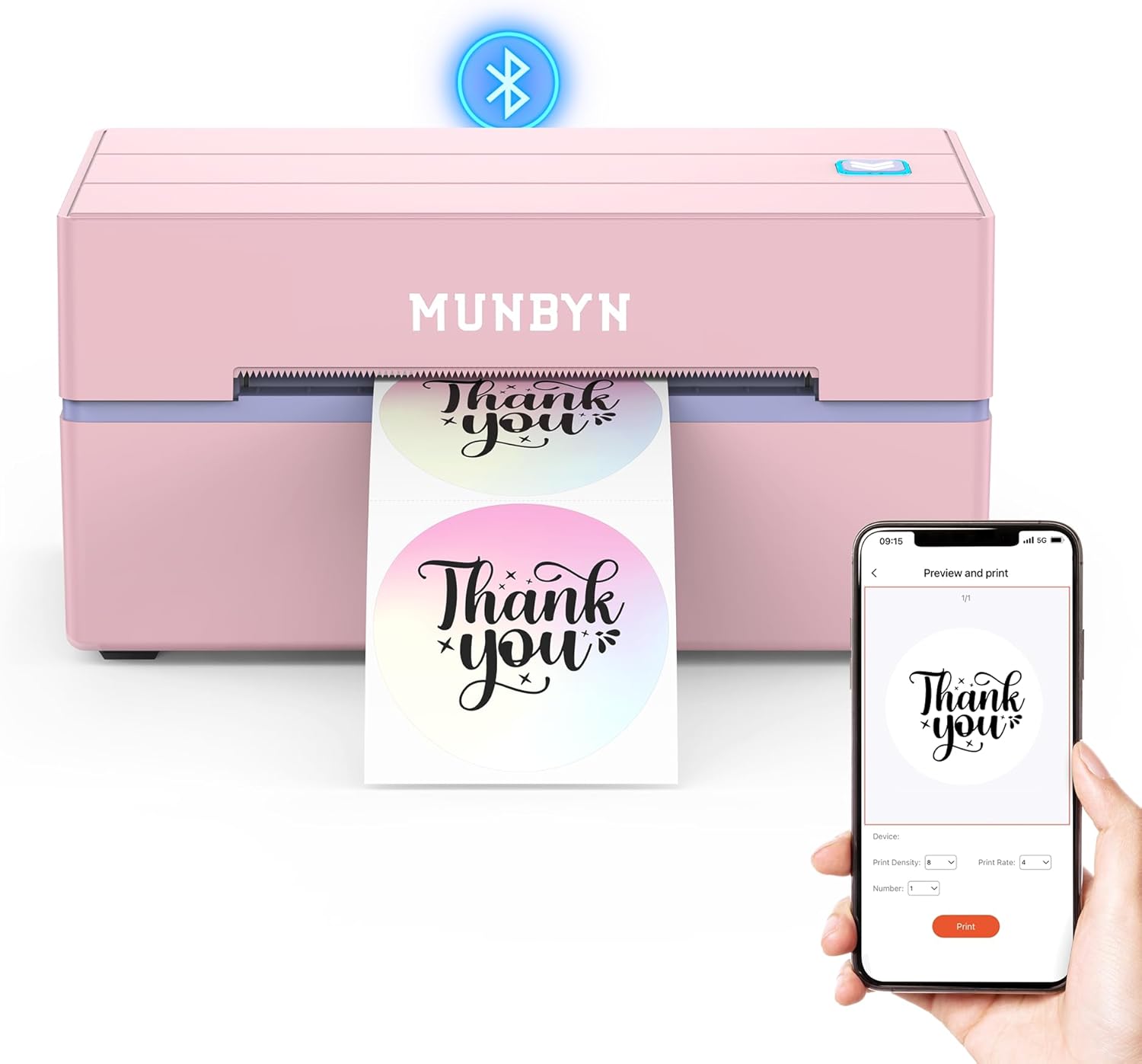
MUNBYN ITPP130B Thermal Label Printer
| Printer Type | Thermal |
|---|---|
| Maximum Media Size | 4 x 6 inch |
| Resolution | 203 x 300 dpi |
| Printer Connectivity Type | Bluetooth |
| Hardware Interface | USB |
The MUNBYN ITPP130B is a small, Bluetooth-capable thermal label printer built for shipping labels, barcode/QR code stickers, and general business or home organization tasks. It connects to phones and tablets through the MUNBYN Print app and to laptops via a Chrome-based web editor, with USB as a wired fallback, so setup and printing from multiple devices is straightforward. The printer handles common 4×6 shipping labels and a range of specialty and circle/rectangle label sizes, prints at 203 dpi for clear barcodes and text, and offers a library of templates, fonts, and design elements for quick customization. Its inkless thermal printing keeps running costs down and the compact footprint fits a small desk or packing station. Limitations to note are occasional compatibility quirks with some UPS thermal paper mentioned by the manufacturer and the 203 dpi resolution, which is fine for shipping and everyday labels but not for high-resolution photo-quality prints.
Best for: Buyers who want a compact, easy-to-use label printer for everyday shipping, small-business fulfillment, and home organization with mobile and desktop workflow support.
Less Ideal for: Users who need photo-quality label prints or who require strict compatibility with nonrecommended third-party thermal paper types.
- Bluetooth and USB connectivity for phones, tablets, and PCs
- Inkless thermal printing reduces consumable cost and mess
- Supports standard 4×6 shipping labels and various specialty sizes
- Includes app and web editor with templates, fonts, and design elements
- 203 dpi resolution is not suited for high-detail graphic prints
- Manufacturer notes potential issues with certain UPS thermal paper
Verdict: A compact, inkless Bluetooth label printer that makes shipping and everyday label production fast and inexpensive for small businesses and home pack stations.
Westinghouse WHTP203e Thermal Label Printer

| Printer Type | Thermal |
|---|---|
| Print Resolution | 203 DPI |
| Maximum Media Size | 4 x 6 inch |
| Printer Connectivity Type | Ethernet, USB |
| Maximum Copy Speed Black and White | 360 pages_per_minute |
The Westinghouse WHTP203e is a direct thermal 4×6 label printer built for small business and e-commerce shipping use. It connects over USB or Ethernet and prints monochrome labels at up to 6 inches per second with a 203 DPI resolution for clear text and basic graphics. The unit ships with starter labels, a USB flash drive with drivers, and an internal label holder so you can get printing quickly, and it supports fanfold or roll media and common core sizes. Because it is a direct-thermal device it does not require ink or ribbons, simplifying maintenance and lowering consumable cost for standard shipping labels. Practical limits include the 203 DPI resolution, which is fine for barcodes and address labels but not for high-detail graphics, and the lack of Bluetooth or USB-C in the box which may require adapters or network setup for some workflows. The printer's commercial-grade build and automatic duplex mention suggest durability and steady throughput in a shipping station, making it suitable for regular label volumes rather than occasional home use.
Best for: Buyers who prioritize reliable, high-throughput shipping label printing for e-commerce or small warehouse operations and need a durable, network-capable desktop printer.
Less Ideal for: Users who only print labels occasionally at home or who need high-resolution photo-quality labels and long-term archival prints.
- Fast print speed up to 6 inches per second for quick batch label jobs
- 203 DPI resolution adequate for clear addresses and barcode printing
- USB and Ethernet connectivity for desktop and networked shipping stations
- Ships with starter labels, USB flash drive with drivers, and internal label holder for quick setup
- Direct thermal printing can fade over time and is not suited for long-term archival labels
- No built-in Bluetooth or USB-C cable included which may require additional adapters
Verdict: Choose the WHTP203e if you need a fast, commercial-grade 4×6 thermal printer that handles steady shipping label volumes with reliable networked connectivity.
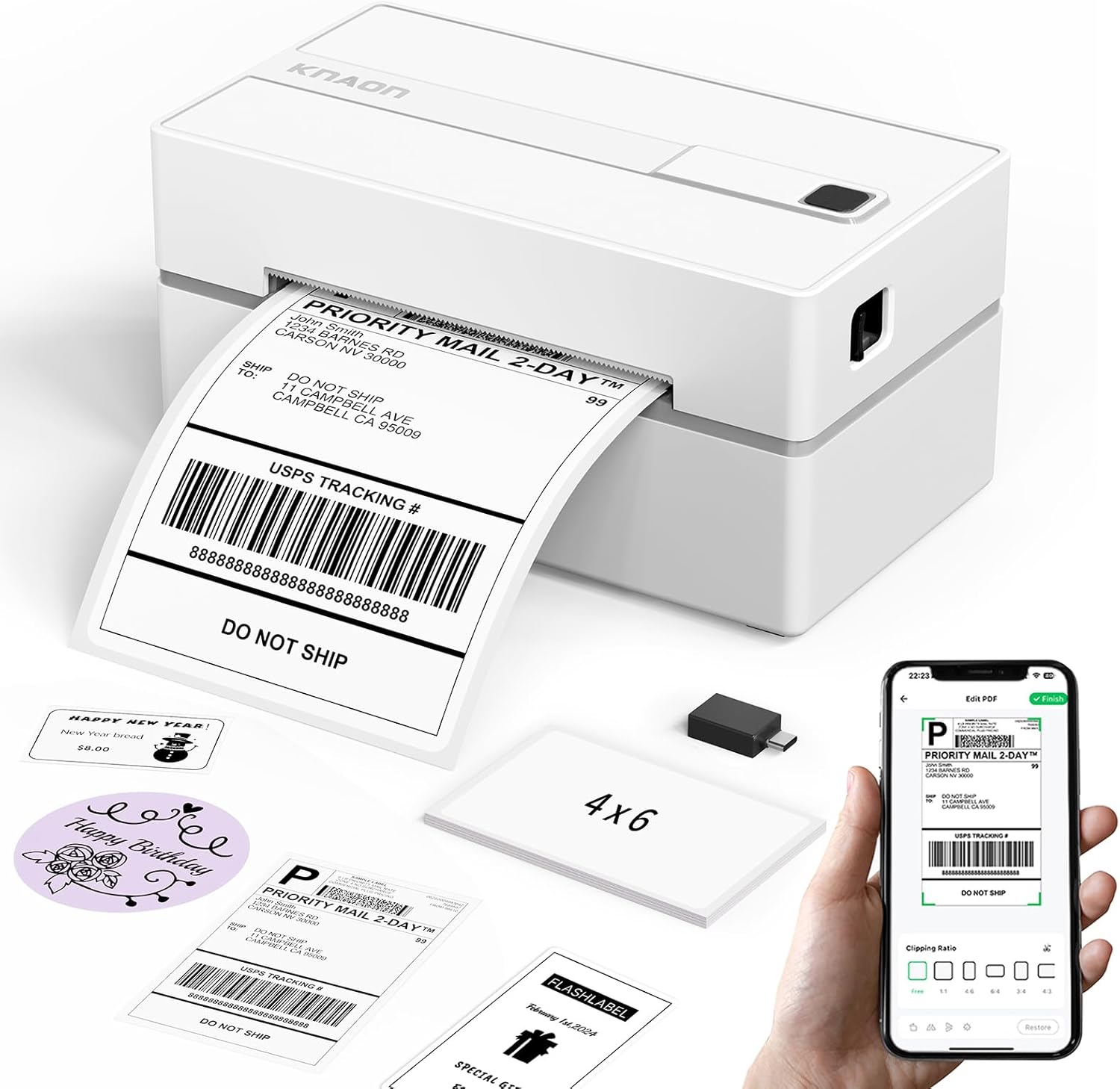
KNAON Y813BT Thermal Label Printer
| Printer Type | Thermal |
|---|---|
| Print Resolution | 203 dpi |
| Maximum Media Size | 4.2 inches |
| Connectivity | Bluetooth, USB |
| Print Speed | 60 pages_per_minute |
The KNAON Y813BT is a small desktop thermal label printer built for shipping labels and basic label tasks. It connects over Bluetooth or USB and works with the vendor FlashLabel Pro app on iPhone, Android, Windows, macOS and ChromeOS, letting you print saved PDF shipping labels or create custom templates from the app. The unit handles thermal media between about 1.5 and 4.2 inches wide and ships with sample label paper and a USB-C cable and adapter for quick setup. At up to 180 mm/s (about 60 ppm equivalent), it prints address and barcode labels quickly enough for light to moderate daily use. The 203 dpi resolution is typical for shipping labels and barcodes but not for fine graphics or photos. Setup relies on the app and provided drivers, which simplifies most workflows but means advanced users who need direct Bluetooth printing without the app may find it restrictive. Its compact footprint and included starter media make it a practical choice for small businesses, sellers on marketplaces, or home offices that need reliable, fast thermal label printing without ink.
Best for: Buyers who need a compact, no-fuss printer to produce shipping labels and basic barcode/address tags quickly from phones or a desktop and who prioritize simple setup and reliable output over photo-quality printing.
Less Ideal for: Users who regularly need high-resolution label graphics, photo printing, or workflow setups that require native Bluetooth printing without vendor software should consider alternatives.
- Wireless Bluetooth printing for mobile devices and Bluetooth-capable computers
- USB connectivity with included cable and preloaded drivers for easy desktop setup
- Supports a range of thermal widths up to 4.2 inches for standard 4×6 shipping labels
- Fast print speed suitable for light to moderate daily shipping volumes
- Includes starter label papers and tutorial resources to get up and running quickly
- 203 dpi resolution is adequate for barcodes and text but not for high-detail graphics
- Requires the FlashLabel Pro app or provided drivers for printing; direct native Bluetooth printing without the app is limited
Verdict: A compact, fast thermal label printer that makes reliable 4×6 shipping and barcode label printing easy for small sellers and home offices.
TATTMUSE 4×6 Thermal Label Printer

| Maximum Media Size | 4 x 6 inches |
|---|---|
| Resolution | 203 x 203 |
| Printer Connectivity Type | Bluetooth |
| Hardware Interface | USB |
| B&W Pages per Minute | 72 pages_per_minute |
The TATTMUSE 4×6 Thermal Label Printer is a compact shipping-label printer designed for small businesses and home offices that need quick, ready-to-print labels. It prints monochrome labels at 203 dpi and accepts common label sizes up to 4×6 inches, producing scannable barcodes and shipping information without ink. You can connect over Bluetooth using the Labelife app on iOS or Android for mobile printing, or plug in via the included USB cable for Windows, macOS, or Chrome OS after installing the driver. The unit emphasizes speed and reliability with automatic calibration and anti-jam adapters to reduce misfeeds, and the vendor claims a long head life suitable for moderate daily volume. Limitations include no color printing and a basic 203 dpi resolution, so graphics or very fine detail will be limited compared with higher-resolution models, and app pairing requires using the specific app rather than standard OS-level Bluetooth pairing. For buyers focused on economical, space-saving label printing for shipping, inventory, and returns, this printer covers the essentials with straightforward setup and a small footprint.
Best for: Buyers who need an affordable, no-frills label printer to produce standard shipping and barcode labels quickly from phones or a PC and prefer a compact, space-saving device.
Less Ideal for: People who need color labels, very high-resolution graphics, or enterprise-level heavy-duty printing should consider higher-end or industrial models instead.
- Prints standard 4×6 shipping labels and common barcode sizes without ink or toner
- Bluetooth and USB connectivity for phone/tablet and computer workflows
- Automatic calibration and anti-jam adapter reduce misaligned prints and paper waste
- Compact, lightweight design conserves desk space and is easy to move
- Monochrome only with 203 dpi limits fine graphic detail
- Bluetooth pairing must be done through the app rather than system Bluetooth pairing
Verdict: A budget-friendly, compact thermal printer that reliably produces standard black-and-white 4×6 shipping and barcode labels from mobile devices or a PC.
Rollo USB Shipping Label Printer X1038

| Printer Type | Thermal |
|---|---|
| Print Resolution | 203 x 203 DPI |
| Maximum Media Size | 4.1 Inch Width |
| Printer Connectivity Type | wired |
| Hardware Interface | USB |
The Rollo USB Shipping Label Printer X1038 is a direct thermal desktop printer built for steady label output in small business shipping workflows. It connects over USB to Windows and Mac systems, uses inkless thermal printing and supports label widths from about 1.57 to 4.1 inches so it handles standard 4×6 shipping labels and many custom sizes. In practice the unit feeds fanfold or roll media, detects labels automatically, and prints at a practical 203 dpi so barcodes and addresses scan reliably. Rollo advertises a fast throughput (about one 4×6 label per second) and the printer includes a power adapter and USB cable out of the box. Setup is straightforward when drivers are installed and the company offers shipping software and live support if you need help. Limitations to note are wired-only USB connectivity on this model and the 203 dpi ceiling, which is fine for shipping labels but not for very high‑detail graphics or photo-quality prints.
Best for: Buyers who prioritize a durable, no-frills printer that reliably produces clear, scannable shipping and barcode labels for steady daily volume.
Less Ideal for: If you need wireless printing from mobile devices, photo-quality label printing, or a multifunction office printer, choose a different model or interface option.
- Direct thermal inkless printing eliminates ink and cartridge costs
- Auto label detection simplifies feeding fanfold and roll labels
- Compatible with Windows and Mac and integrates with major shipping platforms
- Fast output suitable for high daily label volumes
- Includes power adapter and USB cable for out-of-box use
- No built-in Wi‑Fi; this model requires a USB-connected computer
- 203 dpi resolution limits extremely fine graphic detail
Verdict: Choose the Rollo X1038 when you want a reliable, high-speed, inkless USB label printer focused on consistent shipping and barcode printing.
JADENS JD268BT Thermal Label Printer

| Printer Type | Thermal |
|---|---|
| Resolution | 203 x 203 DPI |
| Maximum Media Size | 4 x 6 inches |
| Printer Connectivity Type | Bluetooth |
| Maximum Sheet Capacity | 50 |
The JADENS JD268BT is a compact thermal label printer built for shipping and general label tasks. It uses a 203 x 203 DPI thermal print head so you get clean monochrome 4×6 and smaller format labels without ink or toner, and it accepts both roll and fanfold media. Connectivity is primarily Bluetooth for quick mobile setups and there is a USB port for Windows and Mac computers, with an app available for Android and iOS to handle label formatting. The unit handles common label sizes including 4×6, 3×3 and smaller and holds up to about 50 sheets at once, which suits low- to moderate-volume shipping. Setup is straightforward with a driver and calibration routine via the feed button, and the package includes a USB cable, power cord and 50 test labels. Expect reliable, economical printing for online sellers, but note the 203 DPI resolution is standard not high-resolution and mobile Bluetooth printing on phones requires the vendor app rather than native OS printing, which adds a step for some workflows.
Best for: Buyers who want an affordable, easy-to-set-up label printer for occasional to moderate shipping or marketplace sales and who value low operating cost and straightforward mobile or desktop connectivity.
Less Ideal for: Businesses that need high-resolution label graphics, very large daily print volumes, or seamless native phone printing without using a vendor app should consider higher-end or specialist models.
- Thermal printing requires no ink or toner so running costs are low.
- Bluetooth plus USB connectivity supports both mobile and desktop workflows.
- Accepts common shipping label sizes including 4×6 and smaller formats.
- Includes essentials out of the box: power cord, USB cable and 50 test labels for quick setup.
- 203 x 203 DPI is adequate for shipping labels but not for fine graphics or high-detail stickers.
- Paper capacity and throughput are geared to small or moderate volume rather than heavy shipping operations.
Verdict: A budget-friendly, inkless 4×6 thermal printer that delivers simple, reliable shipping label printing for small sellers and light-duty shipping workflows.
NULLTONEX Y813 Thermal Label Printer

| Printer Type | Thermal |
|---|---|
| Maximum Media Size | 4 X 6 Inches |
| Resolution | 203 x 203 dpi |
| Printer Connectivity Type | Bluetooth, USB, wireless |
| Power Consumption | 24 watts |
The NULLTONEX Y813 is a direct thermal 4×6 label printer built for shipping and barcode tasks in small business settings. It prints monochrome labels at 203 dpi using thermal media, so there is no ink or toner to replace, and it supports print speeds up to about 72 labels per minute for steady throughput during busy packing sessions. Connectivity options include Bluetooth for mobile printing via the FlashLabel Pro app and a USB link for a stable wired connection to laptops and PCs. The included app offers many templates and local storage for offline printing, which simplifies label layouts and rapid repeat jobs. The unit is compact and designed for continuous runs with overheat protection, and it ships with starter labels and cables to get running out of the box. Limitations to note are the fixed 203 dpi resolution and black-only output, which is standard for thermal shipping printers but not suited for color labels or very high-resolution graphic printing.
Best for: Buyers who want a low-maintenance, ready-to-use shipping label printer that handles steady daily volume and prefers simple mobile or USB connectivity without managing ink supplies.
Less Ideal for: Users who need color labels, photographic-quality prints, or enterprise systems requiring specialized high-resolution label production should consider other options.
- Direct thermal printing eliminates ink or toner replacement
- Bluetooth and USB dual connectivity for mobile and wired workflows
- Compact, durable design with built-in overheat protection for long runs
- Includes starter 4×6 labels and necessary cables for immediate use
- Monochrome 203 dpi output limits fine-detail graphics and color labels
- Driver or app setup may be required for Bluetooth on some Windows PCs
Verdict: A compact, no-ink 4×6 label printer that delivers dependable monochrome shipping labels with both Bluetooth and USB convenience.
Choosing the Right Thermal Shipping Label Maker: Key Factors to Consider
Print Speed and Throughput
Print speed determines how many labels you can produce per hour and directly affects packing-line efficiency. Faster units reduce queue time during peak periods and help fulfill larger batches without creating bottlenecks.
Consider both rated dots-per-second and real-world continuous throughput for common 4×6 shipping labels. Also account for warm-up time from cold start and how the device handles long, repeated print jobs without overheating or pausing.
Label Size and Media Compatibility
Shipping label makers must support standard shipping formats, commonly 4×6 inches, and occasionally other sizes for different carriers or international shipments. Confirm the maximum and minimum label widths, roll diameter, and whether the unit accepts die-cut labels or fanfold rolls.
Media availability matters long term. Choose devices that use widely available thermal label rolls to avoid sourcing delays and that clearly state supported adhesives for different package surfaces.
Connectivity and Integration
A label maker that connects smoothly to your order management or shipping software reduces manual steps. Look for USB, Ethernet, and wireless options depending on your packing station layout, and check for driver support across your operating systems.
Integration also includes print language support and compatibility with standard label formats. Units with direct plugin or cloud printing features can simplify workflows for distributed teams or mobile workstations.
Durability and Thermal Head Life
Thermal heads wear over time and can be a major maintenance expense if they fail prematurely. Look for published thermal head life in meters or a clear duty-cycle specification to estimate replacement intervals.
Durability also covers the housing and internal components. Units intended for heavy daily use should have robust mechanisms for roll handling and consistent platen pressure to minimize jams and alignment issues.
Ease of Use and Media Loading
A well-designed loading mechanism and intuitive controls reduce downtime and mistakes. Quick-release covers, clear media-path markings, and simple calibration cut the learning curve for new staff.
Consider the visibility of status lights and error messages. Devices that provide straightforward prompts and tool-free access for cleaning make routine upkeep faster and lower the chance of misfeeds.
Maintenance and Consumables
Beyond the initial unit, ongoing costs and effort for consumables and maintenance are critical. Evaluate how easy it is to clean the thermal head, change rollers if applicable, and source replacement parts.
Also consider whether the device requires special cleaning kits and how often maintenance is recommended under your expected monthly label volume. Predictable consumable lifecycles help budget for long-term operation.
Choosing the Right Label Size
Standard 4×6 labels cover most carrier requirements and printing templates. If you need alternate formats, confirm the label maker supports those widths and that your shipping software can generate the correct templates.
When handling mixed shipments, a device with adjustable guides or multiple preset widths reduces manual trimming and reformatting. Also plan for label roll capacity so you are not constantly replacing media during busy shifts.
- Confirm support for 4×6 and any additional required sizes
- Check roll core diameter and maximum roll outside diameter
- Look for adjustable label guides or preset size settings
Networked Vs Local Printing
Decide whether the printer should be attached directly to a single workstation or shared over a network. Ethernet-connected units are reliable for fixed packing stations and multiple users, while USB or direct connection is simple for a single desktop setup.
Wireless options provide flexibility for mobile packing tables but can introduce connectivity troubleshooting. If you choose networked printing, ensure the device supports static IP assignment and has clear network configuration steps.
- Ethernet for multi-user stability
- USB for single-station simplicity
- Wi-Fi for mobile workstations, with potential tradeoffs
Software Compatibility and Drivers
Check that the label maker supports the shipping, fulfillment, or point-of-sale software you use. Native driver support often provides better layout fidelity and fewer scaling issues than generic drivers.
Some units offer built-in label templates and simple apps for quick setup. If you rely on custom templates or barcode formats, verify that the device can print those accurately and that developer documentation exists for integrations.
- Confirm driver support for your OS
- Look for template or app options for quick setup
- Verify barcode and custom template printing capability
Setting Up a Small Packing Station
Arrange the label maker near your scale and packing materials to minimize motion during fulfillment. A stable surface, good cable routing, and adequate space for label roll replacement keep operations smooth.
Consider a simple workflow: pick, pack, weigh, print, and apply. Place the label maker so the operator can apply labels without walking to another table. Good lighting and an anti-static mat can also reduce handling errors.
- Place printer near scale and tape dispenser
- Allow space for roll changes and maintenance
- Optimize cable routing and workstation ergonomics
Keeping Labels Legible and Durable
Thermal labels can fade or smear under certain conditions. Use compatible label materials for intended shipping environments, especially if packages may be exposed to moisture or extreme temperatures.
For long transit times or rough handling, choose adhesives and thermal coatings rated for scuff resistance. Regularly inspect printed samples for clarity and adjust darkness or speed settings to improve legibility without shortening thermal head life.
- Select media rated for transit conditions
- Adjust darkness and speed to balance clarity and head wear
- Inspect prints routinely for quality control
How We Chose the Best Thermal Shipping Label Maker
We prioritized practical performance and real-world fit for businesses and individuals who print shipping labels regularly. Our selection process focused on concrete, measurable attributes that influence daily operation: print speed under typical label sizes, compatibility with common shipping and accounting software, connectivity options including USB and network support, and supported label widths and media roll capacity. We also weighed print durability and thermal head longevity, plus ease of loading and basic maintenance requirements. We excluded units designed primarily for address stickers, barcode-only applications, or general office labelers that do not support standard shipping label formats. We did not consider devices lacking clear documentation for label sizes or those with only proprietary, hard-to-source media. The final picks emphasize dependable throughput, straightforward setup, and clear connectivity so buyers can match a label maker to their volume and integration needs.
Our full evaluation process is outlined in our review methodology.
FAQ
Will a thermal label maker work with my shipping software?
Often. Many thermal shipping label makers offer drivers and integrate with common shipping and fulfillment platforms. Check the device specifications for supported operating systems and whether it lists compatibility with your software or supports standard label formats.
How long do thermal heads typically last?
Thermal head life varies by use but is commonly specified in meters of printed media or a duty-cycle rating. Heavier daily printing shortens head life, so factor in expected monthly volume and whether head replacements are user-serviceable.
Can I use generic label rolls?
Yes, if the rolls match the required width, core size, and adhesive type. Using widely available standard-format rolls helps avoid supply issues. Confirm the printer accepts die-cut or continuous rolls depending on your preference.
Do I need a network connection for multiple users?
A networked printer simplifies sharing between multiple packing stations. Ethernet connections offer stable multi-user access, while Wi-Fi allows more flexible placement but can require additional troubleshooting.
How do I prevent labels from smudging in transit?
Choose thermal media with appropriate coatings and adhesives for the shipment environment. Adjust printer darkness and speed settings for more durable prints and inspect a few samples to ensure barcodes and addresses remain scannable after handling.
Final Verdict
Prioritize the combination of print speed, media compatibility, and connectivity that matches your daily throughput and software environment. Faster printers and robust label handling pay off when you process large batches, while simple USB units fit small operations with minimal setup. Balance purchase factors against maintenance needs like thermal head life and consumable availability. Focus on the few criteria that matter most to your workflow and pick a thermal shipping label maker that streamlines packing, reduces errors, and fits your station layout for dependable shipping performance.