
Note: This article contains affiliate links. If you click on these links and make a purchase, we may earn a small commission at no extra cost to you. This helps support our research and content. Read our full affiliate disclosure here.
When you need durable, weather-resistant labels that stay legible through sun, rain, and temperature swings, the right label maker matters. Outdoor labeling is essential for garden tools, irrigation systems, utility markers, storage bins, and any item exposed to the elements. Choose a unit that reliably prints tough materials and supports the right tape types for UV and moisture resistance. This guide shortlists the top label makers for outdoor use and explains the practical features buyers should prioritize. We evaluated durability, print clarity, and tape compatibility to assemble the best options for long-term outdoor identification. Read on to find the label maker that fits how and where you plan to use it.
Top Picks at a Glance
| Best Overall The best all-around choice for most situations | DETONGER DT5150P Label Printer |  |
| Best Quality Built to a higher standard if you want something more solid | Brady M210 Handheld Label Maker |  |
| Best Value The sweet spot between price and what you get | SUPVAN T50M Pro Label Maker |  |
| Best Budget The cheapest option that still gets the job done reliably | NDYIN N12 Label Maker |  |
| Top Rated A top-rated pick with lots of positive feedback | Brother P-touch PTD210 | 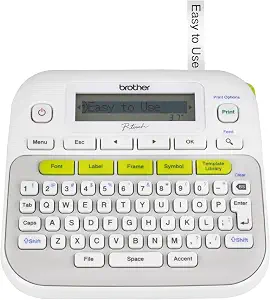 |
| Most Popular A crowd favorite that many people choose with confidence | Nelko P21 Label Maker |  |
| Best Seller A high-volume bestseller chosen again and again | Brother P-touch PT-N10 |  |
DETONGER DT5150P Label Printer

| Maximum Print Resolution Black and White | 300 dots_per_inch |
|---|---|
| Printer Connectivity Type | Bluetooth |
| Paper Size | 1.57*2.36 inches |
| Maximum Media Size | 1.57*6.69 |
| Printer Type | Thermal |
The DETONGER DT5150P is a portable thermal transfer label printer built for demanding outdoor and job-site use. It prints monochrome labels at 300 dpi using all-in-one ribbon cartridges so you get waterproof, fade-resistant, and scratch-resistant output suitable for cables, pipes, equipment tags, and inventory markers. The unit connects by Bluetooth and supports design and template editing from a mobile app or PC, and it has an internal cutter for pre-cut labels to speed batch work. The reinforced shockproof, dustproof housing and sunlight-resistant thermal transfer media are practical for construction, warehouse, and field environments, and the rechargeable dual 1500mAh batteries claim around four hours of continuous printing with fast 5V/1A charging. Trade-offs to note are the monochrome-only output and the fixed label width range (roughly 0.3"–1.65"), so it is not suited for color branding or very wide-format labels, and some users report mixed feedback on software and reliability. For outdoor tasks where durability and portability matter, the DT5150P focuses on reliable, long-lasting labels rather than graphic versatility.
Best for: Buyers who need a rugged, portable label printer that produces tough, long-lasting labels for outdoor, construction, or industrial marking and prioritize durability and ease of use over color printing.
Less Ideal for: Those who need full-color labels, very wide-format printing, or a desktop replacement for high-volume office graphics should consider different printers.
- Thermal transfer printing produces waterproof, fade- and scratch-resistant labels for outdoor exposure.
- Rugged, shockproof and dust-resistant housing suited to job-site conditions.
- Bluetooth connectivity plus mobile app and PC editor for flexible template design.
- All-in-one ribbon cartridges simplify consumable changes and include label and ribbon.
- Rechargeable dual batteries with fast charging support extended portable use.
- Prints only in monochrome, so it cannot produce color logos or multi-color labels.
- Label width range is limited to small-to-medium sizes, not suitable for very wide labels.
- Some users report inconsistent software/drivers or mixed reliability in real-world use.
Verdict: If you need tough, weatherproof labels on the go for outdoor or job-site work, the DT5150P delivers durable thermal-transfer prints in a rugged, portable package.
Brady M210 Handheld Label Maker

| Printer Type | Thermal |
|---|---|
| Resolution | 203 x 203 dpi |
| Maximum Media Size | 0.75 inch |
| Control Method | App |
| Compatible Cartridge | M21-750-499 |
The Brady M210 is a handheld thermal label printer built for on‑the‑job marking and safety labeling. It prints monochrome labels from Brady cartridges and is controlled through a smartphone app, which makes composing and sending labels simple when you are working on site. The unit offers 203 dpi print resolution for crisp text on narrow media up to 0.75 inch wide and accepts Brady M21 cartridges for common industrial tapes. Durable build features include resistance to six‑foot drops, and the small LCD and portable form factor let you use it at a bench, on a ladder, or in a truck. Print speed is modest, geared toward short runs rather than high‑volume batch printing, and it prints only in black so it is not suited to multi‑color marking. Power and supply info are handled via the compatible cartridges rather than integrated rolls, so you will want to keep spares handy during continuous site work.
Best for: Professional technicians and safety crews who need a tough, portable labeler for site marking and short, precise label runs where durability and legibility matter most.
Less Ideal for: Users who need fast, high-volume label production or full-color, multi‑color labeling for complex coding schemes should consider larger or color-capable systems.
- Rugged construction with six‑foot drop resistance for jobsite durability
- App control for composing labels from a smartphone
- 203 dpi resolution for clear, legible text on narrow labels
- Compact handheld design that is easy to carry and use on ladders or in tight spaces
- Monochrome printing only so no color-coded labels
- Relatively slow print speed better suited to intermittent use than high-volume runs
Verdict: Choose the Brady M210 when you want a rugged, handheld thermal labeler that delivers clear, professional safety labels in the field.
SUPVAN T50M Pro Label Maker

| Printer Type | Thermal |
|---|---|
| Controller Type | Android / iOS |
| Resolution | 203 |
| Printer Connectivity Type | USB |
| Power Consumption | 10 watts |
The SUPVAN T50M Pro is a Bluetooth-enabled thermal label printer that uses an app on iOS or Android to design and print monochrome labels up to about 2 inches wide. You create labels from your phone or tablet using the free app, which includes fonts, frames and hundreds of icons plus image and barcode support, and the device prints without ink using thermal tape. In practice it is quick to set up, the included 40 mm x 30 mm tape produces sharp, easily readable output at 203 dpi, and the waterproof label material holds up well for outdoor-facing tasks like address labels, plant tags, cable markers and outdoor storage bins. It is USB-C rechargeable and lightweight for occasional transport. Limitations to note are the single-color thermal output and relatively small media width, so it cannot produce multi-color or wide-format signs, and advanced users who need very high-throughput industrial printing may find the tray and sheet capacity modest.
Best for: Buyers who want a compact, app-driven label maker for practical outdoor tasks like labeling bins, plant pots, cables, and shipping labels and who value waterproof, easy-to-create labels.
Less Ideal for: People needing multi-color printing, wide-format labels, or high-volume industrial label production should choose a different solution.
- Thermal inkless printing produces clear, high-contrast labels without cartridges
- App-driven design with 30+ fonts and 660+ icons plus image and barcode support
- Waterproof label material suitable for outdoor exposure
- USB-C charging and lightweight, portable design
- Monochrome-only output limits design flexibility
- Maximum label width of about 2 inches restricts larger signage
Verdict: A portable, app-controlled thermal label maker that delivers waterproof, high-clarity monochrome labels ideal for outdoor organization tasks.
NDYIN N12 Label Maker
| Printer Type | Thermal |
|---|---|
| Connectivity | Bluetooth |
| Resolution | 203 x 203 dpi |
| Built-In Media | 1*180 Pre-cut white labels (14×40mm) |
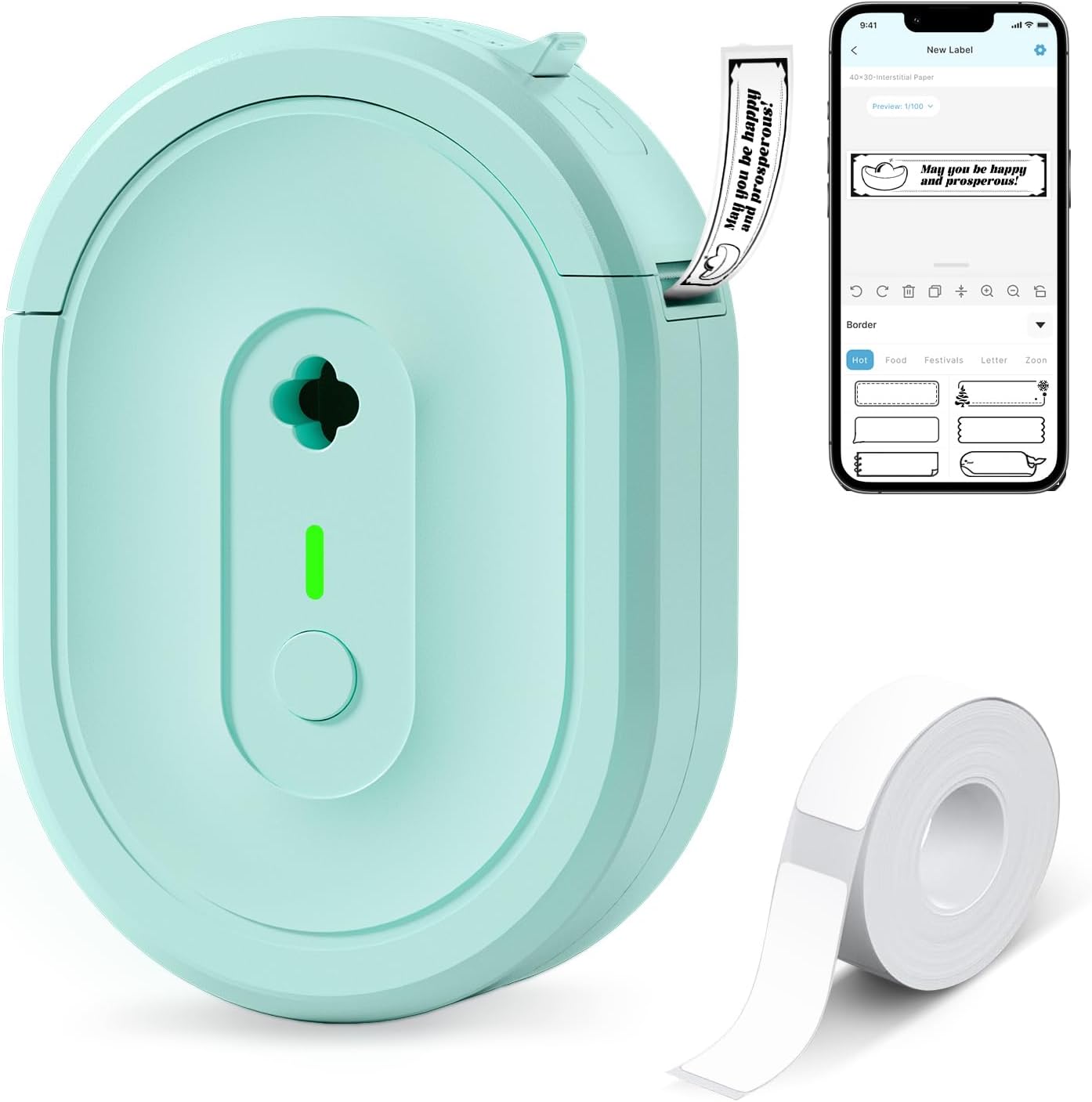
The N12 is a small, battery-powered thermal label printer that connects over Bluetooth to the free Nada Print app so you can design and print basic black-and-white labels from a phone or tablet. It ships with a starter roll of pre-cut labels and a charging cable and uses direct thermal technology, so no ink, ribbons, or toner are required. The app offers many templates, symbols, frames, and fonts that make creating address, spice, cable, and price tags quick and easy. Print quality is typical for a low-cost thermal unit at 203 dpi, which is fine for text, simple barcodes, and name tags but not for high-resolution graphics. Its compact, lightweight form makes it highly portable for field tasks, and the rechargeable battery avoids constant battery swaps. Limitations include fixed label widths and monochrome output, and direct thermal labels can fade with prolonged sun or heat exposure, so durability outdoors will depend on label stock and exposure conditions.
Best for: Buyers on a tight budget who need a small, portable label printer for quick on-site labeling, short-term outdoor tasks, or general home and small-business organization using a smartphone.
Less Ideal for: People who need weatherproof, long-lasting outdoor labels for extended sun or moisture exposure or who require high-resolution graphic printing should choose a printer and label stock rated for outdoor durability.
- Bluetooth pairing with smartphones and tablets for wireless mobile printing
- Direct thermal printing requires no ink, toner, or ribbons
- Includes starter pre-cut labels and a rechargeable battery for immediate use
- Compact and lightweight for easy portability in the field
- App offers many templates, symbols, and fonts for quick label design
- Print resolution limited to 203 dpi, so fine graphics and photo-like prints are not suitable
- Direct thermal labels can fade with prolonged sun, heat, or moisture exposure
Verdict: A very affordable, portable Bluetooth thermal label printer that’s great for quick on-site labeling and short-term outdoor tasks when paired with appropriate weather-resistant label stock.
Brother P-touch PTD210

| Print media | Labels |
|---|---|
| Paper Size | 12 millimeters |
| Printer Output Type | Monochrome |
| Printer Connectivity Type | USB |
| Power Consumption | 62 watts |
The Brother P-touch PTD210 is a compact handheld thermal label maker built for quick, no-fuss label creation around the home or small office. You select templates or one-touch shortcuts for fonts, frames, and symbols on the LCD, type your text, preview it on the screen, and print up to two lines on 12 mm laminated TZe tape. It includes 27 templates, 14 fonts, 97 frames and hundreds of symbols, which makes it useful for organizing gear, outdoor bins, and storage where clear, durable laminated labels are helpful. The unit runs on six AAA batteries or an optional AC adapter, so it can be taken to job sites or used away from outlets. Resolution and print speed are modest but fine for standard text labels; the PTD210 uses Brother's TZe tapes for water- and abrasion-resistant results, which helps for outdoor labeling. Limitations include a single narrow tape width (12 mm) and no backlight on the display, which can make setup trickier in low light, and it lacks advanced connectivity such as Bluetooth or mobile app control.
Best for: Buyers who prioritize a simple, dependable labeler that produces durable laminated labels for outdoor gear, storage, and on-site tasks and who value portability and straightforward operation.
Less Ideal for: Users who need wide-format labels, mobile app control, or backlit operation for frequent low-light use should consider other options.
- Portable handheld design that runs on batteries or optional AC power for use away from outlets
- Easy one-touch keys plus templates make common labels fast to create
- Supports laminated TZe tapes that resist water and abrasion suitable for outdoor exposure
- Includes a wide selection of fonts, frames and symbols for clear, organized labeling
- Prints only on 12 mm tape width so label sizing options are limited
- No backlit display which reduces ease of use in dim conditions
- No wireless or mobile connectivity for creating labels from a phone
Verdict: A small, battery-powered labeler that reliably produces durable laminated 12 mm labels for outdoor and on-the-go organization.
Nelko P21 Label Maker
| Printer Type | Thermal |
|---|---|
| Print Resolution | 203 DPI |
| Connectivity | Bluetooth |
| Hardware Interface | USB Type C |
| Paper Size | 15X30mm,12X40mm,14x40mm,14X50mm,14x75mm |
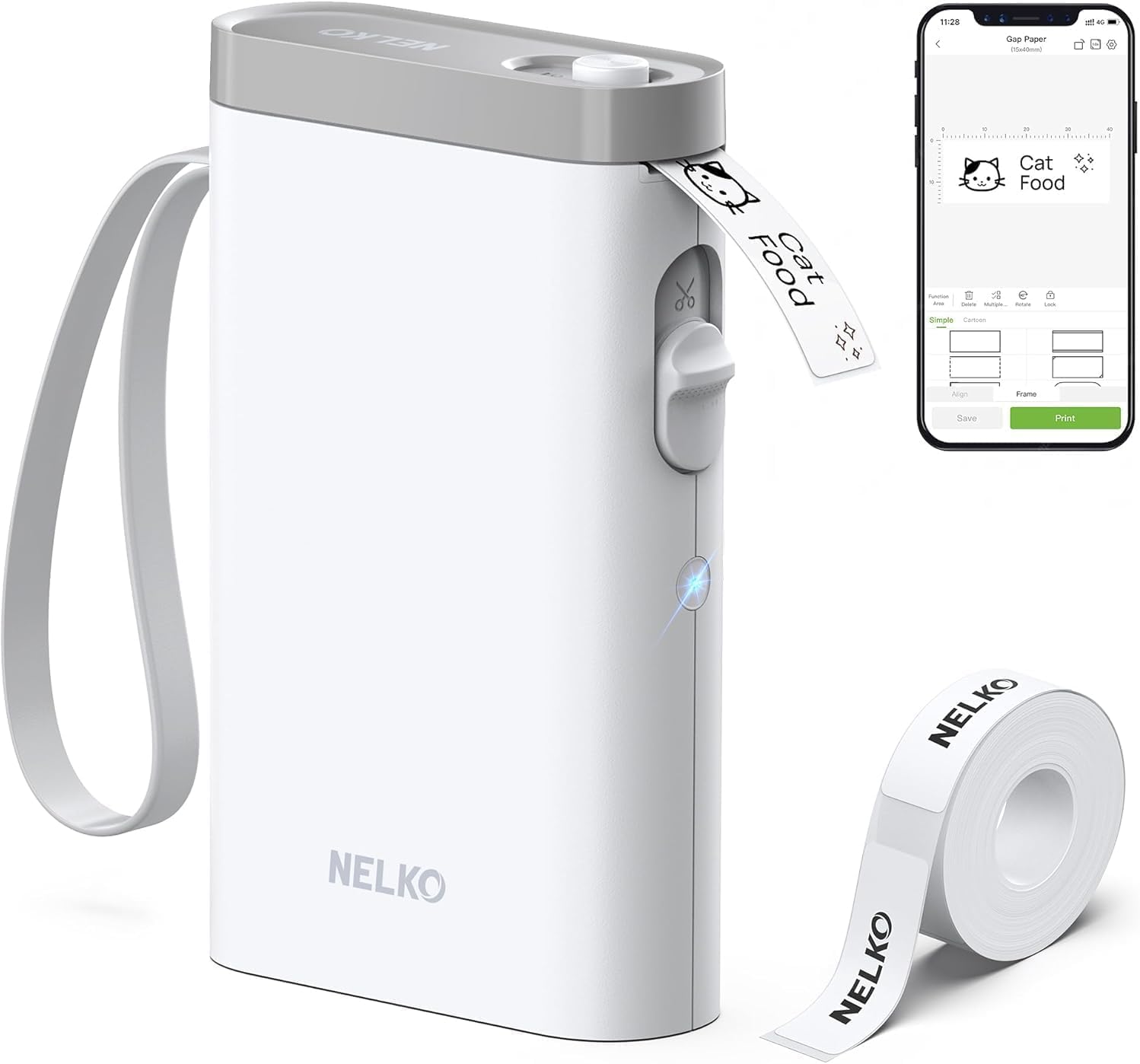
The Nelko P21 is a pocketable thermal label printer that links to iOS and Android phones over Bluetooth and prints inkless monochrome labels from the Nelko app. You design labels on your phone using templates, icons, barcodes, QR codes and borders, then send them to the P21 which cuts each label automatically. Its 203 DPI thermal print head and recommended Nelko tapes produce clear, durable text for everyday organization tasks, and the internal rechargeable battery makes it convenient for quick jobs around the house, classroom, or light outdoor tasks. Setup requires the Nelko app and selecting the exact tape size before printing, and the unit does not support printing from a computer or from Android 14 phones per the listing. The P21 supports a handful of fixed tape widths (14×40mm, 14×50mm, 14×75mm, etc.) so it is not suitable for continuous labels or custom widths, and print output is monochrome only. For buyers who want a small, app-driven labeler for tagging bins, tools, plants, or student supplies, the P21 is a capable, portable choice; heavy industrial outdoor labelling or full-color printing are outside its intended use.
Best for: Buyers who want a small, phone-controlled thermal labeler for fast, on-the-go labeling around the yard, classroom, or home and who value portability and easy template-based design.
Less Ideal for: People needing heavy-duty, weatherproof industrial labels, full-color printing, continuous tape lengths, or workflow integration with desktop computers should look elsewhere.
- Compact, lightweight design for portable use and quick on-site labeling
- Bluetooth connectivity with a phone app that offers many templates, icons and design options
- 203 DPI thermal printing produces clear, inkless monochrome text
- Built-in cutter and rechargeable battery simplify single-handed or mobile use
- Supports several common fixed tape sizes compatible with included rolls
- Monochrome-only output so no true color printing
- Requires the Nelko app and app-only Bluetooth pairing, no computer support
Verdict: A pocketable, app-driven thermal label maker that reliably prints clear monochrome labels for portable household, classroom, and light outdoor tagging tasks.
Brother P-touch PT-N10

| Printer Type | Thermal |
|---|---|
| Print media | Labels |
| Maximum Media Size | 12mm |
| Printer Connectivity Type | USB |
| Power | 6 AAA batteries |
The Brother P-touch PT-N10 is a small, battery-operated handheld label maker built for quick, personalized labeling with Brother P-touch Btag 12mm tapes. You type on a full QWERTY keyboard, preview up to 12 characters on the display, choose from three fonts, six font styles, 10 frames and 200 symbols, then print and cut two-line labels with the built-in cutter. It runs on six AAA batteries so it is truly portable for on-site jobs, outdoor events, or garden and tool labeling, and the Btag tapes are rated water, temperature and dishwasher resistant which helps labels survive damp or changing outdoor conditions. The unit saves up to 10 favorite labels for reprinting and connects via USB for basic data transfer. Limitations include a narrow 12mm tape width only and modest 180 dpi thermal resolution, so very small text or professional signage are not ideal, and it relies on AAA batteries unless you buy an AC adapter separately. For everyday outdoor labeling tasks where bold, colorful, durable tags are needed, the PT-N10 is straightforward and reliable.
Best for: Buyers who want a simple, portable label maker for durable, colorful tags — ideal for homeowners, gardeners, small outdoor-event organizers, and anyone who prefers a fuss-free device that reliably produces weather-resistant labels.
Less Ideal for: Users who need wide-format, high-resolution, or industrial labeling solutions for heavy-duty commercial equipment or signage should look at larger desktop or industrial label printers.
- Full QWERTY keyboard and preview screen make typing and checking labels fast and error-free
- Uses Brother P-touch Btag tapes that are water, temperature, microwave, dishwasher, and freezer resistant
- Portable battery power (6 AAA) lets you label on the go without needing mains power
- Built-in cutter and simple formatting options (fonts, frames, symbols) produce tidy, colorful labels
- Only accepts ~1/2" (12mm) Btag tape width, limiting larger or industrial-sized labels
- Print resolution and features are basic (180 dpi, print-only) compared with higher-end label printers
- Requires AAA batteries for portability or separate AC adapter purchase for continuous indoor use
Verdict: A compact, battery-powered label maker that produces durable, weather-resistant 12mm color labels for simple outdoor and on-the-go labeling needs.
Choosing the Right Label Maker for Outdoor Use: Key Factors to Consider
Tape Material and Weather Rating
Not all label tapes are created equal for outdoor use. Look for tapes explicitly rated for UV resistance, moisture exposure, and temperature extremes. Materials such as laminated polyester or vinyl typically hold up better outdoors than plain paper or thin adhesive films.
Tape chemistry affects adhesion to different surfaces, including rough wood, painted metal, or flexible hoses. A higher weather rating and a laminated face layer will protect printed text from abrasion and sunlight, preventing fast fading or peeling over time.
Print Contrast and Font Sizes
High contrast between text and background is essential when labels must be read from a distance or in low light. Choose a label maker that can print bold fonts and supports high-contrast tape colors like black-on-yellow or black-on-white. Adjustable font sizes and bold options help maintain legibility for small or large labels.
Consider how the label will be viewed in practice. Narrow tape with tiny text can be hard to read at a glance, while overly wide tape may not fit the mounting location. Machines that offer multiple tape widths and layout previews reduce the risk of unreadable outdoor tags.
Adhesive Strength and Surface Compatibility
Outdoor surfaces vary widely and can include rough lumber, textured plastics, or metal that expands and contracts. The adhesive must bond securely and resist moisture infiltration. Seek tapes with strong permanent adhesives designed to tolerate temperature changes and outdoor contaminants.
If you plan to label curved or flexible items, look for tapes and adhesives that stay bonded when bent. For temporary outdoor labels, removable weatherproof tapes exist but usually sacrifice some longevity compared with permanent adhesives.
Size Options and Mounting Styles
Different outdoor tasks require different label shapes and sizes. Cable and pipe identification often uses narrow, wraparound tapes, while garden stakes and equipment tags benefit from wider, longer labels. A label maker that accepts multiple tape widths and supports custom line breaks and margins gives you flexibility to tailor output to each use case.
Also consider whether you need prepunched tags, adhesive-backed tapes, or printable heat-shrink sleeves. Machines that allow simple trimming or have template presets for common outdoor mounting styles save time in the field.
Power, Portability, and Field Use
Outdoor labeling frequently happens away from a power outlet, so battery life and portability matter. Evaluate whether the unit uses replaceable batteries, rechargeable cells, or both. Lower power consumption modes and efficient print engines extend run time for long tasks.
Weight and size affect how easy it is to carry the label maker while working. Rugged housings and simple controls reduce the chance of damage and speed up label creation on ladders, scaffolds, or in wet conditions.
Connectivity and Template Support
Modern label makers often connect to phones or computers, enabling more complex layouts and the use of custom fonts or icons. For outdoor signage, being able to design labels on a larger screen can speed up work and help you preview contrast and size. Check which file formats and apps are supported and whether templates for common outdoor uses are available.
Offline functionality remains important for remote jobs. A unit that supports both standalone creation and connected design gives you flexibility when connectivity is limited.
Best Tape Types for Harsh Environments
For long-lasting outdoor identification, laminated polyester and UV-stable vinyl tapes are the most reliable choices. Laminated tapes have a protective clear top layer that shields the printed surface from abrasion and sunlight, which significantly extends readability.
If you need to wrap labels around pipes or hoses, choose a flexible vinyl with a strong adhesive and good elongation properties. For markers exposed to direct sunlight, prioritize tapes with proven UV inhibitors to limit fading over months or years.
- Laminated polyester: excellent abrasion and UV resistance
- UV-stable vinyl: good flexibility for curved surfaces
- Heat-shrink sleeves: secure for cable identification on wiring runs
- High-contrast color combinations: black-on-yellow or black-on-white for visibility
Design Tips for Outdoor Label Readability
Keep text simple and bold for maximum legibility. Use high-contrast color pairings and avoid decorative fonts that reduce clarity at a distance. If the label must be read from several feet away, choose larger font sizes and increase letter spacing slightly.
Include only essential information on each label. Overcrowding a small tape width with long phrases reduces readability. Use abbreviations or multi-line layouts with clear separators when space is limited.
- Use bold, sans-serif fonts for clarity
- Prefer single-line labels for close-up items, multi-line for larger tags
- Include symbols or icons for quick recognition when appropriate
Maintaining Outdoor Labels Over Time
Even weatherproof tapes can degrade eventually. Regular inspections and replacing labels before they fail prevents misidentification. Clean mounting surfaces before application to improve adhesion and reduce the likelihood of edge peeling.
For high-exposure areas, consider adding a clear overlaminate or placing labels under a protective cover to extend service life. Storing extra label stock in a cool, dry place preserves adhesive performance and ink longevity.
- Clean surfaces with isopropyl alcohol before applying labels
- Inspect labels seasonally in extreme climates
- Store tape rolls away from heat and direct sunlight
Working With Cable and Pipe Identification
Narrow, wraparound tapes and heat-shrink sleeves are common solutions for cables and pipes. Choose a label maker that supports the narrow tape widths required for neat wraps and has clear templates or instructions for wrapping technique.
When labeling pipes that change temperature or expand, allow for a little slack and select tapes with good flex resistance. Heat-shrink sleeves provide a secure, tamper-resistant option for wiring that moves or flexes frequently.
- Use narrow tapes (6 to 12 mm) for cable wraps
- Consider heat-shrink for permanent electrical or plumbing tags
- Test a sample label on the actual substrate before large runs
Portable Workflow and On-Site Printing
For many outdoor jobs, printing on site saves time and ensures correct sizing. Look for compact models with long battery life or the option to use rechargeable packs. Fast print speeds and simple controls cut down the time you spend creating each label.
If you rely on a phone app for design, verify Bluetooth or USB stability outdoors. Offline templates and the ability to save commonly used layouts locally help when connectivity is spotty.
- Prioritize battery life if you work remote
- Keep frequently used templates saved on the device
- Carry spare tape rolls and a small cleaning kit
How We Chose the Best Label Maker for Outdoor Use
We focused on real-world outdoor durability and long-term legibility when selecting label makers for this guide. Key evaluation criteria included the range of weatherproof tape materials supported, print permanence and UV resistance, and how legible text remains at common viewing distances. We also considered connectivity and label layout versatility so you can produce the exact size and style needed for outdoor tags, markers, and cable wraps. We filtered out machines that only work with fragile, indoor-only tape stocks. Units that offer multiple weather-rated tape options, clear contrast printing on high-contrast materials, and straightforward size settings were prioritized. We also checked build quality and battery or power options since outdoor tasks often require portability. Finally, we excluded specialty commercial embossers and industrial thermal-transfer printers that are outside the typical consumer or prosumer scope for outdoor labeling.
Our full evaluation process is outlined in our review methodology.
FAQ
What tape material lasts longest outdoors?
Laminated polyester tapes typically last the longest because the laminate layer protects printed text from abrasion and UV exposure. UV-stable vinyl is a good alternative when flexibility is needed.
Can I use any label maker outside?
Not all label makers are suitable. Many consumer models only accept indoor-grade tapes that fade or peel outdoors. Choose a unit that supports weather-rated tapes if you expect prolonged outdoor exposure.
How should I apply labels to rough or uneven surfaces?
Clean the surface thoroughly and apply firm pressure, smoothing out edges to promote adhesion. For very rough surfaces, consider choosing a tape with a stronger adhesive or using a secondary mechanical attachment like a zip tie or tag holder.
Are there tape options for electrical cables and heat exposure?
Yes, heat-shrink sleeves and heat-resistant vinyl tapes are designed for cable identification and higher temperature environments. Ensure the tape you choose is rated for the temperature range the cables will experience.
How often should outdoor labels be inspected?
Inspect labels at least once a year and more frequently in extreme climates. High-UV or high-abrasion areas may require seasonal checks and earlier replacement to maintain legibility.
Final Verdict
Outdoor labeling is a balance between durability and legibility. Prioritize tape materials rated for UV and moisture resistance, choose adhesives suited to the surfaces you work with, and select a label maker that supports the tape widths and layout options your tasks require. Portability and reliable power options are important when labeling on site. Focus on weatherproof tape compatibility and print contrast first, then consider build quality and workflow features. With those priorities in mind, you can pick a label maker that delivers long-lasting, readable outdoor identification for the kinds of projects you handle.