
Note: This article contains affiliate links. If you click on these links and make a purchase, we may earn a small commission at no extra cost to you. This helps support our research and content. Read our full affiliate disclosure here.
When you need labels that survive moisture, sunlight, and heavy wear, a waterproof label maker makes the difference between tidy organization and fading chaos. Whether labeling outdoor storage, pantry jars, toolboxes, or cables in damp basements, the right device produces legible, adhesive-backed labels that last through cleaning and exposure. This guide covers the top shortlisted waterproof label makers that meet those real-world demands. We evaluated machines on print durability, adhesion, ease of setup, and day-to-day usability so you can pick a model that fits the tasks you do most. Read on for the factors we used to select our picks and practical guidance for choosing the best unit for your needs.
Top Picks at a Glance
| Best Overall The best all-around choice for most situations | Phomemo M108 Label Printer |  |
| Best Quality Built to a higher standard if you want something more solid | LABELWORKS LW-PX700 Label Maker |  |
| Best Value The sweet spot between price and what you get | SUPVAN E10 Label Maker |  |
| Best Budget The cheapest option that still gets the job done reliably | InkWon D11S Label Maker |  |
| Top Rated A top-rated pick with lots of positive feedback | Nelko PM220 Label Maker |  |
| Most Popular A crowd favorite that many people choose with confidence | Nelko P21 Label Maker |  |
| Best Seller A high-volume bestseller chosen again and again | Brother P-touch PT-N10 |  |
Phomemo M108 Label Printer

| Printer Type | Thermal |
|---|---|
| Print Width | Up to 2 inch |
| Connectivity | Bluetooth, USB Type C |
| Built-In Media | Three label rolls (40x30mm, 50x30mm, 50x80mm) |
The Phomemo M108 is a small, portable thermal label printer designed for home, school, and small business use. It prints monochrome labels between about 3/4" and 2" wide and connects to phones over Bluetooth or to a PC via USB-C, with a rechargeable battery for cordless use. The companion Print Master app provides many templates, icons, fonts and supports QR codes, barcodes and logo/image printing, which makes it useful for shipping labels, product tags, pantry organization and barcode stickers. Because it is a thermal printer it produces waterproof, scratch-resistant labels without ink, and the included rolls cover several common sizes out of the box. Limitations are that it only prints black-and-white and speed is modest, so it is best for batches of small labels rather than high-volume production runs. The compact footprint and strong app feature set make it a practical all-round choice if you need durable labels and mobile connectivity.
Best for: Buyers who want a portable, easy-to-use label printer that makes durable waterproof labels for home organization, small business product tags, or school projects and value strong mobile app customization.
Less Ideal for: Users who need full-color labels or industrial-scale, high-speed label production should look at other options.
- Thermal printing produces waterproof, scratch-resistant labels without ink cartridges
- Bluetooth and USB-C connectivity for smartphone and PC printing
- Comprehensive Print Master app with many templates, fonts, icons and QR/barcode support
- Rechargeable battery enables cordless use and included label rolls cover common sizes
- Monochrome only, no color printing
- Relatively slow print speed not ideal for very high-volume jobs
Verdict: A compact, battery-powered thermal label printer that reliably produces waterproof black-and-white labels with strong mobile app customization for home and small-business use.
LABELWORKS LW-PX700 Label Maker

| Max Tape Width | 24 mm |
|---|---|
| Print Resolution | 180 DPI |
| Max Print Speed | 30 mm/s |
| Printer Connectivity Type | USB |
The Epson LABELWORKS LW-PX700 is a portable thermal-transfer label maker designed for industrial and field use where durable, weather-resistant labels are needed. It prints on Epson PX tapes including PET, vinyl, self-laminating wrap, heat-shrink tubing and magnetic tape, and the 180 dpi output and automatic cutter make short-run production quick and consistent. The large preview LCD and onboard keyboard let you proof labels before printing to avoid wasted tape, while USB connectivity and compatibility with Epson Label Editor let you compose more complex layouts on a PC. Practical benefits include tight margins to reduce tape waste, a broad selection of specialty tapes for color-coding or shrink-tube marking, and battery or AC power for on-site flexibility. Limitations are that mobile apps are not supported and the printer depends on proprietary PX cartridges, so sourcing tape is required for specialty materials.
Best for: Buyers who need a robust, field-ready labeler that makes long‑lasting, water‑resistant labels for equipment, cables, and outdoor or industrial environments and who prioritize print durability and material versatility.
Less Ideal for: Users who want smartphone app printing or prefer open-format, non-proprietary media sourcing should consider other options.
- Prints on many PX tape materials including heat-shrink and self-laminating wrap for hardy, waterproof labels
- 180 dpi thermal-transfer print engine yields clear text, barcodes, and simple graphics
- Automatic cutter and tight margins reduce tape waste and speed label production
- Large preview screen and full keyboard let you proof and edit labels on-device
- USB connectivity and desktop label editor support more advanced layouts from a PC
- No iOS/Android app support for phone-based printing
- Uses proprietary PX cartridges so specialty tapes must be purchased separately
Verdict: Choose the LW-PX700 when you need a portable, performance-focused labeler that produces tough, waterproof industrial labels on a wide variety of PX tape materials.
SUPVAN E10 Label Maker
| Printer Type | Thermal |
|---|---|
| Controller Type | Android / iOS |
| Printer Connectivity Type | Bluetooth |
| Hardware Interface | USB Type C |
| Maximum Media Size | 0.59 inch |
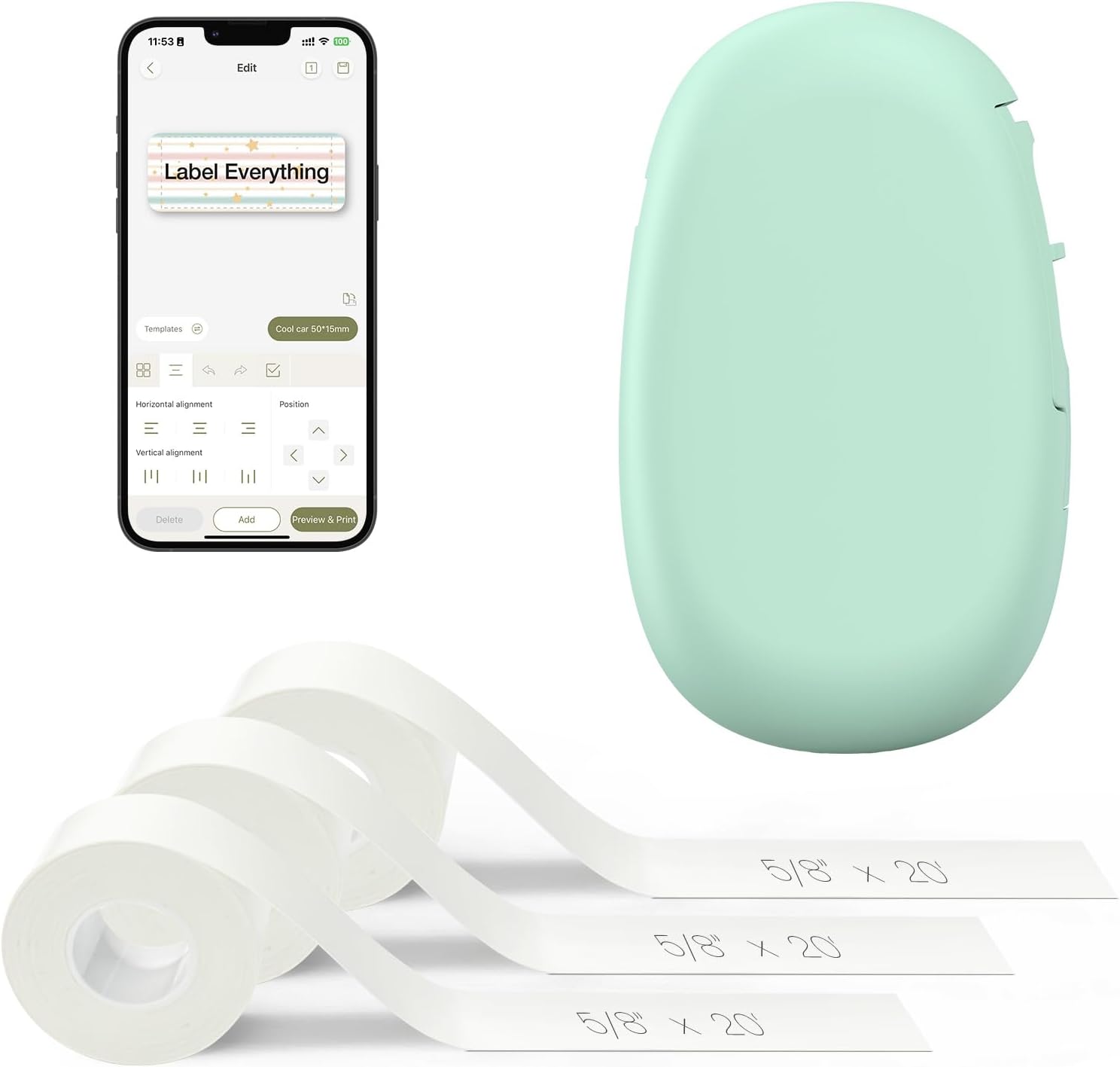
The SUPVAN E10 is a small, battery-powered thermal label printer that connects over Bluetooth and uses a companion app on Android or iOS to design and print laminated labels. It handles both continuous and die-cut tapes and includes three rolls of white continuous label media and a built-in cutter, so you can print custom-length labels or batch die-cut stickers. The app offers many fonts, frames, and icons which makes fast labeling of storage, cables, food containers, and school items straightforward. Because it is thermal and inkless, labels are waterproof, oil-proof, and scratch resistant for kitchen and bathroom use and the rechargeable battery is claimed to last a month between charges under normal use. Limitations include a narrow maximum media width (0.59 inch) so it is best for narrow labels only, and the device prints monochrome at 203 dpi which is fine for text and simple icons but not for high-resolution graphics. The small footprint and USB-C charging make it easy to keep on a shelf or in a drawer for quick labeling tasks.
Best for: Buyers who prioritize practical, durable labeling for home, school, or small office tasks and want an easy app-driven, inkless solution for organizing items and containers.
Less Ideal for: People who need wide-format labels, full-color printing, or very high-resolution graphics should look at other label printers.
- Prints on laminated, waterproof thermal tape so labels resist water, oil, and scratches
- Bluetooth app control with many fonts, frames, and icons for quick customization
- Supports continuous and die-cut tapes and includes a built-in cutter for flexible label lengths
- Rechargeable battery and USB-C charging for convenient cordless use
- Compact, lightweight design that is easy to store and carry
- Only supports narrow media (0.59 inch max) so wide labels are not possible
- Monochrome 203 dpi output is suitable for text and simple icons but not detailed graphics
Verdict: A compact, app-controlled thermal label maker that delivers durable waterproof labels ideal for practical home and small office organization.
InkWon D11S Label Maker

| Printer Type | Thermal inkless printing |
|---|---|
| Print Resolution | 203 x 203 dots_per_inch |
| Connectivity | Bluetooth |
| Print media | Thermal Paper |
The InkWon D11S is a portable thermal label maker designed for quick, inkless monochrome printing from a Bluetooth-connected app. It prints at 203 dpi onto narrow thermal label rolls and offers one-touch operation and a rechargeable battery for on-the-go use. The unit includes calibration settings in the app to fix initial alignment and supports a range of small label widths, making it useful for organizing items around the home, office, or classroom. Because it uses thermal paper there is no ink or ribbon to replace and prints are sharp for text and basic barcodes, while waterproof label tape variants provide durability for kitchen, storage, and outdoor use. Limitations include monochrome-only output and the need to calibrate and load paper correctly to avoid blank prints, and it is a single-function printer without scanning or duplex capabilities. For its size and price it delivers straightforward, low-maintenance labeling for everyday organization tasks.
Best for: Buyers seeking an affordable, compact solution to create durable, waterproof labels for home or small office organization who prioritize low operating cost and portability.
Less Ideal for: Users who need color labels, high-volume industrial labeling, or integrated scanning and advanced printer features should consider other devices.
- Inkless thermal printing eliminates ink and ribbon replacements
- Bluetooth connectivity for mobile app templates and quick setup
- Rechargeable battery for portable, on-the-go labeling
- 203 dpi resolution produces clear, readable text and simple graphics
- Monochrome-only printing, no color output
- Requires paper calibration and correct roll orientation to avoid misprints
Verdict: A budget-friendly, portable thermal label maker that delivers sharp, waterproof monochrome labels with minimal running cost.
Nelko PM220 Label Maker

| Printer Type | Thermal |
|---|---|
| Print Resolution | 300 dpi |
| Printer Connectivity Type | Bluetooth |
| Paper Size | 23-54mm |
| Maximum Media Size | 48mm |
The Nelko PM220 is a portable thermal label maker designed for quick labeling from a phone or computer via Bluetooth or USB. It uses direct thermal printing so no ink or toner is needed and accepts label widths from 23–54 mm, making it useful for address, barcode, price, and organizational labels. The companion Nelko app provides many built-in templates, fonts, icons and supports QR codes and barcodes, which speeds up repetitive tasks for teachers and small businesses. Setup is straightforward: pair over Bluetooth for mobile use or install the driver and Labelnize app for PC printing, and the unit includes a calibration button to reduce misfeeds. Practical strengths include high-resolution 300 dpi output and a compact, battery-rechargeable form factor with a preinstalled roll of label tape. Limitations to note are basic monochrome-only output and reliance on the proprietary app and correct label media for best waterproof results, so achieving fully water-resistant labels depends on using compatible thermal tapes rather than the printer alone.
Best for: Buyers who prioritize dependable, easy-to-use labeling for classrooms, home organization, or small retail and need a compact, app-driven printer that produces clear, repeatable monochrome labels.
Less Ideal for: Users who need full-color labels, industrial heavy-duty labelers, or those who cannot use the companion app or supplied label media should look elsewhere.
- Direct thermal printing requires no ink or toner
- Bluetooth and USB connectivity for phone and PC control
- 300 dpi resolution for sharp, readable labels
- App offers many templates, fonts, QR/barcode support
- Waterproof performance depends on the label tape used rather than the printer itself
- Monochrome-only output limits decorative color labeling
Verdict: A compact, app-controlled thermal label maker that reliably produces sharp monochrome labels when paired with correct Nelko thermal tapes.
Nelko P21 Label Maker
| Printer Type | Thermal |
|---|---|
| Printer Output Type | Monochrome |
| Resolution | 203 x 203 DPI |
| Printer Connectivity Type | Bluetooth |
| Hardware Interface | USB Type C |
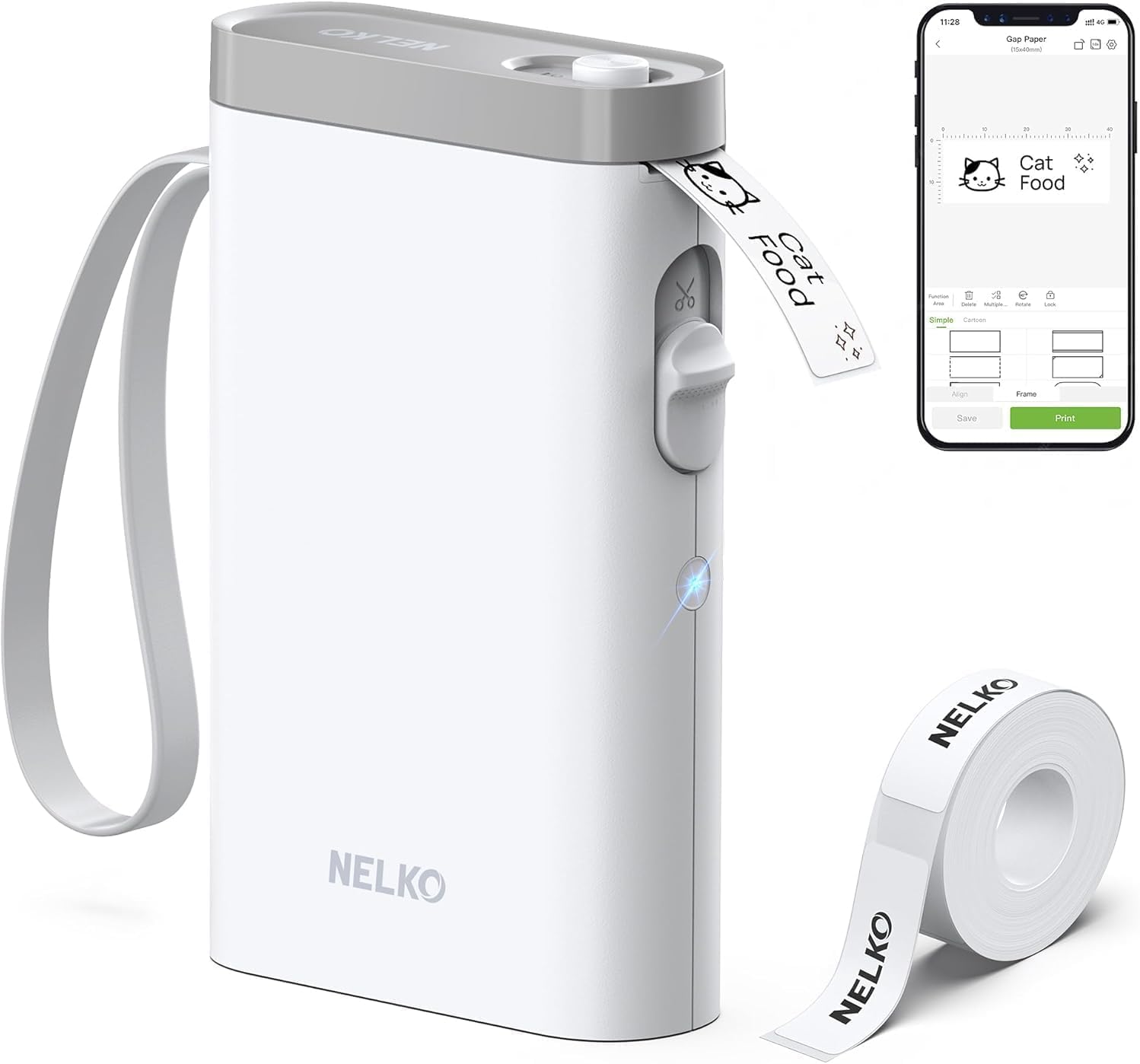
The Nelko P21 is a pocketable thermal label maker that connects over Bluetooth to an iOS or Android phone and prints monochrome labels without ink. It is used by selecting templates, fonts, or icons in the Nelko app, choosing the correct tape size, and sending jobs to the built-in cutter for quick, single-sheet output. The 203 DPI thermal engine produces clear black-on-white text and simple graphics, and the rechargeable battery and USB-C port make it convenient for classroom, home, and small-business labeling on the go. The app includes many templates, borders, and an AI gallery for decorative labels, but setup requires using the Nelko app for pairing rather than the phone Bluetooth settings, and iOS users need the current app version for best compatibility. The P21 only prints pre-sized thermal tapes (no continuous rolls) and is monochrome, so it is not suited to full-color or wide-format needs, but for waterproof-style thermal tapes and fast one-off labels it is an efficient portable option.
Best for: Buyers who want a lightweight, app-driven handheld labeler for classroom, home, or small-business organization and who prioritize portability and easy template-based design.
Less Ideal for: People who need wide-format, continuous-roll, or full-color label printing for heavy-duty industrial or graphic applications should consider a different printer.
- True thermal printing so no ink or cartridges are required
- Portable, lightweight design with built-in rechargeable battery and USB-C charging
- 203 DPI resolution yields crisp monochrome text and simple graphics
- App-driven templates, icons, and QR/barcode support for quick customized labels
- Works only through the Nelko smartphone app and may need app updates for iOS compatibility
- Prints only fixed-width thermal tape sizes and not continuous rolls
- Monochrome output only, no native full-color printing
Verdict: A compact, app-controlled thermal labeler that delivers crisp, waterproof-capable monochrome labels for teachers, home organizers, and small businesses who want fast portable printing.
Brother P-touch PT-N10

| Printer Type | Thermal |
|---|---|
| Maximum Media Size | 12mm |
| Power | 6 AAA batteries (not included) |
| Display | 12 characters |
| Print Resolution | 180 x 180 dpi |
The Brother P-touch PT-N10 is a portable thermal label maker aimed at simple, colorful organization around home, school, or the dorm. It prints single 12mm-wide labels in color using Brother P-touch Btag tapes and runs on six AAA batteries so you can use it anywhere without a power cord. A full QWERTY keyboard and 12-character preview screen make typing and checking labels fast, and the built-in cutter gives clean edges. You get basic customization with three fonts, six font styles, 10 frames and 200 symbols, plus the unit saves up to 10 frequently used labels for quick reprints. Tape durability is strong for this class: Btag tapes are described as water, temperature, microwave, dishwasher and freezer resistant, which suits kitchen and outdoor items. Limitations include a small display that only shows 12 characters at once and no Bluetooth or app support, so more complex layouts or long text require previewing in short segments and manual workarounds.
Best for: Buyers who want an easy, low-risk way to make durable, colorful labels for home, kitchen, school, or shared living spaces and prefer a simple standalone device rather than app-driven solutions.
Less Ideal for: Users who need long, complex labels, Bluetooth/mobile design features, or high-volume, professional label production should consider more advanced or networked models.
- Portable, battery-powered for cordless use
- Full QWERTY keyboard and preview screen for faster, familiar typing
- Supports colorful Btag tapes with many frames and symbols for creative labels
- Built-in cutter produces clean, ready-to-apply labels
- Included Btag sample tape and compatibility with durable, water- and dishwasher-resistant tapes
- Small 12-character display limits previewing longer text
- No wireless or mobile app connectivity for advanced design or batch printing
Verdict: A compact, battery-powered label maker that delivers durable, colorful 12mm Btag labels with an easy keyboard and preview screen, ideal for low-risk home and kitchen labeling.
Choosing the Right Waterproof Label Maker: Key Factors to Consider
Print Durability and Ink/Ribbon Technology
Waterproof label longevity depends on how the device applies ink or thermal transfer to the label surface. Durable printing methods resist smearing when wet and maintain legibility after repeated wiping.
Look for devices that support thermal transfer or other waterproof media designed to bond ink or pigment into the tape surface. Consider how the printed text holds up to frequent cleaning with water, mild detergents, or rubbing. Print resolution also matters for small text and barcodes, so confirm that the device provides clear output at the sizes you plan to use.
Tape Material and Adhesive Performance
The substrate and adhesive are as important as the printed text. Waterproof labels usually use laminated polyester or vinyl tapes with pressure-sensitive adhesives formulated to stick to plastic, metal, glass, and painted wood.
Consider the surfaces you will label and whether you need permanent, removable, or specialty adhesives. Some tapes are optimized for low-temperature or high-humidity conditions while others perform better on textured or uneven surfaces. Verify that compatible waterproof tapes are available in the colors and widths you require for your labeling tasks.
Ease of Design and Layout
Fast, accurate labeling depends on how easily you can compose and format text, symbols, and barcodes. Devices with intuitive keyboard interfaces or companion apps reduce setup time and minimize formatting errors.
Check if the label maker offers built-in templates, adjustable font sizes, and alignment controls that suit your needs. If you plan to create many labels, features like memory storage, auto-numbering, or QR/barcode support will streamline repetitive jobs. Also consider how simple it is to preview and edit labels before printing to avoid wasted tape.
Media Variety and Size Options
Different projects require different tape widths and colors. A versatile label maker supports multiple tape widths and color combinations so you can create high-contrast labels for visibility in low light or for color-coded systems.
Confirm that a range of waterproof tape widths and laminated finishes are available and that the device accepts them without complicated adapters. Access to specialty tapes, such as chemical-resistant or high-temperature materials, can be valuable for specific environments like workshops or outdoor installations.
Power, Portability, and Durability of the Device
If you plan to label outdoors, on job sites, or in utility closets, the device should be portable and robust. Consider battery type and longevity, USB power options, and whether the device fits comfortably in your hand for extended use.
Durable housings and protective features help the label maker withstand knocks and dust. For stationary, high-volume work, evaluate AC power options and duty cycle suitability. Portability also influences how often you will actually use the tool versus relying on sticky handwritten tags instead.
Cost and Availability of Waterproof Tape
Ongoing tape cost and how easy it is to procure replacement waterproof cartridges affect long-term usability. Some tape types are more expensive or less widely stocked, which can complicate upkeep for heavy users.
Estimate how many labels you will produce and whether bulk tape options are available. Also check if multiple tape colors and widths are accessible from general retailers or specialty suppliers. Balancing upfront device cost with tape affordability and availability ensures uninterrupted labeling over time.
Where Waterproof Labels Make the Biggest Difference
Waterproof labels are vital wherever moisture, condensation, or routine cleaning could erase ordinary paper labels. Common applications include outdoor storage bins, kitchen containers, garden supplies, and equipment that is frequently wiped down.
In basements and garages, labels on plastic bins and toolboxes prevent misplacement and speed retrieval. For utility and cable labeling, durable printed tags help technicians avoid confusion during maintenance.
- Outdoor storage and garden supplies
- Food storage and pantry jars exposed to steam or cleaning
- Workshop tools, parts bins, and hardware
- Cables, panels, and utility markings in damp areas
Choosing Tape Widths and Colors for Readability
Select tape widths that match the amount of text and the space available. Narrow widths work for short cable tags and small containers, while wider tapes accommodate longer descriptions or bigger fonts for visibility at a distance.
High-contrast color combinations improve legibility in low light. White or yellow text on black background often reads well, while black text on white or clear tape is a versatile default.
- Use narrow tape for cable and small-item labeling
- Choose wider tape for shelving, bins, and outdoor boxes
- High-contrast color schemes aid quick scanning
- Reserve specialty colored tapes for color-coded systems
Tips for Applying Waterproof Labels for Maximum Longevity
Surface preparation makes a big difference. Clean surfaces thoroughly with isopropyl alcohol or a mild cleaner and let them dry before applying labels. Avoid placing labels on oily or heavily textured surfaces unless you choose an adhesive rated for that condition.
Apply even pressure across the label and allow adhesive to set before exposing the label to moisture. For curved or irregular surfaces, use narrower tapes or cut custom lengths to reduce peeling at the edges.
- Wipe surfaces clean and dry before application
- Press firmly and smooth from center outward
- Use overlap or seal edges in high-moisture spots
- Check adhesion after 24 hours and reapply if necessary
When to Use a Handheld Vs Desktop Label Maker
Handheld devices are ideal for on-the-go labeling, quick fixes, and cable tagging. They tend to be lighter, battery-powered, and easier to operate one-handed. Choose a handheld unit if you need mobility or frequent site-to-site use.
Desktop label makers offer more power and layout flexibility for batch printing. If you regularly produce many labels at once or need wider tape options and more complex formatting, a desktop model can be faster and more comfortable for long sessions.
- Handheld: portable, quick, battery-powered
- Desktop: higher throughput, broader media options
- Match device type to your workflow and label volume
Maintaining Labels and Replacing Tape Media
Even durable waterproof labels will eventually show wear where they are repeatedly handled or exposed to chemicals. Inspect labels periodically and replace those that show edge lift or fading. Storing spare tape cartridges in a dry place helps reduce downtime.
Follow manufacturer guidelines for tape storage, as extreme heat or humidity can degrade adhesive performance over time. For heavy-use environments, keep a stock of compatible waterproof tapes in the widths and colors you use most.
- Inspect labels regularly in high-wear areas
- Store tape cartridges in a cool, dry place
- Replace labels showing edge lift or fading promptly
- Keep common tape widths on hand for quick replenishment
How We Chose the Best Waterproof Label Maker
We focused on attributes that matter for labels exposed to moisture and repeated handling. Key evaluation points included print durability on waterproof media, tape adhesion to common surfaces, and resistance to fading from sunlight or cleaning agents. We also assessed device usability, including setup, label design flexibility, and options for custom text or symbols that speed everyday tasks. Battery and power options were considered for portability and frequent use, and we checked the availability and ease of loading waterproof tapes. Excluded items included printers that only produce paper labels without waterproof tape options and units that rely solely on external software with no standalone functionality. We prioritized devices whose specifications and accessory options directly addressed wet, humid, or outdoor-use scenarios. The final shortlist reflects a balance of long-term durability, reliable adhesion, practical feature sets, and straightforward operation that match typical home and light commercial labeling tasks.
Our full evaluation process is outlined in our review methodology.
FAQ
Are waterproof label makers different from regular label makers?
Yes. Waterproof label makers are designed to print on laminated or specially coated tapes that resist water and cleaning. The devices themselves may use thermal transfer or direct thermal methods optimized for these waterproof media.
Will waterproof labels stick to rough or textured surfaces?
Adhesion depends on the tape and the surface. Many waterproof tapes adhere well to smooth plastics, metal, and glass but may struggle on very rough or dirty surfaces. Cleaning and choosing a tape with a stronger adhesive improve results.
Can I print barcodes or QR codes with a waterproof label maker?
Often yes. Many label makers support barcodes and QR codes, though clarity depends on print resolution and tape width. For reliable scanning, use sufficient barcode size and high-contrast tape combinations.
How do I ensure labels do not peel off outdoors?
Prepare the surface by cleaning and drying it, apply the label with firm pressure, and pick a tape rated for outdoor use and temperature extremes. For curved or exposed edges, consider sealing the edges with a clear overlaminate if the application is critical.
Do handheld waterproof label makers last as long as desktop models?
Durability varies by build quality and usage patterns. Handheld models are generally built for portability and lighter duty, while desktop units are intended for higher-volume work. Choose based on how often you will print and the environments where the device will be used.
Final Verdict
Prioritize print durability and the right tape material when choosing a waterproof label maker. Match tape widths and adhesives to the surfaces and environments you label most often, and weigh portability against throughput depending on whether you print on the go or in batches. Balancing those tradeoffs will help you select a device that keeps labels legible and firmly attached under wet, humid, or outdoor conditions. Focus on the criteria outlined above to pick a waterproof label maker that fits your workflow and lasts over time.