
Note: This article contains affiliate links. If you click on these links and make a purchase, we may earn a small commission at no extra cost to you. This helps support our research and content. Read our full affiliate disclosure here.
Picking the right laser printer on a budget matters because the cheapest machine can cost more over time if toner and reliability are poor. You want a device that produces consistent text, handles your typical monthly page load, and keeps operating costs under control. This guide shortlists the top affordable laser printers that balance initial price, print quality, and ongoing cost efficiency. Each pick was evaluated for real-world use so you can choose a machine that fits your printing volume and workspace without surprises. Read on for a practical look at the key performance and cost factors we used to narrow the field, and then see the best budget laser printers for common home and small-office needs.
Top Picks at a Glance
| Best Quality Built to a higher standard if you want something more solid | HP LaserJet Pro M201dw |  |
| Best Value The sweet spot between price and what you get | Xerox B230 Monochrome Laser Printer |  |
| Best Budget The cheapest option that still gets the job done reliably | Canon imageCLASS LBP6030w |  |
| Top Rated A top-rated pick with lots of positive feedback | HP LaserJet Pro M15w |  |
| Most Popular A crowd favorite that many people choose with confidence | Brother HL-L2405W Laser Printer |  |
HP LaserJet Pro M201dw

| Printer Type | Laser |
|---|---|
| Printer Output Type | Monochrome |
| B&W Pages per Minute | 25 |
| Maximum Print Resolution Black and White | 600 x 600 dpi |
| Printer Connectivity Type | Wi-Fi |
The HP LaserJet Pro M201dw is a straightforward monochrome laser printer aimed at small offices or home users who need reliable, fast black-and-white output. It prints at up to 25 ppm with an estimated first page in about three seconds, and automatic duplexing and a 250-sheet input capacity keep routine jobs moving with fewer interruptions. Built-in Wi-Fi, a single Ethernet port and USB 2.0 let you connect laptops and mobile devices, and mobile printing standards like AirPrint and Mopria make printing from phones and tablets simple. The 600 x 600 dpi resolution produces crisp text and basic graphics but is not intended for high-detail photo work. Setup and daily use are managed from a small LCD and an app control option, and the unit includes basic security and management features suited to office environments. Limitations include monochrome-only output and modest resolution compared with higher-end models, and it lacks advanced finishing or high-capacity trays for large workgroups.
Best for: Buyers who prioritize fast, dependable black-and-white output for office documents and want easy wireless or mobile printing without extra complexity.
Less Ideal for: People who need color printing, high-resolution graphics, or heavy-duty finishing features for large workgroups should consider a different model.
- Fast monochrome print speed up to 25 pages per minute for quick document turnaround
- Automatic duplex printing reduces paper use and manual handling
- Built-in Wi-Fi, Ethernet, and mobile printing support for flexible connectivity
- 250-sheet input and 150-sheet output capacity handle moderate daily volumes
- Monochrome only so no color printing capability
- 600 x 600 dpi resolution limits fine graphic or photo detail
Verdict: If you need fast, reliable monochrome printing with duplex and wireless support on a budget, this HP LaserJet is a solid choice.
Xerox B230 Monochrome Laser Printer
| Printer Type | Laser |
|---|---|
| Print Speed | 36 ppm |
| Duplex | Automatic |
| Maximum Sheet Capacity | 250 |
| Connectivity | USB, Wi-Fi, Ethernet |
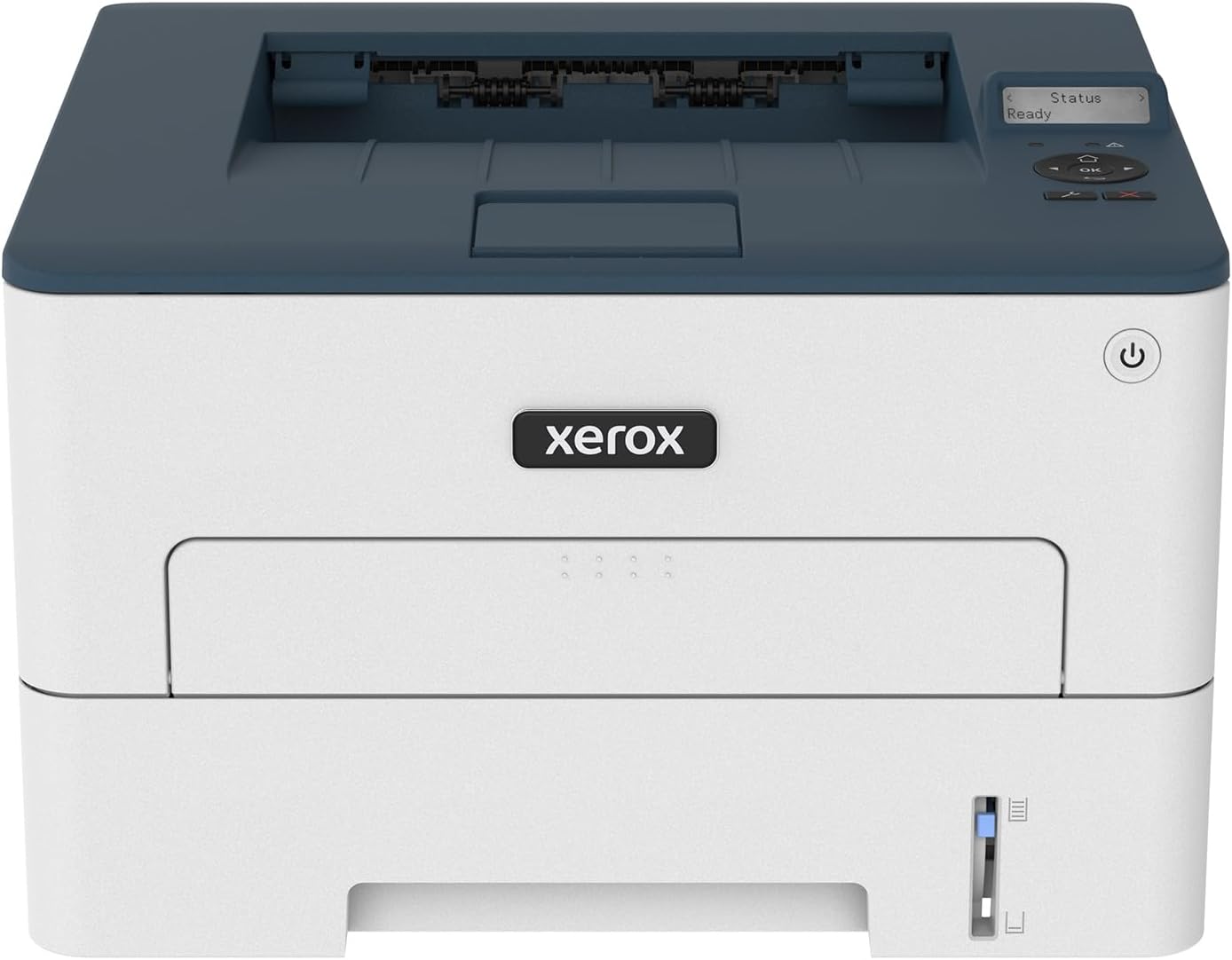
The Xerox B230 is a small-footprint black-and-white laser printer aimed at home offices and small teams that need reliable, straightforward printing. It prints up to 36 pages per minute and supports wireless printing from phones and Chromebooks via AirPrint and Mopria, making mobile printing easy. The unit includes automatic two-sided printing, a 250-sheet standard paper capacity, and a 1 GHz dual-core processor with 256 MB memory for steady performance during moderate monthly volumes. Setup is simplified by Xerox Smart Start and Wi‑Fi Direct, and the printer offers basic security features to protect networked printing. Practical benefits include low running complexity, decent speed for single-function printers, and support for Ethernet when a wired connection is preferred. Limitations are that it is monochrome only and a print-only device with no scanning or copying, so it is not a replacement for a multifunction office machine; also memory and onboard features are modest compared with higher-end models. For buyers prioritizing reliable, fast black-and-white output in a compact package, the B230 is a sensible budget choice.
Best for: Buyers who want a compact, no-nonsense monochrome printer that delivers reliable, fast document printing for a small office or home business while minimizing setup effort and running complexity.
Less Ideal for: Users who need scanning, copying, color printing, or advanced finishing features should consider a multifunction or color laser alternative.
- Fast monochrome printing up to 36 pages per minute for quick document output
- Built-in Wi‑Fi, Wi‑Fi Direct and support for AirPrint and Mopria for easy mobile printing
- Automatic two-sided printing reduces paper use and running costs
- 250-sheet standard paper capacity suitable for small office workloads
- Includes Ethernet port for stable wired network connections
- Print-only design with no scanner or copier functionality
- Monochrome only, not suitable for color print needs
Verdict: A compact, budget-friendly monochrome laser that delivers fast, reliable black-and-white output and easy mobile setup for small offices.
Canon imageCLASS LBP6030w

| Printer Type | Laser |
|---|---|
| B&W Pages per Minute | 19 pages_per_minute |
| Printer Connectivity Type | Wi-Fi |
| Compatible Cartridge | Canon Genuine Toner 125 (1,600 page yield) |
The Canon imageCLASS LBP6030w is a compact monochrome laser printer intended for home and small office users who need basic, reliable black-and-white printing. It prints at up to 19 pages per minute with an approximate 8 second first page out time, and connects via Wi-Fi or USB for flexible placement. The small footprint and low standby power draw make it easy to tuck into a tight workspace and keep running without high energy costs. Paper handling supports up to 150-sheet input and standard letter to legal media, and it uses Canon Genuine Toner 125 cartridges rated for about 1,600 pages which keeps per-page costs predictable. Notable limits are no automatic duplexing and no scanning or copying functions, so it is strictly a print-only device; the single tray and modest output capacity mean heavy daily print volumes will require more frequent attention. Setup and app control are straightforward for typical laptop and mobile printing, making this a sensible choice when you want a basic, dependable laser printer without extra features.
Best for: Buyers looking for an affordable, no-frills monochrome printer for occasional to moderate document printing in a small office or home workspace.
Less Ideal for: Users who need scanning, copying, automatic duplexing, or high daily print volumes should consider a multifunction or higher-capacity model instead.
- Compact footprint fits small desks and home offices
- Wireless and USB connectivity for flexible placement
- Reasonable 19 ppm black-and-white print speed for everyday documents
- Low power consumption in energy saver mode
- No automatic duplex printing
- Print-only device with no scanning or copying capability
Verdict: A compact, energy-efficient monochrome laser that delivers reliable, budget-friendly printing for home and small office document needs.
HP LaserJet Pro M15w

| Printer Type | Laser |
|---|---|
| Printer Output Type | Monochrome |
| Print Speed | 19 pages_per_minute |
| Connectivity | USB, Wi-Fi |
| Maximum Print Resolution Black and White | 600 x 600 dpi |
The HP LaserJet Pro M15w is a tiny, no-frills monochrome laser printer that delivers fast, reliable black-and-white prints for one to three users. It prints up to 19 pages per minute with a first page out time around 8 seconds and connects via USB or built-in Wi-Fi, including Wi‑Fi Direct for mobile printing without a network. The printer pairs with the HP Smart app to print from cloud services and scan with a smartphone, and HP includes auto-on/auto-off power management to reduce energy use. Its 150-sheet input capacity and 600 x 600 dpi output are fine for documents, labels, and envelopes but limit heavy photo or graphics work. As an entry-level laser it is very compact and affordable, though it lacks automatic duplexing and larger paper handling for higher-volume offices, and HP's dynamic security restricts use to original HP cartridges. For buyers who need dependable, small-footprint monochrome printing on a budget, the M15w is a sensible, straightforward choice.
Best for: Buyers who prioritize dependable, low-maintenance monochrome printing in a small home or micro office and want simple wireless mobile and cloud printing.
Less Ideal for: Users who need heavy monthly volumes, automatic two-sided printing, or higher-resolution graphics and photo output should consider larger office models.
- Very compact footprint that fits tight spaces
- Up to 19 ppm black-and-white print speed with quick first page out
- Wireless printing including Wi‑Fi Direct and HP Smart app cloud printing
- Energy-saving auto-on/auto-off technology
- No automatic duplexing for two-sided printing
- Restricted to original HP cartridges due to dynamic security
Verdict: A compact, budget-friendly monochrome laser that delivers reliable everyday document printing for small home offices.
Brother HL-L2405W Laser Printer

| Printer Type | Laser |
|---|---|
| Printer Output Type | Monochrome |
| B&W Pages per Minute | 30 pages_per_minute |
| Maximum Print Resolution Black and White | 1200 x 1200 dots_per_inch |
| Printer Connectivity Type | USB, Wi-Fi |
The Brother HL-L2405W is a small, no-frills monochrome laser printer aimed at home and small office users who need steady, economical black-and-white printing. It prints single-sided pages quickly—up to 30 ppm—with a typical first-page-out time under 10 seconds and a 250-sheet tray that reduces refills. Dual-band Wi-Fi and a USB 2.0 port let you print from laptops and mobile devices, and Brother Mobile Connect provides simple remote printing and supply management. Output quality is sharp at 1200 x 1200 dpi for text and basic graphics, and the manual feed supports envelopes and specialty paper. Expect straightforward setup and reliable day-to-day use rather than advanced features like automatic duplexing or color. Toner is available in standard and high-yield Brother Genuine cartridges and the model supports a subscription toner service for hands-off replenishment. If you need a compact, dependable black-and-white printer that prioritizes speed and low running costs, this unit does the job; if you require color printing, automatic duplex, or integrated scanning, look elsewhere.
Best for: Buyers who want a compact, reliable black-and-white printer for a home office or small business that values fast text output and dependable connectivity supported by strong user reviews.
Less Ideal for: People who need color printing, built-in scanning or copying, or automatic two-sided printing should consider a different model with those features.
- Fast monochrome print speed up to 30 pages per minute
- Dual-band Wi-Fi plus USB connectivity for flexible device printing
- 250-sheet paper tray reduces how often you refill paper
- 1200 x 1200 dpi resolution produces crisp text and basic graphics
- No automatic duplex printing; duplexing is manual
- Print-only design with no scanner or copier integrated
Verdict: A fast, compact monochrome laser printer that delivers reliable, low-friction black-and-white printing for budget-conscious home and small office users.
Choosing the Right Laser Printer on a Budget: Key Factors to Consider
Print Quality And Intended Use
Laser printers excel at crisp black text and simple line art. If your primary need is printing invoices, letters, reports, or occasional classroom handouts, look for machines with sharp character rendering and uniform toner coverage. Higher DPI and good toner fusion reduce the chance of faint letters or uneven gray areas.
For casual graphics or light brochures, check that the printer handles solid fills without banding. If you expect frequent photo printing, a budget monochrome laser may not meet expectations since lasers are optimized for text and simple graphics rather than full-color photography.
Running Cost And Toner Yield
Low sticker price can be deceptive when replacement toner cartridges are costly or yield few pages. Evaluate cost per page using the manufacturer-rated toner yield and typical cartridge prices. High-yield toner options often lower the long-term cost, so confirm whether the model supports larger cartridges.
Also consider whether the printer accepts third-party or remanufactured toner if you plan to use those supply channels. Check how easy it is to replace toner and whether the printer requires additional parts such as imaging drums that have their own replacement intervals and costs.
Monthly Volume And Duty Cycle
Budget laser printers have rated duty cycles and recommended monthly volumes; these indicate how much stress the device can handle before problems arise. Choose a printer whose recommended monthly print volume comfortably exceeds your average use to avoid premature wear.
If your printing spikes occasionally, opt for a model with a higher duty cycle and more robust paper path. For steady low-volume use, a compact unit designed for light duty may be quieter and more energy efficient.
Paper Handling And Media Support
Paper capacity, tray capacity, and supported media sizes affect convenience. A small input tray works for light home use but increases refill frequency. If you print multi-page documents regularly, look for larger trays or optional input extensions.
Also confirm the supported paper weights and envelopes if you plan to print on heavier stock or mailing materials. A simpler feed path reduces jams and is preferable when reliability matters more than handling exotic media.
Connectivity And Workflow Integration
Check which connectivity options the printer offers. USB is essential for a directly connected setup, while Ethernet or Wi-Fi enable network sharing across multiple devices. Some budget models include mobile printing protocols which are helpful for printing from phones and tablets.
Consider driver support and whether the printer provides a web interface or mobile app for status and configuration. Good connectivity options reduce friction and speed up common tasks such as scanning to email or printing from cloud services when supported.
Why Choose A Monochrome Laser Printer
Monochrome laser printers focus on delivering sharp black-and-white output with efficient toner usage. For users who print mostly text, a monochrome laser typically offers lower cost per page and better longevity than comparable inkjet machines because toner does not dry out and laser fusing handles high-volume text well.
- Sharper text and higher consistency for documents
- Lower consumable waste from unused cartridges
- Typically faster first-page and steady throughput for text-heavy jobs
Estimating Total Cost Of Ownership
Beyond cartridge prices, include the cost of replacement drums, maintenance kits, and expected service life when estimating total cost. Multiply your expected monthly pages by the model's cost per page to project a 12-month spend. This helps reveal whether a slightly more expensive unit pays off through lower operating costs.
- Calculate cost per page including drum and maintenance parts
- Plan for occasional parts replacement at scale
- Factor in electricity use for high-volume deployments
Setting Up For Reliable Daily Use
Place the printer on a stable surface with good ventilation. Keep it away from direct sunlight and dusty or humid areas. Use the correct paper type and keep the tray limits within manufacturer recommendations to reduce misfeeds and jams. Regularly inspect and clean accessible rollers and paper paths to prevent buildup that causes streaks or feed problems.
- Allow clearance for the output tray and front access
- Store spare toner in a cool, dry place
- Run occasional calibration and alignment if print quality drifts
Paper Jam Prevention And Troubleshooting Tips
Most jams are caused by overloaded trays, folded paper, or debris in the feed path. When a jam occurs, follow the removal steps recommended in the manual and avoid yanking paper which can damage internal parts. Use paper within the recommended weight range and fan sheets before loading to minimize adhesion between pages.
- Remove paper gently along the feed path to avoid tearing
- Check for small scraps of paper lodged behind rollers
- Clean feed rollers periodically with recommended cleaning pads
When To Consider A Higher-Capacity Model
If your monthly printing regularly exceeds the recommended volume for budget models, a higher-capacity unit with larger trays and longer-life consumables may be a better investment. Higher-capacity machines often provide larger toner packages and more robust paper handling that reduce downtime and maintenance interventions.
- Larger trays mean fewer refill interruptions
- High-yield toners reduce per-page cost
- Stronger paper paths reduce jams and service calls
How We Chose the Best Laser Printer on a Budget
Our selection focused on machines that deliver dependable output without expensive consumables or fragile design. We prioritized printers that are genuinely affordable to own, not just inexpensive to buy. Core evaluation criteria included print quality for text and basic graphics, measured by clarity and toner density; cost per page based on typical starter and replacement toner yields; monthly duty cycle and recommended monthly volume to ensure the unit suits common home and small-office workloads; and build reliability, including paper handling, feed mechanisms, and common failure points that affect longevity. We excluded specialty or wide-format models, color laser units that dramatically increase consumable costs, and printers with known scarcity of replacement toner. We also filtered out machines lacking basic connectivity options such as USB or network printing. Ultimately, models that balanced low operating cost, clear text reproduction, and straightforward maintenance rose to the top. Our scoring emphasized consumable economics and real-world uptime because those factors most affect total cost of ownership for budget-minded buyers.
Our full evaluation process is outlined in our review methodology.
FAQ
How do I calculate cost per page for a laser printer?
Divide the replacement toner cost by the rated page yield for the cartridge to get a base cost per page. For a fuller estimate, add the prorated cost of any drum or maintenance kit replacements and include expected power use.
Are all laser printers good for photos?
No. Budget monochrome lasers are optimized for text and simple graphics. They do a poor job with continuous-tone photos and color work. For images and photos, color-specific printers or photo-focused devices perform better.
Can I use third-party toner cartridges to save money?
Often you can, but quality and reliability vary. Third-party toners can lower cost per page but may produce different print density or risk more frequent maintenance. Check whether the model accepts remanufactured cartridges and whether the vendor offers compatible options.
How much monthly printing is too much for a budget laser printer?
Compare your monthly page count to the printer's recommended monthly volume. If your typical usage approaches or exceeds that recommendation regularly, consider a unit with a higher duty cycle to avoid accelerated wear.
What causes faint or streaky prints on a laser printer?
Faint or streaky prints can result from low toner, uneven toner distribution, a failing drum, or dirty fuser and transfer areas. Running a calibration cycle, replacing low consumables, and cleaning accessible parts usually resolves the issue.
Final Verdict
Focus on the factors that affect long-term ownership rather than just upfront price. Prioritize printers with reasonable toner yields, straightforward maintenance, and a monthly duty rating that exceeds your average use. Expect tradeoffs: smaller budget units save money initially but may require more frequent supplies or stricter volume limits. Choose the machine that matches your print volume and workflow: if you print mainly documents and want predictable costs, lean toward models with higher-yield toner options and robust paper handling. That approach will minimize surprises and keep operating costs low.